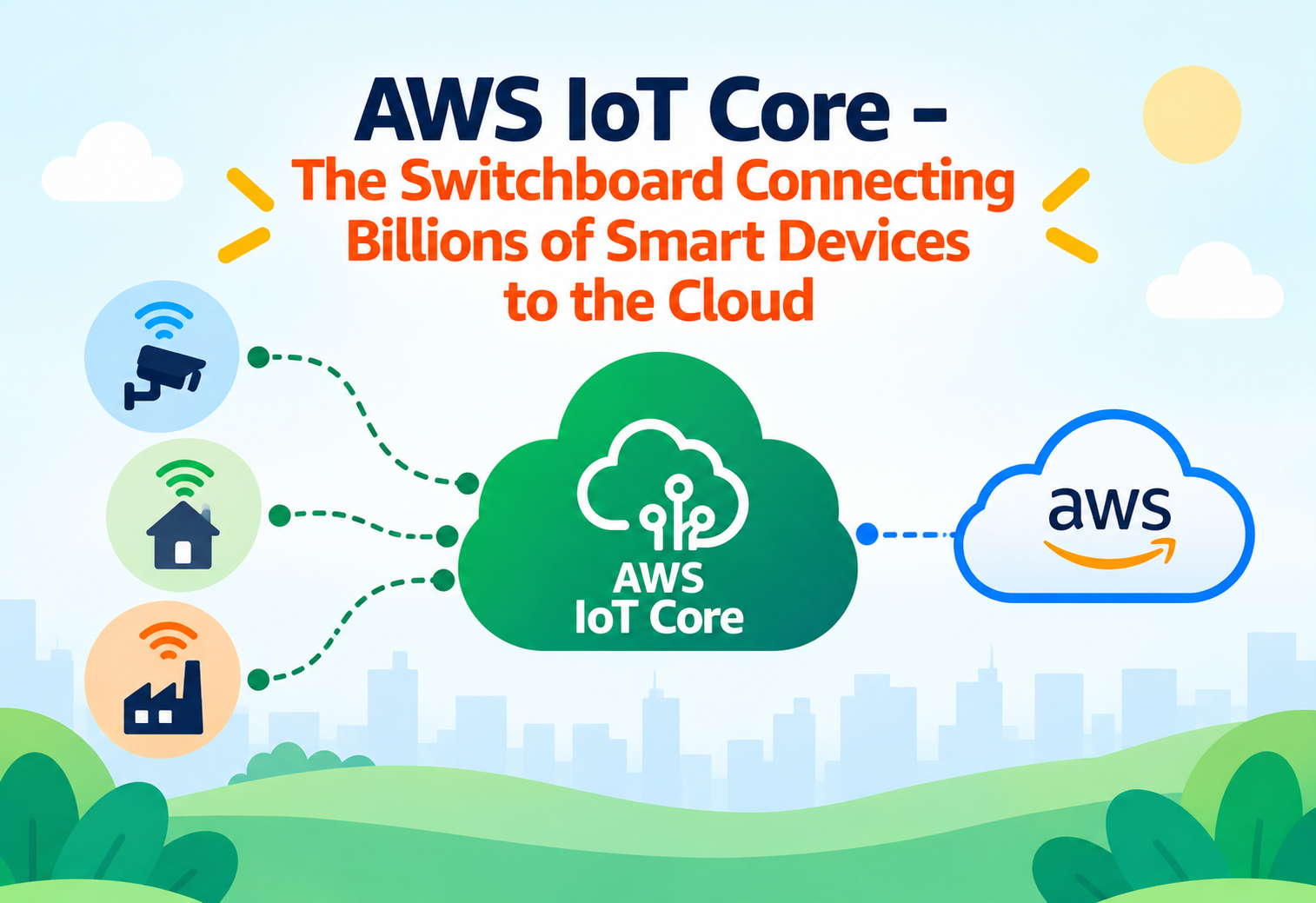
AWS IoT Core – The Switchboard Connecting Billions of Smart Devices to the Cloud
How a single cloud service lets everything from smart thermostats to factory sensors talk to each other and to your applications, securely and at massive scale.
Picture an old-fashioned telephone switchboard operator sitting in front of a giant wall of cables, manually connecting one caller’s line to another caller’s line so they can talk. Now imagine that instead of a handful of telephone calls, this switchboard needs to handle connections for billions of small, simple devices at once — smart light bulbs, temperature sensors on a farm, delivery trucks reporting their location, factory machines reporting their status — all constantly sending and receiving tiny messages, all day, every day. A human operator obviously can’t handle that scale. AWS IoT Core is the automated, cloud-based switchboard built specifically for this job. It’s the central hub where “smart,” internet-connected devices — collectively called the Internet of Things, or IoT — securely connect, send their data, and receive instructions, all without needing a human to manually patch any cables. This tutorial explains everything about AWS IoT Core from scratch, using plain language and everyday analogies.
1What Is AWS IoT Core?
The central meeting point for internet-connected devices.
AWS IoT Core is a managed cloud service that lets internet-connected devices — often called “IoT devices” — securely connect to the cloud and to each other. These devices can be almost anything with a sensor or a simple computer chip: a smart thermostat, a fitness tracker, an industrial machine sensor, a connected car, or a farm irrigation controller.
AWS IoT Core acts as the central point where all these devices check in, send information (like “the temperature is 72 degrees” or “the machine just finished a cycle”), and receive commands (like “turn off the lights” or “increase the fan speed”). It’s built to comfortably handle an enormous number of devices — potentially billions — all communicating at the same time.
Think of a massive, well-organized post office that never sleeps, capable of receiving and delivering letters between millions of senders and recipients simultaneously, checking every single letter’s sender is who they claim to be, and instantly routing each one to exactly where it needs to go.
2Why Do Connected Devices Need Special Handling?
IoT devices are very different from regular computers and phones.
You might wonder — why can’t a smart thermostat just talk to a regular website the same way a laptop browser does? IoT devices have unique characteristics that make this genuinely difficult without a specialized service.
Limited Power and Processing
Many IoT devices run on small batteries or minimal hardware, and can’t handle the heavier communication methods used by full computers.
Unreliable Connectivity
Devices in remote locations, like farm sensors or delivery vehicles, may have spotty or intermittent internet access.
Massive Scale
A single company might have millions of individual devices, each needing to be securely identified and managed.
Security Risks
An unsecured smart device connected to the internet can become an easy target for hackers if not properly authenticated and protected.
AWS IoT Core is designed around lightweight communication methods, strong security by default, and the ability to handle devices that come and go from the internet unpredictably — none of which are automatically handled by typical website or app infrastructure.
3Core Concepts and Terminology
The essential vocabulary of the Internet of Things.
Thing
AWS IoT Core’s name for any individual connected device registered with the service — a sensor, a light bulb, a vehicle tracker, and so on.
Device Certificate
A unique digital credential assigned to each device, proving its identity when it connects, similar to an ID card.
Topic
A named channel that devices publish messages to, and that other devices or applications can subscribe to in order to receive those messages.
Device Shadow
A stored, virtual representation of a device’s current and desired state, even when the actual device is temporarily offline.
Rules Engine
A system that watches incoming messages and automatically triggers actions, like storing data or sending an alert, based on conditions you define.
MQTT
A lightweight messaging protocol designed specifically for devices with limited power and unreliable network connections.
A “topic” works like a specific radio station frequency — a sensor “broadcasts” its readings on a particular frequency, and any application “tuned in” to that same frequency automatically hears every update, without the sensor needing to know exactly who’s listening.
4Device Shadows: Talking to a Device That’s Offline
A clever solution to an unreliable-connectivity problem.
One especially clever feature of AWS IoT Core is the device shadow. Imagine you want to turn off a smart light bulb, but at that exact moment, it happens to be offline (perhaps its Wi-Fi briefly dropped). Instead of the command simply failing, AWS IoT Core updates the light bulb’s “shadow” — a virtual stand-in — recording that its desired state is “off.” The moment the actual bulb reconnects to the internet, it checks its shadow, sees the desired change, and applies it immediately.
It’s like leaving a voicemail for a coworker who’s currently unreachable. You don’t know exactly when they’ll check it, but the moment they’re back online, they see your message and act on it — nothing gets lost just because they were briefly unavailable.
Device shadows let applications interact with a “reported” and “desired” state at any time, even without a live connection to the physical device itself, making IoT systems far more resilient to spotty connectivity.
5How a Message Travels Through AWS IoT Core
Following one sensor reading from device to application.
Device Connects Securely
The device connects to AWS IoT Core, presenting its unique certificate to prove its identity.
Device Publishes a Message
The device sends a small message — for example, a temperature reading — to a specific topic.
Rules Engine Evaluates the Message
AWS IoT Core checks the incoming message against any configured rules, such as “if temperature is above 90, send an alert.”
Action Is Triggered
Based on the rule, the message might be stored in a database, forwarded to another AWS service, or trigger a notification.
Subscribed Applications Receive Updates
Any application subscribed to the relevant topic — such as a dashboard showing live sensor data — receives the update in near real time.
flowchart LR
    A[IoT Device] -->|Certificate Auth| B[AWS IoT Core]
    B --> C[Publish to Topic]
    C --> D[Rules Engine]
    D --> E[Store Data / Trigger Alert]
    D --> F[Subscribed Application]
    B --> G[(Device Shadow)]
6Scalability: Handling Billions of Small Conversations
Why AWS IoT Core doesn’t buckle under enormous device counts.
A large company might deploy millions of sensors across factories, vehicles, or homes, each sending updates every few seconds. AWS IoT Core is designed from the ground up to scale automatically to support this kind of massive, constant activity, without requiring customers to manually provision extra servers as their device count grows.
It’s similar to a stadium’s public address system that can broadcast to a handful of people during a quiet practice session, or to eighty thousand fans during a championship game, without anyone needing to install new speakers overnight.
7Security: Protecting a World Full of Tiny Devices
Why authentication matters even more when devices are everywhere.
Device Certificates
Each device authenticates using its own unique digital certificate, rather than a shared password that could be leaked and misused broadly.
Fine-Grained Permissions
Policies define exactly which topics a specific device is allowed to publish to or subscribe from, limiting what it can access.
Encrypted Communication
All communication between devices and AWS IoT Core is encrypted, protecting data as it travels across potentially untrusted networks.
Device Registry Auditing
A central registry tracks every registered device, making it possible to review, disable, or revoke access for any specific one.
Assigning overly broad permissions to a device, such as allowing it to publish or subscribe to any topic, dramatically increases the potential damage if that single device is ever compromised.
8Common Use Cases
Where AWS IoT Core actually shows up in the real world.
Smart Home Devices
Connected thermostats, lights, and security cameras report their status and receive commands, letting homeowners control their home from a mobile app anywhere.
Industrial and Manufacturing Monitoring
Factory equipment sensors continuously report performance data, allowing engineers to detect problems and schedule maintenance before a breakdown occurs.
Fleet and Logistics Tracking
Delivery trucks and shipping containers send location and condition updates, giving companies real-time visibility into their entire fleet.
Agricultural Monitoring
Soil moisture and weather sensors spread across farmland report conditions, helping farmers make more precise irrigation and planting decisions.
9Advantages, Disadvantages, and Trade-offs
An honest look at where AWS IoT Core excels and its limitations.
Advantages
- Handles massive scale, from a handful of devices to billions, without manual capacity planning.
- Strong, certificate-based security designed for a world full of small, distributed devices.
- Device shadows make working with unreliable connectivity much easier.
- A flexible rules engine connects device data to many other useful cloud services automatically.
- Lightweight protocols suit devices with very limited power and processing capability.
Disadvantages / Trade-offs
- Designing secure, well-scoped permissions for thousands of devices requires careful planning.
- Understanding topics, shadows, and rules involves a learning curve for beginners to IoT concepts.
- Very high message volumes across huge device fleets can add up in ongoing cost if not monitored.
10Best Practices and Common Mistakes
Lessons for building a healthy, secure IoT deployment.
Problem
Using one single, shared certificate across many devices for convenience during initial setup.
Why It’s Harmful
If that one shared certificate is ever compromised, every device using it becomes vulnerable at once, rather than just a single unit.
Correct Approach
Issue a unique certificate to every individual device, so a single compromised credential only affects one device.
Problem
Ignoring device shadows and assuming every command will always reach a device immediately.
Why It’s Harmful
Real-world devices frequently lose connectivity, and commands sent without shadow support can simply be lost forever.
Correct Approach
Use device shadows so desired changes are reliably applied the moment a device reconnects, even after being offline.
Organize Topics Thoughtfully
Design a clear, consistent topic naming structure early on, since it becomes harder to reorganize as device counts grow.
Monitor Device Health
Track which devices are connecting normally and which are failing or behaving unexpectedly, to catch problems early.
Rotate Certificates When Needed
Have a clear process for revoking and replacing a device’s certificate if it’s ever suspected of being compromised.
11Frequently Asked Questions
Any registered connected device — a sensor, a smart appliance, a vehicle tracker, or similar hardware — is represented as a “Thing” within the service.
The device shadow keeps track of its last known state and any pending desired changes, so the device can catch up and apply updates the moment it reconnects.
Yes, as long as a device supports a compatible protocol like MQTT and can be issued a valid certificate, it can connect regardless of manufacturer.
The rules engine continuously evaluates incoming messages against conditions you define, triggering actions like storage or alerts whenever those conditions are met.
No. It scales down comfortably to just a handful of devices, making it practical for small projects as well as massive industrial deployments.
12Summary and Key Takeaways
AWS IoT Core exists to solve a challenge that grows more urgent every year: an enormous and rapidly increasing number of small, everyday devices need a reliable, secure, and scalable way to talk to the cloud and to each other. By combining lightweight communication protocols, strong per-device security, clever tools like device shadows for handling unreliable connections, and a flexible rules engine for automatic action-taking, it provides the connective tissue that turns a scattered collection of sensors and gadgets into a genuinely useful, responsive system. Whether it’s a single smart thermostat or an entire fleet of factory sensors, AWS IoT Core is the switchboard making sure every message finds its way exactly where it needs to go.
Key Takeaways
- AWS IoT Core — a managed cloud service that securely connects massive numbers of internet-connected devices.
- Core building blocks — Things, certificates, topics, device shadows, and the rules engine.
- Device shadows — a virtual stand-in that lets commands and data survive temporary device disconnections.
- Message flow — devices publish to topics, the rules engine evaluates them, and actions or subscribers respond.
- Scalability — automatically supports anywhere from a handful of devices to billions, without manual capacity planning.
- Security essentials — unique per-device certificates, fine-grained permissions, and encrypted communication.
- Common uses — smart homes, industrial monitoring, fleet tracking, and agricultural sensors.

