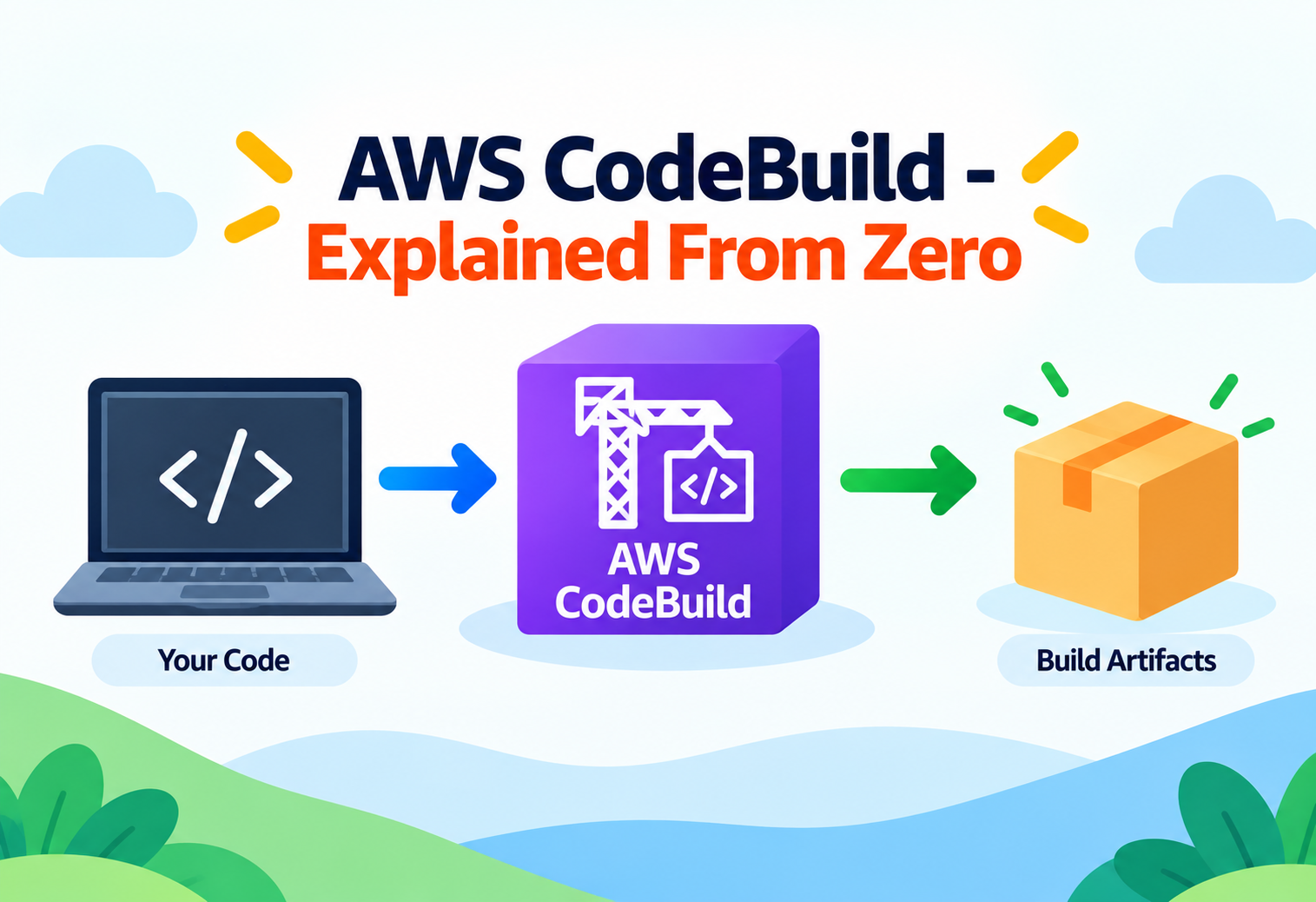
AWS CodeBuild – Explained From Zero
A complete, plain-English walkthrough of how AWS CodeBuild turns your raw source code into tested, packaged, ready-to-ship software — without you ever owning a build server.
Imagine you just finished writing a new feature for your app. Before anyone can use it, that raw code needs to be compiled, tested, and packaged into something a server can actually run. Doing this by hand, every single time, on your own laptop, does not scale — your laptop might be off, out of date, or simply too slow. AWS CodeBuild exists to solve exactly this problem: it is a fully managed service that takes your source code and turns it into a deployable artifact, automatically, on infrastructure you never have to think about. This guide walks through what CodeBuild actually is, how it works under the hood, and how real companies use it every day — assuming you have never touched AWS before.
1Core Concepts
Before diving into diagrams and internals, let’s build a rock-solid mental model of what CodeBuild is and why it exists.
What Is a “Build,” Really?
In software, “build” means the process of turning human-written source code into something a computer can execute or distribute. For a Java application, that might mean compiling .java files into a .jar package. For a website, it might mean bundling JavaScript files and minifying CSS. For a Docker-based service, it means assembling a container image. Every one of these processes needs a computer to run on, tools installed (compilers, package managers, testing frameworks), and a set of instructions to follow in order.
Think of a build like baking bread in a professional bakery. You have raw ingredients (your source code), a recipe (your build instructions), an oven (the compute environment), and a finished loaf ready to sell (the deployable artifact). Before AWS CodeBuild, engineering teams had to buy their own ovens, keep them clean, maintain them, and make sure there was always one free when someone needed to bake. CodeBuild is like a bakery-as-a-service: you bring the recipe and ingredients, and a fresh oven appears exactly when you need it, then disappears the moment you’re done — you never pay for an idle oven.
What AWS CodeBuild Actually Is
AWS CodeBuild is a fully managed continuous integration service offered by Amazon Web Services. “Fully managed” means AWS owns and operates the underlying servers, operating systems, patching, and scaling — you simply describe what you want built and CodeBuild does it. You pay only for the compute minutes you actually consume, billed in one-second increments after the first minute, with no servers to provision, patch, or leave running overnight.
CodeBuild does not “deploy” your application by itself — its job stops at producing a tested, packaged artifact. Deployment is typically handed off to a sibling service like AWS CodeDeploy, Amazon ECS, or Elastic Beanstalk. Keeping build and deploy as separate concerns is a deliberate design choice you’ll see repeated throughout AWS.
Why Not Just Use a Regular EC2 Server?
You certainly could install Jenkins or a similar tool on an EC2 virtual machine and manage it yourself. But then you own that machine forever: you patch its operating system, you scale it up when ten builds arrive at once, you scale it down (or waste money) when nothing is building, and you are responsible if it goes down during a critical release. CodeBuild removes all of that operational burden. Every build runs in a brand-new, isolated, disposable container that AWS provisions in seconds and destroys the moment the build finishes.
No Servers to Manage
AWS handles provisioning, patching, and capacity — you never SSH into a build machine.
Billed by the Minute
You pay only for actual build compute time, not for idle capacity sitting around waiting.
Scales Automatically
Ten builds or ten thousand — CodeBuild spins up parallel, isolated environments on demand.
Docker-based Environments
Build environments are containers, so what runs in CodeBuild can also run on your laptop.
2Architecture & Core Components
CodeBuild is made of a small number of building blocks that combine to form a complete pipeline stage. Understanding each one individually makes the whole system click.
The Building Blocks
- Source Provider — where your code lives: AWS CodeCommit, GitHub, GitHub Enterprise, Bitbucket, GitLab, or a plain Amazon S3 bucket holding a zipped repository.
- Build Project — the configuration object that ties everything together: which source to pull, which compute environment to use, which instructions to run, and where to send the output.
- Buildspec File — a YAML file (usually named
buildspec.yml) that lists the exact commands to run, phase by phase. This is the “recipe” from our bakery analogy. - Compute Environment — the combination of a Docker image (Amazon Linux, Ubuntu, Windows, or your own custom image) and a compute size (general1.small up to general1.2xlarge, or GPU-backed environments for heavier workloads).
- Build Container — the actual disposable, isolated container instance that AWS spins up to run one specific build. It exists only for the duration of that build.
- Artifacts — the output of a successful build (a JAR file, a Docker image, a ZIP package) typically stored in Amazon S3 or pushed to Amazon ECR for container images.
- Amazon CloudWatch Logs — every line printed during the build is streamed here in real time, so you can watch a build as it happens or review it later.
graph LR
    A[Developer Pushes Code] --> B[Source Provider
GitHub / CodeCommit / S3]
    B --> C[CodeBuild Build Project]
    C --> D[Provision Build Container
Docker Image + Compute Size]
    D --> E[Run Buildspec Phases
install -> pre_build -> build -> post_build]
    E --> F[CloudWatch Logs
Streamed in Real Time]
    E --> G[Build Artifacts
Amazon S3 / Amazon ECR]
    G --> H[Downstream: CodeDeploy / ECS / Elastic Beanstalk]
    C --> I[IAM Service Role
Grants Permissions]
    C --> J[Amazon VPC
Optional Private Network Access]
Fig. 1 — End-to-end path of a single AWS CodeBuild build, from source pull to downstream deployment.
How the Pieces Fit Together
A build project is the glue. When you create one, you tell CodeBuild four things: where to get the source, what Docker image and machine size to build on, what commands to run (usually via a buildspec file), and where to put the resulting artifact. Every time that project runs — whether triggered manually, by a pipeline, or by a source code push — CodeBuild reads that configuration, launches a fresh container matching your chosen compute environment, and executes the buildspec inside it.
Where the IAM Service Role Fits
CodeBuild never has permissions of its own. Instead, every build project is attached to an IAM (Identity and Access Management) service role — a set of AWS permissions that the build container temporarily assumes. This role is what allows the build to read from a private S3 bucket, push an image to ECR, or write logs to CloudWatch. Without the correct permissions on this role, a build will fail with an access-denied error even if everything else is configured perfectly.
3Internal Working
What actually happens, second by second, between clicking “Start build” and seeing “Succeeded”?
When you start a build, AWS does not reuse an old machine sitting around. It provisions a brand-new container based on the Docker image you selected, on infrastructure managed inside AWS’s own fleet. This provisioning typically takes a matter of seconds. Once the container is ready, CodeBuild downloads your source code into it, locates the buildspec file, and begins executing its phases one after another, in the exact order they are defined.
Picture a pop-up kitchen that appears out of nowhere the moment you order food, fully stocked with exactly the appliances your recipe needs, cooks your meal to the letter, hands you the finished plate, and then vanishes completely — leaving no trace and charging you only for the minutes it was actually cooking. That disposable, single-purpose kitchen is precisely how a CodeBuild container behaves.
Isolation by Design
Each build container is completely isolated from every other build, even builds from the same project running at the same time. There is no shared filesystem, no shared memory, and no leftover state between runs unless you explicitly configure a build cache. This isolation is what makes CodeBuild safe for multi-tenant use and what guarantees that one team’s flaky build cannot corrupt another team’s build environment.
Local Build Support
Because build environments are just Docker images, AWS also provides the CodeBuild Agent, which lets you pull the exact same Docker image CodeBuild uses and run a build locally on your own machine. This is invaluable for debugging: if a build fails only inside CodeBuild, you can reproduce that exact environment locally instead of guessing blind.
Environment Variables: How Configuration Flows In
Every build container needs to know things like which environment it is building for, which version number to stamp on the artifact, or which registry to push a container image to. CodeBuild passes this information in through environment variables, which come from three layers stacked on top of each other: variables defined directly on the build project, variables defined inside the buildspec file itself, and variables injected at the moment a build is started (useful when a pipeline needs to pass a dynamic value like a commit hash). CodeBuild also automatically injects a handful of built-in variables — such as the source repository location and the current build ID — so your scripts never have to guess this information themselves.
Environment variables are like sticky notes left on the kitchen counter before the pop-up kitchen starts cooking: “use the gluten-free flour,” “this order is for table 12.” The cook (your build script) reads those notes at the start and adjusts behavior accordingly, without the recipe itself needing to change.
What Happens on Failure
If any single command inside a phase returns a non-zero exit code, CodeBuild treats that phase — and the entire build — as failed by default, unless you explicitly mark that command as allowed to fail. The moment a phase fails, CodeBuild skips straight to any defined finally commands for cleanup, uploads whatever logs exist so far, and reports the build status as FAILED. This fail-fast behavior is intentional: it prevents a broken compilation step from silently producing a corrupted artifact that looks successful.
4Data Flow & Build Lifecycle
Every CodeBuild run passes through the same well-defined phases, whether you’re building a two-line script or a massive monorepo.
SUBMITTED & QUEUED
The build request is accepted and waits briefly if your concurrent build limit has been reached.
PROVISIONING
AWS launches a fresh container using your chosen Docker image and compute size.
DOWNLOAD_SOURCE
Your repository (or S3 object) is pulled into the container’s working directory.
INSTALL Phase
Runtime versions and system-level dependencies are installed (for example, a specific Node.js or Python version).
PRE_BUILD Phase
Setup tasks run here — logging in to a Docker registry, installing project dependencies, running linters.
BUILD Phase
The core work happens: compiling code, running unit tests, building a Docker image.
POST_BUILD Phase
Cleanup and packaging tasks — pushing the built image to ECR, generating a final report.
UPLOAD_ARTIFACTS & COMPLETED
Final output is stored in S3 or ECR, logs finish streaming to CloudWatch, and the container is destroyed.
A failure in the INSTALL or PRE_BUILD phase stops the build immediately — later phases never run. Reading which phase a build failed in is the single fastest way to diagnose a broken pipeline.
5Advantages, Disadvantages & Trade-offs
Advantages
- No servers to patch, secure, or scale manually
- Pay-per-second billing after the first minute, no idle cost
- Native, tight integration with the rest of the AWS Developer Tools suite
- Fully isolated, reproducible build containers every single run
- Custom Docker images let teams bring exact toolchains they already trust
Disadvantages
- Cold-start provisioning adds a small delay before every build begins
- Less mature plugin ecosystem than long-established tools like Jenkins
- Debugging requires reading CloudWatch logs rather than SSH-ing into a live box
- Very large monorepos can hit default timeout or resource ceilings without tuning
- Cost can climb unpredictably if caching and compute size are not managed carefully
The Core Trade-off: Control vs. Convenience
Running your own Jenkins fleet gives you unlimited control over the exact machine, its plugins, and its lifetime — at the cost of owning every patch, outage, and scaling decision yourself. CodeBuild trades some of that fine-grained control for near-zero operational overhead. For most teams, especially smaller ones without a dedicated platform engineering group, that trade strongly favors CodeBuild.
6Performance & Scalability
One of CodeBuild’s biggest selling points is that scaling is not something you configure — it is something that simply happens.
Because every build runs in its own disposable container, CodeBuild can launch dozens or even hundreds of builds in parallel without you provisioning a single extra server. If your team merges twenty pull requests in the same hour, twenty independent build containers spin up side by side, each fully isolated, and each billed only for the seconds it actually runs.
Speeding Builds Up: Caching
Even though every container starts fresh, CodeBuild supports two caching strategies to avoid repeating expensive work. Amazon S3 caching stores dependency folders (like node_modules) between builds so they don’t need to be re-downloaded from scratch every time. Local Docker layer caching keeps Docker image layers around so repeated container builds only rebuild the layers that actually changed. Choosing the right compute size also matters — a project compiling a large codebase benefits far more from a bigger CPU/memory tier than from any amount of caching alone.
Choosing the Right Compute Size
CodeBuild offers several predefined compute tiers, ranging from a small general-purpose tier suitable for lightweight scripts and small applications, up through several larger tiers with more virtual CPUs and memory for heavy compilation or large test suites, and even GPU-backed environments for machine learning workloads that need hardware acceleration during a build. Picking a size is a straightforward trade-off: a larger tier finishes a CPU-heavy build faster but costs more per minute, while a smaller tier costs less per minute but may take noticeably longer for the same job. For most everyday application builds, the smallest or second-smallest tier is more than sufficient, and teams should measure actual build times before assuming a bigger machine is needed.
Parallelizing Within a Single Pipeline
Beyond running many independent projects at once, CodeBuild also supports batch builds, which let a single build project split its work into multiple smaller builds that run in parallel and then combine their results. This is particularly useful for monorepos, where different services or packages can be compiled and tested simultaneously instead of one after another, cutting total pipeline time significantly for large codebases.
7High Availability & Reliability
AWS operates CodeBuild’s control plane across multiple Availability Zones within each supported AWS Region, meaning the service that accepts and schedules your builds does not depend on a single data center staying healthy. If one Availability Zone experiences a problem, CodeBuild routes new build requests through healthy zones automatically, with no action required from you.
You do not configure “high availability settings” for CodeBuild the way you might for a database. Reliability at the infrastructure layer is baked in; your responsibility shifts to writing idempotent, retry-safe buildspecs so that a transient failure (a flaky network call, a temporarily unavailable package registry) can simply be retried rather than requiring manual intervention.
Timeouts and Retries
Every build project has a configurable timeout, defaulting to 60 minutes and adjustable up to eight hours. If a build hangs — for example, waiting on a test that never finishes — CodeBuild terminates it automatically once the timeout is reached, preventing runaway costs and freeing capacity for other builds.
8Security
Because a build container often needs to reach private source repositories, private package registries, and cloud resources, CodeBuild’s security model is layered.
- IAM Service Roles — scope exactly which AWS resources a build is allowed to touch, following the principle of least privilege.
- AWS Secrets Manager & Parameter Store — the recommended way to inject API keys, database passwords, and tokens into a build without ever hard-coding them in the buildspec file.
- VPC Support — a build project can be attached to a private Amazon VPC, letting it reach internal resources like a private RDS database, exactly as if it were an EC2 instance inside your network.
- Encryption — build artifacts and logs are encrypted at rest using AWS Key Management Service (KMS), and all data in transit uses TLS.
- Isolated Containers — every build’s filesystem and network namespace is separate from every other build, preventing cross-contamination between projects or customers.
The Mistake
Pasting an API key or database password directly into a buildspec.yml environment variable in plain text.
Why It’s Dangerous
Buildspec files are usually committed to source control, so the secret becomes visible to anyone with repository access — and it stays in the commit history forever, even after being “removed.”
The Fix
Store the secret in AWS Secrets Manager or Systems Manager Parameter Store, then reference it by name in the buildspec so CodeBuild retrieves and injects it at runtime, never persisting it in source control.
Network Isolation and Compliance
By default, a CodeBuild container is placed on AWS-managed network infrastructure with outbound internet access, which is fine for pulling public packages but not appropriate for every workload. Organizations in regulated industries — healthcare, banking, government contracting — frequently need to prove that no build ever touches the open internet unsupervised. Attaching a build project to a private VPC subnet, with a NAT gateway or VPC endpoints controlling exactly what that subnet can reach, satisfies this requirement while still letting the build pull internal dependencies and talk to internal services.
CodeBuild also integrates with AWS CloudTrail, which records every API call made to the service — who started a build, who changed a project’s configuration, and when. This audit trail is often exactly what a compliance review or security incident investigation needs, without any extra logging code written by the engineering team.
9Monitoring, Logging & Metrics
Every byte of console output your build produces is streamed live to Amazon CloudWatch Logs, which means you can watch a build in progress from anywhere, and revisit the full log of any past build for as long as you retain it. Beyond raw logs, CodeBuild automatically publishes metrics to CloudWatch — including build duration, number of builds, and success versus failure counts — which teams commonly turn into dashboards and alarms.
| Signal | What It Tells You | Typical Alarm |
|---|---|---|
| Build Duration | Whether builds are slowing down over time | Alert if p90 duration doubles week-over-week |
| FailedBuilds | How often builds are breaking | Alert if failure rate exceeds 10% in an hour |
| Queued Duration | Whether you’re hitting concurrent build limits | Alert if queue time exceeds 2 minutes |
| CloudWatch Logs | The exact command output that caused a failure | N/A — used for manual investigation |
For teams that want build events to trigger other workflows — like posting a Slack message when a build fails — CodeBuild also emits events to Amazon EventBridge, letting you react to build state changes without polling anything.
10Deployment & CI/CD Integration
CodeBuild rarely operates alone — it is almost always one stage inside a larger pipeline.
The most common pattern pairs CodeBuild with AWS CodePipeline, which orchestrates the full journey from source change to production deployment. In a typical pipeline, a source stage detects a new commit, a build stage runs CodeBuild to compile and test the code, and a deploy stage hands the resulting artifact to a service like AWS CodeDeploy, Amazon ECS, AWS Elastic Beanstalk, or AWS Lambda. Because these services are built to interoperate, wiring them together typically takes minutes rather than days.
graph LR
    S[Source Stage
CodeCommit / GitHub] --> B[Build Stage
AWS CodeBuild]
    B --> T{Tests Pass?}
    T -- No --> F[Pipeline Stops
Team Notified]
    T -- Yes --> D[Deploy Stage]
    D --> E1[Amazon ECS]
    D --> E2[AWS Lambda]
    D --> E3[Elastic Beanstalk]
Fig. 2 — CodeBuild as the build stage inside a broader AWS CodePipeline.
CodeBuild also works perfectly well outside of CodePipeline — it can be triggered directly from a GitHub webhook, invoked manually through the console or CLI, or called from a completely different orchestration tool such as Jenkins, treating CodeBuild purely as an on-demand, serverless compilation engine.
11Best Practices & Common Mistakes
Use Least-Privilege IAM Roles
Grant each build project only the exact permissions it needs, never a broad admin-level role.
Cache Dependencies
Enable S3 or Docker layer caching for any project with a slow install step.
Hard-Coding Secrets
Never write credentials directly into buildspec.yml — always pull them from Secrets Manager.
Oversized Compute for Small Jobs
Running a two-line script on the largest compute tier wastes money for no speed benefit.
A frequently overlooked best practice is keeping the buildspec file itself version-controlled alongside the application code, rather than pasted into the console. This ensures build instructions evolve together with the code they build, and gives you a full history of exactly how any past artifact was produced.
12Real-World & Industry Examples
Netflix — Large-Scale Internal Tooling
Netflix has spoken publicly about using AWS developer tools, including CodeBuild-style managed build services, to support the huge number of independent microservice teams building and shipping code continuously without a centralized build-ops team having to manage shared Jenkins fleets.
Financial Services — Compliance-Heavy Pipelines
Banks and fintech companies commonly pair CodeBuild with VPC-attached build projects so that compilation happens entirely inside a private network, satisfying regulatory requirements that build environments never have unrestricted internet access.
Startups — Zero Ops-Team CI/CD
Small engineering teams without a dedicated DevOps hire frequently choose CodeBuild specifically because it removes the need to hire someone whose entire job is keeping a Jenkins server patched and running.
13Frequently Asked Questions
14Summary and Key Takeaways
What to Remember
- CodeBuild is a fully managed build service — it compiles, tests, and packages code without you ever managing a build server.
- Every build runs in a fresh, isolated container defined by a Docker image and a chosen compute size, then is destroyed when the build finishes.
- The buildspec.yml file is the recipe, defining install, pre_build, build, and post_build phases that run in strict order.
- CodeBuild builds — it does not deploy; deployment is handled by services like CodeDeploy, ECS, or Elastic Beanstalk downstream.
- Security relies on IAM service roles, Secrets Manager, and optional VPC attachment to keep credentials and network access tightly scoped.
- Scaling is automatic — dozens of builds can run in parallel with no manual capacity planning.
- Pricing is strictly pay-per-second of compute used, making it cost-efficient for teams of any size.

