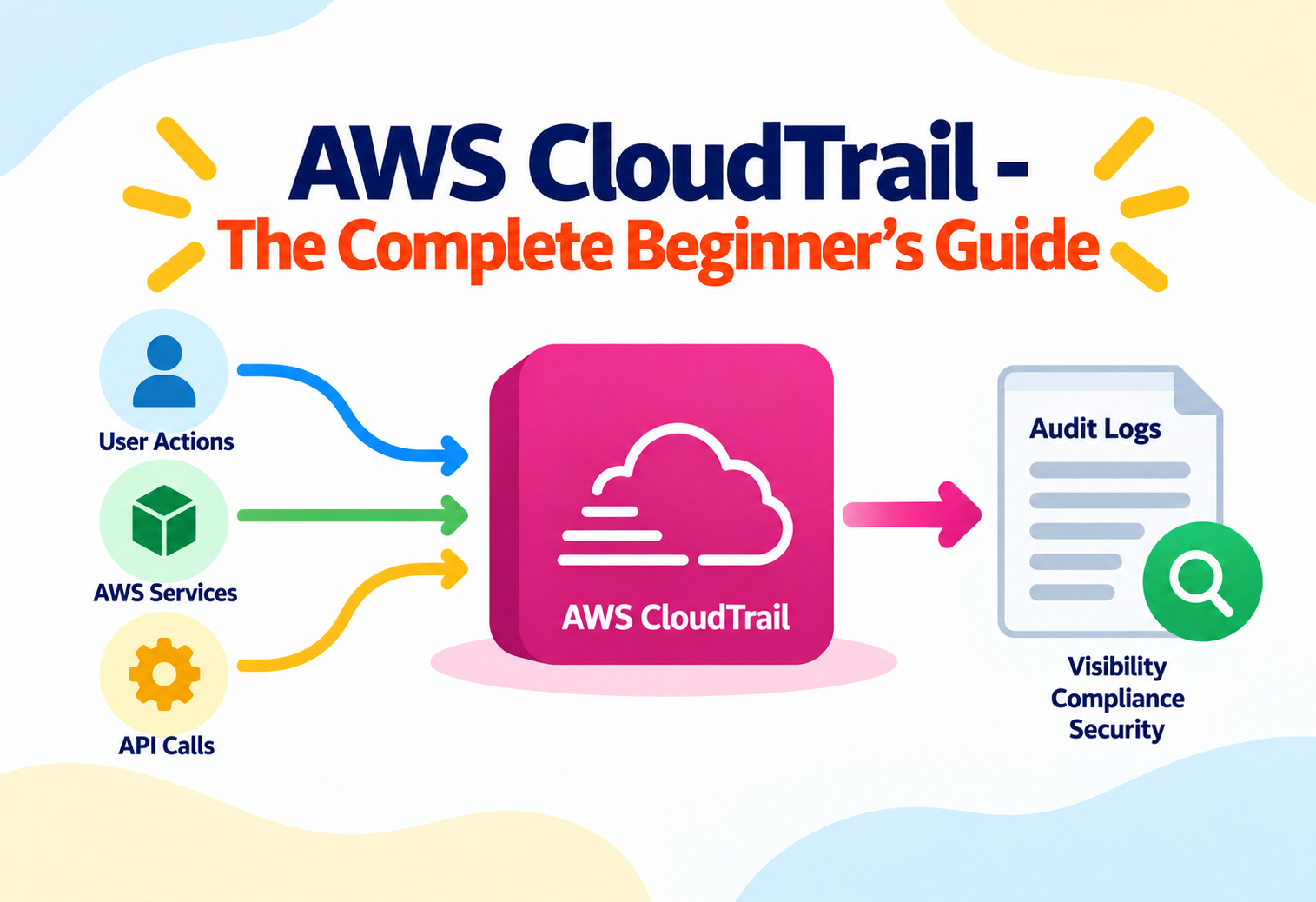
AWS CloudTrail — The Complete Beginner's Guide
A service that records every API call made in your AWS account — who did what, from where, and when — turning "what just happened here?" into a searchable answer.
Imagine a large office building with a security desk that logs every single person who badges in or out of every door — which employee, which door, and the exact time — stored permanently and impossible to quietly erase. If a filing cabinet goes missing, security doesn’t have to guess who might have taken it; they check the log. AWS CloudTrail is that security desk for your AWS account. Every time anyone — a person, a script, or another AWS service — makes an API call (launches a server, deletes a file, changes a permission), CloudTrail records it: who did it, when, from what IP address, and what exactly they did. Without it, an AWS account is a house with no security cameras; with it, nearly every action leaves a permanent, searchable trace.
1Core Concepts
What is an API call?
Almost everything you do in AWS — clicking “Launch Instance” in the console, running an AWS CLI command, or a Lambda function reading from S3 — is translated behind the scenes into an API call: a structured request sent to an AWS service asking it to do something specific. Even viewing a page in the console often triggers several read-only API calls.
What is auditing, and why does it matter in the cloud?
Auditing means keeping a reliable record of who did what, so that later — during a security investigation, a compliance review, or simply debugging “why did this change?” — there’s a factual record to consult instead of guesswork. In the cloud, where dozens of people and automated systems can act on resources at any hour, auditing isn’t optional if you care about security or compliance.
What is AWS CloudTrail, specifically?
AWS CloudTrail is a fully managed service that automatically records API activity across your AWS account and, optionally, across an entire AWS Organization. Each recorded action is captured as an event, containing details like the identity that made the call, the exact API action, the source IP address, the time, and the resources affected. CloudTrail is enabled by default in every AWS account, quietly keeping a 90-day rolling history at no charge, even if you never configure anything.
Think of CloudTrail as a bank’s transaction ledger. Every deposit, withdrawal, and transfer is recorded permanently with a timestamp and the account involved — nobody can quietly move money without leaving a trace in the ledger. AWS CloudTrail keeps that same kind of ledger, except the “transactions” are actions taken on your AWS resources instead of money.
CloudTrail records that an action happened and who performed it — it is not, by itself, a firewall or an alerting system. Detecting and reacting to suspicious activity usually pairs CloudTrail with services like Amazon CloudWatch or GuardDuty, covered later in this guide.
2Architecture & Components
Event History
A default, no-configuration-needed record of the last 90 days of management events in an account, viewable and searchable directly in the console.
Trail
A configuration you create to continuously deliver events to an Amazon S3 bucket (and optionally CloudWatch Logs) for retention beyond 90 days.
Management vs. Data Events
Management events cover control-plane actions (creating a bucket); data events cover high-volume resource activity (reading an individual S3 object), and are configured separately due to their volume.
Amazon S3
Trails deliver log files as compressed JSON objects into an S3 bucket you specify, where they can be retained indefinitely and analyzed with other tools.
AWS KMS
Log files can be encrypted using a customer-managed KMS key, adding an additional layer of protection over the S3 bucket’s own encryption.
CloudTrail Insights
An optional feature that automatically detects unusual API activity patterns, such as a sudden spike in a specific type of API call.
flowchart TB
    User["User / Role / Service
makes an API call"] --> APIcall["AWS API Request"]
    APIcall --> CT["AWS CloudTrail"]
    CT --> EventHistory["Event History
(90-day default, no setup)"]
    CT --> Trail["Configured Trail
(continuous delivery)"]
    Trail --> S3["Amazon S3 Bucket
(long-term log storage)"]
    Trail --> CWLogs["Amazon CloudWatch Logs
(real-time monitoring)"]
    S3 --> KMS["AWS KMS
Encryption at Rest"]
    CWLogs --> Alarms["CloudWatch Alarms
on suspicious activity"]
    CT --> Insights["CloudTrail Insights
Unusual Activity Detection"]
    CT --> Lake["CloudTrail Lake
SQL-based querying"]
The distinction between “event history” and a “trail” is one of the most important beginner concepts: event history is a free, built-in, short-term convenience; a trail is what you explicitly configure to keep records for months or years and to feed them into other monitoring and analysis tools.
3Internal Working
An API call is made
Anyone or anything — a person in the console, a CLI command, an SDK call from application code, or another AWS service — invokes an AWS API action.
CloudTrail captures the event
Details are recorded: the identity making the call, the exact action and parameters, the source IP, the timestamp, and the response.
The event appears in Event History
Within minutes, the event becomes visible and searchable in the console’s default 90-day view, no configuration required.
If a trail exists, the event is also delivered to S3
CloudTrail periodically bundles new events into compressed JSON log files and delivers them to the configured S3 bucket, typically within about fifteen minutes.
Optional real-time delivery to CloudWatch Logs
If configured, the same events are also streamed to CloudWatch Logs, enabling near real-time alerting through metric filters and alarms.
Log file integrity validation (if enabled)
CloudTrail can generate cryptographic digest files that let you later verify a log file has not been altered or deleted after delivery.
CloudTrail records the API call itself, not necessarily the underlying “why.” For example, it records that DeleteBucket was called by a specific user at a specific time — it does not explain their motive. Interpreting intent is still a human (or security-tooling) job.
4Data Flow & Lifecycle
Step 1 — Something unexpected happens. A production S3 bucket’s public access settings were changed overnight, and nobody remembers doing it.
Step 2 — Check Event History first. Since this happened within the last 90 days, the built-in Event History is searched by resource name and API action, with zero setup needed.
Step 3 — Identify the caller. The matching event reveals exactly which IAM user or role called PutBucketPolicy, the source IP address, and the precise timestamp.
Step 4 — Cross-reference with CloudWatch. If a trail feeding CloudWatch Logs was configured, an alarm may have already fired the moment the change happened, alerting the security team in near real time rather than the next morning.
Step 5 — Confirm with the durable S3 log. For events older than 90 days, or when a complete, tamper-evident record is required for a compliance report, the original log files stored in S3 (via a configured trail) provide the authoritative, long-term source of truth.
Step 6 — Take corrective action. Armed with exact facts instead of guesses, the team reverts the setting, and — if it turns out to be a compromised credential — revokes and rotates it immediately.
Organization Trails
Companies with multiple AWS accounts under AWS Organizations can configure a single “organization trail” that automatically applies to every member account, ensuring no team can accidentally (or deliberately) operate without an audit trail.
5Advantages, Disadvantages & Trade-offs
Advantages
- Enabled by default in every account — 90 days of management event history requires zero configuration.
- Creates an authoritative, near-complete record of account activity, critical for security investigations and compliance audits.
- Integrates with S3, CloudWatch, KMS, and EventBridge to support long-term storage, alerting, and automated response.
- Log file integrity validation makes tampering with historical logs detectable.
- Organization trails simplify consistent auditing across many AWS accounts at once.
Disadvantages
- Default event history only covers 90 days — long-term retention requires explicitly creating a trail.
- Data events (like individual S3 object reads) can generate very high volumes and cost if enabled broadly without care.
- CloudTrail records that an action happened, but does not by itself alert you — additional tools are needed for real-time detection.
- Searching very large historical log archives directly in S3 without CloudTrail Lake or another query tool can be slow and manual.
6Performance & Scalability
CloudTrail is designed to capture activity at the full scale of an AWS account or an entire organization without you managing any capacity yourself. Whether an account makes a handful of API calls a day or millions, CloudTrail scales its recording and delivery automatically.
The main scaling decision left to you is scope and cost: whether to log only management events (lower volume) or also enable data events for services like S3 or Lambda (potentially much higher volume), and how long to retain the resulting logs in S3, typically managed with an S3 lifecycle policy.
7High Availability & Reliability
CloudTrail is built to reliably capture events even during unusual conditions, and delivers log files to Amazon S3, itself designed for extremely high durability. Once delivered, log files benefit from S3’s redundancy across multiple Availability Zones, meaning your audit trail is protected even if individual infrastructure components fail.
Think of CloudTrail’s log delivery like a courier service that doesn’t just drop off one copy of an important legal document at one office, but ensures redundant, verified copies land safely in a vault built specifically to never lose anything, even if one delivery truck breaks down along the way.
A well-designed CloudTrail setup often also replicates logs to a separate, tightly access-controlled AWS account, so that even someone with administrative access to the “main” account cannot quietly delete the evidence of their own actions.
8Security
Log File Integrity Validation
Cryptographically signed digest files let you verify after the fact whether a delivered log file has been modified or deleted.
KMS Encryption for Trails
Log files can be encrypted with a customer-managed KMS key, adding a layer of access control beyond standard S3 bucket permissions.
Restricted S3 Bucket Permissions
The destination S3 bucket for a trail should be locked down so that only specific, trusted roles can read or, especially, delete log files.
Cross-Account Log Storage
Delivering logs to a separate, dedicated security or audit AWS account limits the risk that a compromised primary account can erase its own evidence.
Anti-Pattern
Storing CloudTrail logs in the very same AWS account being audited, with broad permissions letting administrators delete the S3 bucket or its contents.
Why It’s A Problem
If that account is ever compromised, an attacker with sufficient privileges could delete the audit trail along with covering their tracks — defeating the entire purpose of logging.
Better Approach
Deliver logs to a separate, tightly restricted account dedicated to security and logging, enable log file integrity validation, and restrict delete permissions on the destination bucket to a very small, trusted set of identities.
9Monitoring, Logging & Metrics
| Tool | What It Tells You |
|---|---|
| CloudTrail Event History (console) | A searchable, no-setup view of the last 90 days of management events. |
| Amazon CloudWatch Logs + Metric Filters/Alarms | Near real-time alerts when specific patterns occur, such as repeated failed console logins or root account usage. |
| CloudTrail Insights | Automatic detection of unusual API call volume or error rate patterns, without manually defining every rule. |
| AWS CloudTrail Lake | A managed data store letting you run SQL-based queries directly across your event history for deeper investigation. |
| Amazon EventBridge | Real-time routing of specific CloudTrail events to automated response targets, such as a Lambda function that revokes a compromised credential. |
A very common, high-value first alarm to set up is one that fires whenever the AWS account’s root user is used to sign in or make an API call — root usage is rare in well-run accounts and almost always worth an immediate look.
10Deployment & Cloud Integration
A typical production setup: an organization trail captures management and select data events across every account; logs are delivered to a dedicated logging account’s S3 bucket, encrypted with KMS; a parallel stream feeds CloudWatch Logs, where alarms watch for specific risky patterns; and Amazon GuardDuty, AWS’s threat-detection service, consumes CloudTrail data as one of its core inputs to identify potentially malicious activity automatically.
Infrastructure as Code Auditing
Teams that deploy infrastructure using CloudFormation or Terraform rely on CloudTrail to confirm exactly which automated pipeline or individual made a given infrastructure change, especially useful when troubleshooting an unexpected configuration drift.
11Design Patterns & Anti-patterns
Centralized, Cross-Account Logging
All accounts in an organization deliver their CloudTrail logs to one dedicated, tightly restricted security account.
Alert-on-Root and Alert-on-Policy-Change
Specific, high-value CloudWatch alarms targeting rare but critical events, such as root login or IAM policy modification.
Never Reviewing the Logs
Enabling CloudTrail but never building any alerting or periodic review process around it provides a false sense of security — the data exists, but nobody is watching it.
Logging Everything With No Retention Plan
Enabling every data event type indefinitely without a lifecycle policy leads to unmanaged storage growth and unnecessary cost.
12Best Practices & Common Mistakes
Create a trail early, don’t rely on Event History alone
Ninety days sounds like a lot until an investigation needs a log from four months ago.
Enable log file integrity validation
This makes any tampering with historical logs provable, which matters enormously for compliance and legal purposes.
Send logs to a separate, dedicated account
Protect your audit trail from being altered by whoever might compromise the account being audited.
Set up alarms for high-risk events
Root usage, IAM policy changes, and security group modifications deserve near real-time alerts, not next-week discovery.
Use an organization trail for multi-account environments
Ensure no team or account can accidentally operate without proper auditing in place.
Assuming CloudTrail alone constitutes a complete security monitoring solution. CloudTrail records activity faithfully, but detecting and responding to that activity requires pairing it with alerting tools like CloudWatch, EventBridge, or a dedicated threat-detection service like GuardDuty.
13Real-World & Industry Examples
Financial Services Compliance
Banks and payment companies rely on CloudTrail’s durable, tamper-evident logs to satisfy regulatory frameworks like PCI-DSS and SOX, which require demonstrable, long-term audit trails of who accessed or changed sensitive systems.
Security Incident Response Teams
When responding to a suspected account compromise, security teams use CloudTrail as their primary forensic timeline, reconstructing exactly which API calls an attacker made, from which IP address, in what order.
Healthcare & Regulated Data
Organizations handling protected health information use CloudTrail alongside encryption and access controls to demonstrate, during an audit, exactly who accessed specific systems and when, supporting HIPAA-related compliance obligations.
Large-Scale Cloud Operations Teams
Enterprises running hundreds of AWS accounts use organization trails and CloudTrail Lake to run centralized, SQL-based investigations across their entire environment from one place, instead of hunting through individual account logs one at a time.
14Frequently Asked Questions
15Summary and Key Takeaways
Key Takeaways
- AWS CloudTrail automatically records nearly every API call made in your AWS account, capturing who did what, when, and from where.
- Event History gives 90 days of free, no-setup visibility; a trail is what you configure for durable, long-term storage in Amazon S3.
- Events are split into management events (control-plane actions) and data events (high-volume resource activity), configured separately.
- Log file integrity validation and delivery to a separate, restricted account protect your audit trail from being altered, even by a compromised primary account.
- CloudTrail pairs with CloudWatch, EventBridge, CloudTrail Insights, and GuardDuty to turn a passive record into active, near real-time alerting.
- Organization trails extend consistent, mandatory auditing across every account in a multi-account AWS environment.
- CloudTrail is foundational for security investigations, operational troubleshooting, and demonstrating compliance with regulatory frameworks.

