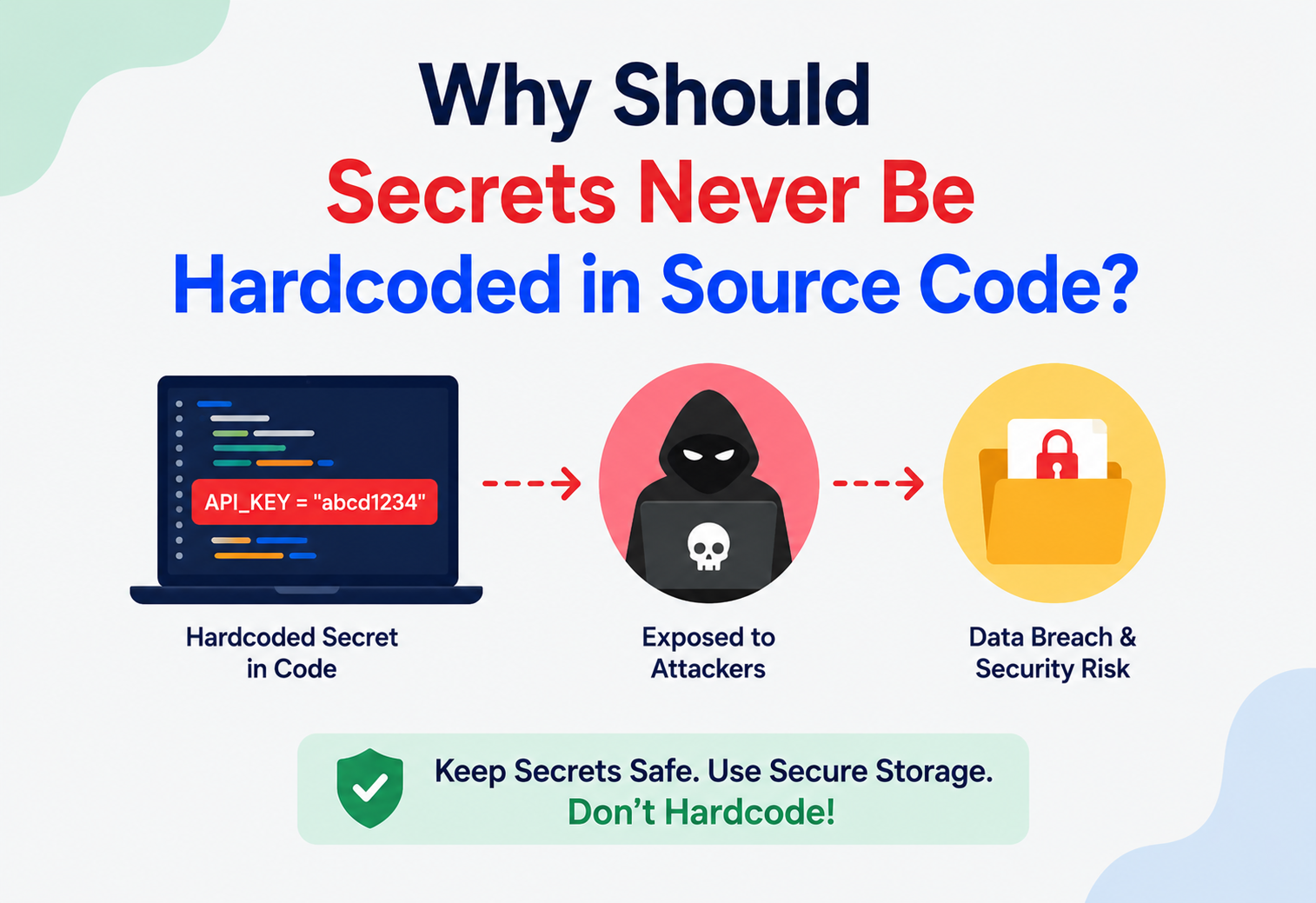
Why Should Secrets Never Be Hardcoded in Source Code?
What secrets really are, why embedding them in code is one of the most dangerous habits in software engineering, and exactly how professional teams manage them safely — with real Java examples, architecture diagrams, and lessons from GitHub, Uber, Netflix, and Capital One.
Introduction & History
Every piece of software that talks to another system needs a way to prove who it is. A web application needs a password to talk to its database. A backend service needs an API key to call a payment gateway. A mobile app needs a token to reach a cloud storage bucket. These proof-of-identity values are called secrets, and how you store them is one of the earliest and most consequential decisions in any software project.
“Hardcoding” simply means typing a value directly into your program’s source code instead of loading it from somewhere else at runtime. For ordinary values this is harmless — hardcoding the number of items per page, or the name of a button, causes no danger. But when the value being hardcoded is a secret, the entire safety of your system can collapse.
In the earliest days of computing, this was not a large concern. Programs ran on a single machine, often with a single operator, and there was no public internet through which a stranger on another continent could read your files. As software moved onto networks, then onto the internet, and finally into an era where every company’s source code lives in shared repositories such as GitHub or GitLab, the practice of hardcoding secrets went from “slightly risky” to “one of the leading causes of real-world data breaches.”
Modern applications are built from dozens of interconnected services, each needing credentials for databases, message queues, third-party APIs, cloud storage, and monitoring tools. The average codebase now contains far more secrets than a decade ago, and code is shared, forked, cloned, and copy-pasted more freely than ever — which is exactly why secret hygiene has become a foundational software engineering skill, not just a “security team” concern.
1.1 How the Industry’s Thinking Evolved
In the 1990s and early 2000s, most business software ran inside a single company’s own data centre, behind a firewall, accessible only to employees on the internal network. Under those conditions, a hardcoded database password in a desktop application felt low-risk, because the “attack surface” — the number of ways an outsider could reach the code or the running system — was small. Source code was distributed on physical media or internal file shares, not published to the open internet by default.
Three shifts changed this picture permanently. First, the rise of distributed version control, especially Git, meant every developer’s machine held a full copy of a project’s entire history, and that history began to be pushed to remote hosting platforms as a matter of routine collaboration. Second, the growth of open-source culture and platforms like GitHub normalised publishing code publicly, including code that started life as an internal or private project before later being open-sourced without a careful history audit. Third, cloud computing moved infrastructure itself from a locked server room to remotely accessible, API-driven services — meaning a single leaked API key could now grant an attacker direct control over servers, storage, and data from anywhere in the world, instantly.
Together, these shifts turned a once-minor bad habit into one of the top causes of large-scale security incidents tracked by industry breach reports year after year. Understanding this history is not just trivia — it explains precisely why the rule “never hardcode secrets” is treated as non-negotiable in nearly every modern engineering organisation, regardless of company size.

1.2 A Short Timeline
1990s — Software Behind the Firewall
Business apps run inside the company’s own data centre; hardcoded passwords feel low-risk because outsiders can’t reach the code or the running system easily.
2005–2008 — Distributed Git and GitHub
Every developer’s laptop now holds full project history, and that history starts being pushed to remote platforms as routine collaboration.
2010s — The Cloud Era
Infrastructure becomes API-driven; a single leaked cloud key can now spin up thousands of servers or steal terabytes of data, from anywhere on earth.
2016–2018 — The Big Public Breaches
High-profile incidents involving credentials found in code repositories (including Uber’s well-known 2016 case) push “never hardcode secrets” from advice to industry-wide baseline.
Today
Dedicated vault products, automatic scanning by GitHub, cloud-native secrets managers, and dynamic short-lived credentials make disciplined secret hygiene the default expectation, not a specialist skill.
1.3 Who This Guide Is For
This tutorial is written for anyone writing software that talks to another system — students building their first project, junior developers joining a professional team, and experienced engineers who want a structured refresher on the reasoning behind practices they may already follow out of habit. No prior security background is assumed. Every technical term introduced below is explained in plain language before it is used in a code example, and every concept is paired with a beginner-level illustration as well as a production-grade illustration drawn from real engineering practice.
By the end of this guide, you should be able to explain, in your own words, exactly why a hardcoded secret is dangerous, describe the architecture professional teams use instead, and apply that architecture to a real Spring Boot application using the concrete Java examples provided throughout the sections that follow.
The Problem & Motivation
To understand why this rule exists, it helps to walk through what actually happens when a secret is hardcoded, step by step.
2.1 What Goes Wrong
- The secret becomes part of history forever. Once a secret is committed to a version control system like Git, it does not disappear when you later delete it. Git keeps every previous version of every file. Deleting a line in a new commit does not erase it from history — anyone with access to the repository, or its history, can still find it.
- Source code is copied more than people realise. Code gets forked, cloned onto laptops, mirrored to backup systems, attached to emails, pasted into chat tools, and uploaded to code-review platforms. Every one of those copies now carries the secret.
- Automated scanners are actively hunting for exactly this. Security researchers and criminals alike run bots that continuously scan public GitHub repositories for patterns that look like API keys, cloud credentials, and database passwords. A key hardcoded and pushed to a public repository can be found and exploited within minutes.
- Rotating the secret does not undo the damage. Even if you notice the mistake and immediately generate a new key, the old key was live and usable for some window of time, and there is often no way to know for certain whether it was already copied.
2.2 A Concrete Beginner Example
Imagine a beginner Java developer building their first Spring Boot application that connects to a MySQL database. To “get it working quickly,” they write the password directly inside the connection code:
// DANGEROUS: password is visible to anyone who reads this file
String url = "jdbc:mysql://prod-db.company.com:3306/orders";
String username = "admin";
String password = "SuperSecret123!";
Connection conn = DriverManager.getConnection(url, username, password);
This file gets committed with a message like “initial database setup” and pushed to a shared repository. Six months later the company open-sources a small utility library from the same repository without carefully checking history, and the production database password becomes permanently discoverable by anyone who inspects the commit log.
2.3 Why “We’ll Remove It Later” Does Not Work
New developers often assume they can hardcode a secret temporarily, “just to test,” and remove it before anyone sees it. In practice, this almost never works cleanly, because:
- Commits happen automatically through IDE auto-save integrations, CI pipelines, or pair-programming tools before a developer manually intervenes.
- Team members pull the latest code within minutes, spreading the secret to multiple machines.
- Deleting a secret in a later commit still leaves it in the Git history unless the entire history is rewritten — a disruptive, error-prone operation most teams avoid.
In one widely discussed real-world incident, attackers found AWS credentials that had been hardcoded inside source code stored in a private GitHub repository. Because the repository access itself was compromised, the hardcoded keys gave direct, standing access to cloud infrastructure containing personal data for tens of millions of users and drivers. The core lesson: even “private” repositories are not a safe place for live credentials, because repository access is just one more thing that can be breached.
2.4 The Blast Radius Problem
Security engineers often talk about the “blast radius” of a leaked credential — the total scope of damage a single leaked value can cause. A hardcoded secret tends to have an unusually large blast radius for three compounding reasons. First, it is often long-lived, sometimes valid for months or years, because rotating it requires a code change most teams are reluctant to make often. Second, it is frequently over-privileged, because developers testing locally tend to reach for an “admin” or “root” credential rather than carefully scoping a narrow one, simply to avoid friction while building. Third, once exposed, there is rarely a reliable way to know exactly who has seen it, which means a defender must assume the worst and treat every hardcoded secret discovered in a review as already compromised.
2.5 How Attackers Actually Find Hardcoded Secrets
It is worth understanding the mechanics of discovery, because it dispels the common misconception that a small or “obscure” project is somehow safe. Automated tools continuously clone every newly created or updated public repository and run pattern-matching rules against every file and every commit in its history, looking for structures that resemble known credential formats — a certain prefix followed by a certain number of characters is often enough to flag an AWS access key, for instance. These scans run continuously, at massive scale, and are not targeted at any specific company; they simply sweep the entire public internet. This means the time between an accidental push and a bot discovering the secret can be measured in minutes, not days.
2.6 The Human Cost Beyond the Technical Cost
Beyond the direct financial and technical damage, a credential leak traced back to a hardcoded value in source code often becomes a visible, embarrassing incident for the engineer involved and the wider team, and it consumes significant time from security, legal, and communications staff who must investigate scope, notify affected users where required by law, and rebuild trust. Preventing the mistake in the first place is dramatically cheaper, in both money and morale, than responding to it after the fact.
2.7 A Quick Self-Check for Any New Piece of Code
Before committing any file, it helps to run through a short mental checklist that experienced engineers apply almost automatically: does this file contain a password, key, or token typed directly as a literal value; does this value differ between my local machine, staging, and production; would I be comfortable if this exact file appeared in a public search result tomorrow; and is there an existing environment variable or vault entry I should be reading from instead of typing a new literal value. Answering these four questions honestly, every time, catches the overwhelming majority of accidental hardcoding before it ever reaches a shared branch, and over time becomes second nature rather than an extra chore.
Core Concepts
Before going further, let’s define the vocabulary precisely, since these terms are used constantly in professional engineering discussions.
| Term | What It Means | Beginner Analogy |
|---|---|---|
| Secret | Any value that grants access or proves identity and must be kept confidential — passwords, API keys, tokens, private keys, certificates. | The key to your house. |
| Hardcoding | Writing a literal value directly into source code instead of loading it from an external, configurable source. | Engraving your PIN on the back of your card. |
| Secrets Management | The discipline and tooling used to store, distribute, rotate, and revoke secrets safely. | A bank vault with a guard, a logbook, and a combination that changes regularly. |
| Environment Variable | A key-value pair set outside the application code, in the operating system or container, and read by the program at runtime. | A note left in a locked drawer only the house owner can open, rather than written on the door. |
| Secret Vault | A dedicated, access-controlled service (e.g., HashiCorp Vault, AWS Secrets Manager) that stores secrets and hands them out only to authorised callers. | A safety deposit box at a bank, accessible only with the correct ID and authorisation. |
| Rotation | The practice of periodically replacing a secret with a new value so that any copy that leaked becomes useless. | Changing your house locks every few months. |
| Least Privilege | Giving each secret’s holder only the minimum access it actually needs, nothing more. | Giving the cleaner a key to the house, but not to the safe inside it. |
3.1 The Core Principle: Separation of Code and Configuration
The foundational idea underlying all secure secret handling is the separation of code (the logic, which is safe to share, version, and read) from configuration (the environment-specific values, some of which are sensitive and must never be shared). This idea traces back to the well-known “Twelve-Factor App” methodology, which states that configuration — including secrets — should be stored in the environment, not in the codebase, so the same code can run safely in development, staging, and production without ever needing to change.
Beginner example: A student stores an OpenWeatherMap API key in a Python script for a class project. If shared on a public GitHub repo for a portfolio, the key is now exposed to the entire internet within hours.
Production example: A fintech company stores its payment gateway’s live secret key in AWS Secrets Manager. The application fetches it at startup using a short-lived, automatically rotated IAM role, and the key never appears in any file that a developer’s laptop, IDE, or Git client ever touches.
3.2 Categories of Secrets Worth Knowing
Not every secret looks the same, and beginners often only think of “passwords.” In practice, engineering teams deal with a much wider family of confidential values, each with slightly different handling requirements.
| Category | Example | Typical Risk if Exposed |
|---|---|---|
| Database credentials | Username and password for MySQL, PostgreSQL, MongoDB | Direct read/write access to production data |
| API keys | Third-party service keys for payments, maps, email, SMS | Financial abuse, service quota exhaustion, impersonation |
| Cloud provider credentials | AWS access keys, GCP service account JSON files | Full infrastructure takeover, resource creation for cryptomining, data exfiltration |
| Encryption keys | Symmetric keys used to encrypt sensitive data at rest | Ability to decrypt previously “protected” data |
| TLS private keys / certificates | The private half of an HTTPS certificate | Ability to impersonate the legitimate website or intercept traffic |
| OAuth tokens and session tokens | Tokens representing a logged-in user’s session | Account takeover without needing the user’s actual password |
| Webhook signing secrets | Shared secret used to verify a webhook payload’s authenticity | Forged, malicious webhook events accepted as legitimate |
3.3 Static Secrets vs Dynamic Secrets
A static secret is a fixed value that stays the same until someone manually changes it — a classic database password is a good example. A dynamic secret is generated on demand, unique to a single session or a single application instance, and automatically expires after a short window. Dynamic secrets dramatically shrink the value of a leak, because by the time an attacker could realistically use a stolen dynamic credential, it has often already expired. This distinction becomes important later in the Security Deep Dive section, where dynamic secrets are shown as one of the strongest available defences.
3.4 Encryption at Rest vs Encryption in Transit
Two related but distinct terms come up constantly in this space. Encryption at rest means data is stored on disk in an encrypted, unreadable form, so that someone with raw access to the storage medium — a stolen hard drive, an improperly discarded backup tape — cannot read it without the decryption key. Encryption in transit means data is protected while travelling across a network, typically using TLS, so that someone intercepting network traffic between two systems cannot read it. A properly designed secrets architecture applies both: the vault encrypts its stored data at rest, and every request to fetch a secret travels over an encrypted TLS connection, closing off both the “stolen disk” and the “network eavesdropper” attack scenarios simultaneously.
3.5 Secret Sprawl
“Secret sprawl” describes the common organisational problem where secrets accumulate across many disconnected locations over time — some in a vault, some in old configuration files nobody remembers to clean up, some in a CI/CD platform’s settings, some copied into a wiki page during an incident years ago. Secret sprawl makes it extremely difficult to answer basic questions like “how many places does this database password exist?” and is one of the strongest arguments for consolidating onto a single, well-governed secrets management system rather than allowing each team or project to improvise its own approach independently.
Architecture & Components
A secure secrets architecture is built from a small number of cooperating components. Understanding each one clarifies why “just put it in a config file” is still not enough on its own — configuration itself needs protecting.
Source Repository
Holds application logic only. Protected by .gitignore rules and pre-commit secret scanners so that even an accidental hardcoded value is caught before it is pushed.
Configuration Layer
Environment variables, external config files, or command-line arguments that are injected at deploy time and differ between development, staging, and production.
Secret Vault / Manager
A dedicated system (HashiCorp Vault, AWS Secrets Manager, Azure Key Vault, GCP Secret Manager) that stores encrypted secrets and releases them only to authenticated, authorised callers.
Identity & Access Layer
Determines which service, pod, or developer is allowed to fetch which secret. Often built on IAM roles, Kubernetes service accounts, or OAuth-based machine identities.
4.1 How These Pieces Fit Together
In a mature setup, the application never “knows” its own database password until the moment it actually needs it. Instead, it authenticates itself to the vault using an identity it was assigned at deployment time (for example, a Kubernetes service account token, or an AWS IAM role attached to the compute instance). The vault verifies that identity, checks a policy that says “this service may read the orders-db password,” and returns the secret over an encrypted channel, often with a short time limit before it must be re-fetched or rotated.
4.2 Why the Vault Itself Is Not a Single Point of Weakness
A natural beginner question is: “If everything depends on the vault, isn’t the vault now the biggest target?” This is a fair concern, and the architecture is deliberately designed around it. The vault’s own storage is encrypted, its “unseal” material is often split across multiple trusted operators using cryptographic secret-sharing schemes so that no single person can unlock it alone, and access to the vault’s administrative functions is itself tightly audited and restricted. In effect, the problem of “protecting many scattered secrets across a codebase” is transformed into the much smaller, much more tractable problem of “protecting one well-defended, purpose-built system.” Concentrating defences this way is far more effective than trying to defend every individual file in every individual repository.
4.3 Local Development Without a Full Vault
Not every team runs a production-grade vault for local development, and that is fine — the architecture scales down gracefully. A common lightweight pattern for local development is a .env file that is explicitly excluded from version control, loaded by a small library at application startup, and populated with either dummy values or a personal, narrowly scoped development credential. The important architectural principle stays the same across every scale: the code that reads configuration is identical in every environment, while the actual values differ and are never embedded in that code.
4.4 Environment Parity Without Sharing Secrets
A related architectural goal, often called environment parity, is keeping development, staging, and production as similar as possible in structure and behaviour, without ever sharing the actual sensitive values between them. This is achieved by keeping the schema of configuration identical across environments — the same set of named variables exists everywhere — while the underlying values differ, and by ensuring the code path that loads configuration behaves identically regardless of which environment it happens to be running in, so that “it worked in staging” reliably predicts “it will work in production,” aside from the specific credentials involved.
4.5 Bridging Local Development and Production Safely
Some teams go a step further and give individual developers narrowly scoped, personal read access directly into a shared development vault namespace, rather than distributing static shared credentials by hand through chat or email. This means a new developer joining the team receives their own uniquely identifiable access, which can be revoked individually the day they leave, and every secret they retrieve during local development is still logged and auditable, closing a gap that purely local .env files cannot address on their own — namely, knowing who currently holds a working copy of any given development credential.
4.6 Configuration Precedence
Most frameworks, including Spring Boot, support a defined precedence order for where configuration values come from, typically favouring command-line arguments and environment variables over values baked into a packaged configuration file. Understanding this precedence order matters because it is precisely what allows the same compiled application artifact to run correctly and safely across development, staging, and production, with only the externally supplied values changing, and never requiring a rebuild just to point at a different database or use a different credential.
Internal Working
Let’s walk through, in detail, how a Spring Boot application retrieves a secret safely at runtime instead of hardcoding it, and what happens under the hood.
5.1 Step 1 — Externalising Configuration
# application.yml - no secret values here, only placeholders
spring:
  datasource:
    url: ${DB_URL}
    username: ${DB_USERNAME}
    password: ${DB_PASSWORD}
The ${...} syntax tells Spring Boot to look up these values from the environment at startup rather than reading a literal string from the file.
5.2 Step 2 — Supplying the Secret at Runtime
# In a container orchestration system (e.g., Kubernetes), the secret
# is injected as an environment variable from a Secret object,
# never written into the application's image or code:

apiVersion: v1
kind: Pod
spec:
  containers:
    - name: orders-service
      envFrom:
        - secretRef:
            name: orders-db-credentials
5.3 Step 3 — Fetching From a Vault Programmatically
For higher-security systems, even the environment variable step is skipped in favour of retrieving the secret directly and only holding it in memory:
@Service
public class SecretLoader {

    private final VaultTemplate vaultTemplate;

    public SecretLoader(VaultTemplate vaultTemplate) {
        this.vaultTemplate = vaultTemplate;
    }

    public String fetchDatabasePassword() {
        VaultResponse response =
            vaultTemplate.read("secret/data/orders-service/db");
        Map<String, Object> data =
            (Map<String, Object>) response.getData().get("data");
        return (String) data.get("password");
        // Value lives only in memory for this request's lifetime,
        // is never logged, and is never written to disk.
    }
}
5.4 What Happens Internally at the Vault
- The application authenticates using a short-lived identity token (not a static password).
- The vault checks an access policy tied to that identity.
- If authorised, the vault decrypts the stored secret using its own internal encryption key (itself protected by a separate “unseal” mechanism).
- The secret is transmitted over TLS and typically expires from the application’s memory after use or after a configured time-to-live.
- Every access is written to an immutable audit log, so security teams can see exactly which service accessed which secret and when.
5.5 Comparing Three Retrieval Strategies
Different applications choose different retrieval strategies depending on their security requirements and operational maturity. It is worth understanding the trade-offs among the three most common approaches so you can choose deliberately rather than by accident.
| Strategy | How It Works | Best Suited For |
|---|---|---|
| Environment variables set by the platform | Orchestrator injects values into the process environment at container startup | Most applications; simple, well-supported by virtually every framework |
| Sidecar or init-container fetch | A helper container fetches secrets from the vault before the main application starts and writes them to a shared, in-memory volume | Teams wanting to keep application code fully unaware of the vault’s existence |
| Direct SDK call from application code | The application itself calls the vault’s API at startup or on a schedule, as shown in the Java example above | Applications needing fine-grained control, such as mid-life secret refresh without a restart |
5.6 What the Application Does With the Secret After Fetching It
Once retrieved, a well-behaved application treats the secret as sensitive for its entire time in memory: it avoids writing it to temporary files, avoids including it in stack traces or error messages, and clears references to it as soon as it is no longer needed, where the programming language allows explicit control over memory. In Java, this typically means favouring mutable character arrays over immutable String objects for extremely sensitive short-lived values, since strings can linger in memory longer than expected due to how the JVM manages string interning and garbage collection.
5.7 Handling Startup Failures Gracefully
A well-designed application should fail fast and with a clear, actionable error message if it cannot retrieve a required secret at startup, rather than starting up in a broken or partially functional state that only surfaces problems later when a real user request arrives. A helpful startup failure message names which secret could not be retrieved and why authentication failed, without ever printing the secret’s own value, striking a careful balance between being useful for debugging and staying safe from accidental exposure through logs.
@PostConstruct
public void validateStartup() {
    try {
        secretLoader.fetchDatabasePassword();
    } catch (VaultException e) {
        // Clear, actionable, but never logs the secret itself
        throw new IllegalStateException(
            "Failed to authenticate to vault for orders-service; " +
            "check service identity and vault policy binding.", e);
    }
}
This pattern — often called “fail fast” — is deliberately unforgiving at startup precisely because a service silently running without proper database access, for example, could otherwise produce confusing downstream errors that are far harder to diagnose than a single clear failure the moment the process begins.
Data Flow & Lifecycle
A secret has a full lifecycle, and hardcoding breaks nearly every stage of it. Understanding the lifecycle clarifies why “just store it externally once” is not the complete picture — secrets need to be created, distributed, used, rotated, and eventually revoked.
6.1 The Five Lifecycle Stages
| Stage | What Happens | Hardcoding Breaks This By… |
|---|---|---|
| Creation | A secret is generated, ideally by a machine, with high entropy. | Encouraging weak, human-memorable, reused passwords typed into code. |
| Distribution | Secret is delivered only to authorised services, encrypted in transit. | Distributing it to everyone who can read the source code — including future employees, contractors, and the public if the repo is ever exposed. |
| Usage | Secret is used briefly in memory to authenticate a request. | Secret sits in plaintext on disk indefinitely, in every clone and backup. |
| Rotation | Secret is periodically replaced automatically. | Rotating a hardcoded secret requires a code change, a code review, and a redeploy — so teams avoid it, leaving stale, long-lived credentials. |
| Revocation | A compromised or unused secret is instantly disabled. | You often cannot even tell how many places a hardcoded secret was copied to, so full revocation confidence is low. |
6.2 A Day in the Life of a Well-Managed Secret
To make the lifecycle concrete, consider a payment gateway API key at a mid-sized company. It is generated automatically by an internal tool when a new service is provisioned, with a randomly generated value and a documented owner. It is stored in the vault under a path scoped to that one service. When the service deploys, its identity is verified and the key is handed over through an encrypted channel and held only in memory. Every thirty days, an automated rotation job generates a new key with the payment provider, updates the vault, and the running service transparently picks up the new value on its next scheduled refresh, with the old key deactivated shortly after to allow any brief overlap during rollout. If a security scan or an employee offboarding event ever triggers suspicion, the key can be revoked within seconds directly from the vault’s dashboard, with no code change and no deployment required.

6.3 Why Rotation Frequency Matters
The value of rotation lies in shrinking the “window of usefulness” for any secret an attacker might obtain through means outside your direct control — a compromised laptop, a phishing attack against an employee, or a vulnerability in a downstream tool that briefly exposed logs. A secret rotated every thirty days limits an undiscovered leak to, at most, thirty days of exposure. A hardcoded secret that has never been rotated because doing so requires an inconvenient code change and redeploy can remain valid, unnoticed, for years — turning a single unlucky moment into a years-long standing risk.
Pros, Cons & Trade-offs
To be fair to beginners, hardcoding does have short-term “advantages” — understanding them helps explain why the temptation exists, and why it is still the wrong choice.
Why Hardcoding Feels Convenient (Short-Term)
- No setup required — nothing to configure outside the code file.
- Works instantly on a single developer’s machine.
- No dependency on an external vault service, which itself needs to be running and reachable.
Why It Fails at Any Real Scale
- Secrets become part of permanent version history.
- Every developer with code access effectively has production access.
- Rotating a secret requires a code change and redeploy.
- Automated scanners actively hunt for exposed secrets in public and leaked repositories.
- No audit trail of who used the secret or when.
7.1 The Trade-off of External Secret Management
Externalised secrets management is not entirely free of cost — it introduces its own complexity: you now depend on a vault being available, you need an identity system to authenticate services, and there is a learning curve for engineers new to the pattern. However, this operational cost is small and manageable compared to the reputational, financial, and legal cost of a credential leak, which routinely runs into the millions of dollars once you include incident response, customer notification, regulatory fines, and lost trust.
Think of hardcoding as choosing a “no lock, but very convenient door” versus vault-based secrets as a “keycard door with logs, expiry, and remote disable.” The keycard door takes a few extra minutes to set up, but a lost keycard can be disabled instantly — a lost key that was copied a dozen times cannot.
7.2 When Teams Underestimate the Cost of a Leak
A frequent source of poor judgement among newer engineers is comparing the setup cost of a vault (perhaps an hour of configuration) against the setup cost of hardcoding (a few seconds), without weighing the probability and magnitude of the downside. A useful way to reason about this is with a simple expected-cost comparison: even a small probability of a breach, multiplied by the very large cost of a real incident — remediation engineering time, regulatory fines under laws such as GDPR or India’s DPDP Act, customer churn, and reputational damage — almost always outweighs the modest time saved by skipping proper secret handling. Framing the decision this way helps teams and individual engineers alike make the right call even under deadline pressure.
Performance & Scalability
A common beginner worry is that fetching secrets from an external vault “at runtime” will slow the application down compared to a hardcoded value that is instantly available in memory. In practice, this concern is easy to address with well-established patterns.
8.1 Caching Secrets in Memory
Applications typically fetch a secret once at startup (or on a controlled refresh interval) and hold it in memory for the duration of its validity window, rather than calling the vault on every single request. This means the network round trip to the vault happens rarely — often once per application instance lifetime, or once per rotation cycle — not on the hot path of user traffic.
@Component
public class CachedSecretProvider {

    private volatile String cachedPassword;
    private volatile Instant expiresAt;

    public synchronized String getPassword(VaultTemplate vault) {
        if (cachedPassword == null || Instant.now().isAfter(expiresAt)) {
            VaultResponse response = vault.read("secret/data/orders-db");
            cachedPassword = (String) response.getData().get("password");
            expiresAt = Instant.now().plus(Duration.ofMinutes(30));
        }
        return cachedPassword;
    }
}
8.2 Scaling to Thousands of Services
At companies running thousands of microservices, secret retrieval is designed to scale horizontally: vault clusters are deployed with multiple replicas behind a load balancer, secrets are cached locally per service instance, and rotation is staggered so that not every instance re-authenticates at the exact same moment, which would otherwise create a thundering-herd spike on the vault cluster.
| Scale | Typical Approach |
|---|---|
| Single developer machine | Local .env file, excluded from version control via .gitignore |
| Small team, one service | Cloud provider’s built-in secrets manager (AWS Secrets Manager, GCP Secret Manager) |
| Medium company, several services | Centralised vault (HashiCorp Vault) with per-team access policies |
| Large enterprise, thousands of services | Vault clusters, automated rotation, service-mesh-level identity, short-lived dynamic credentials |
8.3 Measuring the Real Overhead
In practice, teams that benchmark the overhead of externalised secret retrieval typically find it adds only a small, one-time delay to application startup — often well under a second for a single vault call — with essentially zero impact on steady-state request latency once the secret is cached in memory. This makes the “performance cost” argument against proper secrets management largely a myth once caching is implemented correctly; the far larger performance risk in practice comes from a poorly designed cache that calls the vault on every single request, which is a configuration mistake rather than an inherent property of externalised secrets.
8.4 Avoiding the Thundering Herd Problem
When hundreds or thousands of application instances all restart at once — for example, during a large deployment rollout — they can all attempt to authenticate to the vault within the same few seconds, creating a sudden spike in load. Mature platforms address this with techniques such as staggered startup delays, exponential backoff with jitter on retries, and local caching layers that reduce redundant calls, ensuring the secrets infrastructure scales smoothly alongside the rest of the system rather than becoming a bottleneck during exactly the moments it is needed most.
High Availability & Reliability
Because every request that needs a secret ultimately depends on the vault being available, secret infrastructure must be treated as critical, tier-one infrastructure — the same care given to the primary database.
9.1 Key Reliability Practices
- Clustering: Vault services are typically deployed across multiple nodes and multiple availability zones so that the failure of one node or zone does not cause an outage.
- Local caching with graceful fallback: Applications cache the last successfully fetched secret so a brief vault outage does not immediately break running services, while still enforcing that new instances cannot start without successfully authenticating at least once.
- Consensus protocols: Systems like HashiCorp Vault use a consensus algorithm (Raft) to keep multiple storage backend nodes in agreement, similar in spirit to how distributed databases keep replicas consistent.
- Disaster recovery replication: Production vault clusters are often replicated to a secondary region so that a full regional outage does not permanently lock every application out of its secrets.
A hardcoded secret has no single point of failure at runtime — it is just a string in memory. But this apparent reliability is an illusion: the real failure it causes is not an outage, it is a silent, permanent security breach, which is far more damaging than a brief, recoverable vault outage that monitoring will immediately flag and on-call engineers can fix within minutes.
9.2 Designing for Graceful Degradation
A well-designed system distinguishes between two very different failure modes: an application that cannot start because it has never successfully authenticated to the vault (a legitimate, safe failure that should block deployment), versus an already-running application that briefly cannot reach the vault to refresh a soon-to-expire secret (which should degrade gracefully by continuing to use its current cached value for a defined grace period while alerting operators, rather than crashing immediately). This distinction mirrors the broader system design principle of graceful degradation covered elsewhere in the Utivra system design series, and it applies just as much to secrets infrastructure as it does to any other critical dependency.
9.3 Disaster Recovery Drills
Mature organisations periodically run “game day” exercises where they intentionally simulate a vault outage or a lost unseal key to verify that recovery procedures actually work under pressure, rather than discovering gaps in documentation during a real incident. These drills typically confirm that backups of the vault’s encrypted storage exist, that the unseal or recovery key material is itself safely distributed among trusted individuals, and that the recovery time objective for restoring secret access falls within an acceptable window for the business.
9.4 Setting Realistic Availability Targets
Just as any other piece of critical infrastructure is given a service level agreement describing its expected uptime, secrets infrastructure is typically held to a similarly high availability target, often expressed as a percentage such as three or four nines of uptime per year. Meeting this target in practice usually means running the vault across at least three nodes spread over multiple failure domains, so the loss of any single node — or even an entire availability zone — does not interrupt the ability of running applications to authenticate and retrieve the secrets they depend on.
9.5 Coordinating Rotation With Zero Downtime
Rotating a secret without causing a brief outage requires careful sequencing rather than simply swapping the old value for the new one everywhere at once. A common zero-downtime pattern issues the new credential alongside the still-valid old one for a short overlap window, allows every running instance of a service to pick up the new value on its own schedule, and only revokes the old credential once monitoring confirms no instance is still relying on it — the same “blue-green” style thinking commonly used for rolling out new application versions, applied here specifically to credential changes instead of code changes.
Security Deep Dive
This is the heart of the topic, so let’s go further than the surface-level warning and understand the layered defences that replace hardcoding.
10.1 Defence Layer 1 — Never Commit Secrets
# .gitignore
.env
application-local.yml
*.pem
*.key
Combined with a pre-commit hook or CI-based secret scanner (such as truffleHog-style pattern detection or GitHub’s built-in secret scanning), teams catch accidental hardcoding before it ever reaches a shared branch.
10.2 Defence Layer 2 — Encryption at Rest and in Transit
Secrets stored in a vault are encrypted using strong symmetric encryption (commonly AES-256), and the encryption key itself is protected by a separate unsealing mechanism so that even someone with raw access to the storage disk cannot read the secrets without the unseal keys. Secrets are transmitted only over TLS-encrypted channels, never in plaintext over the network.
10.3 Defence Layer 3 — Least-Privilege Access Policies
# Example Vault policy: this identity may only READ
# the orders-service database credentials, nothing else
path "secret/data/orders-service/db" {
  capabilities = ["read"]
}
10.4 Defence Layer 4 — Short-Lived, Dynamic Credentials
The most advanced pattern avoids static secrets altogether. Instead of a database password that stays valid for months, the vault generates a brand-new, unique database user with a randomly generated password valid for only a few minutes, specifically for that one application instance’s session. Even if this dynamic credential leaked, it would already be expired by the time an attacker tried to use it.
10.5 Defence Layer 5 — Auditing and Alerting
Every secret access is logged with the identity that requested it, the timestamp, and the outcome. Security teams set up alerts for unusual patterns, such as a service suddenly requesting a secret it has never accessed before, or an unusually high volume of secret reads, both of which can indicate a compromised credential being abused.
- Public repository scanning by automated bots
- Leaked laptop or backup containing old source code
- Former employee or contractor retaining local repository clones
- Accidental repository visibility change from private to public
- Secret exposed inside compiled binaries or mobile app packages that can be decompiled
10.6 Defence Layer 6 — Secure Handling in Mobile and Frontend Code
A special case beginners often overlook is client-side code — mobile apps and single-page web applications. Any secret embedded in a mobile app’s compiled binary or a website’s downloadable JavaScript bundle can be extracted by anyone with the app installed or the page loaded, using freely available decompiling or unpacking tools, regardless of how the code was originally written. The correct pattern here is to keep truly sensitive secrets on a backend server the client talks to, and to issue the client only narrowly scoped, short-lived tokens for the specific actions it needs to perform.
10.7 Defence Layer 7 — Secret Detection Beyond Source Code
Comprehensive secret hygiene extends past the repository itself to include chat tools, issue trackers, wikis, and shared documents, where engineers sometimes paste a connection string while troubleshooting. Leading organisations run the same style of automated scanning across these internal collaboration tools, not just source control, precisely because a secret pasted into a support ticket or a chat channel is just as exposed to anyone with access to that tool as one committed to a repository.
10.8 The Principle of Defence in Depth
None of these seven layers is perfect on its own, which is exactly why they are used together. If a secret scanner misses something, least-privilege access limits the damage. If access control is misconfigured, short-lived dynamic credentials limit the exposure window. If a credential does leak despite every other layer, auditing and alerting ensure the team finds out quickly rather than months later. This layered approach — commonly called defence in depth — is a recurring theme across nearly every area of software security, not just secrets management.
Monitoring, Logging & Metrics
Secure secret handling is not “set and forget.” Ongoing visibility is what allows a team to detect and respond to problems quickly.
11.1 What to Monitor
- Access logs: Who or what accessed each secret, and when — kept in an immutable, tamper-evident log.
- Rotation compliance: Dashboards showing which secrets are overdue for rotation.
- Anomalous access patterns: Alerts for a service reading a secret from an unusual location, at an unusual time, or at an unusual volume.
- Scanner findings: Continuous automated scanning of the entire codebase and its history for anything that resembles a hardcoded secret, with immediate alerts to the security team.
11.2 An Important Logging Rule
A subtle but critical mistake many teams make is accidentally logging a secret value itself — for example, printing an entire configuration object, including its password field, into an application log for debugging. This should be actively guarded against with logging filters that automatically redact known-sensitive field names.
// Bad: accidentally logs the secret
log.info("Loaded config: {}", config);

// Better: log everything except sensitive fields
log.info("Loaded config for env={}, dbHost={}",
    config.getEnv(), config.getDbHost());
11.3 Building Useful Dashboards
Security and platform teams commonly build a dashboard that answers, at a glance, questions such as: which secrets have not been rotated within their target window, which services have the broadest access permissions, which secrets were accessed from an unfamiliar network location in the last day, and which repositories triggered a scanner alert that has not yet been resolved. Turning these questions into always-visible metrics, rather than something someone has to remember to check, is what separates organisations that catch problems early from those that discover them only after an external party reports a breach.
11.4 Alert Fatigue and Signal Quality
A common pitfall when first introducing secret-access monitoring is generating so many alerts that engineers begin ignoring them, a phenomenon known as alert fatigue. Effective monitoring setups spend deliberate effort tuning thresholds — for example, treating a service’s first-ever access to a new secret as worth a one-time review, but not repeating that alert on every subsequent normal access — so that the alerts which do fire are taken seriously and acted upon quickly.
11.5 Correlating Secret Access With Broader Observability
The most effective monitoring setups do not treat secret-access logs in isolation; they correlate them with the same distributed tracing and correlation identifiers used elsewhere in the system, so that when an alert fires for an unusual secret access, an engineer can immediately see the full request chain that triggered it — which upstream caller, which trace ID, which deployment version — rather than starting an investigation from a bare timestamp and service name. This tight integration between secrets monitoring and general application observability, covered in more depth in the Utivra guides on distributed tracing and correlation IDs, turns a suspicious signal into an actionable one within minutes rather than hours.
11.6 Key Metrics Worth Tracking Over Time
Beyond point-in-time alerts, tracking a small set of metrics on a rolling basis gives leadership and security teams a sense of overall program health: the percentage of secrets currently past their target rotation age, the number of active secret-scanner findings awaiting remediation, the number of standing (non-expiring) credentials still in use across the organisation, and the average time between a scanner alert firing and the corresponding secret being rotated. Trending these numbers downward over successive quarters is one of the clearest, most concrete signs that an organisation’s secrets management maturity is genuinely improving rather than merely having good intentions on paper.
Deployment & Cloud
Every major cloud provider offers a managed secrets service so teams do not need to operate their own vault infrastructure from scratch.
| Provider | Service | Notes |
|---|---|---|
| AWS | Secrets Manager / Parameter Store | Automatic rotation for supported databases; integrates with IAM roles |
| Google Cloud | Secret Manager | Fine-grained IAM permissions per secret version |
| Microsoft Azure | Key Vault | Also manages certificates and encryption keys alongside secrets |
| Self-hosted / multi-cloud | HashiCorp Vault | Cloud-agnostic; widely used where teams need one system across multiple providers |
12.1 Kubernetes-Native Secret Handling
In Kubernetes environments, teams commonly use a “Secrets Store CSI Driver” to mount secrets directly from a cloud vault into a pod as an in-memory volume, avoiding Kubernetes’ own built-in Secret objects (which are only base64-encoded, not encrypted, by default) for the most sensitive values.
12.2 CI/CD Pipeline Secrets
Build pipelines also need secrets — for example, to push a container image or deploy to production. These are typically stored in the CI/CD platform’s own encrypted secrets store (such as GitHub Actions secrets or GitLab CI/CD variables) and injected as environment variables only for the duration of the pipeline run, never written into the repository itself.
12.3 Avoiding Secrets in Build Artifacts
A subtle deployment mistake is passing a secret as a Docker build argument, which can leave it permanently readable inside one of the image’s layers even after the final image no longer displays it directly. The safer pattern uses Docker’s dedicated build secrets mechanism, or simply avoids referencing secrets at build time altogether, fetching them only when the container actually starts running, so that the built image itself remains safe to store, share internally, and scan.
# Safer: multi-stage build with a build-time secret mount
# that never persists in the final image layer
RUN --mount=type=secret,id=npm_token
    NPM_TOKEN=$(cat /run/secrets/npm_token) npm install
12.4 Infrastructure as Code and Secrets
Teams that manage infrastructure using tools like Terraform must take similar care, since Terraform state files can inadvertently capture sensitive values passed as resource attributes. Best practice stores Terraform state in an encrypted, access-controlled backend and references secrets indirectly through the cloud provider’s secrets manager, rather than writing literal secret values into .tf configuration files that are typically committed to version control alongside the rest of the infrastructure definitions.
12.5 Multi-Environment Deployment Strategy
A single application typically deploys to at least three distinct environments over its lifetime — local development, a staging or pre-production environment used for final testing, and production itself — and each environment should hold its own completely separate set of secrets rather than reusing production credentials in lower environments for convenience. This separation ensures that a mistake made while testing in staging, such as an overly verbose debug log, can never accidentally expose a real production credential, because staging never held one to begin with.

Databases, Caching & Load Balancing
Secrets management intersects with data infrastructure in several practical ways worth understanding.
13.1 Database Credentials Specifically
Database credentials are among the most commonly hardcoded secrets because early tutorials often show a connection string with a plaintext password for simplicity. Production systems instead favour dynamic, short-lived database credentials generated per application instance, and connection pools that refresh credentials transparently when rotation occurs, without requiring the application to restart.
// HikariCP connection pool configured to
// pull credentials from an external provider,
// not a literal string
HikariConfig config = new HikariConfig();
config.setJdbcUrl(env.get("DB_URL"));
config.setUsername(secretProvider.getUsername());
config.setPassword(secretProvider.getPassword());
HikariDataSource dataSource = new HikariDataSource(config);
13.2 Caching Secrets Safely
When secrets are cached (as discussed in the Performance section) they should be cached only in memory, never written to disk-based caches like a local file cache or a shared cache such as Redis unless that cache itself is encrypted and access-controlled to the same standard as the vault.
13.3 Load Balancers and TLS Certificates
Load balancers terminating HTTPS traffic need a TLS private key — itself a secret. Best practice stores these certificates in the cloud provider’s certificate manager or the same secrets vault, with automatic renewal, rather than as a static file copied manually onto servers and forgotten.
13.4 Read Replicas and Credential Scoping
In systems that use read replicas to scale database read traffic, it is common practice to issue a separate, more narrowly scoped credential for read-only workloads than for the primary write path, so that a leaked reporting-service credential cannot be used to modify or delete production data. This is another concrete application of the least-privilege principle introduced earlier: the credential a service holds should match exactly the access that service’s function requires, no more.
13.5 Backup Files Are Secrets Too
Database backup files and cache export files sometimes contain embedded connection strings or even full credential tables, and are occasionally stored in general-purpose cloud storage buckets without the same access controls applied to the live database. Treating backups with the same care as the primary system — encrypting them, restricting access, and never referencing literal secrets inside backup configuration scripts — closes a commonly overlooked gap in an otherwise disciplined secrets management program.
APIs & Microservices
In a microservices architecture, the number of secrets multiplies quickly — each service may need its own database credentials, API keys for third-party integrations, and tokens to call sibling services. This makes disciplined secret management even more important than in a single monolithic application.
14.1 Service-to-Service Authentication
Rather than each service hardcoding a shared API key to call another internal service, mature architectures use mutual TLS (mTLS) or short-lived, automatically issued service identity tokens — often provided by a service mesh (such as Istio) — so that no static, long-lived secret needs to exist between services at all.
14.2 Third-Party API Keys
API keys for external services (payment processors, mapping services, email providers) should be stored the same way as internal secrets — in the vault, injected at runtime, and scoped to only the specific service that needs them, rather than shared broadly across a codebase “for convenience.”
14.3 API Gateways as a Secrets Chokepoint
Many organisations route outbound calls to certain sensitive third-party APIs through an internal API gateway that holds the actual third-party credential centrally, exposing only an internally authenticated endpoint to the rest of the microservices fleet. This pattern means individual services never need to hold the real third-party secret at all, further shrinking the number of places that secret physically exists and needs protecting — a natural extension of the API gateway pattern already familiar from general microservices architecture.
14.4 Webhook Secrets and Payload Verification
When a microservice receives an inbound webhook from a third-party provider, it must verify that the payload genuinely originated from that provider using a shared signing secret, rather than trusting any request that happens to arrive at the endpoint. This signing secret deserves exactly the same protection as any other credential: stored in the vault, never logged, and rotated according to the provider’s supported rotation process, since a leaked webhook secret would let an attacker forge convincing but fake events, such as fabricated “payment succeeded” notifications.
Design Patterns & Anti-Patterns
15.1 Good Patterns
- Externalised Configuration Pattern: All environment-specific values, secrets included, live outside the code, following the twelve-factor app methodology.
- Secret Injection at Deploy Time: Orchestration tooling (Kubernetes, ECS, CI/CD) injects secrets into the running environment, never baking them into a container image.
- Dynamic Secrets: Generating short-lived, unique credentials per session instead of long-lived static ones.
- Secret Scanning in CI: Automated tools reject a commit or pull request the moment they detect something resembling a hardcoded credential.
15.2 Anti-Patterns to Avoid
| Anti-pattern | Why It’s Dangerous |
|---|---|
| Hardcoding a secret directly in source code | Permanently embedded in version history; visible to anyone with code access |
| Storing secrets in a “config.properties” file that is committed to Git | Same risk as hardcoding, just one file removed |
| Sharing a single shared API key across an entire team or system | No way to revoke access for one person or service without breaking everyone else |
| Putting secrets in code comments “temporarily” | Comments are still committed and searchable, offering no real protection |
| Encoding a secret in Base64 and treating it as “hidden” | Base64 is an encoding, not encryption — it is trivially reversible |
| Emailing or messaging a secret in plaintext to a teammate | Creates an untracked, unencrypted copy outside any managed system |
15.3 Comparing Popular Secrets Management Tools
Choosing a tool depends heavily on team size, existing cloud provider, and how many services need to share secrets across different environments. The table below summarises commonly used options and where each tends to fit best.
| Tool | Type | Strengths | Considerations |
|---|---|---|---|
| HashiCorp Vault | Self-hosted or managed | Cloud-agnostic, dynamic secrets, rich policy language, widely adopted across the industry | Requires operational investment to run and maintain reliably |
| AWS Secrets Manager | Fully managed, cloud-native | Deep IAM integration, automatic rotation for common database engines | Tied closely to the AWS ecosystem |
| Azure Key Vault | Fully managed, cloud-native | Manages secrets, keys, and certificates together, strong Azure AD integration | Best suited to teams already standardised on Azure |
| Google Cloud Secret Manager | Fully managed, cloud-native | Simple API, fine-grained IAM permissions, versioned secrets | Fewer built-in dynamic-secret capabilities compared to Vault |
| Doppler / 1Password Secrets Automation | Third-party managed | Developer-friendly interfaces, easy local development syncing | Adds a third-party dependency outside the primary cloud provider |
| Kubernetes Secrets (native) | Cluster-native, basic | Built directly into Kubernetes, no extra infrastructure | Base64-encoded rather than encrypted by default; usually paired with a real vault via a CSI driver for sensitive values |
15.4 Choosing Between Options
A small team already fully committed to one cloud provider often gets the fastest path to good practice by simply adopting that provider’s native secrets manager rather than standing up a separate system. A larger organisation spanning multiple clouds, or one that wants a single consistent secrets workflow across many teams, tends to benefit more from a centralised, cloud-agnostic system such as HashiCorp Vault, accepting the additional operational responsibility in exchange for consistency and more advanced capabilities like dynamic secrets across a wider range of backend systems.
15.5 Evaluating a New Tool Before Adoption
Whichever direction a team leans, it is worth evaluating any candidate secrets tool against a consistent set of questions before committing to it organisation-wide: does it support fine-grained, per-secret access policies rather than all-or-nothing access; does it provide a clear, queryable audit log of every access; does it support automated rotation for the specific systems the team actually uses, such as a particular database engine; and does it integrate cleanly with the identity system the team already relies on, such as an existing IAM or single sign-on provider, so that access can be tied to real, individually accountable identities rather than another set of shared, hard-to-track credentials layered on top of the very problem the tool is meant to solve.
Best Practices & Common Mistakes
16.1 Best Practices Checklist
Store In a Vault
Store all secrets in a dedicated secrets manager or vault, never inline in code.
Scan in CI
Add secret-pattern scanning to your CI pipeline and to pre-commit hooks.
Least Privilege
A service should only be able to read the exact secrets it needs.
Rotate on a Schedule
Rotate secrets on a defined schedule, and immediately upon suspected compromise.
Prefer Dynamic Secrets
Use short-lived, dynamically generated credentials wherever the underlying system supports it.
Never Log Secrets
Never log secret values, and use redaction filters as a safety net.
Treat .env as Sensitive
Exclude .env files from version control and never share them outside secure channels.
Educate Early
Most hardcoding incidents come from beginners rushing to “just make it work” — teach the pattern on day one.
16.2 Common Mistakes Even Experienced Teams Make
- Assuming a private repository is a safe place for secrets. Private repository access can itself be compromised, through a leaked personal access token or a former employee’s still-active credentials.
- Forgetting secrets baked into container images. A secret set as a build argument can end up permanently embedded in an image layer, discoverable by anyone who can pull that image.
- Not rotating secrets after an employee offboards. If a departing engineer had access to a static, shared secret, failing to rotate it leaves a long-lived exposure window.
- Treating example or sample credentials as harmless. Tutorial code with a “placeholder” key sometimes gets copy-pasted into real projects unchanged.
- Overlooking secrets in test and staging environments. Non-production environments are frequently held to a lower security bar even though they often contain copies of real production data and, sometimes, real third-party credentials reused for convenience — making them an attractive, softer target for attackers.
- Assuming infrastructure teams alone are responsible. Secure secret handling works best as a shared responsibility between platform teams who build the tooling and individual application developers who use it correctly day to day; treating it as purely someone else’s job tends to produce gaps at the boundaries between teams.
If a value would cause real harm should it appear in a public search engine result tomorrow, it does not belong in your source code — full stop. It belongs in a system specifically designed to keep it confidential, access-controlled, and revocable.
16.3 Building a Secrets-Aware Engineering Culture
Tools and vaults only work if the people using them understand why they matter. Teams that succeed at this long-term typically bake secret hygiene into onboarding for new engineers, include it explicitly in code review checklists, and celebrate near-misses caught by automated scanning as a sign the safety net is working, rather than treating them as embarrassing mistakes to hide. This cultural dimension is just as important as any individual technical control, because ultimately every technical safeguard exists to compensate for the fact that humans occasionally make mistakes under time pressure.
16.4 A Practical Migration Path for Existing Hardcoded Secrets
Teams inheriting an older codebase with existing hardcoded secrets can follow a structured, low-risk migration: first, generate brand-new replacement credentials for every hardcoded value discovered, since the old ones must be treated as already compromised; second, move the new values into a vault or environment-based configuration; third, update the application to read from the new location and deploy; fourth, revoke the old credentials at their source; and finally, run a full history scan to confirm no other unnoticed copies remain in older branches, tags, or forks.
Real-World / Industry Examples
Abstract advice becomes much sharper once you see how the industry’s biggest incidents and its leading platforms have shaped current practice.
GitHub’s Secret Scanning
GitHub built an entire product feature, secret scanning, specifically because so many real-world breaches trace back to credentials accidentally committed to public repositories. The scanner automatically detects known secret formats (from AWS, Stripe, Slack, and dozens of other providers) the moment they are pushed, and can even notify the provider directly so the key can be invalidated automatically.
Netflix — Dynamic Secrets at Scale
Netflix, operating thousands of microservices, has publicly discussed moving toward short-lived, dynamically issued credentials and away from static, long-lived secrets, specifically to shrink the window of usefulness for any credential that might leak, and to reduce the operational burden of manual rotation across such a large service fleet.
Capital One’s 2019 Breach
A widely studied cloud security incident involved a misconfigured web application firewall that allowed an attacker to retrieve credentials with excessive permissions, which were then used to access and exfiltrate a large volume of customer data stored in cloud storage. While the specific vector differed from a classic hardcoded-in-source-code leak, the underlying lesson was identical: overly broad, long-lived credentials are catastrophic once any single layer of defence fails, reinforcing why least-privilege, rotation, and vault-based issuance matter so much.
Startups and the “Quick MVP” Trap
A very common pattern among early-stage startups is hardcoding a Stripe or SendGrid API key while building a minimum viable product quickly, then open-sourcing or sharing that repository (for a portfolio, an accelerator application, or a hackathon) without realising the key is still embedded in the commit history — leading to unexpected charges or abuse of the account long after the original code was “cleaned up” on the surface.
17.1 Cryptomining Abuse of Leaked Cloud Credentials
A recurring pattern across many independently reported incidents involves attackers scanning public repositories specifically for cloud provider access keys, then immediately using the discovered credentials to spin up large numbers of high-powered virtual machines for cryptocurrency mining, all billed to the victim’s account. Because this abuse is fully automated on the attacker’s side, victims frequently report the very first sign of trouble being an unexpectedly enormous cloud bill, sometimes tens of thousands of dollars, appearing within just a day or two of the accidental commit — long before any human attacker was even involved in reviewing the stolen key personally.
17.2 Open-Source Project Maintainers and Accidental Exposure
Even well-known, security-conscious open-source projects have occasionally suffered from a contributor accidentally including a personal or test credential in a pull request. What distinguishes mature projects is not the absence of mistakes, but the presence of automated pre-merge scanning that blocks the pull request before it can be merged, paired with a documented, rehearsed incident response process for the rare cases where something does slip through — reinforcing the broader lesson that resilient systems are built assuming mistakes will happen, not assuming they won’t.
17.3 Financial Services and Regulatory Pressure
In regulated industries such as banking and insurance, credential leaks carry an additional layer of consequence beyond the direct technical damage: regulators in many jurisdictions require timely disclosure of data breaches involving customer information, and failure to demonstrate adequate technical safeguards — including basic secrets hygiene — can result in significant fines independent of whatever damage the breach itself caused. This regulatory dimension is a major reason large financial institutions invest heavily in automated secret scanning, dedicated vault infrastructure, and mandatory security training, treating hardcoded secrets not merely as a bad coding habit but as a compliance risk with direct legal exposure.
17.4 Education Sector and Student Projects
University coding bootcamps and computer science courses increasingly include secrets management as an explicit topic, precisely because so many students’ first real exposure to public version control comes through class assignments, and instructors have observed the same pattern repeatedly: a student hardcodes an API key to get a project working quickly, forgets about it, and later shares the repository publicly as part of a portfolio without realising the exposure. Institutions that now teach environment-variable-based configuration from day one report meaningfully fewer of these incidents among their graduates entering the workforce.
FAQ, Summary & Key Takeaways
The questions that come up most often the first time an engineer seriously investigates secrets management — followed by the summary and takeaways worth remembering.
No — even short-term hardcoding risks permanent exposure through version history, auto-sync tools, or accidental pushes. Use a local .env file excluded from version control instead, even for quick local testing.
No — the key difference is that environment variables live outside the source code and version control entirely, are not shared when code is cloned or forked, and can be changed per environment without touching or redeploying the code itself.
Immediately rotate or revoke the secret at its source (treat it as compromised regardless of whether you believe anyone saw it), then remove it from the repository, and only afterward consider whether rewriting Git history is necessary for full cleanup.
Even small projects benefit from at minimum using a .env file excluded via .gitignore. A full vault system may be excessive for a hobby project, but the core principle — never commit secrets — applies at every scale.
They are a meaningful improvement over plaintext hardcoding, but a dedicated vault additionally provides access control, audit logging, automated rotation, and revocation — capabilities a static encrypted file alone does not offer.
No — Base64 is a reversible encoding scheme, not encryption, meaning anyone who finds the encoded string can decode it back to the original value in a single step using freely available tools. It provides no real confidentiality and should never be relied upon as a protection mechanism for sensitive values.
A personal password manager is designed for a single human to store and retrieve their own credentials through a user interface. A secrets manager is designed for machines and automated systems to programmatically retrieve credentials at runtime, with fine-grained access policies, audit trails, and integrations built for application infrastructure rather than individual human use, though the underlying goal of centralising and protecting sensitive values is conceptually similar.
Start by running an automated secret scanner across the entire codebase and its full history to get an accurate inventory of what is currently exposed, treat every discovered value as compromised and rotate it immediately at the source, and only then begin the broader migration to externalised configuration and a proper vault, prioritising the most sensitive and highest-privilege secrets first.
Using a managed secrets service is a strong foundation, but safety still depends on configuring access policies correctly. A secrets manager with an overly permissive policy that allows broad read access to every service in an account provides only modest improvement over hardcoding, so least-privilege configuration remains essential even with the best available tooling.
Summary
Hardcoding secrets directly in source code turns a single mistake into a permanent, hard-to-undo exposure. Because source code is copied, cloned, forked, and stored in systems that remember every past version, a secret typed into a file can outlive any attempt to delete it. Professional teams solve this by separating code from configuration, storing secrets in dedicated, access-controlled vaults, issuing short-lived and scoped credentials wherever possible, and continuously scanning, monitoring, and rotating to shrink the damage window of any single leak.
The journey from a beginner’s first hardcoded API key to a production-grade secrets architecture is really a journey through a handful of compounding ideas: separate code from configuration; store secrets in a system built specifically to protect them; grant only the minimum access each service genuinely needs; prefer short-lived, automatically rotated credentials over static, long-lived ones; and continuously monitor, log, and scan so that mistakes are caught in minutes rather than discovered months later by an attacker or, worse, by a customer. None of these ideas require advanced tooling to start applying today — even a simple .env file kept out of version control is a meaningful, immediate improvement over a hardcoded literal, and it is the natural first step on the path toward the more sophisticated vault-based architectures described throughout this guide.
Ultimately, the discipline described across this guide is less about any single tool and more about a habit of mind: treating every credential as a piece of infrastructure with an owner, a lifecycle, and a defined blast radius, rather than as a throwaway string typed once and forgotten. Engineers who internalise that habit early carry it with them across every project, team, and company they work with afterward, and it consistently ranks among the highest-leverage security practices any individual developer can adopt, precisely because it is inexpensive to apply and prevents some of the most damaging and most common categories of real-world breaches seen across the industry today.
Key Takeaways
- Secrets in source code become part of permanent version history, not just the current file.
- Automated scanners actively search public and leaked repositories for exposed credentials.
- Externalised configuration, secret vaults, and short-lived dynamic credentials are the industry-standard replacement.
- Least-privilege access and audit logging turn “who used this secret” from a mystery into a verifiable fact.
- The convenience of hardcoding is never worth the scale of damage a single leaked credential can cause.
- Good secret hygiene scales down as gracefully as it scales up — a single excluded
.envfile protects a solo hobby project just as a full vault cluster protects a large enterprise, using the same underlying principle. - Building a secrets-aware culture, with scanning, education, and clear ownership, matters as much as any individual tool.
Whether you are writing your very first Spring Boot application or operating infrastructure serving millions of requests per second, the underlying discipline is the same: keep code and configuration separate, treat every credential as something that must be issued, tracked, and eventually retired, and never let convenience in the moment create a liability that outlives the project it was meant to help.

