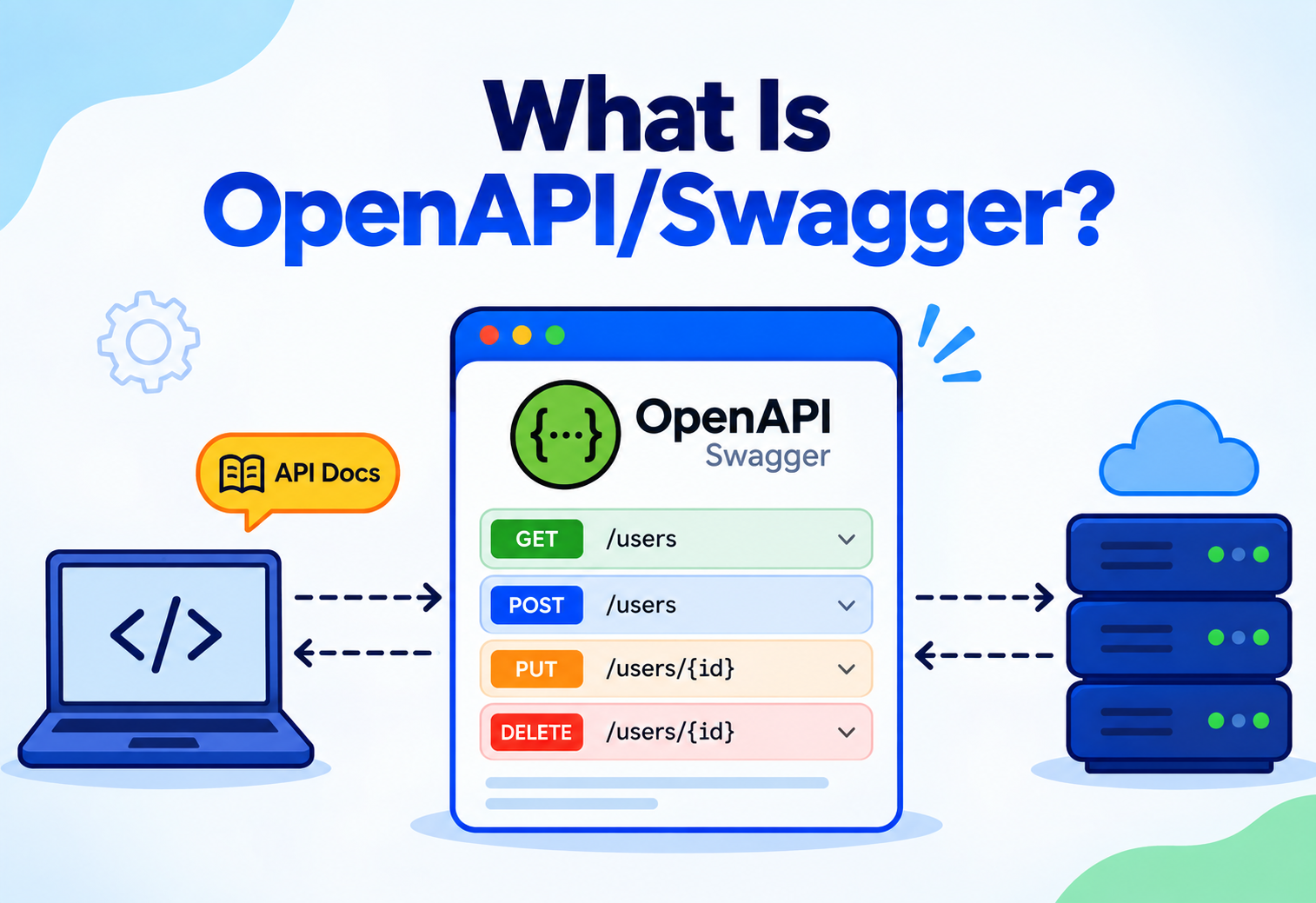
What Is OpenAPI / Swagger?
A complete, beginner-to-production walkthrough of the specification that lets machines and humans understand your REST API — what it is, why it exists, how it works internally, and how companies like Netflix, Stripe, Spotify, GitHub and Twilio use it at scale.
Introduction & History
If you have ever opened a well-documented API — one where you could see every endpoint, every request field, every possible response, and even try it out right in your browser — there is a very good chance you were looking at Swagger UI, and behind it, an OpenAPI Specification document.
OpenAPI is a standardised, language-agnostic way to describe a REST API in a machine-readable file (usually YAML or JSON). It describes every endpoint your API exposes, what parameters each endpoint accepts, what request bodies look like, what responses to expect, what errors can occur, and how to authenticate. Swagger is the name of the original toolset (and company) that created this specification, and today “Swagger” is often used informally to refer to the whole ecosystem of tools — Swagger UI, Swagger Editor, Swagger Codegen — that are built around the OpenAPI Specification.
Think of OpenAPI as the instruction manual and nutrition label for a restaurant menu, except this menu is written in a format that both a human waiter and a robot kitchen assistant can read. A human can read the menu and understand “this dish has chicken, costs $12, and comes with a side of rice”. A machine can read the exact same document and automatically generate an order form, calculate the bill, or flag that you are allergic to peanuts — because the menu follows a strict, predictable structure. OpenAPI does exactly this for APIs: it is a menu that both developers and computers can read identically.
1.1 A Brief History
The story starts in 2010, when a company called Wordnik needed a better way to document its own APIs. Tony Tam, an engineer at Wordnik, built an internal tool to describe API endpoints in a structured JSON format so that documentation could be generated automatically instead of written and maintained by hand. This internal project was open-sourced in 2011 under the name Swagger.
Over the next few years, Swagger grew rapidly in popularity because it solved a very real and very painful problem: API documentation constantly going out of date. In 2015, SmartBear Software (which had acquired the Swagger project) donated the specification to a new vendor-neutral group called the OpenAPI Initiative (OAI), hosted under the Linux Foundation. From that point forward, the specification itself was renamed the OpenAPI Specification (OAS), while “Swagger” remained the brand name for SmartBear’s specific tools (Swagger UI, Swagger Editor, SwaggerHub).
| Version | Year | Milestone |
|---|---|---|
| Swagger 1.0 / 1.1 | 2011 | Initial internal Wordnik specification, later open-sourced |
| Swagger 2.0 | 2014 | Major rewrite; became the most widely adopted version for years |
| OpenAPI 3.0 | 2017 | Renamed under the Linux Foundation; added components, better reuse, callbacks |
| OpenAPI 3.1 | 2021 | Full JSON Schema compatibility, webhooks support |
Today, OpenAPI is the de facto industry standard for describing REST APIs, used by companies ranging from small start-ups to giants like Google, Microsoft, Amazon and Stripe. It underpins API gateways, testing tools, client SDK generators and internal developer portals across the industry.
Problem & Motivation
To understand why OpenAPI matters, it helps to imagine a world without it — which is the world most development teams lived in before 2011.
2.1 The Problem: Documentation Drift
Before OpenAPI, API documentation was typically written by hand in a wiki page, a Word document, or a Confluence page. A backend engineer would build an endpoint, then separately write a paragraph describing it. This created a fundamental problem: the documentation and the code were two separate things that had no automatic connection to each other. The moment a developer changed a field name, added a new parameter, or changed a status code, the documentation silently became wrong — and nobody was forced to update it.
Frontend developers would call an endpoint exactly as documented, get an error, and lose hours debugging — only to discover the backend team had changed something three sprints ago and forgot to update the docs. This “documentation drift” was one of the most common sources of wasted engineering time in API-driven organisations.
Beyond drift, teams faced several compounding issues:
- No standard format — every team documented APIs differently, so there was no way to build generic tools around it.
- Manual client code — every consumer of an API had to hand-write HTTP client code, parse JSON manually, and guess at data types.
- No interactive testing — developers had to open Postman or write curl commands from scratch just to try an endpoint, with no shared source of truth about what to send.
- Onboarding friction — new engineers joining a team had to ask senior engineers “how do I call this API?” instead of reading a reliable, executable document.
2.2 The Motivation Behind OpenAPI
OpenAPI was built on a simple but powerful idea: if the API description is a structured, machine-readable file rather than free-form prose, then tools can be built on top of it. Once you describe an API in a predictable format, you unlock a whole ecosystem: automatic interactive documentation (Swagger UI), automatic client SDK generation in dozens of languages, automatic server stub generation, automatic request validation, automatic mock servers, and automatic contract testing.
Imagine you are building a small “Todo List” app with a REST API. Without OpenAPI, you would tell your frontend teammate over Slack: “send a POST to /todos with a title and done field”. Your teammate then guesses the exact JSON shape, maybe gets the field name wrong (isDone vs done), and the app breaks. With OpenAPI, you write one YAML file describing the /todos endpoint precisely, and both of you — plus any tool — read that same file as the single source of truth.
In short, OpenAPI exists to solve the “API description problem”: how do you communicate, precisely and unambiguously, what an API does — to humans and machines alike — in a way that stays accurate as the API evolves?
Core Concepts
Before diving into the specification’s structure, let us define the core vocabulary. Each term below includes what it means, why it exists, and a simple example.
3.1 OpenAPI Specification (OAS)
What. A formal, version-controlled standard that defines the structure and syntax rules for describing a REST API.
Why. Without a standard, every “API description” would be structured differently, making tooling impossible.
Where. Maintained by the OpenAPI Initiative under the Linux Foundation, at spec.openapis.org.
3.2 OpenAPI Document (a.k.a. “the spec file” or swagger.yaml)
What. The actual YAML or JSON file you write that describes your specific API, following the rules of the OpenAPI Specification.
Example. A file named openapi.yaml describing a bookstore API’s /books endpoint.
3.3 Swagger UI
What. An open-source tool that reads an OpenAPI document and renders it as an interactive, browsable web page — complete with a “Try it out” button to fire real requests.
Why. Turns a static text file into a living, testable interface for developers.
3.4 Swagger Editor
What. A browser-based editor for writing OpenAPI documents with live validation and a live preview pane.
3.5 Swagger Codegen / OpenAPI Generator
What. Tools that read an OpenAPI document and automatically generate client SDKs (e.g. a Java client, a Python client) or server-side boilerplate (e.g. Spring Boot controller stubs).
Why. Eliminates hand-writing repetitive HTTP client / server code.
3.6 Paths
What. The section of an OpenAPI document listing every URL endpoint (e.g. /users/{id}) and the HTTP methods (GET, POST, PUT, DELETE) available on each.
3.7 Operations
What. A single HTTP method on a single path — for example, GET /users/{id} is one “operation”. Each operation describes its parameters, request body and possible responses.

3.8 Schema (via JSON Schema)
What. A structural definition of a data shape — its fields, types, which fields are required, and validation rules (e.g. minimum length, allowed values).
Why. OpenAPI reuses the widely adopted JSON Schema standard rather than inventing its own, so tooling can be shared across ecosystems.
3.9 Components
What. A reusable “library” section of the document where you define schemas, parameters, responses, and security schemes once, then reference them anywhere via $ref, avoiding duplication.
3.10 Contract-First vs Code-First
What. Two different workflows for producing an OpenAPI document.
Contract-first means you write the OpenAPI YAML file first, and both frontend and backend teams build against that agreed contract.
Code-first means you write your backend code (with annotations), and a library automatically generates the OpenAPI document from your code at runtime.
In a Spring Boot project, adding the springdoc-openapi dependency and annotating your controllers with @Operation and @Schema is a code-first approach — the library inspects your Java classes at startup and generates /v3/api-docs automatically, which Swagger UI then renders.
3.11 Request Body
What. The section of an operation describing the JSON (or other media type) payload a client must send for operations like POST, PUT or PATCH.
Why. Without this, a client has to guess what fields to send when creating or updating a resource, leading to trial-and-error integration.
Example. A POST /books operation would define a requestBody describing that the client must send a JSON object with title, author and optionally price.
3.12 Parameters (Path, Query, Header, Cookie)
What. Values that can be supplied alongside a request, categorised by where they live in the HTTP request: in the URL path (in: path), in the query string (in: query), in a header (in: header), or in a cookie (in: cookie).
Why. Each location has different semantics — a path parameter like {bookId} is required and identifies a specific resource, while a query parameter like ?page=2 is often optional and used for filtering or pagination.
3.13 Responses
What. A map of possible HTTP status codes an operation can return, each with its own schema, description and example.
Why. A well-documented API describes not just the “happy path” 200 response but also 400 (bad request), 401 (unauthorised), 404 (not found), and 500 (server error) responses, so consumers can write correct error-handling code.
3.14 Media Types
What. The content object inside a request body or response specifies which media type (e.g. application/json, multipart/form-data, application/xml) is being described, each with its own schema.
Why. A single endpoint might accept both JSON and form-encoded uploads, and OpenAPI lets you document both variants precisely under the same operation.
Think of path parameters like the specific table number at a restaurant — you must specify which table (which resource) you mean. Query parameters are like special requests you add on top (“no onions”, “extra spicy”) — optional modifiers to the base order. Headers are like the reservation card you show at the door (authentication), and the request body is the actual order you are placing.
3.15 Minimal OpenAPI Document Example
openapi: 3.0.3
info:
  title: Bookstore API
  version: 1.0.0
  description: A simple API for managing books
servers:
  - url: https://api.bookstore.com/v1
paths:
  /books/{bookId}:
    get:
      summary: Get a single book by ID
      operationId: getBookById
      parameters:
        - name: bookId
          in: path
          required: true
          schema:
            type: string
      responses:
        '200':
          description: Book found
          content:
            application/json:
              schema:
                $ref: '#/components/schemas/Book'
        '404':
          description: Book not found
components:
  schemas:
    Book:
      type: object
      required: [id, title, author]
      properties:
        id:
          type: string
        title:
          type: string
        author:
          type: string
        price:
          type: number
          format: float
This one file tells you (and any tool) everything: the URL, the HTTP method, the path parameter, the exact JSON shape of a successful response, and what happens if the book is not found.
Architecture & Components
An OpenAPI document is organised into a fixed set of top-level sections. Understanding this structure is the key to reading or writing any OpenAPI file.
openapi, info), locations (servers), the actual API surface (paths), reusable pieces (components) and cross-cutting concerns (security, tags).| Section | Purpose |
|---|---|
openapi | Declares which version of the spec this document follows (e.g. 3.0.3) |
info | Metadata: API title, version, description, contact, license |
servers | One or more base URLs (e.g. production, staging) the API is hosted at |
paths | The actual endpoints, grouped by URL, each containing one or more HTTP method operations |
components | Reusable building blocks: schemas, parameters, responses, security schemes, examples |
security | Which authentication scheme(s) apply by default across the API |
tags | Labels used to group related operations in generated documentation (e.g. “Users”, “Orders”) |
4.1 The Tooling Ecosystem Around the Document
The OpenAPI document itself is just a text file — its power comes from the ecosystem of tools that consume it:
Documentation Tools
Swagger UI, Redoc and Stoplight Elements render the document as browsable, interactive documentation.
Code Generators
OpenAPI Generator and Swagger Codegen produce client SDKs and server stubs in 40+ languages.
Validation & Gateways
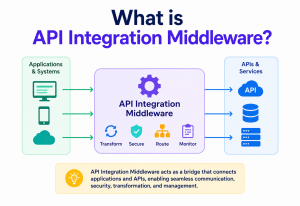
API gateways like Kong, AWS API Gateway and Apigee import OpenAPI documents to auto-configure routing and request validation.
Mock Servers
Tools like Prism spin up a fake server that responds according to the spec, letting frontend teams work before the backend is ready.
4.2 How It Fits in a Spring Boot Architecture
// build.gradle dependency
implementation 'org.springdoc:springdoc-openapi-starter-webmvc-ui:2.5.0'

// Controller with OpenAPI annotations
@RestController
@RequestMapping("/api/v1/books")
@Tag(name = "Books", description = "Operations for managing books")
public class BookController {

    @Operation(summary = "Get a book by ID",
               description = "Returns a single book resource")
    @ApiResponses(value = {
        @ApiResponse(responseCode = "200", description = "Book found",
            content = @Content(schema = @Schema(implementation = Book.class))),
        @ApiResponse(responseCode = "404", description = "Book not found")
    })
    @GetMapping("/{bookId}")
    public ResponseEntity<Book> getBook(@PathVariable String bookId) {
        return bookService.findById(bookId)
                .map(ResponseEntity::ok)
                .orElse(ResponseEntity.notFound().build());
    }
}
At startup, springdoc-openapi scans these annotations (plus the method signatures and DTO classes) and builds the OpenAPI JSON document automatically at /v3/api-docs, which Swagger UI then reads and renders at /swagger-ui.html.
4.3 Linting the Spec with Spectral
Many teams add a style-linting step to their architecture using Spectral, an open-source linter built specifically for OpenAPI (and AsyncAPI) documents. Spectral evaluates a spec against a configurable rule set — for example, enforcing that every operation has a summary, every schema property has a description, or that paths follow kebab-case naming — and fails the build if violations are found, similar to how ESLint or Checkstyle enforce code style.
extends: spectral:oas
rules:
  operation-summary-required: error
  operation-tag-defined: error
  no-$ref-siblings: error
  path-kebab-case: warn
  info-contact: warn
# Run in CI
npx @stoplight/spectral-cli lint openapi.yaml --ruleset .spectral.yaml
4.4 Architecture of a Typical Enterprise Setup
Putting the pieces together, a mature enterprise OpenAPI architecture typically looks like this: each microservice generates or hand-maintains its own OpenAPI document; a CI pipeline lints and bundles that document on every pull request; a contract-testing step verifies the running service matches the document; the validated document is published to a central artifact store and to a developer portal like Backstage; and finally, an API gateway imports the document to auto-configure routing, authentication and request validation for that service in production. Each of these pieces is a separate, focused component, but together they form a cohesive architecture where the OpenAPI document is the connective tissue linking documentation, testing, discovery and runtime configuration.
Internal Working
It helps to understand what actually happens, step by step, when a Spring Boot application with springdoc-openapi starts up and a developer opens the Swagger UI page.
5.1 Step-by-Step Breakdown (Code-First Approach)
- Reflection-based scanning. At startup,
springdoc-openapiuses Java reflection to inspect every class annotated with@RestController, walking through each method to find HTTP mapping annotations (@GetMapping,@PostMapping, etc.). - Schema derivation. For each method’s parameters and return type, it inspects the Java class fields (using reflection or Jackson’s type introspection) to build a JSON Schema representation — mapping Java types like
String,intandLocalDateto OpenAPI schema types likestring,integerandstringwithformat: date. - Model assembly. All discovered paths, operations and schemas are assembled into an in-memory OpenAPI model object (an instance of the
io.swagger.v3.oas.models.OpenAPIclass from the swagger-core library). - Serialisation on request. When a request hits
/v3/api-docs, this in-memory model is serialised to JSON and returned. - Rendering in the browser. Swagger UI, a pure JavaScript single-page application, fetches this JSON and dynamically builds HTML — collapsible endpoint sections, form inputs for parameters, and a “Try it out” button.
- Live execution. When you click “Execute”, Swagger UI’s JavaScript constructs a real
fetch()call using the exact parameters you typed, sends it to your actual running server, and displays the real response — status code, headers and body.
Netflix’s internal developer platform generates OpenAPI documents from hundreds of microservices automatically at build time, then aggregates them into a central API catalog. Engineers across Netflix can search this catalog to discover what internal services exist and how to call them — without ever messaging another team.
5.2 Contract-First Internal Working
In the contract-first approach, the flow reverses: you hand-write the YAML file, and a code generator (like OpenAPI Generator’s Maven or Gradle plugin) parses that YAML at build time, walks the abstract syntax tree of the document, and emits Java interface stubs and DTO classes into your target/generated-sources directory. Your controller then implements the generated interface, guaranteeing your code cannot drift from the contract without a compile error.
5.3 How $ref Resolution Actually Works
One of the more subtle internal mechanics worth understanding is how $ref references get resolved. When a parser encounters $ref: '#/components/schemas/Book', it does not copy the schema inline immediately. Instead, most tooling builds an in-memory graph where the reference is a pointer, and resolution happens lazily — only when a consumer (like Swagger UI or a code generator) actually needs the concrete schema. This lazy-pointer approach is what allows OpenAPI documents to describe recursive or self-referencing structures (like a Category schema that references itself for subcategories) without causing infinite loops during parsing.
For multi-file documents, the same mechanism extends to external references like $ref: './schemas/book.yaml#/Book'. The parser resolves the file path relative to the referencing document, loads that file into memory, and merges its content into the same reference graph — which is exactly what bundling tools do at build time to produce one flattened, self-contained document for distribution.
Think of $ref like a hyperlink inside a Wikipedia article. Instead of re-explaining “what is a mammal” every time an animal article mentions it, the article links to the Mammal page. Tools reading the encyclopedia only “click through” and load that page when they actually need the definition — they do not duplicate its entire content into every animal article up front.
Data Flow & Lifecycle
Let us trace the full lifecycle of an OpenAPI document across a typical software team, from design to retirement.
Design API contract
A team decides on a new API. In contract-first shops, an architect or lead engineer writes the OpenAPI YAML describing endpoints, request / response shapes and error codes before any implementation begins.
Review & agreement
The YAML file is reviewed like code — often via a pull request — by both backend and frontend / mobile teams, ensuring everyone agrees on the contract before implementation starts. This avoids costly rework later.
Stub & SDK generation
Using the agreed contract, backend engineers generate server-side interface stubs (so their implementation cannot silently diverge from the contract), while frontend / mobile engineers generate typed client SDKs, eliminating manual HTTP call writing.
Implementation
Backend engineers fill in business logic behind the generated interfaces. Because the method signatures are already generated from the contract, there is far less room for accidental mismatches.
Contract validation
Automated tools (like Dredd or Schemathesis) run tests that fire real requests at the running service and verify every response actually matches the OpenAPI schema — catching contract violations in CI before they reach production.
Publishing
The finalised OpenAPI document is published to an internal developer portal or public API catalog (e.g. SwaggerHub, Backstage, or a custom portal), where it becomes discoverable and browsable via Swagger UI or Redoc.
Consumption
Consumers — other teams, partners, or third-party developers — read the published documentation or pull the OpenAPI file directly to generate their own client code.
Evolution & versioning
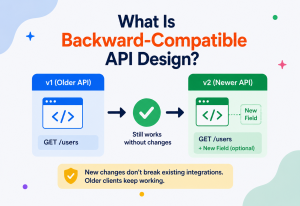
As the API grows, the info.version field is bumped, and changes are tracked. Breaking changes typically trigger a new major version path (e.g. /v2/books), while additive, backward-compatible changes update the same version.
Deprecation
Old operations are marked deprecated: true in the spec — which Swagger UI visually flags with a strikethrough — giving consumers a grace period before the endpoint is removed entirely.
Think of this lifecycle like publishing a recipe book. You write the recipe (design), have a friend taste-test and give feedback before printing (review), print pre-formatted recipe cards for the kitchen and for the customer’s takeaway menu (generation), cook according to the recipe (implementation), have a food inspector confirm the dish actually matches what is on the card (validation), put the book on the shelf (publishing), customers order from it (consumption), and eventually you release a “2nd edition” with updated recipes (evolution).
Pros, Cons & Trade-offs
OpenAPI is one of those technologies that gives back much more than it costs — but only if you actually invest in wiring it into your build, tests and gateway. Naming the trade-offs up front keeps expectations honest.
Advantages
- Single source of truth eliminates documentation drift.
- Enables automatic client SDK and server stub generation, saving engineering time.
- Interactive Swagger UI lets any developer try the API without writing code.
- Standardised format means broad, mature tooling ecosystem (gateways, testers, linters).
- Contract-first workflow enables frontend and backend teams to work in parallel.
- Machine-readable contracts enable automated contract testing in CI/CD.
- Improves onboarding speed for new engineers and external partners.
Disadvantages & trade-offs
- Learning curve: YAML / JSON Schema syntax can be verbose and error-prone by hand.
- Code-first (annotation-driven) approaches can still drift if developers forget annotations.
- Large documents become hard to navigate without disciplined use of
componentsand$ref. - Does not describe business logic, side effects or rate-limit behaviour — only structural shape.
- Overhead of maintaining the spec adds friction for very small, short-lived APIs.
- Does not enforce that the running server actually matches the spec unless you add separate contract tests.
7.1 When to Use It
OpenAPI is almost always worth adopting for any REST API that will be consumed by more than one team, will live longer than a few weeks, or will be exposed to external partners. It becomes especially valuable in microservice architectures where dozens of services need to interoperate and discover each other’s contracts.
7.2 When It May Be Overkill
For a tiny internal script or a throwaway prototype API used by a single developer for a few days, hand-maintaining an OpenAPI document may add more overhead than value — though even here, code-first generation (which requires almost no extra effort) is often worth it anyway.
Performance & Scalability
OpenAPI itself is a design-time and documentation-time artefact — it typically does not sit in the hot path of production request handling, so its direct effect on runtime performance is usually minimal. However, several performance-related considerations do matter in practice.
8.1 Document Generation Overhead
In code-first setups like springdoc-openapi, the reflection-based scan that builds the OpenAPI model happens once at application startup (or lazily on first request to /v3/api-docs), not on every request. For applications with thousands of endpoints, this scan can add a few hundred milliseconds to startup time, but it does not affect steady-state request latency.
8.2 Runtime Validation Costs
Some teams use their OpenAPI document to perform runtime request / response validation at the API gateway layer (e.g. rejecting malformed requests before they reach application code). This does add per-request overhead — typically low single-digit milliseconds for schema validation — but it can meaningfully reduce load on backend services by filtering out invalid traffic early.
Stripe generates its OpenAPI specification from an internal DSL and uses it to power SDK generation across a dozen+ languages. Because SDK generation happens at build / release time rather than per-request, there is zero runtime performance cost to API consumers — they get a fully typed, native client library with no OpenAPI parsing happening during actual API calls.
8.3 Scalability of the Documentation Itself
As APIs grow to hundreds of endpoints, a single monolithic OpenAPI file becomes slow to parse in editors and CI pipelines. The common solution is splitting the document into multiple files using $ref: './schemas/book.yaml' references, then “bundling” them into a single file only at build / publish time using tools like swagger-cli bundle. This keeps individual files manageable while still producing one complete document for consumers.
8.4 Caching Generated Documentation
Because the OpenAPI JSON rarely changes between deployments, production systems typically cache the response of /v3/api-docs at the CDN or reverse-proxy layer, avoiding repeated reflection-based regeneration for high-traffic developer portals.
High Availability & Reliability
While the OpenAPI document itself is a static artefact, the systems built around it — API gateways that use it for routing / validation, and developer portals that serve it — do need to be reliable.
9.1 Gateway-Level Reliability
When an API gateway (like Kong or AWS API Gateway) imports an OpenAPI document to auto-configure routes and request validation rules, that configuration is typically compiled into the gateway’s runtime state at deploy time — not fetched live per-request. This means a temporary outage of the documentation server does not affect the gateway’s ability to route and validate live traffic, since the configuration was already baked in.
9.2 Versioned Documentation Endpoints
Production systems commonly serve the OpenAPI document at a versioned, cacheable URL (e.g. /v3/api-docs or a static file hosted on a CDN) rather than regenerating it dynamically on every request, which improves both reliability and latency for documentation consumers.
Treat your OpenAPI document like a build artefact: generate it once during your CI/CD pipeline, store it in an artefact registry or static hosting bucket (e.g. an S3 bucket behind a CDN), and serve it from there — rather than generating it live from a running application instance that could be under load or temporarily down.
9.3 Contract Drift as a Reliability Risk
A subtle reliability risk specific to OpenAPI is silent contract drift — where the running service no longer matches its published spec. This does not cause an outage in the traditional sense, but it causes integration failures for consumers. Mitigating this requires automated contract tests (e.g. using Dredd, Schemathesis or Pact) running in CI/CD to fail the build if the implementation diverges from the documented contract.
Security
OpenAPI has first-class support for describing authentication and authorisation schemes, which is one of its most valuable features for both documentation and tooling.
10.1 Security Schemes
The components.securitySchemes section lets you formally declare how your API is secured — API keys, HTTP Basic Auth, Bearer tokens (JWT), or OAuth2 flows.
components:
  securitySchemes:
    bearerAuth:
      type: http
      scheme: bearer
      bearerFormat: JWT
    apiKeyAuth:
      type: apiKey
      in: header
      name: X-API-Key
    oauth2:
      type: oauth2
      flows:
        authorizationCode:
          authorizationUrl: https://auth.example.com/oauth/authorize
          tokenUrl: https://auth.example.com/oauth/token
          scopes:
            read:books: Read access to books
            write:books: Write access to books
security:
  - bearerAuth: []
Once declared, Swagger UI automatically shows an “Authorise” button, letting developers paste in a token and have it attached to every subsequent “Try it out” request — without exposing the secret in the document itself.
Never hardcode real API keys, tokens or credentials as example values inside an OpenAPI document, especially one published publicly. Use clearly fake placeholder values in example fields (e.g. "sk_test_xxxxxxxxxxxx"), and ensure your CI pipeline scans generated documentation for accidentally leaked secrets before publishing.
10.2 Exposing Sensitive Endpoints
A related risk is unintentionally exposing internal-only or administrative endpoints in a publicly published OpenAPI document. Teams should maintain separate documents (or use tags combined with a filtering build step) to produce a public-facing subset of the full internal API surface.
10.3 Input Validation via Schema
Because OpenAPI schemas can define constraints like minLength, maxLength, pattern (regex), and enum, API gateways can enforce these constraints at the edge — rejecting malformed or malicious payloads before they reach application code, acting as a lightweight first line of defence against injection-style attacks.
components:
  schemas:
    CreateUserRequest:
      type: object
      required: [email, password]
      properties:
        email:
          type: string
          format: email
          maxLength: 254
        password:
          type: string
          minLength: 12
          maxLength: 128
        role:
          type: string
          enum: [USER, ADMIN]
          default: USER
Monitoring, Logging & Metrics
OpenAPI documents themselves are not runtime telemetry sources, but they play an important supporting role in observability tooling.
11.1 Operation IDs as Metric Labels
Every operation in an OpenAPI document can carry a unique operationId (e.g. getBookById). Many API gateways and APM tools (like Datadog or New Relic) use this operationId as a stable label for request metrics — request count, latency percentiles and error rate — instead of relying on raw, less-stable URL paths with dynamic path parameters.
# Prometheus-style metric using operationId as a label
http_requests_total{operationId="getBookById", status="200"} 15234
http_request_duration_seconds{operationId="getBookById", quantile="0.99"} 0.084
11.2 Drift Detection Dashboards
Some organisations build internal dashboards that continuously compare the live OpenAPI document (fetched from /v3/api-docs) across environments (staging vs production) to catch unexpected schema differences — effectively monitoring the contract itself as a first-class signal.
11.3 Logging Structured Validation Failures
When request / response validation is performed against the OpenAPI schema (either at the gateway or in-application), validation failures should be logged with structured fields — the failing operationId, the specific schema violation, and a correlation ID — enabling teams to spot integration issues early, often before a consumer even files a support ticket.
Google Cloud’s API Gateway product uses OpenAPI documents as its primary configuration format. Deploying a new gateway config from an updated OpenAPI spec integrates with Cloud Monitoring, automatically emitting per-operation metrics and structured logs keyed by the operation IDs defined in the spec.
Deployment & Cloud
OpenAPI plays a central role in modern cloud-native deployment pipelines, well beyond just documentation.
12.1 CI/CD Integration
12.2 Cloud-Native API Gateways
Major cloud providers let you import an OpenAPI document directly to auto-provision a fully configured API gateway:
- AWS API Gateway — imports OpenAPI 3.0 documents to create REST APIs, including integration mappings via custom
x-amazon-apigateway-integrationextensions. - Google Cloud API Gateway — uses OpenAPI 2.0 documents as its native configuration format for defining backend routing.
- Azure API Management — imports OpenAPI documents to create APIs and automatically applies policies for rate limiting and authentication.
12.3 Containerised Documentation Portals
Swagger UI and Redoc are commonly deployed as lightweight, stateless Docker containers in Kubernetes, simply serving static assets plus a fetched OpenAPI JSON file — making them trivial to horizontally scale behind a load balancer since they hold no state.
# docker-compose.yml snippet
services:
  swagger-ui:
    image: swaggerapi/swagger-ui
    ports:
      - "8081:8080"
    environment:
      - SWAGGER_JSON_URL=https://api.bookstore.com/v3/api-docs
12.4 Spec-Driven Deployment Gates
Some organisations enforce a deployment gate: a service cannot be deployed to production unless its generated OpenAPI document passes both linting (style rules via Spectral) and backward-compatibility checks (using tools like openapi-diff) against the previously deployed version — catching accidental breaking changes before they reach consumers.
Databases, Caching & Load Balancing
OpenAPI does not directly interact with databases, but it plays a supporting role in how these infrastructure layers are exposed and consumed.
13.1 Describing Paginated, Database-Backed Responses
Endpoints backed by a database query returning large result sets are typically documented with pagination parameters and metadata in the schema, letting consumers know exactly how to page through results without guessing.
paths:
  /books:
    get:
      parameters:
        - name: page
          in: query
          schema: { type: integer, default: 0 }
        - name: size
          in: query
          schema: { type: integer, default: 20, maximum: 100 }
      responses:
        '200':
          content:
            application/json:
              schema:
                type: object
                properties:
                  content:
                    type: array
                    items: { $ref: '#/components/schemas/Book' }
                  totalElements: { type: integer }
                  totalPages: { type: integer }
13.2 Caching Headers in the Spec
Response headers like Cache-Control and ETag can be documented per-operation, communicating to consumers (and to caching proxies / CDNs sitting in front of the API) how aggressively a given response can be cached.
responses:
  '200':
    description: Book found
    headers:
      Cache-Control:
        schema: { type: string, example: "public, max-age=3600" }
      ETag:
        schema: { type: string, example: ""33a64df551"" }
13.3 Load Balancer & Multi-Server Configuration
The servers array supports listing multiple base URLs — production, staging and regional endpoints behind different load balancers — letting Swagger UI present a dropdown so developers can point their “Try it out” requests at the correct environment.
servers:
  - url: https://api.bookstore.com/v1
    description: Production (behind global load balancer)
  - url: https://staging-api.bookstore.com/v1
    description: Staging
  - url: https://api-eu.bookstore.com/v1
    description: EU region
APIs & Microservices
OpenAPI’s biggest impact is arguably in microservice architectures, where dozens or hundreds of services must interoperate reliably.
14.1 Service Discovery via API Catalogs
In large microservice organisations, every service publishes its OpenAPI document to a central catalog (tools like Backstage, built by Spotify, are popular here). Engineers browse this catalog to discover what services exist, what they do, and how to call them — effectively turning OpenAPI into a form of self-service, always-accurate service discovery documentation.
14.2 Consumer-Driven Contract Testing
In a microservices world, Service A calling Service B needs confidence that B’s actual behaviour matches what A expects. Teams combine OpenAPI (the provider’s documented contract) with contract-testing frameworks to verify, in CI, that B’s real responses continue to satisfy A’s expectations — catching breaking changes before they hit staging or production.
14.3 Inter-Service Client Generation
Rather than hand-writing an HTTP client (using RestTemplate or WebClient) for every downstream service call, teams generate a typed Java client directly from the downstream service’s OpenAPI document using the OpenAPI Generator Maven plugin, ensuring the client always matches the provider’s actual contract.
<plugin>
  <groupId>org.openapitools</groupId>
  <artifactId>openapi-generator-maven-plugin</artifactId>
  <version>7.6.0</version>
  <executions>
    <execution>
      <goals><goal>generate</goal></goals>
      <configuration>
        <inputSpec>${project.basedir}/specs/inventory-service.yaml</inputSpec>
        <generatorName>java</generatorName>
        <library>webclient</library>
        <apiPackage>com.bookstore.inventory.client.api</apiPackage>
        <modelPackage>com.bookstore.inventory.client.model</modelPackage>
      </configuration>
    </execution>
  </executions>
</plugin>
14.4 API Gateway Aggregation
In a microservices deployment, an API gateway often sits in front of many services, and OpenAPI documents from each backend service can be programmatically merged into a single, unified public-facing OpenAPI document — giving external consumers one coherent API surface, even though it is backed by dozens of independently deployed services.
14.5 Backend-for-Frontend (BFF) Pattern and OpenAPI
Many organisations adopt a Backend-for-Frontend pattern, where a thin aggregation layer sits between client applications (web, iOS, Android) and the underlying microservices, tailoring responses to each client’s specific needs. Each BFF typically publishes its own OpenAPI document distinct from the internal microservices it calls — this document describes the client-facing contract, which is often simpler and more tailored than the raw internal service contracts, while the BFF’s internal calls to downstream services use their own separate, more granular OpenAPI-described contracts.
14.6 Team Ownership Boundaries
OpenAPI documents also serve an organisational purpose in microservices architectures: they make team ownership boundaries explicit. When Team A depends on Team B’s service, the OpenAPI document acts as the formal interface between the two teams, similar to how a well-defined function signature acts as a contract between two modules in a monolith. This reduces the need for constant cross-team synchronous communication, since the contract itself answers most integration questions.
Amazon has long operated under an internal mandate that all inter-team communication happens through well-defined service interfaces, never through direct database access or informal channels — a principle sometimes called the “API mandate”. OpenAPI-style contracts are a natural, modern extension of this decades-old internal practice, made concrete and machine-verifiable rather than just a cultural norm.
Design Patterns & Anti-patterns
A handful of patterns show up in every well-run OpenAPI programme; an equally short list of anti-patterns shows up in every troubled one. Recognising both by name saves a great deal of debugging later.
15.1 Recommended Patterns
| Pattern | Description |
|---|---|
| Contract-First Design | Write and review the OpenAPI YAML before implementation begins, treating it as the source of truth |
Component reuse via $ref | Define shared schemas (Error, Pagination, User) once in components, reference everywhere |
Semantic versioning in info.version | Bump major version for breaking changes, minor for additive changes |
| Consistent error schema | Use one standardised error response shape (e.g. RFC 7807 Problem Details) across all endpoints |
| Spec linting in CI | Use Spectral with a shared style guide to enforce naming conventions and required fields automatically |
| Split files with bundling | Keep large specs maintainable by splitting into multiple files, bundled at build time |
15.2 Anti-patterns to Avoid
Documentation as an afterthought
Generating a spec once and never updating it as the API evolves reintroduces the exact documentation-drift problem OpenAPI was built to solve.
Overly generic schemas
Using loosely typed type: object with no defined properties throughout a spec defeats the purpose — it gives tooling nothing to validate or generate against.
Ignoring response codes
Documenting only the 200 success case while omitting 4xx / 5xx error responses leaves consumers unable to handle failures gracefully.
No contract testing
Publishing a spec without any automated check that the running service actually matches it allows silent drift to creep back in over time.
Teams often let their OpenAPI document become a “write-once” artefact generated during initial development and then frozen while the actual API keeps evolving through pull requests. Within a few months the spec looks complete but is quietly inaccurate. The fix is to make spec generation part of the automated build (code-first) or spec review part of every pull request (contract-first) — never a one-time manual task.
Best Practices & Common Mistakes
Following a small set of hygiene rules is the difference between an OpenAPI document that pays for itself many times over and one that quietly rots. Reading through this list before your next PR is well worth the two minutes.
16.1 Best Practices
- Write meaningful
summaryanddescriptionfields for every operation — future developers (and generated SDK docstrings) depend on this text. - Use
operationIdconsistently with a predictable naming convention (e.g.verbNounlikegetBookById), since it becomes the method name in generated client SDKs. - Provide realistic
examplevalues for request bodies and responses — this is what developers actually copy-paste when testing. - Document every possible response code, including 400, 401, 403, 404, 409, and 500, not just the happy path.
- Lint your spec automatically using Spectral (or similar) in CI to catch style violations and missing fields before merge.
- Run backward-compatibility checks (e.g. with
openapi-diff) on every pull request to catch accidental breaking changes. - Keep the spec close to the code — either generate it from annotations (code-first) or store the YAML in the same repository as the implementation (contract-first), never in a separate, disconnected wiki.
16.2 Common Mistakes
| Mistake | Why it hurts | Fix |
|---|---|---|
Missing required fields in schemas | Generated clients treat all fields as optional, causing null-pointer bugs downstream | Explicitly declare required: [...] for every schema |
| Inconsistent naming (camelCase vs snake_case) | Confuses consumers and breaks generated SDK conventions | Adopt and lint a single naming convention project-wide |
| No versioning strategy | Breaking changes silently affect all existing consumers | Use path-based (/v2/) or header-based versioning consistently |
| Publishing internal-only endpoints publicly | Security and confusion risk for external consumers | Maintain separate internal vs external spec builds using tags |
| Treating the spec as documentation only | Misses huge value from codegen, gateways and contract testing | Wire the spec into CI/CD, gateways and SDK generation pipelines |
Real-World & Industry Examples
OpenAPI is not a lab curiosity — almost every major developer-platform company has bet on it. Here are the most instructive examples.
Internal DSL → OpenAPI
Stripe maintains an internal API description format that compiles down to OpenAPI, powering its widely praised documentation site and auto-generated SDKs across more than eight languages, all kept perfectly in sync with the actual API behaviour.
Central microservice catalog
Netflix’s internal developer platform aggregates OpenAPI documents generated from hundreds of microservices into a searchable internal catalog, dramatically reducing the “which team do I ask” friction across a large engineering organisation.
Backstage
Spotify open-sourced Backstage, a developer portal that treats OpenAPI documents as first-class citizens for cataloguing and visualising APIs across an entire engineering organisation; it is now a CNCF graduated project used by many large enterprises.
API Gateway import
AWS API Gateway natively imports OpenAPI 3.0 documents to auto-provision fully configured REST APIs, including request validation and integration routing, directly from a spec file.
Multi-language SDKs
Twilio publishes OpenAPI documents across its communications APIs (SMS, Voice, Video), which power its official SDKs in more than seven languages as well as its public API reference documentation, keeping code samples in the docs automatically consistent with the real API surface.
Octokit & typed clients
GitHub publishes a comprehensive OpenAPI description of its REST API, which the community and GitHub itself use to generate typed clients (like Octokit) in multiple languages, ensuring the clients stay accurate as GitHub ships new API features.
Beyond individual companies, OpenAPI has become foundational infrastructure across the API economy: banking Open Banking standards, government open-data portals, and thousands of public SaaS APIs (Twilio, Slack, GitHub and many others) all publish OpenAPI documents as their canonical, machine-readable API contract.

17.1 Why This Matters for the Broader Industry
The widespread adoption of OpenAPI has had a compounding effect on the entire API tooling industry. Because so many companies converged on the same specification format, an entire generation of API tooling companies — Postman, Stoplight, Kong, Insomnia and many others — could build products that work across any OpenAPI-compliant API, rather than needing custom integrations for every company’s bespoke documentation format. This network effect is a major reason OpenAPI displaced earlier, less standardised documentation approaches like WADL (Web Application Description Language) and RAML in most of the industry.
FAQ, Summary & Key Takeaways
A short set of the questions people ask most often about OpenAPI / Swagger when they first encounter it — useful in interviews as well as in real design reviews — followed by a compact summary and the takeaways worth committing to memory.
Is Swagger the same thing as OpenAPI?
Not exactly. OpenAPI is the specification (the standard / format itself), while Swagger is the brand name for a specific set of tools (Swagger UI, Swagger Editor, Swagger Codegen) built by SmartBear around that specification. In casual conversation, people often use “Swagger” to mean either.
Do I write YAML or JSON for an OpenAPI document?
Either is valid — OpenAPI documents can be written in YAML or JSON, since YAML is simply a more human-readable superset that maps directly to the same underlying JSON structure. Most teams prefer YAML for hand-writing due to its readability.
Does OpenAPI work with GraphQL?
No — OpenAPI is specifically designed to describe REST APIs. GraphQL has its own separate schema definition language (SDL) that serves an analogous purpose for GraphQL APIs.
What is the difference between OpenAPI 2.0 (Swagger 2.0) and OpenAPI 3.x?
OpenAPI 3.0 introduced the reusable components section, support for multiple request / response content types, better handling of nullable and polymorphic schemas, and the servers array replacing the older single host / basePath fields. OpenAPI 3.1 further aligned the schema format with the full JSON Schema standard.
Should I write the spec by hand or generate it from code?
Both approaches are common and valid. Contract-first (hand-written) gives stronger design discipline and enables true parallel frontend / backend development. Code-first (generated from annotations) reduces duplication and guarantees the spec always matches the code, but requires developer discipline in writing good annotations.
Can OpenAPI describe webhooks, not just request / response APIs?
Yes, starting with OpenAPI 3.1, a top-level webhooks section was added, letting you describe out-of-band callbacks your API sends to a consumer’s URL — for example, a payment provider notifying your server when a transaction completes — using the same schema and operation structure as regular paths.
Is an OpenAPI document the same as a Postman collection?
They serve overlapping but distinct purposes. An OpenAPI document is a formal, standardised contract meant to be the authoritative description of an API, often used to generate code and configure infrastructure. A Postman collection is more of a saved set of example requests for manual or scripted testing. In practice, Postman can import an OpenAPI document to auto-generate a collection from it, making the two complementary rather than competing.
Do I need a specific programming language to use OpenAPI?
No. OpenAPI is language-agnostic by design — the document itself is just YAML or JSON text. It is commonly paired with Java / Spring Boot, Node.js / Express, Python / FastAPI, Go, and many other stacks, each with their own libraries for generating or consuming the spec.
How large can an OpenAPI document get before it becomes a problem?
There is no hard limit, but in practice, teams start splitting documents into multiple files once they exceed a few thousand lines or a few dozen endpoints, since large single files become slow to edit, review in pull requests, and parse in some tooling. Splitting by domain (e.g. one file per resource) combined with a bundling step at build time is the standard mitigation.
18.1 Summary
OpenAPI is a standardised, machine-readable format for describing REST APIs — what endpoints exist, what data they expect, what they return, and how they are secured. It emerged from Swagger, an internal Wordnik tool open-sourced in 2011, and became a vendor-neutral standard under the Linux Foundation in 2015. Its core value is turning API documentation from an easily-outdated prose document into a living contract that powers interactive documentation, automatic SDK generation, gateway configuration, and automated contract testing — eliminating the costly “documentation drift” problem that plagued API-driven teams for years.
Key Takeaways
- OpenAPI = the specification; Swagger = the original toolset / brand built around it.
- The document is structured into
info,servers,pathsandcomponentssections. - Two workflows exist: contract-first (design the spec, then implement) and code-first (generate the spec from annotated code).
- The real power comes from the tooling ecosystem: Swagger UI, code generators, API gateways and contract testing tools.
- At scale, OpenAPI underpins microservice discovery, API catalogs and automated client generation across entire organisations.
- Security schemes, versioning and consistent error handling should be designed into the spec from day one, not bolted on later.
18.2 Where to Go From Here
If you are just getting started, the fastest way to build intuition is hands-on: spin up a small Spring Boot service, add the springdoc-openapi dependency, annotate two or three endpoints, and open the generated Swagger UI page in your browser. Watch how changing a Java field name or adding a validation annotation instantly changes what appears in the documentation. Once that click happens — seeing code and documentation stay perfectly in sync in real time — the entire motivation behind OpenAPI becomes obvious, and the specification’s structure (paths, schemas, components) stops feeling like abstract YAML syntax and starts feeling like a natural, almost inevitable way to describe an API.
From there, the natural next steps are exploring contract-first workflows with the Swagger Editor, wiring up automated contract tests in a CI pipeline, and eventually experimenting with an API gateway that imports your OpenAPI document directly — at which point you will have touched every major piece of the ecosystem this guide has covered.