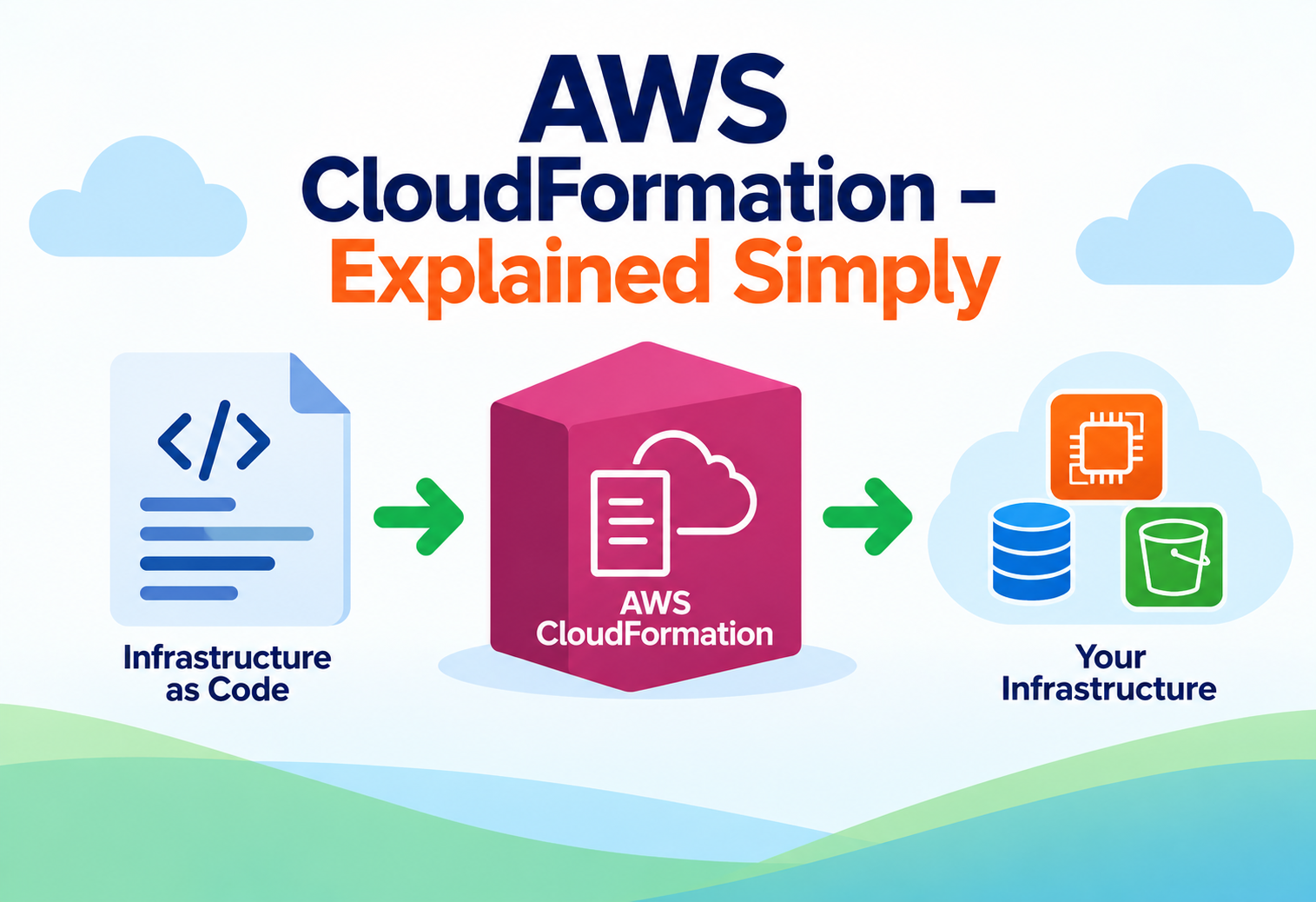
AWS CloudFormation, Explained Simply
A complete, zero-jargon walkthrough of the service that lets you describe your entire cloud infrastructure as a text file — and have AWS build it exactly the same way, every time.
Imagine building a house by describing it in a detailed blueprint — every wall, every door, every electrical outlet, drawn out precisely on paper — and then handing that blueprint to a construction crew who builds the exact house described, with no guesswork and no missed details. Now imagine that if you ever needed a second identical house, you could hand the very same blueprint to another crew, in another city, and get back a perfect match. AWS CloudFormation is that blueprint system for cloud infrastructure. Instead of manually clicking through the AWS console to create servers, databases, and networks one by one — a process that is slow and easy to get slightly wrong — you write a text file describing exactly what you want, and CloudFormation builds it for you, precisely as described, as many times as you need. This guide explains what CloudFormation is, how it works internally, and how real companies use it, assuming no prior cloud knowledge at all.
1Core Concepts
Before touching architecture, let’s build a clear picture of what “Infrastructure as Code” actually means.
What Is AWS CloudFormation?
AWS CloudFormation is a service that lets you define your cloud infrastructure — servers, databases, networks, storage, and how they all connect — inside a text file, and then automatically creates, updates, or deletes all of it for you based on that file. This approach is called Infrastructure as Code (IaC): instead of infrastructure existing only as a series of manual clicks someone remembers doing, it exists as a readable, shareable, versioned document, just like application source code.
Think of a recipe card versus watching a chef cook from memory. If a chef cooks purely from memory, no one else can reproduce the exact dish, and even the chef might forget a step next time. A written recipe card, however, can be followed by anyone, any number of times, and always produces the same dish. A CloudFormation template is that recipe card for your cloud infrastructure — anyone on the team, at any time, can “cook” the exact same environment from it.
Why Does It Exist?
Before Infrastructure as Code became common, teams built cloud environments by manually clicking through consoles, and this process was rarely documented perfectly. Over time, environments would quietly drift apart — one server had a setting changed six months ago that nobody wrote down, making it impossible to recreate that exact environment if it were ever lost. CloudFormation exists to remove this uncertainty entirely: the template itself is the single source of truth, so recreating an entire environment in a new region, or recovering after a disaster, becomes a matter of running the same file again rather than trying to remember what was done by hand.
Key Terms You’ll See Everywhere
Template
The text file (written in JSON or YAML) describing exactly what infrastructure should exist.
Stack
The actual collection of real AWS resources that CloudFormation creates when it runs a template.
Resource
A single infrastructure item described in the template, such as one server, one database, or one storage bucket.
Change Set
A preview of exactly what will change in an existing stack before those changes are actually applied.
2Architecture & Components
CloudFormation sits between a written template and the real resources running inside your AWS account.
A CloudFormation template describes resources (the individual pieces of infrastructure), parameters (values a user can supply when running the template, like an environment name), outputs (useful values produced after creation, like a website’s URL), and mappings (lookup tables for values that differ by region or environment). When this template is submitted, CloudFormation reads it, figures out the correct order to create everything, and calls the appropriate AWS services to bring each resource into existence, tracking the entire collection together as one stack.
flowchart LR
    A["CloudFormation Template
(YAML/JSON file)"] --> B["AWS CloudFormation
Service"]
    B --> C["Dependency Resolver
(determines creation order)"]
    C --> D["Amazon VPC
(Network)"]
    C --> E["EC2 Instances
(Servers)"]
    C --> F["Amazon RDS
(Database)"]
    C --> G["IAM Roles
(Permissions)"]
    D & E & F & G --> H["CloudFormation Stack
(Tracked as one unit)"]
FIG 1 — One template describes many resources; CloudFormation resolves dependencies and creates everything as a single tracked stack.
The Core Building Blocks
Template
The written blueprint file describing what infrastructure should exist and how the pieces relate to one another.
Stack
The live, real-world collection of resources created from a template, managed and tracked together as a single unit.
Stack Set
A way to deploy the same stack consistently across multiple AWS accounts or regions from one central template.
Drift Detection
A feature that checks whether real resources still match what the template describes, catching manual changes made outside CloudFormation.
CloudFormation automatically figures out the correct order to build resources based on their dependencies — for example, it knows a database subnet must exist before the database itself can be placed inside it, without you needing to specify that order manually.
3Internal Working
What actually happens the moment you submit a template to CloudFormation?
When a template is submitted, CloudFormation first validates its syntax, then builds an internal dependency graph — a map of which resources rely on which other resources. It uses this graph to decide what can be created immediately and what must wait. Independent resources may be created in parallel to save time, while dependent resources are created strictly in order. Throughout this process, CloudFormation continuously records the current status of every resource, so if something fails partway through, it knows exactly what succeeded and what did not.
Think of assembling flat-pack furniture using an instruction booklet. You cannot attach the shelves before the side panels are connected, but you could put together two entirely separate pieces of furniture from the same box at the same time. CloudFormation reads its own “instruction booklet” the same way, doing independent work in parallel while strictly respecting any steps that must happen in a specific order.
Automatic Rollback on Failure
If any resource fails to create during a stack creation, CloudFormation does not leave a half-built, broken environment behind. By default, it automatically rolls back — deleting everything it had already created for that attempt — returning the account to the clean state it was in before the attempt started, much like a “undo” button for an entire infrastructure deployment.
4Data Flow & Lifecycle
Following one template from being written to a fully running stack.
sequenceDiagram
    participant Dev as Developer
    participant CFN as AWS CloudFormation
    participant Graph as Dependency Resolver
    participant AWS as AWS Services (VPC, EC2, RDS...)

    Dev->>CFN: Submits template (create-stack)
    CFN->>CFN: Validates template syntax
    CFN->>Graph: Builds dependency graph
    Graph-->>CFN: Determines creation order
    CFN->>AWS: Creates independent resources in parallel
    AWS-->>CFN: Reports success/failure per resource
    CFN->>AWS: Creates dependent resources in order
    AWS-->>CFN: Reports success/failure per resource
    alt All resources succeed
        CFN->>Dev: Stack status: CREATE_COMPLETE
    else Any resource fails
        CFN->>AWS: Rolls back created resources
        CFN->>Dev: Stack status: ROLLBACK_COMPLETE
    end
FIG 2 — Lifecycle of a stack creation: validation, dependency resolution, parallel and ordered creation, then success or automatic rollback.
Updating an existing stack follows a similar path, but CloudFormation first calculates exactly which resources need to change, add, or be removed — this preview is the change set mentioned earlier — giving a team the chance to review precisely what will happen before committing to the update.
5Advantages, Disadvantages & Trade-offs
Infrastructure as Code solves real problems but introduces its own learning curve.
Advantages
- Infrastructure becomes a versioned, reviewable text file instead of undocumented manual clicks
- Identical environments can be recreated reliably in a new region or account
- Automatic rollback prevents half-built, broken environments from lingering
- Free to use — you only pay for the underlying resources it creates, not for CloudFormation itself
- Deep native support for essentially every AWS resource type
Disadvantages
- Templates can become long and harder to read as infrastructure grows in complexity
- Learning curve for template syntax and intrinsic functions can slow down complete beginners at first
- Debugging a failed stack sometimes requires digging through detailed event logs
- Tightly tied to AWS, offering less convenience for genuinely multi-cloud infrastructure
CloudFormation trades the short-term convenience of quick manual console clicks for long-term reliability, repeatability, and documentation. For a five-minute experiment, clicking through the console may feel faster; for anything a team depends on long-term, a template pays for its slightly steeper learning curve many times over.
6Performance, Scalability & High Availability
How CloudFormation behaves when a company manages hundreds of environments.
Performance
The time a stack takes to create depends almost entirely on the resources it contains, not on CloudFormation’s own overhead — a stack with a handful of simple resources might finish in under a minute, while one provisioning a full network, database, and application layer can take considerably longer, largely limited by how long the underlying AWS services themselves take to provision.
Scalability
CloudFormation scales from managing a single small stack to managing thousands of stacks across an entire organization. StackSets extend this further, letting a central team deploy the same template consistently across many AWS accounts and regions at once — useful for enforcing a standard security baseline organization-wide from a single definition.
High Availability
The CloudFormation control plane itself runs on AWS’s highly available infrastructure. More importantly, because your entire environment definition lives in a template rather than in someone’s memory, recovering from a regional disaster can be as straightforward as running the same template in a different AWS region, dramatically simplifying disaster recovery planning.
7Security & Monitoring
A service that can create or delete infrastructure needs very deliberate guardrails.
Security
CloudFormation itself creates resources using an IAM role or the permissions of the person running it, so access to create, update, or delete stacks should be tightly scoped through IAM policies. A powerful feature called stack policies can also protect specific critical resources — like a production database — from being accidentally deleted or replaced, even if a broader template update is applied.
Think of a construction permit system. Just because a contractor has a blueprint does not mean they can build absolutely anything, anywhere — permits (IAM permissions) define what they are actually allowed to construct, and certain protected landmarks (stack policies) are explicitly marked as off-limits for demolition no matter what the blueprint says.
Monitoring, Logging & Metrics
Every action CloudFormation takes — each resource created, updated, or deleted — is recorded as a detailed event visible in the console and logged through AWS CloudTrail. Drift detection can be run periodically to compare the live environment against the template, surfacing any manual changes made outside of CloudFormation that could cause future updates to behave unexpectedly.
Run drift detection regularly on critical stacks. A resource quietly modified by hand outside CloudFormation is one of the most common causes of a confusing, unexpected failure the next time that stack is updated.
8Design Patterns & Anti-patterns
Habits that make templates maintainable, and habits that turn them into a liability.
Good Pattern: Nested and Modular Stacks
Breaking a large environment into smaller, reusable template pieces — a network stack, a database stack, an application stack — keeps each template focused and easier to understand and reuse across projects.
Good Pattern: Always Review Change Sets Before Applying
Previewing exactly what will change, be added, or be deleted before an update runs turns a potentially surprising update into a deliberate, reviewed decision.
Pattern
Manually editing resources created by CloudFormation directly in the console “just this once, to save time.”
Why It Fails
This creates drift between the template and reality. The next time the template is applied, CloudFormation may try to “correct” the manual change back, undoing work in a confusing and unexpected way.
Better Approach
Make the change in the template itself and apply it through CloudFormation, keeping the template as the single, trustworthy source of truth.
Pattern
Writing one enormous template containing an entire company’s infrastructure with no separation between components.
Why It Fails
A single massive template becomes slow to update, risky to change (since one mistake can affect everything at once), and difficult for any one person to fully understand.
Better Approach
Split infrastructure into smaller, logically separated stacks — such as networking, data, and application layers — connected through defined outputs and parameters.
9Best Practices & Common Mistakes
Habits that keep infrastructure predictable, reviewable, and safe to change.
| Best Practice | Why It Matters |
|---|---|
| Store templates in version control alongside application code | Provides a full history of infrastructure changes, just like application code changes |
| Use parameters instead of hard-coded values | Lets the same template be reused safely across dev, staging, and production |
| Always review change sets before applying an update | Prevents unexpected or unwanted modifications from silently taking effect |
| Apply stack policies to protect critical resources | Adds a safety net against accidental deletion or replacement of important data |
| Run drift detection periodically | Catches manual, undocumented changes before they cause a confusing future failure |
Common Mistakes Beginners Make
- Manually deleting a resource that CloudFormation created, causing future stack updates to fail unexpectedly
- Hard-coding account-specific values directly into a template instead of using parameters
- Skipping the change set preview and applying updates blindly to a production stack
- Deleting an entire stack without realizing it will delete every resource inside it, including data-holding resources without proper backups
10Real-World Usage Patterns
How well-known organizations apply Infrastructure as Code at scale.
Amazon Retail
New regional environments and testing environments are stood up from standardized templates, ensuring every environment matches a known, tested configuration.
Capital One
Highly regulated environments use templates enforced with stack policies and drift detection to maintain strict, auditable compliance standards.
BBC
Multiple similar micro-sites and services are deployed consistently from shared templates, avoiding configuration drift between dozens of similar properties.
Fast-Growing Startups
Entire staging environments are recreated on demand from a template for short-lived feature testing, then torn down completely once no longer needed.
11Frequently Asked Questions
12Summary and Key Takeaways
Key Takeaways
- AWS CloudFormation turns infrastructure into a text file, letting environments be recreated reliably and reviewed like any other code.
- A stack is the live collection of resources created from a template, tracked and managed together as a single unit.
- CloudFormation automatically resolves dependencies, creating independent resources in parallel and dependent ones in the correct order.
- Automatic rollback prevents a failed creation or update from leaving behind a broken, half-built environment.
- Change sets let teams preview exactly what will change before an update is actually applied to a live stack.
- Drift detection and stack policies protect against, and catch, manual changes made outside the template that could break future updates.
- Organizations from Amazon to regulated financial companies rely on this exact approach to make infrastructure repeatable, auditable, and safe to change at scale.

