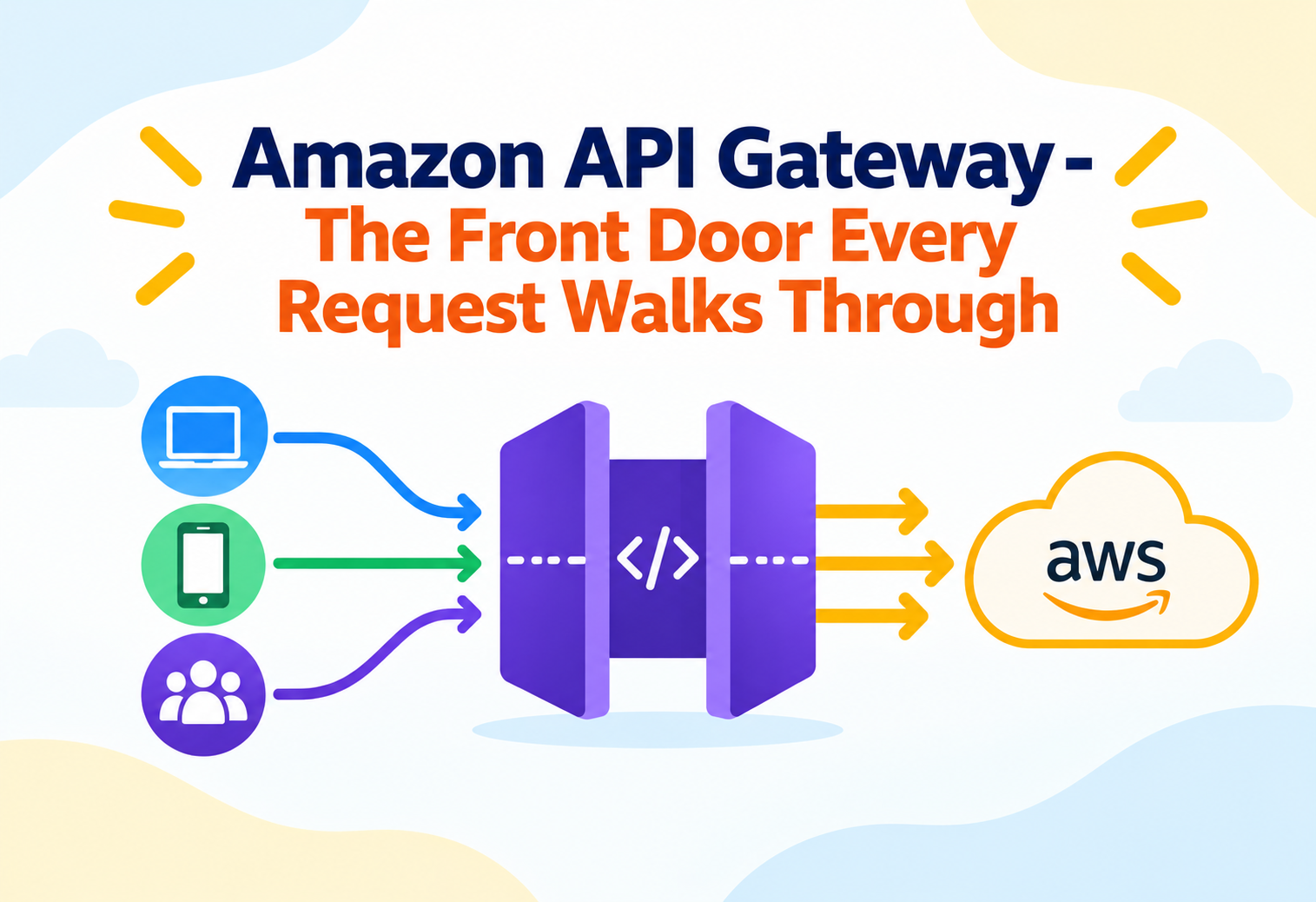
Amazon API Gateway – The Front Door Every Request Walks Through
A deep, practical walkthrough of Amazon API Gateway — how it routes, secures, throttles, and monitors traffic between the outside world and your backend, and where teams get its design wrong.
Think of a large office building with a single reception desk. Every visitor — whether they are a delivery courier, a job interviewee, or a scheduled client — must pass through that desk first. The receptionist checks identification, decides which floor the visitor is allowed on, logs the visit, and occasionally turns people away when the building is already at capacity. Amazon API Gateway plays exactly this role for applications: it is the managed front door that every client request passes through before reaching the actual backend logic, whether that backend is a Lambda function, a container, or an existing server sitting behind the scenes. This tutorial walks through how API Gateway actually behaves underneath its console screens — its architecture, its request lifecycle, its scaling and security model, and the patterns that separate a clean, resilient API from one that quietly falls over under load.
1Core Concepts That Actually Matter
API Gateway is not one product with one behavior — it is a family of API types, each tuned for a different shape of traffic.
Amazon API Gateway is a fully managed service for creating, publishing, securing, and monitoring APIs at any scale. It sits between clients — mobile apps, web frontends, third-party integrators — and the backend services that do the actual work, acting as a single, controlled entry point rather than exposing backend systems directly to the internet.
A restaurant does not let diners walk into the kitchen to grab their own food. A waiter takes the order, translates it into kitchen language, checks whether the kitchen can handle the request right now, and brings back a plated result. API Gateway is that waiter, standing between the diner (the client) and the kitchen (your backend).
API Gateway offers three distinct API types, and choosing the right one is itself an intermediate-level architectural decision, not just a checkbox.
REST API
The original, most feature-rich API type, supporting request and response transformation, API keys, usage plans, and fine-grained request validation.
HTTP API
A newer, leaner API type built for lower latency and lower cost, trading away some of REST API’s advanced transformation features for simplicity and speed.
WebSocket API
Designed for two-way, persistent connections, such as chat applications or live dashboards, where the server needs to push data to the client without the client asking first.
Route / Resource + Method
Each API is composed of paths (resources or routes) paired with HTTP methods, and each pairing is individually wired to a specific backend integration.
Underneath any of these API types, the core job never changes: accept an incoming request, decide if it is authorized, decide where it should go, possibly transform it along the way, forward it to a backend, and shape the response that comes back — all without you operating a single server to do it.
2Architecture & Components
Every API Gateway deployment is built from a small set of reusable building blocks that combine differently depending on the use case.
flowchart TD
    A[Client] -->|HTTPS Request| B[API Gateway Endpoint]
    B --> C[Authorizer]
    C -->|Allowed| D[Route / Resource Method]
    C -->|Denied| Z[401 / 403 Response]
    D --> E[Request Mapping]
    E --> F[Integration]
    F --> G[Lambda Function]
    F --> H[HTTP Backend]
    F --> I[AWS Service]
    G --> J[Response Mapping]
    H --> J
    I --> J
    J --> K[Client Response]
The Endpoint
API Gateway exposes a stable, managed endpoint for each API, and can front it with a custom domain name, so the underlying AWS infrastructure is never visible to consumers of the API.
Stages
A stage represents a named, deployed snapshot of an API’s configuration — commonly used to separate development, staging, and production environments, each with its own URL path and its own settings for throttling, caching, and logging.
Integrations
An integration defines what happens after a request is routed — it might invoke an AWS Lambda function directly, proxy to an HTTP endpoint, connect to another AWS service, or reach a backend sitting privately inside a VPC through a VPC link.
Authorizers
An authorizer decides whether a request is allowed to proceed at all, using mechanisms like IAM credentials, Amazon Cognito user pools, or a custom Lambda function that implements bespoke authentication logic.
Because stages are independent deployed snapshots, you can push a breaking change to a development stage, test it thoroughly, and only later promote the exact same deployment to production — without redeploying code from scratch.
3Internal Working: What Happens Under The Hood
API Gateway is not a thin passthrough — it runs a distinct sequence of internal steps for every single request it receives.
TLS Termination
The incoming HTTPS connection is terminated at API Gateway’s managed edge, so your backend never has to handle certificate management for public traffic.
Throttling Check
Before anything else happens, API Gateway checks the request against configured rate limits. If the limit is already exceeded, the request is rejected immediately, protecting the backend from ever seeing the overflow traffic.
Authorization
The configured authorizer — IAM, Cognito, or a custom Lambda authorizer — evaluates the request’s credentials and either allows it to continue or short-circuits it with a rejection response.
Request Validation & Mapping
For REST APIs, an optional request validator can check the payload structure before it is forwarded, and mapping templates can reshape the request into the format the backend expects.
Integration Invocation
The request is forwarded to the configured backend — most commonly a Lambda function — and API Gateway waits for a response within a fixed timeout window.
Response Mapping & Caching
The backend’s response can be transformed again before being returned to the client, and if a response cache is enabled, the result may be stored so future identical requests skip the backend entirely.
Airport security does not simply wave everyone through to the gate. Passengers are checked against a ticket (authorization), scanned for prohibited items (validation), and sometimes routed to a completely different gate than they expected (mapping) — all before they ever reach the plane (the backend).
4Data Flow & Lifecycle
Following a single request end-to-end shows exactly where API Gateway adds value beyond simple proxying.
sequenceDiagram
    participant C as Client
    participant AG as API Gateway
    participant Auth as Authorizer
    participant L as Lambda Function
    C->>AG: HTTPS Request
    AG->>AG: Throttle check
    AG->>Auth: Validate credentials
    Auth-->>AG: Allow / Deny
    AG->>L: Invoke with mapped payload
    L-->>AG: Function response
    AG->>AG: Map response, apply cache policy
    AG-->>C: HTTPS Response
Deployments and stages together define an API’s lifecycle. A deployment is an immutable snapshot of the API’s configuration at a point in time; a stage is a named pointer to one specific deployment, along with stage-specific settings such as throttling limits, caching behavior, and logging verbosity. This separation is what allows a team to maintain a production stage and a staging stage from the exact same underlying API definition, promoting a tested deployment forward only when it is ready.
Canary release is a lifecycle feature worth understanding at the intermediate level: a small percentage of production traffic can be routed to a newly promoted deployment while the majority continues hitting the previous, stable one. If metrics on the canary look healthy, traffic is gradually shifted over; if something looks wrong, traffic is rolled back to the stable deployment without a full redeploy.
Canary deployments turn a risky all-at-once release into a gradual, observable rollout, which is one of the most underused but highest-value features available on REST APIs.
5Advantages, Disadvantages & Trade-offs
API Gateway removes a large category of operational work, but it introduces its own constraints worth knowing in advance.
Advantages
- No servers to run for the API layer itself — scaling, patching, and availability are handled by AWS.
- Built-in throttling and usage plans protect backend systems from traffic spikes and abusive clients.
- Native integration with Lambda, Cognito, IAM, and other AWS services reduces custom glue code.
- Request and response transformation lets a single backend serve multiple client shapes without changing backend code.
- Stages and canary deployments support safe, incremental rollout practices out of the box.
Disadvantages / Trade-offs
- Every request adds a small amount of latency compared to hitting a backend directly, since requests pass through an additional managed layer.
- Complex request and response mapping logic in REST APIs can become difficult to read, test, and version compared to code.
- Integration timeouts are capped, which makes API Gateway a poor fit for very long-running synchronous operations.
- Cost scales with request volume, which can become significant for extremely high-traffic APIs compared to a self-managed load balancer.
6Performance & Scalability
API Gateway scales automatically, but throttling and caching are the two levers that actually shape real-world performance.
Throttling in API Gateway operates at two levels: account-level default limits that apply broadly, and per-method or per-usage-plan limits that let specific routes or specific API consumers be given tighter or looser budgets. A burst limit controls how many requests can be handled in a short spike, while a steady-state rate limit controls sustained throughput over time — together they behave like a token bucket that refills at a controlled rate.
| Lever | Effect |
|---|---|
| Rate limit | Caps sustained requests per second for an API, method, or usage plan. |
| Burst limit | Caps how many requests can arrive in a short spike before throttling kicks in. |
| Response caching | Stores backend responses for a configurable TTL, letting repeated identical requests skip the backend entirely. |
| Usage plans | Assign different throttle and quota tiers to different API keys, useful for tiered or metered external APIs. |
Throttling in API Gateway protects the gateway and downstream systems from being overwhelmed — it does not automatically make your backend logic scale. A Lambda function or a database behind the gateway can still become a bottleneck even while API Gateway itself absorbs the traffic fine.
7High Availability & Reliability
API Gateway inherits the resilience of the AWS Regions it runs in, but reliability of the full system still depends on how the backend behind it is designed.
API Gateway itself is deployed redundantly across multiple Availability Zones within a Region by default, meaning the loss of a single zone does not take the API layer down. This is a structural advantage over a self-hosted API layer running on a fixed set of servers, where multi-zone redundancy has to be deliberately engineered.
Regional vs Edge-Optimized Endpoints
A regional endpoint serves clients primarily from one AWS Region, while an edge-optimized endpoint routes traffic through Amazon CloudFront’s global network of edge locations, reducing latency for geographically distributed clients at the cost of slightly more complex routing behavior.
Backend Resilience Still Matters
API Gateway being highly available does not guarantee the overall API is reliable if the Lambda function or downstream database it calls has no retry logic, no timeout handling, or no fallback behavior — reliability is a property of the whole chain, not just the front door.
Setting a sensible integration timeout, combined with a documented client-side retry strategy for transient errors, closes the gap between “the gateway is highly available” and “the API feels reliable to users.”
8Security
API Gateway offers several distinct layers of security control, and most real-world APIs combine more than one.
IAM Authorization
Requests are signed with AWS credentials and verified against IAM policies, well suited for service-to-service traffic within an AWS environment.
Cognito User Pool Authorizer
Validates a JSON web token issued after a user signs in through Amazon Cognito, a common pattern for consumer-facing web and mobile applications.
Lambda Authorizer
Runs custom authentication or authorization code — useful for validating third-party tokens, API keys stored in a custom system, or bespoke business rules.
AWS WAF Integration
A Web Application Firewall can be attached in front of an API to filter out common attack patterns such as SQL injection attempts before they ever reach the gateway’s routing logic.
Resource policies add another layer, letting an API restrict which AWS accounts, IP address ranges, or VPC endpoints are allowed to invoke it at all — useful for internal APIs that should never be reachable from arbitrary public clients even if someone discovers the endpoint URL.
Relying solely on “security through obscurity” — assuming an API is safe because its URL is hard to guess — is a frequent and dangerous shortcut. Every publicly reachable route should have an explicit authorizer or resource policy, not just an unlisted address.
9Monitoring, Logging & Metrics
Because API Gateway sits at the very front of a request, it is often the best place to observe overall API health before drilling into individual backends.
| Signal | What It Tells You |
|---|---|
| Count | Total number of requests received by the API, broken down per stage and method. |
| 4XX / 5XX error rates | Client-side versus server-side error trends, useful for distinguishing bad requests from backend failures. |
| Latency / Integration Latency | Total response time versus time spent specifically waiting on the backend integration, which helps localize where slowness originates. |
| Cache hit / miss count | How effectively response caching is reducing backend load, when caching is enabled. |
Amazon CloudWatch automatically receives these metrics without any agent installation, and access logs can be configured per stage to capture structured details about every request, useful for auditing and troubleshooting. For deeper visibility into how a request behaves across multiple services, AWS X-Ray can trace a single request as it passes through API Gateway, into a Lambda function, and on to a downstream database, showing exactly where time is being spent along the way.
Comparing total latency against integration latency is one of the fastest ways to tell whether a slow API is a gateway configuration issue or a backend performance issue.
10Deployment & Cloud Integration
API Gateway rarely stands alone — its design is meant to be wired directly into the rest of an AWS architecture.
AWS Lambda
The most common integration target, letting an entire API run without a single managed server anywhere in the request path.
VPC Link
Allows API Gateway to reach backends running privately inside a VPC, such as containers on a private load balancer, without exposing them directly to the internet.
AWS Service Integration
Routes can call AWS services such as Amazon S3 or Amazon DynamoDB directly, occasionally removing the need for a Lambda function as a middleman for simple operations.
CloudFormation / SAM / Terraform
API definitions, stages, and integrations are commonly declared as code, keeping environments reproducible and reviewable through the same process as application code.
Custom domain names, combined with a certificate from AWS Certificate Manager, let an API Gateway-backed API be served under a company’s own domain rather than the default generated endpoint, which matters both for branding and for avoiding hard dependencies on AWS-specific URLs in client applications.
11Design Patterns & Anti-patterns
The difference between an API Gateway setup that ages well and one that becomes unmanageable usually comes down to a few recurring decisions.
Pattern: BFF (Backend For Frontend)
A dedicated API Gateway instance is created per client type — one shaped for a mobile app, another for a web dashboard — each exposing only the routes and response shapes that client actually needs, rather than forcing every client to consume one generic API.
Pattern: Usage Plans For External Partners
Third-party integrators are issued individual API keys tied to usage plans with their own throttle and quota settings, so one partner’s traffic spike cannot degrade service for every other partner sharing the same API.
Problem
Using API Gateway as a synchronous front door for very long-running operations, such as bulk data processing or long computations, and waiting on the integration response.
Why It’s Harmful
Integration timeouts are capped, so long-running work risks timing out mid-execution even if the backend eventually would have finished successfully, wasting compute and confusing clients with an error despite the job still running.
Correct Approach
Accept the request quickly, hand the long-running work off to an asynchronous system such as a queue or step function, and let the client poll or receive a callback for the result instead of waiting on the original connection.
Problem
Piling large amounts of business logic into REST API mapping templates instead of application code.
Why It’s Harmful
Mapping templates are difficult to version, test, and debug compared to ordinary application code, and complex logic hidden in them tends to become invisible technical debt that new team members struggle to discover.
Correct Approach
Keep mapping templates limited to lightweight structural transformation, and push meaningful business logic into the Lambda function or backend service where it can be tested like any other code.
12Best Practices & Common Mistakes
Most avoidable API Gateway incidents trace back to a small, predictable set of oversights.
Set Explicit Throttle Limits
Never rely purely on account-level defaults for a production API — set intentional per-method or per-usage-plan limits based on what the backend can actually absorb.
Use Stages For Real Environment Separation
Keep development, staging, and production configuration genuinely separate through stages rather than toggling settings on one shared deployment.
Enable Access Logging Early
Turning on structured access logs before an incident happens, rather than after, is the difference between a quick diagnosis and a frustrating guessing game.
Validate Requests At The Gateway
Rejecting malformed requests before they ever reach a Lambda function saves compute cost and keeps backend code focused on business logic instead of input policing.
Leaving default CORS settings misconfigured is a frequent source of confusing, hard-to-debug failures for web clients, especially when a route works fine from a server-to-server test but silently fails from a browser.
13Real-World & Industry Examples
The API gateway pattern itself predates any single AWS product, and understanding its origins clarifies why the managed version is so widely adopted.
Microservice Front Doors at Scale
Large e-commerce and streaming platforms popularized the API gateway pattern to avoid exposing dozens or hundreds of individual microservices directly to the internet, consolidating authentication, rate limiting, and routing into a single controlled layer.
Serverless Mobile Backends
Mobile applications commonly pair API Gateway with Lambda and Cognito to build an entire backend — authentication, business logic, and data access — without operating a single traditional server, a pattern especially popular for startups moving quickly with small teams.
Partner and Public APIs
Companies exposing public developer APIs use usage plans and API keys to meter and monetize access, giving free-tier and paid-tier partners different throughput ceilings from the same underlying API definition.
Internal Service Mesh Alternative
Some organizations use private, VPC-linked API Gateway deployments as a lightweight alternative to a full service mesh for routing internal traffic between services, when the added complexity of a dedicated mesh is not yet justified.
14Frequently Asked Questions
HTTP APIs are generally the better default for new projects needing lower latency and lower cost, unless you specifically need REST API-only features such as detailed request validation, API keys and usage plans, or advanced request and response mapping.
No. API Gateway itself scales automatically to absorb incoming traffic, but the backend it calls, such as a Lambda function or a database, must be independently capable of handling that same traffic volume.
Integration timeouts are capped, making API Gateway a poor fit for long synchronous operations. Long-running work is generally better handled asynchronously, with the client polling for or being notified of the result.
A deployment is an immutable snapshot of an API’s configuration; a stage is a named, addressable pointer to one specific deployment, carrying its own settings like throttling and caching.
Cached responses are typically keyed in a way that respects request parameters, but caching sensitive, user-specific responses without careful key configuration can accidentally serve one user’s cached data to another — a detail worth testing carefully before enabling caching broadly.
15Summary and Key Takeaways
Amazon API Gateway packages the well-established API gateway pattern — a single, controlled entry point for authentication, routing, throttling, and observability — into a fully managed AWS service. Its value is clearest in serverless and microservice architectures, where it removes the need to build and operate that front-door layer by hand. Its constraints, in turn, are mostly about respecting the boundaries of a managed proxy: integration timeouts rule out long synchronous work, and mapping logic should stay lightweight rather than becoming a hidden application layer. Teams that treat API Gateway as an enforcement and observability point — not a place to hide business logic — tend to get a genuinely resilient, low-maintenance API layer out of it.
Key Takeaways
- Choose the right API type deliberately — HTTP API for lean, low-latency needs; REST API for advanced transformation and usage-plan features; WebSocket for persistent, bidirectional connections.
- Throttling protects the system, not just the gateway — rate and burst limits shield backends from traffic spikes before they ever arrive.
- Stages and canary releases enable safe rollout — configuration can be tested in isolation and promoted gradually rather than switched all at once.
- Security is layered — IAM, Cognito, Lambda authorizers, resource policies, and WAF each solve a different part of the access-control problem.
- Integration timeouts are a hard ceiling — long-running work belongs in an asynchronous pattern, not a synchronous API Gateway call.
- Observability starts at the front door — comparing total latency to integration latency quickly separates gateway issues from backend issues.
- Keep mapping templates lightweight — meaningful business logic belongs in testable application code, not buried in configuration.