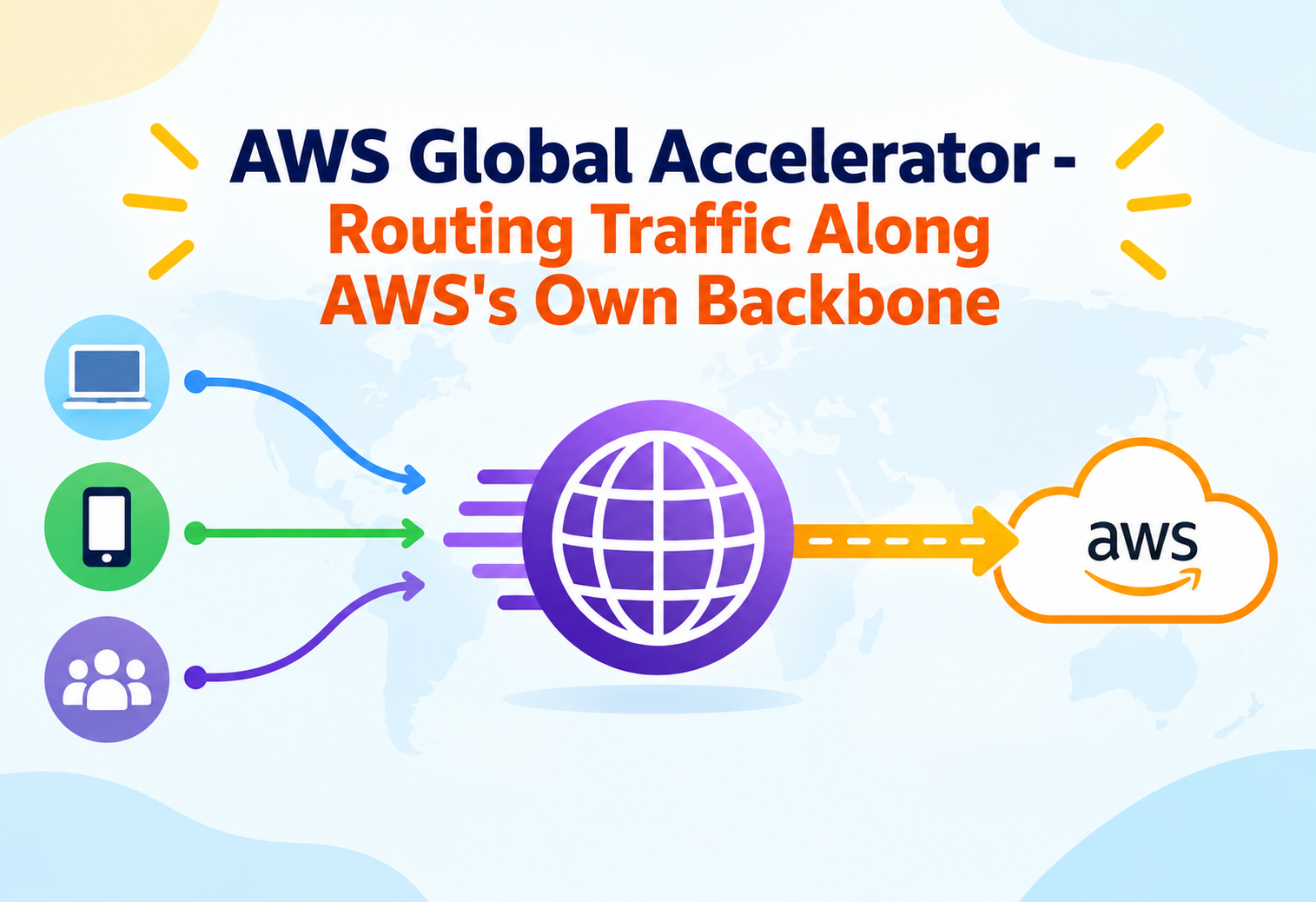
AWS Global Accelerator – Routing Traffic Along AWS's Own Backbone
A deep, intermediate-level look at how Global Accelerator uses static Anycast IP addresses and AWS's private global network to get users onto the fastest, healthiest path to your application — and why that's a fundamentally different problem than the one DNS-based routing solves.
Every network engineer has hit the same wall at some point: DNS-based traffic routing works, until it doesn’t — a stale resolver cache keeps sending users to a dead region for minutes after failover, and no amount of lowering the TTL fully fixes it, because you don’t control every resolver on the internet. AWS Global Accelerator sidesteps that problem entirely by not using DNS for failover at all. It gives an application two fixed IP addresses that never change, then quietly reroutes the traffic behind those IPs at the network layer, across AWS’s own private backbone, in well under a minute. This guide goes past the marketing description and into how that actually works, how it’s structured, and where it fits — and doesn’t fit — in a production architecture.
AIntroduction & History
AWS Global Accelerator was announced at re:Invent in November 2018 and became generally available a few months later, in 2019. It was, in a sense, AWS finally productizing something it had been quietly using for itself for years: routing traffic onto its own global private fiber network as early as possible, rather than letting it traverse the unpredictable public internet for the entire journey. AWS operates a vast, purpose-built network connecting its Regions and edge locations, and CloudFront had already proven the value of getting traffic onto that network quickly for content delivery. Global Accelerator applied the same idea to general TCP/UDP application traffic, not just cacheable content.
Before Global Accelerator, achieving something similar meant relying entirely on DNS-based global traffic management — Amazon Route 53 with latency-based or geolocation routing policies, combined with health checks. That approach works reasonably well for many use cases, but it has an inherent weakness: every layer between the user and your infrastructure that caches a DNS answer — the user’s own operating system, a corporate resolver, an ISP’s resolver — can hold onto a stale answer longer than intended, especially when TTLs are respected inconsistently across the internet. Global Accelerator’s core innovation was moving the “which endpoint should this traffic go to” decision out of DNS entirely and into the network layer itself, where AWS has direct control over the answer at all times.
DNS-based routing is like publishing a phone number that changes depending on who’s on call, and hoping everyone’s phone book updates in time. Global Accelerator is like keeping one phone number forever, but the call itself gets silently transferred behind the scenes to whichever office is actually open — the caller never has to look up a new number.
2018 — Announced at re:Invent
Introduced as a way to improve availability and performance for applications with a global user base using static Anycast IPs.
2019 — General Availability
Launched supporting Application Load Balancers, Network Load Balancers, EC2 instances, and Elastic IP addresses as endpoints.
2020 — Custom Routing Accelerators added
Added a mode that maps specific ports directly to specific EC2 destinations, useful for gaming and real-time workloads with many small backends.
2021 — Bring Your Own IP (BYOIP) support
Allowed customers to use their own previously registered IP address ranges as the static Accelerator IPs, easing migration for organizations with allow-listed IPs.
2022 onward — Deeper CloudWatch and Global Network integration
Expanded observability metrics and tighter integration with AWS Global Network Manager for organizations mixing Direct Connect, Transit Gateway, and Global Accelerator.
It’s worth situating Global Accelerator against the two AWS services it’s most often confused with: Amazon CloudFront and Amazon Route 53. CloudFront is a content delivery network built around caching and is primarily HTTP/HTTPS-focused; Global Accelerator works at the TCP/UDP layer and doesn’t cache anything, making it suitable for non-HTTP protocols like gaming traffic, VoIP, or IoT protocols that CloudFront was never designed for. Route 53 solves DNS resolution and can do latency-based routing, but the routing decision it makes is baked into a DNS answer that a client then caches — Global Accelerator’s routing decision is enforced continuously by the network itself, every time a packet arrives, regardless of what any client cached.
The timing of the launch also reflected a broader shift in how large cloud providers thought about the “last mile” problem. Around the same period, other major cloud and CDN providers were independently arriving at similar Anycast-based entry-point strategies, recognizing that the weakest, most variable link in a global application’s network path was rarely AWS’s own infrastructure — it was the unpredictable stretch of public internet between a user and whichever data center happened to be nearest. By pulling that boundary as close to the user as possible, at hundreds of edge locations rather than a handful of Regions, AWS effectively shrank the portion of the journey it didn’t control down to the smallest possible segment.

BProblem & Motivation
Two separate but related problems motivate Global Accelerator: the DNS caching problem described above, and the “long tail internet path” problem. When a user’s request leaves their device, it typically hops across multiple internet service providers and public internet exchange points before it ever reaches AWS’s network — and each of those hops is a potential source of congestion, packet loss, or an inefficient route, none of which AWS has any control over. The longer a request travels across the uncontrolled public internet before entering AWS’s backbone, the more variable and unpredictable its performance becomes.
Global Accelerator addresses this by using Anycast — the same IP address is announced simultaneously from many AWS edge locations around the world. Standard internet routing protocols (BGP) naturally direct a user’s traffic to the geographically or topologically nearest edge location announcing that address, without the user or their DNS resolver needing to know anything about geography at all. Once traffic enters at that nearby edge location, it travels the rest of the way to your application over AWS’s private global network rather than the public internet — shortening the unpredictable portion of the journey to just the “last mile” between the user and the nearest edge.
Global Accelerator does not make your application logic run faster, and it isn’t a caching layer — it improves the network path traffic takes to reach your existing endpoints. If your bottleneck is database query time or application processing, Global Accelerator won’t touch it; if your bottleneck is inconsistent or slow network transit for globally distributed users, it directly addresses that.
Latency-sensitive real-time traffic
Multiplayer games need consistently low latency; even a few hundred extra milliseconds from a suboptimal internet path is noticeable to players.
Multi-region disaster recovery
Applications that need to fail over to a healthy Region in seconds, not the minutes DNS TTL expiry can take in the worst case.
Static IPs for firewall rules
Enterprise customers whose corporate firewalls only allow-list a fixed set of IPs, which is awkward with dynamically changing load balancer or EC2 addresses.
UDP and TCP workloads outside HTTP
VoIP, IoT device communication, and custom TCP protocols that a caching CDN like CloudFront isn’t built to accelerate.
There’s also a subtler motivation tied to how internet routing itself behaves under stress. Public internet routes are determined by BGP path-selection decisions made independently by many different network operators, optimizing for their own commercial and operational priorities rather than for any single application’s latency. During periods of congestion or partial outages at intermediate ISPs, the “shortest” path on paper can become the slowest path in practice, and there’s little an application team can do about it from inside their own infrastructure. By entering AWS’s network at the nearest edge and staying there, Global Accelerator traffic simply bypasses most of that variability, since AWS’s own backbone is engineered and monitored specifically for consistent throughput between its own facilities, rather than being subject to the same commercial peering dynamics that shape the public internet.
CCore Concepts
Anycast vs. Unicast
In ordinary (unicast) IP routing, one IP address corresponds to exactly one physical destination anywhere in the world, and every packet sent to it takes some path toward that single place. In Anycast routing, the same IP address is simultaneously announced from many physically distinct locations, and standard internet routing (BGP) delivers each packet to whichever announcing location is “closest” according to routing metrics — which usually, though not strictly always, correlates with lower network latency for the sender. Global Accelerator’s two static IPs are Anycast addresses announced from AWS edge locations worldwide, which is the mechanism that gets a user’s traffic onto AWS’s network as early in its journey as possible.
Accelerator, Listener, and Endpoint Group
An Accelerator is the top-level resource — it owns the two static IP addresses and defines whether it’s a Standard Accelerator (for Application/Network Load Balancers, EC2 instances, or Elastic IPs) or a Custom Routing Accelerator (for direct port-to-destination mapping, common in gaming). A Listener, attached to an Accelerator, defines which ports and protocol (TCP or UDP) the Accelerator processes. An Endpoint Group, attached to a Listener, represents a specific AWS Region and contains the actual endpoints (load balancers, instances, or Elastic IPs) that traffic in that Region gets routed to. This three-layer hierarchy — Accelerator, Listener, Endpoint Group — is what lets a single pair of static IPs represent an application running across many Regions simultaneously.
| Layer | Defines | Example |
|---|---|---|
| Accelerator | The static IP pair and overall type | “prod-app-accelerator” |
| Listener | Port range and protocol handled | TCP 443 |
| Endpoint Group | A Region plus its traffic weighting | us-east-1, 70% traffic dial |
| Endpoint | The actual destination resource | An Application Load Balancer ARN |
Traffic Dials and Weights
Each endpoint group has a “traffic dial,” expressed as a percentage from 0 to 100, that controls what fraction of the traffic destined for that Region is actually allowed through — a value below 100% doesn’t send that portion elsewhere automatically by default, so this is primarily used for controlled rollouts or emergency traffic shedding from a Region, not for weighted multi-region load balancing by itself. Within an endpoint group, individual endpoints additionally have their own relative weights, letting traffic be distributed unevenly across endpoints within the same Region — useful when endpoints have different capacities.
Health Checks and Endpoint Weight Interaction
Health checks operate both at the endpoint group level (checking overall Region health signals) and, depending on endpoint type, at the individual endpoint level. When an endpoint or an entire Region’s endpoint group is marked unhealthy, Global Accelerator automatically stops directing new traffic there and shifts it to the next healthiest endpoint group according to the configured routing logic — this automatic rerouting, happening purely at the network layer without any DNS involvement, is the mechanism behind Global Accelerator’s fast failover characteristic.
A traffic dial set to 0% for a Region doesn’t delete or disable the endpoint group — it simply stops sending new connections there, which makes it a useful, reversible lever for draining a Region ahead of planned maintenance without touching DNS or the endpoints themselves.
Client Affinity and Flow Consistency
An intermediate concept that’s easy to gloss over is exactly what “flow” means for UDP traffic, since UDP itself has no built-in concept of a connection the way TCP does. Global Accelerator treats a UDP flow as a consistent 5-tuple (source IP, source port, destination IP, destination port, protocol) for the purposes of routing consistency — as long as those five values stay the same, packets are treated as belonging to the same ongoing flow and continue to the same endpoint, which matters for protocols like real-time voice or game state synchronization where packets need to consistently reach the same backend to make sense of an ongoing session.

Regional Isolation of Endpoint Groups
Each endpoint group is explicitly tied to exactly one AWS Region, and endpoints within it must reside in that same Region — Global Accelerator doesn’t allow mixing endpoints from different Regions inside a single endpoint group. This constraint is what keeps the health-check-and-failover model clean: a health status is always evaluated and acted on at the granularity of “this Region’s endpoint group,” never at some ambiguous cross-Region blend, which makes reasoning about failover behavior considerably more predictable during an incident.
DArchitecture & Components
graph TB
    User1["User - Europe"]
    User2["User - Asia"]
    subgraph Edge["AWS Edge Locations (Anycast)"]
      EdgeEU["Edge POP - Frankfurt"]
      EdgeAP["Edge POP - Tokyo"]
    end
    subgraph Backbone["AWS Global Private Network"]
      Accel["Global Accelerator (2 Static Anycast IPs)"]
      Listener["Listener - TCP 443"]
    end
    subgraph RegionA["Endpoint Group - eu-west-1"]
      ALB1["Application Load Balancer"]
    end
    subgraph RegionB["Endpoint Group - ap-northeast-1"]
      ALB2["Application Load Balancer"]
    end
    User1 --> EdgeEU
    User2 --> EdgeAP
    EdgeEU --> Accel
    EdgeAP --> Accel
    Accel --> Listener
    Listener --> RegionA
    Listener --> RegionB
    RegionA --> ALB1
    RegionB --> ALB2
Key Components
Static Anycast IP Pair
Two IPv4 (and optionally IPv6) addresses that never change for the lifetime of the Accelerator, announced from every participating edge location.
Listener
Defines the port range and protocol (TCP/UDP) the Accelerator will accept and forward.
Endpoint Group
One per Region, holding the traffic dial and the set of actual endpoints available there.
Endpoint
An Application Load Balancer, Network Load Balancer, EC2 instance, or Elastic IP that ultimately receives the traffic.
An important architectural detail: Global Accelerator doesn’t run inside a single Region — it’s a global resource by definition, since its entire purpose is spanning multiple Regions behind one address pair. This is different from most AWS services, which are Regional by default, and it means an Accelerator’s configuration (listeners, endpoint groups) is managed centrally regardless of how many Regions its endpoints span.
Standard vs. Custom Routing Accelerators
A Standard Accelerator routes traffic based on endpoint health and configured weights, without preserving any relationship between the client’s originating port and a specific backend destination — appropriate for typical web and application traffic behind load balancers. A Custom Routing Accelerator instead maps specific incoming port ranges deterministically to specific EC2 instance/port combinations, which matters for stateful, connection-heavy applications like game servers, where a specific player session needs to consistently land on the same backend instance rather than being load-balanced arbitrarily.
Network Interfaces and VPC Placement
For Custom Routing Accelerators specifically, traffic is delivered into a designated subnet within the target VPC, and the destination EC2 instances receive traffic through elastic network interfaces provisioned for that purpose — a detail that shapes VPC subnet planning for teams adopting Custom Routing, since the subnet used needs to be sized and configured with this traffic pattern in mind rather than treated as an arbitrary subnet choice. Standard Accelerators, by contrast, integrate at the load balancer or Elastic IP level and don’t require this same dedicated subnet planning, since the load balancer already handles the VPC-internal traffic distribution.
EInternal Working
When a packet destined for one of the Accelerator’s static IPs arrives at an AWS edge location, it doesn’t get bounced back out onto the public internet toward the eventual Region — it’s picked up by AWS’s own network fabric right there at the edge and carried across AWS’s private backbone infrastructure the rest of the way. This is the same physical network AWS uses for inter-Region traffic and much of its own internal service communication, engineered for high throughput and low, predictable latency between AWS facilities.
The decision of which endpoint group (and therefore which Region and destination) should receive a given new connection is made continuously, based on three inputs evaluated together: the geographic proximity of the client (approximated by which edge location received the packet), the current health status of each endpoint group, and the configured traffic dial percentage for each Region. This is fundamentally a per-connection decision rather than a per-packet decision — once a TCP connection (or, for UDP, a flow) is established to a particular endpoint, subsequent packets in that same connection continue to that same endpoint for the life of the connection, which avoids the chaos of splitting a single ongoing conversation across multiple backend destinations mid-stream.
Think of AWS’s edge locations as toll booths on a private highway system that only AWS controls. Once your car (your connection) passes through the nearest toll booth, it travels the rest of the trip on smooth, dedicated lanes instead of merging back onto the crowded public highway — and once you’re assigned a lane toward a destination, you stay in it until your trip ends.
Health Check Propagation
Health check results for each endpoint group are evaluated and propagated globally across all edge locations, so that a health status change in, say, the Tokyo Region is known and acted upon by an edge location in São Paulo within roughly the same short window — not just locally near the affected Region. This global propagation of health state is what allows failover to happen consistently everywhere at once, rather than being detected gradually as different parts of the network catch up independently.
Source IP Preservation
Depending on endpoint type and configuration, Global Accelerator can preserve the original client IP address all the way through to the backend, which matters for applications that rely on client IP for logging, geolocation, or access control decisions at the application layer. This is a detail that’s easy to overlook when migrating an existing load balancer setup — if client IP preservation behavior changes as part of adopting Global Accelerator, any downstream logic depending on the previous IP visibility pattern needs to be re-verified.
Why the Backbone Advantage Isn’t Uniform Everywhere
It’s tempting to assume the private-backbone advantage applies equally to every user everywhere, but in practice it scales with how much of a typical trip would otherwise cross the uncontrolled public internet. A user in a region with dense, high-quality peering directly into a nearby AWS Region may see only a modest improvement, since the public-internet portion of their journey was already short and efficient. A user on a different continent, or in a region with historically weaker internet peering to AWS’s Regions, tends to see the largest improvement, because a much larger fraction of their original journey is replaced by AWS’s own network. This is exactly why AWS provides a speed comparison tool rather than a single blanket performance claim — the benefit is a function of the specific source-to-destination pair, not a fixed percentage that applies everywhere.
FData Flow & Lifecycle
sequenceDiagram
    participant Client as Client Device
    participant Edge as Nearest AWS Edge (Anycast)
    participant GA as Global Accelerator
    participant HC as Health Check System
    participant EP as Endpoint (ALB in Region A)
    participant EP2 as Endpoint (ALB in Region B)

    Client->>Edge: SYN to static Accelerator IP
    Edge->>GA: Forward over AWS backbone
    GA->>HC: Check current endpoint group health
    HC-->>GA: Region A healthy, Region B degraded
    GA->>EP: Route connection to Region A
    EP-->>Client: Connection established
    Note over HC,EP: Later - Region A health check fails
    HC-->>GA: Region A now unhealthy
    GA->>EP2: New connections rerouted to Region B
The lifecycle of traffic through Global Accelerator begins the moment a client resolves the Accelerator’s static IP — typically once, and rarely again, since the IP never changes. Every subsequent connection attempt is a fresh routing decision made at the edge based on current health and configuration, not a cached decision from a previous DNS lookup. This is the structural reason failover is fast: there’s no stale answer sitting in a resolver cache anywhere to wait out, because the IP address itself was never the thing that needed to change.
Existing, already-established connections are generally not forcibly torn down when an endpoint becomes unhealthy mid-connection — Global Accelerator’s rerouting applies to new connections going forward. For long-lived connections (like a persistent WebSocket or a long-running download), this means a client already connected to a failing endpoint may experience that failure directly and need to reconnect, at which point the new connection attempt benefits from the updated health-based routing.

New Connections
- Always routed based on current health and configuration
- Benefit immediately from failover
- No DNS cache to invalidate
Existing Connections
- Not automatically migrated mid-connection
- May need application-level reconnect logic on failure
- Long-lived protocols need their own retry/reconnect handling
Idle Timeouts and Connection Draining Interaction
Because Global Accelerator forwards traffic through to endpoints that have their own idle timeout and connection draining behavior — particularly Application and Network Load Balancers — the effective lifecycle of a connection is shaped by both layers together. During a planned endpoint deregistration (for instance, rotating out old instances behind a load balancer), the load balancer’s own connection draining still governs how in-flight requests are handled; Global Accelerator’s role in this scenario is limited to ensuring new connections aren’t sent to instances already being drained, not to managing the drain process itself.
GAdvantages, Disadvantages & Trade-offs
Advantages
- Failover happens at the network layer, independent of DNS caching behavior anywhere on the internet
- Static IPs simplify firewall allow-listing for enterprise customers
- Works for TCP and UDP, not just HTTP/HTTPS traffic
- Traffic enters AWS’s private backbone at the nearest edge, reducing exposure to unpredictable public internet paths
- Custom Routing mode supports deterministic port-to-instance mapping for stateful workloads like game servers
Disadvantages / Trade-offs
- Adds cost on top of the underlying load balancers or EC2 endpoints it fronts
- Doesn’t cache content the way CloudFront does — no benefit for cacheable static assets
- Existing connections aren’t forcibly migrated during failover, so long-lived connections still need reconnect logic
- Traffic dials require deliberate operational discipline; misconfigured dials can silently under-utilize a healthy Region
- Less beneficial for single-Region applications with a geographically concentrated user base close to that Region already
The trade-off worth internalizing is that Global Accelerator is a network-path optimization, not an application-performance optimization, and not a caching layer. It’s most valuable exactly where its specific mechanism — Anycast entry plus private backbone transit plus DNS-independent failover — solves a real, measurable problem: a genuinely global user base, a non-HTTP protocol, or a hard requirement for fast, DNS-independent multi-region failover. Applied to an application that’s already single-Region with a local user base, it adds cost without addressing any bottleneck that actually exists.
There’s also an organizational trade-off worth naming: adopting Global Accelerator introduces a new operational surface that not every engineer on a team will be familiar with, especially teams whose networking experience is limited to configuring a single load balancer and its security group. Traffic dials, endpoint group health semantics, and the distinction between new-connection routing and existing-connection persistence are all concepts a team needs to actually understand — not just configure once and forget — for the service to behave predictably during a real incident rather than becoming a source of confusion layered on top of the outage itself.
HPerformance & Scalability
Global Accelerator’s performance benefit is most measurable for users geographically far from an application’s Region, where the portion of the network path replaced by AWS’s private backbone is largest relative to the total trip. For a user already close to the application’s Region, the improvement is naturally smaller, since there’s less “long-haul” public internet path to optimize away in the first place. AWS publishes a comparison tool that estimates the expected improvement for a given source location and destination Region, which is a useful first step before committing to the service for a performance-driven use case rather than assuming a uniform benefit everywhere.
Scalability is handled transparently — Global Accelerator itself doesn’t require capacity planning in the way an EC2 fleet does; it scales with AWS’s edge and backbone infrastructure. The practical scaling consideration shifts instead to the endpoints behind it: adding more Regions as endpoint groups, and ensuring each Region’s load balancers and instances are sized to handle the share of traffic their configured weight and traffic dial will route to them.
ANYCAST IPS
LOCATIONS USED
FAILOVER TIME
Traffic Dial as a Scaling Lever
Beyond failover, traffic dials are a practical tool for controlled scaling events — gradually raising a newly added Region’s dial from 0% to 100% while watching latency and error metrics lets a team validate a new Region’s capacity under real (but limited) production load before fully committing traffic to it, rather than switching a Region on at full volume immediately.
Where Endpoint Capacity, Not the Accelerator, Is the Bottleneck
Because Global Accelerator adds essentially no processing bottleneck of its own, performance problems after adoption are almost always traceable back to the endpoints themselves — an under-scaled Auto Scaling group, an Application Load Balancer with insufficient capacity units, or a Region that simply doesn’t have enough backend capacity for the share of traffic its dial and weight are directing to it.
Latency Measurement Before and After Adoption
Teams evaluating whether Global Accelerator delivered a measurable improvement typically compare real-user latency metrics (not just synthetic benchmarks) from before and after adoption, segmented by the user’s approximate geographic origin. Aggregate, unsegmented latency averages tend to hide the effect, since users already close to the application Region see little change while distant users see a large one — averaging the two together can make a genuinely significant improvement for the distant segment look statistically unremarkable overall.
IHigh Availability & Reliability
High availability with Global Accelerator is built from two layers working together: the underlying Anycast/backbone infrastructure itself, which AWS operates redundantly across its global edge network, and the health-check-driven routing logic that continuously steers new connections away from unhealthy endpoint groups. Because the static IPs are announced from many edge locations simultaneously, the loss of any single edge location doesn’t remove the service from the internet — traffic simply continues to be picked up by the next-nearest announcing location, using the same underlying properties that make Anycast resilient at the DNS root server level, a system it deliberately mirrors in principle.
At the application level, reliability comes from combining Global Accelerator with genuinely redundant multi-Region endpoints — the Accelerator itself doesn’t create redundancy that doesn’t already exist in the endpoints behind it. A single Region’s outage, no matter how quickly Global Accelerator detects and reroutes around it, still means that Region’s capacity is unavailable; overall availability during a regional event depends on whether the remaining healthy Regions can absorb the redirected load.
graph LR
    subgraph Before["Before Region A Outage"]
      A1["Region A - Healthy - 60% traffic"]
      A2["Region B - Healthy - 40% traffic"]
    end
    subgraph After["After Region A Outage Detected"]
      B1["Region A - Unhealthy - 0% new traffic"]
      B2["Region B - Healthy - 100% new traffic"]
    end
    Before -- "Health check fails for Region A" --> After
Fast failover is only as useful as the surviving Region’s ability to handle 100% of traffic. Teams sometimes discover during an actual incident that their “backup” Region was sized for its normal partial share of traffic, not for the full failover load — a gap that load testing before go-live, not during an outage, is meant to catch.
Health Check Configuration Choices
The specific health check configuration attached to an endpoint — its protocol, path (for HTTP-based checks), interval, and failure threshold — directly determines how quickly a genuine failure is detected and acted upon, and equally how prone the system is to false-positive failovers triggered by a single transient blip. A threshold that’s too sensitive can cause unnecessary traffic shifting during brief, self-resolving hiccups, adding operational noise and potentially even reducing effective availability by moving load around more than necessary; a threshold that’s too lax delays genuine failover longer than the “under a minute” figure often quoted for the service. Tuning this threshold thoughtfully, based on the actual failure modes an application is prone to, is a genuinely important reliability decision rather than a default to leave untouched.
JSecurity
Global Accelerator integrates with AWS Shield for DDoS protection, and because it sits at the network edge, it benefits from AWS’s broader infrastructure-level DDoS mitigation before malicious traffic ever reaches the endpoints behind it. AWS Shield Advanced customers additionally get more detailed attack diagnostics and cost protection for scaling charges incurred during an attack. Traffic passing through a Standard Accelerator to Application Load Balancer endpoints can still have AWS WAF rules applied at the load balancer itself, since Global Accelerator forwards traffic through to the endpoint’s existing security controls rather than replacing them.
AWS Shield Integration
Global Accelerator’s static IPs are automatically protected by AWS Shield Standard, with optional Shield Advanced for deeper protection.
Security Groups on Endpoints
Traffic still passes through to the endpoint’s own security group and network ACL rules, which continue to apply exactly as they would without the Accelerator.
Simplified Firewall Rules
Because the entry IPs never change, downstream or upstream firewall allow-lists referencing them don’t need updates as backend infrastructure changes.
Bring Your Own IP (BYOIP)
Organizations with existing registered IP ranges and reputation can use them as the Accelerator’s static IPs instead of AWS-provided ones.
Pattern
Assuming that fronting an endpoint with Global Accelerator removes the need for security groups, WAF rules, or other access controls on the endpoint itself.
Why It’s a Problem
Global Accelerator is a network-path optimizer, not a security appliance in the sense of a firewall or a web application firewall. Traffic still needs to be filtered and inspected at the endpoint layer exactly as it would without the Accelerator in front of it.
Correct Approach
Keep existing security groups, network ACLs, and WAF rules fully in place on the underlying load balancers and instances; treat Global Accelerator purely as an entry-point and routing optimization layered on top of an already secure endpoint configuration.
Static IPs as a Double-Edged Sword
The same property that makes static IPs convenient for enterprise firewall allow-listing also means those IPs are a fixed, known target for anyone attempting reconnaissance against an application — unlike a load balancer’s IP, which can be rotated as part of a security response, an Accelerator’s static IPs are meant to remain constant for the lifetime of normal operations. This is generally an acceptable trade-off given Shield’s automatic protection at those addresses, but it’s worth factoring into a broader security posture discussion rather than treated as a purely operational convenience with no security dimension at all.
KMonitoring, Logging & Metrics
Global Accelerator publishes metrics to Amazon CloudWatch covering both flow-level counters (bytes and packets processed per Accelerator) and health status per endpoint group, letting teams build dashboards that show, at a glance, which Regions are currently receiving traffic and which have been marked unhealthy. Flow logs, when enabled, provide connection-level visibility similar in spirit to VPC Flow Logs, useful for understanding traffic patterns arriving at each edge location and for security investigation after an incident.
| Metric / Signal | What It Tells You |
|---|---|
| Endpoint group health status | Whether a Region is currently eligible to receive new traffic |
| BytesIn / BytesOut per Accelerator | Overall traffic volume trends, useful for capacity and cost forecasting |
| NewFlowCount | Rate of new connections being established, a leading indicator of traffic shifts |
| ProcessedBytes at endpoint | Confirms whether traffic is actually reaching a specific Region’s endpoints as expected |
| Flow Logs (per-connection detail) | Source location, protocol, and destination detail for security review or traffic analysis |
Because Global Accelerator’s own routing layer rarely fails in a way that’s visible from the outside, most operationally useful monitoring effort goes into watching endpoint group health transitions closely — a health flap (repeatedly toggling healthy/unhealthy) is often a more urgent signal than any raw traffic volume metric, since it indicates a Region’s health checks are on the edge of failing.
Correlating Global Accelerator Metrics with Endpoint Metrics
Because Global Accelerator sits in front of load balancers or instances that have their own independent CloudWatch metrics, meaningful troubleshooting usually requires looking at both layers together — a spike in Global Accelerator’s NewFlowCount for a Region alongside a corresponding spike in that Region’s ALB target response time points at capacity strain, whereas a healthy flow count with rising error rates at the endpoint points at an application-level issue unrelated to routing at all.
Building a Runbook Around Health Transitions
Because failover happens automatically and quickly, an on-call engineer’s most valuable action during an actual Regional event is often confirming the automatic failover behaved as expected, rather than manually intervening — but that confirmation still requires knowing exactly where to look. A well-prepared runbook typically walks through checking the endpoint group health status for the affected Region, verifying NewFlowCount has genuinely shifted to the healthy Region, and confirming that Region’s own metrics show it’s absorbing the additional load without visible strain, before considering the incident’s routing dimension resolved.
LDeployment & Cloud Integration
Global Accelerator is typically provisioned through the AWS Management Console, CLI, or infrastructure-as-code tools like CloudFormation or Terraform, which is especially useful given that an Accelerator’s configuration spans multiple Regions’ worth of endpoints from a single definition. Because it’s a global resource, its own configuration isn’t tied to any one Region’s infrastructure-as-code stack, and many teams manage it from a dedicated “global” or “networking” stack that’s deployed independently of the per-Region application stacks it points at.
Endpoints commonly configured behind Global Accelerator include Application Load Balancers and Network Load Balancers fronting containerized or EC2-based applications, as well as direct EC2 instances or Elastic IPs for simpler deployments. For organizations already using AWS Transit Gateway or Direct Connect to interconnect their own on-premises networks with AWS, Global Accelerator’s entry point complements — rather than replaces — those connections, since it specifically addresses traffic coming in from the public internet rather than from an already-private network path.
ALB / NLB
The most common endpoint type, fronting web applications and APIs already load-balanced within a Region.
EC2 Instances / Elastic IPs
Used for simpler architectures or specific protocols not naturally suited to a load balancer.
Custom Routing to EC2 Fleets
Deterministic port mapping for session-based real-time multiplayer backends.
CloudFormation / Terraform
Manages Accelerators, listeners, and endpoint groups as version-controlled infrastructure alongside the rest of the stack.
Deployment Ordering Considerations
Because an Accelerator’s endpoint groups reference resources that must already exist in each target Region, infrastructure-as-code deployments typically need to provision Regional resources (load balancers, Auto Scaling groups) before the global Accelerator stack that references them, or structure the dependency graph explicitly so automated deployment tooling understands the ordering requirement. Teams that treat the global Accelerator configuration as entirely independent of per-Region deployment pipelines sometimes discover this ordering dependency only when a new Region’s endpoint group fails to attach correctly during a first-time deployment.
Multi-Account and Organizational Patterns
In organizations using AWS Organizations with workloads spread across multiple accounts, Global Accelerator can reference endpoints in other accounts through cross-account resource sharing, which is common in enterprise setups where different business units or environments (staging, production) live in separate accounts but still need to be fronted by a single shared Accelerator. Setting this up correctly requires the appropriate resource-sharing permissions to be established between accounts ahead of time, since an Accelerator can’t simply reach into another account’s resources without explicit authorization.
MDesign Patterns & Anti-Patterns
Pattern: Active-Active Multi-Region with Weighted Dials
Running two or more Regions simultaneously, each with a meaningful traffic dial and weight reflecting its actual sized capacity, lets an application serve users from their nearest Region under normal conditions while retaining the ability to shift load away from any Region during an incident — a pattern that gets meaningfully more resilience out of infrastructure that would otherwise sit mostly idle as a passive standby.
Pattern: Gradual Region Onboarding via Traffic Dial Ramp-Up
When adding a new Region to an existing Accelerator, starting its traffic dial near 0% and increasing it in stages — 5%, 25%, 50%, 100% — while watching latency and error metrics at each stage catches capacity or configuration problems while the blast radius is still small, rather than discovering them only after the new Region is already receiving its full expected share of traffic.
Pattern: Custom Routing for Session-Sticky Workloads
For workloads where a specific client needs to consistently reach the same backend instance for the life of a session — common in real-time multiplayer games — Custom Routing Accelerators provide deterministic port-to-instance mapping without relying on application-level session affinity mechanisms layered on top of a Standard Accelerator, which wouldn’t guarantee the same routing consistency.
Pattern
Adopting Global Accelerator for a single-Region application purely for its static IP addresses, without any multi-Region failover need.
Why It’s a Problem
The static IP benefit alone can often be achieved more cheaply through an Elastic IP directly on a Network Load Balancer, without the added cost and operational surface area of an Accelerator that was designed primarily to solve multi-Region routing problems.
Correct Approach
Reach for Global Accelerator when the actual driver is a genuine multi-Region availability or global-latency requirement; for a single Region needing only a stable IP, evaluate simpler and cheaper native options first.
Pattern
Sizing a “failover” Region’s endpoint capacity only for its normal partial traffic dial, assuming it will “figure itself out” if it ever needs to absorb 100% of traffic.
Why It’s a Problem
Fast, network-layer failover doesn’t create backend capacity that doesn’t exist. A Region undersized for full failover load will fail over quickly and then immediately become overloaded, turning a routing success into an application-level outage seconds later.
Correct Approach
Load test every configured endpoint group at the traffic volume it would receive if it became the sole healthy Region, not just at its normal partial share.

NBest Practices & Common Mistakes
Load test failover capacity explicitly
Simulate a Region going unhealthy in a staging environment and confirm the remaining Regions genuinely absorb the full redirected load without degrading.
Ramp new Regions in gradually
Use traffic dials to bring new endpoint groups online incrementally rather than switching them on at full volume immediately.
Build reconnect logic for long-lived connections
Since existing connections aren’t force-migrated on failover, client applications with persistent connections need their own retry and reconnect behavior.
Monitor health-check flapping, not just downtime
A Region rapidly toggling healthy and unhealthy is often a more urgent early warning sign than a single clean failure.
Common Mistakes
- Assuming DNS-level caching problems and Global Accelerator’s failover model behave identically
- Forgetting that endpoint-level security groups and WAF rules still fully apply
- Leaving a backup Region sized only for its normal traffic share
- Adopting Global Accelerator for static IPs alone in a single-Region setup
- Not testing client reconnect behavior for long-lived connections during a simulated failover
Quick Wins
- Use the AWS speed comparison tool before committing, to estimate real expected latency improvement
- Start with a conservative traffic dial when onboarding a new Region
- Pair CloudWatch alarms on endpoint group health with existing incident response tooling
Documenting the Routing Model for the Whole Team
Because Global Accelerator’s routing behavior is less visible day-to-day than a load balancer’s — there’s no obvious dashboard most engineers check by habit — teams that run it well typically document, in a place every on-call engineer can find quickly, exactly which Regions are configured, what each traffic dial is currently set to, and what the expected behavior is during a Regional failure. Without this, an on-call engineer troubleshooting an incident may not realize traffic has already silently shifted Regions, or may not know how to safely adjust a dial mid-incident without accidentally worsening the situation.
Coordinating Changes Across Teams
Because a single Accelerator often fronts infrastructure owned by multiple teams — one team running the application in us-east-1, another running the equivalent stack in eu-west-1 — changes to shared listener or endpoint group configuration benefit from the same change-review discipline applied to any other shared production infrastructure. A traffic dial adjustment made unilaterally by one Region’s team, without visibility to the other, can produce confusing results for both teams simultaneously, since the Accelerator’s behavior is a function of the combined configuration across every Region it spans, not any single team’s local view of it.
OReal-World & Industry Examples
Online Gaming — Real-Time Multiplayer Backends
Gaming companies commonly use Custom Routing Accelerators to give players a consistent, low-latency path to the specific game server instance hosting their session, since real-time gameplay is highly sensitive to inconsistent network paths and jitter.
Financial Services — Multi-Region Trading Platforms
Trading and financial platforms with strict availability requirements use Global Accelerator’s fast, DNS-independent failover to meet recovery-time objectives that DNS-based failover alone would struggle to guarantee consistently across all client resolvers.
SaaS Providers — Global Enterprise Customer Base
B2B SaaS platforms serving enterprise customers across multiple continents use Global Accelerator both for consistent performance and because static IPs simplify the IP allow-listing that many enterprise customer firewalls require.
IoT Platforms — Non-HTTP Device Communication
IoT backends communicating with globally distributed devices over custom TCP or UDP protocols use Global Accelerator specifically because CloudFront’s HTTP-oriented caching model doesn’t apply to their traffic pattern.
This guide describes typical, publicly discussed patterns of Global Accelerator usage across these industries rather than confirmed internal architecture of any specific company, since that detail is rarely published externally.
PFrequently Asked Questions
QSummary & Key Takeaways
Key Takeaways
- AWS Global Accelerator provides two static Anycast IP addresses that route traffic onto AWS’s private global backbone as early as possible, rather than leaving it on the unpredictable public internet.
- Failover is handled at the network layer through health checks, not through DNS, which is what makes it independent of DNS caching behavior across the internet.
- The Accelerator, Listener, Endpoint Group, and Endpoint hierarchy lets a single pair of static IPs represent an application spanning many Regions at once.
- Standard Accelerators suit typical load-balanced web and application traffic; Custom Routing Accelerators suit stateful, session-sticky workloads like real-time multiplayer games.
- Global Accelerator doesn’t replace endpoint-level security controls, doesn’t cache content, and doesn’t create backend capacity that doesn’t already exist — it’s a network-path and failover-routing optimization layered on top of properly sized, properly secured endpoints.
- Traffic dials are a valuable operational lever for gradual Region rollout and controlled traffic shedding, separate from their role in failover.
- Existing long-lived connections aren’t force-migrated during failover, so applications with persistent connections still need their own reconnect logic.