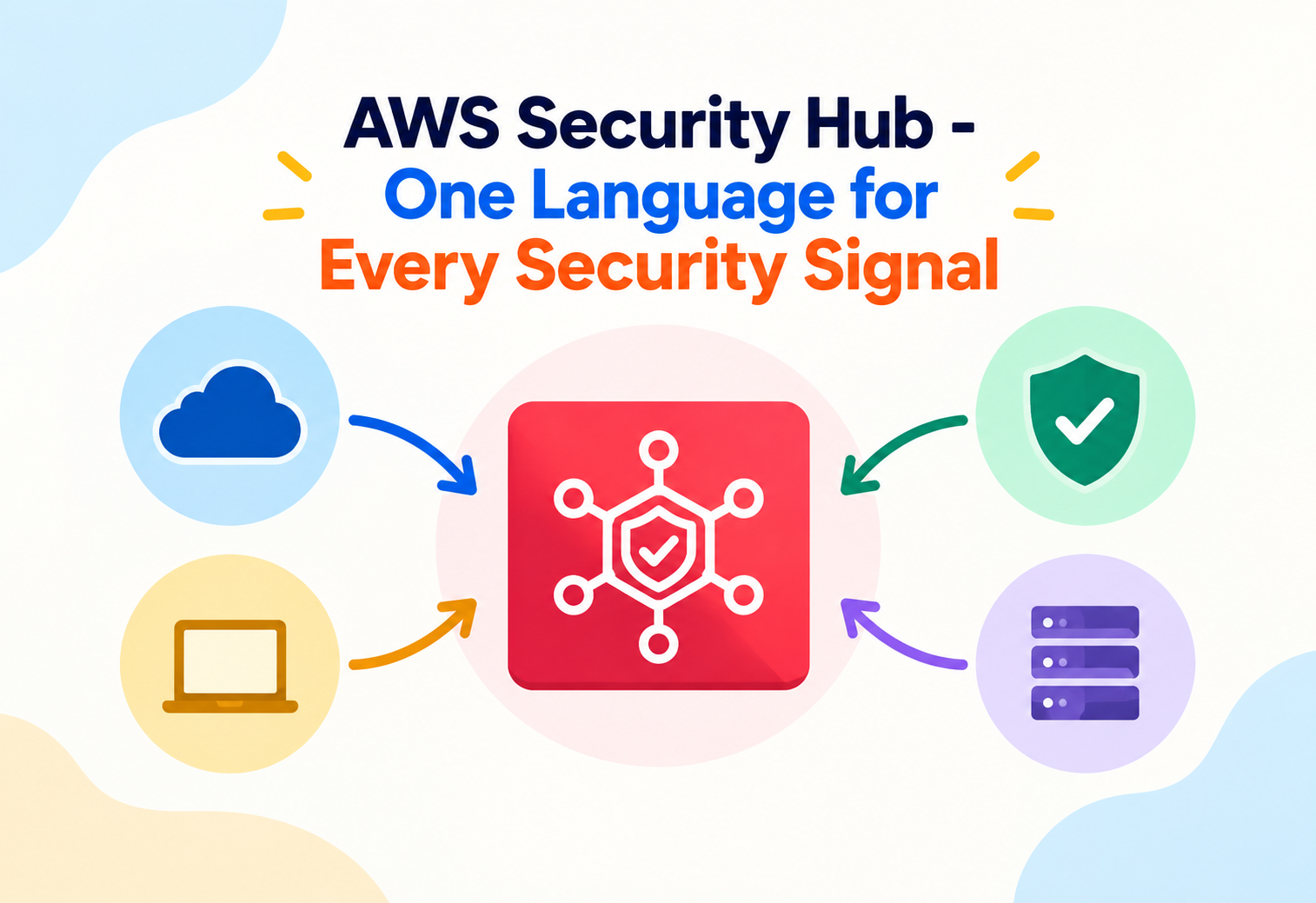
AWS Security Hub – One Language for Every Security Signal
How AWS Security Hub actually collects, normalizes, scores, and routes security findings from a dozen different sources — and the aggregation and automation patterns that turn a pile of alerts into something a security team can actually act on.
Picture a hospital’s emergency room where every specialist — cardiologist, radiologist, lab technician — reports findings in their own private shorthand, on their own paper forms, in their own filing cabinet. A triage nurse trying to get the full picture of a patient would have to learn a dozen different languages just to compare notes. AWS Security Hub exists to be that hospital’s shared chart: every security tool’s findings, translated into one common format, sitting in one place, so nothing gets missed simply because it was reported in an unfamiliar shape. Most engineers know Security Hub as “the dashboard that shows security findings.” This tutorial goes past the dashboard and into how findings actually get normalized, deduplicated, scored, and turned into automated action — the mechanics that decide whether a security team drowns in noise or actually gets signal.
1Core Concepts Beyond the Basics
Once you know Security Hub “aggregates security findings,” the real understanding starts with the format that makes aggregation possible at all.
Every finding that enters Security Hub — whether it originated from Amazon GuardDuty, Amazon Inspector, AWS Config, or a third-party tool — is translated into the AWS Security Finding Format (ASFF), a standardized JSON structure describing severity, resource, remediation guidance, and status in the same fields regardless of source. Without this common format, comparing a GuardDuty threat detection against an Inspector vulnerability finding would require understanding two completely different data models.
ASFF works like a universal shipping container. Before standardized containers existed, cargo ships had to be loaded and unloaded piece by piece, in whatever shape each item happened to be. Once every type of cargo fits into the same container dimensions, cranes, ships, and trucks anywhere in the world can move any cargo without caring what’s actually inside. ASFF does the same thing for security data — different tools produce wildly different “cargo,” but it all arrives in the same container shape.
Three related but distinct concepts
Security Hub deliberately separates three ideas that are easy to conflate: a finding is one specific observation about one resource at one point in time; a security standard (like the AWS Foundational Security Best Practices standard, or CIS AWS Foundations Benchmark) is a curated set of automated checks that themselves generate findings; and an insight is a saved, reusable query that groups findings together by a shared attribute, like “all critical findings grouped by AWS account.”
A single misconfigured S3 bucket might simultaneously fail checks in two different security standards. Security Hub doesn’t merge those into one “meta-finding” automatically — each standard’s check produces its own finding, and it’s the analyst’s or automation’s job to recognize they describe the same underlying resource issue.
2Architecture and Core Components
Security Hub sits in the middle of an ecosystem of finding producers and finding consumers, rather than generating most of its own detections.
Integrated Services
Amazon GuardDuty, Amazon Inspector, AWS Config, IAM Access Analyzer, and dozens of AWS Partner Network security tools all send findings in ASFF.
Security Standards
Enabled standards run automated checks against your resource configuration and generate their own findings on a recurring basis.
Cross-Region Aggregator
An optional designated “aggregator region” that pulls findings from every enabled region into one consolidated view.
Automation Rules & Custom Actions
Automatically update, suppress, or forward findings to EventBridge for downstream automated response.
graph TD
  GD[GuardDuty] -->|ASFF findings| SH[Security Hub]
  INS[Inspector] -->|ASFF findings| SH
  CFG[AWS Config] -->|ASFF findings| SH
  PARTNER[Partner Tools] -->|ASFF findings| SH
  SH --> STD[Security Standards Checks]
  STD --> SH
  SH --> EB[Amazon EventBridge]
  EB --> AUTO[Automated Remediation / Ticketing]
Delegated administrator for multi-account visibility
In an AWS Organizations setup, one member account can be designated the Security Hub delegated administrator, automatically aggregating findings from every member account into a single organization-wide view — a pattern almost every real deployment beyond a single account relies on, since managing security posture account-by-account doesn’t scale past a handful of accounts.
3Internal Working: Normalization, Deduplication and Scoring
Turning raw signals from a dozen tools into a coherent security picture requires more than just collecting them in one place.
Normalization into ASFF
Each integrated producer is responsible for translating its own native output into ASFF fields before Security Hub ever sees it — severity on a common scale, a structured resource identifier, workflow status, and compliance status all mapped consistently. This is what lets a single Security Hub dashboard sort and filter GuardDuty and Inspector findings side by side using the exact same fields.
Finding updates, not finding duplication
When the same underlying issue is detected again — a security standard check running on its normal schedule and finding the same misconfiguration still present — Security Hub updates the existing finding’s record (incrementing a “record state” and updating the “last observed” timestamp) rather than creating a new finding each time. This distinction matters enormously for alert fatigue: without it, a single unresolved issue checked daily would generate a fresh alert every single day indefinitely.
Deduplication happens per finding identifier from a single producer, not across producers. A GuardDuty finding and a third-party tool’s finding about the same underlying compromised instance remain two separate findings in Security Hub — correlating them across sources is still a task for the analyst or an automation rule, not something Security Hub does implicitly.
Severity and the security score
Findings carry both an original severity from the producing service and a normalized severity label (informational through critical) used consistently across the platform. Security standards also roll individual check results up into an aggregate compliance score per standard per account, giving a single trackable percentage that tends to be what leadership dashboards actually display, even though the real diagnostic value lives one level down in the individual findings.
4Data Flow and Finding Lifecycle
A finding moves through a defined set of states from the moment it’s detected to the moment it’s resolved.
Detection
A producing service (GuardDuty, a security standard check, a partner tool) identifies an issue and generates an ASFF finding.
Ingestion and normalization
Security Hub ingests the finding, validating its ASFF structure and making it queryable alongside every other finding.
Automation rule evaluation
Configured automation rules check the finding against defined criteria and can automatically update its severity, workflow status, or forward it onward.
EventBridge notification
Security Hub emits an event that downstream systems — a ticketing integration, a Lambda-based auto-remediation function, a chat alert — can react to.
Workflow status changes
An analyst or automation marks the finding as notified, resolved, or suppressed, tracking its handling without deleting the underlying record.
Re-check confirms resolution
The next time the relevant standard check or producer re-evaluates the resource, the finding’s compliance status updates to reflect whether the issue is actually fixed.
Why workflow status and record state are separate fields
Record state (active or archived) tracks whether Security Hub still considers the underlying condition present. Workflow status (new, notified, resolved, suppressed) tracks how a human or process has chosen to handle it. Keeping these independent means marking something “resolved” in workflow doesn’t hide the fact that the underlying check might still be failing — a distinction that matters when auditing whether “resolved” findings were actually fixed or just dismissed.
5Advantages, Disadvantages and Trade-offs
Security Hub’s aggregation-first design is its biggest strength and, without deliberate tuning, its biggest source of frustration.
Advantages
- A single, common finding format across dozens of AWS and partner security tools.
- Automatic deduplication of repeated detections of the same underlying issue.
- Organization-wide, multi-region aggregation through a delegated administrator model.
- Curated security standards give a defensible, industry-recognized baseline out of the box.
- Native EventBridge integration makes automated remediation straightforward to wire up.
Disadvantages / Trade-offs
- High finding volume across multiple enabled standards can overwhelm a team without automation rules to triage.
- Costs scale with the number of checks and findings ingested, which can surprise teams enabling every available standard at once.
- Cross-producer correlation (recognizing two tools flagged the same root cause) is not automatic.
- Security Hub surfaces issues; it doesn’t fix them itself — remediation still requires separate automation or manual work.
The trade-off in one sentence
Security Hub trades the simplicity of watching each security tool’s own console separately for the power of one unified, automatable view — a trade that only pays off once a team invests in tuning automation rules and suppressions, rather than just turning every standard on and hoping for the best.
6Performance and Scalability
Scaling Security Hub is less about raw throughput and more about scaling the organizational processes that consume its output.
Ingestion scales with your environment, not your effort
Security Hub is a managed service that scales finding ingestion automatically as more accounts, regions, and integrated producers are added — there’s no capacity to provision. The real scaling challenge shows up downstream: as accounts and standards multiply, finding volume can grow into the tens of thousands, and without insights and automation rules to filter that volume, the dashboard becomes noise rather than signal.
Cross-region aggregation as a scaling tool
Rather than security teams checking Security Hub separately in every enabled AWS region, designating one region as the aggregator lets findings from all linked regions flow into a single place to review — turning a per-region checking habit into a single-pane review process as the number of active regions grows.
Insights (saved, reusable queries) scale much better than manually filtering the finding list every time. Building a small library of insights — “critical findings older than 30 days,” “failed checks by account” — turns a repeated manual task into a one-click view.
7High Availability and Reliability
As a fully managed AWS service, Security Hub’s own availability is largely AWS’s responsibility — the reliability questions that matter are about coverage and continuity of visibility.
Regional service, organization-wide reach
Security Hub itself runs per region, but the delegated administrator and cross-region aggregation model is what provides organization-wide, multi-region reliability of visibility — a design decision, not an inherent property, meaning it has to be deliberately configured in every account and region that matters.
Enabling Security Hub only in a primary region and assuming resources in other regions are automatically covered. Each region needs Security Hub explicitly enabled and, ideally, linked to the aggregator, or resources there generate no findings visibility at all.
New account onboarding continuity
Within an AWS Organizations setup, Security Hub supports automatically enabling itself for new accounts as they’re created, ensuring visibility doesn’t have a gap for accounts spun up after the initial rollout — an important detail for organizations where new accounts are created frequently through self-service processes.
Standards and producers can be updated independently
Because standards checks and integrated producers evolve independently of Security Hub itself, a producer service outage (say, GuardDuty having a regional issue) reduces the completeness of findings temporarily without taking down Security Hub’s ability to display and act on findings already ingested from other sources.
8Security
A service that aggregates every security signal about your environment is, itself, a sensitive resource worth protecting carefully.
IAM Permissions
Fine-grained IAM actions control who can view findings, modify workflow status, enable standards, or configure automation rules — these should not all be granted together by default.
Delegated Administrator
The delegated administrator account can view and act on findings across the whole organization, making that account itself a high-value target requiring strong protection.
Finding Content
Findings can contain resource identifiers, IP addresses, and details about active security issues — information that itself has value to an attacker if exposed.
Automation rules as a security control, not just convenience
Because automation rules can automatically change severity or suppress findings, poorly scoped rules can accidentally hide genuinely important findings from analysts. Reviewing automation rule logic with the same rigor as any other access-affecting configuration is a step worth not skipping, since a rule that’s “too aggressive” at suppression is functionally similar to disabling a detection.
Problem
Writing an automation rule that suppresses findings matching a broad pattern — for example, all findings from a specific account — as a quick way to reduce dashboard noise from a known-noisy environment.
Why It’s Harmful
A broad suppression rule silences every finding from that scope going forward, including genuinely new and important issues that happen to share the broad matching criteria, effectively creating a blind spot that persists until someone remembers the rule exists.
Correct Approach
Scope automation rules as narrowly as possible to the specific finding type or resource pattern actually intended, and periodically review the list of active rules to confirm none have quietly become overly broad blind spots.
9Monitoring, Logging and Metrics
Security Hub is itself a monitoring tool, but monitoring Security Hub’s own health and usage is a separate, necessary layer.
Amazon EventBridge
Every finding creation and update can trigger an EventBridge rule, the primary mechanism for wiring findings into ticketing systems, chat alerts, or auto-remediation.
Insights and Compliance Scores
Saved insights and per-standard compliance scores give trackable metrics over time, useful for reporting posture improvement or regression to leadership.
AWS CloudTrail
Records configuration changes to Security Hub itself — who enabled or disabled a standard, who changed an automation rule — which matters given automation rules’ ability to suppress findings.
Treating Security Hub’s dashboard as something to check manually and periodically, rather than wiring critical findings into EventBridge for real-time notification. A dashboard nobody actively watches is not meaningfully different from having no monitoring at all.
10Deployment and Cloud Configuration
Rolling out Security Hub well is mostly about getting the organization-wide structure right before findings start pouring in.
Delegated Administrator
Designate one account to centrally manage Security Hub configuration and view findings across every member account.
Aggregator Region
Choose one region to receive aggregated findings from every other enabled region, giving a single-pane view without per-region checking.
New Account Policy
Configure automatic enablement so newly created accounts are covered from day one, without a manual onboarding step.
Which Standards to Enable
Enable standards deliberately — AWS Foundational Security Best Practices as a broad baseline, CIS or industry-specific standards where compliance actually requires them.
Integrating with existing security operations tooling
Many organizations don’t want analysts working directly in the Security Hub console at all — instead, EventBridge rules forward findings into an existing SOAR platform or ticketing system, and Security Hub becomes the normalization and aggregation layer feeding tools the team already uses daily.
11Design Patterns and Anti-patterns
A handful of patterns separate teams that get real value from Security Hub from teams that enable it once and never look back.
Pattern: Tiered Automation by Severity
Critical and high-severity findings trigger immediate EventBridge-driven alerts or auto-remediation; low-severity findings feed a weekly digest report instead — matching response urgency to actual risk rather than treating every finding identically.
Pattern: Custom Actions for Analyst Workflows
Custom actions let an analyst manually trigger a specific automated workflow (like kicking off an isolation playbook) directly from a finding in the console, bridging manual triage and automated response.
Pattern: Insight-Driven Weekly Review
A standing set of saved insights — new critical findings this week, findings older than a defined SLA — forms the backbone of a recurring security review meeting, rather than an ad hoc scroll through the raw finding list.
Problem
Enabling every available security standard across every account on day one, without a plan for triaging the resulting flood of findings.
Why It’s Harmful
A sudden wave of thousands of findings, most low-priority, overwhelms a team’s ability to distinguish genuinely urgent issues from routine hygiene gaps, often leading to the entire dashboard being ignored within weeks.
Correct Approach
Roll out one foundational standard first, build automation rules and insights to triage its output effectively, and only then layer on additional standards as the team’s processes prove they can keep up.
12Best Practices and Common Mistakes
Most disappointing Security Hub rollouts trace back to skipping the same small set of operational steps.
Advantages
- Set up a delegated administrator and cross-region aggregation before enabling standards broadly.
- Build automation rules and insights before finding volume grows large enough to overwhelm manual review.
- Wire critical and high findings into real-time alerting via EventBridge from day one.
- Review automation rule scope periodically to confirm suppressions haven’t quietly grown too broad.
Disadvantages / Trade-offs
- Enabling all standards everywhere immediately, producing an unmanageable finding backlog.
- Treating “resolved” workflow status as proof an issue is actually fixed, without confirming the underlying check now passes.
- Forgetting to enable Security Hub, or link the aggregator, in newly used regions as the environment grows.
- Assuming Security Hub correlates findings across different producers automatically, when that correlation still requires deliberate design.
Start automation rules with narrow, clearly justified suppressions for known false positives, and expand gradually — it’s far easier to broaden a rule later than to discover, months in, that a broad rule has been silently hiding real issues.
13Real-world and Industry Examples
Security Hub tends to show up wherever an organization has outgrown checking individual security tools one console at a time.
Enterprises Consolidating Multi-Account Security Posture
Large enterprises running dozens or hundreds of AWS accounts use the delegated administrator model to give a central security team one aggregated view instead of asking every application team to self-report their own posture.
Regulated Industries Tracking Compliance Standards
Healthcare and financial organizations enable specific compliance-aligned standards and use the resulting compliance scores as ongoing, auditable evidence of continuous control monitoring, rather than relying solely on point-in-time audits.
Managed Security Service Providers
MSSPs managing security for multiple client organizations often integrate Security Hub findings into their own SOAR or SIEM platforms via EventBridge, using Security Hub purely as the normalization layer across each client’s diverse AWS security tooling.
14Frequently Asked Questions
A finding is one specific observation about one resource. A standard is a curated set of automated checks that themselves generate findings. An insight is a saved, reusable query that groups existing findings by a shared attribute for easier review.
No. Security Hub surfaces and normalizes findings; actual remediation requires separate automation, such as an EventBridge-triggered Lambda function, or manual action by an analyst.
No — it updates the existing finding’s record state and last-observed timestamp rather than creating a duplicate finding for each re-detection of the same underlying issue.
Only once a delegated administrator account is configured and member accounts are linked — organization-wide visibility is a deliberate setup step, not automatic just because accounts belong to the same organization.
Not necessarily. Workflow status (resolved, suppressed) reflects how it was handled, which is tracked separately from record state, which reflects whether the underlying condition is still actually present according to the producing check.
An automation rule can be scoped narrowly to that specific finding type or resource pattern and set to suppress it automatically, rather than requiring an analyst to dismiss it manually every time it recurs.
15Summary and Key Takeaways
AWS Security Hub’s real contribution isn’t detection — it doesn’t compete with GuardDuty or Inspector at finding threats. Its contribution is translation and aggregation: taking wildly different security signals and forcing them into one common, queryable, automatable format. That value only materializes once a team goes past simply enabling standards and actually invests in automation rules, insights, and real-time routing through EventBridge. Without that investment, Security Hub becomes exactly the kind of unfiltered dashboard nobody checks; with it, Security Hub becomes the connective tissue between every security tool an organization runs and the processes that actually respond to what those tools find.
Key Takeaways
- ASFF is the common format that makes findings from completely different tools comparable and queryable in one place.
- Findings, standards, and insights are distinct concepts — observations, curated check sets, and saved queries, respectively.
- Deduplication updates existing findings rather than creating repeated alerts for the same ongoing issue.
- Record state and workflow status are independent — “resolved” in workflow doesn’t guarantee the underlying check now passes.
- Delegated administrator and cross-region aggregation are deliberate setup steps required for true organization-wide visibility.
- Automation rules are a real security lever — too broad, and they create blind spots; well-scoped, they turn noise into manageable signal.
- Security Hub surfaces issues; it doesn’t remediate them — EventBridge-driven automation is what closes that final gap.