AWS CloudFormation: Building Cloud Infrastructure As Code
A deep, practical walkthrough of how AWS CloudFormation turns entire cloud environments into repeatable, version-controlled blueprints — covering its architecture, internal engine, lifecycle, security, scaling, patterns, and the mistakes that trip up real teams.
Imagine you are building a treehouse, and instead of just nailing boards together as you go, you first draw a detailed blueprint — every plank, every nail, every rope ladder marked with exact measurements. Anyone who picks up that blueprint, even a stranger, could build the exact same treehouse in their own backyard. AWS CloudFormation is that blueprint system, but for cloud infrastructure. Instead of clicking buttons in a console to create servers, databases, and networks one by one, you write a text file describing what you want, and CloudFormation builds it for you — the same way, every single time. This tutorial walks through how that engine actually works underneath, not just how to use it.
1Core Concepts: Templates, Stacks, and the Declarative Model
Before going deep, it helps to be precise about what CloudFormation actually manages and what vocabulary it uses.
AWS CloudFormation is an Infrastructure as Code (IaC) service. Its job is to take a written description of AWS resources — servers, storage buckets, databases, networking rules, permissions — and turn that description into real, running infrastructure. The written description is called a template, and once CloudFormation uses that template to create actual resources, the resulting collection of live resources is called a stack. A stack is not a copy of the template; it is the living, breathing set of resources the template produced, tracked as one unit.
Think of a template as a recipe card and a stack as the actual cake sitting on the counter. You can bake the same recipe card ten times and get ten cakes (ten stacks). If you change the recipe card and re-bake using the same cake pan, CloudFormation figures out exactly which parts of the cake need to change — maybe just the frosting — without throwing away the whole cake.
The most important idea to internalize is that CloudFormation is declarative, not imperative. An imperative approach would be a script that says “create a server, then create a database, then attach a security group, then open port 443.” A declarative approach simply says “I want a server, a database, and a security group configured this way” and lets the system figure out the order, the dependencies, and the exact API calls needed. This distinction matters enormously at the intermediate level because it explains why CloudFormation behaves the way it does when things change or fail — it is always comparing “what exists” against “what the template says should exist,” not replaying a sequence of steps.
Template
A YAML or JSON document describing desired AWS resources, their properties, and relationships between them.
Stack
The live, deployed set of resources created from a template, tracked and managed as a single unit.
Logical ID
A name you give a resource inside the template, used to reference it elsewhere without knowing its real AWS ID yet.
Physical ID
The actual identifier AWS assigns once the resource is created — for example, a real EC2 instance ID.
Change Set
A preview of exactly what will change in a stack before you actually apply an update.
Drift
A mismatch between what the template says a resource should look like and what it actually looks like in AWS right now.
One subtlety that separates a comfortable CloudFormation user from an expert is understanding that logical IDs are permanent identifiers inside a template’s lifetime, while physical IDs can and do change across updates. If you rename a logical ID, CloudFormation does not see it as “the same resource with a new name” — it sees a resource that needs to be deleted and a brand-new resource that needs to be created. This single fact is responsible for a large share of real-world incidents, and it will come up again in the anti-patterns chapter.
2Architecture and Components
CloudFormation is not one single service doing everything — it is a coordinated set of components working together.
At a high level, CloudFormation sits between you and every other AWS service. Instead of your team calling the EC2 API directly to create a server, and separately calling the RDS API to create a database, and separately calling the IAM API to create permissions, you hand CloudFormation one template, and it makes all of those individual API calls on your behalf, in the correct order, tracking the results as it goes.
graph TD
    A[Template - YAML or JSON] --> B[CloudFormation Service]
    B --> C{Dependency Graph Builder}
    C --> D[EC2 API]
    C --> E[RDS API]
    C --> F[IAM API]
    C --> G[S3 API]
    D --> H[Stack - Tracked Resources]
    E --> H
    F --> H
    G --> H
Several building blocks make up the full architecture. The template itself has well-defined sections: Parameters (inputs you supply at deployment time, like an instance size), Resources (the mandatory section listing what to create), Outputs (values you want to expose after creation, like a website URL), Mappings (static lookup tables), Conditions (logic that decides whether a resource gets created), and Metadata. Resources are the only mandatory section — everything else is optional sugar that makes templates flexible and reusable.
Stack Sets extend a single stack concept across many AWS accounts and many regions at once. A large company with fifty separate AWS accounts for fifty product teams does not want to log into each account and deploy the same security baseline by hand fifty times. StackSets let a central team push one template out to all fifty accounts simultaneously, and CloudFormation tracks fifty independent stack instances, one per account-region pair, from a single management point.
Nested stacks are another architectural pattern: instead of one giant template describing an entire application, you break it into smaller templates — one for networking, one for databases, one for compute — and a parent template references each child template as a resource. This mirrors how a real engineering team is organized: the networking specialists own the network template, the database specialists own the database template, and a top-level template wires them together.
The CloudFormation Registry
Beyond native AWS resources, CloudFormation maintains an extensible registry where third-party providers (and AWS itself) publish custom resource types. This means teams can manage things like Datadog monitors or MongoDB Atlas clusters through the exact same templates and stacks used for native AWS resources, rather than juggling multiple tools with different mental models.
3Internal Working: How the Engine Actually Processes a Template
This is the part most tutorials skip, and it is exactly where intermediate understanding turns into real confidence.
When you submit a template, CloudFormation does not simply read it top to bottom and create resources in the order they are written. Instead, it first parses the entire document and builds a directed acyclic graph (DAG) of dependencies. If Resource B references Resource A anywhere (say, a server references the ID of a security group), CloudFormation records an edge saying “A must exist before B can be created.” Only after the whole graph is built does CloudFormation begin actually calling AWS service APIs, and it does so following the graph, creating independent resources in parallel wherever possible to save time.
It works like assembling furniture with an instruction manual that has arrows pointing between parts instead of numbered steps. A smart assembler looks at all the arrows first, figures out which pieces have no arrows pointing into them (so they can be started immediately), and works on several independent sections at the same time rather than blindly following a single numbered list.
The engine relies heavily on two implicit and explicit dependency signals. An implicit dependency is created automatically whenever one resource’s properties reference another resource — for example, using a function to pull in another resource’s ID. An explicit dependency is one you declare directly when two resources are related in a way CloudFormation cannot detect on its own, such as an application that must wait for a database to finish initializing even though nothing in the template technically references the database’s properties.
Every individual resource passes through its own internal state machine during processing: CREATE_IN_PROGRESS, then either CREATE_COMPLETE or CREATE_FAILED. The stack as a whole has its own aggregate state that reflects the worst-case status of its members. This two-level state tracking — per-resource and per-stack — is what allows CloudFormation to give you precise, resource-level error messages instead of a single vague “something went wrong” for the entire deployment.
| Internal Concept | What It Actually Does |
|---|---|
| Dependency Graph | Determines safe ordering and identifies what can run in parallel |
| Resource Handlers | Type-specific logic that knows how to call the correct AWS service API for each resource type |
| Stack Events | An append-only, chronological log of every state transition during a deployment |
| Rollback Trigger | Logic that detects a CREATE_FAILED or UPDATE_FAILED and begins automatically reversing changes |
Every resource type — EC2 instance, S3 bucket, Lambda function — is backed by a dedicated resource handler, essentially a small program that knows exactly how to translate a generic “create,” “update,” or “delete” instruction into the specific AWS API calls that particular resource type needs. This is why AWS can add support for new services over time: someone writes a new resource handler, and CloudFormation’s core engine does not need to change at all.
4Data Flow and Lifecycle
A stack moves through a very specific lifecycle, and understanding each phase prevents panic when something looks stuck.
Template Validation
CloudFormation checks the template’s syntax and structure before touching any real infrastructure, catching obvious mistakes early.
Change Set Creation (for updates)
For an existing stack, CloudFormation computes exactly what would change without applying anything yet, letting a human review it first.
Execution
The dependency graph is walked, resources are created, updated, or deleted through their handlers, and stack events are streamed in real time.
Completion or Rollback
If every resource succeeds, the stack reaches CREATE_COMPLETE or UPDATE_COMPLETE. If any single resource fails, CloudFormation begins reversing everything it already did.
Deletion
Deleting a stack walks the same dependency graph in reverse order, tearing resources down safely without breaking things that still depend on them.
The rollback behavior deserves special attention because it is one of CloudFormation’s most protective and most misunderstood features. By default, if any resource in a brand-new stack fails to create, CloudFormation automatically deletes every resource it had already successfully created in that same deployment. This “all or nothing” guarantee means you should never end up with a half-built, silently broken environment sitting in your account — either the whole stack comes up cleanly, or it goes back to nothing.
Automatic rollback protects against a failed deployment leaving broken resources behind, but it does not protect against a successful deployment that was simply wrong. If your template successfully creates a database with the wrong settings, CloudFormation will happily mark that as UPDATE_COMPLETE — rollback only triggers on outright failure, not on logically incorrect but technically valid changes.
Updates follow a more nuanced lifecycle than creation because CloudFormation must decide, for every single property change, whether the underlying AWS service can modify the resource in place, or whether it must destroy the old resource and build a new one. This decision is called the update behavior of a property, and it comes in three flavors worth knowing well.
No Interruption / Some Interruption
- The resource is modified directly through an update API call
- The resource keeps its physical ID and existing data
- Brief service interruption may occur but no replacement happens
Replacement
- CloudFormation must delete the old resource and create a brand-new one
- The resource gets a completely new physical ID
- Any data not backed up elsewhere is permanently lost
This is precisely why change sets exist: reading a change set before approving it tells you, resource by resource, whether an update will happen quietly or whether it will trigger a full replacement — information that is nearly impossible to guess just by reading the template text itself.
5Advantages, Disadvantages, and Trade-offs
No tool is free of trade-offs, and CloudFormation’s design choices create real costs alongside its real benefits. Weighing both honestly is what separates a mature adoption decision from blind enthusiasm.
Advantages
- Infrastructure becomes version-controlled text, reviewable the same way application code is reviewed
- Entire environments can be reproduced identically across development, staging, and production
- Automatic rollback prevents partially broken deployments from lingering
- Native, first-class integration with every AWS service, with no separate credentials or agents to manage
- Free to use — you only pay for the underlying resources it creates, not for CloudFormation itself
- StackSets allow one team to govern infrastructure across hundreds of accounts consistently
Disadvantages / Trade-offs
- AWS-only — it cannot manage infrastructure in other clouds or on-premises systems
- YAML and JSON become unwieldy for very large, complex environments without extra tooling
- Some newly released AWS features take time to appear as supported CloudFormation resource types
- Replacement updates can be destructive if a team does not understand which changes trigger them
- Debugging deeply nested stack failures can require tracing through many layers of stack events
A frequent trade-off decision intermediate teams face is whether to write raw CloudFormation YAML/JSON directly, or to use a higher-level tool like the AWS Cloud Development Kit (CDK), which lets developers write familiar programming languages that compile down into CloudFormation templates underneath. CDK trades some transparency for developer familiarity and reusable abstractions, while raw CloudFormation trades convenience for a template that is completely explicit about exactly what will be created.
6Performance and Scalability
CloudFormation’s own performance characteristics matter just as much as the performance of the resources it creates.
Because the engine builds a dependency graph and executes independent branches in parallel, a well-designed template with many unrelated resources can deploy significantly faster than a template where everything is chained together unnecessarily. A common intermediate-level optimization is deliberately removing accidental dependencies — for example, two security groups that do not actually need to reference each other but were written in a way that implies they do — simply to unlock more parallelism.
At scale, a single flat template becomes a real bottleneck — not just because of the resource-count limit, but because a single mistake anywhere in a five-hundred-resource template can block an update to unrelated parts of the same stack. This is the primary reason nested stacks and StackSets exist: they let you scale horizontally, spreading resources across many smaller, independently deployable stacks rather than one enormous one.
A giant single stack is like one enormous shipping container holding every part of a business’s inventory — if customs flags one suspicious item, the entire container gets held up. Splitting into nested stacks is like using many smaller, labeled boxes: if one box has a problem, the rest keep moving.
Scalability also shows up in how CloudFormation interacts with AWS service API rate limits. When a template creates hundreds of resources in parallel, CloudFormation automatically throttles its own API calls to stay within each service’s allowed request rate, retrying calls that get rejected due to throttling rather than failing the entire deployment outright. This built-in backoff behavior is invisible during normal use but becomes very noticeable in extremely large deployments, where a stack may appear to progress more slowly than expected simply because it is being a good citizen toward shared AWS API limits.
7High Availability and Reliability
CloudFormation itself is a fully managed, regional AWS service, meaning AWS operates its availability behind the scenes across multiple data centers within a region, and you never provision or patch a “CloudFormation server” yourself. Your responsibility shifts entirely to designing templates that produce highly available output infrastructure, since CloudFormation’s own uptime is handled for you.
Reliability at the CloudFormation layer mostly means designing idempotent, safely re-runnable templates. If a deployment fails halfway and you fix the template and re-run it, CloudFormation should be able to pick up cleanly rather than fighting against half-created resources — this is the practical meaning of reliability for a template author.
One reliability feature intermediate practitioners should know well is stack policies, which protect specific critical resources — such as a production database — from being accidentally deleted or replaced during a routine update, even if a change in the template would otherwise trigger that replacement. A stack policy acts as a safety lock that must be explicitly overridden, adding a deliberate speed bump before anything destructive happens to your most important resources.
Another reliability mechanism is termination protection, a simple flag that prevents an entire stack from being deleted by mistake — whether by a person clicking the wrong button or an automated script running with overly broad permissions. Combined with stack policies, these two features form a layered defense: termination protection guards the whole stack, and stack policies guard individual resources within it.
graph LR
    A[Update Requested] --> B{Stack Policy Check}
    B -- Resource Protected --> C[Blocked - Manual Override Needed]
    B -- Resource Not Protected --> D[Proceed With Update]
    D --> E{Termination Protection}
    E -- Enabled --> F[Deletion Blocked]
    E -- Disabled --> G[Deletion Allowed]
8Security
Because CloudFormation can create or destroy nearly anything in an AWS account, its own security model deserves careful attention.
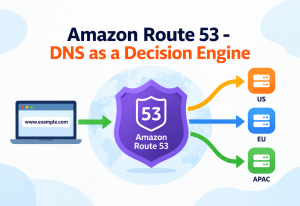
By default, CloudFormation acts using the permissions of whichever user or role submits the deployment. This means a person capable of creating a stack effectively has, for that deployment, whatever permissions are needed to create every resource the template describes — which can be far broader than that person’s everyday permissions if a template creates highly privileged resources like new IAM roles.
Problem
Giving every developer broad IAM permissions just so they can personally run CloudFormation deployments creates a large, hard-to-audit attack surface.
Why It Matters
A compromised developer credential with wide permissions can be used to deploy malicious infrastructure directly, bypassing normal review.
Correct Approach
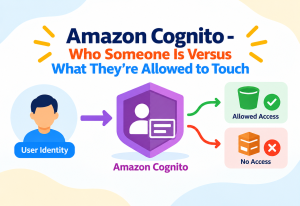
Use a dedicated service role attached to the stack itself. The developer only needs permission to trigger CloudFormation, while CloudFormation uses the narrower, purpose-built service role to actually create resources — separating “who can deploy” from “what the deployment is allowed to touch.”
This pattern — called a service role — is one of the single highest-value security practices at the intermediate level. It allows organizations to grant developers the ability to deploy infrastructure without directly granting them the underlying permissions those resources require, dramatically shrinking the blast radius of a compromised developer account.
Service Roles
Separates who can trigger a deployment from what permissions the deployment itself uses.
Parameter NoEcho
Marks sensitive input values so they are masked in logs and the console, though secrets should still live in a dedicated secrets manager.
Stack Policies
Prevent accidental or unauthorized modification of specific sensitive resources during updates.
Drift Detection
Surfaces resources that were changed manually outside of CloudFormation, which can indicate unauthorized tampering.
Secrets management is another point of caution. Templates should never contain hard-coded passwords or access keys directly as plain text values, even with NoEcho enabled, because NoEcho only masks display, it does not encrypt the underlying value at rest inside the template. The correct pattern is referencing a value stored securely in a dedicated secrets service and letting CloudFormation retrieve it dynamically at deployment time, so the actual secret never appears inside the template document itself.
9Monitoring, Logging, and Metrics
Every action CloudFormation takes on a stack generates a stack event — a timestamped record capturing the resource involved, the status transition, and, critically, the exact reason for any failure. These events form the primary debugging surface for anyone operating CloudFormation day to day, and reading them in chronological order is usually the fastest way to understand what actually happened during a failed deployment.
Stack Events
A chronological, resource-level audit trail of every create, update, and delete action within a stack.
CloudTrail Integration
Every CloudFormation API call is logged in CloudTrail, recording exactly who triggered a deployment and when, which supports compliance audits.
Drift Detection Reports
A periodic or on-demand comparison showing precisely which resource properties no longer match the template’s declared configuration.
Notification Topics
Stacks can publish every status change to a messaging topic, allowing external monitoring systems to react to deployments automatically.
Drift detection deserves particular emphasis for intermediate practitioners because it addresses a problem that is invisible until it causes an incident: someone manually changing a resource through the AWS console instead of through the template. CloudFormation has no way of knowing about that manual change until drift detection is explicitly run, at which point it will report exactly which properties diverged from what the template expects. Left unchecked, drift accumulates silently and eventually causes a future template update to behave unpredictably, because CloudFormation’s internal record of “what a resource should look like” no longer matches reality.
Teams that run scheduled drift detection weekly, rather than only investigating drift after something breaks, catch configuration divergence early — while it is still a small, easy fix rather than a confusing production incident.
10Deployment and Cloud Integration
CloudFormation rarely operates in isolation in a mature organization — it is almost always one stage inside a larger continuous integration and continuous delivery (CI/CD) pipeline. A typical flow starts with a developer committing a template change to a version control repository, which triggers an automated pipeline that first validates the template syntax, then generates a change set, then requires a human or automated approval step before the change set is executed against a live stack.
sequenceDiagram
    participant Dev as Developer
    participant Repo as Version Control
    participant Pipeline as CI-CD Pipeline
    participant CFN as CloudFormation
    participant Env as AWS Environment
    Dev->>Repo: Commit template change
    Repo->>Pipeline: Trigger pipeline
    Pipeline->>CFN: Validate template
    Pipeline->>CFN: Create change set
    CFN-->>Pipeline: Change set preview
    Pipeline->>Pipeline: Approval gate
    Pipeline->>CFN: Execute change set
    CFN->>Env: Apply resource changes
    Env-->>CFN: Resource status
    CFN-->>Pipeline: Stack status
This pattern of “propose, then approve, then apply” mirrors how application code review works, and it is one of the most powerful cultural shifts CloudFormation enables: infrastructure changes go through the same scrutiny as application changes, rather than being made ad hoc by whoever happens to have console access at the time.
Multi-environment deployment is another common pattern. Rather than maintaining three entirely separate templates for development, staging, and production, mature teams maintain one template with environment-specific parameter files, so the exact same tested template is promoted through each environment with only the input values changing. This guarantees that whatever was validated in staging is structurally identical to what reaches production, eliminating an entire category of “it worked in staging but broke in production” surprises caused by environment drift in the templates themselves.
Cross-Region and Cross-Account Deployment
For disaster recovery or global availability, organizations often deploy the same template into multiple AWS regions using StackSets, ensuring a secondary region can be activated quickly because its infrastructure was built from the identical blueprint as the primary region, rather than being manually recreated under pressure during an actual outage.
11Design Patterns and Anti-Patterns
Certain structural patterns have emerged from years of real-world CloudFormation use, and knowing them lets an intermediate practitioner design templates that age well rather than becoming brittle over time.
Layered Stacks
Separate templates for networking, security, data, and application layers, each owned by the team closest to that concern.
Cross-Stack References
Exporting values like a network ID from one stack so other stacks can import them, avoiding duplicated infrastructure definitions.
Parameterized Reusability
One template used across many environments or teams, differing only by input parameters rather than by copy-pasted variants.
Custom Resources
Extending CloudFormation to manage things it does not natively support, by delegating logic to a function that CloudFormation calls during deployment.
Problem
Renaming a resource’s logical ID inside a template that already manages a live, important resource such as a production database.
Why It’s Harmful
CloudFormation treats a changed logical ID as an entirely new resource. It will create a brand-new database under the new name and, unless protected, delete the original — destroying live data in the process.
Correct Approach
Treat logical IDs as permanent once a resource holds important data. If renaming is unavoidable, use a deletion policy that retains the underlying data, or plan an explicit migration with backups rather than a direct rename.
Problem
Manually editing resources created by CloudFormation directly through the AWS console “just this once” to fix an urgent issue.
Why It’s Harmful
This introduces drift that CloudFormation has no visibility into, and a future template update may silently overwrite the manual fix, or worse, behave unpredictably because reality no longer matches what CloudFormation believes exists.
Correct Approach
Make the fix in the template and deploy it, even under time pressure. If an emergency console change is truly unavoidable, run drift detection immediately afterward and reconcile the template to match.
Problem
Building one enormous “mega-stack” containing every resource an entire organization owns.
Why It’s Harmful
A single unrelated failure anywhere in the stack can block updates everywhere else, and the sheer size makes change sets difficult for humans to review meaningfully before approval.
Correct Approach
Split responsibilities into smaller, purpose-scoped stacks connected through cross-stack references, so failure and review scope stay proportional to the actual size of each change.
12Best Practices and Common Mistakes
Best Practices
- Always generate and review a change set before applying updates to a production stack
- Enable termination protection on any stack managing important, hard-to-recreate data
- Store templates in version control with the same review discipline as application code
- Use deletion policies to retain critical resources like databases even if the stack itself is deleted
- Run drift detection on a regular schedule rather than only after an incident
- Use dedicated service roles instead of personal developer credentials for deployments
Common Mistakes
- Hard-coding environment-specific values instead of using parameters
- Assuming an update will be “no interruption” without checking its actual replacement behavior first
- Deleting a stack without checking whether any other stack imports values it exports
- Ignoring stack event failure reasons and only looking at the final ROLLBACK_COMPLETE status
- Letting one template grow indefinitely instead of splitting it once it becomes unwieldy
A frequent production incident pattern involves deleting a stack that exports a value another stack imports. CloudFormation will refuse to delete the exporting stack while any import exists elsewhere — which is protective — but teams sometimes work around this by force-removing the export first, not realizing the dependent stack will then break the next time it tries to update, since the value it relies on has vanished.
A subtler best practice involves choosing deletion policies deliberately for every stateful resource — a database, a storage bucket holding customer files, a message queue with unprocessed data. The default behavior for most resources is to delete them along with the stack, which is appropriate for disposable infrastructure but dangerous for anything holding data that cannot be regenerated. Explicitly marking such resources to be retained or snapshotted on deletion turns an entire class of accidental data-loss incidents into a non-event.
13Real-World and Industry Examples
Large, cloud-native organizations rely on infrastructure-as-code tools like CloudFormation precisely because manual infrastructure management does not survive contact with real scale. Netflix, which operates thousands of interdependent microservices across a massive AWS footprint, depends on templated, repeatable infrastructure definitions so that new services can be provisioned consistently without each team reinventing networking and security configuration from scratch. Capital One, a major financial institution, has published extensively about standardizing its cloud governance and compliance controls through infrastructure-as-code templates, using StackSet-style patterns to enforce consistent security baselines across many internal accounts.
Startups benefit from the same mechanics at smaller scale: a two-person infrastructure team can maintain production, staging, and disaster-recovery environments that are provably identical, because all three are generated from the same template rather than manually reconstructed and inevitably drifting apart from each other over time. This is often the single biggest operational win smaller teams report after adopting infrastructure as code — not raw speed, but the elimination of “environment mystery,” where nobody is fully certain what differs between one environment and another.
Disaster Recovery Rehearsal
Some organizations regularly tear down and rebuild entire non-production environments from their CloudFormation templates as a deliberate exercise, treating the ability to reconstruct infrastructure from scratch as a tested capability rather than a hopeful assumption — much like a fire drill proves an evacuation plan actually works before it is ever needed for real.
14Frequently Asked Questions
No. CloudFormation itself has no additional charge — you only pay AWS’s normal price for whatever resources it creates on your behalf, exactly as if you had created them by hand.
CloudFormation automatically attempts to roll the stack back to its last known good configuration, reversing whichever changes it had already applied before the failure occurred.
Only through the extensible resource registry, where third-party providers publish custom resource types. Native support is limited to AWS services; anything else requires an explicitly published integration.
Technically no — updates can be applied directly. In practice, generating and reviewing a change set first is considered essential for any stack managing important or production infrastructure.
A failed deployment is something CloudFormation knows about immediately and reports as a status. Drift is a silent mismatch that CloudFormation is unaware of until drift detection is explicitly run, because it was caused by changes made outside of CloudFormation entirely.
Nested stacks break one large template into smaller reusable pieces within a single account and region. StackSets take one template and deploy it consistently across many different accounts and regions at once.
Yes, CloudFormation supports importing existing resources into a stack, allowing teams to bring previously manually-managed infrastructure under template control without needing to destroy and recreate it.
15Summary and Key Takeaways
AWS CloudFormation turns cloud infrastructure into a written, repeatable, and reviewable artifact rather than a series of one-off manual actions scattered across a console. Its declarative model, dependency graph engine, and built-in rollback protection give teams a dependable foundation for building environments that behave the same way every single time they are deployed. The real mastery of CloudFormation, however, lives less in memorizing syntax and more in understanding its internal behavior — how updates decide between quiet modification and destructive replacement, how drift silently accumulates, and how security responsibility shifts once a service role stands between a developer and the infrastructure itself.
Key Takeaways
- Declarative, not imperative — you describe the desired end state, and CloudFormation determines the correct order of operations on its own.
- Logical IDs are permanent — renaming one is treated as delete-and-recreate, which is dangerous for stateful resources holding real data.
- Change sets are a safety net — always preview whether an update will modify a resource quietly or replace it destructively before approving anything in production.
- Rollback protects against failure, not mistakes — a successful but logically wrong deployment will not be automatically reversed.
- Drift is silent — manual console changes are invisible to CloudFormation until drift detection is explicitly run.
- Service roles separate access from action — developers should trigger deployments without personally holding every permission the deployment uses.
- Scale through structure, not size — nested stacks, StackSets, and cross-stack references let infrastructure grow without becoming one unmanageable template.