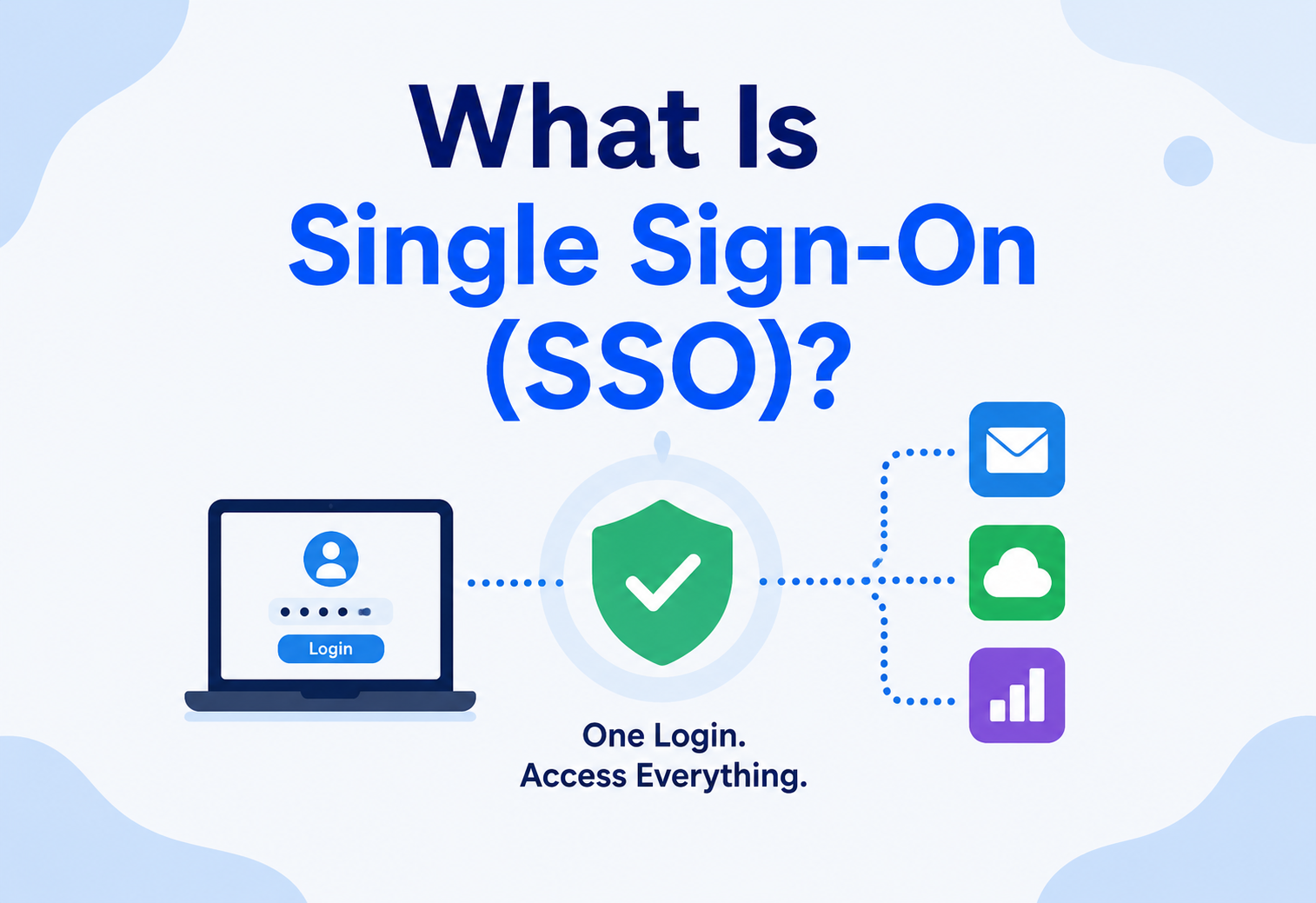
What Is Single Sign-On (SSO)?
A ground-up walkthrough of how one login can unlock many applications — the protocols, architecture, security model, scale characteristics and trade-offs behind modern identity systems.
Introduction & History
Think about a large office building with dozens of separate rooms — HR, payroll, the cafeteria, the mailroom, the server closet. Now imagine that instead of one badge that opens every door you are allowed into, you needed a completely different key for each room, each with its own lock, its own key-cutting process and its own risk of being lost or copied. That is roughly what logging into software used to feel like: a different username and password for every single application.
Single Sign-On (SSO) is the “one badge” solution. It lets a user authenticate once — proving who they are to a single, trusted system — and then use that same proof of identity to access many different applications, without logging in separately to each one. The user experience is simple: log in once, get into everything you are authorised for. Underneath, that simplicity is powered by a careful three-way trust relationship between the user, an identity provider and every application that agrees to trust that identity provider’s word.
1.1 A Brief History
1990s — Enterprise directory services
Large organisations centralised user accounts in directory systems like LDAP and Microsoft’s Active Directory, letting a single username and password unlock access to internal file servers and applications across a corporate network — the first practical taste of “one identity, many systems”.
2002 — SAML 1.0
The Security Assertion Markup Language (SAML) was published, defining a standard, XML-based way for one system (an identity provider) to vouch for a user’s identity to another system (a service provider) over the open internet, not just inside one company’s network.
2005 — SAML 2.0
A major revision unified earlier, incompatible versions of the standard and became the foundation most enterprise SSO still relies on today, especially for logging into business software from a company’s internal identity system.
2012 — OAuth 2.0
Originally designed to let one application access another’s data on a user’s behalf (like a photo-printing site accessing your photos on a social network) without the user’s password, OAuth 2.0 became the backbone that later identity protocols were built on top of.
2014 — OpenID Connect (OIDC)
OIDC added a standardised identity layer on top of OAuth 2.0, giving the industry a lightweight, JSON-based, mobile-and-web-friendly alternative to SAML’s older XML-heavy approach — and it quickly became the default choice for new consumer and cloud applications.
Today — Identity as a managed service
Dedicated identity providers now offer SSO, multi-factor authentication and access policy as a fully managed cloud service, so most companies no longer build identity infrastructure themselves at all — they configure and trust a specialised provider instead.
SSO is like a hotel key card system tied to the front desk. Check in once at the front desk (log in to the identity provider), and the same card opens your room, the gym, the pool and the parking garage — each door trusts the front desk’s decision instead of running its own separate check-in process.
1.2 SSO vs. “Same Password Everywhere”
A common misconception is that SSO just means “using the same password on every app”. That is actually the opposite of secure practice — reusing a password means one leaked site compromises every other account using it. True SSO never shares a password with each application at all; instead, only the identity provider ever sees the password, and every other application receives a cryptographically signed statement — a token or assertion — that simply says “yes, this user is authenticated”, without the application ever learning or storing the password itself.
1.3 Why the Browser Is the Messenger, Not the Vault
A subtle but important architectural detail is that the user’s browser plays an active role in almost every SSO exchange — it is not just a passive display. The browser is redirected from the application to the identity provider and back, carrying signed proof of identity between the two. Neither the application nor the identity provider needs a direct network connection to each other for this handshake to work; the browser itself acts as the trusted courier, following instructions from whichever party it is currently talking to. This design is what allows SSO to work seamlessly across the open internet, between organisations that may never have directly connected their own servers to one another at all.
1.4 Delegation of Trust, Not Elimination of It
It is worth being precise about what SSO actually changes. It does not remove the need for trust in the system — it relocates that trust to a single, carefully managed place. Every application that accepts an identity provider’s tokens is implicitly saying “I trust this identity provider to have verified the user correctly, and I trust its cryptographic signature to be unforgeable”. This is a deliberate, worthwhile trade: rather than every application inventing and maintaining its own authentication logic (with its own bugs, its own inconsistent password rules and its own attack surface), the hard problem of “prove who this person is” gets solved once, well, and reused everywhere.
Problem & Motivation
Before SSO, both users and administrators paid a steady, compounding cost. Employees at a mid-sized company might need separate credentials for email, chat, expense reports, code repositories, customer support tools and dozens of other applications. Each additional password is both a usability tax on the user and a security liability for the organisation.
2.1 The Core Problems SSO Solves
Password fatigue
Users forced to remember dozens of passwords tend to reuse them, write them down or pick weak ones — all of which reduce real security despite each individual app “requiring” a password.
Fragmented offboarding
When an employee leaves, IT must disable access in every single application separately. Miss one, and a former employee retains access to sensitive systems indefinitely.
Weak, inconsistent policy
Without centralised identity, each application enforces its own (often weaker) password rules and has no consistent way to require multi-factor authentication.
Poor visibility
Security teams cannot easily answer “who has access to what” when every application manages its own separate list of users and credentials.
Support burden
A large share of IT help desk tickets are password resets — multiplied by the number of separate systems a user has to remember credentials for.
Slower user onboarding
Provisioning a new hire into dozens of separate systems manually is slow and error-prone compared to granting one identity a defined set of application access.
2.2 Why This Matters Beyond Convenience
SSO is often pitched as a user-experience improvement — and it is one — but its deeper value is architectural: it moves the responsibility for authenticating users out of every individual application and concentrates it in one place that can be built, monitored and hardened to a much higher standard than any single application team could realistically achieve on its own. A payroll team building an internal tool should not need to become password-security experts; SSO lets them delegate that entirely to a specialised identity provider.
2.3 The Compounding Cost of Decentralised Identity
Consider a mid-sized company with 500 employees and 40 internal and third-party applications, none of them integrated with a shared identity system. Every new hire needs 40 separate accounts created. Every departure needs 40 separate accounts disabled — and in practice, some are inevitably missed, leaving quietly-still-active accounts belonging to people who no longer work there. Every password policy change has to be pushed to 40 separate systems, some of which may not even support the desired policy at all. None of these costs shows up as a single dramatic failure; they accumulate slowly as background risk and administrative overhead, which is part of why the case for SSO is sometimes underappreciated until an audit or a security incident forces the question.
2.4 Compliance and Audit Pressure
Many regulatory frameworks and industry standards require organisations to demonstrate exactly who has access to which systems, and to prove that access is revoked promptly when no longer needed. Answering these questions convincingly across dozens of independently managed applications is difficult bordering on impossible; answering them from one centralised identity system, with one consistent audit log, is a comparatively straightforward reporting exercise. This is a major, often underestimated reason large organisations invest heavily in SSO even before considering its user-experience benefits.
Core Concepts
Before diving into architecture, let us build a working vocabulary. Every term below shows up over and over in SSO documentation, integration guides and post-incident writeups.
3.1 Identity Provider (IdP) and Service Provider (SP)
An Identity Provider (IdP) is the system that authenticates the user — it is where the actual username / password (or biometric, or hardware key) check happens. A Service Provider (SP) — sometimes called a “relying party” — is any application that trusts the IdP’s word about who the user is, instead of authenticating the user itself. In our hotel analogy, the front desk is the IdP; every door with a card reader is a Service Provider.
3.2 Assertions and Tokens
Once a user authenticates, the IdP does not send the application the user’s password — it sends a signed, tamper-evident statement instead. In SAML, this is called an assertion (an XML document). In OIDC, it is a token — most often a JSON Web Token (JWT), a compact, digitally signed string containing claims like the user’s identity, when the token was issued and when it expires. Every Service Provider can verify the signature using the IdP’s published public key, without ever needing to contact the IdP directly for every single check.
3.3 SAML vs. OAuth 2.0 vs. OpenID Connect
| Standard | Format | Primary purpose | Typical use case |
|---|---|---|---|
| SAML 2.0 | XML | Authentication (who is this user) | Enterprise SSO into business software |
| OAuth 2.0 | JSON / tokens | Authorisation (what can this app do on the user’s behalf) | “Sign in with” + granting limited API access |
| OpenID Connect | JSON Web Tokens | Authentication, built on top of OAuth 2.0 | Consumer and modern cloud-native login |
A subtlety worth being precise about: OAuth 2.0 by itself is an authorisation protocol — it was designed to grant limited access to resources, not to prove identity. OpenID Connect was created specifically to add a standardised identity layer on top of OAuth 2.0, because people were already misusing plain OAuth for login and doing it inconsistently and sometimes insecurely.
3.4 Sessions and Cookies
After the initial SSO exchange, most applications still maintain their own local session, typically via a browser cookie, so that the user is not re-verifying their SSO token on every single page click. The SSO token establishes trust once; the local session keeps the user “remembered” for the application afterward, within a defined expiration window.
3.5 Federation
Federation is the broader concept SSO is built on: the idea that identity can be established by one trusted party and accepted by many independent parties, across organisational or even company boundaries — for example, a university’s identity system federating with a research library’s system, so students log in with their university credentials rather than creating yet another separate account.
3.6 Claims
A claim is a single piece of information about the user carried inside a token or assertion — a name, an email address, a department, a role or a permission scope. Applications read the specific claims they need and ignore the rest. Designing claims thoughtfully matters: including too little forces applications to make extra lookups elsewhere, while including too much can leak sensitive personal information to applications that never needed it in the first place.
3.7 Public-Key Signing, Briefly
The trust behind every SSO token rests on public-key cryptography. The identity provider holds a private key, known only to itself, and uses it to digitally sign every token it issues. It publishes the matching public key openly, so any application can verify a signature without ever needing the private key itself. If even a single character of a signed token is altered after issuance, the signature verification fails, which is what makes these tokens “tamper-evident” — not because they are hidden from view, but because any modification is mathematically detectable.
3.8 Identity vs. Access
It is worth separating two ideas that SSO conversations often blur together. Authentication answers “who is this person?” — the job of the identity provider. Authorisation answers “what is this person allowed to do?” — a decision each application, or a dedicated policy engine, still has to make on its own, typically using claims (like role or group membership) supplied by the identity provider as inputs. SSO solves the first problem thoroughly; it only assists with the second by supplying trustworthy information the application can then use to make its own access decisions.
Architecture & Components
A production SSO deployment is really a small ecosystem of cooperating components, each with a distinct role. This section walks through the high-level shape of a login and then names every moving part.
4.1 Key Components, One by One
Identity Provider (IdP)
Authenticates the user and issues signed proof of identity — the trust anchor of the whole system.
User directory
The underlying store of user accounts, group memberships and attributes the IdP consults, such as Active Directory or a cloud directory service.
Service Provider (SP)
Any application that accepts the IdP’s signed assertions instead of authenticating users on its own.
Metadata / trust configuration
Published configuration (certificates, endpoints, supported algorithms) that lets an SP and IdP establish and verify mutual trust.
Multi-factor authentication (MFA) engine
An additional verification step (a code, a push notification, a hardware key) layered on top of the password check at the IdP.
Session store
Tracks active sessions across applications so that logging out from one place can, if configured, log the user out everywhere (Single Logout).
Internal Working
Now let us open the hood on the two dominant SSO flows — SAML SP-initiated and OIDC Authorisation Code — and look at the token-validation logic every well-written Service Provider must run.
5.1 SAML: SP-Initiated Flow
Most real-world SAML logins start at the application, not the identity provider. The user tries to visit an app; the app notices there is no valid session and redirects the browser to the IdP with a signed authentication request. The IdP authenticates the user (or reuses an existing IdP session if the user is already logged in elsewhere), then has the browser POST a signed XML assertion back to the application’s designated endpoint. The application verifies the XML signature against the IdP’s known public certificate and, if valid, creates a local session.
5.2 OpenID Connect: the Authorisation Code Flow
OIDC’s most common and most secure flow works similarly in spirit but uses a lightweight, redirect-based exchange of short-lived codes and tokens rather than XML documents:
- The application redirects the user’s browser to the IdP’s authorisation endpoint, specifying what access is being requested.
- The user authenticates at the IdP (password, MFA, or an existing IdP session).
- The IdP redirects back to the application with a short-lived, single-use authorisation code.
- The application’s backend server exchanges that code directly with the IdP (not through the browser) for an ID token (identity) and an access token (API authorisation).
- The application verifies the ID token’s signature and reads the user’s identity claims from it.
Notice that the actual tokens never pass through the browser’s URL bar in this flow — only a temporary code does — which is an intentional design choice to reduce the risk of tokens leaking through browser history, referrer headers or shared logs.
5.3 Validating a JWT, in Practice
Once an application receives an ID token, it must cryptographically verify it before trusting anything inside it. Here is a simplified Java example of the core verification logic using a standard JWT library’s building blocks:
public class IdTokenValidator {

    private final PublicKey idpPublicKey;
    private final String expectedIssuer;
    private final String expectedAudience;

    public IdTokenValidator(PublicKey idpPublicKey, String expectedIssuer, String expectedAudience) {
        this.idpPublicKey = idpPublicKey;
        this.expectedIssuer = expectedIssuer;
        this.expectedAudience = expectedAudience;
    }

    public Claims validate(String jwt) throws SecurityException {
        Claims claims = Jwts.parserBuilder()
                .setSigningKey(idpPublicKey)     // verifies the signature, catches tampering
                .build()
                .parseClaimsJws(jwt)
                .getBody();

        if (!expectedIssuer.equals(claims.getIssuer())) {
            throw new SecurityException("Unexpected token issuer");
        }
        if (!claims.getAudience().contains(expectedAudience)) {
            throw new SecurityException("Token was not issued for this application");
        }
        if (claims.getExpiration().before(new Date())) {
            throw new SecurityException("Token has expired");
        }
        return claims; // safe to read user identity from here
    }
}
Every one of these checks matters: verifying the signature confirms the token truly came from the trusted IdP and was not altered; checking the issuer and audience confirms the token was actually meant for this application, not stolen from a different one; and checking expiration ensures an old, potentially compromised token cannot be replayed indefinitely.
5.4 Single Logout (SLO)
Logging a user out of one application does not automatically log them out everywhere unless Single Logout is explicitly implemented — the IdP has to notify every Service Provider the user has an active session with, and each one must independently terminate its local session. This is notoriously harder to get fully reliable than login, since it depends on every participating application correctly implementing the logout callback.
5.5 Refresh Tokens: Staying Logged In Without Staying Exposed
Access tokens are deliberately short-lived — often expiring within minutes to an hour — to limit the damage if one is ever stolen. To avoid forcing the user to re-authenticate constantly, OIDC introduces a longer-lived refresh token, which the application’s backend can exchange, quietly and without any user interaction, for a fresh access token when the old one expires. A simplified version of this exchange:
public class TokenRefreshService {

    private final IdpClient idpClient;

    public TokenRefreshService(IdpClient idpClient) {
        this.idpClient = idpClient;
    }

    public TokenPair refreshIfNeeded(TokenPair current) {
        if (!current.accessTokenExpired()) {
            return current; // still valid, nothing to do
        }
        // Exchange the refresh token for a brand-new token pair.
        // A well-implemented IdP also issues a NEW refresh token here
        // and invalidates the old one - this is "refresh token rotation."
        return idpClient.exchangeRefreshToken(current.refreshToken());
    }
}
Refresh token rotation — issuing a new refresh token on every use and invalidating the previous one — means that if an attacker ever manages to steal a refresh token and use it, the legitimate user’s next refresh attempt will fail with an already-invalidated token, giving the system a clear, detectable signal that something has gone wrong.
5.6 The Role of the IdP Session Cookie
A detail that makes multi-application SSO feel truly seamless is that the identity provider itself sets its own session cookie in the user’s browser during the very first login of the day. When the user later visits a second, third or tenth application, each redirect to the IdP finds this existing cookie already present, and the IdP can silently re-issue a fresh assertion without showing a login form again at all. This is what turns “log in once” from a slogan into an actual, felt experience across many completely unrelated applications throughout a single browsing session.
Data Flow & Lifecycle
Zooming out from any one protocol, every SSO session goes through the same seven stages, from an unauthenticated request to eventual expiration or logout.
Initial request
The user tries to access an application with no valid local session.
Redirect to IdP
The application redirects the browser to the identity provider, specifying what it needs to know about the user.
Authentication
The IdP checks the user’s credentials and MFA, or reuses an existing valid IdP session if one is present.
Token / assertion issuance
The IdP signs and issues a token or assertion describing who the user is, and the browser carries it back to the application.
Verification & session creation
The application verifies the signature and claims, then creates its own local session for ongoing use.
Ongoing use
The user interacts with the application using its local session; the original token is typically not re-checked on every click.
Expiration or logout
Eventually the session expires, or the user logs out, ending the trust relationship until the user authenticates again.
Because the IdP session (step 3) can be reused across multiple applications, a user visiting a second application after already being authenticated at the IdP often experiences a near-instant redirect-and-return with no login form at all — this is the “single” in Single Sign-On actually being felt by the user.
Advantages, Disadvantages & Trade-offs
Every meaningful SSO decision is a trade-off, and the most important one is the same trade-off applied twice: what does centralising identity in one Identity Provider actually buy you, and what does it cost?
Centralising identity — the wins
- One place to enforce strong passwords and MFA for everything
- Instant, complete offboarding — disable one account, lose access everywhere
- Dramatically fewer passwords for users to manage or reuse
- Centralised audit trail of authentication events
Centralising identity — the risks
- The IdP becomes a single point of failure — if it is down, users cannot log in anywhere
- A compromised IdP account can cascade into access across every connected application
- Migrating to or between identity providers is a significant, often multi-year project
- Some legacy applications simply cannot integrate with modern SSO protocols
This trade-off is really a special case of a very general systems principle: concentrating a responsibility in one place makes it easier to do that one thing extremely well, but it also makes that one place far more consequential if it fails or is attacked. Most organisations judge this trade-off worthwhile for identity specifically, because the alternative — dozens of independently secured, independently audited login systems — tends to be worse in practice, not just less convenient.
7.1 Build vs. Buy
A related trade-off sits at the implementation level: should an organisation run its own identity provider, or subscribe to a managed one? Running your own grants maximum control over data residency, customisation and integration with legacy internal systems, but requires ongoing security expertise, patching discipline and around-the-clock operational readiness that few organisations outside of large enterprises can sustain well. Subscribing to a managed identity provider trades some of that control and customisation for a team of specialists who do nothing but operate identity infrastructure, typically at a reliability and security standard difficult to match in-house. Most organisations, even large ones, now lean toward the managed option for exactly this reason, reserving self-hosted identity for cases with specific regulatory or data-sovereignty requirements that leave no alternative.
7.2 Standardisation vs. Flexibility
Adopting a widely used standard like SAML or OIDC buys broad compatibility — most commercial software already knows how to integrate with either — at the cost of being constrained by what the standard actually supports. Organisations with unusual authentication requirements (say, a custom hardware token used only internally) sometimes have to build bespoke bridges between their custom system and the standard protocol, adding complexity precisely at the boundary where security matters most.
Performance & Scalability
An IdP sitting in front of every application in a company (or every customer login for a consumer product) has to handle enormous, bursty traffic — Monday morning logins, a viral sign-up spike or thousands of employees badging in at once after an outage — without becoming the bottleneck for every other system that depends on it.
8.1 Token Verification Is Cheap; Authentication Is Expensive
One of the most important scalability properties of modern SSO is that verifying a signed token is extremely cheap — it is local cryptographic math using a previously published public key, with no network call back to the IdP required. The expensive part — checking a password, running MFA, consulting a directory — happens only once per login, not once per request. This is precisely why token-based SSO scales so much better than a design where every single request had to be re-validated against a central server.
8.2 Caching Public Keys and Metadata
Service Providers typically cache the IdP’s signing public keys and metadata locally, refreshing them periodically rather than fetching them on every login. This removes the IdP from the critical path of everyday token verification entirely — the IdP only needs to be reachable when a user is actually establishing a new session, not for every subsequent request that session makes.
Scaling an IdP is really two separate problems: scaling the login / authentication path (relatively rare, computationally heavier, security-sensitive) and scaling ongoing token verification (extremely frequent, but cheap and fully local once keys are cached). Good IdP architecture treats these very differently.
High Availability & Reliability
Because every connected application depends on the IdP, its own high-availability design matters more than almost any other single system in the organisation — if it goes down, users can be locked out of everything at once, not just one application.
Multi-region redundancy
Identity providers run authentication infrastructure across multiple independent regions or data centres so a regional outage does not halt logins everywhere.
Session token independence
Because tokens are self-contained and cryptographically verifiable, applications can keep validating existing sessions even during a brief IdP outage — only new logins are affected.
Break-glass access
Emergency procedures that allow trusted administrators to regain access to critical systems if the primary IdP is fully unavailable, used only in genuine emergencies.
Directory replication
The underlying user directory is replicated across multiple servers so no single directory instance failing takes down authentication entirely.
Graceful degradation
Some systems allow already-authenticated users to keep working locally for a limited grace period if the IdP becomes briefly unreachable, rather than immediately booting every active user.
Health checks & failover testing
Regularly tested failover between identity infrastructure components, the same discipline applied to any other mission-critical system.
9.1 The Blast Radius of an IdP Outage
It is worth spelling out concretely why IdP availability deserves special engineering attention. In a decentralised authentication world, one application going down affects only that application’s users. In an SSO world, an IdP outage can simultaneously prevent every employee at a company — or every customer of a consumer product — from logging into anything at all, even applications that are themselves running perfectly. This is the sharpest version of the general trade-off discussed earlier: centralising a capability multiplies the value of doing it well, and multiplies the cost of any failure, in equal measure. Organisations that adopt SSO seriously tend to treat their IdP with the same operational rigour — on-call rotations, dedicated incident response runbooks, aggressive uptime targets — that they would apply to their most business-critical production database.
9.2 Degraded-Mode Design
Beyond pure redundancy, mature SSO deployments often plan explicitly for degraded operation. For example, an application might be configured to accept a locally cached, still-unexpired session even if it briefly cannot reach the IdP to refresh a token, rather than immediately forcing every user to be logged out the instant the IdP becomes unreachable. This kind of graceful degradation trades a small, bounded security relaxation (continuing to trust a session slightly past the point where it could be freshly re-verified) for a much larger continuity benefit (not locking out an entire organisation during a brief IdP hiccup) — a trade-off that has to be made deliberately and documented, not left as an accidental side effect of how a library happens to behave.
Security
Everything else about SSO ultimately serves one goal: making the login stronger, the tokens harder to steal or replay and the identity provider itself harder to attack than every application it fronts. Here is the concrete toolkit that goes into a hardened deployment.
10.1 Protecting the Login Itself
- Multi-factor authentication (MFA): requiring a second proof of identity — a code, push approval or hardware key — dramatically reduces the impact of a stolen password.
- Adaptive / risk-based authentication: the IdP can require extra verification when a login looks unusual — a new device, an unfamiliar location or an impossible travel pattern between two logins.
- Rate limiting and account lockout: slows or blocks repeated password-guessing attempts against the IdP’s login endpoint.
10.2 Protecting Tokens in Transit and at Rest
- Short-lived access tokens: minimising how long a stolen token remains useful to an attacker.
- Refresh token rotation: issuing a new refresh token each time one is used, so a stolen, unused refresh token is invalidated the next time the legitimate user refreshes their session.
- Strict audience and issuer validation: ensuring a token issued for one application cannot be replayed against a different one.
- Transport encryption everywhere: every redirect and token exchange must occur over TLS, since tokens are effectively equivalent to a password if intercepted in transit.
10.3 Protecting Against Protocol-Specific Attacks
XML signature wrapping
An attacker manipulates the structure of a signed XML assertion to trick a poorly implemented SP into trusting attacker-controlled content alongside a validly signed portion.
Token replay
A captured, still-valid token is reused by an attacker; short expiration windows and one-time-use codes limit this risk.
Open redirect abuse
Attackers exploit loosely validated redirect URLs in the login flow to send a legitimate token to an attacker-controlled endpoint instead of the real application.
Phishing-resistant authentication
Hardware security keys and platform biometrics (like passkeys) are increasingly used at the IdP specifically because they cannot be phished the way a typed password or SMS code can.
Because a single compromised IdP account can grant access to every connected application at once, IdP accounts — especially those with administrative privileges — deserve the strongest authentication requirements in the entire organisation, not merely the same baseline as everything else.
10.4 Passkeys and the Move Away From Passwords Entirely
A newer generation of authentication, often called passkeys, replaces the password at the IdP with a cryptographic key pair tied to the user’s device, unlocked by a fingerprint, face scan or device PIN. Because there is no shared secret being typed into a login form, there is nothing for a phishing site to capture in the first place — the private key never leaves the user’s device, and a fake login page simply has nothing useful to steal. As passkey adoption grows, it is increasingly used specifically at the identity provider layer, since strengthening that one login point secures every downstream application relying on it.
10.5 Consent Phishing
A newer category of attack specifically targets OAuth / OIDC-based SSO: instead of stealing a password, an attacker tricks a user into approving what looks like a legitimate permission request from a malicious application, which is then granted a valid, signed access token by the real identity provider — technically a “correct” authentication, but for an application the user never intended to trust. Defending against this requires careful application vetting, clear consent screens that plainly show what access is being requested and monitoring for newly registered applications requesting unusually broad scopes.
10.6 Least Privilege in Token Scopes
Just as with any other access-control system, tokens should request and be granted the minimum scope actually necessary for a given task, rather than broad, all-purpose access “just in case”. A token that only grants read access to a calendar is far less damaging if leaked than one that grants full account control, even though both technically represent successful, correctly signed SSO logins.
Monitoring, Logging & Metrics
SSO gives you a single, consistent stream of authentication events for the whole organisation — a rare gift for security teams. Watching the right signals in that stream is what turns SSO from a login convenience into an active defensive layer.
Authentication success / failure rates
A spike in failed logins can indicate a credential-stuffing attack or password-guessing campaign against the IdP.
MFA challenge outcomes
Tracking how often MFA is triggered, passed or denied helps spot both attacks and usability problems with the second factor.
Token issuance latency
Slow token issuance directly delays every connected application’s login experience, since the IdP sits on the critical path for new sessions.
Anomalous login patterns
Logins from new countries, impossible travel between two logins or unusual times of day are strong signals worth alerting on.
Per-application session counts
Unexpected spikes in sessions for one particular connected application can indicate that application, specifically, is being targeted or misused.
Certificate and key expiration
Expired signing certificates can silently break every integrated application’s ability to verify tokens — this is one of the most common, entirely preventable SSO outages.
Centralised authentication logging is also one of the most valuable byproducts of SSO for security teams: instead of piecing together login activity from dozens of separate application logs, every authentication event across the organisation flows through one auditable system.
Deployment & Cloud
The “where does the IdP run?” question has more answers today than it used to, and the default has quietly shifted from “we run our own” to “we buy identity as a service” over the last decade.
| Model | Who runs the IdP | Typical fit |
|---|---|---|
| Self-hosted IdP | The organisation’s own infrastructure team | Highly regulated environments needing full control over identity infrastructure |
| Managed cloud IdP | A specialised identity-as-a-service provider | Most modern organisations — offloads patching, scaling and MFA infrastructure |
| Cloud platform’s built-in identity | The same provider hosting the organisation’s cloud infrastructure | Organisations already deeply invested in one major cloud ecosystem |
| Hybrid | Directory on-premises, federated out to a cloud IdP | Organisations migrating gradually from legacy on-premises directories |
Most new SSO deployments today default to a managed cloud identity provider, for the same reason most new DDoS defences default to a specialised cloud provider: identity security is a deep, constantly evolving specialty, and few organisations gain a competitive advantage by building and operating that infrastructure themselves rather than buying it as a well-tested service.
12.1 Provisioning: Keeping App Access in Sync
SSO handles authentication, but a related standard called SCIM (System for Cross-domain Identity Management) handles provisioning — automatically creating, updating and disabling user accounts inside each connected application as employees join, change roles or leave. Pairing SSO with SCIM closes a common gap: SSO alone stops a departed employee from logging in, but SCIM is what actually removes their account and any locally cached data access from each application.
Databases, Caching & Load Balancing
The identity protocols get most of the attention, but the backend plumbing behind them — session stores, key caches and load balancers — is what determines whether SSO stays fast and available under real production load.
13.1 Session Storage
Applications need somewhere to keep track of active local sessions created after SSO login. A shared, fast key-value store (commonly used for exactly this purpose) lets multiple instances of an application behind a load balancer all recognise the same session, regardless of which specific instance handled the original login.
13.2 Caching Public Keys and Configuration
As covered earlier, caching the IdP’s signing keys locally is what keeps everyday token verification fast and independent of the IdP’s availability. This cache typically refreshes on a schedule (for example, every few hours) and includes a fallback to fetch fresh keys immediately if verification ever fails against the cached set — covering the case where the IdP has legitimately rotated its keys.
13.3 Load Balancing Across IdP Instances
A managed or self-hosted IdP itself typically runs behind a load balancer distributing authentication requests across many stateless instances, with the actual user directory and session state held in a shared, replicated backing store rather than any individual instance’s local memory — this is what allows the IdP to scale horizontally and survive individual instance failures without losing track of active sessions.
The fastest authentication check is the one that never has to leave the application’s own memory.
APIs & Microservices
In a microservices architecture, a user’s SSO token typically authenticates them once at the edge — an API gateway — but the identity and its associated permissions often need to propagate to many internal services handling a single user request.
- API gateway as the token-verification chokepoint: the gateway verifies the incoming token once, then passes a trusted, internal representation of the user’s identity downstream, so internal services do not each need to re-verify the original external token.
- Service-to-service tokens: internal calls between microservices often use their own short-lived tokens (sometimes representing “service X acting on behalf of user Y”) rather than forwarding the user’s original external token everywhere.
- Scope and claims propagation: permissions embedded in the original token (what the user is allowed to do) must be carried through consistently, so a downstream service cannot accidentally grant more access than the original token actually authorised.
- Zero-trust internal networks: increasingly, internal service-to-service calls are authenticated and authorised just as strictly as external ones, rather than assuming everything “inside the network” is automatically trustworthy.
14.1 A Minimal Internal Claims-Check Example
public class AccessGuard {

    public void requireScope(Claims tokenClaims, String requiredScope) {
        List<String> scopes = tokenClaims.get("scope", List.class);
        if (scopes == null || !scopes.contains(requiredScope)) {
            throw new SecurityException(
                "Token does not grant required scope: " + requiredScope);
        }
    }
}

// Usage inside a microservice handling an internal request:
accessGuard.requireScope(claims, "invoices:read");
This pattern — checking a narrow, specific scope rather than just “is this user logged in” — is what lets a single SSO token support fine-grained authorisation across many independent services, each enforcing only the specific permission it actually needs.
14.2 Token Exchange Between Services
Some architectures use a formal token exchange step, where a service receiving a broad, user-facing token trades it in with the identity provider for a narrower, service-specific token before calling a downstream dependency. This prevents an overly broad “master” token from ever needing to be forwarded deep into the internal system, limiting what any single compromised internal service could do with a token it happens to be holding.
14.3 Multi-Tenant SaaS Considerations
Software-as-a-service applications serving many separate customer organisations face an additional wrinkle: each customer may bring their own identity provider, meaning the application must support federating with an arbitrary number of different IdPs rather than just one. This typically requires a per-tenant configuration layer that maps an incoming token’s issuer to the correct trusted certificate and claim structure for that specific customer, adding real operational complexity that grows linearly with the number of enterprise customers onboarded.
Design Patterns & Anti-patterns
A short list of patterns keeps showing up in well-run SSO integrations, and an equally short list of anti-patterns keeps showing up in the postmortems of broken ones. Both are worth naming out loud.
Good patterns
- Short-lived access tokens with silent, secure refresh
- Verifying issuer, audience, signature and expiration on every token, every time
- Pairing SSO with automated provisioning (SCIM) for complete offboarding
- Caching IdP public keys locally to avoid a network call on every request
Anti-patterns
- Storing or logging raw tokens in plaintext anywhere, including debug logs
- Trusting claims inside a token without verifying its signature first
- Reusing one broad, long-lived token across many unrelated applications and purposes
- Treating SSO as “done” without also automating deprovisioning
A particularly costly anti-pattern is skipping audience validation — accepting any validly signed token from the IdP without checking that it was actually issued for this specific application. This can let a token obtained for one, lower-trust application be replayed against a more sensitive one, entirely defeating the purpose of scoping tokens per application in the first place.
15.1 The “Trust the Frontend” Anti-pattern
A related and equally common mistake is verifying a token in client-side JavaScript and then simply trusting whatever the frontend later tells the backend about the user, without the backend independently re-verifying the token itself. Client-side code runs on a machine the user fully controls, and can be tampered with; only server-side verification of the signed token provides an actual security guarantee. Frontend-only checks are useful for user experience — deciding what to display — but must never substitute for backend verification of the same token before any sensitive action is taken.
15.2 Backend-for-Frontend (BFF) Pattern
A widely recommended pattern for browser-based applications is to keep tokens out of client-side JavaScript entirely, storing them instead in a secure, server-managed session on a dedicated backend component (a “Backend-for-Frontend”) that the browser talks to using an ordinary, httpOnly cookie. This BFF then handles the actual OIDC exchange with the identity provider and never exposes the raw access or refresh tokens to code running in the browser, substantially reducing the damage a cross-site scripting vulnerability elsewhere in the frontend could cause.
Best Practices & Common Mistakes
The gap between an SSO deployment that quietly does its job for years and one that turns into an incident is usually a handful of small operational habits. Here is what to build in from day one.
16.1 Best Practices
- Enforce MFA at the IdP level for every user, not just administrators.
- Automate provisioning and deprovisioning (SCIM) alongside SSO so access is fully removed on offboarding, not just login ability.
- Rotate signing keys and certificates on a schedule, and monitor their expiration well in advance.
- Log and alert on anomalous authentication patterns, not just failed logins.
- Plan and rehearse an IdP outage response, since an IdP failure can lock out an entire organisation at once.
16.2 Common Mistakes
- Assuming SSO alone is sufficient security without MFA layered on top.
- Letting signing certificates expire unnoticed, silently breaking every connected application’s logins.
- Forgetting to test the Single Logout flow, leaving stale sessions active in some applications after a user “logs out”.
- Granting overly broad token scopes “just in case”, rather than the minimum access actually required.
16.3 A Practical Readiness Checklist
Inventory every connected app
Maintain a current list of every application trusting your identity provider, including which claims and scopes each one requires.
Automate deprovisioning
Pair SSO with SCIM or an equivalent provisioning process so offboarding actually removes access, not just login ability.
Monitor certificate expiry
Track signing certificate and key expiration dates well ahead of time, with alerts long before the actual deadline.
Require MFA universally
Apply multi-factor authentication to every account at the IdP, not only administrators or a subset of “sensitive” users.
Test logout flows
Regularly verify that Single Logout actually terminates sessions across every connected application, not just the one the user directly logged out of.
Review token scopes periodically
Audit which applications hold which scopes and revoke anything broader than what is still actually needed.
Real-World Examples
Every abstract pattern in this guide has a concrete real-world shape somewhere in the industry. Here are the deployments most engineers already interact with, often without noticing.
“Sign in with Google / Microsoft / Apple”
Consumer-facing SSO built on OpenID Connect, letting users log into countless third-party apps and websites using an identity they already have, without creating yet another separate password.
Enterprise workforce identity
Employees log in once each morning through a managed identity provider and gain access to email, chat, code repositories, expense systems and dozens of other business applications without re-entering credentials.
Higher education federation
University students and researchers use their institutional credentials to log into shared academic resources and research tools across many different universities and publishers via federated identity.
Government digital identity
Some national digital-government portals use a single citizen login to access many separate government services — tax filing, benefits, healthcare records — through a federated identity model.
Healthcare provider networks
Clinicians moving between affiliated hospitals and clinics often use a shared identity system so a single login grants appropriately scoped access to different systems across the network, without each facility maintaining a fully separate account.
SaaS enterprise integrations
Business software vendors routinely support SAML and OIDC specifically so large customers can enforce their own MFA and password policy on every login to that vendor’s product, rather than trusting the vendor’s own, separately managed password system.
A recurring real-world lesson across these deployments: the organisations with the smoothest SSO experience are almost always the ones that paired it with automated provisioning and strong MFA from the start, rather than treating “users can log in with one password” as the finish line on its own.
FAQ
A compact set of the questions people ask most often about SSO — useful in interviews and in real architectural reviews.
Is SSO the same as a password manager?
No. A password manager still stores a separate password per site and fills them in for you. SSO eliminates most of those separate passwords entirely by having one trusted identity provider authenticate the user on every application’s behalf.
Does SSO make a breach worse if the IdP is compromised?
It concentrates risk in one place, which is exactly why IdP accounts — especially administrative ones — deserve the organisation’s strongest authentication requirements. In exchange, SSO also makes it far easier to detect and respond to a breach quickly, since all authentication activity flows through one auditable system.
What is the difference between SSO and MFA?
SSO is about using one identity across many applications. MFA is about requiring more than one proof of identity during a single login. They are complementary, not competing — most secure SSO deployments require MFA as part of the initial login at the identity provider.
Can SSO work across completely different companies?
Yes — this is exactly what federation enables, letting one organisation’s identity provider be trusted by another organisation’s applications, common in higher education, healthcare networks and business partnerships.
Why do some older applications not support SSO?
Legacy applications built before modern identity standards were common sometimes only support their own local username / password system. Bridging these into an SSO environment often requires additional integration tools or, in some cases, is not fully possible without modifying the application itself.
Summary
Pulling it all together: the ideas from this guide worth committing to memory before you next design, review or audit an SSO deployment.
What to Remember About SSO
- SSO lets a user authenticate once with a trusted Identity Provider and access many applications without separate logins, using signed tokens or assertions instead of shared passwords.
- SAML, OAuth 2.0 and OpenID Connect are the core standards — OIDC has become the modern default for most new integrations, built on top of OAuth’s authorisation framework.
- Token verification is fast and local once public keys are cached, which is what lets SSO scale to enormous request volumes without the IdP becoming a bottleneck on every request.
- Centralising identity brings major security and administrative benefits, but also makes the IdP a uniquely high-value target and a potential single point of failure — both deserve deliberate design attention.
- MFA, short-lived tokens, strict audience / issuer validation and automated provisioning (SCIM) are what turn “SSO” into genuinely strong security, rather than just a login convenience.
- Monitoring authentication patterns and certificate expiration is essential — many real SSO outages and breaches trace back to overlooked operational details, not flaws in the underlying protocols.

