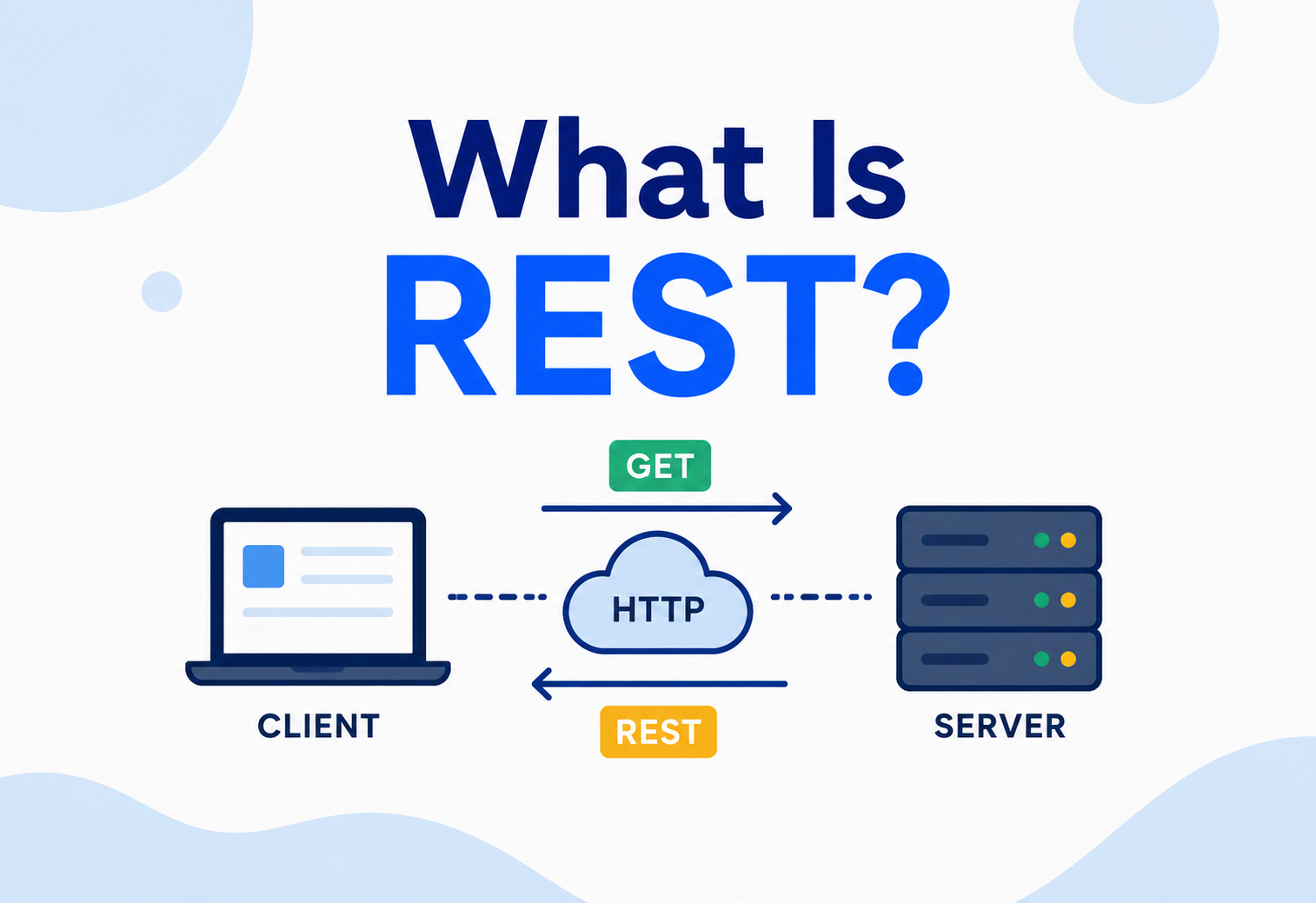
What Is REST?
A complete, beginner-to-production guide to REST and RESTful API design — the architectural style behind almost every web API you have ever used.
Introduction & History
If you have ever used a mobile banking app to check your balance, ordered food through a delivery app, or logged into a website using your Google account, you have used REST — even if you never saw the word. REST is the invisible plumbing that lets your phone “talk” to a server sitting in a data center thousands of kilometers away, and get back exactly the information it asked for, in a predictable way, every single time.
REST stands for REpresentational State Transfer. That name sounds intimidating, but it describes something fairly simple: a way of designing how two computer systems exchange information about “things” (resources) by transferring a snapshot — a representation — of the current state of that thing, usually over HTTP (the same protocol your browser uses to load web pages).
REST is a set of rules (an “architectural style,” not a strict protocol or a piece of software) for building web APIs so that different applications — a mobile app, a website, another server — can reliably create, read, update, and delete data over the internet using standard HTTP methods and URLs.
1.1 Where REST Came From
REST was not invented by a company or standardized by a committee in a boardroom. It was defined in the year 2000 by Roy Fielding, one of the principal authors of the HTTP specification, in his doctoral dissertation at the University of California, Irvine, titled “Architectural Styles and the Design of Network-based Software Architectures.” Fielding had spent years helping design HTTP/1.1 itself, and REST was his way of writing down, formally, the architectural principles that made the World Wide Web itself so successful at massive scale — principles that were already implicit in how browsers and web servers talked to each other, but had never been named or organized into a coherent style.
In the early 2000s, the dominant way to build web APIs was SOAP (Simple Object Access Protocol) and XML-RPC — both of which wrapped every request and response in verbose XML envelopes, required strict contracts (WSDL files), and often ran over HTTP but ignored almost everything HTTP already gave you for free (caching, status codes, uniform verbs). REST emerged as the lightweight alternative: instead of inventing a new set of rules on top of HTTP, why not just use HTTP the way it was designed to be used?
By the mid-to-late 2000s, companies like Amazon, Flickr, and later Twitter and Facebook began exposing REST-style APIs to developers. The simplicity — readable URLs, JSON instead of XML, standard HTTP verbs — caused RESTful APIs to almost completely replace SOAP for public-facing web APIs over the following decade. Today, REST (or REST-inspired designs) powers the vast majority of web and mobile backend APIs, even as newer styles like GraphQL and gRPC have carved out their own niches for specific use cases.
1.2 Evolution of Web API Styles
SOAP & XML-RPC dominate
Enterprise integration is built on verbose XML envelopes, WSDL contracts, and heavyweight tooling that largely ignore everything HTTP gives you for free.
REST is defined
Roy Fielding publishes his PhD dissertation formally defining REST as an architectural style, distilling what already made the Web itself scale so well.
Early REST APIs go public
Amazon, Flickr, and eBay launch some of the first large-scale REST-style public APIs, letting third-party developers integrate in minutes rather than days.
JSON overtakes XML
Lightweight, JavaScript-friendly JSON becomes the default payload format, replacing XML in almost all new REST APIs.
REST becomes the default
REST becomes the assumed style for public web APIs across web, mobile, and partner integrations.
GraphQL & gRPC emerge
GraphQL solves over-/under-fetching for complex UIs; gRPC gives service-to-service traffic a fast, strictly-typed alternative.
REST remains dominant
REST is still the default choice for public APIs, with GraphQL and gRPC used alongside it for the workloads they suit best.
It is worth being precise about one thing early on: REST is not a protocol, a standard, or a library you install. It is a set of architectural constraints. When people say an API is “RESTful,” they mean it follows these constraints closely — though in practice, many APIs described as “REST APIs” only follow some of them loosely, which is completely normal in the real world and something we will unpack later in this guide.
Bespoke RPC envelopes
Every API invented its own action names and XML shape, forcing developers to relearn a new mental model per integration.
Reuse the Web itself
Standard verbs, standard status codes, standard URLs, JSON payloads — the same architecture that already scales the browser-to-server web.
The Problem & Motivation
To understand why REST exists, it helps to understand the problem it was solving. Imagine you’re building the backend for an early-2000s travel booking website. You need mobile apps, partner websites, and your own web frontend to all be able to search flights, book seats, and cancel tickets — potentially written in different programming languages, deployed on different servers, updated on different schedules.
One building, one convention
Think of a large office building with hundreds of different departments. Without REST-like conventions, every visitor would need a custom set of instructions to find each department — different entrances, different sign-in procedures, different elevators. REST is like standardising the entire building: every floor uses the same elevator system, every department has a clearly labelled door, and there’s one universal reception desk (HTTP) that routes every visitor correctly, no matter which department they’re heading to.
Just GET /users
Before REST-style conventions were common, two apps that wanted to “get a list of users” might use completely different, custom-built commands: one API might expose fetchAllUsers(), another might require a specific XML envelope with an action tag. REST says: just send an HTTP GET to /users. Every API that follows REST does it the same way.
2.1 The Specific Problems REST Solves
- Inconsistent interfaces: Before REST-style conventions, every API had its own bespoke set of function names and calling conventions, meaning developers had to relearn a new mental model for every single service they integrated with.
- Tight coupling between client and server: Many older systems required the client to know intimate implementation details of the server (exact procedure names, internal object structures), so any server-side refactor could break every client.
- Poor use of existing web infrastructure: The internet already had decades of investment in caching (proxies, CDNs), load balancing, and security built around HTTP. Protocols like SOAP largely ignored this and reinvented it badly.
- Difficulty scaling to millions of clients: Systems that kept per-client session state on the server struggled to scale horizontally, because a client’s second request had to land on the exact same server as its first.
- Heavyweight payloads: XML-based protocols were verbose, slow to parse, and unfriendly to the resource-constrained mobile devices that were about to explode in popularity.
When Amazon exposed one of the earliest large-scale REST APIs in 2002, the motivation was explicitly business-driven: they wanted external developers to build tools on top of Amazon’s catalog without needing deep training or heavyweight SOAP tooling. A simple, guessable URL structure and standard HTTP verbs meant a new developer could get their first successful API call working in minutes rather than days.
2.2 The Core Insight
Fielding’s key insight was that the Web itself — pages, links, browsers, and servers — was already an enormously successful distributed system operating at a scale no other computing system had achieved. Instead of asking “how do we build a new system for machine-to-machine communication?”, REST asks “why not reuse the same architecture that already lets billions of browsers talk to millions of web servers, just applied to structured data instead of HTML pages?”
Core Concepts
REST is defined by six architectural constraints. An API that satisfies all six is sometimes called “truly RESTful”; most real-world APIs satisfy most but not all of them, and that’s a completely normal, pragmatic choice.
3.1 Resources and Resource Identifiers
In REST, everything of interest is modelled as a resource — a “noun,” not a “verb.” A resource could be a user, an order, a product, a photo, or a collection of any of those things. Every resource has a unique identifier, almost always expressed as a URI (Uniform Resource Identifier), the same kind of address you type into a browser.
| Resource | Example URI | Meaning |
|---|---|---|
| A specific user | /users/482 | The user with ID 482 |
| Collection of users | /users | All users (or a paginated slice) |
| A user’s orders | /users/482/orders | All orders belonging to user 482 |
| A specific order | /users/482/orders/91 | Order 91 belonging to user 482 |
A URI is like a postal address. It doesn’t tell the postman how to deliver the letter (walk, bike, van) — it just uniquely identifies where the letter should go. Similarly, a URI identifies which resource you want to interact with; the HTTP method tells the server what you want to do with it.
3.2 Representations
A representation is the actual data sent over the wire that describes the current state of a resource — typically JSON today, though XML, HTML, or even images and plain text are valid representations too. The same resource can have multiple representations depending on what the client asks for (via the Accept header).
GET /users/482 HTTP/1.1
Host: api.example.com
Accept: application/json

HTTP/1.1 200 OK
Content-Type: application/json

{
  "id": 482,
  "name": "Aditi Sharma",
  "email": "aditi@example.com",
  "createdAt": "2025-11-02T09:14:00Z"
}
3.3 Statelessness
Every request from a client to a server must contain all the information needed to understand and process it. The server must not rely on any stored context (“session state”) left over from a previous request by that same client.
Counter, not waiter
Think of ordering food by walking up to a counter each time, rather than a waiter who remembers your table and your running tab. Every time you order, you restate your full order and show your ID/payment — the counter person (server) doesn’t need to “remember” you between visits.
JWT on every request
This is why almost every production REST API uses a stateless authentication token (like a JWT) sent with every request in the Authorization header, rather than a server-side session stored in memory. Netflix and Amazon can route your next request to a completely different server in a completely different data center, and it works identically, because no server “remembers” you.
3.4 Uniform Interface
This is arguably REST’s most defining constraint. It says the way you interact with any resource should follow the same consistent conventions:
- Identification of resources via URIs
- Manipulation through representations — you send/receive a representation (JSON), not raw internal server objects
- Self-descriptive messages — headers like
Content-Typetell the receiver how to interpret the body - HATEOAS (Hypermedia As The Engine Of Application State) — responses can include links to related actions, so clients can navigate the API dynamically (covered in depth in Section 15)
3.5 HTTP Methods Map to Actions (CRUD)
REST reuses HTTP’s existing verbs instead of inventing new action names. This is one of the biggest practical wins of REST — every developer who has ever used a browser already intuitively understands these verbs.
| HTTP Method | CRUD Action | Idempotent? | Safe? | Example |
|---|---|---|---|---|
GET | Read | Yes | Yes | GET /orders/91 |
POST | Create | No | No | POST /orders |
PUT | Update (full replace) | Yes | No | PUT /orders/91 |
PATCH | Update (partial) | No* | No | PATCH /orders/91 |
DELETE | Delete | Yes | No | DELETE /orders/91 |
*PATCH can be made idempotent depending on how the patch document is structured, but is not guaranteed to be by spec.
An operation is idempotent if calling it once has the exact same effect as calling it many times in a row. DELETE /orders/91 is idempotent: whether you call it once or five times, order 91 ends up deleted (the first call deletes it, later calls just find it already gone). POST /orders is NOT idempotent: calling it five times creates five separate orders. This matters enormously for production reliability — if a network request times out and your client doesn’t know whether it succeeded, it is only safe to automatically retry idempotent operations.
3.6 Statuses and Semantics
REST APIs use standard HTTP status codes to communicate the outcome of a request, rather than always returning 200 OK with an error buried in the JSON body.
| Code | Meaning | When to use |
|---|---|---|
200 OK | Success | Successful GET, PUT, PATCH |
201 Created | Resource created | Successful POST that creates a resource |
204 No Content | Success, no body | Successful DELETE |
400 Bad Request | Client sent malformed data | Validation failures |
401 Unauthorized | Not authenticated | Missing/invalid credentials |
403 Forbidden | Authenticated but not allowed | Permission denied |
404 Not Found | Resource doesn’t exist | Unknown ID or route |
409 Conflict | State conflict | Duplicate creation, version mismatch |
429 Too Many Requests | Rate limited | Client exceeded quota |
500 Internal Server Error | Unexpected server failure | Uncaught exceptions |
503 Service Unavailable | Server temporarily overloaded/down | Circuit breaker open, maintenance |
Architecture & Components
REST defines several architectural constraints beyond the “uniform interface” already covered. Together they describe the overall shape a RESTful system should have.

4.1 Client-Server Separation
The client (browser, mobile app) and server are independently developed and deployed. The client doesn’t need to know how data is stored (PostgreSQL vs MongoDB); the server doesn’t need to know whether it’s talking to a web browser or a smartwatch. This separation lets teams evolve the frontend and backend independently — one of the most valuable properties in real engineering organisations.
4.2 Layered System
A REST client typically cannot tell (and shouldn’t need to know) whether it’s talking directly to the origin server or to an intermediary — a load balancer, a reverse proxy, a caching layer, or an API gateway. Each layer only knows about the layer immediately adjacent to it.
4.3 Cacheable
Responses must explicitly (or implicitly, by convention) state whether they are cacheable, so clients and intermediaries can reuse a previous response instead of hitting the origin server again. This is done via headers like Cache-Control, ETag, and Last-Modified.
HTTP/1.1 200 OK
Content-Type: application/json
Cache-Control: public, max-age=300
ETag: "a1b2c3d4"

{ "id": 91, "status": "SHIPPED" }
4.4 Code-on-Demand (Optional)
The rarely-used sixth constraint: a server can optionally extend client functionality by sending executable code (classically, JavaScript sent to a browser). Most REST APIs (JSON APIs consumed by mobile apps or backend services) don’t use this constraint at all, and that’s fine — it’s the only optional constraint in REST.
4.5 Key Architectural Components in a Production REST System
| Component | Role |
|---|---|
| API Gateway | Single entry point; handles routing, auth, rate limiting, and request/response transformation |
| Load Balancer | Distributes incoming requests across multiple identical server instances |
| Application Server | Runs your business logic (e.g., Spring Boot application) |
| Cache Layer | In-memory store (Redis/Memcached) to avoid repeated expensive database reads |
| Database | Persistent storage of resource state |
| Message Queue | Decouples slow/async work (emails, notifications) from the request/response cycle |
Internal Working
Let’s trace exactly what happens, step by step, when a client calls a REST API — using a concrete example: fetching a specific order via GET /orders/91.
5.1 What Happens on Every REST Call
- DNS resolution: The client resolves
api.example.comto an IP address. - TCP + TLS handshake: A secure connection (HTTPS) is established between client and server (or the nearest edge/load balancer).
- HTTP request is sent: The client sends the request line (
GET /orders/91 HTTP/1.1), headers (Authorization, Accept, etc.), and an optional body. - Routing: A load balancer or API gateway inspects the path and routes it to an available application server instance.
- Framework dispatch: The web framework (e.g., Spring MVC in a Java app) matches the URL pattern
/orders/{id}to a specific controller method and extractsid = 91. - Authentication & Authorization: Middleware validates the bearer token/JWT and checks whether this caller is allowed to view order 91.
- Business logic execution: The controller calls a service layer, which may query a database, check a cache, or call another microservice.
- Serialization: The resulting Java object (e.g., an
Orderinstance) is converted (“serialised”) into a JSON representation. - Response is sent: An HTTP response with a status code, headers, and the JSON body travels back through the same layers to the client.
- Deserialization: The client parses the JSON back into a native object (a JavaScript object, a Swift struct, a Java POJO) it can use.
5.2 A Minimal Java (Spring Boot) Controller
Here is what step 5–9 above look like as real code, using Spring Boot — the most common Java framework for building REST APIs:
@RestController
@RequestMapping("/orders")
public class OrderController {

    private final OrderService orderService;

    public OrderController(OrderService orderService) {
        this.orderService = orderService;
    }

    // GET /orders/91
    @GetMapping("/{id}")
    public ResponseEntity<OrderResponse> getOrder(@PathVariable Long id) {
        Order order = orderService.findById(id)
            .orElseThrow(() -> new OrderNotFoundException(id));
        return ResponseEntity.ok(OrderMapper.toResponse(order));
    }

    // POST /orders
    @PostMapping
    public ResponseEntity<OrderResponse> createOrder(@RequestBody @Valid CreateOrderRequest req) {
        Order created = orderService.create(req);
        URI location = URI.create("/orders/" + created.getId());
        return ResponseEntity.created(location).body(OrderMapper.toResponse(created));
    }

    // PATCH /orders/91
    @PatchMapping("/{id}")
    public ResponseEntity<OrderResponse> updateStatus(
            @PathVariable Long id, @RequestBody UpdateOrderStatusRequest req) {
        Order updated = orderService.updateStatus(id, req.getStatus());
        return ResponseEntity.ok(OrderMapper.toResponse(updated));
    }

    // DELETE /orders/91
    @DeleteMapping("/{id}")
    public ResponseEntity<Void> cancelOrder(@PathVariable Long id) {
        orderService.cancel(id);
        return ResponseEntity.noContent().build(); // 204
    }
}
Notice how each method maps cleanly to an HTTP verb, the URL identifies the resource (not the action), and the return status codes (200, 201, 204) communicate outcome precisely — this is the uniform interface constraint made concrete in code.
Data Flow & Lifecycle
A resource in a REST system moves through a predictable lifecycle, and every request/response pair follows the same basic anatomy.
6.1 Anatomy of a Request
| Part | Example | Purpose |
|---|---|---|
| Method | POST | What action to perform |
| Path | /orders | Which resource/collection |
| Query params | ?status=SHIPPED&page=2 | Filtering, pagination, sorting |
| Headers | Authorization, Content-Type | Metadata about the request |
| Body | {"productId": 12, "qty": 3} | The actual data payload (for POST/PUT/PATCH) |
6.2 Anatomy of a Response
| Part | Example | Purpose |
|---|---|---|
| Status line | 201 Created | Outcome of the request |
| Headers | Content-Type, Location, ETag | Metadata about the response |
| Body | {"id": 91, "status": "PENDING"} | The resulting resource representation |
6.3 Resource Lifecycle Example: An Order
Each transition in this diagram corresponds to a distinct REST call. This is a good design habit: model your resource as a state machine first, then map each valid transition onto an HTTP verb + endpoint, rather than inventing one-off “action” endpoints like /orders/91/doShip (an anti-pattern we’ll revisit in Section 15).
6.4 Serialisation & Content Negotiation
“Content negotiation” is the process by which a client and server agree on the representation format. The client states what it wants via the Accept header; the server states what it’s sending via Content-Type.
Accept: application/json          → "Send me JSON if you can"
Accept: application/xml           → "Send me XML if you can"
Content-Type: application/json → "This body IS JSON"Beginner: A to-do list app’s server always returns JSON no matter what — simple and fine for a small project.
Production (Stripe, GitHub): Large APIs support versioned content types like Accept: application/vnd.github.v3+json, allowing them to evolve their response format for new API versions without breaking clients still on an older version.
Pros, Cons & Trade-offs
REST is dominant for good reasons, but it also carries real trade-offs. This chapter is deliberately honest about both sides so you can pick the right style for each part of your system.
Advantages of REST
- Simplicity and familiarity — reuses HTTP verbs and status codes that every web developer already understands.
- Statelessness enables horizontal scaling — any server can handle any request, making it trivial to add more servers behind a load balancer.
- Leverages existing web infrastructure — CDNs, browser caches, proxies, and firewalls already understand HTTP caching and status semantics.
- Language / platform agnostic — a Java backend can serve a Swift iOS app, a Kotlin Android app, and a JavaScript web frontend identically.
- Human-readable and debuggable — you can test a REST endpoint with a browser address bar or a simple
curlcommand. - Excellent tooling ecosystem — Postman, Swagger/OpenAPI, curl, and browser dev tools all work naturally with REST.
Disadvantages of REST
- Over-fetching and under-fetching — a fixed endpoint like
/users/482might return 20 fields when a mobile screen only needs 3 (over-fetching), or require 3 separate calls to assemble one screen (under-fetching). GraphQL was created partly to solve this. - Chatty for complex UIs — rendering a single dashboard might require many small REST calls, each with its own network round-trip latency.
- No enforced contract — unlike gRPC (with Protocol Buffers) or SOAP (with WSDL), REST has no mandatory, machine-enforced schema. Teams typically add one voluntarily via OpenAPI/Swagger.
- Versioning is a manual discipline — there’s no built-in mechanism for API evolution; teams must design their own versioning strategy.
- “RESTful” is a spectrum, not a binary — because REST is a style, not an enforced standard, in-house APIs often violate several constraints (especially HATEOAS) while still being called “REST APIs.”
7.1 A Concrete Example of Over- and Under-Fetching
Imagine a mobile app’s home screen needs to show a user’s name, their three most recent orders, and a recommended product. With a typical REST design, that screen might require three separate calls: GET /users/482, GET /users/482/orders?limit=3, and GET /recommendations?userId=482. Each of those calls might also return more fields than the screen actually needs — for example, /users/482 might include a full billing address and account creation timestamp the home screen never displays. This is the over-fetching/under-fetching trade-off in action: REST’s fixed, resource-shaped endpoints are simple and cacheable, but they don’t automatically tailor themselves to what a specific screen needs the way a flexible query language can.
Many REST-based teams solve this without abandoning REST entirely, by introducing a Backend-for-Frontend (BFF) — a thin service dedicated to one client type (e.g., mobile) that aggregates calls to several internal REST services and returns exactly the shape that screen needs. This keeps the internal services simple and resource-oriented, while still giving each client an efficient, purpose-built endpoint.
7.2 REST vs Alternatives
| Style | Best for | Trade-off vs REST |
|---|---|---|
| REST | Public APIs, CRUD-heavy services, broad client compatibility | Baseline |
| GraphQL | Complex UIs needing flexible, precise data shapes | Solves over/under-fetching, but adds query complexity and harder caching |
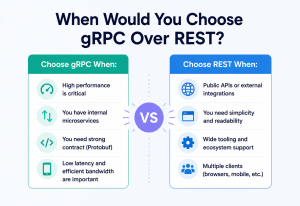
| gRPC | High-performance internal service-to-service calls | Much faster (binary, HTTP/2) but not human-readable, harder for browsers |
| SOAP | Legacy enterprise systems, strict contracts (banking, healthcare) | Strong typing and formal contracts, but verbose and heavyweight |
| WebSockets | Real-time, bidirectional communication (chat, live updates) | Persistent connection vs REST’s request/response model |
Performance & Scalability
Because REST is stateless and resource-oriented, it naturally supports some of the most effective scaling techniques available in distributed systems.
8.1 Horizontal Scaling
Since no server stores per-client session state, you can run any number of identical application server instances behind a load balancer, and any of them can answer any request. This is the single biggest scalability advantage REST’s statelessness constraint provides — and it’s why cloud auto-scaling groups pair so naturally with REST APIs.
8.2 Caching Strategies
- Client-side / browser caching: Governed by
Cache-ControlandETagheaders. - CDN / edge caching: Caches responses geographically close to users, cutting latency dramatically for read-heavy, rarely-changing resources (e.g., product catalog images).
- Server-side application cache: Redis / Memcached in front of the database for expensive queries.
- Database query caching: Materialized views or query result caches for heavy aggregate queries.
Netflix’s REST APIs serve requests from over 200 million subscribers. To keep latency low, they rely heavily on edge caching for catalog / browsing data (which changes infrequently) while keeping personalised, frequently-changing data (like “continue watching” position) on faster, less-cached paths — a deliberate architectural trade-off based on each resource’s cacheability.
8.3 Pagination for Large Collections
Returning “all 50 million users” in one response would be catastrophic for both server memory and network bandwidth. Production REST APIs paginate collection endpoints:
GET /users?page=3&size=50

{
  "data": [ ... 50 users ... ],
  "page": 3,
  "pageSize": 50,
  "totalPages": 812,
  "totalElements": 40600
}
Larger systems (Twitter/X, GitHub) often use cursor-based pagination instead of page-number pagination, because it stays consistent even when records are being inserted or deleted while a client is paging through results.
8.4 Compression & Payload Size
Enabling GZIP or Brotli compression on JSON responses (via the Content-Encoding header) can shrink payloads by 70–90%, which matters enormously for mobile clients on constrained networks.
8.5 Connection Reuse
HTTP/1.1 keep-alive and HTTP/2 multiplexing let a client reuse a single TCP connection for many REST calls, avoiding the overhead of a fresh TCP+TLS handshake per request — a significant latency win at scale.
Any server, any request
Statelessness means the load balancer is free to route each call anywhere. Adding capacity is as simple as booting more identical instances.
Push data close to users
CDNs turn a “round trip to a data center” into a “round trip to a nearby city” for cacheable, rarely-changing resources.
Compress & paginate
GZIP/Brotli trims 70–90% off JSON bodies; pagination protects both memory and bandwidth from unbounded collections.
HTTP/2 multiplexing
Keep-alive and HTTP/2 amortise TCP + TLS setup across many REST calls on one connection.
High Availability & Reliability
A production REST API must keep working even when individual servers, databases, or network links fail.
9.1 Redundancy and Failover
Multiple identical instances of the application server run simultaneously (often across different physical data centers / availability zones). If one instance or even an entire zone fails, the load balancer routes traffic to healthy instances, and users experience little or no disruption.
9.2 Retries and Idempotency
Because networks are unreliable, clients often need to retry failed requests. This is exactly why the idempotency of HTTP methods (Section 3.6) matters so much in practice: a client can safely retry a GET or PUT automatically, but retrying a POST blindly risks creating duplicate resources (e.g., double-charging a customer). Production systems often add an idempotency key header for POST requests to make them safely retryable:
POST /payments
Idempotency-Key: 6c1f9a2e-91d3-4a51-8c77-2f5e9d112abc

{ "amount": 499900, "currency": "INR" }
The server remembers which idempotency keys it has already processed, so a retried request with the same key returns the original result instead of creating a second payment.
9.3 Circuit Breakers
When a downstream dependency (e.g., a payment service) starts failing repeatedly, a circuit breaker “opens” and stops sending it new requests for a while, failing fast instead of piling up slow, doomed requests — protecting both the failing service (giving it room to recover) and the calling service (avoiding thread/connection exhaustion).
9.4 Graceful Degradation
Rather than failing an entire request when a non-critical dependency is down, well-designed REST APIs degrade gracefully — for example, returning a product page without personalised recommendations if the recommendation service is unavailable, instead of failing the whole page.
9.5 Timeouts
Every outbound call a REST server makes (to a database, cache, or another service) should have an explicit timeout, so a single slow dependency can’t cause requests to pile up and exhaust the server’s threads or connections — a common root cause of cascading production outages.
9.6 Disaster Recovery
For mission-critical REST APIs (banking, healthcare), teams maintain a secondary region that can take over traffic if an entire primary region fails, with database replication keeping the secondary region’s data close to current (see Section 13 for replication details).
Security
Security on a REST API is not a single control — it is a stack: identifying who is calling, deciding what they may do, encrypting the wire, validating what they send, and hiding what they must not see.
10.1 Authentication vs Authorisation
Authentication answers “who are you?” (verifying identity). Authorisation answers “what are you allowed to do?” (checking permissions). A REST API always needs both, and they are checked in that order.
10.2 Common Authentication Mechanisms
| Mechanism | How it works | Typical use case |
|---|---|---|
| API Key | Static secret string sent in a header | Server-to-server, simple integrations |
| Basic Auth | Base64-encoded username:password in header | Internal tools, rarely public APIs |
| OAuth 2.0 | Token issued after a delegated authorisation flow | “Login with Google,” third-party app access |
| JWT (JSON Web Token) | Signed, self-contained token carrying claims about the user | Stateless session replacement in most modern APIs |
GET /orders/91 HTTP/1.1
Authorization: Bearer eyJhbGciOiJIUzI1NiIsInR5cCI6IkpXVCJ9...
10.3 Transport Security
Every production REST API must run over HTTPS (HTTP over TLS), never plain HTTP. TLS encrypts traffic so credentials, tokens, and personal data can’t be read or tampered with in transit — this is non-negotiable, not optional, for any API handling real user data.
10.4 Common REST Security Practices
- Input validation: Never trust request bodies or query parameters; validate types, lengths, and formats server-side (never rely on client-side validation alone).
- Rate limiting: Prevent abuse and denial-of-service by capping how many requests a client can make per minute (often returning
429 Too Many Requestswith aRetry-Afterheader). - CORS (Cross-Origin Resource Sharing): Explicitly control which browser-based origins are allowed to call your API.
- Least-privilege authorisation: Check permissions at the resource level (e.g., “can this user access this specific order?”) not just at the endpoint level.
- Avoid leaking internal details: Error responses should never include stack traces or database error strings to external clients.
- Protect against injection: Use parameterised queries / ORMs, never string-concatenate user input into SQL.
10.5 Java Example: Securing an Endpoint with Spring Security
@PreAuthorize("#userId == authentication.principal.id or hasRole('ADMIN')")
@GetMapping("/users/{userId}/orders")
public List<OrderResponse> getUserOrders(@PathVariable Long userId) {
    return orderService.findByUserId(userId);
}
This annotation enforces that a user can only view their own orders unless they have an ADMIN role — an example of resource-level authorisation, which is far more important in practice than simply checking “is this person logged in?”
Monitoring, Logging & Metrics
You cannot operate a production REST API reliably without visibility into how it’s actually behaving under real traffic.
11.1 The Three Pillars of Observability
| Pillar | What it tells you | Example tooling |
|---|---|---|
| Logs | Detailed, timestamped records of individual events | ELK Stack, Splunk, CloudWatch Logs |
| Metrics | Aggregated numeric measurements over time | Prometheus, Grafana, Datadog |
| Traces | The full path a single request took across services | Jaeger, Zipkin, AWS X-Ray |
11.2 Key Metrics for a REST API
- Request rate (RPS): Requests per second, often broken down by endpoint.
- Latency percentiles: p50, p95, p99 response times — averages hide the worst experiences, so production teams watch p99 closely.
- Error rate: Percentage of requests returning 4xx / 5xx, especially 5xx (server-caused failures).
- Saturation: CPU, memory, thread pool, and connection pool utilisation.
11.3 Correlation IDs
In a system where one client request fans out to multiple internal services, a correlation ID (a unique value generated at the edge and passed through every downstream call, usually via an X-Correlation-Id header) lets engineers trace a single user’s request across every log line and service it touched — essential for debugging distributed systems in production.
GET /orders/91 HTTP/1.1
X-Correlation-Id: 7e2a9f10-44c3-4b8e-9a11-de3f8821c9aa
11.4 Structured Logging Example (Java, using SLF4J)
log.info("order_fetched",
    kv("orderId", order.getId()),
    kv("userId", order.getUserId()),
    kv("latencyMs", latency),
    kv("correlationId", correlationId));
Structured (key-value or JSON) logs are far easier to search, filter, and alert on than free-text log lines, especially at the volume a busy production API generates.
11.5 Health Checks
Production REST services typically expose a dedicated /health or /actuator/health endpoint that load balancers and orchestrators (Kubernetes) poll regularly to decide whether an instance should keep receiving traffic.
Deployment & Cloud
Once a REST API is designed, running it reliably in production means packaging it, scheduling it, updating it safely, and configuring it per environment — all without touching individual servers by hand.
12.1 Containers
Most modern REST APIs are packaged as containers (typically Docker images) — a container bundles the application code along with everything it needs to run (runtime, libraries, configuration) into one portable unit that behaves identically on a developer’s laptop and in production.
FROM eclipse-temurin:21-jre
COPY target/order-service.jar /app/order-service.jar
EXPOSE 8080
ENTRYPOINT ["java", "-jar", "/app/order-service.jar"]
12.2 Orchestration with Kubernetes
At scale, teams don’t manually manage individual containers — they use an orchestrator like Kubernetes, which automatically restarts crashed instances, distributes traffic, and scales the number of running instances up or down based on load.
12.3 CI/CD Pipelines
Every code change to a production REST API typically flows through an automated pipeline: run tests → build container image → deploy to a staging environment → run integration tests → deploy to production (often gradually, via canary or blue-green deployment, to limit the blast radius of any bad release).
12.4 Cloud-Managed API Gateways
Cloud providers offer managed API gateway services (AWS API Gateway, Google Cloud Endpoints, Azure API Management) that handle authentication, rate limiting, request transformation, and routing without teams having to build this infrastructure themselves.
12.5 Environment Configuration
Production REST services externalise configuration (database URLs, feature flags, secrets) rather than hardcoding them, typically via environment variables or a config service, so the exact same container image can be promoted from staging to production unchanged.

Databases, Caching & Load Balancing
A REST API is only as fast as the data plane behind it. This chapter covers how REST APIs actually talk to databases, spread read traffic, cache hot data, and load-balance requests.
13.1 How REST APIs Interact with Databases
A REST endpoint’s handler typically translates the HTTP request into one or more database operations, then translates the database result back into a JSON representation. Java developers usually do this through an ORM (Object-Relational Mapper) like Hibernate/JPA.
public interface OrderRepository extends JpaRepository<Order, Long> {
    List<Order> findByUserIdAndStatus(Long userId, OrderStatus status);
}
13.2 Read Replicas
Since most REST APIs handle far more reads (GET requests) than writes, a common scaling pattern is to send write operations (POST/PUT/PATCH/DELETE) to a single primary database, while distributing read operations (GET) across multiple read replicas — copies of the database kept in sync via replication.
13.3 Sharding / Partitioning
When a single database can no longer handle the data volume or write throughput, data is split across multiple databases (“shards”), typically by a key like userId. A REST API’s data-access layer must know how to route a given request to the correct shard — for example, hashing the user ID to pick a shard.
13.4 Caching Layer (Redis / Memcached)
A cache sits between the application server and the database, storing frequently-read, rarely-changed data in memory. Cache invalidation — deciding when cached data is stale and must be refreshed — is famously one of the harder problems in software engineering, and REST APIs typically handle it with short TTLs (time-to-live) plus explicit invalidation on writes.
@Cacheable(value = "orders", key = "#id")
public Order findById(Long id) {
    return orderRepository.findById(id)
        .orElseThrow(() -> new OrderNotFoundException(id));
}

@CacheEvict(value = "orders", key = "#order.id")
public Order save(Order order) {
    return orderRepository.save(order);
}
13.5 Load Balancing Algorithms
| Algorithm | How it works |
|---|---|
| Round Robin | Requests distributed sequentially across all servers in turn |
| Least Connections | New request goes to the server with the fewest active connections |
| Weighted | Servers with more capacity receive proportionally more traffic |
| Consistent Hashing | Same client/key consistently routes to the same server, useful for cache locality |
13.6 CAP Theorem, Briefly
When the database layer behind a REST API is distributed across multiple nodes, the CAP theorem states you can only fully guarantee two of three properties during a network partition: Consistency (every read sees the latest write), Availability (every request gets a response), and Partition tolerance (the system keeps working despite network failures between nodes). Since partition tolerance is generally mandatory in any real distributed system, the practical choice most REST API teams face is between prioritising consistency or availability during a network partition — for example, an e-commerce checkout API often favours availability (let the request succeed, reconcile inventory slightly later) over strict consistency.
APIs & Microservices
REST is the most common way microservices communicate with each other and with external clients, because its statelessness and uniform interface make it easy for independently-deployed services to interoperate without tight coupling.
14.1 REST as the “Front Door” and as Internal Glue
- North-South traffic: External clients (mobile apps, browsers, partner integrations) call a REST API — usually fronted by an API gateway.
- East-West traffic: Internal microservices calling each other. Many organisations use REST here too for simplicity, though gRPC is increasingly popular for this internal traffic because of its lower latency and strict typed contracts.
14.2 API Gateway Pattern
Rather than exposing every microservice’s REST API directly to the internet, an API gateway sits in front of all of them, providing a single entry point that handles cross-cutting concerns (auth, rate limiting, logging) and routes each request to the correct backend service.
14.3 Service Discovery
In a dynamic microservices environment where instances are constantly being created and destroyed (by Kubernetes, auto-scaling), services need a way to find the current network location of the services they depend on. A service registry (e.g., Eureka, Consul, or Kubernetes’ built-in DNS-based discovery) keeps track of which instances are currently healthy and where they are.
14.4 Handling Cross-Service Consistency
A single REST request (e.g., “place an order”) might need to touch the Order Service, Inventory Service, and Payment Service — each with its own database. Since REST calls between services aren’t wrapped in a traditional database transaction, teams use patterns like:
- Saga pattern: A sequence of local transactions, each publishing an event that triggers the next step, with compensating actions to “undo” earlier steps if a later one fails.
- Outbox pattern: Writes a domain event to an “outbox” table in the same local database transaction as the business change, then a separate process reliably publishes that event — avoiding the classic “dual write” problem where a database write succeeds but the subsequent message publish fails.
- Eventual consistency: Accepting that different services’ views of the data may be briefly out of sync, and will converge shortly after, rather than requiring instant, strict consistency across services.
14.5 Fan-Out Calls and Their Cost
A single incoming REST request that triggers calls to five downstream microservices is called a fan-out. Each additional fan-out call adds latency (if sequential) and additional failure surface area — this is exactly why distributed tracing (Section 11) and circuit breakers (Section 9) matter so much in a microservices-based REST architecture.
14.6 Distributed Tracing in a Fan-Out Scenario
Consider a checkout REST call that fans out to the Inventory Service, Pricing Service, and Payment Service, each of which might call yet another service underneath it. Without distributed tracing, a slow checkout request is nearly impossible to debug — you’d have to manually correlate timestamps across dozens of log files from different services. With a tracing system like Jaeger or AWS X-Ray, every hop in that fan-out is recorded as a “span” tied together under one trace ID (usually the same correlation ID discussed in Section 11), so an engineer can open a single trace view and immediately see, visually, which one of those seven downstream calls took 800ms while the rest took 20ms each.
When you place an order on Amazon, that single REST call to “place order” fans out internally to services responsible for inventory reservation, pricing / tax calculation, fraud checks, and payment authorisation — each potentially running in a different part of the world. Amazon’s internal tooling relies heavily on distributed tracing and aggressive timeouts specifically because a single slow or failing dependency in that fan-out chain could otherwise stall millions of checkout requests simultaneously.
Design Patterns & Anti-Patterns
Successful REST APIs keep coming back to the same handful of patterns — and unsuccessful ones keep hitting the same handful of anti-patterns. Recognising both up front is one of the highest-leverage things a team can learn.
15.1 Good Patterns
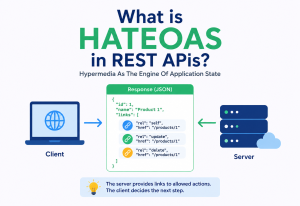
HATEOAS (Hypermedia As The Engine Of Application State)
A truly RESTful response includes links describing what actions are currently possible on a resource, so clients don’t need to hardcode URL structures — they navigate the API the way a browser navigates the web, by following links.
{
  "id": 91,
  "status": "CONFIRMED",
  "_links": {
    "self":   { "href": "/orders/91" },
    "cancel": { "href": "/orders/91", "method": "DELETE" },
    "ship":   { "href": "/orders/91/status", "method": "PATCH" }
  }
}
In practice, most public APIs skip full HATEOAS because it adds complexity most client teams don’t take advantage of — but it remains a valuable pattern for APIs that evolve quickly or serve many independent client teams.
Filtering, Sorting & Field Selection
GET /orders?status=SHIPPED&sort=-createdAt&fields=id,status,totalAPI Versioning
| Strategy | Example | Trade-off |
|---|---|---|
| URI versioning | /v2/orders | Simple, highly visible, but “pollutes” the URL |
| Header versioning | Accept: application/vnd.api.v2+json | Cleaner URLs, less discoverable |
| Query param versioning | /orders?version=2 | Easy to add, easy to miss |
Envelope vs Bare Response
Many APIs wrap responses in a consistent envelope for predictability:
{
  "data": { "id": 91, "status": "SHIPPED" },
  "meta": { "requestId": "abc-123" }
}
15.2 Anti-Patterns to Avoid
POST /createOrder or GET /getUserOrders — this reintroduces the RPC-style thinking REST was designed to move away from. Prefer POST /orders and GET /users/{id}/orders, letting the HTTP method carry the verb.
Requiring a client to make 8 sequential REST calls to render one screen creates poor perceived performance. Consider a purpose-built aggregation endpoint, or a Backend-for-Frontend (BFF) layer, for complex UI screens.
Returning 200 OK for every response, including errors, with a body like {"error": "not found"}, forces every client to inspect the body just to know if a call succeeded — defeating the purpose of standard status codes.
Exposing raw internal database column names or internal service implementation details directly in the API response ties your public contract to internal implementation, making future refactors painful.
Mixing /getUser, /customer-list, and /Orders (mixed casing, mixed pluralisation, mixed naming style) within the same API confuses every consumer. Pick one convention (typically plural nouns, kebab-case or camelCase, lowercase paths) and apply it everywhere.
Best Practices & Common Mistakes
A concise operational checklist that experienced REST engineers keep in their head. Most real-world REST incidents come from doing one of these things slightly wrong.
Best Practices
- Use nouns for resources, verbs via HTTP methods:
/orders, not/getOrders. - Version your API from day one — even
/v1/— because you will need to make breaking changes eventually. - Return meaningful, consistent error bodies so clients can distinguish an unknown ID from a validation failure.
- Document with OpenAPI / Swagger so both humans and tooling (client SDK generators, API testing tools) can understand your API’s contract.
- Validate input rigorously — reject malformed requests early with clear 400 errors, rather than letting bad data flow deeper into the system.
- Design idempotent writes where possible, and support idempotency keys for non-idempotent operations like payments.
- Paginate every collection endpoint from the start — retrofitting pagination onto a live API used by many clients is painful.
- Use plural nouns consistently:
/users, not a mix of/userand/users. - Keep URLs shallow where possible: prefer
/orders/91over deeply nested/companies/4/departments/9/teams/2/orders/91when the ID alone is already unique.
Common Mistakes Beginners Make
- Confusing PUT and PATCH: PUT should replace the entire resource; PATCH should apply a partial update. Using PUT with a partial body can silently wipe out fields the client didn’t include.
- Not handling the “not found” case: returning a 500 error (or worse, a 200 with an empty body) instead of a proper 404 when a resource doesn’t exist.
- Putting sensitive data in URLs: URLs get logged by proxies, browsers, and servers — never put passwords, tokens, or personal data as raw query parameters.
- Forgetting statelessness: storing per-user data in server memory (e.g., an in-memory “current step” of a multi-step form) breaks horizontal scaling — this state should live in the database, cache, or be passed by the client each time.
- Skipping input validation on the server because “the frontend already validates it” — client-side validation is a UX nicety, not a security boundary.
- Over-nesting resources unnecessarily, making URLs long and brittle to structural changes.
{
  "error": {
    "code": "ORDER_NOT_FOUND",
    "message": "No order found with id 91",
    "requestId": "abc-123"
  }
}Real-World / Industry Examples
Looking at how well-known companies actually build and expose REST APIs is one of the fastest ways to internalise which parts of the theory matter most in practice.
Microservices at planet scale
Netflix operates one of the largest REST-based microservices architectures in the world, with thousands of internal services communicating via REST (and increasingly gRPC internally), fronted by their own API gateway layer (historically “Zuul”) that aggregates data for different device types.
The 2002 catalyst
Amazon’s early 2002 web services launch was one of the first large-scale public REST APIs, letting third-party developers query product catalogs and pricing — a foundational moment for REST adoption in the industry.
A textbook public REST API
GitHub’s REST API is widely held up as an example of good REST design: consistent resource naming, thorough OpenAPI documentation, clear pagination via Link headers, and careful, well-communicated versioning.
Idempotency-first payments
Stripe’s REST API is famous in the developer community for its clarity: predictable resource naming, detailed and consistent error objects, strong idempotency-key support for payment safety, and excellent documentation — often cited as a gold standard for API design.
REST plus real-time
Uber’s rider and driver apps communicate with backend REST/HTTP APIs for trip requests, pricing, and status updates, layered with real-time components (WebSockets / push notifications) for live location tracking, showing how REST is often combined with other communication styles in one product.
Uniform envelopes across many services
Google exposes most of its Cloud and Maps functionality as REST APIs, using API keys and OAuth 2.0 for authentication, and consistent JSON response envelopes across dozens of otherwise very different services.
Frequently Asked Questions
A handful of questions come up more often than others when engineers first start working with REST. This section collects the ones worth answering carefully.
Is REST the same as HTTP?
No. HTTP is the underlying protocol REST is almost always built on top of, but REST is an architectural style — a set of design constraints — not the protocol itself. You could theoretically apply REST principles over a different protocol, though in practice essentially all REST APIs use HTTP.
Is a JSON API automatically a REST API?
No. Plenty of JSON-over-HTTP APIs are actually RPC-style APIs in disguise (e.g., POST /doSomething) that don’t follow REST’s resource-oriented, uniform-interface conventions. Using JSON is just a common representation choice, not proof of RESTfulness.
What is the Richardson Maturity Model?
A model describing how “RESTful” an API is, in four levels: Level 0 (a single URI, one HTTP method, essentially RPC-over-HTTP), Level 1 (multiple resource URIs, still one method), Level 2 (proper use of HTTP verbs and status codes — most real-world “REST APIs” sit here), and Level 3 (full HATEOAS). Most production APIs comfortably operate at Level 2 and consider that “good enough” REST.
Should I choose REST or GraphQL for a new project?
REST is usually simpler to build, cache, and secure, and remains the safer default for most CRUD-style APIs, public APIs, and teams without heavy GraphQL experience. GraphQL shines when your client UIs are complex and need to flexibly query varying, deeply nested data shapes from a single endpoint. Many large companies use both, for different parts of their system.
Does REST require JSON?
No. REST doesn’t mandate any specific data format — XML, JSON, plain text, even images are all valid representations. JSON simply became the dominant choice in the ecosystem because it’s lightweight and maps naturally onto JavaScript objects.
Why is PUT idempotent but POST is not?
PUT is defined to replace a resource’s state entirely at a known URI — calling it once or five times with the same body leaves the resource in the same final state. POST is defined to create a new subordinate resource, or trigger a processing action, whose exact outcome is up to the server — calling it multiple times can create multiple resources (e.g., multiple orders), so it is not idempotent by definition.
Summary & Key Takeaways
REST is an architectural style, not a protocol or a library — and it earned its dominance by reusing the same design principles that already scaled the Web itself. Getting good at REST is mostly about getting good at those principles: model your world as resources, use HTTP verbs and status codes honestly, stay stateless, and layer in caching, redundancy, and observability as production demands grow.
Key Takeaways
- REST is an architectural style defined by Roy Fielding in 2000, built on constraints like statelessness, a uniform interface, and cacheability — not a protocol or a piece of software.
- Resources are identified by URIs; HTTP verbs (GET, POST, PUT, PATCH, DELETE) express the action; HTTP status codes communicate the outcome.
- Statelessness is the constraint that makes REST APIs so easy to scale horizontally — any server can handle any request.
- Production REST systems layer in caching, load balancing, read replicas, circuit breakers, and idempotency keys to achieve real-world performance and reliability.
- Security always requires both authentication (who are you) and authorisation (what can you do), enforced over HTTPS.
- REST is the dominant style for microservices communication, often paired with an API gateway, service discovery, and patterns like sagas for cross-service consistency.
- Most real-world APIs are “pragmatically RESTful” (Richardson Maturity Level 2) rather than fully HATEOAS-driven — and that’s a perfectly reasonable, common engineering trade-off.
- Companies like Amazon, Netflix, GitHub, and Stripe are widely referenced as strong real-world examples of REST API design done well.