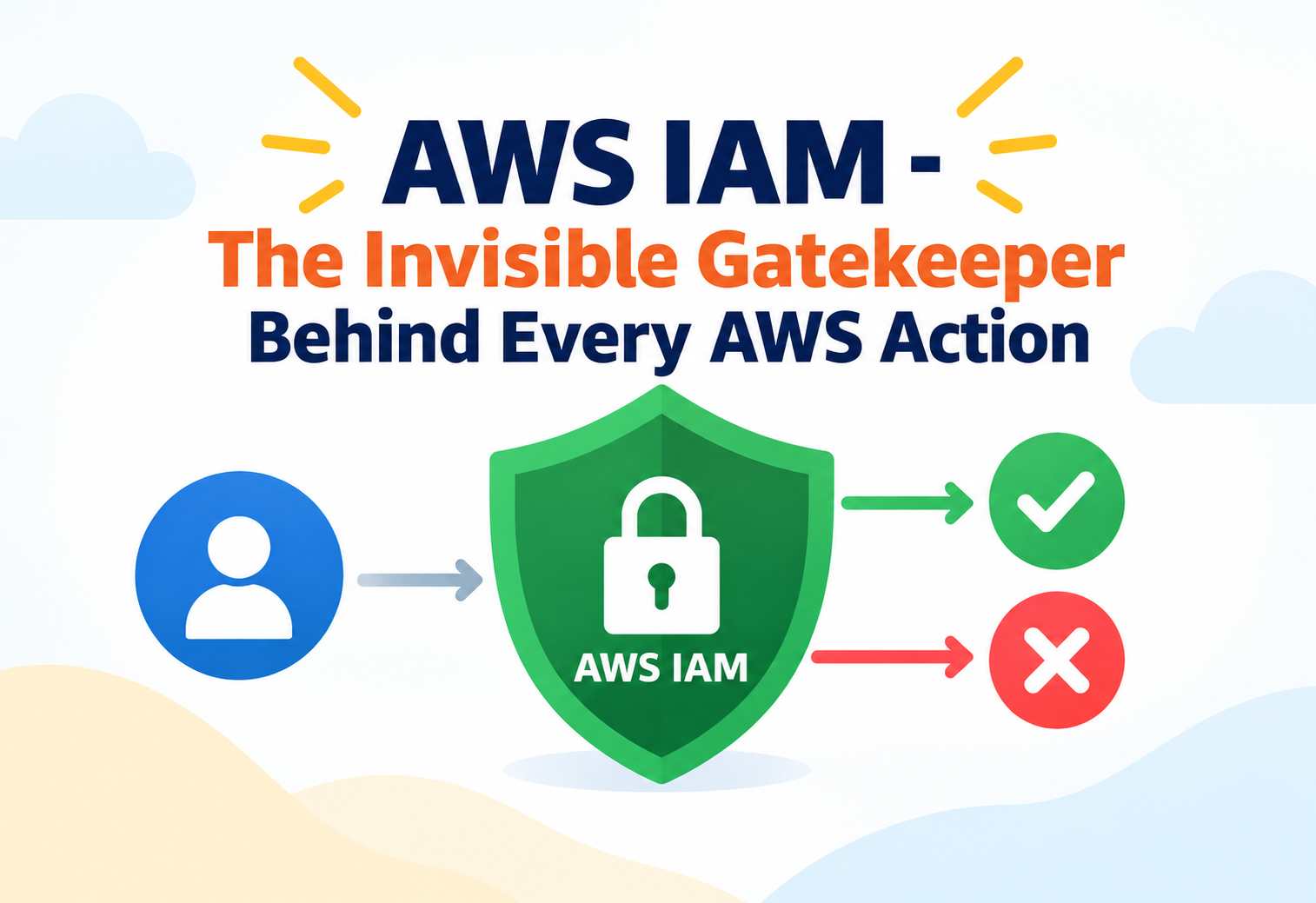
AWS IAM – The Invisible Gatekeeper Behind Every AWS Action
A deep, practical walkthrough of AWS Identity and Access Management — how it decides who can do what, how that decision actually gets made, and where teams quietly build security holes without realizing it.
Imagine a government building where nobody carries a single all-access badge. Instead, every employee, contractor, and visiting official carries a badge that only opens the specific doors their job requires, and every door checks that badge against a constantly updated rulebook before ever unlocking. Nothing happens inside that building — not a file retrieved, not a room entered, not a light switched on — without that badge check happening first. AWS Identity and Access Management, universally known as IAM, is that rulebook and badge system for everything that happens inside an AWS account. Every API call, whether triggered by a human clicking a console button or a service quietly calling another service in the background, passes through an IAM decision first. This tutorial walks through how that decision actually gets made, how IAM’s building blocks fit together, and the patterns that separate a tightly controlled AWS environment from one quietly accumulating risk.
1Core Concepts That Actually Matter
IAM’s vocabulary is small, but each term carries precise meaning that shapes how permissions actually behave.
AWS IAM is a global service that controls authentication — proving who or what is making a request — and authorization — deciding what that identity is allowed to do. Unlike most AWS services, IAM is not tied to a single Region; its data is replicated globally, so permissions defined once apply consistently no matter which Region a resource lives in.
A hotel keycard system does not ask “who are you” and “what can you access” as two separate, unrelated questions handled by different desks. The front desk issues a card tied to your identity, and every door reader checks that same card against a permission list before unlocking. IAM plays both the front desk and every door reader for an AWS account.
At the intermediate level, the identities and permission containers worth distinguishing clearly are these:
IAM User
Represents a specific person or application with long-term credentials, best reserved for cases where temporary credentials genuinely cannot be used.
IAM Role
Has no long-term credentials of its own. Instead, a trusted principal temporarily “assumes” the role and receives short-lived credentials scoped to that role’s permissions.
Policy
A structured document that explicitly states which actions are allowed or denied on which resources, optionally narrowed further by conditions.
Group
A collection of users that share the same set of attached policies, useful for managing permissions for many people at once rather than user by user.
The single most important habit to build is thinking of permissions as an intersection of everything attached to a request, not a single policy read in isolation — a principal’s final effective permissions are shaped by every identity-based policy, resource-based policy, permission boundary, and organizational guardrail that applies to that specific request.
2Architecture & Components
IAM’s architecture is built around a small number of entities whose relationships determine everything about how access flows.
flowchart TD
    U[IAM User] -->|Member Of| G[IAM Group]
    G -->|Attached Policy| P1[Identity-Based Policy]
    U -->|Attached Policy| P1
    R[IAM Role] -->|Attached Policy| P1
    T[Trusted Principal] -->|AssumeRole| R
    R -->|Access| S[AWS Resource]
    S -->|Resource Policy| P2[Resource-Based Policy]
Identity-Based Policies
Attached directly to a user, group, or role, these policies define what that identity is allowed to do across the account, and are the most common way permissions are granted.
Resource-Based Policies
Attached directly to a resource, such as an Amazon S3 bucket, these policies define which principals — potentially even from other AWS accounts — may access that specific resource, independent of any identity-based policy the principal has.
Trust Policies
A special category of resource-based policy attached to a role, defining exactly which principals are permitted to assume that role in the first place, separate from what the role can do once assumed.
AWS Security Token Service (STS)
The component responsible for issuing temporary security credentials whenever a role is assumed, federated identity is used, or a session token is requested.
A permission granted only through a resource-based policy can allow cross-account access without the accessing principal needing any identity-based policy in its own account at all — this is precisely how many secure cross-account architectures are built.
3Internal Working: How A Permission Decision Is Actually Made
Every single AWS API call triggers the same evaluation logic behind the scenes, whether or not the caller ever sees it happen.
When a request arrives, IAM gathers every policy that could possibly apply — identity-based policies attached to the caller, any resource-based policy on the target resource, any permission boundary set on the caller, any service control policy from AWS Organizations, and any session policy passed when credentials were issued — and evaluates them together using a consistent, well-defined logic.
Start With Implicit Deny
By default, every request is denied unless something explicitly allows it. There is no such thing as access by default in IAM.
Check For An Explicit Deny
If any applicable policy contains an explicit deny for the requested action, the request is rejected immediately, regardless of any allow statement anywhere else.
Check For An Explicit Allow
If no explicit deny was found, IAM checks whether any applicable policy explicitly allows the action.
Apply Boundaries And Guardrails
Even an explicit allow can be narrowed by a permission boundary or an organization-wide service control policy, both of which act as a ceiling on what an allow statement can actually grant.
Final Decision
Only if an explicit allow survives every applicable deny, boundary, and guardrail does the request finally proceed.
Attaching an “allow all actions” policy to a role does not override a service control policy at the AWS Organizations level, or a permission boundary set on that role. Guardrails set above the identity level always take precedence over what the identity’s own policy claims to allow.
4Data Flow & Lifecycle
Following a single AssumeRole request shows how temporary credentials are born, used, and expire.
sequenceDiagram
    participant App as Application
    participant STS as AWS STS
    participant Role as IAM Role
    participant Svc as AWS Service
    App->>STS: AssumeRole request
    STS->>Role: Check trust policy
    Role-->>STS: Trust confirmed
    STS-->>App: Temporary credentials (access key, secret, session token)
    App->>Svc: API call signed with temporary credentials
    Svc->>Svc: Evaluate attached policies
    Svc-->>App: Allow or Deny response
    Note over App,STS: Credentials expire automatically after session duration
This is precisely why temporary credentials, issued through STS, are considered a security best practice over long-term access keys: a leaked temporary credential naturally becomes useless after its session duration ends, often within an hour, while a leaked long-term access key remains valid indefinitely until someone notices and manually revokes it.
Federation extends this same lifecycle to identities that do not exist as IAM users at all — an employee signing in through a corporate identity provider, or a mobile app user signing in through a social identity provider, can be granted temporary AWS credentials through STS without AWS ever needing to know about that individual as a permanent IAM entity.
IAM policy changes are eventually consistent across the service’s globally distributed infrastructure, meaning a policy update might take a short amount of time to be visible everywhere — a detail worth remembering when a permission change does not appear to take effect instantly.
5Advantages, Disadvantages & Trade-offs
IAM’s flexibility is also its steepest learning curve — understanding both sides prevents both over-restriction and over-permission.
Advantages
- Extremely fine-grained control, down to individual actions, resources, and request conditions.
- Temporary credentials through roles eliminate a large category of long-term secret management.
- Global service, so permission definitions apply consistently across every AWS Region without separate configuration.
- Layered guardrails, such as permission boundaries and service control policies, let organizations enforce hard limits that individual teams cannot accidentally override.
- No cost to use IAM itself — you pay only for the resources permissions are applied to.
Disadvantages / Trade-offs
- The evaluation logic across multiple policy types can be genuinely difficult to reason about at first, especially when several layers interact.
- Overly broad wildcard policies are easy to write quickly and easy to forget to tighten later.
- Debugging a denied request sometimes requires checking several separate policy documents rather than one single source of truth.
- Poorly organized IAM structures, with permissions scattered across many individual users, become hard to audit as an organization grows.
6Performance & Scalability
IAM is not something you scale the way you scale a database — it is designed to already operate at a scale far beyond most individual accounts.
As a globally distributed control plane, IAM evaluates permission decisions for an enormous volume of API calls across every AWS customer, continuously, without customers needing to provision or manage any capacity for it themselves. The scalability question that actually matters to a growing organization is not “will IAM keep up” but “will our permission structure remain manageable” as the number of users, roles, and accounts increases.
IAM does enforce account-level quotas — such as the maximum number of users, groups, roles, or policies per account, and the maximum size of a single policy document — and these quotas matter more than raw request throughput when designing at scale. Organizations approaching these limits typically restructure around roles and groups rather than individual user-level policies, and increasingly rely on AWS Organizations to manage permissions across many accounts rather than cramming everything into one.
Favor a smaller number of well-designed roles reused across many workloads over a large number of narrowly duplicated policies — this keeps you further from account quotas and dramatically easier to audit.
7High Availability & Reliability
Because virtually every AWS action depends on an IAM decision, IAM’s own availability is treated as foundational infrastructure.
IAM is engineered as a highly available, globally resilient service, replicated across AWS’s infrastructure so that permission evaluation does not depend on the health of any single data center or Region. This matters enormously, because if IAM itself were unreliable, every other AWS service built on top of it would inherit that unreliability.
Why This Matters For Architecture
Because IAM already provides this resilience, application architects do not need to build redundancy specifically for permission checking — the reliability question shifts entirely to whether the application’s own permission structure (roles, policies, trust relationships) is correctly and consistently configured.
Disaster Recovery Considerations
While IAM itself does not need a disaster recovery plan, the roles and policies that reference specific resources do need to be reviewed as part of any multi-Region disaster recovery design, since a role’s permissions may need to reference resources in a secondary Region as well as the primary one.
8Security
IAM is, in a very real sense, a security service before it is anything else — but a handful of features do most of the practical heavy lifting.
Multi-Factor Authentication
Requiring a second verification factor for sign-in dramatically reduces the impact of a leaked password, and is considered essential for any account with meaningful privileges, especially the account’s root user.
Permission Boundaries
Set a maximum possible permission ceiling for a user or role, regardless of what its attached identity-based policies claim to allow — useful for letting teams manage their own roles without risking privilege escalation.
Service Control Policies
Applied at the AWS Organizations level, these act as guardrails across every account in an organizational unit, and cannot be overridden by any individual account’s own IAM policies.
IAM Access Analyzer
Continuously scans policies to identify resources shared with external entities and can generate least-privilege policy suggestions based on actual observed activity.
Using the account’s root user for day-to-day work is one of the most consequential IAM mistakes an organization can make, since the root user’s permissions cannot be restricted by any policy and often cannot be recovered easily if compromised. The root user should be secured with strong multi-factor authentication and used only for the handful of tasks that genuinely require it.
9Monitoring, Logging & Metrics
Because permissions are invisible until something goes wrong, visibility into how they are actually used is what turns IAM from a black box into a manageable system.
| Tool | What It Reveals |
|---|---|
| AWS CloudTrail | A full history of who called which API action, when, from where, and whether it was allowed or denied — the primary audit trail for IAM-governed activity. |
| IAM Access Advisor | Shows which services a given user or role has actually used recently, making it easy to spot permissions that are granted but never exercised. |
| Credential Report | An account-wide snapshot of every user’s credential status, including password age, access key age, and multi-factor authentication status. |
| IAM Access Analyzer Findings | Flags resources unintentionally accessible from outside the account or organization, surfacing exposure before it becomes an incident. |
Reviewing Access Advisor data on a regular cadence and removing permissions that show no recent usage is one of the simplest, highest-leverage habits for keeping an IAM footprint close to least privilege over time.
10Deployment & Cloud Integration
IAM rarely lives in isolation — it is the connective layer between accounts, identity providers, and nearly every other AWS service.
AWS Organizations
Groups multiple AWS accounts together and applies service control policies across them, letting a central security team enforce guardrails that individual account administrators cannot override.
AWS IAM Identity Center
Provides centralized, federated sign-in for an organization’s workforce across many AWS accounts, issuing temporary role-based credentials rather than per-account IAM users.
Cross-Account Roles
A role in one account can trust a principal in a completely different account, enabling controlled access between accounts without sharing long-term credentials.
CloudFormation / Terraform
IAM roles and policies are commonly declared and versioned as code, letting permission changes go through the same review process as any other infrastructure change.
11Design Patterns & Anti-patterns
Well-run AWS environments tend to converge on the same handful of patterns, while poorly run ones tend to fail in the same handful of ways.
Pattern: Role-Per-Workload
Each distinct application or service is given its own dedicated role with only the permissions that specific workload needs, rather than sharing one broad role across many unrelated systems.
Pattern: Break-Glass Access
A small number of tightly controlled, heavily audited emergency roles exist for rare situations requiring elevated access, kept separate from everyday operational roles so that normal work never requires elevated privileges.
Problem
Attaching a policy that allows every action on every resource, using broad wildcards, as a quick way to unblock development.
Why It’s Harmful
A wildcard policy removes the entire purpose of access control and turns any compromise of that identity into full account compromise. Wildcards written temporarily during development have a strong tendency to survive unnoticed into production.
Correct Approach
Start from the specific actions and resources a workload genuinely needs, use Access Advisor data to refine permissions over time, and treat any wildcard as something requiring explicit justification and review.
Problem
Embedding long-term IAM access keys directly inside application code or configuration files, particularly for workloads running on AWS compute.
Why It’s Harmful
Long-term keys committed to source control or baked into deployment artifacts are one of the most common causes of real-world credential leaks, and they do not expire on their own the way temporary credentials do.
Correct Approach
Use IAM roles attached to the compute resource itself, so the workload receives short-lived, automatically rotated temporary credentials without any secret ever being stored in code.
12Best Practices & Common Mistakes
The gap between a secure AWS account and a fragile one is usually a handful of consistently applied habits.
Grant Least Privilege By Default
Start every new role or policy from the narrowest permission set that accomplishes the task, and expand deliberately rather than starting broad and narrowing later.
Prefer Roles Over Long-Term Users
Reserve IAM users for the rare cases where temporary credentials genuinely cannot be used, and default to roles everywhere else.
Require MFA Everywhere Meaningful
Especially for the root user and for any identity with elevated permissions, multi-factor authentication should be non-negotiable.
Rotate And Retire Regularly
Periodically review the credential report and remove unused users, stale access keys, and permissions no Access Advisor data supports.
Treating IAM policy design as a one-time setup task rather than an ongoing discipline is a subtle but pervasive mistake — permissions naturally accumulate and drift from least privilege as teams and workloads change unless someone revisits them deliberately.
13Real-World & Industry Examples
The identity-and-access-management pattern IAM implements is not unique to AWS — it reflects decades of enterprise security practice adapted for the cloud.
Enterprise Single Sign-On
Large enterprises commonly federate their existing corporate identity provider into AWS through IAM Identity Center, so employees sign in once with their normal corporate credentials and receive temporary, role-scoped AWS access rather than separate AWS-specific passwords.
Multi-Account Landing Zones
Organizations running many independent teams frequently isolate each team or environment into its own AWS account, using AWS Organizations and service control policies to enforce consistent guardrails across all of them centrally.
Serverless Workload Identity
Modern serverless applications built on services like Lambda rely almost entirely on execution roles rather than embedded credentials, letting each function carry only the specific permissions its code actually needs.
Third-Party Vendor Access
Companies granting a software vendor limited access to their AWS environment typically use a cross-account role with a tightly scoped trust policy, rather than issuing that vendor a long-term IAM user with a shared password.
14Frequently Asked Questions
A user has its own long-term credentials tied to a specific identity, while a role has no credentials of its own and is instead temporarily assumed by a trusted principal, which then receives short-lived credentials.
An explicit deny always wins over an explicit allow, regardless of which policy it appears in or how many other policies grant the same action.
A permission boundary sets the maximum possible permissions an identity can have, acting as a ceiling. It never grants permissions by itself — it only limits what other attached policies are allowed to grant.
Temporary credentials automatically expire after a short session duration, which limits how long a leaked credential remains useful. Long-term access keys stay valid indefinitely until someone manually notices and revokes them.
IAM is eventually consistent across its globally distributed infrastructure, so a policy change may take a short amount of time to propagate everywhere before it is fully reflected in every permission check.
15Summary and Key Takeaways
AWS IAM is the quiet, always-on decision engine behind every single action taken inside an AWS account, evaluating a layered stack of identity-based policies, resource-based policies, boundaries, and organization-wide guardrails for every request. Its power comes from genuinely fine-grained, composable control; its risk comes from exactly the same flexibility, since permissions that are easy to over-grant are just as easy to forget about. Teams that lean on temporary credentials, design around roles rather than long-term users, and treat least privilege as an ongoing habit rather than a one-time setup step tend to end up with an AWS environment that is both secure and genuinely easy to reason about.
Key Takeaways
- Everything is denied by default — access exists only where an explicit allow survives every applicable deny, boundary, and guardrail.
- Explicit deny always wins — no allow statement anywhere can override an explicit deny.
- Prefer roles and temporary credentials — short-lived credentials dramatically reduce the impact of a leak compared to long-term access keys.
- Guardrails outrank identity policies — permission boundaries and service control policies cap what any attached policy can actually grant.
- The root user is not for daily use — secure it with strong MFA and reserve it for the few tasks that truly require it.
- Visibility tools close the loop — CloudTrail, Access Advisor, and Access Analyzer turn invisible permission usage into an auditable, improvable system.
- Least privilege is a habit, not a milestone — permissions drift over time unless someone actively reviews and tightens them.