Amazon API Gateway, Beyond the Basics
A practical, intermediate-depth walkthrough of how Amazon API Gateway actually routes, transforms, throttles, caches, and secures traffic in front of your backend — and where teams get it wrong in production.
You already know the elevator pitch: API Gateway sits in front of your backend and gives you a managed entry point for HTTP traffic. That part is basic-tier knowledge. What actually decides whether a production API Gateway deployment survives a traffic spike, a security audit, or a 3 a.m. on-call page is a much narrower set of decisions — which endpoint type you picked, how mapping templates transform a request before it ever reaches your code, whether your throttling limits protect your backend or quietly throttle real customers, and how caching interacts with stale data. This article stays entirely in that intermediate zone: no “what is an API” primer, no HTTP-verbs-101. Every section assumes you already know the vocabulary and instead explains the mechanics, trade-offs, and failure modes that show up once API Gateway is carrying real traffic.
ACore Concepts You Actually Need at This Level
Skipping the fundamentals means we go straight to the mechanisms that separate a working API Gateway setup from a fragile one.
Resources, Methods, and Integrations Are Three Separate Layers
API Gateway models an API as a tree of resources (URL paths like /orders/{id}), each of which has one or more methods (GET, POST, DELETE). Each method is wired to exactly one integration — the thing that actually does the work: a Lambda function, an HTTP endpoint, another AWS service, or a mock response. The critical intermediate insight is that these three layers are configured, versioned, and can fail independently. A method can exist with no integration attached (it will return a 500). An integration can be swapped without touching the resource path. This separation is what lets API Gateway do request/response transformation as a distinct step, rather than just proxying bytes.
Mapping Templates and VTL
When you don’t use “Lambda proxy integration,” API Gateway lets you write a mapping template in Apache Velocity Template Language (VTL) that reshapes the incoming JSON or query-string payload into whatever shape your backend expects, and reshapes the response back again. This is one of the most misunderstood intermediate features: it means API Gateway can act as a translation layer, not just a router. The trade-off is that VTL is a niche templating language, debugging it is painful (errors surface as opaque 500s), and most teams eventually migrate to Lambda proxy integration specifically to avoid maintaining VTL.
Proxy Integration vs. Custom Integration
With Lambda proxy integration, API Gateway forwards the entire request (headers, query string, body, path parameters) as a single event object to your function, and expects a specific response shape back. With a custom (non-proxy) integration, you control transformation at both the request and response stage via mapping templates. Proxy integration is simpler and is what most modern serverless APIs use; custom integration is what you reach for when the backend is a legacy system that expects a very specific payload shape you don’t control.
Stages, Deployments, and Stage Variables
A deployment is a frozen snapshot of your API’s configuration. A stage (like dev, staging, prod) is a named, addressable pointer to one deployment, plus its own settings: throttling limits, caching, logging, and stage variables (key-value pairs you can reference inside mapping templates or Lambda ARNs). Stage variables are how a single API definition can route to different Lambda function versions or different backend hostnames per environment without duplicating the whole API.
Think of Resources/Methods/Integrations as a restaurant’s menu, order slip, and kitchen station. The menu (resource) lists what’s available. The order slip (method) says what was ordered. The kitchen station (integration) is where the food actually gets made. A mapping template is the waiter translating “the usual” into a precise ticket the chef understands — and stage variables are simply different kitchens (dev vs. prod) the same order slip can be routed to.
Most greenfield serverless teams default to Lambda proxy integration and never touch VTL. You should still understand mapping templates, because you will encounter them the moment you integrate with an existing SOAP/XML backend, an AWS service action (like SQS SendMessage), or a mock integration used for CORS preflight handling.
Models and Request Validation
A Model is a JSON Schema document attached to a method that describes exactly what a valid request body should look like — required fields, types, string patterns, enumerations. When request validation is turned on for a method, API Gateway checks incoming payloads against the Model before the request ever reaches your integration, rejecting malformed input with a 400 automatically. The intermediate-level nuance here is that this validation is intentionally shallow: it checks shape and type, not business rules, so “is this email address already registered” still belongs in your application code, while “is this field present and is it a string” belongs in the Model.
Usage Plans and API Keys, Precisely
A usage plan associates one or more API keys with a rate limit, burst limit, and a quota (requests per day/week/month), and can be scoped to specific stages of specific APIs. The key detail teams miss is that a usage plan’s throttle settings and a stage’s own throttle settings are evaluated independently — a request must pass both. If a partner’s usage plan allows 50 requests per second but the underlying stage is throttled to 20, that partner will still be capped at 20, because the stricter of the two always wins.
Binary Media Types and Payload Handling
By default, API Gateway treats request and response bodies as text (UTF-8) and will corrupt genuinely binary content (images, PDFs, protobuf) unless you explicitly configure binary media types on the API and set the appropriate Accept/Content-Type handling. This is a frequent source of “my file upload is corrupted” tickets for teams that assume binary support is automatic.
CORS at the Gateway Layer
Cross-origin requests from browser-based clients require the OPTIONS preflight method to return the right Access-Control-Allow-* headers before the browser will send the real request. API Gateway typically handles this via a mock integration on OPTIONS that returns static headers without invoking any backend at all — which means CORS configuration lives at the gateway, not inside your Lambda function, and forgetting to configure it on every resource (not just the top-level one) is one of the most common early integration bugs teams hit.
BArchitecture & Components
API Gateway is not one monolithic service — it’s a composition of an edge layer, a control plane, and a request-processing data plane, and the endpoint type you choose changes which of these sits in front of your traffic.
The Three Endpoint Types
Edge-optimized APIs are automatically fronted by a managed CloudFront distribution, routing global client requests to the nearest edge location before hitting API Gateway in your chosen region — good for public APIs with geographically distributed consumers. Regional APIs skip that extra CloudFront hop, which is preferable when clients are concentrated in one region or when you want to put your own CloudFront distribution (with custom caching and WAF rules) in front instead. Private APIs are only reachable from within a VPC via an interface VPC endpoint (powered by AWS PrivateLink) — no path to the public internet at all, which is the default choice for internal, service-to-service APIs.
graph TB
    C[Client]
    C -->|Edge-optimized| CF[CloudFront Edge Location]
    C -->|Regional| RG[API Gateway - Regional]
    CF --> RG
    C -.->|Private, via VPC Endpoint| PE[Interface VPC Endpoint]
    PE --> PG[API Gateway - Private]
    RG --> AUTH[Authorizer]
    PG --> AUTH
    AUTH --> STAGE[Stage: throttling, caching, logging]
    STAGE --> INT{Integration Type}
    INT --> LAM[Lambda Function]
    INT --> HTTP[HTTP Backend / ALB]
    INT --> AWS[AWS Service Action]
    INT --> MOCK[Mock Response]
    INT --> VPL[VPC Link] --> NLB[Network Load Balancer] --> PRIV[Private Backend]
Fig. B1 — API Gateway endpoint types and the request path from client to integration
The Core Component Inventory
Resources & Methods
The URL and HTTP-verb tree that defines the API’s public surface.
Authorizers
IAM, Lambda (custom), or Cognito user-pool based request authentication run before the integration.
Usage Plans & API Keys
Per-client throttle and quota rules layered on top of stage-level throttling.
VPC Link
A private, managed connection from a regional API to resources inside a VPC — typically a Network Load Balancer in front of ECS, EKS, or EC2.
Models
JSON Schema definitions used for request validation and for generating SDKs/documentation.
Stage Cache
An optional, per-stage response cache (0.5 GB to 237 GB) keyed by request parameters you choose.
VPC Link: the Private-Backend Bridge
A common intermediate-level gap is not knowing how API Gateway reaches resources that live inside a VPC with no public IP. That’s what VPC Link is for: it creates a managed, elastic-network-interface-based tunnel from a regional API Gateway to a Network Load Balancer sitting in front of your private backend (containers, EC2, or an internal ALB fronted by an NLB). Without a VPC Link, a regional API Gateway has no route into a fully private subnet.
Production Example — Capital One
Capital One has publicly documented using Amazon API Gateway as the front door for internal and partner-facing microservices, pairing it with Lambda authorizers for token validation and usage plans to segment traffic by partner tier — a pattern that avoids building and maintaining a custom API gateway layer for every new service team.
REST API vs. HTTP API: An Architectural Choice, Not a Naming Detail
AWS offers two distinct API Gateway product lines that are easy to conflate at the intermediate level. The original REST API type supports the full feature set described in this article: mapping templates, request validation Models, usage plans, caching, and private/edge/regional endpoints. The newer HTTP API type is deliberately leaner — lower latency, lower cost per million requests, but no stage-level caching, no usage plans, and a simpler JWT-based authorizer model instead of full Lambda-authorizer flexibility. Choosing between them is an architectural trade-off: pick HTTP APIs when you want the cheapest, fastest path for a straightforward Lambda- or HTTP-backed service; pick REST APIs when you need caching, fine-grained request transformation, or partner-facing usage plans.
WebSocket APIs: A Separate Connection Model
API Gateway also supports WebSocket APIs, which route based on the content of each message (via a configurable route-selection expression) rather than on URL path and HTTP verb. Instead of resources and methods, a WebSocket API defines routes like $connect, $disconnect, and custom message routes, each wired to its own integration — commonly Lambda functions that use the separate Management API to push messages back to connected clients. This is the mechanism behind real-time features like live dashboards, chat, and collaborative editing built on top of otherwise-serverless AWS backends.
CInternal Working
Understanding what happens between “request received” and “integration invoked” explains almost every debugging mystery you’ll hit with API Gateway.
Control Plane vs. Data Plane
API Gateway, like most AWS managed services, separates a control plane (the APIs and console you use to configure resources, methods, deployments, and stages) from a data plane (the fleet that actually receives and processes live client requests). Configuration changes you make don’t affect live traffic until you create a new deployment and point a stage at it — this is deliberate: it prevents half-finished edits from leaking into production, but it also means “I changed a setting and nothing happened” is almost always a missing-deployment problem.
The Per-Request Processing Pipeline
For a non-proxy REST API, a single request passes through, in order: (1) the method request stage, where API Gateway validates query strings, headers, and the body against any configured Model; (2) the authorizer, if one is attached; (3) the integration request stage, where a mapping template (if present) reshapes the payload for the backend; (4) the actual integration call; (5) the integration response stage, where the backend’s response is mapped back into the shape the client expects, including selecting an HTTP status code based on a regex match against the backend’s error message; and (6) the method response stage, which finalizes headers and the response model. Lambda proxy integration collapses steps 3 and 5 — no template runs, and you receive/return a fixed JSON shape.
Throttling Is a Token Bucket, Not a Fixed Ceiling
API Gateway enforces rate limits using a token bucket algorithm with two numbers: a steady-state rate (tokens replenished per second) and a burst capacity (the bucket size, allowing short spikes above the steady rate). This exists at the account level (a regional default), the stage level, per-method, and per-API-key via usage plans — and the most restrictive limit that applies to a given request wins. A request that exceeds the available tokens is rejected with a 429 Too Many Requests before it ever reaches your integration, which is the entire point: throttling protects the backend, not just the gateway.
| Processing Stage | Runs Before Integration? | Can Reject the Request? |
|---|---|---|
| Request validation (Models) | Yes | Yes (400) |
| Authorizer | Yes | Yes (401/403) |
| Throttling | Yes | Yes (429) |
| Cache lookup | Yes | No — returns cached response instead |
| Mapping template (request) | Yes | Yes, on VTL error (500) |
Throttling and cache lookups happen before your Lambda or backend is ever invoked. If you’re debugging “why isn’t my code running,” check CloudWatch’s 4XXError metric and execution logs first — a 429 or a cache hit will never show up in your application logs.
How the Authorizer Cache Interacts with the Request Pipeline
A Lambda authorizer’s decision (the generated IAM policy) can be cached by API Gateway for up to one hour, keyed by whatever identity source you configure — typically the Authorization header’s token value. This means the authorizer Lambda is not necessarily invoked on every single request; a cache hit skips straight to the throttling and integration stages using the previously computed policy. The operational implication is significant: if you revoke a user’s access, that revocation will not take effect for existing cached tokens until the cache TTL expires, unless you explicitly disable authorizer caching or shorten the TTL for sensitive APIs.
Error Mapping from Integration to Client
For non-proxy integrations, the integration response stage matches the backend’s raw error output against regular expressions you define, mapping each match to a specific HTTP status code and a reshaped error body. This is what allows a generic Lambda exception message to become a clean, consistent {"error": "NotFound"} with a 404 status at the client boundary, decoupling your API’s public error contract from whatever your backend happens to throw internally.
DData Flow & Lifecycle
Tracing a single request end to end, and then zooming out to how an API itself evolves from first deploy to canary rollout.
sequenceDiagram
    participant Client
    participant Edge as CloudFront/Regional Endpoint
    participant AG as API Gateway Stage
    participant Auth as Authorizer
    participant Cache as Stage Cache
    participant Int as Integration (Lambda/HTTP/VPC Link)
    Client->>Edge: HTTPS request
    Edge->>AG: Forward request
    AG->>Auth: Validate identity/token
    Auth-->>AG: Allow / Deny + IAM policy
    AG->>Cache: Check cache key
    alt Cache hit
        Cache-->>AG: Cached response
    else Cache miss
        AG->>Int: Mapped integration request
        Int-->>AG: Integration response
        AG->>Cache: Store response (if cacheable)
    end
    AG-->>Client: Mapped method response
Fig. D1 — Full request lifecycle including authorizer and cache short-circuit
Request-Level Flow, in Plain Terms
Every request either gets served from cache (fast, backend never touched) or falls through to the integration. Notice that authorization always runs before the cache check — you cannot cache your way around auth, which is intentional, since a cached response served to an unauthenticated caller would be a serious leak.
API-Level Lifecycle: Deploy, Stage, Promote
Author
Resources, methods, and integrations are configured (console, OpenAPI import, or infrastructure-as-code).
Deploy
A deployment snapshot is created — this is immutable once made.
Attach to Stage
A stage (dev/staging/prod) is pointed at the deployment; stage-specific throttling, caching, and variables apply.
Canary Release (optional)
A percentage of stage traffic is routed to a newer deployment before a full promotion, with its own metrics and logs.
Promote
The canary is promoted to the full stage, or rolled back by simply repointing the stage at the prior deployment.
A deployment is like a sealed shipping container: once packed, its contents don’t change. A stage is the loading dock that decides which sealed container is currently “live.” Canary release is briefly unloading a smaller side container next to the main one, watching whether anything breaks, before fully swapping docks.
Query String, Path Parameters, and Header Propagation
At each stage of the pipeline, API Gateway must decide which parts of the incoming request are allowed to pass through. For proxy integrations this is simple — everything passes through as-is inside the event payload. For non-proxy integrations, every query string parameter, path parameter, and header you want the backend to see must be explicitly declared in the method request and then explicitly mapped in the integration request; anything undeclared is silently dropped. This explicit allow-listing is a deliberate security posture — an accidentally forwarded internal header is a common way sensitive information leaks between systems — but it is also the single most common cause of “the field is missing on the backend side even though the client is definitely sending it.”
The Deployment History and Rollback
Every deployment API Gateway creates is retained (subject to account limits) and remains addressable, which means rollback is simply repointing a stage at a previous deployment ID rather than re-running a build pipeline. This is meaningfully faster than a typical container-based rollback, since there’s no image to pull or container to restart — the change is a metadata update that takes effect on the next request.
EAdvantages, Disadvantages & Trade-offs
Advantages
- No servers to patch or scale — the data plane scales automatically with traffic.
- Built-in throttling, caching, and request validation without extra infrastructure.
- Native integration with Lambda, IAM, Cognito, and VPC Link removes a lot of plumbing.
- Stage-based deployment model makes environment promotion and rollback straightforward.
- Usage plans give you per-customer metering for free — useful for monetized or partner APIs.
Disadvantages
- 29-second maximum integration timeout — hard-blocks any genuinely long-running synchronous operation.
- 10 MB payload size limit on both request and response.
- VTL mapping templates are a niche skill with poor local tooling and debugging.
- Per-request pricing can get expensive at very high, sustained volumes compared to a self-managed ALB + compute setup.
- Regional service limits (default account-level throttle) require proactive quota increases for high-traffic launches.
FPerformance & Scalability
Scaling Is Automatic — Your Backend’s Scaling Is Not
API Gateway itself scales horizontally without any capacity planning from you. The scalability question that actually matters is whether your integration can keep up: a Lambda function scales concurrently (subject to account concurrency limits), while an HTTP or VPC Link integration is only as scalable as the fleet behind it. A gateway that can absorb ten times the traffic in front of a database that can’t is not a scalability win — it’s a faster way to overwhelm the database.
Caching as a Load-Shedding Tool
Stage-level caching lets you specify a TTL (up to one hour) and which request parameters form the cache key. Used well, this can cut integration invocations dramatically for read-heavy, slowly-changing endpoints (catalog data, configuration, public reference data). Used carelessly — caching a personalized or authenticated response with too broad a cache key — it silently serves one user’s data to another. Cache invalidation is manual (via console/API) or TTL-based; there’s no automatic invalidation on backend writes.
Set the cache key to include every parameter that changes the response — including the Authorization header’s identity claim if the response is per-user — or don’t cache that endpoint at all.
Burst Handling and Cold Starts
Because throttling is token-bucket based, a short traffic burst above the steady rate is usually absorbed rather than immediately rejected — but sustained traffic above the rate limit will start returning 429s regardless of burst capacity. Separately, if your integration is Lambda, a sudden spike can trigger Lambda cold starts across many concurrent invocations at once, which shows up as elevated IntegrationLatency in CloudWatch even though API Gateway itself added negligible overhead.
Regional Service Quotas Are a Launch-Planning Input
The default account-level throttle (a regional steady-state rate and burst that applies across every API in the account unless overridden) is a soft limit, and AWS explicitly expects high-traffic launches to request an increase in advance through Service Quotas. Teams that skip this step and only discover the default ceiling during a marketing-driven traffic spike are, in effect, load-testing AWS’s default limits in production — the fix is proactive: model expected peak concurrency during capacity planning and request the increase weeks ahead of any known launch date.
Payload Compression
API Gateway can automatically gzip-compress responses above a configurable minimum size threshold, which meaningfully reduces transfer time for larger JSON payloads over slower client connections without any change to your integration code. This is a low-effort performance lever that’s frequently left at its default (disabled) simply because it isn’t part of the basic setup flow.
GHigh Availability & Reliability
API Gateway is a regional, multi-AZ service by default — the reliability questions that matter at this level are about your integrations and your retry behavior, not about API Gateway going down.
Multi-AZ by Default, Region-Bound by Design
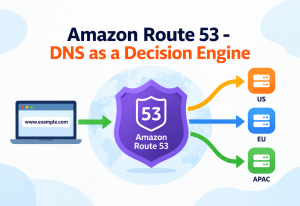
Within a region, API Gateway’s data plane is deployed across multiple Availability Zones automatically — there’s no “enable HA” checkbox because it’s already the default posture. What is not automatic is multi-region failover: if you need resilience against an entire AWS region being degraded, you must deploy the API in a second region and handle failover yourself, typically with Route 53 health checks and failover routing policies pointing at two regional (not edge-optimized) API Gateway endpoints.
Retries, Idempotency, and Timeouts Compound
A client retrying a timed-out request against a non-idempotent POST endpoint (say, “charge card”) can cause duplicate side effects — this is not an API Gateway bug, it’s a design responsibility that sits on top of it. The practical mitigation is idempotency keys handled in your integration logic, since API Gateway itself has no concept of request deduplication.
Anti-pattern
Relying on API Gateway’s default retry behavior toward Lambda (API Gateway does not automatically retry failed Lambda invocations on your behalf for synchronous integrations) as a substitute for building idempotent write operations.
Why It Fails
A client-side or CloudFront-layer retry after a 5xx or timeout can double-invoke a non-idempotent backend action, and API Gateway has no built-in deduplication to catch it.
Better Approach
Accept an idempotency key from the client (or derive one), store recent keys with a short TTL in DynamoDB, and short-circuit duplicate requests inside the integration itself.
Graceful Degradation When a Downstream Dependency Fails
Because API Gateway itself has no built-in circuit breaker, a backend that starts failing slowly (rather than cleanly erroring) can cause requests to pile up until they hit the 29-second timeout one by one — a slow, painful failure mode rather than a fast, obvious one. The standard mitigation is implementing circuit-breaker logic inside the Lambda or service behind the integration (failing fast once a dependency’s error rate crosses a threshold) rather than expecting the gateway layer to detect and handle this automatically.
Health Checks Don’t Exist at the API Gateway Layer
Unlike an Application Load Balancer, API Gateway has no concept of target health checks for HTTP or VPC Link integrations — it will keep sending traffic to an unhealthy backend and simply surface whatever errors come back. Reliability engineering therefore has to happen one layer down: the Network Load Balancer behind a VPC Link does perform health checks against its registered targets, so unhealthy backend instances are removed from rotation there, not at the API Gateway layer itself.
HSecurity
The Four Authorization Mechanisms
IAM Authorization
Caller must sign requests with SigV4; best for service-to-service calls within your own AWS account or trusted accounts.
Lambda Authorizers
A Lambda function inspects the token/headers and returns an IAM policy plus context; results are cacheable per-token to avoid re-invoking on every request.
Cognito Authorizers
API Gateway validates a Cognito user-pool JWT directly — no custom Lambda needed for standard user-auth flows.
API Keys
Identify and meter a client via usage plans; they are not a security boundary on their own and must be paired with a real authorizer.
Resource Policies and Network-Level Controls
A resource policy is a JSON IAM-style policy attached directly to the API that can allow or deny based on source IP, VPC, or AWS account — enforced before the authorizer runs. This is how you restrict a private API to a specific VPC endpoint, or block an entire IP range at the gateway rather than inside application logic. For public regional or edge-optimized APIs, pairing API Gateway with AWS WAF adds rate-based rules, SQL-injection/XSS managed rule groups, and geo-blocking in front of the gateway.
Mutual TLS (mTLS)
For B2B or partner APIs that require client-certificate authentication rather than bearer tokens, API Gateway supports mTLS on custom domain names, validating the client certificate against a trust store you maintain in S3. This is common in financial and healthcare integrations where a token alone isn’t considered sufficient assurance.
Lambda Authorizer Types: Token vs. Request
A token-based Lambda authorizer receives just a bearer token and the method ARN — simple, cacheable, and appropriate when identity is fully encoded in a single header. A request-based Lambda authorizer receives the full request (headers, query string, path, stage variables), which is necessary when authorization depends on more than a single token — for example, validating an HMAC signature computed over the request body, or checking a combination of an API key and a custom header together. Choosing request-based when token-based would suffice adds unnecessary complexity and reduces cache effectiveness, since the cache key must then account for every input the policy decision depends on.
Least-Privilege IAM for Integration Execution Roles
Every integration that calls another AWS service — a Lambda function, an AWS service action integration hitting DynamoDB or SQS directly — runs under an IAM execution role, and that role’s permissions are a security surface entirely separate from the API’s own authorizer. A common audit finding is an execution role scoped far more broadly than the single table or queue the integration actually touches; least-privilege here means scoping the role down to specific resource ARNs and specific actions, not just attaching a managed policy for convenience.
| Threat | Primary Mitigation |
|---|---|
| Credential-less abuse / scraping | Usage plans + API keys (metering, not real auth) |
| Volumetric / DDoS-style floods | Account & stage throttling, AWS WAF rate-based rules |
| Unauthorized data access | Lambda or Cognito authorizer, fine-grained IAM policy |
| Network-layer exposure | Private API + resource policy + VPC endpoint |
| Client identity spoofing (B2B) | Mutual TLS with a maintained trust store |
IMonitoring, Logging & Metrics
The CloudWatch Metrics That Matter
- Count — total requests reaching the stage.
- 4XXError / 5XXError — client-caused vs. server/integration-caused failure rates; a rising 4XXError count is often a throttling or auth misconfiguration, not a client bug.
- Latency — total time including API Gateway overhead, authorizer, and integration.
- IntegrationLatency — time spent purely in the backend; comparing this against total Latency isolates whether slowness is API Gateway or your code.
- CacheHitCount / CacheMissCount — validates whether your caching strategy is actually working as intended.
Execution Logs vs. Access Logs
Execution logs capture the internal processing steps — authorizer decisions, mapping template execution, integration request/response — invaluable for debugging but verbose and costly at high volume, so they’re typically enabled temporarily. Access logs are a structured, customizable log line per request (you choose the fields via a JSON format string) and are cheap enough to run continuously in production for traffic analysis and audit trails.
Distributed Tracing with X-Ray
Enabling AWS X-Ray tracing on a stage stitches together the API Gateway hop, the authorizer invocation, and the downstream Lambda or HTTP call into one trace, which is the fastest way to answer “where did these extra 400ms actually come from” without manually correlating timestamps across three separate log groups.
Production Example — Expedia Group
Expedia has publicly discussed using API Gateway with detailed CloudWatch metrics and access logging to monitor partner-facing travel APIs, using the 4XX/5XX split specifically to distinguish partner integration errors from genuine backend incidents during on-call triage.
JDeployment & Cloud Integration
Infrastructure as Code, Not Console Clicking
Past the prototype stage, teams define API Gateway via OpenAPI/Swagger import, AWS SAM, AWS CDK, or Terraform rather than the console — this makes deployments reviewable, reproducible, and rollback-able the same way application code is. OpenAPI import specifically lets you define the entire resource/method/model tree in one file and re-import it as a new deployment on every release.
Canary Deployments for Safer Releases
API Gateway’s native canary support lets you send a configurable percentage of a stage’s traffic to a newly created deployment while the rest continues on the current one — each with separately reported metrics — so a bad release shows up in CloudWatch as elevated errors on the canary slice specifically, before it’s promoted to 100%. This is functionally a blue/green pattern implemented at the stage level rather than requiring a separate load balancer swap.
Custom Domains and Multi-Region Setup
A custom domain name resource decouples your API’s public hostname from the auto-generated execute-api URL, and can map different base path mappings to different APIs or stages under the same domain (e.g., api.example.com/v1 and api.example.com/v2 pointing at entirely separate deployed APIs). For multi-region resilience, the same custom domain can be configured with regional endpoints in two regions behind Route 53 failover routing.
CI/CD Pipeline Shape
A typical mature pipeline validates the OpenAPI definition or IaC template on every pull request, deploys to a dev stage automatically on merge, runs integration tests against that stage, promotes the same artifact (not a rebuilt one) to staging, and finally to prod via a canary. The principle worth internalizing is that the same deployment artifact should move through environments unchanged — rebuilding the API definition separately for each environment reintroduces exactly the configuration drift that infrastructure-as-code was meant to eliminate.
Cross-Account and Cross-Region API Sharing
Larger organizations often need one team’s API Gateway to invoke Lambda functions or reach VPC Links owned by a different AWS account. This is handled through resource-based policies on the target (a Lambda function’s resource policy granting the API Gateway’s source ARN invoke permission) rather than through the API Gateway configuration itself — a detail that surfaces as confusing “access denied” errors when teams look for a setting inside API Gateway that doesn’t exist there.
Cost Shape Worth Planning For
API Gateway pricing is charged per million requests plus a separate charge for data transfer out, and REST APIs add a per-GB-hour charge for any provisioned cache. At low-to-moderate traffic this is often cheaper than running and patching a self-managed load balancer plus API layer, but at sustained, very high request volumes the per-request cost can exceed the cost of a fixed-capacity ALB in front of always-on compute — which is why cost modeling at expected peak traffic, not just at current traffic, belongs in the initial architecture decision rather than being discovered later in a monthly bill.
KDesign Patterns & Anti-patterns
Backend-for-Frontend (BFF)
A dedicated API Gateway stage or API per client type (web, mobile, partner) lets each front-end receive a payload shaped for its needs via mapping templates, rather than forcing one generic backend response to fit every consumer. This is a very common intermediate-level pattern once a single “one API for everyone” surface starts accumulating conditional logic for different clients.
Façade / Aggregation Pattern
API Gateway routes to a Lambda that internally fans out to several downstream services and composes a single response — hiding a microservices topology behind one clean external endpoint. This trades a slightly higher integration latency for a dramatically simpler client-side integration contract.
Anti-pattern
Using API Gateway as a heavyweight compute proxy for long-running synchronous jobs (report generation, large file processing) instead of an async pattern.
Why It Fails
The 29-second hard integration timeout will simply cut off any operation that runs longer — there’s no configuration to raise this limit.
Better Approach
Return an immediate 202 Accepted with a job ID, run the work asynchronously (Step Functions, SQS + worker Lambda), and expose a separate status-polling or webhook endpoint.
Anti-pattern
Leaving throttling at account-wide defaults for a production API expected to handle bursty or unpredictable partner traffic.
Why It Fails
One noisy or misbehaving client can consume the entire account-level token bucket, starving every other endpoint and every other client sharing that account’s default limits.
Better Approach
Set explicit stage- and method-level throttling, and issue usage plans with per-client rate/burst/quota limits so one bad actor is contained to their own bucket.
Strangler Fig Migration Pattern
When modernizing a monolith, API Gateway is frequently used as the seam in a strangler-fig migration: the gateway’s routing rules gradually shift individual paths from the legacy monolith integration to new microservice integrations, one endpoint at a time, while the public API contract stays stable throughout. Clients never notice the migration because their requests always hit the same hostname and paths — only the integration behind each route changes over time.
Edge Validation Pattern
Pushing cheap, structural checks (required fields, type correctness, basic format validation) into API Gateway’s request validation Models — rather than duplicating that logic inside every downstream Lambda — keeps malformed traffic from ever consuming compute time or appearing in application logs as noise. The trade-off is that Models can only express structural rules, not business rules, so this pattern reduces but never eliminates the need for validation inside the integration itself.
LBest Practices & Common Mistakes
Best Practices
- Define APIs as code (OpenAPI/SAM/CDK) and deploy through CI/CD, never hand-edit production via console.
- Use request validation (Models) to reject malformed payloads before they reach your integration.
- Set explicit per-stage and per-method throttling instead of relying on account defaults.
- Enable access logs permanently; enable execution logs only while actively debugging.
- Cache-key every parameter that changes the response, including identity, for personalized endpoints.
Common Mistakes
- Forgetting that config changes require a new deployment to take effect on a stage.
- Treating API keys as an authentication mechanism instead of a metering identifier.
- Caching authenticated responses with a cache key that ignores the caller’s identity.
- Building long-running synchronous workflows that silently die at the 29-second timeout.
- Skipping idempotency handling and being surprised by duplicate side effects on retries.
Versioning Strategy
API Gateway doesn’t impose a versioning scheme — teams commonly version either through the URL path (/v1/orders, /v2/orders) using base path mappings on a custom domain, or through a header-based content-negotiation approach. Path-based versioning is easier to debug and cache, since the version is visible in every log line and every cache key without extra configuration; header-based versioning keeps URLs stable but requires every layer of caching and logging to be explicitly aware of the version header, which is easy to forget in one place and hard to notice until a client on an old version silently gets new-version behavior.
Documentation as a First-Class Artifact
Because Models and the OpenAPI definition already describe the API’s shape precisely, exporting that definition to generate client SDKs and human-readable documentation is close to free once the API is defined as code — the common mistake is treating documentation as a separate, manually maintained artifact that drifts out of sync with the actual deployed Models within a few releases.
MReal-World & Industry Examples
Capital One
Uses API Gateway as a managed front door for internal and partner microservices, paired with Lambda authorizers and usage plans for partner-tier segmentation.
Expedia Group
Relies on CloudWatch metrics and structured access logs from API Gateway to separate partner-integration errors from genuine backend incidents.
iRobot
Has described using serverless architectures fronted by API Gateway to handle bursty, device-driven traffic from millions of connected robots without pre-provisioning fixed capacity.
Vanguard
Has discussed adopting API Gateway alongside Lambda to modernize customer-facing APIs while keeping strict authorization and audit-logging requirements intact.
These examples reflect publicly discussed architectural patterns from AWS case studies and conference talks. Specifics of any individual company’s current internal setup are not independently verifiable here — treat them as illustrative of common patterns rather than exact current configurations.
Why These Patterns Recur Across Industries
Across fintech, travel, robotics, and asset management, the same handful of API Gateway capabilities keep showing up for the same underlying reasons: usage plans because every one of these organizations meters access for external partners differently; Lambda or Cognito authorizers because none of them want to maintain a bespoke auth layer per service team; and VPC Link or private APIs because internal, compliance-sensitive traffic should never transit the public internet even briefly. The pattern is less about any single company’s exact setup and more about what kinds of problems API Gateway’s feature set is actually good at solving — partner-facing metering, centralized authorization, and network isolation — versus problems it’s a poor fit for, like long-running synchronous compute.
NFrequently Asked Questions
OSummary and Key Takeaways
Key Takeaways
- Resources, methods, and integrations are separate layers — configuration changes only reach live traffic after a new deployment is attached to a stage.
- Throttling is a token bucket enforced at account, stage, method, and per-client (usage plan) levels — the most restrictive limit always wins, and it runs before your backend is ever invoked.
- Endpoint type is an architectural decision, not a checkbox — edge-optimized for global public traffic, regional for centralized traffic or custom CDN setups, private for VPC-only access via PrivateLink.
- The 29-second timeout and 10 MB payload limit are hard ceilings that should actively steer which workloads belong behind API Gateway versus behind an async pattern.
- Caching is powerful but identity-blind by default — cache keys must explicitly include anything that makes a response personalized, or you risk cross-user data leakage.
- API keys meter usage; they do not authenticate — real security comes from IAM, Lambda, or Cognito authorizers plus resource policies and, for B2B, mutual TLS.
- Reliability inside a region is automatic; reliability across regions and idempotency on retries are not — both require deliberate design on top of what API Gateway provides out of the box.