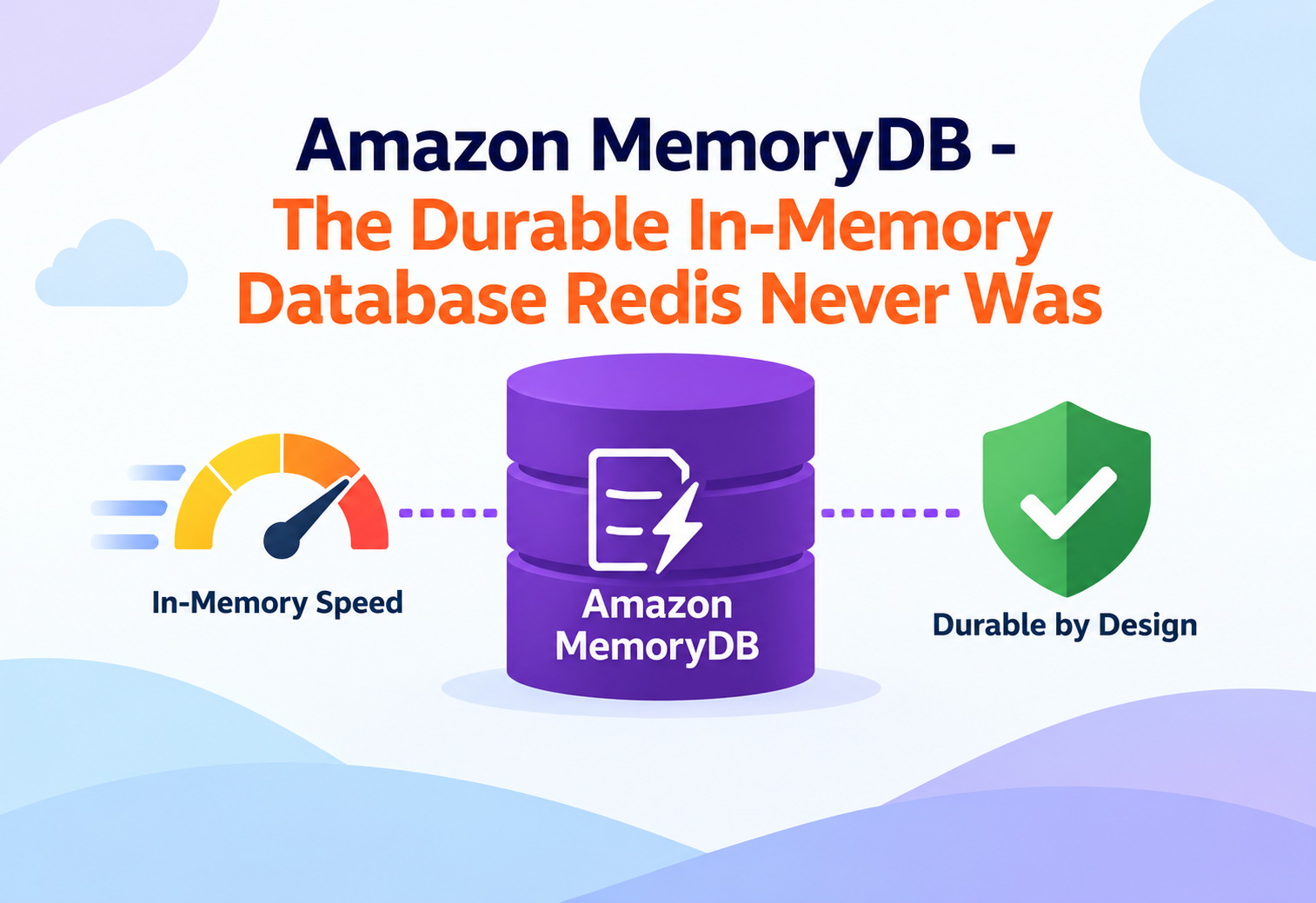
Amazon MemoryDB – The Durable In-Memory Database Redis Never Was
A deep, architecture-level walkthrough of how Amazon MemoryDB delivers microsecond reads and single-digit-millisecond writes while never losing a single committed record — even when a whole Availability Zone disappears.
Imagine a bank ledger that lives entirely in RAM. Every balance check is instant. Every transfer is instant. But the moment the power flickers, the ledger vanishes and nobody knows who owes whom anything. For years, that was the uncomfortable trade-off with in-memory engines like Redis: blazing speed, but memory is fragile, so teams bolted on a “real” database behind it just to sleep at night. Amazon MemoryDB was built to remove that trade-off entirely — an in-memory data store that is also, provably, a durable system of record. This tutorial goes under the hood of how that promise is actually kept.
1Architecture and Core Components
MemoryDB is not “ElastiCache with a durability flag.” Its architecture separates the fast in-memory engine from a purpose-built durability layer, and understanding that split explains almost everything else in this tutorial.
The two-layer design
Every MemoryDB cluster has two cooperating layers. The first is the in-memory data plane: nodes running an engine compatible with Redis OSS or Valkey APIs, holding your data set entirely in RAM for microsecond-level access. The second is the Multi-AZ transaction log: a separate, purpose-built distributed log service that every write is durably recorded to before it is acknowledged to the client. The in-memory engine never has to double as a storage engine — it just serves data fast, while the log guarantees nothing is ever lost.

Think of a courtroom stenographer sitting beside a judge who makes rapid verbal rulings. The judge (the in-memory engine) speaks instantly, but every single ruling is also captured word-for-word by the stenographer (the transaction log) in a separate, tamper-proof record. If the judge suddenly falls ill, a replacement judge can read the stenographer’s transcript and pick up exactly where things left off — nothing is forgotten.
Clusters, shards, and nodes
A MemoryDB cluster is made of one or more shards. Each shard is a self-contained unit holding a slice of your total key space, and it consists of exactly one primary node plus zero or more replica nodes. The primary accepts all writes; replicas serve reads and stand ready to be promoted if the primary fails. Sharding lets a cluster’s total data set and write throughput scale horizontally far beyond what a single node’s memory or CPU could handle alone.
Shard
A partition of the key space with its own primary and replicas. Clusters can have up to 500 shards.
Primary Node
Owns a shard’s data in memory and is the only node in that shard that accepts write commands.
Replica Node
Holds an in-memory copy of the primary’s data for a shard and serves read traffic or failover duty.
Transaction Log
A separate, multi-AZ durable log that persists every write independent of node memory state.
graph TD
    Client[Application Client]
    Client --> Primary1[Shard 1 Primary]
    Client --> Primary2[Shard 2 Primary]
    Primary1 --> Log1[(Transaction Log AZ-a/b/c)]
    Primary2 --> Log2[(Transaction Log AZ-a/b/c)]
    Primary1 --> Replica1A[Shard 1 Replica]
    Primary1 --> Replica1B[Shard 1 Replica]
    Primary2 --> Replica2A[Shard 2 Replica]
Because the transaction log is decoupled from node memory, a shard’s durability does not depend on how many replicas it has. Even a shard with zero replicas is fully durable, though replicas still matter for read scaling and faster failover.
2Internal Working of the Engine
Underneath the cluster topology sits an engine that behaves like Redis OSS or Valkey from the client’s point of view, but is wired internally to a distributed commit log instead of relying on its own local append-only file.
Single-threaded command execution
Each node processes commands on a single main thread for a given data shard, exactly like Redis OSS. This is a deliberate design, not a limitation. A single thread means no locking overhead between competing writers touching the same key, no race conditions inside data structure operations, and completely predictable command ordering. Background tasks such as expiring stale keys or writing snapshots run on separate helper threads so they never block command execution.
Command-to-log pipeline
When a client sends a write command, the primary node does not simply apply it to memory and move on. The command is converted into a durable log entry, transmitted to the transaction log service, and only acknowledged back to the client once the log confirms the write is safely persisted across multiple Availability Zones. This ordering — durability confirmation before acknowledgment — is what allows MemoryDB to call itself a database rather than a cache.
Command received
The primary node parses an incoming write command such as a hash update or list push.
Log entry generated
The command is serialized into an ordered log entry tagged with a sequence number for that shard.
Multi-AZ persistence
The entry is written durably across multiple Availability Zones by the transaction log service.
In-memory apply
The primary applies the command to its own in-memory data structures.
Replica propagation
The command is streamed asynchronously to replica nodes to keep their in-memory copies current.
Acknowledgment
Only after log persistence is confirmed does the client receive its success response.
It is like a relay runner who will not let go of the baton until the next runner’s hand has actually closed around it. The primary node will not tell the application “done” until the transaction log has genuinely confirmed the write is safe — no premature hand-offs.
Data structures and compatibility
Because the engine speaks the Redis OSS and Valkey protocols, it supports the same rich data structures teams already rely on: strings, hashes, lists, sets, sorted sets, streams, and geospatial indexes. Existing client libraries, connection poolers, and cluster-aware drivers work with only configuration changes, which is why many teams describe MemoryDB migrations as “swap the endpoint, not rewrite the application.”
3Data Flow and Lifecycle
Data in MemoryDB moves through distinct paths depending on whether it is being written, read, replicated, or recovered — each optimized for a different goal.
Write path
A write always targets a shard’s primary node, which is located using the cluster’s key-space slot mapping — every key is hashed to one of 16,384 slots, and each shard owns a contiguous range of those slots. The primary logs the command durably, applies it in memory, and streams it onward to replicas. This means the write path scales with the number of shards: adding shards spreads both storage and write throughput across more primaries.
Read path
Reads can be served by the primary for strong consistency, or by any replica for eventual consistency with lower load on the primary. Applications choose this trade-off explicitly by directing read-only commands to replica endpoints. Because replicas hold a full in-memory copy of their shard, read latency stays in the sub-millisecond range regardless of which node answers.
sequenceDiagram
    participant App as Application
    participant Primary
    participant Log as Transaction Log
    participant Replica

    App->>Primary: SET order:1042 "paid"
    Primary->>Log: Persist write entry
    Log-->>Primary: Durability confirmed
    Primary->>Primary: Apply to memory
    Primary-->>App: OK
    Primary->>Replica: Async propagate
    App->>Replica: GET order:1042
    Replica-->>App: "paid"
Recovery lifecycle
If a primary node fails, MemoryDB does not need to replay a local disk file to recover state — it promotes a replica or rebuilds the shard by streaming the authoritative history straight from the transaction log. If a shard has no surviving in-memory replica at all, the log itself is the full source of truth, and a fresh node reconstructs the entire data set from it. This is fundamentally different from Redis OSS, where recovery quality depends on how recently a local snapshot or append-only file was written to disk.
People sometimes assume “in-memory” means “data disappears on restart,” carrying over intuition from plain Redis OSS. In MemoryDB, the transaction log makes committed data durable independent of any single node’s memory, so a node restart or replacement never loses acknowledged writes.
4Performance and Scalability
MemoryDB is engineered for workloads that need both high throughput and predictable low latency at the same time — a combination that is hard to get from disk-backed databases alone.
Horizontal scaling by sharding
Because each shard is an independent primary-replica set with its own slice of the key space, adding shards is the primary lever for scaling both storage capacity and write throughput. MemoryDB can reshard a running cluster online, redistributing key-space slots across the new shard count while the application keeps serving traffic, using cluster-aware clients that follow slot-migration redirects automatically.
Horizontal scaling by replicas
Independent of shard count, each shard can have up to five replicas. Adding replicas does not change write capacity, but it multiplies how much read traffic that shard’s data can absorb, and it shortens failover time because a promotion candidate is already warm with the full data set.
Vertical scaling by node type
Node types determine how much memory and CPU each individual node has. Moving to a larger memory-optimized node type increases the amount of data a single shard can hold and the compute available for command processing, which matters for workloads with very large hash or sorted-set structures concentrated in a few hot keys.
When Sharding Helps Most
- Write-heavy workloads bottlenecked by a single primary’s CPU
- Data sets too large to fit in one node’s memory
- Uniformly distributed key access patterns
When Sharding Helps Less
- A small number of extremely hot keys concentrated in one slot
- Workloads dominated by multi-key transactions across many slots
- Very small data sets where a single well-sized node already suffices
5High Availability and Reliability
Durability answers “will the data survive,” while high availability answers “will the application keep working right now.” MemoryDB addresses both with overlapping but distinct mechanisms.
Multi-AZ by default
The transaction log itself is distributed across multiple Availability Zones for every cluster, which means durability guarantees hold even without a single replica node provisioned. For node-level availability, placing replicas in different Availability Zones than their primary ensures that an entire AZ outage does not take down both the primary and every standby simultaneously.
Automatic failover
If a primary node becomes unreachable or unhealthy, MemoryDB automatically promotes a replica in that shard to primary, typically completing in a very small number of seconds. Because the newly promoted primary already had an up-to-date in-memory copy and the transaction log fills any last gap, applications experience a brief connection blip rather than data loss.
Zero-replica shards still recover
Even a shard configured with no replicas can recover fully after a node failure, because MemoryDB provisions a replacement node and reconstructs its entire in-memory state by replaying the shard’s transaction log — a capability that plain in-memory engines without an external log cannot offer.
Snapshots as a second safety net
On top of the continuous transaction log, MemoryDB can take point-in-time snapshots of a cluster, either on a schedule or manually before a risky change. Snapshots are useful for cross-region disaster recovery, seeding a new cluster with existing data, or rolling back to a known-good state, complementing rather than replacing the transaction log’s continuous durability.
| Mechanism | Protects Against | Recovery Speed |
|---|---|---|
| Transaction log | Node crash, memory loss, single-AZ failure | Seconds |
| Automatic failover | Primary node unavailability | Seconds |
| Snapshots | Region-level disaster, need for a historical restore point | Minutes |
6Security
MemoryDB clusters run entirely inside a private network boundary and layer several independent controls on top of that isolation.
VPC Isolation
Clusters are only reachable from within a configured VPC and its associated subnets and security groups — there is no public endpoint by default.
In Transit & At Rest
TLS protects data moving between clients and nodes, while encryption at rest protects the transaction log and any snapshots using managed keys.
IAM Authentication
Clients can authenticate using temporary IAM-based credentials instead of static passwords, tying database access to existing identity policies.
Access Control Lists
ACLs define which users can run which commands on which key patterns, enabling least-privilege access for different services sharing a cluster.
Combine ACL-scoped users per microservice with IAM authentication where possible, so a compromised service credential cannot read or modify keys belonging to unrelated services sharing the same cluster.
7Monitoring, Logging and Metrics
Visibility into a MemoryDB cluster comes from three complementary sources: continuous metrics, engine-level logs, and slow-command logs.
Key metrics to watch
CPUUtilization
Sustained high values on a primary often signal it is time to shard further or move to a larger node type.
DatabaseMemoryUsagePercentage
Approaching capacity risks eviction of data under memory pressure policies if configured, or write rejection otherwise.
ReplicationLag
Growing lag on a replica means reads from it may return increasingly stale data relative to the primary.
CurrConnections
A steadily climbing count often points to connection leaks in client applications rather than genuine load growth.
Engine log and slow log
The engine log captures operational events such as failovers, node replacements, and configuration changes, giving an audit trail for “what happened and when.” The slow log records individual commands that exceeded a configurable execution-time threshold, which is the fastest way to find a poorly designed command — such as scanning a very large collection — that is quietly degrading latency for every other client sharing that shard.
8Deployment and Cloud Integration
MemoryDB clusters are provisioned and managed like other AWS-native data services, which means they slot into existing infrastructure-as-code and networking practices with little friction.
Infrastructure as code
Clusters, subnet groups, parameter groups, and ACLs can all be declared through infrastructure-as-code tooling, so a cluster’s exact shard count, node type, and security posture is version-controlled alongside the rest of an application’s infrastructure rather than configured by hand through a console.
Parameter groups
Engine-level behavior — such as key eviction policy, maximum memory thresholds per node, or timeout values — is controlled through parameter groups that can be attached to a cluster and updated without replacing nodes, letting teams tune engine behavior the same way they would tune a managed relational database’s configuration.
Migrating from self-managed Redis OSS
Because the wire protocol and data structures are compatible, teams typically migrate by taking a Redis OSS-format backup, importing it into a new MemoryDB cluster, validating application behavior against the new endpoint, and then cutting over DNS or configuration once confidence is established — with the option to keep the old deployment running in parallel as a fallback during the transition window.
Multi-Region patterns
For applications that need a warm standby in a second AWS Region, teams typically pair scheduled snapshots with automation that restores the latest snapshot into a standby cluster, combined with independent monitoring to detect when a regional failover should be triggered.
9Design Patterns and Anti-Patterns
MemoryDB’s speed makes it tempting to reach for it everywhere. Knowing which patterns fit — and which quietly create problems later — separates a smooth deployment from a painful one.

Pattern: system-of-record for ephemeral-feeling but critical data
Session state, real-time leaderboards, and in-flight order status are all cases where data feels temporary but losing it mid-transaction is unacceptable. MemoryDB fits this niche precisely because it offers the latency of a cache with the durability guarantees applications actually need for such data.
Pattern: hot-path acceleration in front of an analytical store
Many teams keep MemoryDB as the fast path for recent, frequently accessed records — such as the last 30 days of user activity — while older data lives in a cheaper analytical store, querying MemoryDB first and falling back only when a lookup misses.
Problem
Storing one enormous hash or sorted set representing an entire dataset under a single key, expecting sharding to spread the load automatically.
Why It’s Harmful
A single key always lives on exactly one slot, and therefore on exactly one shard. No matter how many shards the cluster has, all traffic to that key concentrates on one primary, creating a hot spot that sharding cannot fix.
Correct Approach
Split large logical collections into multiple keys using a deliberate partitioning scheme, such as hashing a sub-identifier into the key name, so the data spreads naturally across many slots and shards.
Problem
Treating MemoryDB as a drop-in replacement for a full relational database, including complex multi-table joins and ad-hoc analytical queries.
Why It’s Harmful
MemoryDB excels at key-based access patterns and the data structures Redis OSS and Valkey provide, but it is not a query engine — there is no equivalent of arbitrary SQL joins or aggregations across unrelated key spaces.
Correct Approach
Use MemoryDB for access patterns it is built for — direct key lookups, sorted-set rankings, list-based queues — and pair it with a relational or analytical store for workloads that genuinely need complex querying.
10Advantages, Disadvantages and Trade-offs
No data service is universally correct. Weighing MemoryDB’s strengths against its constraints clarifies where it genuinely earns its place in an architecture.
Advantages
- Removes the classic “cache plus separate durable database” duplication for latency-critical data
- Sub-millisecond reads and single-digit-millisecond durable writes together
- Redis OSS and Valkey API compatibility eases adoption for existing teams
- Automatic, transaction-log-backed recovery even from total node loss
- Fine-grained access control through ACLs plus IAM authentication
Disadvantages / Trade-offs
- No arbitrary relational querying or multi-table joins
- Memory-bound capacity means large data sets can become costly compared to disk-based stores
- Cross-slot multi-key operations require careful key design to stay efficient
- Requires VPC networking knowledge; there is no simple public endpoint
11Real-World and Industry Examples
Seeing where durable, in-memory storage shows up in production workloads makes the earlier architecture discussion concrete.
Financial services: trade and payment state
Systems processing payments or trades need both speed — to keep up with transaction volume — and durability, since a lost record in the middle of a financial transaction is not an acceptable failure mode. A durable in-memory store lets these systems hold in-flight transaction state without a separate write-behind database layer.
Gaming: real-time leaderboards and matchmaking
Live leaderboards using sorted sets need to update and re-rank thousands of players per second while never silently dropping a score update after a server restart mid-match.
E-commerce: shopping cart and inventory counters
A shopping cart that quietly resets during a flash sale, or an inventory counter that overcounts stock after a node failure, directly costs revenue — durability here is a business requirement, not a nice-to-have.
Streaming platforms: session and personalization state
Tracking what a viewer just watched or where playback paused needs to survive backend restarts without falling back to a slower, disk-backed lookup on every request.
12Best Practices and Common Mistakes
Most production issues with MemoryDB trace back to a handful of recurring design and operational choices.

Design keys for even distribution
Choose key names so that related-but-distinct records hash to different slots rather than colliding on one hot key, and avoid patterns that force related data onto a single key just for convenience.
Size nodes for peak memory, not average
Memory pressure at the wrong moment can trigger eviction or write failures depending on configured policy, so capacity planning should target expected peak data volume plus headroom, not the average day’s usage.
Ignoring replication lag on read replicas when an application logic depends on reading its own very recent write. If strict read-after-write consistency matters for a given operation, that read should go to the primary, not a replica.
Test failover, don’t just configure it
Automatic failover only helps if application clients handle the brief reconnection correctly — client libraries should be configured with sensible retry and timeout settings, and teams should periodically trigger a controlled failover in a non-production environment to confirm the application recovers gracefully.
Treat parameter group changes and shard-count changes as deliberate, reviewed operations tracked in infrastructure-as-code — not ad-hoc console clicks — since both affect the durability and performance characteristics of already-running production data.
13Frequently Asked Questions
No. ElastiCache is designed as a cache sitting in front of another durable database, while MemoryDB is designed to be the durable database itself, built around a dedicated Multi-AZ transaction log rather than optional persistence settings layered on a caching engine.
No. Writes always go through a single shard’s primary and its transaction log; replicas improve read scaling and failover speed, not write throughput. To scale writes, add shards instead.
No. Every key maps to exactly one slot, and every slot belongs to exactly one shard, so a single key’s data always lives on one shard regardless of cluster size.
A write is only acknowledged to the client after the transaction log confirms it durably, so any command that was successfully acknowledged survives the crash and is present once a new primary is established.
No. Snapshots are periodic point-in-time copies useful for disaster recovery or seeding new clusters, while the transaction log provides continuous, per-command durability. They serve different purposes and are used together.
14Summary and Key Takeaways
Amazon MemoryDB earns its place by resolving a trade-off that in-memory engines have carried for decades: the assumption that speed and durability cannot both live in the same layer. By separating a fast in-memory execution engine from a purpose-built, Multi-AZ transaction log, it lets applications treat in-memory data as a genuine system of record rather than a disposable accelerator sitting in front of “the real database.” Getting the most out of it means designing keys for even distribution, sizing for peak memory, choosing shards versus replicas based on whether the bottleneck is writes or reads, and layering security controls — VPC isolation, encryption, ACLs, and IAM authentication — from day one rather than retrofitting them later.
Key Takeaways
- Durability is structural, not optional — the Multi-AZ transaction log persists every write independently of node memory, before acknowledgment.
- Shards scale writes and capacity — replicas scale reads and speed up failover; they solve different problems.
- One key lives on one shard — partition large logical collections across multiple keys to avoid hot spots.
- Recovery does not depend on surviving replicas — even a zero-replica shard can rebuild fully from the transaction log.
- Security is layered — VPC isolation, TLS, encryption at rest, IAM authentication, and ACLs each cover a different threat.
- It complements, not replaces, other stores — best used for key-based, latency-critical access patterns, paired with analytical or relational stores for complex querying.
- Operational discipline matters — monitor replication lag and slow logs, test failover deliberately, and manage configuration as code.