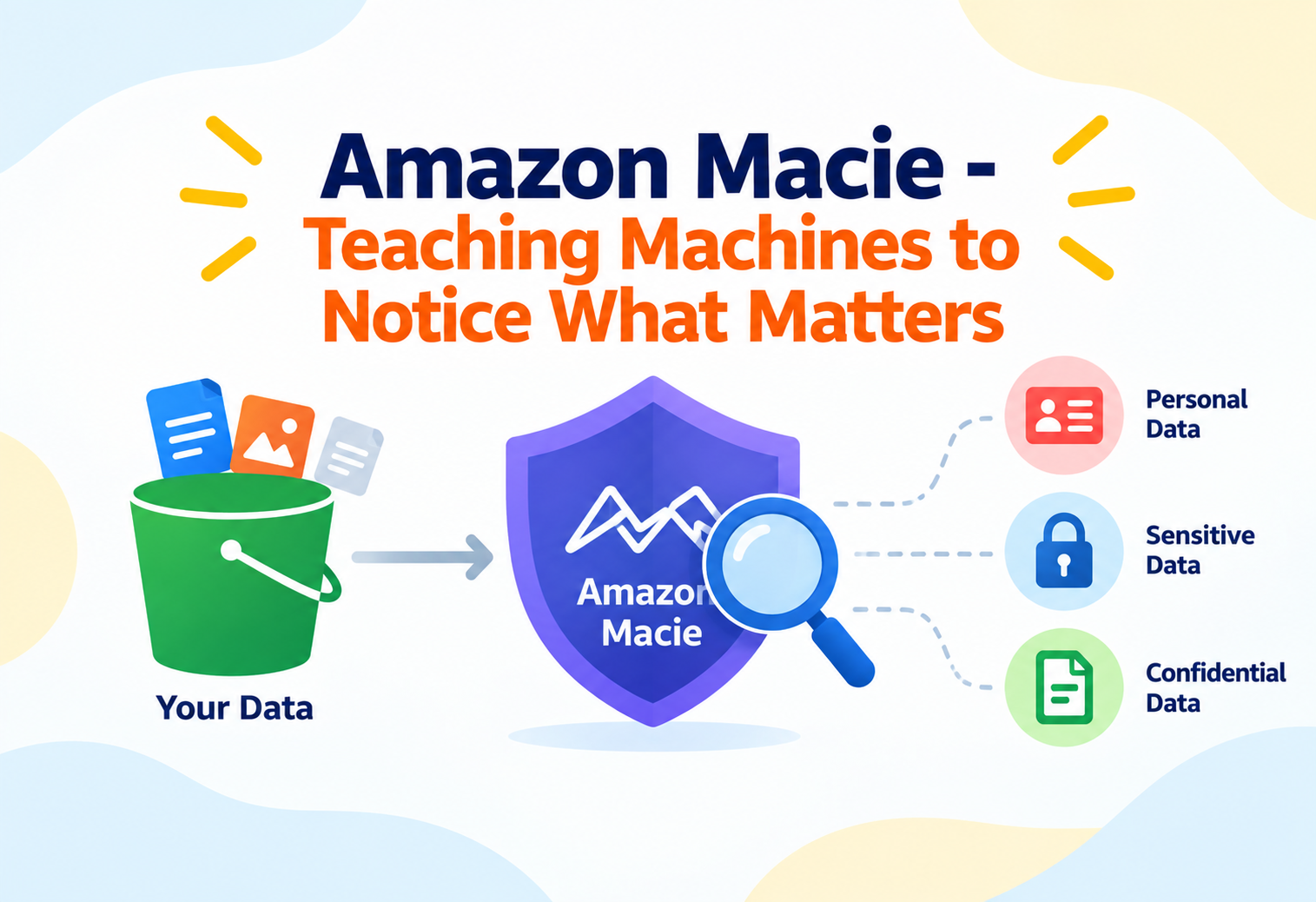
Amazon Macie – Teaching Machines to Notice What Matters
How machine learning and pattern matching work together to find sensitive data hiding across thousands of S3 buckets — before someone else finds it first.
Imagine a company with ten thousand filing cabinets spread across dozens of offices, accumulated over a decade by hundreds of different employees. Somewhere in those cabinets sit a handful of folders containing customer social security numbers, mixed in among ordinary invoices and meeting notes, with no label distinguishing them from anything else. Finding those specific folders by hand would take a small army and weeks of work. Amazon Macie is built to do exactly that search — automatically, continuously, and at the scale of an entire AWS account or organization’s S3 storage — using machine learning to recognize sensitive data even when it isn’t neatly labeled. This guide assumes you already understand what S3 buckets and IAM are; it focuses on the intermediate mechanics of how Macie actually finds and classifies sensitive data.
1Introduction & History
Amazon Macie launched in 2017, initially focused specifically on Amazon S3 as the primary data store to protect — a deliberate choice, since S3 had already become the default place organizations dumped enormous volumes of data, often faster than governance processes could keep up with classifying it. In 2020, AWS relaunched Macie with a substantially reworked architecture, adding broader account-wide bucket inventory capabilities, refined machine learning models, and a pricing model tied more directly to actual usage rather than a flat subscription, reflecting lessons learned from several years of real-world deployment.
The core problem Macie addresses predates cloud computing entirely: organizations have always struggled to know exactly where their sensitive data lives, especially as it spreads across many systems, teams, and time. What changed in the cloud era is scale and velocity — a single S3 bucket can silently accumulate millions of objects from dozens of pipelines, making manual classification not just tedious but practically impossible without automated tooling.
Think of Macie as a specially trained detection dog for a warehouse, rather than a security guard checking ID badges at the door. A guard verifies who’s allowed in (that’s IAM’s job); the dog actually sniffs through the boxes already inside to flag which ones contain something specific and sensitive — a fundamentally different, complementary kind of work.
A concrete example: financial institutions handling large volumes of customer records across many S3 buckets commonly use Macie as part of demonstrating compliance with regulations like PCI DSS or GDPR, which require organizations to actually know where regulated data resides — a requirement that’s difficult to satisfy credibly without automated, continuous discovery.
2Problem & Motivation
Two related but distinct problems make sensitive data discovery hard at scale. The first is sheer volume and sprawl: a large organization might have thousands of S3 buckets, created by dozens of different teams over years, many with names and structures that give no indication of what’s actually inside. The second, more subtle problem is that sensitive data often isn’t labeled as such — a customer’s social security number might appear inside a CSV export, buried inside a PDF attachment, or embedded in a JSON log file, with nothing in the object’s metadata flagging it as sensitive.
Simple pattern matching alone (like a regular expression looking for something resembling a credit card number) catches some cases but produces a high rate of both false positives (a random 16-digit number that isn’t actually a credit card) and false negatives (sensitive data that doesn’t match a rigid pattern, like unstructured free-text medical notes). This is precisely the gap where machine learning adds value beyond pattern matching alone — recognizing sensitive data based on learned patterns and context, not just exact regular expression matches.
“You can’t protect what you don’t know you have” is a foundational principle in data security. Before applying encryption policies, access controls, or retention rules meaningfully, an organization first needs an accurate inventory of where sensitive data actually lives — which is the specific gap Macie is designed to close.
3Core Concepts (Intermediate Level)
Managed vs. Custom Data Identifiers
Built-In Data Identifiers
AWS-maintained detectors for common sensitive data types — credit card numbers, social security numbers, AWS access keys, passport numbers — combining pattern matching with machine learning context validation.
Organization-Specific Identifiers
Regular-expression-based detectors you define for data patterns unique to your organization, such as an internal employee ID format or a proprietary account-number scheme managed identifiers wouldn’t recognize.
Managed data identifiers are where Macie’s machine learning does the heaviest lifting: rather than simply matching a number pattern, the underlying models evaluate surrounding context — nearby words, formatting, and structure — to judge whether a 9-digit number is actually likely to be a social security number versus an unrelated identifier that happens to share the same digit count, which meaningfully reduces false positives compared to pure regex matching.
Findings: Sensitive Data Findings vs. Policy Findings
Macie produces two distinct categories of findings, and conflating them is a common intermediate-level mistake. A sensitive data finding reports that Macie actually discovered sensitive content inside specific objects during a classification job — the “what’s inside the box” result. A policy finding, by contrast, reports a security or access-configuration concern about a bucket itself — such as a bucket that is publicly accessible, or one that isn’t encrypted — independent of whether sensitive data was ever found inside it. Policy findings are generated continuously and automatically from Macie’s account-wide bucket inventory, while sensitive data findings require an actual classification job to run against object contents.
Classification Jobs and Sampling
A classification job defines which buckets (or prefixes within buckets) to scan, on what schedule (one-time or recurring), and which data identifiers to apply. Because scanning every single object in a massive bucket can be costly and slow, jobs can be configured to use sampling — analyzing a statistically representative subset of objects rather than the entire bucket — trading some completeness for significantly reduced cost and runtime, which is often an acceptable trade-off for an initial discovery pass across a very large, previously unclassified data lake.
Sampling in a classification job is like a health inspector checking a sample of dishes from a restaurant’s menu rather than tasting every single plate served that day — not exhaustive, but statistically informative enough to flag a systemic problem worth investigating further with a more thorough follow-up.
4Architecture & Components
Macie’s bucket inventory component continuously and automatically maintains awareness of every S3 bucket in an account (or, with AWS Organizations integration, across an entire organization), tracking configuration details like encryption status, public accessibility, and sharing settings — this is what generates policy findings without any job needing to be explicitly run. Classification jobs are the component responsible for actually reading object content (subject to sampling settings) and applying managed and custom data identifiers to produce sensitive data findings.
Both finding types flow into Amazon EventBridge, which allows integration with downstream systems — most commonly AWS Security Hub for centralized security posture visibility, but also custom automation like Lambda functions that could, for example, automatically restrict access to a bucket the moment a sensitive data finding of sufficient severity is generated.
5Internal Working
When a classification job runs, Macie retrieves objects from the targeted buckets (or a sampled subset of them) and first determines the file type — Macie supports a range of formats including plain text, CSV, JSON, Avro, Parquet, and common document formats like Microsoft Office files and PDFs — since correctly parsing the file’s structure is a prerequisite to extracting meaningful text content for analysis. Compressed and archived files (like ZIP) are also supported, with Macie unpacking them to inspect the contents inside.
Once content is extracted, managed data identifiers apply a combination of pattern recognition and machine learning-based context evaluation. For a candidate detected as, say, a possible social security number, the model considers surrounding text and formatting cues to assign a confidence level to the finding, rather than treating every pattern match as equally certain — this scoring is what allows Macie to prioritize findings by severity rather than presenting every possible match with equal urgency, which would otherwise overwhelm a security team with low-value alerts.
Confidence scoring works like a proofreader who doesn’t just flag every number they see as “suspicious” — they consider context, like whether the number appears near words like “SSN:” or inside a column clearly labeled “Social Security Number,” and adjust how confident they are in the flag accordingly.
For objects encrypted with customer-managed KMS keys, Macie can only classify content if it has been explicitly granted permission to use that key for decryption — a frequently encountered configuration gap that results in objects being marked as unable to be processed rather than silently skipped without explanation.
6Data Flow & Lifecycle
The lifecycle begins the moment Macie is enabled on an account: its bucket inventory immediately begins evaluating existing buckets’ configurations, generating policy findings for any bucket exhibiting a concerning setting like public read access or missing default encryption. This inventory refreshes continuously as buckets are created, deleted, or reconfigured, without requiring any manual re-trigger.
Separately, a security team defines and schedules classification jobs targeting specific buckets or prefixes of interest — often starting broad, with sampling enabled, to get an initial sense of where sensitive data concentrations exist, then narrowing subsequent jobs to focus more thoroughly (potentially without sampling) on the buckets that surfaced meaningful findings. As jobs run and produce sensitive data findings, those findings — along with ongoing policy findings — flow to EventBridge and, typically, into Security Hub, where they can be triaged, assigned, and tracked toward remediation alongside findings from other AWS security services.

7Advantages, Disadvantages & Trade-offs
Advantages
- Machine learning-based detection reduces false positives compared to pure pattern matching, especially for unstructured or free-text content
- Automatic, continuous bucket inventory surfaces configuration risks without waiting for a scheduled scan
- Supports a wide range of file formats natively, including compressed archives and common office document types
- Organization-wide deployment through AWS Organizations centralizes visibility across many accounts
- Native integration with Security Hub and EventBridge fits naturally into existing security operations workflows
Disadvantages / Trade-offs
- Full classification of very large buckets can be costly and slow without deliberate use of sampling or scoping
- Objects encrypted with customer-managed KMS keys require explicit key permissions, and misconfiguration silently limits what Macie can actually inspect
- Confidence-scored findings still require human judgment for triage — Macie surfaces likely sensitive data, it doesn’t make final compliance determinations
- Custom data identifiers require someone to actually write and maintain the relevant regular expressions for organization-specific patterns
The central trade-off is thoroughness versus cost and speed: scanning every object in every bucket with every identifier gives the most complete picture but can become expensive and slow at real-world data lake scale, which is why sampling, scoping, and prioritizing buckets by initial risk signals are standard practical strategies rather than shortcuts.
8Performance & Scalability
Macie is fully managed and serverless from the customer’s perspective — there is no infrastructure to size or scale for classification jobs, since AWS provisions the underlying compute needed to run a job automatically based on the scope defined. Scalability challenges in practice are less about Macie’s own capacity and more about cost and time management at very large data volumes, which is precisely the problem sampling and scoped jobs are designed to address.
Automated sensitive data discovery, a capability Macie added to automatically and continuously sample across an account’s entire S3 estate at low ongoing cost, addresses a specific scaling need: rather than requiring a security team to manually decide which buckets deserve a full classification job, this feature keeps a lightweight, ongoing pulse on sensitivity across all buckets, flagging which ones deserve a deeper, more thorough follow-up job — a practical answer to “we have thousands of buckets and don’t know where to even start looking.”
9High Availability & Reliability
As a fully managed AWS service, Macie’s own availability is handled by AWS without customer-side configuration, and its findings persist independently of any specific classification job’s runtime — once a finding is generated, it remains available for review, aggregation, and export regardless of whether the job that produced it is still running.
Reliability of Macie’s practical value, however, depends on operational discipline around job scheduling: a one-time classification job run once, years ago, provides no ongoing assurance about a bucket’s current state, since new objects are continuously added. Recurring jobs, scheduled on a sensible cadence relative to how frequently a bucket’s contents change, are what keep Macie’s picture of sensitive data locations meaningfully current rather than a stale historical snapshot.
“A bucket was scanned six months ago and came back clean, but now contains sensitive data — was Macie wrong?” The expected answer: Macie wasn’t wrong about what it scanned at the time; the gap is operational — without a recurring job, new objects added since the last scan were never evaluated at all, which is a scheduling and process issue, not a detection failure.
10Security
Macie itself requires carefully scoped IAM permissions to read the S3 buckets it evaluates, and those permissions should follow least-privilege principles — Macie needs read access to object content for classification, but doesn’t need write or delete permissions on the data it’s scanning. For KMS-encrypted objects, Macie’s service role must be explicitly granted decrypt permission on the relevant customer-managed keys, or those objects remain unreadable to classification jobs regardless of how the job itself is configured.
Because Macie’s own findings can themselves be sensitive — a report explicitly stating “this bucket contains social security numbers” is valuable intelligence to anyone who shouldn’t have it — access to Macie’s console, findings, and job configuration should itself be restricted through IAM to only the security personnel who need it, treating the discovery tool’s output with a security posture proportional to the sensitivity of what it’s reporting on.
A map showing exactly where a building’s valuables are stored is itself a valuable, sensitive document — even though the map isn’t the valuables themselves, whoever controls access to that map effectively controls a significant piece of the building’s overall security.
11Monitoring, Logging & Metrics
Findings themselves are Macie’s primary monitoring output, viewable in the Macie console, exportable to an S3 bucket for long-term retention and analysis, and forwarded through EventBridge to Security Hub or custom automation. Suppression rules let teams filter out findings matching known, accepted conditions — for example, a specific bucket that’s intentionally public and already accepted as such — reducing alert fatigue from findings that don’t represent new or actionable risk.
AWS CloudTrail records management-level API actions against Macie, such as job creation or configuration changes, supporting audit trails that show not just what sensitive data was found, but who configured Macie to look for it and when — a detail that matters for demonstrating a consistent, intentional governance process rather than ad-hoc, undocumented scanning.
12Deployment & Cloud Integration
Macie is enabled at the account level and can be centrally administered across an entire AWS Organization by designating a delegated Macie administrator account, which can then view findings and manage classification jobs across every member account without needing separate credentials for each — a significant operational simplification for large organizations with many accounts. Job definitions, custom data identifiers, and suppression rules can be managed through the console, AWS CLI, or infrastructure-as-code tools like CloudFormation and Terraform for consistent, repeatable configuration.
Downstream integration with AWS Security Hub allows Macie findings to sit alongside findings from GuardDuty, Inspector, and other security services in a single unified view, supporting a more holistic security operations workflow where sensitive-data-discovery findings inform the same triage and remediation processes as other categories of security risk, rather than living in an entirely separate silo.
13Design Patterns & Anti-Patterns
Context
A large, previously unclassified data lake spanning hundreds of buckets needs an initial sensitivity assessment.
Pattern
Run a broad, sampled classification job (or use automated sensitive data discovery) across the entire estate first to identify which buckets show meaningful sensitive-data signal, then follow up with focused, non-sampled deep-scan jobs only on the buckets that warrant closer inspection — controlling cost while still reaching thorough coverage where it matters.
Symptom
A bucket that previously showed no sensitive data findings later turns out to contain sensitive content that was never flagged.
Root Cause
A one-time job only reflects the bucket’s state at the moment it ran; new objects added afterward were never evaluated. Recurring jobs, scheduled to match how often the bucket’s contents actually change, are needed to keep findings current.
Symptom
Macie’s service role has decrypt permissions on every customer-managed KMS key in the account, far beyond what any actual classification job scope requires.
Root Cause
Permissions were granted broadly for convenience rather than scoped to the specific keys protecting buckets actually targeted by classification jobs, expanding the security service’s own access footprint unnecessarily.
14Best Practices & Common Mistakes
- Start with automated sensitive data discovery or sampled jobs across your full bucket inventory before committing to expensive, exhaustive scans everywhere.
- Schedule recurring classification jobs on buckets that actively receive new data, rather than treating a single scan as a permanent clean bill of health.
- Scope KMS key permissions narrowly to only the keys protecting buckets Macie actually needs to classify.
- Use suppression rules deliberately and document why a finding is being suppressed, rather than silencing alerts as an ad-hoc reaction to alert fatigue.
- Centralize administration through a delegated Macie administrator account in multi-account organizations rather than managing Macie separately, inconsistently, per account.
- Common mistake: confusing policy findings with sensitive data findings, assuming a “clean” policy posture (private, encrypted bucket) means no sensitive data risk, when the two are entirely independent signals.
- Common mistake: treating Macie’s confidence-scored findings as an automatic final verdict rather than a prioritized starting point for human review and compliance judgment.
15Real-World & Industry Examples
Financial Services — Regulatory Data Mapping
Financial institutions use Macie to satisfy regulatory requirements (such as those under PCI DSS or various data protection regulations) that require organizations to demonstrably know where regulated customer financial data resides across their cloud storage.
Healthcare — PHI Discovery Across Data Lakes
Healthcare organizations processing large volumes of patient data in S3-based data lakes use Macie’s managed data identifiers and machine learning detection to locate protected health information that may have been inadvertently included in datasets not originally intended to hold it.
Enterprise Mergers & Acquisitions — Data Inventory
Organizations undergoing mergers or acquiring other companies’ cloud environments commonly deploy Macie against newly acquired AWS accounts specifically to rapidly build an accurate sensitive-data inventory for previously unfamiliar infrastructure, informing both security posture and compliance obligations post-acquisition.
16Frequently Asked Questions
17Summary & Key Takeaways
Key Takeaways
- Amazon Macie combines machine learning and pattern matching to discover sensitive data inside S3 objects at a scale manual review can’t realistically match.
- Policy findings (bucket configuration risk) and sensitive data findings (actual sensitive content discovered) are independent signals, not interchangeable.
- Managed data identifiers use contextual machine learning evaluation to assign confidence levels, reducing false positives compared to raw pattern matching alone.
- Sampling and scoped jobs are the standard tools for balancing thoroughness against cost and runtime at real-world data volumes.
- Recurring, not one-time, classification jobs are necessary to keep sensitive-data visibility current as new objects continuously enter active buckets.
- KMS key permissions must be explicitly granted for Macie to classify encrypted object content — a common, easily overlooked configuration gap.
- Macie’s findings feed naturally into broader security operations through EventBridge and Security Hub, rather than existing as an isolated reporting silo.