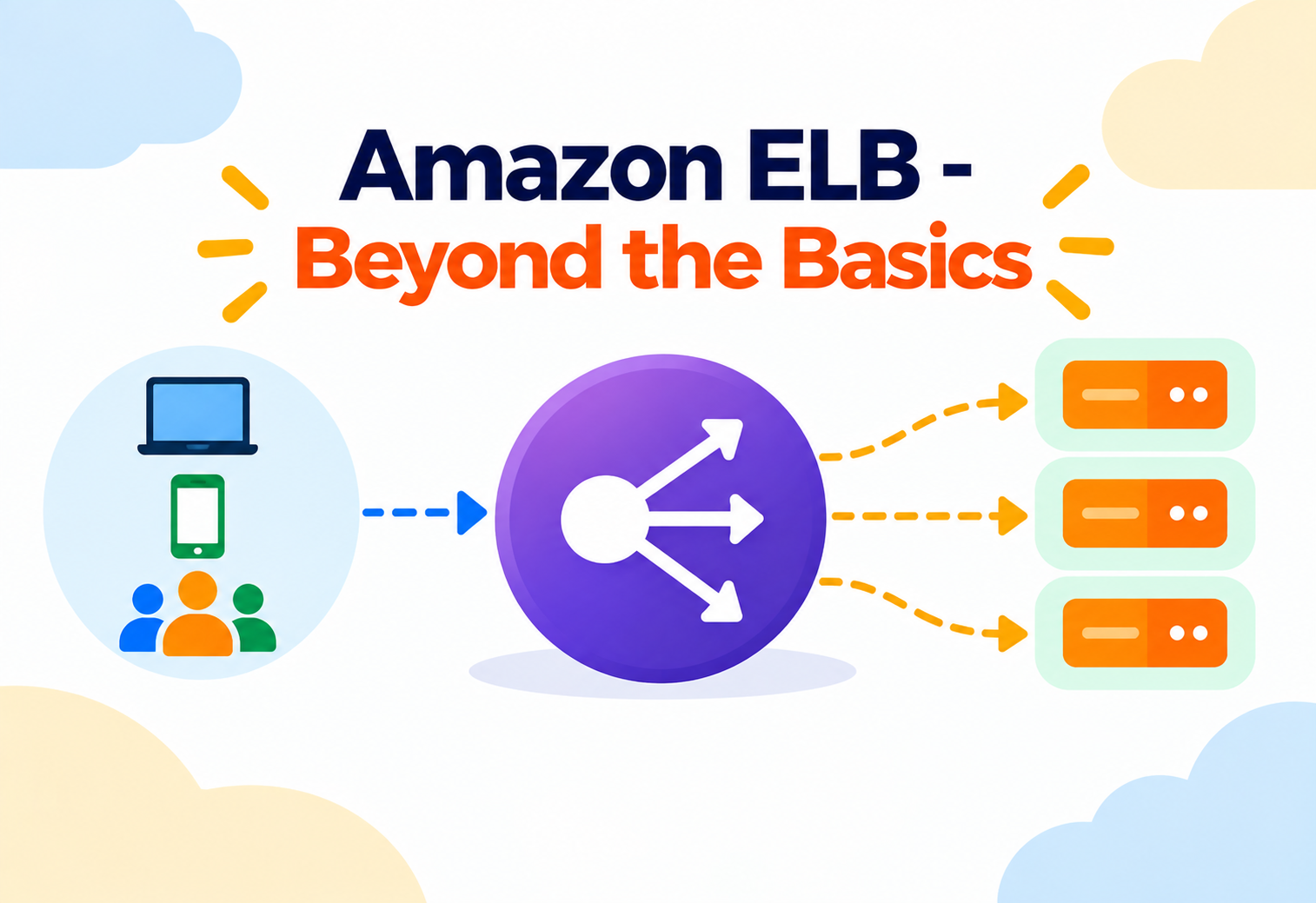
Amazon ELB – Beyond the Basics
A working engineer's guide to how ALB, NLB, and GWLB actually route traffic — listener rules, target group health, cross-zone balancing, and the failure modes that only appear under real load.
If you already know that ELB “distributes incoming traffic across multiple targets,” this article picks up one level higher. We’ll spend our time on the decisions that separate a load balancer that quietly absorbs a bad deploy from one that amplifies it: how listener rules actually evaluate, what a target group’s health check is really protecting you from, why cross-zone load balancing has a cost implication most people miss, and where sticky sessions quietly undermine the elasticity you set the load balancer up for in the first place. Elastic Load Balancing today means three distinct products — Application Load Balancer (ALB), Network Load Balancer (NLB), and Gateway Load Balancer (GWLB) — plus the legacy Classic Load Balancer (CLB) that most teams have migrated away from. This guide treats ALB as the primary lens, since it’s where most of the intermediate-level nuance lives, and calls out NLB and GWLB wherever the distinction matters.
A fast recap of the type decision, framed for someone who has already provisioned one and is now questioning whether it’s the right one.
The decision between ALB, NLB, and GWLB comes down to which OSI layer you need routing intelligence at. ALB operates at Layer 7 (HTTP/HTTPS/gRPC), meaning it can inspect the actual request — path, host header, query string, cookies — and route based on that content. NLB operates at Layer 4 (TCP/UDP/TLS), forwarding connections without inspecting application-layer content, which is what lets it handle extreme throughput and preserve the client’s source IP by default. GWLB sits in front of fleets of third-party virtual appliances (firewalls, intrusion detection systems) and transparently inserts them into a traffic path using GENEVE encapsulation.
Content-based routing for web apps
Path-based and host-based routing to different microservices, native WebSocket and gRPC support, and built-in authentication via Cognito or OIDC.
Extreme throughput, static IPs, non-HTTP protocols
Millions of requests per second, a fixed IP per Availability Zone, and protocols ALB can’t route — raw TCP services, MQTT brokers, gaming backends.
Transparent third-party appliance insertion
Routing traffic through a fleet of firewalls or inspection appliances without every consuming application needing to know the appliances exist.
Because ALB carries the deepest feature surface for typical web and microservice architectures, most of the routing, listener, and target group discussion below is ALB-specific, with NLB and GWLB differences called out explicitly.
The vocabulary intermediate ELB work depends on — listeners, rules, target groups, and targets.
Listener — a process on the load balancer checking for connection requests on a specific protocol and port (e.g. HTTPS on 443). Each listener has a default action and, for ALB, an ordered list of rules.
Rule — evaluated in priority order, a rule matches on conditions (host header, path pattern, HTTP method, query string, source IP) and performs an action — most commonly forwarding to a target group, but also fixed responses, redirects, or authentication.
Target Group — a named set of registered targets (EC2 instances, IP addresses, Lambda functions, or another ALB) along with the health check configuration and routing algorithm used to distribute traffic among them.
Target — the actual destination receiving forwarded traffic; a single EC2 instance can belong to multiple target groups simultaneously, which is what makes blue/green and canary routing patterns possible.
Cross-Zone Load Balancing — when enabled, every load balancer node distributes traffic evenly across registered targets in all enabled Availability Zones, not just the targets in its own AZ. ALB has this on by default and free of charge; NLB requires it to be explicitly enabled and, when enabled, cross-AZ data transfer charges apply.
How the pieces fit together inside your VPC.
- Load Balancer Nodes — one per enabled Availability Zone, each capable of scaling its own capacity independently in response to traffic, which is why ELB is described as scaling automatically rather than requiring you to provision capacity units.
- Subnets — you must enable at least two Availability Zones (each with its own subnet) for the load balancer, which is what makes Multi-AZ resilience structural rather than an opt-in feature.
- Security Groups — for ALB, control which sources can reach the listener ports; NLB does not use security groups directly on the load balancer itself (traffic control happens via target-side security groups and, optionally, security group support on NLB’s newer configurations).
- Target Groups — the routing destination units described above, each independently health-checked.
flowchart TB
  Client["Client Traffic"] --> DNS["ALB DNS Name
(resolves per-AZ)"]
  subgraph VPC["VPC — Multi-AZ"]
    subgraph AZa["Availability Zone A"]
      NodeA["Load Balancer Node A"]
    end
    subgraph AZb["Availability Zone B"]
      NodeB["Load Balancer Node B"]
    end
    Listener["HTTPS Listener :443"]
    Rule1["Rule: /api/* → API Target Group"]
    Rule2["Rule: /* → Web Target Group"]
    NodeA --> Listener
    NodeB --> Listener
    Listener --> Rule1
    Listener --> Rule2
    Rule1 --> TGApi["API Target Group"]
    Rule2 --> TGWeb["Web Target Group"]
    TGApi --> T1["Target: EC2 in AZ-a"]
    TGApi --> T2["Target: EC2 in AZ-b"]
    TGWeb --> T3["Target: EC2 in AZ-a"]
    TGWeb --> T4["Target: EC2 in AZ-b"]
  end
What decides which target inside a target group receives a given request.
ALB supports two routing algorithms at the target group level: round robin (the default, cycling evenly through healthy targets) and least outstanding requests, which sends each new request to the target currently handling the fewest in-flight requests. Least outstanding requests tends to perform better when your targets have uneven processing times per request — round robin assumes every request costs roughly the same, which isn’t always true.
Round robin is like a host seating diners at tables strictly in order, regardless of how long each table’s previous meal is taking. Least outstanding requests is a host who actually looks at which tables have finished eating and seats the next party there — better for a restaurant where some meals take far longer than others.
NLB, by contrast, uses a flow hash algorithm based on protocol, source/destination IP, and port to route each new connection, and once a connection is routed to a target, all packets for that flow stay pinned to it for the connection’s lifetime — this is part of what lets NLB preserve extremely low latency, since there’s no per-request application-layer decision being made.
ALB terminates the client connection and opens a new one to the target (proxying at the application layer), while NLB by default passes the client’s original IP through untouched, which is why NLB is the natural choice when the target application itself needs to see the true client IP without relying on a header like X-Forwarded-For.
The full round trip of a request, and the health-check state machine running underneath it.
sequenceDiagram
    participant Client
    participant ALB
    participant TG as Target Group
    participant T as EC2 Target
    Client->>ALB: HTTPS request, Host: api.example.com/orders
    ALB->>ALB: Evaluate listener rules in priority order
    ALB->>TG: Match rule → forward to Orders Target Group
    TG->>T: Route to healthy target (least outstanding requests)
    T-->>ALB: HTTP response
    ALB-->>Client: HTTPS response
Underneath this, each target group runs its own health check on a schedule (interval, timeout, healthy/unhealthy threshold counts, and a matcher for the expected response code or path are all configurable independently). A target moves from healthy to unhealthy only after failing the configured consecutive-failure threshold, and moves back to healthy only after an equivalent run of consecutive successes — this hysteresis is deliberate, preventing a target from flapping in and out of rotation on a single transient blip.
What happens, second by second, when a target is removed from rotation.
When a target is deregistered — during a deploy, a scale-in event, or a manual removal — ELB does not simply cut its connections. It enters a deregistration delay (formerly called connection draining) window, during which the target stops receiving new requests but is allowed to finish in-flight ones, up to a configurable timeout (300 seconds by default).
Setting the deregistration delay too short for your application’s typical request duration causes in-flight requests to be forcibly terminated mid-response during routine deploys — a frequent, hard-to-diagnose source of intermittent 5xx errors that only appear during releases, not during steady-state traffic.
The equivalent concept on the registration side is a slow start configuration for target groups, which gradually ramps traffic to a newly healthy target over a warm-up period instead of sending it a full share immediately — useful for targets whose first requests are slower due to cold caches, JIT compilation, or connection pool warm-up.
Session affinity solves a real problem, and quietly creates another one.
Sticky sessions (session affinity) bind a client to a specific target for the duration of a session, using either a load-balancer-generated cookie or an application-generated one that ALB is configured to recognize. This solves the problem of an application that keeps session state in local memory rather than a shared store.
What Stickiness Solves
- Applications with in-memory session state that hasn’t been externalized
- WebSocket connections that must stay on the same backend for their lifetime
What It Costs You
- Uneven load distribution, since traffic is no longer freely rebalanced across targets
- A scale-in event or target failure disproportionately disrupts the specific clients pinned to that target
- It masks, rather than fixes, the underlying architectural issue of non-externalized session state
The more scalable long-term fix is usually externalizing session state to a shared store (such as ElastiCache) so any target can serve any request statelessly — sticky sessions are a legitimate short-term tool, not a permanent architectural choice.
Where encryption ends, and what that means for the rest of your path.
ALB and NLB (in TLS listener mode) both support terminating TLS at the load balancer, decrypting the client connection and optionally re-encrypting for the hop to the target. Certificates are typically managed through AWS Certificate Manager (ACM), which handles renewal automatically, avoiding the manual certificate-rotation failures that are a common source of unplanned outages elsewhere.
ALB additionally supports Server Name Indication (SNI), letting a single listener serve multiple certificates for different hostnames on the same port — this is what allows one ALB to front several distinct domains without needing a separate load balancer or wildcard certificate for each.
Whether to re-encrypt traffic from the load balancer to the target (end-to-end TLS) versus terminating at the load balancer and running plain HTTP internally is a real trade-off: end-to-end TLS satisfies stricter compliance requirements at the cost of additional CPU overhead on targets and more complex certificate management deeper into the architecture.
What actually limits throughput, and why load balancers “pre-warm” for very large traffic events.
ELB scales its own capacity automatically in response to traffic patterns, but that scaling happens gradually, not instantaneously. A sudden, massive spike in traffic (a product launch, a marketing event driving a huge burst) can outpace the load balancer’s organic scale-up — which is why AWS recommends requesting a pre-warming of the load balancer ahead of a known, extreme traffic event via AWS Support, rather than assuming automatic scaling alone will absorb an instantaneous surge.
Automatic scaling is like a call center gradually hiring more agents as call volume grows through the morning — effective for organic growth, but if ten thousand calls arrive in the same minute because of a recall announcement, you need to have staffed up in advance, not react in real time.
At the target group level, throughput is ultimately bounded by target capacity and connection limits — a load balancer distributing traffic perfectly across five undersized targets still produces the same aggregate ceiling as those five targets combined, which is why load balancer tuning and target-side auto scaling are two halves of the same performance conversation, not substitutes for each other.
Why Multi-AZ is structural for ELB rather than an optional configuration.
Because ELB requires at least two Availability Zones to be enabled and provisions an independent node per zone, the loss of an entire AZ removes one node from rotation while the remaining node(s) continue serving traffic — as long as your targets themselves are also distributed across those same zones. A load balancer spanning three AZs with targets only registered in one provides no real AZ-failure protection at all; the resilience comes from targets and load balancer nodes being spread together, not from the load balancer alone.
Health Check Design as an HA Lever
A health check that only verifies the web server process is running, without checking that the application can actually reach its database, will keep routing traffic to a target that is technically “up” but functionally broken — deep health checks that exercise real dependencies catch failures that shallow ones miss.
Network isolation, WAF integration, and authentication offload.
- Security Groups (ALB) — control which sources can reach listener ports; a common pattern restricts inbound access to the ALB’s security group only, then further restricts target security groups to accept traffic solely from the ALB.
- AWS WAF Integration — ALB can have a Web Application Firewall attached directly, filtering malicious requests (SQL injection patterns, known bad IP ranges, rate-based rules) before they ever reach a target.
- Built-in Authentication — ALB listener rules can require authentication via Amazon Cognito or any OIDC-compliant identity provider before forwarding a request, offloading login logic that would otherwise need to be built into every backend service.
- NLB and Security Groups — newer NLB configurations support attaching security groups directly to the load balancer; historically, traffic control for NLB relied entirely on target-side security groups since the load balancer passed the original client IP straight through.
WAF filters malicious request content, security groups control network reachability, and ALB authentication controls identity — each closes a different gap, and skipping one doesn’t get compensated for by the others.
The CloudWatch metrics and access logs that predict trouble before it becomes an outage.
| Metric | What It Tells You | Watch For |
|---|---|---|
| TargetResponseTime | Latency between the load balancer forwarding a request and the target’s first response byte | Rising latency isolated to specific targets often points to uneven load or a struggling instance |
| HTTPCode_Target_5XX_Count | Error responses originating from targets themselves | Distinguish this from ALB-originated 5xx errors — one is your application, the other is the load balancer layer |
| UnHealthyHostCount | Targets currently failing health checks | A sustained non-zero value shrinks effective capacity even if no alarms have fired elsewhere |
| RejectedConnectionCount | Connections rejected because the load balancer reached its capacity | Any non-zero value here means real client traffic is being dropped |
| SurgeQueueLength (CLB) / ActiveConnectionCount | Backlog or concurrency pressure on the load balancer | Growth here ahead of a known traffic event is a signal to pre-warm |
ALB access logs, when enabled and shipped to S3, record every request’s rule match, target, response code, and latency — invaluable for reconstructing exactly what happened during an incident that CloudWatch’s aggregate metrics alone can’t explain.
How ELB is provisioned and used as a building block for release strategies.
Most teams provision listeners, rules, and target groups through Infrastructure as Code, precisely because rule priority ordering and target group wiring need to stay consistent and reviewable as services multiply — hand-edited rule priorities are a common source of “why is this request going to the wrong service” incidents.
EC2, ECS & EKS
ALB integrates natively with ECS service auto scaling and the AWS Load Balancer Controller for EKS, automatically registering and deregistering targets as tasks or pods scale.
Lambda Targets
ALB can route directly to Lambda functions as targets, letting a single load balancer front a mix of container-based and serverless backends behind the same set of listener rules.
Weighted target groups on the same listener rule are the standard mechanism for canary and blue/green deployments — shifting a small percentage of traffic to a new version’s target group and increasing it gradually as confidence grows, without needing a separate load balancer per deployment stage.
Advantages
- Structural Multi-AZ resilience without manual failover configuration
- ALB’s content-aware routing eliminates the need for a separate reverse proxy layer in many architectures
- NLB’s extreme throughput and static IP support fit workloads ALB can’t serve
- Native integration with WAF, ACM, Auto Scaling, ECS, and EKS reduces glue infrastructure
Disadvantages & Trade-offs
- Automatic scaling is gradual — extreme, sudden traffic events may need pre-warming
- Sticky sessions trade even load distribution for session-affinity convenience
- Cross-zone load balancing on NLB introduces cross-AZ data transfer cost when enabled
- Shallow health checks can mask functional failures behind a passing status
Use deep health checks, not shallow ones
A health check endpoint that verifies real downstream dependencies catches functional failures that a bare “process is running” check will miss entirely.
Set deregistration delay to match real request duration
Measure your application’s typical and worst-case request times before choosing a value — too short truncates legitimate in-flight requests during every deploy.
Spread targets across every enabled Availability Zone
Enabling multiple AZs on the load balancer buys you nothing if all your targets happen to live in just one of them.
Prefer externalized session state over sticky sessions where possible
Treat stickiness as a stopgap for legacy applications, not a permanent design choice for anything new.
Pre-warm before known extreme traffic events
Product launches, major sales events, and viral marketing moments can outpace organic auto scaling — request pre-warming from AWS Support ahead of time rather than discovering the limit live.
Microservices behind a single ALB
Path- and host-based routing rules let one ALB front dozens of independently deployed services, each in its own target group, without a client needing to know the internal service topology.
Gaming and IoT backends on NLB
Workloads needing raw TCP/UDP handling, static IP allowlisting by downstream partners, or the lowest possible latency commonly choose NLB over ALB specifically because they don’t need application-layer routing.
Centralized traffic inspection with GWLB
Organizations with strict network security requirements route traffic through a GWLB-fronted fleet of third-party firewall appliances, inserting inspection transparently without redesigning application-layer routing.
HTTPCode_ELB_5XX_Count from HTTPCode_Target_5XX_Count specifically so you don’t have to guess which layer is responsible.Carry This Forward
- Choose the load balancer type by OSI layer need: ALB for content-aware L7 routing, NLB for raw L4 throughput and static IPs, GWLB for transparent appliance insertion.
- Listener rules are evaluated in priority order before target group routing ever happens — rule ordering mistakes silently misroute traffic.
- Health check hysteresis (consecutive threshold counts) is deliberate, protecting against flapping — but a shallow health check can hide a functionally broken target.
- Deregistration delay must be tuned to your application’s real request duration, or routine deploys will truncate in-flight requests.
- Sticky sessions solve for non-externalized session state at the cost of even load distribution — treat them as a stopgap, not an architecture.
- Multi-AZ resilience only works if targets, not just load balancer nodes, are spread across every enabled zone.
- Automatic scaling is gradual — pre-warm ahead of known extreme traffic events rather than assuming it alone will absorb an instant spike.