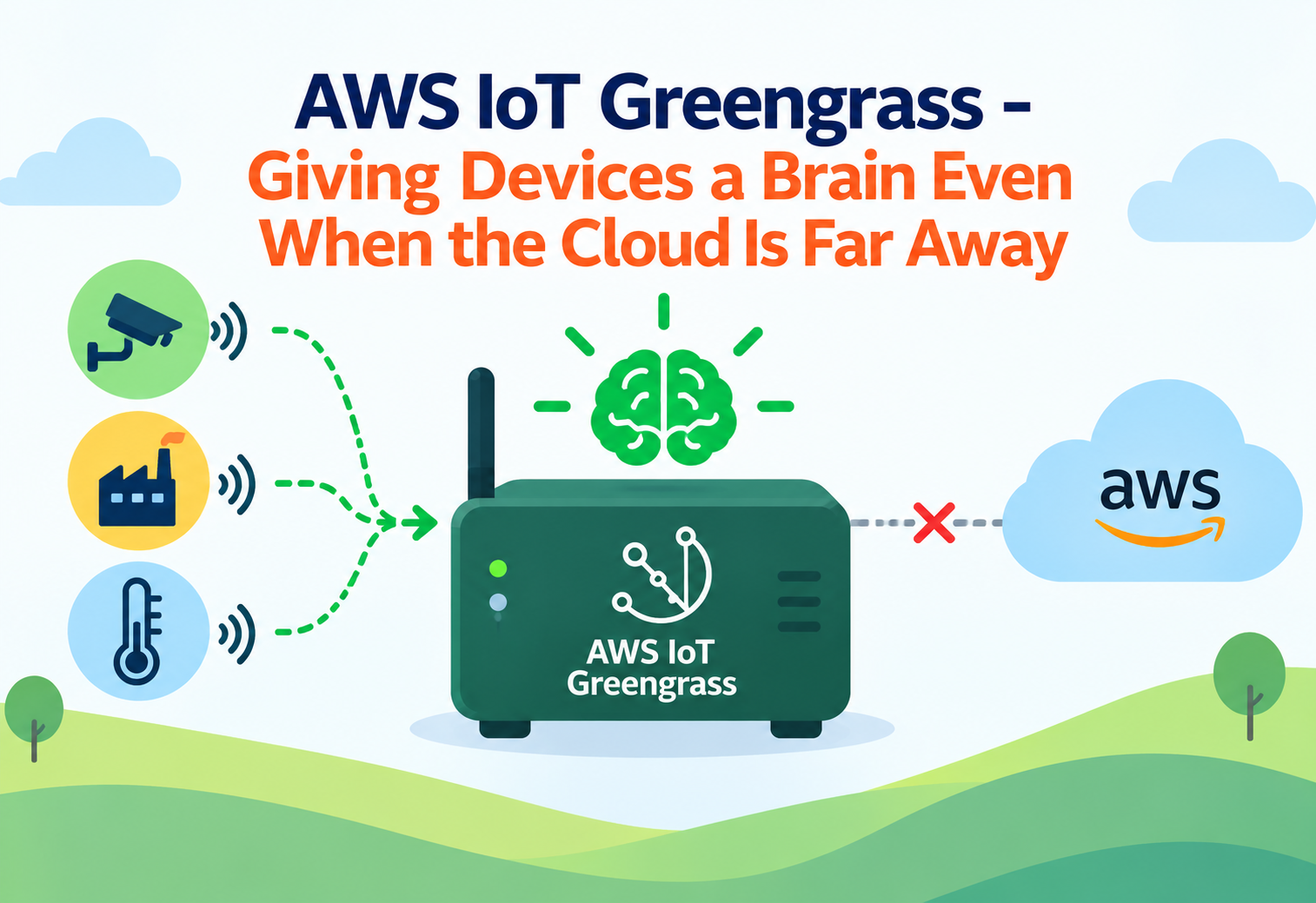
AWS IoT Greengrass – Giving Devices a Brain Even When the Cloud Is Far Away
A complete, beginner-friendly guide to AWS IoT Greengrass — what it is, how it brings cloud-like intelligence directly onto local devices, and why it keeps critical systems working even without a constant internet connection.
Imagine a ship’s crew far out at sea. They cannot call headquarters every time they need to make a small decision — the connection is too slow, too unreliable, or sometimes completely unavailable. So the crew is trained and equipped to make many decisions on their own, right there on the ship, and only report back to headquarters when they reconnect. AWS IoT Greengrass gives this same kind of local decision-making ability to physical devices like factory machines, cameras, and sensors, so they can keep working intelligently even when the cloud feels very far away.
1What Is AWS IoT Greengrass?
Let’s begin with the plain, simple explanation before anything technical.
The Simple Definition
AWS IoT Greengrass is an open-source edge runtime and cloud service that lets devices such as factory equipment, cameras, and sensors run software and make decisions locally, right where the data is being generated, instead of always needing to send everything to the cloud first. This idea of processing data close to where it is collected, rather than in a distant data center, is called edge computing.
Greengrass extends familiar AWS capabilities, such as running small pieces of code or performing machine learning predictions, directly onto local hardware. Devices running Greengrass can act immediately on local data, and can also sync results back to the cloud whenever a connection is available.
Think of Greengrass like giving a store manager the authority to handle everyday decisions on their own, instead of calling company headquarters for every single choice. The manager still reports important information back to headquarters regularly, but the store keeps running smoothly even during a phone outage.
Why It Exists
Many physical environments, such as factory floors, ships, remote oil rigs, or rural farms, do not have fast, constant, or perfectly reliable internet connections. If every single decision a device needed to make required sending data to the cloud and waiting for a response, critical processes could slow down dramatically or stop working entirely during any connectivity issue. Greengrass exists to let devices keep functioning intelligently on their own, syncing with the cloud when possible rather than depending on it every second.
Greengrass is used in factories, ships, remote industrial sites, retail locations, and any environment where devices need to react instantly to local conditions, even when cloud connectivity is slow, expensive, or occasionally unavailable.
A Practical Example
Imagine a factory with a camera system that inspects products for defects on a moving assembly line. Waiting for each image to travel to the cloud and back before deciding whether to stop the line would be far too slow. With Greengrass, the defect-detection logic runs directly on a local device near the camera, making the stop-or-continue decision instantly, while still periodically sending summary data to the cloud for long-term quality tracking and reporting.
2The Problem Before Edge Computing for IoT
To appreciate Greengrass, it helps to understand the limitations of a purely cloud-dependent approach.
Latency for Time-Sensitive Decisions
Sending every piece of data to the cloud and waiting for a response introduced delays that were unacceptable for split-second decisions.
Unreliable Connectivity
Remote or moving locations often experienced spotty, slow, or completely interrupted internet access, halting cloud-dependent processes.
Bandwidth Costs
Continuously streaming raw data, such as high-resolution video, from every device to the cloud could be extremely expensive and impractical at scale.
Fragmented Local Development Tools
Before managed edge runtimes existed, teams often had to build custom local software frameworks from scratch for each device deployment.
Greengrass solves all four of these problems by letting time-sensitive logic run instantly on the local device itself, keeping devices operational during connectivity gaps, allowing only meaningful summarized data to be sent to the cloud instead of every raw data point, and providing a consistent, reusable software framework for building and deploying local applications.
3Core Concepts and Terminology
Let’s clearly define the handful of terms that make up the Greengrass vocabulary.
Core Device
A Core Device is the physical or virtual machine running the Greengrass software, acting as the local hub that runs applications and communicates with nearby devices.
Nucleus
The Nucleus is the core piece of software running on every Core Device, responsible for managing local components and communicating with the cloud.
Component
A Component is a unit of software, such as custom logic or a machine learning model, that runs on a Core Device to perform a specific job.
Deployment
A Deployment is the process of sending Components and configuration out to one or more Core Devices, updating what runs on them.
Group
A Group is a collection of Core Devices that share the same set of Deployments, making it easier to manage many similar devices together.
Local Messaging
Local Messaging allows Components and connected devices near a Core Device to exchange data with each other without needing to reach the cloud at all.
The Core Device is the ship itself. The Nucleus is the ship’s captain, coordinating everything on board. Each Component is a trained crew member responsible for one specific task. A Deployment is the set of new instructions and supplies delivered the next time the ship docks. Local Messaging is crew members talking directly to each other on deck, without needing a satellite call to headquarters.
4Architecture and Components
Let’s see how a Greengrass environment is physically structured.
A Core Device runs the Greengrass Nucleus, which manages a set of Components deployed to it from the cloud. Nearby, simpler connected devices, such as basic sensors, can communicate through the Core Device rather than needing their own direct internet connection. Periodically, or whenever connectivity allows, the Core Device syncs relevant data and status information back to AWS IoT services in the cloud.
flowchart LR
    A[Sensors / Connected Devices] --> B[Core Device: Nucleus]
    B --> C[Component: Local Logic]
    B --> D[Component: ML Inference]
    B --> E[Local Messaging Bus]
    B -.Sync when connected.-> F[AWS IoT Cloud Services]
Single Core Device Setups
A single Core Device might run entirely on its own, such as a standalone piece of industrial equipment operating independently at a remote site.
Fleets of Core Devices
Many identical Core Devices, such as one per retail location, can be organized into Groups and managed together through shared Deployments.
5Internal Working: Local Processing and Cloud Sync
Let’s trace what actually happens as data flows through a Greengrass-powered device.
Data Collected Locally
A sensor or connected device generates new data, such as a temperature reading or a captured image.
Processed by Local Components
Relevant Components running on the Core Device analyze the data immediately, without needing to reach the cloud first.
Local Action Taken
Based on the analysis, the Core Device can immediately trigger a local action, such as sounding an alert or adjusting a machine setting.
Data Queued for Sync
Relevant results or summaries are queued locally to be sent to the cloud whenever a connection is available.
Cloud Sync Occurs
Once connectivity is present, queued data is sent to AWS IoT cloud services, and any pending Deployments or updates are received in return.
sequenceDiagram
    participant Sensor as Sensor
    participant Core as Core Device
    participant Comp as Local Component
    participant Cloud as AWS IoT Cloud
    Sensor->>Core: Send raw data
    Core->>Comp: Route data to component
    Comp->>Comp: Analyze locally
    Comp-->>Core: Trigger local action
    Core-->>Cloud: Sync summary when connected
A Greengrass device losing internet connectivity does not mean it stops working. Local Components continue running and making decisions independently, only pausing the cloud sync portion until connectivity returns.
6Getting Started: Setting Up Greengrass
Here is the conceptual sequence for setting up your first Greengrass-powered device.
Prepare the Device
Choose a physical or virtual machine that meets the requirements to run the Greengrass Nucleus.
Install the Nucleus
Install and register the Greengrass core software on the device, turning it into a recognized Core Device.
Develop or Choose Components
Build custom logic as Components, or use pre-built ones for common needs like local messaging or machine learning inference.
Create a Deployment
Package the chosen Components together and send them to your Core Device or Group of devices.
Verify Local Behavior
Test that the device correctly processes data and takes the expected local actions, even while disconnected from the cloud.
Confirm Cloud Sync
Reconnect the device and confirm that queued data and status information sync correctly with AWS IoT cloud services.
7Components and Common Use Cases
Greengrass supports a range of Component types, each suited to different local processing needs.
| Component Type | Typical Use |
|---|---|
| Custom logic component | Business-specific rules and decision-making running locally |
| Machine learning inference component | Running predictions, such as defect detection, directly on the device |
| Local messaging component | Letting nearby devices exchange data without reaching the cloud |
| Stream management component | Efficiently batching and forwarding large volumes of data to the cloud |
Predictive Maintenance
Factories run Components that analyze equipment vibration or temperature data locally, flagging potential failures before they cause a costly shutdown.
Local Video Analysis
Security or quality-inspection cameras run machine learning inference Components directly on-site, avoiding the need to stream continuous video to the cloud.
Offline-Tolerant Retail Systems
Retail locations keep point-of-sale and inventory logic running locally through Greengrass, so operations continue smoothly even during a temporary internet outage.
Remote Industrial Sites
Oil rigs, farms, and other remote locations use Greengrass to keep critical monitoring and control systems functioning despite limited or intermittent connectivity.
8Advantages, Disadvantages and Trade-offs
A balanced look at where edge computing with Greengrass shines and where it requires extra thought.
Advantages
- Devices can make time-sensitive decisions instantly, without waiting on the cloud
- Operations continue even during internet outages or poor connectivity
- Reduces bandwidth costs by sending only meaningful, summarized data to the cloud
- Supports familiar development patterns, extended to run at the edge
- Deployments can update many Core Devices in a Group consistently
- Works well alongside broader AWS IoT services for a complete solution
Disadvantages / Trade-offs
- Requires physical or virtual hardware capable of running the Nucleus at each location
- Local devices need their own security and maintenance considerations
- Debugging issues on distributed physical devices can be harder than debugging purely cloud-based systems
- Designing what should run locally versus in the cloud takes careful architectural thought
9Performance and Scalability
Greengrass is designed to work well whether you have one device or thousands spread across many locations.
Because time-sensitive processing happens directly on the Core Device, response times for local decisions are limited only by the local hardware itself, not by network latency to a distant cloud region. For organizations with many devices, Groups and Deployments make it possible to roll out updates and new Components consistently across an entire fleet of Core Devices at once, rather than configuring each one individually.
A well-trained ship’s crew does not need to wait for headquarters to react to a sudden storm. Multiplying this across an entire fleet of ships, each with its own trained crew, is how Greengrass scales local intelligence across many devices at once.
10Security in AWS IoT Greengrass
Physical devices deployed in the field require careful, layered security considerations.
Device Authentication
Core Devices authenticate to AWS IoT cloud services using unique credentials, ensuring only legitimate devices can connect.
Encrypted Communication
Data traveling between Core Devices and the cloud is encrypted in transit.
Component-Level Permissions
Individual Components can be restricted to only the specific local resources and cloud permissions they actually need.
Signed Deployments
Deployments can be verified for integrity, helping ensure that only legitimate, unmodified software is installed on a Core Device.
Physically deploying devices in accessible locations without considering local hardware security can leave a device vulnerable to tampering, even if its cloud-side permissions are configured correctly.
11Monitoring, Logging and Metrics
Keeping track of many distributed devices requires strong centralized visibility.
Greengrass Core Devices can report health status, Deployment success or failure, and Component-level logs back to AWS IoT cloud services and Amazon CloudWatch. This central visibility lets operators see the status of an entire fleet of devices from one place, rather than needing to physically check on each one individually.
Core Device Health
Whether a Core Device is online, healthy, and reporting as expected.
Deployment Status
Whether a Deployment succeeded, is in progress, or failed on a given Core Device or Group.
Component Logs
Detailed local logs from individual Components, useful for diagnosing unexpected behavior.
Connectivity Status
How often and for how long a Core Device is connected to or disconnected from the cloud.
Setting up alerts for repeated Deployment failures across a Group helps catch a problematic Component before it spreads to every device in a fleet.
12Best Practices and Common Mistakes
A few hard-earned lessons help teams avoid painful surprises when managing edge devices.
Problem
Deploying a new, untested Component directly to an entire fleet of Core Devices at once.
Why It’s Harmful
A bug in the new Component could simultaneously disrupt every device in the fleet, causing widespread operational issues.
Correct Approach
Roll out new Deployments gradually to a small subset of devices first, confirming stable behavior before expanding to the full fleet.
Problem
Designing every single decision to depend on a cloud round trip, even when Greengrass is being used.
Why It’s Harmful
This defeats the core purpose of edge computing and leaves the system just as vulnerable to connectivity issues as a purely cloud-based approach.
Correct Approach
Identify which decisions genuinely need to happen instantly and locally, and design Components specifically to handle those without waiting on the cloud.
It also helps to keep Core Device software up to date, use Groups thoughtfully to organize devices with similar roles, and design local Components to fail safely if something unexpected happens, rather than leaving a device in an unclear state.
13Real-World and Industry Examples
Seeing Greengrass applied in familiar contexts helps the concept feel concrete.
Manufacturing and Industrial Automation
Factories use Greengrass to run local quality inspection and predictive maintenance logic directly on machines, reacting instantly to conditions on the production line.
Transportation and Logistics
Vehicles and shipping containers use Greengrass to process location and condition data locally, syncing with the cloud whenever a connection becomes available during transit.
Energy and Utilities
Remote energy infrastructure, such as wind farms or pipelines, uses Greengrass to monitor and respond to local conditions despite limited connectivity at the physical site.
Retail and Hospitality
Retail chains use Greengrass to keep in-store systems, such as point-of-sale and inventory tracking, functioning reliably even during temporary internet outages.
14Frequently Asked Questions
Quick, clear answers to the most common beginner questions.
No. A Core Device can continue running local Components and making decisions even without an internet connection, syncing with the cloud once connectivity returns.
Greengrass can run on a range of physical and virtual machines that meet its resource requirements, from small industrial computers to more powerful local servers.
Yes. Organizing Core Devices into Groups and using Deployments allows updates to be rolled out consistently across many devices at the same time.
No. It is used across many industries, including transportation, energy, retail, and any setting where local, offline-tolerant processing is valuable.
Yes. Machine learning inference Components let a Core Device run predictions locally, without sending raw data to the cloud for every prediction.
Greengrass reports the Deployment status, allowing operators to see which devices failed to update and investigate the cause before retrying.
15Summary and Key Takeaways
AWS IoT Greengrass extends the intelligence of the cloud out to the physical devices where data is actually generated, letting factories, vehicles, remote sites, and retail locations make critical decisions instantly, without depending entirely on a constant internet connection. Through Core Devices, Components, and Deployments, organizations can run custom logic and even machine learning predictions locally, while still syncing meaningful results back to the cloud whenever connectivity allows. With Groups enabling fleet-wide management, layered security protecting both devices and communications, and centralized monitoring revealing the health of distributed hardware, Greengrass turns what used to be a fragile, cloud-dependent architecture into a resilient system that keeps working exactly when it matters most.
Key Takeaways
- Greengrass brings edge computing to physical devices — enabling local decisions without constant cloud dependency.
- Core Devices, Components, and Deployments are the core building blocks — together they define what runs where.
- Local processing removes cloud round-trip latency — critical for time-sensitive decisions.
- Devices keep working during connectivity gaps — syncing with the cloud once a connection returns.
- Groups and Deployments manage fleets consistently — updating many devices together rather than one at a time.
- Security spans both devices and communications — authentication, encryption, and signed Deployments protect the whole system.
- Centralized monitoring reveals fleet health — without needing to physically check on every device.

