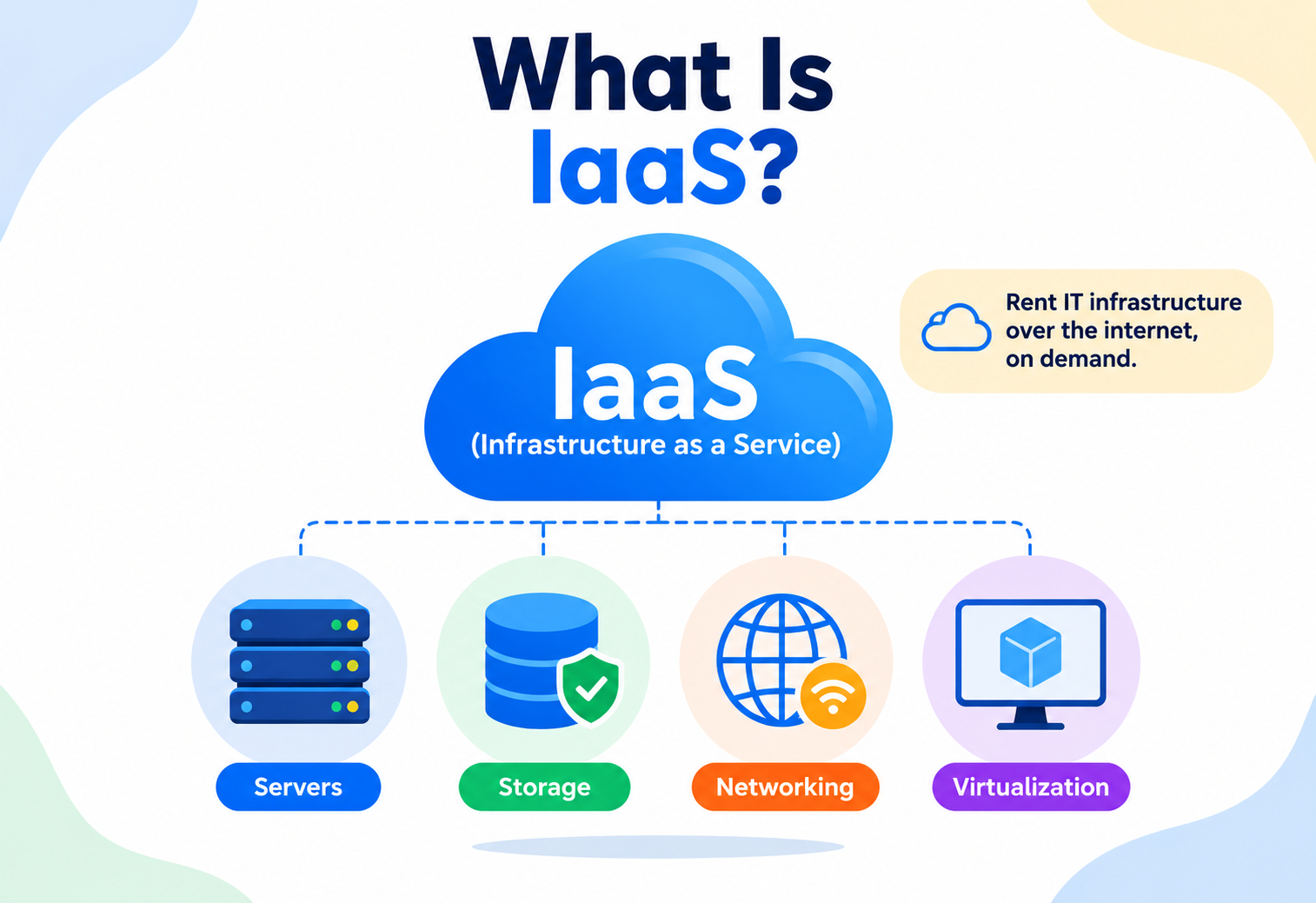
What Is IaaS?
A complete, beginner-friendly, production-grade guide to Infrastructure-as-a-Service — what it is, why it exists, how it works internally, and how companies like Netflix, Amazon and Airbnb actually use it to run global services in production.
Introduction & History
Imagine you want to open a restaurant. You have two choices. You could buy a plot of land, construct a building brick by brick, install electrical wiring, plumbing, kitchen equipment, and hire an architect to design everything from scratch. Or you could rent a fully-built commercial kitchen space — the walls, the electricity, the gas lines, and the structural safety already handled by the landlord — and simply bring in your own stoves, chefs, and recipes.
Infrastructure-as-a-Service (IaaS) is the second option, but for computers. It is a cloud computing model where a provider (like Amazon Web Services, Microsoft Azure, or Google Cloud Platform) owns and manages the physical hardware — servers, storage disks, networking cables, cooling systems, power supplies — and rents out virtualized slices of that hardware to you over the internet. You get virtual machines, virtual storage, and virtual networks that behave exactly like physical ones, except you never have to touch a screwdriver or walk into a data center.
Renting an apartment versus buying a house and building it from raw bricks. With IaaS, the “building” (physical servers, power, cooling, network) is owned and maintained by someone else. You get the keys to a fully wired unit and decide everything that happens inside it — what furniture (software) goes where, how the rooms (virtual machines) are arranged, and who gets access.
1.1 A Short History
Before cloud computing existed, every company that needed compute power had to buy physical servers, rent space in a data center or build its own, hire staff to rack and maintain the hardware, and plan capacity months in advance because ordering new servers could take weeks. This was expensive, slow, and wasteful — most servers sat idle most of the time because companies had to over-provision for peak load “just in case.”
The turning point came in the mid-2000s. Amazon, running its own massive e-commerce infrastructure, noticed that its internal engineering teams were constantly re-building the same undifferentiated infrastructure — servers, storage, networking — for every new project. In 2006, Amazon Web Services launched Amazon EC2 (Elastic Compute Cloud), effectively renting out slices of Amazon’s own data centers to the public over the internet. This is widely considered the birth of modern IaaS.
Around the same time, virtualization technology (led by companies like VMware) matured enough that a single physical server could be safely split into many independent “virtual machines,” each isolated from the others as if it were its own physical computer. This technical breakthrough is what made IaaS commercially and technically possible — without virtualization, a provider would have to give you an entire physical machine, which would be far too expensive and inefficient to rent by the hour.
Over the following two decades, IaaS matured from “just rent a server” into a rich ecosystem including virtual networks, block and object storage, load balancers, auto-scaling groups, managed Kubernetes, and dozens of adjacent services — but the foundational idea never changed: someone else owns the physical hardware, you rent virtualized capacity on demand, and you pay only for what you use.
Time-sharing mainframes
The intellectual seed of IaaS — multiple users sharing one expensive computer through time-sharing terminals, an early hint that compute could be rented rather than owned.
VMware Workstation
Software-based virtualization becomes practical on commodity x86 hardware, turning one physical server into many isolated virtual ones and setting the stage for economically viable public cloud infrastructure.
Amazon EC2 launches
Amazon Web Services opens Elastic Compute Cloud to the public, letting anyone rent a virtual server by the hour over the internet — widely considered the birth of modern IaaS.
Google App Engine & the PaaS wave
Higher abstraction cloud models emerge on top of IaaS, but IaaS itself remains the foundational layer everything else is built on.
Microsoft Azure & OpenStack
Microsoft joins the public IaaS market and the open-source OpenStack project launches, giving enterprises a way to build private IaaS clouds using cloud-style APIs on their own hardware.
Netflix all-in on AWS
Netflix publicly commits to running its streaming backend on AWS IaaS, becoming the most visible proof that a large, global consumer service can be built entirely on rented cloud infrastructure.
Docker popularises containers
Lightweight containers start replacing full VMs for many workloads, but almost always run on top of IaaS VMs — further cementing IaaS as the substrate for higher abstractions.
Custom silicon & hardened hypervisors
AWS Nitro, Google’s custom hardware, and similar systems offload networking and storage virtualization to dedicated chips, giving IaaS customers near-bare-metal performance while keeping strong multi-tenant isolation.
Buy, wait, over-provision
Buy physical servers → wait weeks for delivery → rack and configure manually → over-provision for peak load → pay a large upfront capital cost (CapEx).
Click, scale, pay-per-use
Click a button or call an API → server ready in minutes → pay per second or per hour → scale up or down instantly → pay only for actual usage (OpEx).
The Problem & Motivation
To understand why IaaS matters, it helps to understand the pain it removes. Consider a startup building a new mobile app. Before IaaS existed, the founding engineers would face several serious obstacles that had very little to do with the product they actually wanted to ship.
2.1 Problem 1 — High Upfront Cost
Buying enough physical servers to handle even moderate traffic could cost tens of thousands of dollars before a single customer had signed up. This capital expenditure (CapEx) was a huge barrier, especially for small companies and startups who did not know in advance how much traffic they would actually get.
2.2 Problem 2 — Guessing Capacity
Nobody can predict traffic perfectly. If you buy too few servers, your app crashes under load and you lose customers. If you buy too many, you have wasted money on idle hardware sitting in a data center doing nothing. Companies were essentially forced to gamble on future demand.
2.3 Problem 3 — Slow Provisioning
Ordering, shipping, racking, cabling, and configuring a physical server could take anywhere from a few weeks to a few months. If a company suddenly needed more capacity — say, during a viral marketing campaign — there was no way to react fast enough.
2.4 Problem 4 — Operational Overhead
Physical servers need power, cooling, physical security, fire suppression, and staff to replace failed hard disks or fans at 3 AM. None of this work makes a product better for the end user — it is “undifferentiated heavy lifting,” infrastructure toil that has to be done but adds no unique value to the business.
Netflix famously experienced major data center outages in the late 2000s, including a significant incident where a database corruption issue took down DVD shipping for three days because its own data centers lacked resilience. This pushed Netflix to migrate almost entirely to AWS’s IaaS platform over the following years, trading the burden of running physical data centers for the ability to focus purely on streaming technology and content.
2.5 The Motivation Behind IaaS
IaaS was built to solve exactly these four problems by turning infrastructure into a metered utility — like electricity or water. You do not build your own power plant to run a factory; you plug into the grid and pay for what you consume. IaaS applies the same philosophy to compute, storage, and networking:
- Elasticity — scale resources up or down within minutes based on real demand.
- Pay-as-you-go — convert capital expenditure into operational expenditure.
- Speed — provision a new server in seconds via an API call instead of weeks of procurement.
- Focus — engineering teams spend their time on product features, not on replacing failed hard drives.
Core Concepts
Before diving deeper, let’s build a solid vocabulary. Each term below includes what it means, why it exists, where you would encounter it, an analogy, and a concrete example.
3.1 Virtualization
What it is: Virtualization is the technology that allows one physical computer to be divided into multiple isolated, independent-feeling computers.
Why it exists: Without it, a cloud provider would have to give an entire physical machine to each customer, which is wasteful since most workloads don’t use 100% of a server’s capacity.
Analogy: A large office building divided into separate offices with locked doors. Everyone shares the same building (physical server), but each tenant (virtual machine) has their own private, locked space and has no idea what the other tenants are doing.
Example: A single physical server with 128 GB RAM and 32 CPU cores can be split by a hypervisor into 16 virtual machines, each with 8 GB RAM and 2 CPU cores, rented out to 16 different customers.
3.2 Virtual Machine (VM) / Instance
What it is: A software-based emulation of a physical computer — it has its own virtual CPU, memory, disk, network interface, and runs its own operating system.
Where it’s used: AWS calls these “EC2 instances,” Azure calls them “Virtual Machines,” Google Cloud calls them “Compute Engine instances.”
Beginner example: You click “Launch Instance,” pick “Ubuntu 22.04,” pick a size like “2 vCPU, 4 GB RAM,” and within about 60 seconds you have a fully working Linux computer accessible over SSH, located in a data center you will likely never see.
3.3 Hypervisor
What it is: The software layer that creates and manages virtual machines, allocating physical CPU, memory, and I/O to each VM while keeping them isolated from one another.
Analogy: A building manager who decides how much electricity and water each tenant’s office receives and makes sure no tenant can peek into another’s office.
Types: Type 1 (bare-metal) hypervisors like VMware ESXi or Xen run directly on hardware and are what cloud providers use for performance and security. Type 2 (hosted) hypervisors like VirtualBox run on top of an existing OS and are common for local development.
3.4 Block, Object and File Storage
| Type | What it is | Analogy | Example service |
|---|---|---|---|
| Block storage | Raw disk volumes attached to a VM, split into fixed-size blocks | An empty hard drive you plug into your VM | AWS EBS, Azure Managed Disks |
| Object storage | Flat storage for files (objects) accessed via HTTP APIs, with metadata | A warehouse of labeled boxes you retrieve by name | AWS S3, Azure Blob Storage |
| File storage | Shared network file system mountable by multiple VMs simultaneously | A shared office filing cabinet everyone can access | AWS EFS, Azure Files |
3.5 Virtual Private Cloud (VPC)
What it is: An isolated, private slice of the cloud provider’s network where your resources live, with your own IP address ranges, subnets, and routing rules.
Why it exists: Even though thousands of customers share the same physical network hardware, a VPC guarantees your resources are logically invisible and unreachable to anyone else unless you explicitly allow it.
Analogy: A gated housing community inside a larger city — the roads (physical network) are shared infrastructure, but only residents with the right keys can enter your specific compound.
3.6 Elasticity vs. Scalability
These two terms are often confused. Scalability is the general capability of a system to handle increased load by adding resources. Elasticity is a more specific idea — the ability to automatically and rapidly add and remove resources in near real-time to match demand, so you are not paying for capacity you don’t need at 3 AM when traffic is low.
3.7 Multi-Tenancy
What it is: Multiple independent customers (“tenants”) share the same underlying physical infrastructure while remaining logically isolated from one another.
Production example: Thousands of AWS customers’ virtual machines may run on the very same rack of physical servers in an AWS data center in Mumbai, but the hypervisor and VPC networking guarantee that none of them can see or interfere with another’s data or traffic.
3.8 Snapshots
What it is: A snapshot is a point-in-time copy of a block storage volume, stored independently and durably, usually in object storage behind the scenes.
Why it exists: Snapshots let you back up a disk without stopping the VM, and let you create new volumes instantly from a known-good state — for example, before a risky deployment.
Analogy: Taking a photograph of a messy desk before you start rearranging it, so you can always recreate the exact original layout if needed.
Production example: An automated nightly job takes a snapshot of every production database volume; if a bad migration corrupts data at 2 AM, engineers restore a new volume from the previous night’s snapshot within minutes instead of rebuilding from scratch.
3.9 Elastic / Floating IP Addresses
What it is: A public IP address that you own independently of any specific VM, which you can programmatically re-attach to a different instance at any time.
Why it exists: Without this, every time you replace a failed VM its public IP would change, breaking DNS records and client connections. An elastic IP stays constant while the underlying VM behind it can change freely.
Beginner example: Your production web server VM crashes. You launch a replacement VM and simply re-point the same elastic IP to it — customers hitting your domain name never notice the underlying server changed.
3.10 Instance Metadata Service
What it is: A special local-only HTTP endpoint (commonly reachable at 169.254.169.254 from inside a VM) that lets the operating system query its own cloud-specific details — instance ID, region, attached IAM role, and temporary security credentials — without embedding secrets in the image itself.
Why it matters: It allows software running on the VM to securely obtain short-lived credentials at runtime rather than requiring a developer to hard-code long-lived access keys into the application — a major security improvement. It is also a well-known attack surface: if an application has a Server-Side Request Forgery (SSRF) vulnerability, an attacker can sometimes trick it into querying this endpoint and stealing the VM’s credentials, which is exactly what happened in several well-publicized cloud breaches.
3.11 IaaS vs. PaaS vs. SaaS
| Model | You manage | Provider manages | Example |
|---|---|---|---|
| IaaS | OS, runtime, middleware, apps, data | Virtualization, servers, storage, networking | AWS EC2, Azure VMs |
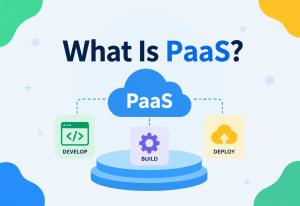
| PaaS | Application code and data | Everything below the runtime, including OS patching | AWS Elastic Beanstalk, Heroku |
| SaaS | Just your data and configuration | The entire application stack | Gmail, Salesforce |
IaaS is like renting an empty apartment (you bring your own furniture and decide the layout). PaaS is like a furnished apartment (you just move in and live). SaaS is like staying in a hotel (everything, including housekeeping, is handled for you).
Architecture & Components
An IaaS platform is not a single product — it is a layered architecture of many cooperating systems. Let’s walk through the major building blocks, from the physical data center up to the API you interact with.
4.1 Physical Layer
At the very bottom sits the data center itself — a purpose-built facility with redundant power feeds, diesel generators for backup power, industrial cooling systems, fire suppression, and physical security like biometric access and CCTV. Inside are racks of physical servers, each with CPUs, RAM, local SSDs, and network interface cards connected via high-speed switches.
4.2 Hypervisor & Compute Layer
On top of physical servers runs the hypervisor, which carves each machine into isolated VMs. Cloud providers use custom, hardened hypervisors — for example, AWS built its own hypervisor called the Nitro System, which offloads networking and storage virtualization to dedicated hardware chips so almost all of the physical server’s CPU can be given to the customer’s VM rather than being consumed by virtualization overhead.
4.3 Software-Defined Networking (SDN)
Rather than physically rewiring cables every time a customer creates a new virtual network, cloud providers use software-defined networking — a layer of software that programs the actual network switches to create isolated virtual networks (VPCs), subnets, route tables, and firewalls entirely through code and APIs.
4.4 Distributed Storage Cluster
Storage in IaaS is never a single physical disk. Block storage services like AWS EBS replicate every volume across multiple physical disks and even multiple server racks within an availability zone, so a single disk failure never causes data loss.
4.5 Control Plane / Orchestrator
The control plane is the “brain” of the cloud platform — the set of internal services responsible for scheduling where new VMs should be placed, tracking the health of every physical server, enforcing quotas, and exposing everything through a public API. When you click “Launch Instance,” you are talking to the control plane, not directly to a physical server.
4.6 API & Management Layer
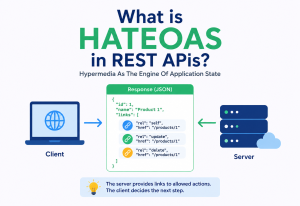
Everything in IaaS is ultimately controlled through a well-defined API (usually REST, sometimes gRPC internally). The web console you click around in is itself just a client of this same API — a beginner-friendly wrapper. This “everything is an API” principle is what makes IaaS scriptable and automatable through tools like Terraform.
4.7 Talking to the IaaS API from Code
Here is a simplified Java example using the AWS SDK to programmatically launch a virtual machine — demonstrating that the entire IaaS “physical layer” underneath is abstracted into a handful of API calls.
import software.amazon.awssdk.services.ec2.Ec2Client;
import software.amazon.awssdk.services.ec2.model.*;

public class LaunchInstanceExample {
    public static void main(String[] args) {
        Ec2Client ec2 = Ec2Client.create();

        RunInstancesRequest request = RunInstancesRequest.builder()
                .imageId("ami-0abcd1234efgh5678")   // base OS image
                .instanceType(InstanceType.T3_MICRO) // 2 vCPU, 1 GB RAM tier
                .minCount(1)
                .maxCount(1)
                .keyName("my-ssh-keypair")
                .securityGroupIds("sg-0123456789abcdef0")
                .subnetId("subnet-0a1b2c3d4e5f")
                .build();

        RunInstancesResponse response = ec2.runInstances(request);
        String instanceId = response.instances().get(0).instanceId();

        System.out.println("Launched virtual machine: " + instanceId);
        ec2.close();
    }
}
Behind this roughly fifteen lines of code, the control plane picks a physical server with free capacity, the hypervisor allocates CPU and memory, the SDN layer attaches a virtual network interface, and a storage volume is provisioned and attached — all completed in under a minute.
Internal Working
Let’s go one level deeper and understand what actually happens, step by step, from the moment you click “Launch Instance” to the moment you can SSH into your new server.
5.1 Step-by-Step: Launching a VM
- Request received — your API call (or console click) hits the cloud provider’s API gateway, is authenticated, and checked against your account’s permissions (IAM) and quotas.
- Scheduling — the orchestrator’s scheduler looks across thousands of physical servers in the target availability zone and picks one with enough free CPU, memory, and network capacity — considering constraints like anti-affinity rules (don’t put two of the customer’s VMs on the same failure domain if possible).
- Image preparation — the chosen OS image (AMI in AWS terms) is fetched — often already cached locally on the host, or streamed lazily so boot can start before the entire image is downloaded.
- Hypervisor allocation — the hypervisor on the selected physical server carves out the requested vCPU cores and memory pages, and creates a new isolated VM instance.
- Networking attachment — the SDN layer assigns a virtual network interface, private IP address (and public IP if requested), attaches it to your VPC’s subnet, and applies your security group (firewall) rules.
- Storage attachment — a root block storage volume is provisioned on the distributed storage cluster and attached to the VM as its virtual hard disk.
- Boot — the VM’s virtual BIOS starts, the OS boots, cloud-init (or an equivalent) runs to inject your SSH key and any startup scripts.
- Health check & status update — the hypervisor reports the VM as “running” back to the control plane, which updates the instance’s state so your API call or console shows “running.”
5.2 How Isolation Actually Works
A common beginner question is: “If my VM shares a physical server with a stranger’s VM, how do I know they can’t read my memory or disk?” The answer lies in hardware-assisted virtualization features (like Intel VT-x / AMD-V) which the hypervisor uses to enforce strict CPU and memory boundaries at the hardware level — a VM literally cannot address memory outside its allocated region, and any attempt is trapped and blocked by the CPU itself, not just by software convention.
5.3 Concurrency at the Infrastructure Level
Cloud control planes handle millions of concurrent API requests from customers worldwide. Internally, they rely on principles familiar from distributed systems — the same ones used in databases: optimistic concurrency control for updating shared resource metadata, distributed locks or leader election (often via consensus protocols like Raft or Paxos) to ensure only one scheduler instance places a workload on a given physical host at a time, and idempotent APIs so that if your request times out and you retry it, you don’t accidentally launch two VMs instead of one.
Cloud providers’ internal control planes are themselves distributed systems that must agree on shared state (like “which physical host is this VM running on?”) across many redundant control-plane nodes. They use consensus algorithms such as Raft or Paxos internally — the same family of algorithms used by systems like etcd (which powers Kubernetes) — to make sure all control-plane replicas agree even if some nodes crash mid-operation.
5.4 Bin-Packing: How the Scheduler Chooses a Physical Host
Deciding which of thousands of physical servers should host your new VM is essentially a variant of the classic bin-packing problem from computer science — fitting items (VM requests) of varying sizes into containers (physical hosts) as efficiently as possible, without wasting capacity or violating constraints. A naive scheduler might simply pick the first host with enough free capacity, but production schedulers weigh several competing goals simultaneously: maximizing overall utilization (so the provider isn’t wasting expensive hardware), spreading a single customer’s VMs across different failure domains for resilience (anti-affinity), keeping latency-sensitive VMs physically close to resources they depend on (affinity), and leaving enough slack capacity on each host to absorb sudden traffic spikes without triggering a live migration.
When a host does become overloaded or needs maintenance, some providers support live migration — transparently moving a running VM’s memory and state to a different physical host with zero or near-zero downtime, by copying memory pages over the network while the VM keeps running, then briefly pausing to copy the last few changed pages and resume on the new host.
5.5 Why Cold Starts Happen
Sometimes a new VM takes noticeably longer to become available — this is often due to a “cold start,” where the specific OS image was not already cached on the selected physical host and has to be fetched from the storage layer first. Providers mitigate this by pre-caching popular images across hosts and by streaming images so the VM can start booting before the entire image has finished downloading.
Data Flow & Lifecycle
Every IaaS resource — a VM, a storage volume, a network — moves through a predictable lifecycle. Understanding this lifecycle helps you reason about cost, reliability, and automation.
6.1 VM Lifecycle States
| State | Meaning | Billed? |
|---|---|---|
| Pending | Resources being allocated, OS booting | No (typically) |
| Running | VM is active and usable | Yes |
| Stopping | Graceful shutdown in progress | Partially |
| Stopped | VM off, but disk and config retained | Storage only, not compute |
| Terminated | VM permanently deleted, resources released | No |
6.2 Typical Runtime Request Flow
Once your VM is running, here is how a real request — say, a user hitting your web app hosted on that VM — flows through the infrastructure layers you have rented:
6.3 Auto-Scaling Lifecycle
A defining feature of mature IaaS platforms is auto-scaling — automatically adding or removing VM instances based on real-time load.
- A metric (like average CPU utilization across a fleet) crosses a defined threshold, e.g., above 70% for 5 minutes.
- The auto-scaling service triggers a scale-out event, launching new VM instances from a pre-defined template (launch configuration).
- New instances boot, run health checks, and are registered with the load balancer.
- Traffic is now spread across more instances, reducing per-instance load.
- When load drops back down, instances are gracefully drained of traffic and terminated to save cost.
Amazon’s retail platform and AWS customers alike rely heavily on auto-scaling during high-traffic events like Prime Day, where traffic can spike to many times the normal baseline within minutes. Auto-scaling groups add hundreds or thousands of additional instances automatically, and scale back down once the surge passes — something that would be physically impossible with owned, static hardware.
Pros, Cons & Trade-offs
IaaS is a powerful default choice for modern software, but it is not free of drawbacks. A careful engineer weighs both sides before committing to an architecture built entirely on rented infrastructure.
Advantages
- No upfront hardware capital cost.
- Elastic scaling within minutes.
- Pay only for what you use.
- Global reach — deploy in regions worldwide instantly.
- Provider handles physical hardware failures.
- Rapid experimentation and disposable environments.
Disadvantages & trade-offs
- You still manage OS patching, security, and application-level scaling logic.
- Costs can spiral without discipline (“bill shock”).
- Vendor lock-in risk with provider-specific APIs.
- Shared responsibility means misconfiguration is on you.
- Network latency to the physical location of the data center.
- Complexity of managing many moving infrastructure pieces.
7.1 IaaS vs. On-Premises: The Real Trade-off
It is tempting to think IaaS is “always cheaper,” but this isn’t universally true. For workloads with highly predictable, constant, round-the-clock utilization over many years (e.g., a bank’s steady core transaction processing), owning hardware can sometimes be cheaper over a five-year-plus horizon. IaaS wins decisively for variable, unpredictable, or fast-growing workloads, and for teams that value speed and flexibility over raw long-term unit cost.
7.2 The Shared Responsibility Model
A critical concept every IaaS user must internalize: the cloud provider secures the infrastructure “of” the cloud (physical security, hypervisor, network hardware), but you are responsible for security “in” the cloud — OS patches, firewall rules, application code, access keys, and data encryption. Misunderstanding this split is one of the most common causes of real-world cloud security breaches.
Performance & Scalability
Fast, predictable performance on shared, virtualized hardware is not automatic — it is the result of specific architectural choices in both the platform and your application.
8.1 Vertical vs. Horizontal Scaling
Vertical scaling means making a single VM bigger — more vCPUs, more RAM. It is simple but has a hard ceiling (the largest instance type available) and typically requires a restart. Horizontal scaling means adding more VM instances running in parallel behind a load balancer. It has virtually no ceiling and doesn’t require downtime, but requires your application to be stateless or use shared / distributed state.
Vertical scaling is like replacing a small delivery van with a bigger truck. Horizontal scaling is like adding more delivery vans to the fleet. At some point, one truck — no matter how big — cannot deliver as fast as ten vans working in parallel.
8.2 Instance Sizing & Performance Tiers
Cloud providers offer “instance families” optimized for different workloads: general purpose (balanced CPU / RAM), compute-optimized (high CPU, for video encoding or batch processing), memory-optimized (for in-memory databases like Redis), and storage-optimized (high disk I/O, for data warehouses). Choosing the wrong family is a common performance mistake — e.g., running a memory-hungry Java application with a large heap on a compute-optimized instance with too little RAM causes constant garbage collection pauses.
8.3 Network Throughput & the “Noisy Neighbor” Effect
Because IaaS is multi-tenant, a poorly isolated platform could suffer from the “noisy neighbor” problem — another customer’s VM on the same physical host consuming excessive disk I/O or network bandwidth, degrading your VM’s performance. Modern hypervisors (like AWS Nitro) solve this with strict per-VM I/O and bandwidth guarantees enforced at the hardware level, so your performance stays predictable regardless of what your “neighbors” are doing.
8.4 CAP Theorem Applied to IaaS Storage
Distributed IaaS storage systems (like the ones backing S3 or EBS) must navigate the CAP theorem — a distributed system can only fully guarantee two of Consistency, Availability, and Partition tolerance at once. Object storage services typically favor Availability and Partition tolerance, offering “eventual consistency” for some operations, while block storage backing critical databases favors strong Consistency for the data on an attached volume.
8.5 Benchmarking Before You Commit
A common beginner mistake is choosing instance sizes based on marketing names alone (“large” sounds powerful) rather than actual measured performance for the specific workload. Production teams typically run representative load tests — simulating realistic request patterns against a candidate instance type and measuring latency percentiles (p50, p95, p99), not just averages, since a good average can hide a painful tail of slow requests that frustrate real users. Only after this kind of empirical testing should a team commit to an instance family and auto-scaling thresholds for production traffic.
8.6 Latency and Physical Distance
Even though IaaS feels instantaneous, physics still applies: a request from a user in Delhi to a VM hosted in a data center in Virginia, USA, must travel thousands of kilometers of fiber-optic cable, adding real, unavoidable round-trip latency. This is why choosing a region close to your actual user base — and using a Content Delivery Network for static assets — matters just as much as choosing the right instance size.
1 VM
Only ever as fast as the largest instance type offered by the provider.
~thousands
Of stateless VMs behind a load balancer, scaling almost linearly with traffic.
< 100 ms
A common global end-to-end latency target for user-facing web APIs.
p99
The percentile most worth optimizing — averages hide slow outliers real users feel.
High Availability & Reliability
High availability on IaaS is not a checkbox — it is the result of deliberately spreading workloads across independent failure domains and letting the platform automatically replace whatever breaks.
9.1 Regions and Availability Zones
Cloud providers organize their global infrastructure into Regions (large geographic areas, e.g., “ap-south-1” for Mumbai) which are further divided into Availability Zones (AZs) — physically separate data centers within a region, each with independent power, cooling, and networking, but connected by high-speed low-latency links.
Deploying your application across multiple AZs means that if a fire, power outage, or hardware failure knocks out one entire data center, your application keeps running from the surviving zones. This is the fundamental building block of high availability in IaaS.
9.2 Replication
Both storage and compute rely heavily on replication for reliability. Block storage volumes are typically replicated synchronously to at least one other physical disk within the same AZ so a single disk failure causes zero data loss. For disaster recovery, snapshots can be asynchronously replicated to another region entirely.
9.3 Failover & Self-Healing
Auto-scaling groups combined with health checks provide automatic failover: if a VM instance fails a health check (e.g., stops responding to HTTP pings), it is automatically terminated and replaced with a fresh instance — without any human intervention. This “self-healing” pattern is core to how production systems achieve high uptime on IaaS.
9.4 Failure Recovery Example
Consider a three-tier web application spread across three AZs. If the physical server hosting one of your VMs suffers a hardware fault:
- The hypervisor detects the fault and the VM stops responding.
- The load balancer’s health check fails for that instance within seconds and stops routing traffic to it.
- The auto-scaling group detects the unhealthy instance and terminates it.
- A replacement instance is launched — potentially on a completely different physical host, even in a different AZ.
- Meanwhile, the two surviving AZs continued serving all traffic without any customer-visible downtime.
Even mature IaaS providers experience regional outages, which is precisely why architects design applications to span multiple AZs and, for critical systems, multiple regions. Companies that relied on a single AZ or region have experienced extended downtime during past AWS regional incidents, while multi-AZ / multi-region architectures continued operating with minimal disruption.
Security
Because IaaS spans code you write and infrastructure you rent, security is a joint responsibility. The controls below are what production teams rely on to keep multi-tenant workloads safe.
10.1 Identity and Access Management (IAM)
IAM is the system that controls who (or what service) can do what to which resource. Every API call to launch, stop, or modify infrastructure passes through an IAM policy check first. Best practice is the principle of least privilege — grant only the exact permissions needed, nothing more.
10.2 Network Security: Security Groups & NACLs
Security Groups act as a virtual firewall attached directly to a VM’s network interface, controlling inbound and outbound traffic by port, protocol, and source IP. Network Access Control Lists (NACLs) operate at the subnet level, providing a second, broader layer of defense.
10.3 Encryption
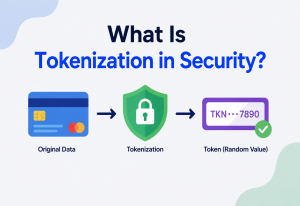
IaaS platforms provide encryption at multiple layers: encryption at rest for block and object storage volumes (using keys managed by the provider or by you via a dedicated Key Management Service), and encryption in transit using TLS for data moving across the network.
10.4 Common Security Mistakes
- Leaving default security group rules open to
0.0.0.0/0on sensitive ports like SSH (22) or database ports. - Hard-coding long-lived access keys in application code instead of using short-lived, automatically-rotated credentials via instance roles.
- Forgetting that object storage buckets are private by default in most providers today, but misconfiguration can still make them publicly readable — a leading cause of real-world data breaches.
- Not patching the guest operating system, since IaaS providers do not patch your OS for you — that responsibility sits with you under the shared responsibility model.
A widely-referenced cloud security incident involved a misconfigured web application firewall on an IaaS-hosted server that allowed an attacker to access sensitive data stored in object storage buckets, affecting over 100 million customer records. The root cause was not a flaw in the IaaS platform itself, but a misconfiguration on the customer’s side — a textbook illustration of the shared responsibility model in practice.
Monitoring, Logging & Metrics
Because IaaS infrastructure is elastic and constantly changing — instances appear and disappear as auto-scaling reacts to load — visibility becomes critical. You cannot walk over to a rack and look at blinking lights; everything must be observable through software.
11.1 Key Infrastructure Metrics
| Metric | Why it matters |
|---|---|
| CPU utilization | Signals when to scale out, or when an instance is oversized |
| Memory utilization | Not always visible to the hypervisor by default; often needs a custom agent |
| Disk I/O (IOPS, throughput) | Reveals storage bottlenecks for database-heavy workloads |
| Network in / out | Detects bandwidth saturation or unusual traffic (possible attack) |
| Instance status checks | Detects hardware or hypervisor-level failures automatically |
11.2 Centralized Logging
Since instances are ephemeral (they can be terminated and replaced at any moment by auto-scaling), logs must be shipped off the instance immediately to a centralized logging service rather than stored only on local disk — otherwise, logs vanish the moment the instance is terminated.
11.3 Alerting
Metrics feed into alerting systems that notify engineers (via email, Slack, or paging tools) when thresholds are breached — for example, alerting when average response latency exceeds 500 ms for more than five minutes, which often correlates with an infrastructure-level bottleneck like CPU saturation or a failing instance.
A good rule of thumb: if you can’t reconstruct what happened to a request three weeks after an incident, your monitoring and logging setup has gaps. Correlation IDs passed through logs across every VM a request touches make debugging distributed, multi-instance IaaS deployments dramatically easier.
Deployment & Cloud Patterns
Once you accept that infrastructure is code, whole categories of deployment risk shrink dramatically. This chapter walks through the core deployment patterns modern teams treat as table stakes on IaaS.
12.1 Infrastructure as Code (IaC)
Manually clicking through a web console to create infrastructure does not scale and is impossible to reliably reproduce. Infrastructure as Code tools like Terraform or AWS CloudFormation let you describe your desired infrastructure — VMs, networks, storage — in text files that are version-controlled, reviewed, and applied automatically.
resource "aws_instance" "web_server" {
  ami           = "ami-0abcd1234efgh5678"
  instance_type = "t3.micro"
  subnet_id     = aws_subnet.public.id

  tags = {
    Name = "utivra-web-server"
  }
}
This single block of Terraform code, when applied, drives exactly the same control-plane API calls we saw in the Java example earlier — IaC is simply a declarative way of describing the desired end state, letting the tool figure out the API calls needed to get there.
12.2 Immutable Infrastructure
Instead of logging into a running VM and manually patching it (which leads to configuration drift, where every server slowly becomes slightly different), the immutable infrastructure pattern bakes a fully-configured machine image (an AMI) ahead of time, and any change means building a brand new image and replacing the old instances entirely rather than editing them in place.
12.3 Blue-Green and Canary Deployments
IaaS elasticity enables safer deployment strategies. In a blue-green deployment, a completely new fleet of instances (“green”) is launched running the new version, tested, and then traffic is switched over from the old fleet (“blue”) — with the old fleet kept around briefly for instant rollback. A canary deployment routes a small percentage of traffic to new instances first, gradually increasing it while watching error metrics closely.
12.4 Containers on Top of IaaS
Most modern production systems don’t deploy applications directly onto raw VMs; instead, they run a container orchestrator like Kubernetes on top of a fleet of IaaS virtual machines (the “worker nodes”), letting Kubernetes handle finer-grained scheduling of many small containers across that pool of VMs. This is a good example of how higher abstraction layers (containers, PaaS) are typically built as software running on top of IaaS, not as a replacement for it.
Databases, Caching & Load Balancing on IaaS
A well-architected data tier on IaaS is not a single database on a single VM. It is a layered set of specialised primitives — block storage, caches, and load balancers — all rented from the same platform.
13.1 Running a Database on IaaS
You can install and run any database (PostgreSQL, MySQL, MongoDB) yourself on a rented VM with an attached block storage volume — giving full control but requiring you to handle backups, patching, replication, and failover manually. Managed database services (which are technically a step above pure IaaS, closer to PaaS) handle this operational burden for you while still running on the same underlying IaaS compute and storage primitives internally.
13.2 Replication & Read Replicas
To scale read-heavy workloads, a common pattern is deploying one primary database VM that accepts writes, with one or more read replica VMs that continuously receive a replicated copy of the data and serve read-only queries — spreading load across multiple instances rather than one.
13.3 Caching Layer
An in-memory cache (like Redis or Memcached), typically deployed on a memory-optimized VM instance, sits between your application and database to absorb repeated read requests, dramatically reducing database load and improving response latency for frequently accessed data.
13.4 Load Balancers
A load balancer is itself an IaaS-managed service (not something you install yourself) that distributes incoming traffic across a pool of VM instances, performs health checks, and enables horizontal scaling to work seamlessly.
13.5 Talking to a Load-Balanced Backend from Code
import java.net.http.HttpClient;
import java.net.http.HttpRequest;
import java.net.http.HttpResponse;
import java.net.URI;

public class LoadBalancerClient {
    public static void main(String[] args) throws Exception {
        HttpClient client = HttpClient.newHttpClient();

        // The load balancer's DNS name hides how many VM instances
        // are actually running behind it -- could be 2 or 200.
        HttpRequest request = HttpRequest.newBuilder()
                .uri(URI.create("https://api-lb.utivra-example.com/health"))
                .GET()
                .build();

        HttpResponse<String> response =
                client.send(request, HttpResponse.BodyHandlers.ofString());

        System.out.println("Status: " + response.statusCode());
        System.out.println("Served by: " + response.body());
    }
}APIs & Microservices on IaaS
IaaS provides the raw compute and network substrate that microservice architectures run on. Each microservice can be deployed on its own pool of VM instances (or containers running on those VMs), scaled independently based on its own specific load pattern.
14.1 Service Discovery
Because VM instances in an elastic fleet are constantly being created and destroyed, hardcoding IP addresses is impossible. Service discovery mechanisms (like DNS-based discovery or a dedicated service registry) let one microservice find the current network location of another dynamically.
14.2 API Gateways
An API gateway — often deployed as a managed IaaS-adjacent service or as its own fleet of VMs — sits at the edge of your architecture, routing external requests to the correct internal microservice, handling authentication, rate limiting, and request logging in one centralized place.
14.3 Inter-Service Communication & Network Latency
Since each microservice may live on a different set of VM instances, potentially in different subnets or even different AZs, network latency and reliability between services become a first-class engineering concern — something that simply didn’t exist inside a single monolithic process on one machine.
Dynamic
Service registries and DNS-based discovery let elastic fleets find each other without hardcoded IPs.
API gateway
One place for auth, rate limiting, and routing across many internal microservices.
Design Patterns & Anti-Patterns
The same platform can be run either as a highly reliable, self-healing distributed system or as a fragile, hand-tuned mess. What separates the two is a small number of well-known patterns — and a smaller number of anti-patterns to avoid.
15.1 Pattern — Auto-Scaling Groups
Define a minimum, desired, and maximum number of instances, and let the platform automatically add or remove instances based on a scaling policy tied to a real-time metric like CPU or request count.
15.2 Pattern — Immutable Golden Images
Bake a fully-patched, pre-configured machine image and deploy new instances from it rather than configuring servers by hand after boot — this avoids configuration drift and makes rollback trivial (just point back to the previous image).
15.3 Pattern — Multi-AZ Redundancy
Always deploy production workloads across at least two, ideally three, availability zones so that the loss of any single data center does not take down the whole application.
Anti-patterns
- Pet servers — treating a VM as a unique, hand-configured, irreplaceable “pet” that you SSH into and lovingly patch by hand, rather than as disposable “cattle” that can be terminated and replaced at any moment. Pet servers are fragile, undocumented, and terrifying to touch, which is the opposite of what IaaS elasticity is meant to enable.
- Ignoring the shared responsibility model — assuming the cloud provider handles security entirely, and therefore skipping OS patching, leaving default open firewall rules, or storing secrets in plaintext on a VM’s disk.
- Over-provisioning “just in case” — launching the largest instance size available out of caution, without measuring actual utilization first, defeating the entire cost-efficiency purpose of elastic IaaS.
- Single point of failure in a single AZ — running your entire production database on one VM in one availability zone with no replica. A single hardware fault becomes a full outage, even though the platform offered multi-AZ redundancy for free architectural benefit.
How to avoid them
- Treat VMs as interchangeable cattle: never manually configure a running instance.
- Own the security “in the cloud” layer explicitly — IAM, firewalls, secrets, OS patches.
- Right-size based on measured p95 utilisation, then let auto-scaling handle spikes.
- Design production topology multi-AZ from day one, even before you strictly “need” it.
Best Practices & Common Mistakes
A concise operational checklist experienced cloud engineers keep in their head when reviewing an IaaS environment. Most real-world incidents come from doing one of these things slightly wrong.
Best practices
- Use Infrastructure as Code for every resource.
- Tag every resource with owner, project, and environment.
- Set up billing alerts before you need them.
- Use least-privilege IAM roles, never root credentials.
- Design for AZ failure from day one.
- Automate patching and image rebuilding.
- Right-size instances based on real metrics, not guesses.
Common mistakes
- Forgetting to terminate unused test instances (silent cost leak).
- Storing application secrets directly in code or images.
- No automated backups of block storage volumes.
- Ignoring instance metadata service security (SSRF risks).
- Manually editing servers instead of updating IaC templates.
- Not load testing before assuming auto-scaling thresholds are correct.
16.1 Cost Optimization
IaaS billing is granular and can surprise teams that don’t monitor it. Reserved or committed-use pricing offers significant discounts for predictable, steady workloads in exchange for a 1–3 year commitment, while spot / preemptible instances offer very deep discounts for interruptible, fault-tolerant batch workloads by using a provider’s spare capacity that can be reclaimed with short notice.
A disciplined team typically reviews its infrastructure spend on a recurring cadence, looking specifically for orphaned resources — unattached storage volumes, unused elastic IPs, or forgotten test instances left running over a weekend — since these silent leaks are one of the most common sources of unnecessary cloud spend. Automated tagging and cost-allocation dashboards, tied back to specific teams or projects, make this kind of review far easier at scale than trying to eyeball a single, undifferentiated monthly bill.
Real-World & Industry Examples
Looking at how well-known companies actually use IaaS is one of the fastest ways to internalise which parts of the theory matter most in practice.
All-in on AWS IaaS
Netflix runs almost its entire streaming backend — content recommendation, billing, user profiles, and the API layer that mobile and TV apps talk to — on AWS IaaS and related services, deliberately choosing not to own data centers for compute. Netflix built its own resilience-testing tool, Chaos Monkey, specifically to randomly terminate production VM instances and verify the system survives — a direct embrace of the “cattle, not pets” IaaS philosophy.
Elastic global platform
Airbnb scaled its infrastructure from a handful of servers to a globally distributed IaaS-based platform as its user base grew, relying on auto-scaling and multi-region deployment to handle highly seasonal, unpredictable booking traffic spikes around holidays and major events.
Time-to-market advantage
Countless startups have been able to launch global products with a handful of engineers and no data center experience at all, because IaaS removed the multi-month hardware procurement cycle entirely — a founder can go from an idea to a globally-deployed, auto-scaling production system within days.
Hybrid cloud
Large, regulated enterprises (banks, healthcare providers) often adopt a hybrid model — keeping certain sensitive workloads on-premises for regulatory or latency reasons, while using IaaS for elastic workloads like data analytics, disaster recovery, and customer-facing web applications, connected back to their private data centers via dedicated private network links.
Reverse migration
Interestingly, not every migration story flows toward the public cloud. Dropbox famously moved a significant portion of its storage infrastructure off public IaaS and onto its own custom-built data centers once it reached a scale where owning specialized storage hardware became more cost-effective for its very specific, storage-heavy workload. This is a useful reminder that IaaS is a powerful default choice, not a universal law — at extreme, highly specialized scale, the trade-off calculation can shift back toward ownership for certain workloads.
Spot / preemptible
Media companies performing large-scale video transcoding, and research labs running scientific simulations, frequently use spot / preemptible IaaS instances — spare provider capacity offered at steep discounts, which can be reclaimed by the provider with short notice. Because these batch workloads are fault-tolerant and can checkpoint progress, losing an instance mid-job is a minor inconvenience rather than a disaster, making spot capacity an extremely cost-effective fit.
17.1 The Common Thread
Across every one of these examples, the same pattern shows up: IaaS is treated as a substrate, not a magic solution. The successful teams design their applications for elastic, replaceable infrastructure from the start, invest early in Infrastructure as Code and observability, and pick their layer of abstraction (raw VMs, containers, managed services) based on how much operational control they actually need for each specific workload.
Frequently Asked Questions
A handful of questions come up more often than others when engineers first start working with IaaS. This section collects the ones worth answering carefully.
Is IaaS the same as “the cloud”?
Not exactly. “The cloud” is a broad umbrella covering IaaS, PaaS, SaaS, and more. IaaS is specifically the layer that provides raw virtualized compute, storage, and networking — the most foundational and flexible of the cloud service models.
Do I still need to manage servers with IaaS?
Yes — you manage the operating system, runtime, security patches, and application inside the VM. The provider manages only the physical hardware and virtualization layer beneath it.
Is IaaS always cheaper than owning hardware?
Not always. For highly predictable, constant, long-running workloads over many years, owned hardware can sometimes be cheaper. IaaS wins for variable, unpredictable, or rapidly growing workloads, and for the operational flexibility it provides.
What’s the difference between an availability zone and a region?
A region is a broad geographic area (like “Mumbai”). Within a region, there are multiple availability zones — physically separate data centers with independent power and cooling — used together for high availability.
Can small teams realistically use IaaS in production?
Yes — this is one of IaaS’s biggest advantages. A small team can provision production-grade, globally distributed, auto-scaling infrastructure through code, without ever hiring dedicated data center staff.
What happens to my data if I stop (not terminate) a VM?
Stopping a VM shuts down the compute portion, so you stop paying for compute, but the attached block storage volume and its data are retained and you continue to pay a small storage fee until you either restart or terminate the instance and delete the volume.
Is it possible to move from one IaaS provider to another?
Technically yes, but it typically requires significant re-engineering because each provider has its own proprietary APIs, networking model, and managed service ecosystem — this is the practical reality behind the term “vendor lock-in,” and it’s why many teams deliberately use portable technologies like containers and Infrastructure as Code to ease any future migration.
How is IaaS billed exactly?
Most providers bill compute per second or per hour of actual running time, storage per gigabyte-month provisioned, and network data transfer per gigabyte — usually free for inbound traffic and data moving within the same region, but charged for outbound traffic leaving the provider’s network.
Summary & Key Takeaways
IaaS turns physical data center infrastructure — servers, storage, and networking — into an on-demand, API-driven, pay-as-you-go utility. It emerged to solve the real, expensive problems of upfront capital cost, unpredictable capacity planning, slow provisioning, and heavy operational overhead that plagued traditional owned data centers. Under the hood, it relies on virtualization, software-defined networking, distributed storage, and a resilient control plane built on distributed-systems principles like consensus and replication. Production systems built on IaaS lean on patterns like multi-AZ redundancy, auto-scaling, immutable infrastructure, and infrastructure as code to achieve reliability and agility that would be extremely difficult and expensive to replicate with owned hardware.
Key Takeaways
- IaaS rents virtualized compute, storage, and networking — you still manage the OS and above.
- Virtualization and hypervisors are the core technology that makes multi-tenant IaaS possible and safe.
- Elasticity (not just scalability) is what separates cloud IaaS from traditional hosting.
- The shared responsibility model means security is a partnership, not something you can fully outsource.
- Multi-AZ and multi-region design are essential for real-world high availability.
- Infrastructure as Code and immutable images are the professional standard for managing IaaS at scale.
- Higher-level abstractions like PaaS, containers, and Kubernetes are typically built on top of IaaS, not replacements for it.