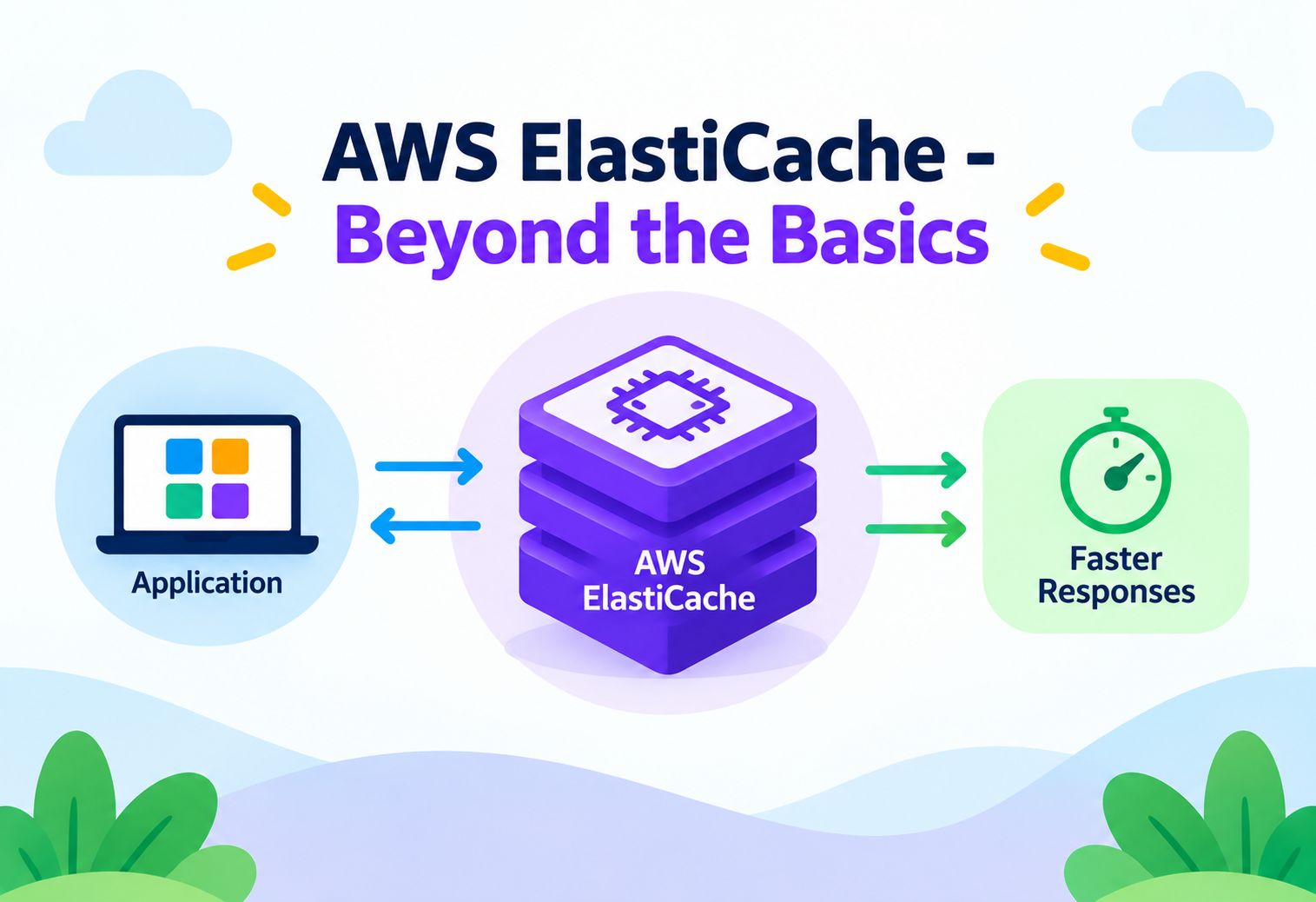
AWS ElastiCache – Beyond the Basics
A working engineer's guide to how ElastiCache actually behaves in production — sharding, failover, persistence, security, and the trade-offs that only show up once real traffic hits your cluster.
If you already know that ElastiCache is “a managed in-memory cache that sits in front of a database,” this article starts one level above that. We are going to spend our time on the decisions that separate a cluster that survives a traffic spike from one that falls over: how nodes are actually organized into shards, what happens on the wire during a failover, how eviction policies decide what dies first, and why a cache that is “working fine” in staging can quietly become your biggest single point of failure in production. Along the way we will use ElastiCache for Redis OSS as the primary lens, since it is the engine most teams reach for once they need more than a flat key-value store, and we will call out Memcached wherever the two genuinely diverge.
A fast recap of the engine decision — framed for someone who has already deployed a cluster and is now choosing how to grow it.
ElastiCache is AWS’s managed service for two open-source in-memory engines: Redis OSS (rebranded internally as “Valkey-compatible” family since AWS also offers ElastiCache for Valkey, a Redis fork) and Memcached. AWS handles patching, node replacement, backups, and Multi-AZ orchestration; you are still responsible for the decisions that determine whether the cluster helps or hurts you — topology, eviction policy, key design, and client behavior.
The intermediate-level question is rarely “cache or no cache.” It is “which engine, in which topology, with which consistency guarantees.” Memcached is a simple, multi-threaded, sharded key-value store with no built-in replication or persistence — you get raw throughput per node and let your client library handle sharding across nodes. Redis is single-threaded per shard (though I/O threading has improved in newer versions), supports rich data structures (sorted sets, hashes, streams, HyperLogLog), and gives you replication, persistence, and pub/sub as first-class features.
Pure key-value, horizontal scale-out
Session caches, simple object caches, workloads where losing a node’s data on restart is acceptable and multi-threaded CPU use per node matters more than data structures.
Structure, durability, and replicas
Leaderboards, rate limiters, queues, pub/sub, geospatial queries, and anywhere you need automatic failover or point-in-time backups.
Because Redis is the engine with the deeper feature surface, most of the architectural nuance in this guide — cluster mode, replication, persistence, failover — is Redis-specific. Where Memcached behaves differently, it is called out explicitly.
The vocabulary that intermediate ElastiCache work depends on — nodes, shards, replication groups, and the two cluster modes.
Node — a single instance of the caching engine running on a fixed-size compute/memory allocation (a “node type,” e.g. cache.r7g.large). A node is the atomic unit AWS bills and replaces.
Shard (Node Group) — one primary node plus zero or more read replicas that all hold the same subset of the keyspace. Data is not duplicated across shards; it is partitioned across them.
Replication Group — the Redis-specific container that holds one or more shards. A replication group with a single shard behaves like a classic primary/replica setup. A replication group with multiple shards is what AWS calls Redis Cluster Mode Enabled.
Cluster Mode Disabled vs Enabled — this is the single most consequential setting in ElastiCache for Redis. Disabled means one shard, one primary, up to five replicas, and a single non-partitioned keyspace — simple, but capped by one primary node’s memory. Enabled means up to 500 shards, each independently replicated, giving you both horizontal write scaling and a much larger aggregate keyspace, at the cost of client-side awareness of hash slots and some command restrictions (e.g. multi-key operations must target keys in the same slot).
Configuration Endpoint vs Node Endpoint — cluster-mode-enabled Redis exposes a single configuration endpoint that a cluster-aware client uses to discover shard-to-slot mapping; cluster-mode-disabled Redis and Memcached expose per-node or per-cluster endpoints that your client connects to directly (Memcached clients do client-side consistent hashing across the node endpoints themselves).
How the pieces fit together inside your VPC.
An ElastiCache deployment is built from a small set of AWS-native building blocks layered on top of the engine itself:
- Subnet Group — a set of subnets, ideally one per Availability Zone, that tells ElastiCache where it is allowed to place nodes. This is what makes Multi-AZ placement possible.
- Parameter Group — a named bundle of engine configuration (max memory policy, timeout values, cluster-mode toggles) applied to every node in a cluster; changing it can require a node reboot.
- Security Group — VPC-level firewall rules controlling which resources (EC2 instances, Lambda ENIs, ECS tasks) can reach the cache on its port (6379 for Redis, 11211 for Memcached).
- Replication Group / Cluster — the logical resource you actually manage; internally composed of one or more shards, each with a primary and optional replicas.
flowchart TB
  App["Application Tier
EC2 / ECS / Lambda"] --> SG["Security Group"]
  SG --> CFG["Configuration Endpoint"]
  subgraph VPC["VPC — Multi-AZ Subnet Group"]
    subgraph Shard1["Shard 1 — slots 0-5460"]
      P1["Primary Node
AZ-a"]
      R1["Replica Node
AZ-b"]
      P1 -->|async replication| R1
    end
    subgraph Shard2["Shard 2 — slots 5461-10922"]
      P2["Primary Node
AZ-b"]
      R2["Replica Node
AZ-c"]
      P2 -->|async replication| R2
    end
    subgraph Shard3["Shard 3 — slots 10923-16383"]
      P3["Primary Node
AZ-c"]
      R3["Replica Node
AZ-a"]
      P3 -->|async replication| R3
    end
  end
  CFG --> Shard1
  CFG --> Shard2
  CFG --> Shard3
Notice that replicas are deliberately placed in a different AZ than their primary. This is not automatic luck — it is the subnet group and AWS’s placement logic working together so that a single AZ outage takes out at most one copy of any given slot range.
What actually decides which shard a given key lands on.
In Redis Cluster Mode Enabled, the entire keyspace is divided into 16,384 hash slots. Every key is run through CRC16(key) mod 16384 to determine its slot, and each shard owns a contiguous range of slots. A cluster-aware client (most modern Redis clients — Lettuce, Jedis Cluster, redis-py cluster mode) caches the slot-to-shard map locally and routes each command directly to the right primary, avoiding an extra network hop.
Think of the 16,384 slots as numbered lockers in a building, and each shard as a floor that owns a range of locker numbers. You don’t ask the building manager “where’s locker 8420?” every single time — you memorize that lockers 5461 to 10922 are on floor 2 and walk straight there. A cluster-aware client is the tenant who has memorized the floor plan; a naive client is the one who has to ask the front desk (a MOVED redirect) on every single request.
If a client sends a command for a key whose slot is not on the node it contacted, Redis responds with a MOVED or ASK reply pointing to the correct node — the client is then expected to update its local slot map and retry. This is why using a cluster-unaware client against a cluster-mode-enabled endpoint is a common source of silent latency: every command pays for an extra round trip.
One direct consequence of slot-based partitioning is Redis’s hash tags: if you want two keys to always live on the same shard (so you can run a multi-key operation like MGET or a Lua script across them), you wrap the part of the key that should be hashed in curly braces — e.g. {user:42}:profile and {user:42}:sessions both hash on user:42 and are guaranteed co-located.
Memcached takes a different, entirely client-side approach: there is no server-side clustering at all. The client library computes a consistent hash over the list of node endpoints and decides which node to talk to before ever opening a connection. This makes Memcached scaling trivially horizontal from the server’s point of view, but it means every application instance must share the exact same node list and hashing algorithm, or different instances will disagree about where a key lives.
The full round trip of a read, and what decides how long a value survives once it’s there.
The most common access pattern used with ElastiCache is cache-aside (also called lazy loading): the application, not the cache, owns the logic of when to read from and write to the database.
sequenceDiagram
    participant App as Application
    participant Cache as ElastiCache
    participant DB as Primary Database
    App->>Cache: GET product:501
    alt Cache Hit
        Cache-->>App: Return cached value
    else Cache Miss
        Cache-->>App: nil
        App->>DB: SELECT * FROM products WHERE id=501
        DB-->>App: Row data
        App->>Cache: SET product:501 value EX 300
    end
Once a value is written with a TTL (time-to-live, set via EX in Redis or the exptime flag in Memcached), one of three things determines when it leaves memory:
- Natural expiry — Redis lazily checks expiry on access and also runs an active background sweep; Memcached checks lazily on access and reclaims expired slabs opportunistically.
- Eviction under memory pressure — governed by the
maxmemory-policyparameter. Common choices areallkeys-lru(evict least-recently-used key regardless of TTL),volatile-lru(only evict keys that have a TTL set),allkeys-lfu(least-frequently-used, better for skewed access patterns), andnoeviction(reject writes with an error once memory is full — dangerous if you haven’t planned for it). - Explicit deletion — the application actively invalidates a key, typically on a write to the underlying database (write-invalidate) or as part of a write-through/write-behind pattern covered in Chapter 13.
Leaving maxmemory-policy at noeviction on a cluster you’re treating as a pure cache is one of the most common intermediate-level misconfigurations. Once memory fills up, every write starts returning OOM command not allowed — including the writes your application needs to refresh stale data — and the cache effectively locks itself.
What happens, second by second, when a primary node disappears.
Redis replication in ElastiCache is asynchronous: the primary applies a write, acknowledges it to the client, and then streams the change to its replicas over the replication link. This means there is a small, usually sub-second, window in which a replica can lag behind — a fact that matters the moment you start reading from replicas to scale read throughput.
When Multi-AZ is enabled (which it is by default for replication groups with at least one replica) and the primary in a shard fails a health check, ElastiCache automatically promotes one of that shard’s replicas to primary, updates DNS for the endpoint, and provisions a new replacement node — typically completing within about 60 seconds, though this varies with data size and engine version.
What Automatic Failover Protects You From
- Underlying EC2 hardware failure
- AZ-level network partition affecting the primary
- Engine process crash on the primary node
What It Does Not Protect You From
- Data written to the old primary but not yet replicated at the moment of failure (potential small data loss)
- Application-level bugs that corrupt data before it’s ever written
- A “poison pill” command that crashes every replica the same way it crashed the primary
For teams operating across regions, Global Datastore extends this same asynchronous replication model across AWS Regions: one primary cluster replicates to up to two secondary clusters in other Regions, giving you sub-second cross-region replication lag for disaster recovery or geo-local reads, with a manual (or Route 53-triggered) promotion of a secondary to primary if the primary Region becomes unavailable.
Redis can survive a restart with its data intact — Memcached, by design, cannot.
Because Memcached stores everything purely in process memory with no disk component, a node restart means total data loss for that node’s share of the keyspace. This is an accepted trade-off for its architecture — you use Memcached where the cache is trivially and cheaply repopulated from the source of truth.
Redis, in contrast, offers two persistence mechanisms that ElastiCache exposes as configuration:
- RDB snapshots — periodic point-in-time binary snapshots of the entire dataset, written to S3 automatically by ElastiCache’s backup feature. Fast to load on recovery, but any writes since the last snapshot are lost if the process dies unexpectedly.
- AOF (Append-Only File) — every write command is logged before being applied, giving near-zero data loss on crash at the cost of slightly higher write latency and larger on-disk footprint; ElastiCache supports enabling AOF alongside automatic backups for Redis versions that support it.
ElastiCache backups (automatic, on a nightly window, or manual/on-demand) are what let you restore a brand-new cluster from a known snapshot, or seed a new cluster’s initial dataset from an existing one — a common technique when migrating cluster sizes or moving between cluster-mode-disabled and cluster-mode-enabled topologies, since that migration is not a simple in-place operation.
Vertical, horizontal, and the newer option of tiering hot data onto SSD.
Vertical Scaling — Change Node Type
Move from, say, cache.r7g.large to cache.r7g.xlarge. ElastiCache performs this online for replicas first, then fails over, minimizing downtime — but it does not solve a single-primary write bottleneck the way horizontal scaling does.
Horizontal Scaling — Online Resharding
Add or remove shards on a cluster-mode-enabled replication group without downtime. ElastiCache migrates hash slots between shards gradually, rebalancing the keyspace while the cluster continues serving traffic — the mechanism that makes Redis Cluster genuinely elastic.
Data Tiering
Available on r6gd node types, data tiering automatically moves less-frequently-accessed data from memory to local NVMe SSD, letting you store datasets significantly larger than available RAM at lower cost — at the price of higher latency for the SSD-resident portion.
Read Scaling via Replicas
Point read-heavy traffic at replica endpoints instead of the primary. This scales read throughput linearly with replica count but does nothing for write throughput, and introduces the replication-lag consistency trade-off discussed in Chapter 6.
The client-side and key-design decisions that matter as much as the cluster topology.
Connection reuse and pooling — opening a new TCP connection per request is a surprisingly common source of latency in Lambda-based architectures. Because Redis handles commands on a single thread per shard, a large number of short-lived connections can also add unnecessary overhead; a connection pool sized to your concurrency, reused across invocations, matters more than most people expect.
Pipelining — batching multiple commands into a single round trip cuts network overhead dramatically for bulk operations, since the client doesn’t wait for each individual response before sending the next command.
Avoiding hot keys — a single extremely popular key (a viral post, a global counter) concentrates all its traffic on one shard’s primary node, regardless of how well the rest of your keyspace is distributed. Mitigations include client-side local caching of that one key for a very short TTL, or sharding the hot key itself into several sub-keys that are aggregated on read.
Avoiding large values — a single very large key (a multi-megabyte serialized object) blocks the single-threaded command loop for longer than expected and can dominate network bandwidth to one node. Splitting large objects into smaller structured pieces (a Redis hash instead of one giant JSON blob) generally performs better and allows partial reads/writes.
Network isolation, encryption, and authentication — layered, not either/or.
ElastiCache clusters live inside a VPC by default and are never internet-routable; the first layer of security is simply the security group controlling which resources can reach the cache port at all. Beyond that:
- Encryption in transit — TLS between clients and nodes, and between nodes for replication traffic. Enabling this after cluster creation typically requires creating a new cluster, since it changes how the endpoint negotiates connections.
- Encryption at rest — encrypts the underlying EBS-backed data for snapshots and any data tiering SSD content, using a KMS key you control.
- Redis AUTH — a shared-secret token clients must present before issuing commands, functioning like a single application-wide password.
- IAM Authentication — newer Redis versions support authenticating individual users via IAM policies rather than a single shared token, integrating with Access Control Lists (ACLs) so different applications can be scoped to different command and key permissions on the same cluster.
Security group rules, TLS, AUTH tokens, and IAM auth address different threats — a misconfigured security group is a network-level exposure that AUTH alone cannot fix, and AUTH without TLS still ships the token in plaintext over the wire.
The CloudWatch metrics that actually predict trouble before it happens.
| Metric | What It Tells You | Watch For |
|---|---|---|
| CPUUtilization | Engine thread + system load on the node | Sustained high values on Redis suggest expensive commands (e.g. unbounded KEYS, large sorted-set ops) |
| Evictions | Count of keys removed due to memory pressure | Non-zero and rising means your working set has outgrown the node — scale up or fix TTLs |
| CurrConnections | Active client connections | Steady growth without matching traffic growth often means a connection-leak in a client library |
| ReplicationLag | Seconds a replica trails its primary | Rising lag is a signal not to route consistency-sensitive reads to that replica |
| SwapUsage | Whether the OS has started swapping | Any non-zero swap on a cache node is a red flag — it means the node is undersized for its data |
| CacheHitRate (derived) | Hits divided by hits+misses | A sudden drop often points to a cold cache after a deploy, or a TTL that’s too short |
Redis also exposes its own SLOWLOG, which records commands exceeding a configurable execution-time threshold — invaluable for catching the exact command (and often the exact key pattern) responsible for a CPU spike that CloudWatch alone can’t explain.
How ElastiCache is provisioned and reached from the rest of your stack.
Most teams provision ElastiCache through Infrastructure as Code — CloudFormation or the CDK — precisely because subnet groups, parameter groups, and security groups all need to be created and wired together consistently across environments; doing this by hand invites drift between staging and production.
EC2 & ECS
Long-lived compute can hold persistent connection pools to the cache, making them the natural fit for high-throughput, latency-sensitive access patterns.
Lambda
Requires care: Lambda must run inside the same VPC as the cache, and connection reuse across invocations (via a module-level client outside the handler) is essential to avoid connection-storm behavior under concurrency spikes.
For most production topologies, ElastiCache also integrates naturally with Auto Scaling groups on the application side — as compute scales out, the connection pool sizing and hot-key mitigation strategies from Chapter 9 become the actual limiting factor, not the cache’s own capacity.
Beyond cache-aside — and the failure mode that catches almost everyone at least once.
Write-through — the application writes to the cache and the cache (or a wrapper layer) synchronously writes through to the database, keeping the two always consistent at the cost of write latency equal to the slower of the two stores.
Write-behind (write-back) — writes land in the cache immediately and are asynchronously flushed to the database in the background, minimizing write latency at the cost of a window where the database is stale and a crash could lose unflushed writes.
Cache stampede (thundering herd) mitigation — when a popular key expires, many concurrent requests can miss the cache simultaneously and all hammer the database at once to repopulate it. Common mitigations are a short-lived distributed lock so only one request repopulates the key while others wait, and TTL jitter (adding a small random offset to each TTL) so a large batch of keys set at the same time doesn’t expire in the same instant.
Pattern
Using ElastiCache as the primary system of record instead of a cache in front of one.
Why It Fails
Even with AOF persistence, Redis persistence is designed for recoverability, not for the durability and query guarantees of a purpose-built database. A node replacement, a resharding operation, or a maxmemory eviction under the wrong policy can silently remove data that has no other copy.
What To Do Instead
Keep a durable database as the source of truth and treat every cache entry as disposable and reconstructable at any time — the moment losing a key becomes a correctness problem rather than a performance problem, it no longer belongs only in the cache.
Advantages
- Sub-millisecond typical latency for in-memory reads
- Fully managed patching, monitoring hooks, and node replacement
- Redis Cluster Mode gives near-linear horizontal write scaling
- Automatic Multi-AZ failover with minimal manual intervention
Disadvantages & Trade-offs
- Asynchronous replication means a small window of possible data loss on failover
- Cluster Mode Enabled adds real client-side complexity (slot mapping, hash tags, MOVED handling)
- Memory is expensive relative to disk — data tiering helps but adds its own latency trade-off
- Not a substitute for durable storage; every gain in speed is paid for in weaker durability guarantees than a primary database
Set an explicit maxmemory-policy on day one
Do not leave a cache-purposed cluster on noeviction. Choose allkeys-lru or allkeys-lfu deliberately based on your access pattern, not by default.
Use a cluster-aware client for Cluster Mode Enabled deployments
A cluster-unaware client still technically works but pays an extra network hop on every misrouted command — a silent, compounding latency tax that’s easy to miss in isolated benchmarks.
Add jitter to TTLs set in bulk
If you warm a large batch of keys at the same time with the same TTL, they will also expire at the same time — recreating the exact stampede condition you were trying to avoid.
Separate read-replica traffic from consistency-sensitive reads
Route anything that must reflect the very latest write to the primary, and reserve replicas for reads that can tolerate a sub-second staleness window.
Right-size before you scale wide
A common mistake is reaching for more shards before checking whether a single larger node type would have solved the problem more simply — horizontal scaling adds client-side complexity that isn’t free.
How the concepts above show up at companies operating at scale.
Lyft — Ride-matching state
Lyft has publicly discussed using Redis-based caching to hold fast-changing, ephemeral ride and driver-location state where sub-millisecond reads directly affect match quality, accepting eventual-consistency trade-offs for the speed gain.
Duolingo — Leaderboards and session state
Sorted-set-backed leaderboards are a textbook Redis use case: ranking millions of users by score with O(log N) updates is impractical to do transactionally against a relational database at the same latency.
Airbnb — Rate limiting and deduplication
Short-TTL counters in a Redis cache are a common building block for API rate limiting, where the cache’s speed matters more than long-term durability of the counter itself.
Carry This Forward
- Cluster Mode Enabled partitions Redis across up to 500 shards using 16,384 hash slots — pick a cluster-aware client or pay a hidden latency tax.
- Replication is asynchronous; automatic failover protects against node loss, not against the small write window that hasn’t replicated yet.
- Your
maxmemory-policyis not a default to leave alone —noevictionon a cache-purposed cluster turns memory pressure into write failures. - Redis persistence (RDB/AOF) improves recoverability; it does not make ElastiCache a substitute for a durable system of record.
- Hot keys and oversized values quietly bottleneck a single shard no matter how well the rest of your keyspace is distributed — key design matters as much as topology.
- Layer security: VPC isolation, TLS, AUTH tokens, and IAM ACLs each close a different gap, not the same one.
- Watch Evictions, ReplicationLag, and SwapUsage before CPUUtilization spikes — they tend to predict trouble earlier.