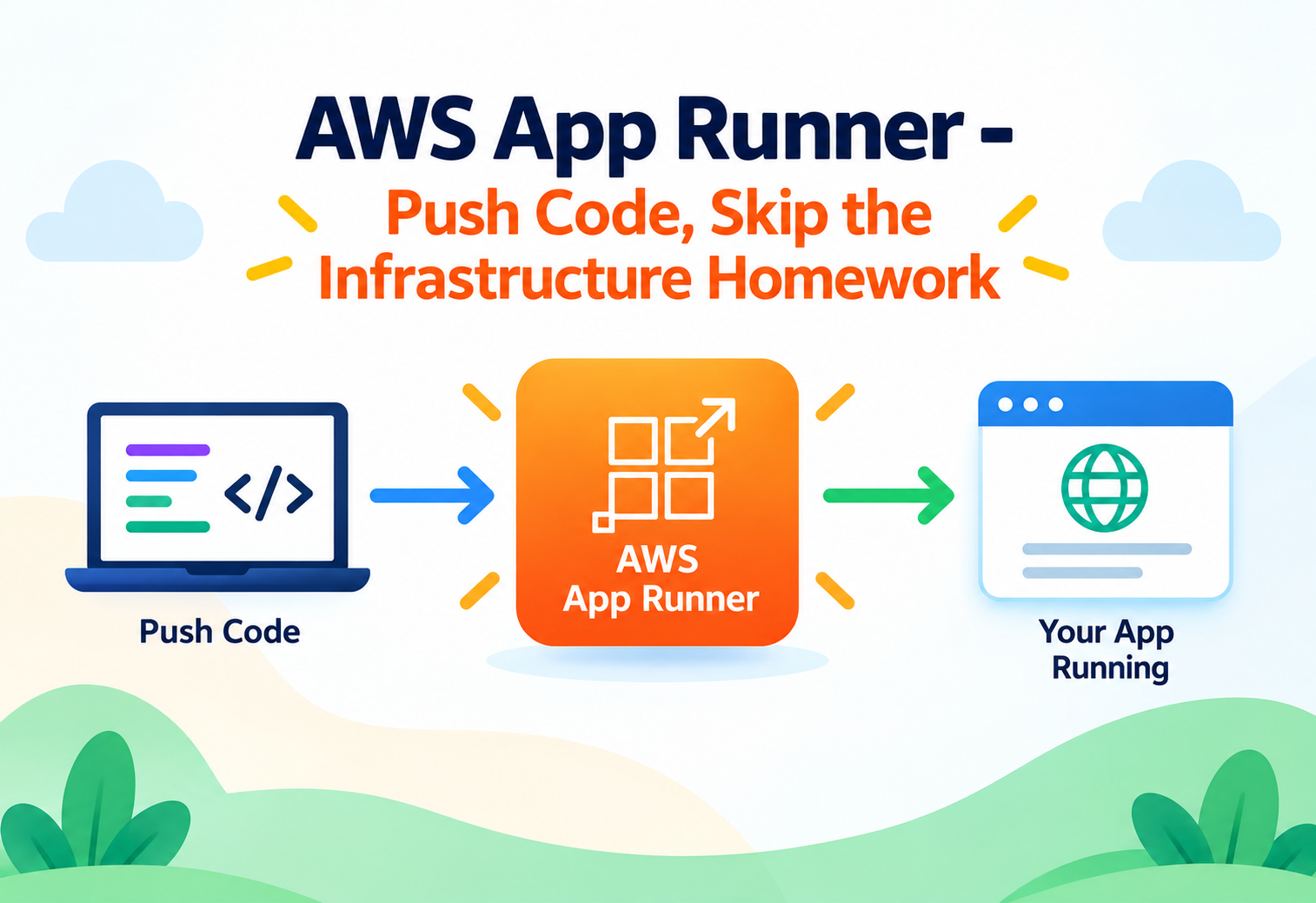
AWS App Runner – Push Code, Skip the Infrastructure Homework
A deep, intermediate-level look at how App Runner turns a container image or a source repository into a running, load-balanced, auto-scaling web service — without a cluster, a load balancer, or a VPC to configure first.
Ask a team to deploy a containerized web service on AWS the “traditional” way and you’re describing a real project: a VPC, subnets, a load balancer, a container orchestrator like ECS or EKS, task definitions, auto scaling policies, and a CI/CD pipeline to tie it all together. Every one of those pieces is defensible on its own, but for a huge number of applications — an internal API, a customer-facing web app, a small service that just needs to run reliably and scale with demand — that full stack is more infrastructure than the problem actually requires. AWS App Runner exists to compress all of it into a single managed service: point it at a container image or a source repository, and it builds, deploys, load-balances, and scales the result automatically. This guide goes past the “it’s easy” pitch and into how App Runner is actually built, what it’s doing behind the scenes, and where its simplicity trades off against the control a hand-built ECS or EKS setup would give you.
AIntroduction & History
AWS App Runner was announced and made generally available in May 2021. Its arrival addressed a gap AWS had left open for years: on one end of the spectrum sat AWS Elastic Beanstalk, launched back in 2011, which automated deployment but still exposed the underlying EC2 instances, load balancers, and Auto Scaling groups for a customer to manage and understand. On the other end sat Amazon ECS and Amazon EKS, powerful container orchestration platforms that gave teams enormous control but required real container orchestration expertise to operate well — choosing task placement strategies, configuring service auto scaling, wiring up an Application Load Balancer, and managing networking through VPCs and subnets.
App Runner was built to sit in the space those two options left uncovered: a service that behaves like a true platform-as-a-service for containers, where the customer supplies code or an image and virtually everything else — compute provisioning, load balancing, TLS certificate management, scaling, and even the build process itself — is handled invisibly. This design lineage places App Runner closer in spirit to platforms like Heroku or Google Cloud Run than to ECS or EKS, and that comparison is a useful mental anchor for understanding what App Runner is trying to be.
Running a service on ECS or EKS is like leasing a professional commercial kitchen — you get full control over every burner and appliance, but you’re also responsible for maintaining all of it. App Runner is more like a meal-kit service: you supply the recipe (your code or image), and the rest of the kitchen — the stove, the plating, the delivery vehicle — is handled for you, in exchange for giving up the ability to rearrange the kitchen layout yourself.
2021 — General Availability
Launched supporting deployment from a container image in Amazon ECR or directly from a source code repository with automatic building.
2021–2022 — VPC connectivity added
Introduced VPC Connector support, allowing App Runner services to reach private resources like RDS databases inside a customer’s VPC.
2022 — Custom domains and private services
Added custom domain support with automatic certificate management, and the ability to make an App Runner service privately accessible only within a VPC.
2023 — Expanded compute configurations
Widened the range of available CPU and memory configurations, letting App Runner accommodate a broader range of workload sizes.
2023–2024 — Deeper observability and multi-Region availability
Expanded CloudWatch integration and rolled out to additional AWS Regions as adoption grew.
It’s worth situating App Runner’s launch within AWS’s broader compute portfolio strategy at the time. By 2021, AWS already offered EC2 for full control, Lambda for event-driven functions, Elastic Beanstalk for simplified EC2-based deployment, and ECS/EKS/Fargate for container orchestration with varying levels of abstraction. App Runner filled a specific, previously uncovered niche: a fully managed, container-native service that didn’t require the customer to understand orchestration concepts at all, distinguishing it clearly from Fargate, which removes server management but still requires the customer to define ECS task definitions, services, and networking explicitly.
The timing also reflected a broader industry pattern that had already played out among independent platform-as-a-service providers. Heroku had proven, years earlier, that a large segment of developers were willing to trade infrastructure control for development velocity, and cloud-native competitors like Google Cloud Run had already begun offering similar container-based, fully managed hosting on other clouds. App Runner’s arrival was, in part, AWS ensuring its own portfolio had a comparable entry point for developers who wanted container deployment simplicity without needing to first learn AWS’s more infrastructure-heavy container services.
BProblem & Motivation
The central problem App Runner solves is the disproportionate amount of infrastructure knowledge required to deploy what is, functionally, a simple web service. A team building a REST API or a small web application often doesn’t need — and shouldn’t need to build expertise in — VPC design, load balancer target group health checks, or container orchestration scheduling algorithms just to get their application running reliably and scaling with demand. That knowledge gap is a genuine barrier: teams either invest significant time learning infrastructure concepts unrelated to their actual product, or they hire dedicated platform engineers to build and maintain that infrastructure on their behalf.
There’s a second, related problem: the operational overhead of keeping infrastructure current doesn’t stop once the initial setup is done. Load balancer configurations need periodic review, container orchestration platforms need version upgrades, and auto scaling policies need tuning as traffic patterns evolve. Every one of these ongoing tasks represents recurring engineering time spent on infrastructure maintenance rather than on the application itself. App Runner’s motivation is to absorb that ongoing maintenance burden into AWS’s own operational responsibility, the same trade-off that made services like S3 and DynamoDB attractive compared to self-managed storage and databases.
App Runner is not simply “ECS with fewer steps.” It intentionally removes access to orchestration-level controls — task placement, custom networking topologies, sidecar containers in most configurations — that ECS and EKS expose. Choosing App Runner is a deliberate trade of control for operational simplicity, not just a faster on-ramp to the same underlying capability set.
Limited infrastructure expertise
Startups and small engineering teams that need production-grade hosting without dedicating headcount to platform engineering.
Low-stakes, high-frequency deployments
Internal dashboards and admin tools that need to be deployed and updated frequently without a heavyweight release process.
Stateless HTTP services
REST or GraphQL APIs that fit naturally into App Runner’s request-driven scaling model without needing custom orchestration logic.
Fast iteration without re-platforming
Applications that need to go from prototype to a production-capable deployment quickly, without committing to a full container orchestration investment upfront.
There’s also a cognitive-load dimension to the motivation that’s worth naming directly. Even teams that do have the skills to build a proper ECS setup often find that the number of small, ongoing decisions required — which health check grace period, which deployment circuit breaker threshold, which target group deregistration delay — adds up to meaningful decision fatigue over the life of a project, especially for a service that isn’t the team’s primary focus. App Runner’s motivation includes removing not just the upfront setup burden but this steady drip of smaller ongoing configuration decisions, freeing that attention for the parts of the system that actually differentiate the product.
CCore Concepts
Source Types: Image Repository vs. Source Code Repository
An App Runner service can be created from one of two source types. An image-based source points at a pre-built container image, typically stored in Amazon ECR, which App Runner pulls and runs directly — this mirrors how ECS or EKS deployments typically work, giving the customer full control over the image’s build process, which happens entirely outside App Runner. A source-code-based source instead points App Runner at a GitHub (or other supported) repository, and App Runner itself builds a container image from that source using a build configuration — either auto-detected for supported runtimes like Node.js, Python, or Java, or explicitly defined in an apprunner.yaml file — meaning App Runner is handling both the build and the deployment, not just the deployment.
Automatic Deployments
When configured with automatic deployments enabled, App Runner watches the connected source (an ECR image tag or a source repository branch) and automatically triggers a new deployment whenever a new image is pushed or new code is merged, without a separate CI/CD pipeline needing to explicitly call an App Runner deployment API. This is a meaningfully different operating model from ECS, where a deployment pipeline typically needs to explicitly update a service’s task definition and force a new deployment as distinct pipeline steps.
Compute Configurations
Rather than choosing from a list of EC2 instance types, App Runner services are sized using simplified compute configurations — combinations of vCPU and memory allocated per running instance of the service, sized similarly in spirit to Fargate’s task-level sizing but abstracted even further from any underlying instance type concept. This simplification removes an entire category of decision-making (which instance family, which generation) that ECS and EKS deployments typically require.
| Concept | App Runner | Equivalent in ECS/EKS |
|---|---|---|
| Compute sizing | Simplified vCPU/memory configuration | Task definition CPU/memory + instance type choice |
| Load balancing | Built-in, automatic | Manually provisioned ALB/NLB |
| Scaling | Automatic, concurrency-based | Manually configured Auto Scaling policies |
| Networking | Managed by default; VPC Connector optional | Explicit VPC, subnet, security group design required |
Auto Scaling Configuration and Concurrency
App Runner scales the number of running instances of a service based primarily on concurrent request volume per instance, governed by an auto scaling configuration that defines the maximum concurrency an instance should handle before App Runner provisions an additional instance, along with minimum and maximum instance counts. This concurrency-based model differs from CPU-utilization-based scaling common in many ECS setups, and it tends to map more naturally onto typical web service traffic patterns, where request volume — not raw CPU load — is often the more directly relevant scaling signal.
Scaling based on CPU utilization is like adding cashiers to a store only once the ones working look visibly overwhelmed. Scaling based on concurrent requests is like adding a cashier the moment the line reaches a defined length — a more direct, predictable trigger tied to the actual thing customers experience (wait time) rather than an indirect proxy for it.
An App Runner service can scale down to a configured minimum — including as low as one running instance — but does not scale fully to zero the way some serverless platforms do. There is always at least the minimum configured number of instances running (and billed for) whenever the service is active, which is a meaningful distinction from Lambda’s true scale-to-zero model.
The apprunner.yaml Configuration File
For source-code deployments that need more control than App Runner’s runtime auto-detection provides, an apprunner.yaml file placed at the root of the repository lets a developer explicitly define the build commands, the start command, environment variables, and the network port the application listens on. This file plays a role conceptually similar to a Dockerfile or a buildpack configuration in other platforms — it’s the explicit contract between the application code and the managed build process, and its presence (or absence, relying on auto-detection) is one of the first things worth checking when a source-based deployment doesn’t build as expected.
Custom Domains and Domain Validation
Beyond the default apprunner.aws-provided domain automatically assigned to every service, a custom domain can be attached, which requires validating ownership (typically through a DNS record) before App Runner will provision a certificate and route traffic for that domain. This validation step exists specifically to prevent a service from serving traffic for a domain its owner hasn’t actually authorized, and it’s a one-time setup cost per domain rather than something that needs to be repeated on every deployment.
DArchitecture & Components
graph TB
    Dev["Developer"]
    subgraph Source["Source"]
      ECR["Amazon ECR Image"]
      Repo["Source Code Repository"]
    end
    Build["Managed Build Environment"]
    subgraph AppRunnerSvc["App Runner Service"]
      LB["Built-in Load Balancer + TLS"]
      Auto["Auto Scaling Controller"]
      I1["Instance 1"]
      I2["Instance 2"]
      I3["Instance N"]
    end
    VPCConn["VPC Connector (optional)"]
    Private["Private VPC Resources - RDS, ElastiCache"]
    User["End User"]

    Dev --> Repo
    Dev --> ECR
    Repo --> Build
    Build --> AppRunnerSvc
    ECR --> AppRunnerSvc
    User --> LB
    LB --> Auto
    Auto --> I1
    Auto --> I2
    Auto --> I3
    I1 --> VPCConn
    I2 --> VPCConn
    VPCConn --> Private
Key Components
Source Connection
Either an ECR image reference or a linked source repository, defining what App Runner deploys and, optionally, builds.
Managed Build Environment
For source-code deployments, a fully managed build process that compiles the application into a runnable container image without customer-managed build servers.
Service Instances
Running copies of the application, automatically load-balanced and scaled based on the configured auto scaling policy.
VPC Connector (Optional)
Bridges an otherwise internet-facing App Runner service into a private VPC to reach resources like RDS or ElastiCache that aren’t publicly accessible.
By default, an App Runner service runs outside any customer-managed VPC entirely, in AWS-managed infrastructure, with outbound internet access handled automatically. This is a deliberate architectural simplification: most services don’t need custom VPC placement, and removing that requirement by default is part of what makes initial setup so fast. When a service does need to reach a private resource — most commonly a database running inside a VPC — a VPC Connector is attached, which extends the service’s outbound networking into specified subnets and security groups within that VPC, without requiring the entire service to be redesigned around VPC-native networking from the start.
Public vs. Private Endpoint Access
App Runner services are internet-facing by default, but can alternatively be configured for private access only, meaning the service is reachable only from within a specified VPC via an interface VPC endpoint, never directly from the public internet. This is commonly used for internal services — like an internal admin API — that should never be publicly reachable at all, while still benefiting from App Runner’s managed deployment and scaling model.
Instance Role vs. Access Role
App Runner distinguishes between two separate IAM roles that are easy to conflate at first: an access role, used only during the build and deployment process to let App Runner pull an image from a private ECR repository, and an instance role, assumed by the running application itself to call other AWS services (like reading from S3 or writing to DynamoDB) at runtime. Keeping these two roles distinctly scoped — the access role limited strictly to ECR pull permissions, the instance role limited strictly to what the running application actually needs — is a small but meaningful application of least-privilege design specific to how App Runner is structured.
EInternal Working
When a new deployment is triggered — whether by a source code push, a new image tag, or a manual deployment request — App Runner’s internal orchestration first provisions (or reuses) the managed build environment for source-based deployments, compiling the application according to either its auto-detected runtime configuration or an explicit apprunner.yaml build specification. The resulting container image is then used to launch new service instances, which are health-checked before being registered behind the service’s built-in load balancer.
Deployments follow a rolling update pattern by default: new instances running the updated version are started and confirmed healthy before old instances are terminated, and traffic is shifted gradually rather than all at once — a strategy that minimizes the window during which a bad deployment could cause a full outage, since a failed health check on the new version halts the rollout and can trigger an automatic rollback to the previous known-good version, depending on configuration.
A rolling deployment with automatic health verification is like replacing lifeguards at a pool one at a time, making sure each new lifeguard is actually watching the water attentively before sending the previous one home — rather than swapping the entire team out simultaneously and hoping everyone shows up ready at once.
Health Checks and Instance Lifecycle
Each running instance is continuously health-checked, using either a TCP-level check or an HTTP-level check against a configured path, depending on service configuration. An instance that fails health checks repeatedly is automatically removed from the load balancer’s rotation and replaced — this self-healing behavior happens without any customer intervention, which is one of the more operationally significant benefits of the managed model, since a comparable ECS setup would require correctly configured target group health checks and service auto-recovery settings to achieve the same outcome.
The Managed Build Process in Detail
For source-code-based deployments, the managed build process examines the repository to detect the application’s runtime and dependencies, or follows explicit build commands defined in an apprunner.yaml configuration file when more control over the build steps is needed — for instance, specifying a particular build command, install command, and the network port the application listens on. This build step runs in an isolated, ephemeral environment for each deployment, meaning there’s no persistent build server whose state a customer needs to manage or troubleshoot, in contrast to a self-hosted CI runner that can accumulate configuration drift over time.
Instance Warm-Up and the Role of Minimum Instances
Because a minimum number of instances is always kept running, App Runner avoids the “cold instance” problem that pure scale-to-zero platforms face when the first request after an idle period has to wait for a new environment to initialize. The trade-off is visible specifically at the moment traffic grows beyond what the currently running instances can handle: provisioning an additional instance still takes a measurable amount of time — pulling the container image, starting the application process, and passing initial health checks — which is why a sudden, sharp traffic spike can produce a brief period of degraded latency while new capacity comes online, even though the service was never fully idle to begin with.
FData Flow & Lifecycle
sequenceDiagram
    participant Dev as Developer
    participant Repo as Source Repository
    participant AR as App Runner
    participant Build as Managed Build
    participant Old as Old Instances
    participant New as New Instances
    participant LB as Load Balancer

    Dev->>Repo: git push to tracked branch
    Repo->>AR: Webhook triggers deployment
    AR->>Build: Build new container image
    Build-->>AR: Image ready
    AR->>New: Launch new instances
    New-->>AR: Health checks pass
    AR->>LB: Register new instances
    AR->>Old: Deregister and terminate gradually
    LB-->>Dev: Service now running new version
The lifecycle of a request through a running App Runner service begins at the built-in load balancer, which terminates TLS (App Runner automatically provisions and renews the certificate, including for custom domains) and forwards the request to a healthy instance selected according to the service’s load balancing algorithm. From the application’s perspective, this looks like a standard HTTP request arriving on the configured port — the application code itself doesn’t need any App Runner-specific integration to function correctly.
On the deployment side, the lifecycle begins with a source change (a git push or a new image push) and proceeds through build, health-checked rollout, and eventually old-instance termination, entirely automatically when auto deployment is enabled. For teams that prefer more control over exactly when a deployment happens — for instance, coordinating a release with a broader change management process — automatic deployments can be disabled in favor of explicitly triggering deployments through the API or console at a chosen time.
Automatic Deployments
- Fastest path from code change to live update
- No separate deployment step to remember or automate externally
- Well suited to small teams and frequent, low-risk releases
Manual Deployments
- Deployment timing is explicitly controlled
- Better fit for coordinated releases or change-approval processes
- Requires remembering to trigger deployment after merging changes
What Happens to In-Flight Requests During a Deployment
Because old instances aren’t terminated until new ones are confirmed healthy and traffic has shifted, requests already in progress on an old instance at the moment a deployment begins are generally allowed to complete before that instance is removed, rather than being abruptly cut off — a behavior often described as connection draining. This detail matters for applications with longer-running individual requests, where an abrupt mid-deployment termination could otherwise produce visible errors for users unlucky enough to have a request in flight at exactly the wrong moment.
GAdvantages, Disadvantages & Trade-offs
Advantages
- No VPC, load balancer, or orchestration setup required to go live
- Built-in TLS certificate management, including for custom domains
- Can build directly from source code, removing the need for a separate CI build pipeline for simple cases
- Automatic health-checked rolling deployments with rollback support
- Concurrency-based auto scaling maps naturally to typical web traffic patterns
Disadvantages / Trade-offs
- No scale-to-zero — a minimum number of instances always runs and bills while active
- Less networking and orchestration control than ECS or EKS (no custom task placement, limited sidecar support)
- VPC connectivity requires an additional VPC Connector component rather than being VPC-native by default
- Not well suited to non-HTTP workloads or long-running background job processing patterns
- Fewer customization points for teams with highly specific infrastructure requirements
The trade-off worth internalizing is that App Runner is optimized specifically for stateless, HTTP-request-driven services. Applications that fit that shape benefit enormously from the reduced operational surface area. Applications that don’t — long-running batch jobs, services needing fine-grained control over network topology, or workloads requiring specialized sidecar containers for service mesh or logging agents — are generally better served by ECS or EKS, where that level of control is a first-class capability rather than something to work around.
HPerformance & Scalability
App Runner scales the number of running instances automatically based on the configured auto scaling parameters — maximum concurrency per instance, minimum instances, and maximum instances. When incoming concurrent request volume exceeds the configured per-instance concurrency threshold, App Runner provisions additional instances to absorb the load; when demand drops, it scales back down toward the configured minimum, though never below it.
Cold-start behavior matters here in a way that’s easy to overlook: because there’s always a minimum number of instances running, an idle App Runner service (at its minimum instance count) doesn’t experience the “cold start” delay associated with true scale-to-zero platforms like Lambda — a request can be served immediately by an already-running instance. The trade-off is that this minimum instance count is billed continuously, even during genuinely idle periods, which is a materially different cost model from a pay-per-invocation serverless function.
(NEVER ZERO)
RESPONSE TIME
NO SETUP
Tuning the Auto Scaling Configuration
The single most impactful performance-tuning decision in App Runner is setting the maximum concurrency threshold appropriately for the application’s actual per-instance capacity — set too high, requests queue up on already-saturated instances before new ones are provisioned, causing latency spikes; set too low, the service scales out more aggressively (and expensively) than necessary. Because this value depends heavily on how much work each request actually does inside the application, it’s typically determined through load testing rather than left at a generic default.
Where Application-Level Performance Still Matters
App Runner’s automatic scaling addresses instance count, not application efficiency. A service with a slow database query or an inefficient in-memory computation will simply scale out to more instances to compensate, rather than the underlying inefficiency being fixed — which can mask a performance problem behind rising infrastructure cost rather than surfacing it as a bug to fix.
IHigh Availability & Reliability
App Runner distributes running instances of a service across multiple Availability Zones within its Region automatically, without the customer needing to configure Multi-AZ placement explicitly the way they would when designing an ECS service’s placement strategy or an Auto Scaling group’s subnet configuration. This means the loss of a single Availability Zone doesn’t take the entire service down, as long as the configured minimum instance count and scaling settings allow for continued operation from the remaining zones.
Reliability during deployments is reinforced by the health-checked rolling update process described earlier — because new instances must pass health checks before old ones are removed, a bad deployment (one that fails to start correctly or fails its health check) is caught before it can replace all healthy running capacity, limiting the blast radius of a faulty release compared to a naive “stop everything, start everything new” deployment strategy.
graph LR
    subgraph AZ1["Availability Zone A"]
      I1["Instance 1"]
    end
    subgraph AZ2["Availability Zone B"]
      I2["Instance 2"]
    end
    LB["Built-in Load Balancer"]
    LB --> I1
    LB --> I2
    Failure["AZ A becomes unavailable"] -.-> AZ1
    LB -.->|"Traffic continues via remaining zone"| I2
Multi-AZ distribution protects against a single zone’s failure, but a minimum instance count of one still represents a single point of reduced redundancy during the moments before auto scaling reacts to increased demand or a failed instance. Production services generally benefit from a minimum instance count of at least two for meaningful redundancy at all times.
Automatic Rollback Behavior
When a new deployment’s instances fail to pass health checks within the expected window, App Runner can automatically revert the service to the last known-good version rather than leaving the service stuck in a partially failed or degraded state. This automatic rollback is a meaningful reliability feature precisely because it removes the need for a human to notice a failed deployment and manually trigger a rollback under time pressure — the system’s own health-check-driven logic handles the recovery path without waiting for a person to intervene.
Recovery from Application-Level Crashes
Beyond deployment-time health checks, App Runner continuously monitors running instances during normal operation, and an instance that crashes or becomes unresponsive during regular operation — not just during a deployment — is detected and replaced automatically. This ongoing self-healing behavior is distinct from deployment rollback: it applies at any point in a service’s lifecycle, not only immediately after a new version goes live, which is what allows a long-running service to recover from a transient application-level fault without any operator intervention.
JSecurity
App Runner automatically provisions and manages TLS certificates for both its default-generated domain and any custom domains attached to a service, meaning HTTPS is available out of the box without a customer needing to procure, install, or renew certificates manually — a meaningful reduction in a category of operational security task that’s easy to get wrong (like forgetting to renew a certificate before it expires) when handled manually.
Automatic TLS Management
Certificates for both default and custom domains are provisioned and renewed automatically by the service.
Private Endpoint Option
Services can be configured for VPC-only access, removing public internet exposure entirely for internal-only applications.
IAM Instance Role
Each service can be assigned an IAM role granting the running application scoped permissions to other AWS services, following the same least-privilege model used elsewhere in AWS.
AWS Secrets Manager / Parameter Store Integration
Sensitive configuration values can be injected as environment variables sourced from Secrets Manager or Systems Manager Parameter Store rather than stored in plaintext configuration.
Pattern
Storing database credentials or API keys directly as plaintext environment variables in an App Runner service configuration.
Why It’s a Problem
Plaintext environment variables are visible to anyone with sufficient console or API access to the service’s configuration, and they don’t benefit from the rotation, auditing, and access control capabilities that a dedicated secrets management service provides.
Correct Approach
Store sensitive values in AWS Secrets Manager or Systems Manager Parameter Store, and reference them from the App Runner service configuration, which retrieves them securely at runtime rather than storing them directly.
Network-Level Protections at the Edge
Because App Runner services are internet-facing by default, they benefit from being placed behind AWS WAF via integration with Amazon CloudFront in front of the service, when protection against common web exploits (SQL injection attempts, cross-site scripting patterns) is required — App Runner itself doesn’t include a built-in web application firewall, so this additional layer needs to be deliberately added for applications with public-facing attack surface that warrants it, similar to how any other public HTTP endpoint on AWS would be protected.
Auditing Configuration Changes
Every configuration change made to an App Runner service — updating environment variables, changing auto scaling settings, attaching a new VPC Connector — is recorded in AWS CloudTrail like any other AWS API call, which gives a security or operations team a complete, auditable history of who changed what and when, without requiring App Runner to maintain a separate change-log mechanism of its own.
KMonitoring, Logging & Metrics
App Runner automatically streams both application logs (stdout/stderr from the running container) and build logs (from the managed build process, for source-based deployments) to Amazon CloudWatch Logs, without requiring a customer to configure a logging agent or sidecar — a task that would otherwise need explicit setup in an ECS or EKS environment. This means log visibility is available immediately after the first deployment, which matters significantly during initial troubleshooting when a deployment doesn’t behave as expected.
| Metric | What It Tells You |
|---|---|
| RequestCount | Overall traffic volume the service is handling |
| ActiveInstances | Current scaling state, useful for correlating cost with actual demand |
| 2xx/4xx/5xx Response counts | Application health signal distinct from infrastructure health |
| RequestLatency | End-user-facing performance, the metric most directly tied to user experience |
| CPUUtilization / MemoryUtilization | Whether the configured compute size is appropriately matched to actual workload demand |
Because App Runner’s auto scaling reacts to concurrency rather than CPU, a service showing high CPUUtilization but stable RequestLatency and healthy ActiveInstances counts may simply be running close to its intended capacity rather than experiencing a genuine problem — the auto scaling metric to watch most closely for user-facing impact is RequestLatency, not raw CPU numbers.
Distinguishing Build Failures from Runtime Failures
Because App Runner’s managed build process and runtime execution are logged separately, an intermediate-level troubleshooting habit worth developing early is checking which log stream actually contains the relevant error — a deployment that never goes live is almost always a build-time failure visible in build logs, while a deployment that goes live but then behaves incorrectly under load is a runtime issue visible in application logs and request metrics. Conflating the two, especially under deployment-deadline pressure, can send troubleshooting effort in the wrong direction entirely.
Setting Up Actionable Alarms
Beyond simply having metrics available, translating them into actionable CloudWatch alarms is what actually closes the monitoring loop — an alarm on sustained elevated 5xx response rates, paired with one on RequestLatency exceeding an acceptable threshold, gives an on-call engineer early warning of user-facing degradation before it’s reported by frustrated customers. Teams that enable App Runner but never configure alarms on top of its metrics often only discover a problem after it’s already visibly affecting users, which defeats much of the purpose of having the metrics streamed automatically in the first place.
LDeployment & Cloud Integration
App Runner services are commonly created through the AWS Management Console for quick setup, or through infrastructure-as-code tools like CloudFormation or Terraform for repeatable, version-controlled deployments — the latter being the standard approach once a service moves from initial prototyping into an ongoing production workflow managed alongside the rest of an application’s infrastructure.
For teams building container images independently of App Runner’s own build capability — for instance, as part of an existing CI pipeline that already builds and tests images — the typical pattern is pushing the finished image to Amazon ECR and configuring the App Runner service to deploy from that ECR repository, with automatic deployment enabled so that a new image push triggers a fresh App Runner deployment automatically. This lets an existing CI/CD investment continue to own build and test responsibilities while App Runner takes over deployment, scaling, and load balancing.
Amazon ECR
The standard destination for externally built container images that App Runner then deploys directly.
Source Repository (GitHub, etc.)
Lets App Runner handle both building and deploying, removing the need for a separate build pipeline for simpler applications.
VPC Connector
Extends outbound connectivity into a private VPC for services needing to reach RDS, ElastiCache, or other VPC-resident resources.
CloudFormation / Terraform
Manages service configuration, auto scaling settings, and custom domains as version-controlled infrastructure.
Multi-Environment Pipelines
A typical deployment pipeline maturity path starts with a single App Runner service used for both development and testing, then evolves into separate services per environment as the project grows — each environment-specific service tracking its own branch or image tag, with its own auto scaling configuration sized appropriately for that environment’s actual traffic (a much smaller minimum instance count for a staging environment than for production, for instance). Codifying this environment separation in infrastructure-as-code from early on avoids the more disruptive migration of splitting a single ad hoc service into properly separated environments later.
Integration with API Gateway and CloudFront
For applications needing capabilities App Runner doesn’t provide natively — request throttling with fine-grained API key management, or edge caching for certain response types — placing Amazon API Gateway or Amazon CloudFront in front of an App Runner service is a common pattern, letting each layer handle what it’s best suited for: App Runner manages the compute and scaling of the application itself, while the fronting service adds the additional capability the raw App Runner endpoint doesn’t include out of the box.
MDesign Patterns & Anti-Patterns
Pattern: CI-Built Images with App Runner Deployment
Letting an existing CI pipeline handle building, testing, and pushing a container image to ECR, then letting App Runner own only the deployment, scaling, and load balancing, combines the flexibility of a mature build pipeline with App Runner’s operational simplicity for the runtime layer — a common pattern for teams that already have CI infrastructure but want to avoid building their own deployment orchestration on top of it.
Pattern: Environment-Specific Services from One Repository
Configuring separate App Runner services pointing at different branches (or different image tags) of the same underlying application — one tracking a staging branch, one tracking a production branch — gives each environment its own independent scaling configuration, domain, and deployment cadence, while still sharing the same application codebase and build process.
Pattern: VPC Connector Scoped Narrowly
Rather than attaching a broad VPC Connector configuration granting reach into an entire VPC’s address space, scoping the connector’s associated security group to only the specific database or cache resource the service actually needs to reach follows the same least-privilege principle applied to network access elsewhere in AWS, limiting what a compromised application instance could reach even if it were compromised.
Pattern
Using App Runner for long-running background job processing or batch workloads that don’t follow a request-response HTTP pattern.
Why It’s a Problem
App Runner’s scaling and health-check model is built around HTTP request concurrency, not long-running background work. Forcing a batch job into an App Runner service, perhaps by wrapping it in an HTTP endpoint that triggers the job, fights the platform’s underlying design rather than working with it, and can produce confusing scaling and health-check behavior.
Correct Approach
Use a service purpose-built for background processing — such as AWS Batch, an ECS task run on a schedule, or a Lambda function triggered by an event — and reserve App Runner for the request-driven, HTTP-facing parts of an architecture.
Pattern
Leaving a production service’s minimum instance count at one, assuming auto scaling will “catch up” fast enough during a sudden failure or traffic spike.
Why It’s a Problem
A minimum instance count of one means there’s no redundant capacity already running at all times — if that single instance becomes briefly unhealthy, there’s a window with effectively no serving capacity until a replacement is provisioned and passes health checks.
Correct Approach
Set a minimum instance count of at least two for any production-facing service, ensuring baseline redundancy exists continuously rather than depending entirely on reactive scaling.
NBest Practices & Common Mistakes
Load test to tune concurrency thresholds
Determine the realistic per-instance concurrency limit through actual load testing rather than leaving it at a generic default.
Use Secrets Manager for sensitive configuration
Avoid plaintext environment variables for credentials, tokens, or API keys.
Set a minimum instance count above one for production
Maintain baseline redundancy rather than relying entirely on reactive scaling to cover a single failed instance.
Scope VPC Connector access narrowly
Limit reachable resources to exactly what the service needs, following least-privilege networking principles.
Common Mistakes
- Forcing non-HTTP or long-running batch workloads into App Runner’s request-driven model
- Leaving minimum instance count at one for production-facing services
- Storing secrets as plaintext environment variables
- Not distinguishing build-log failures from runtime-log failures during troubleshooting
- Assuming VPC connectivity is automatic without configuring a VPC Connector
Quick Wins
- Enable automatic deployments for low-risk services to speed up iteration
- Use separate services per environment (staging/production) tracking different branches
- Set up CloudWatch alarms on RequestLatency and 5xx rates from day one
Deciding When to Graduate Beyond App Runner
Because App Runner intentionally limits orchestration-level control, a healthy practice for growing applications is periodically revisiting whether the current workload still fits App Runner’s model — a service that has grown to need custom sidecar containers, fine-grained network policy, or non-HTTP protocol support has likely outgrown App Runner’s intended scope, and migrating to ECS or EKS at that point, rather than working around App Runner’s limitations indefinitely, is usually the more sustainable path.
Cost Awareness Beyond the Initial Estimate
Because compute is billed continuously for at least the minimum configured instance count, teams sometimes underestimate ongoing App Runner cost by anchoring on the low initial estimate from a lightly loaded proof-of-concept, then are surprised when a production-scale minimum instance count and higher per-instance compute configuration produce a materially larger bill. Reviewing cost projections specifically against the production auto scaling configuration — not the development or testing configuration — before committing to a launch date avoids this kind of budget surprise.
OReal-World & Industry Examples
Startups — Fast Path to Production
Early-stage startups commonly use App Runner to get a customer-facing web application or API into production quickly without dedicating early engineering hires to infrastructure work, deferring a move to more customizable orchestration platforms until scale or requirements genuinely demand it.
Enterprise Internal Tools
Larger organizations use App Runner for internal dashboards, admin panels, and lightweight internal APIs — workloads where the operational overhead of a full ECS or EKS deployment isn’t justified by the internal tool’s relatively modest scale or criticality.
SaaS Vendors — Customer-Facing API Layers
SaaS companies use App Runner for public-facing API layers that sit in front of more complex backend systems, taking advantage of automatic scaling and built-in TLS for the customer-facing edge while keeping more specialized backend processing on other compute platforms.
Agencies and Consultancies — Multi-Client Deployments
Digital agencies managing many small client web applications use App Runner to avoid replicating full orchestration infrastructure for every client project, standardizing on a simpler deployment model that’s easier to hand off or maintain across many small, independent codebases.
This guide describes typical, publicly discussed patterns of App Runner usage across these contexts rather than confirmed internal architecture of any specific company, since that detail is rarely published externally.
PFrequently Asked Questions
QSummary & Key Takeaways
Key Takeaways
- AWS App Runner is a fully managed platform for deploying containerized web services from either a pre-built image or source code, without requiring a VPC, load balancer, or container orchestrator to be configured manually.
- It occupies a distinct niche between Elastic Beanstalk and ECS/EKS — closer in spirit to a platform-as-a-service like Heroku or Cloud Run than to traditional container orchestration.
- Auto scaling is based on concurrent request volume per instance rather than raw CPU utilization, which tends to map more directly onto typical web traffic patterns.
- There is no true scale-to-zero — a configured minimum instance count is always running and billed while the service is active, trading idle-cost efficiency for the absence of cold-start latency.
- VPC connectivity for reaching private resources like RDS requires an explicitly attached VPC Connector, since services run outside any customer VPC by default.
- App Runner is best suited to stateless, HTTP-request-driven workloads; long-running background jobs and workloads needing fine-grained orchestration control are better served by ECS, EKS, or purpose-built batch processing services.
- Health-checked rolling deployments with automatic rollback support limit the blast radius of a bad release without requiring the customer to design that safety mechanism themselves.