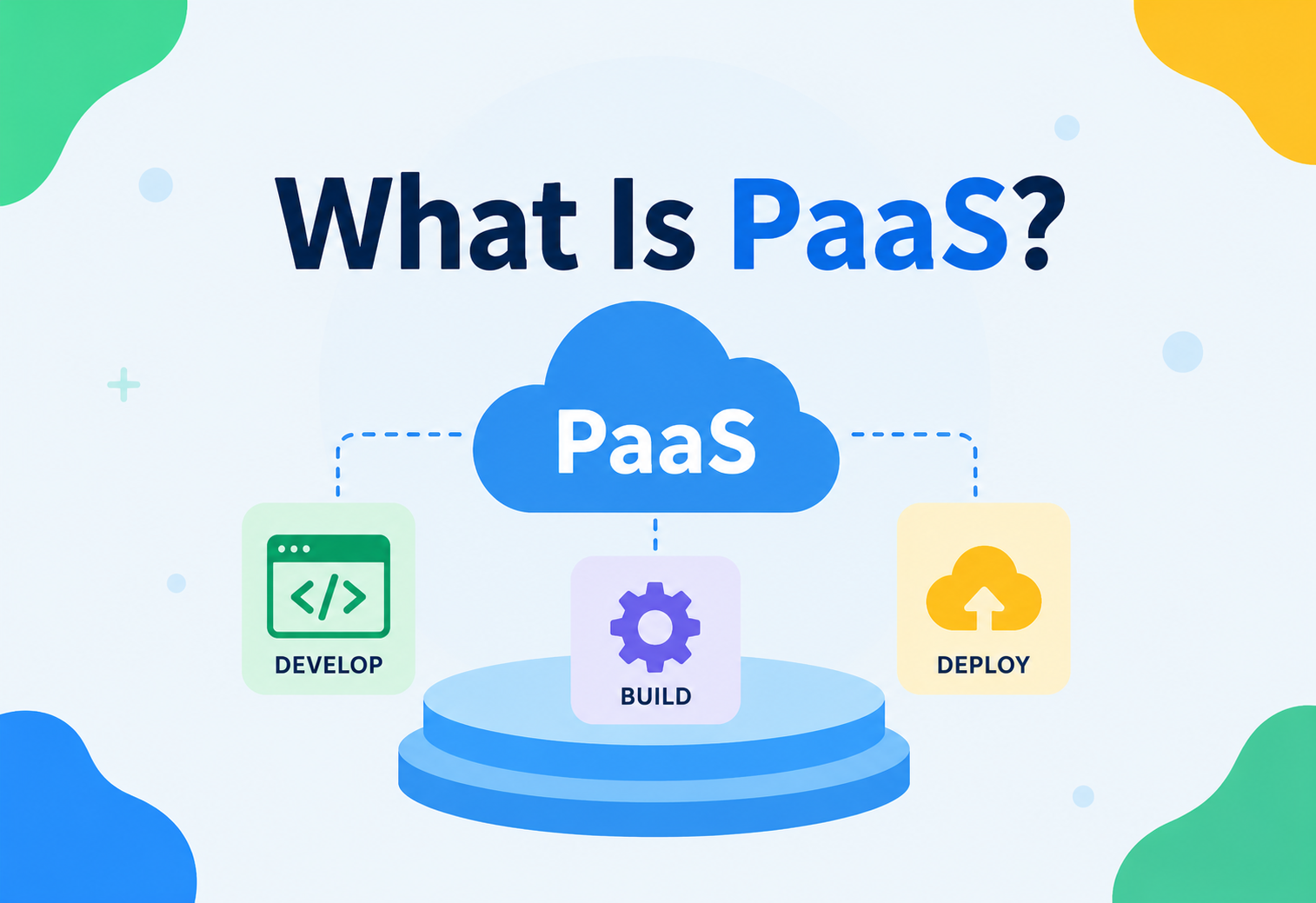
What Is PaaS?
A complete, beginner-to-production guide to Platform-as-a-Service — what it is, why it exists, how it works internally, and how companies like Google, Heroku (Salesforce), and Microsoft run it at massive scale.
Introduction & History
Platform-as-a-Service, almost always abbreviated as PaaS, is a category of cloud computing that gives developers a ready-made environment to build, run, and manage applications — without having to think about the servers, operating systems, storage arrays, or networking underneath. You write code, push it, and the platform takes care of everything needed to turn that code into a running, reachable application.
Think of the difference between buying a plot of land and building a house from scratch (bricks, plumbing, electrical wiring) versus renting a fully-furnished serviced apartment. In the serviced apartment, you don’t lay pipes or wire the electricity — you just move in with your furniture and start living. PaaS is the “serviced apartment” of computing: the building (servers), plumbing (networking), and utilities (OS patching, runtime installation) are already done. You just bring your “furniture” — your application code.
To understand why PaaS exists, it helps to see it as one point on a spectrum of cloud computing models, each of which hands over a different amount of responsibility from the customer to the cloud provider:
| Model | What you manage | What the provider manages |
|---|---|---|
| On-Premises | Everything: hardware, OS, network, runtime, data, application | Nothing |
| IaaS (Infrastructure-as-a-Service) | OS, runtime, middleware, data, application | Physical hardware, virtualization, networking |
| PaaS (Platform-as-a-Service) | Application code, data | OS, runtime, middleware, scaling, patching |
| SaaS (Software-as-a-Service) | Your usage / configuration only | Everything, including the application itself |
1.1 A Short History
The idea of PaaS grew out of a simple observation in the mid-2000s: most developers writing web applications were solving the same infrastructure problems again and again — provisioning servers, installing language runtimes, configuring load balancers, setting up databases — before they ever got to write a single line of actual business logic.
Salesforce Force.com
Salesforce launched Force.com, one of the earliest true PaaS offerings, letting developers build applications directly on top of Salesforce’s multi-tenant infrastructure.
Google App Engine
Google App Engine launched, allowing developers to deploy Python (and later Java) applications directly to Google’s infrastructure with automatic scaling built in from day one.
Heroku popularises git push
Heroku launched, popularising the “git push to deploy” workflow for Ruby applications, later expanding to many languages. Heroku is still one of the most commonly cited examples of a “pure” PaaS today.
Cloud Foundry & Azure
Cloud Foundry was open-sourced by VMware, giving enterprises an open-source PaaS they could run on their own infrastructure. In the same year, Microsoft’s Azure introduced Azure Cloud Services and later App Service, bringing PaaS to the .NET ecosystem.
Containers & Kubernetes
Containers (Docker) and orchestration (Kubernetes) blurred the line between IaaS and PaaS, giving rise to “Container-as-a-Service” (CaaS) and modern managed platforms like AWS Elastic Beanstalk, Google Cloud Run, and Azure App Service.
Developer-first PaaS
A new generation of developer-first PaaS products (Render, Railway, Fly.io, Vercel, Netlify) emerged, focused on extremely fast, git-based deployment experiences for modern web and serverless applications.
Today, PaaS is not a single product but a broad category spanning general-purpose application platforms (Heroku, Render, Azure App Service), serverless platforms (AWS Lambda, Google Cloud Functions), and specialised platforms for specific workloads (Vercel for frontend frameworks, Databricks for data engineering).
Server toil first, product second
Rent servers → install OS → install runtime → configure Nginx, systemd, TLS → build a deploy pipeline → only then start on the actual product features.
Push code, ship product
git push platform main → buildpack detects your stack → container image is produced, scheduled, health-checked and served over HTTPS — usually in a couple of minutes.
The Problem & Motivation
To really appreciate PaaS, imagine you are a small team that just finished building a web application and you need to make it available to real users on the internet. Without PaaS, here is roughly what you would need to do:
- Provision a virtual machine (or physical server) from a cloud provider or data center.
- Install and patch an operating system.
- Install the correct version of your language runtime (Java, Node.js, Python, etc.) and any system-level dependencies.
- Configure a web server or reverse proxy (Nginx, Apache).
- Set up a process manager so your app restarts if it crashes.
- Configure firewalls, security groups, and networking rules.
- Set up TLS certificates for HTTPS.
- Configure logging and monitoring pipelines.
- Build a deployment pipeline (CI/CD) to push new code safely.
- Set up autoscaling so the app can handle traffic spikes.
- Configure a database, backups, and disaster recovery.
- Repeat most of the above for every additional environment (staging, QA, production).
None of the twelve steps above have anything to do with your actual product. A team might spend 60–70% of its early engineering time on “undifferentiated heavy lifting” — infrastructure work that every company does identically, and that creates zero competitive advantage.
2.1 Beginner Example
Imagine a college student who has built a simple Spring Boot “to-do list” API and wants friends to try it. Without PaaS, they would need to rent a VM, install Java, configure a firewall, and manually keep the server alive. With a PaaS like Render or Heroku, they run one command:
git push heroku main…and within a minute or two, the application is built, containerised, deployed, and reachable at a public HTTPS URL — no server administration required.
2.2 Production Example
A mid-sized fintech startup uses AWS Elastic Beanstalk to run its Java Spring Boot payment-processing services. Elastic Beanstalk automatically provisions EC2 instances, configures an Application Load Balancer, sets up auto-scaling groups, and streams logs to CloudWatch — freeing the platform team to focus on payment logic and compliance instead of server orchestration.
2.3 Why This Matters for Business
PaaS shifts engineering effort from infrastructure operations to product development. For a startup, this often means the difference between shipping a feature this week versus this quarter. For an enterprise, PaaS enforces consistency (every team deploys the same way) and reduces the operational headcount needed to keep hundreds of applications running.
2.4 The Software Example
Consider two teams building the identical Spring Boot REST API. Team A provisions raw EC2 instances: they write shell scripts to install Java, configure systemd to keep the process alive, manually set up Nginx as a reverse proxy with TLS termination, and write their own CloudWatch alarm rules. Team B deploys the same application to a PaaS: they add a Procfile, push their code, and the platform handles process supervision, TLS, and monitoring automatically. Team B typically reaches a working, publicly accessible, HTTPS-secured deployment in under an hour, while Team A’s equivalent setup can easily take several days of trial and error — and Team A now also owns the ongoing burden of patching and securing that infrastructure indefinitely.
Core Concepts
Before diving deeper, let’s build a solid vocabulary. PaaS platforms differ in details, but every single one is built around the same handful of ideas — and understanding these ideas is the difference between using a PaaS well and constantly fighting it.
3.1 The Application-Centric Model
In PaaS, the fundamental unit of deployment is the application (or “app”), not the server. You describe your application — its code, its dependencies, and a small amount of configuration — and the platform figures out how to run it.
In IaaS, you’re handed the keys to an empty warehouse and told “build whatever factory line you need.” In PaaS, you’re handed a fully-built factory line and asked “just tell us what product to manufacture.” You describe the product (your app); the factory (platform) figures out the machinery.
3.2 Buildpacks and Runtime Detection
A buildpack is a set of scripts that examines your source code, detects the language and framework it’s written in, and produces a runnable artifact — typically a container image. For example, if a buildpack finds a pom.xml file, it knows it’s dealing with a Maven-based Java project and will run mvn package before setting up a JVM to run the resulting JAR.
3.3 Dynos, Instances, and Containers
Once built, your application runs inside isolated, disposable execution units. Different platforms use different names: Heroku calls them dynos, AWS Elastic Beanstalk calls them instances, and most modern platforms internally use containers (built on Linux namespaces and cgroups, frequently via Docker / OCI images). These units are ephemeral — they can be destroyed and recreated at any time, which is why PaaS strongly encourages a “stateless application” design.
3.4 The Twelve-Factor App
Much of PaaS design philosophy is captured in the Twelve-Factor App methodology, originally published by Heroku engineers. Key principles include:
- Config in the environment — store configuration (database URLs, API keys) in environment variables, not in code.
- Stateless processes — application processes should not rely on local disk storage that must survive between requests.
- Backing services as attached resources — treat databases, queues, and caches as swappable resources accessed over the network.
- Build, release, run — strictly separate the build stage (compiling code) from the release stage (combining build + config) from the run stage (executing the app).
- Disposability — processes should start fast and shut down gracefully, since the platform may kill and restart them at any time.
A PaaS platform can only offer automatic scaling, zero-downtime deploys, and self-healing if your application follows these principles. An app that stores session data on local disk, for instance, will break the moment the platform moves it to a different physical machine.
3.5 Add-ons and Backing Services
PaaS platforms typically offer a marketplace of add-ons — managed databases, caching layers, message queues, email services, and search engines — that attach to your application via environment variables, without you having to install or operate them yourself.
3.6 Process Types
A single application on a PaaS often has more than one process type, each scaled independently. A typical Spring Boot e-commerce application might define three process types: a web process that handles HTTP requests, a worker process that processes background jobs (like generating invoices), and a scheduler process that runs periodic tasks (like nightly reconciliation reports). Because each process type scales independently, a spike in checkout traffic can trigger more web instances without touching the worker fleet at all.
Picture a restaurant kitchen split into a “front counter” team taking orders and a “prep” team chopping vegetables in the back. On a busy Friday night, the manager might add more front-counter staff without touching the prep team size, because the bottleneck is taking orders, not chopping vegetables. Process types let a PaaS scale each “team” of your application independently.
3.7 Slugs and Immutable Releases
Many PaaS platforms compile your source code into an immutable, versioned artifact — sometimes called a “slug” (Heroku’s term) or simply a tagged container image. Every deployment creates a brand-new, uniquely identified artifact rather than mutating a previous one in place. This immutability is what makes instant rollbacks possible: rolling back to “yesterday’s release” is just a matter of telling the scheduler to run the previous artifact again, with no rebuild required.
3.8 Comparing Popular PaaS Flavors
Not all PaaS products work identically. It helps to place a few well-known platforms on a spectrum from “opinionated and fully managed” to “flexible but closer to raw infrastructure”:
| Platform | Deployment style | Flexibility | Best fit |
|---|---|---|---|
| Heroku | Git push, buildpacks | Low-medium (opinionated) | Rapid prototyping, small-to-mid apps |
| Google App Engine (Standard) | CLI deploy, sandboxed runtimes | Low | Simple, highly scalable web / API backends |
| Google Cloud Run | Container image push | Medium-high | Containerised microservices, scale-to-zero APIs |
| Azure App Service | CLI / CI deploy, some container support | Medium | .NET and Java enterprise web apps |
| AWS Elastic Beanstalk | CLI / console deploy, config files | Medium-high | Teams already invested in the AWS ecosystem |
| Red Hat OpenShift | Kubernetes-native, dev + operator tooling | High | Regulated enterprises needing on-prem or hybrid PaaS |
Architecture & Components
Although implementations differ, most PaaS platforms share a common architectural anatomy — a control plane that tracks desired state, a build system that produces artifacts, a scheduler that places containers, a router that steers traffic, compute nodes that actually run the workloads, and a set of backing services that persist state.
4.1 Control Plane
The control plane is the “brain” of the platform. It exposes the API / CLI / Git endpoints developers interact with, tracks the desired state of every application (how many instances, which version, what config), and issues commands to the data plane to make reality match that desired state.
4.2 Build System
Responsible for turning source code into a runnable artifact. This is where buildpacks or Dockerfiles run, dependencies are resolved (Maven, npm, pip), and a final container image is produced and pushed to an internal image registry.
4.3 Scheduler / Orchestrator
Decides where each container should run among the available compute nodes, taking into account resource availability (CPU, memory), placement constraints, and failure domains. Many modern PaaS platforms use Kubernetes as this layer internally (e.g., Cloud Foundry’s newer architecture, Red Hat OpenShift, Google Cloud Run).
4.4 Router / Load Balancer Mesh
Routes incoming HTTP(S) traffic to the correct application instance based on hostname / path, and load-balances across all healthy instances of that application.
4.5 Compute Nodes
The physical or virtual machines that actually run application containers. The platform’s agents on each node report health and resource usage back to the control plane.
4.6 Backing Services Layer
Managed databases, caches, and queues that applications connect to over the network, typically provisioned and credentialed automatically when you attach an add-on.
4.7 Component Responsibilities at a Glance
| Component | Responsibility | Example (Heroku) | Example (Kubernetes-based) |
|---|---|---|---|
| Control Plane | API, state tracking | Heroku API | Kubernetes API Server |
| Build System | Source → Image | Herokuish / Buildpacks | Cloud Native Buildpacks / Tekton |
| Scheduler | Placement decisions | Heroku’s internal scheduler | kube-scheduler |
| Router | Traffic routing | Heroku Router mesh | Ingress Controller / Service Mesh |
| Compute | Runs containers | Dynos on AWS-backed hosts | Kubelet + container runtime |
4.8 Multi-Tenancy
Public PaaS offerings are inherently multi-tenant: a single physical compute node typically runs containers belonging to many different customers side by side, packed together to maximise hardware utilisation. The platform’s job is to make sure this sharing is invisible and safe — one tenant’s noisy, CPU-hungry application should never be able to starve or crash another tenant’s application running on the same physical host.
Multi-tenancy on a PaaS is like an apartment building. Many families (tenants) share the same building (compute node), each with a locked, private unit (container). Good building management (the scheduler and cgroups) ensures one family blasting loud music (using excessive CPU) can’t be heard through the walls of another family’s apartment.
Multi-tenancy is enforced through a layered set of controls: cgroups cap how much CPU and memory a single container can consume; network namespaces and firewall rules prevent one tenant’s containers from directly reaching another tenant’s containers or data; and resource quotas at the control-plane level prevent any single account from monopolising an entire cluster’s capacity. Enterprises with strict compliance requirements sometimes pay a premium for single-tenant or dedicated compute pools, where their workloads never share physical hardware with another customer’s.
4.9 Platform Agents
Each compute node typically runs a lightweight platform agent process whose job is to receive instructions from the scheduler (“start this container,” “stop that container”), continuously report the node’s health and resource usage back to the control plane, and enforce resource limits locally. This agent is analogous to Kubernetes’ kubelet and is the component that makes the difference between the control plane’s desired state and the node’s actual state disappear within seconds of any change.
Internal Working
Let’s trace exactly what happens when a developer deploys a Spring Boot application to a typical PaaS — from the moment they press Enter on git push to the moment users start hitting the new version.
5.1 What Happens When You Deploy
- Push — Developer runs
git push platform main, or uses a CLI / API to submit source code. - Receive — The platform’s Git server (or API endpoint) receives the source and stores it temporarily.
- Detect — The build system runs buildpack detection scripts to identify the language / framework (e.g., finds
pom.xml→ Java / Maven). - Compile — Dependencies are resolved and the application is compiled (e.g.,
mvn clean package), producing a JAR file. - Assemble image — A container image is assembled: base OS layer + JVM runtime layer + application JAR layer.
- Push to registry — The finished image is pushed to the platform’s internal container registry, tagged with a unique release identifier.
- Release — The control plane creates a new “release” combining this image with the current environment configuration (env vars, add-on credentials).
- Schedule — The orchestrator selects healthy compute nodes with sufficient capacity and instructs them to start new containers from the image.
- Health check — The platform waits for each new container to pass health checks (e.g., responds 200 OK on
/actuator/health). - Cut over traffic — The router begins sending traffic to the new containers, typically using a rolling or blue-green strategy so there’s zero downtime.
- Terminate old — Once the new version is confirmed healthy, old containers are gracefully drained and terminated.
5.2 Isolation Mechanics
Most modern platforms isolate applications from each other using Linux namespaces (separate views of processes, network, filesystem) and cgroups (limits on CPU, memory, I/O). This is exactly what container runtimes like Docker / containerd provide, which is why containers became the natural implementation substrate for PaaS.
5.3 Sample Configuration a Developer Provides
Even though PaaS hides most infrastructure, developers still provide a small declarative configuration file. A typical example (Heroku-style Procfile) for a Spring Boot app:
web: java -jar target/myapp-0.0.1-SNAPSHOT.jar --server.port=$PORTAnd an application manifest describing resource needs, common on platforms like Cloud Foundry:
applications:
- name: order-service
  memory: 512M
  instances: 3
  buildpacks:
    - java_buildpack
  env:
    SPRING_PROFILES_ACTIVE: production
5.4 A Minimal Spring Boot Health Endpoint
Since the scheduler depends on health checks to know when a new container is ready to serve traffic, Spring Boot applications typically expose Actuator’s health endpoint:
// build.gradle or pom.xml: add spring-boot-starter-actuator

@RestController
public class HealthController {

    @GetMapping("/actuator/health")
    public ResponseEntity<Map<String, String>> health() {
        // Spring Boot Actuator provides this automatically,
        // but this illustrates what the platform is checking:
        Map<String, String> status = new HashMap<>();
        status.put("status", "UP");
        return ResponseEntity.ok(status);
    }
}Data Flow & Application Lifecycle
Once deployed, every application on a PaaS moves through a predictable set of states — and every user request flows through a predictable set of layers. Understanding both makes debugging, scaling, and cost reasoning far easier.
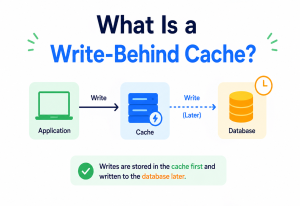
6.1 Request Lifecycle
Once deployed, here is how a single user request flows through a PaaS-hosted application:
6.2 Application Lifecycle States
| State | Description |
|---|---|
| Building | Source code is being compiled into a deployable artifact |
| Releasing | Build combined with configuration to form a new release |
| Starting | Container is starting; application is initialising |
| Healthy / Running | Passing health checks; receiving traffic |
| Scaling | Additional instances being started or removed |
| Crashed | Process exited unexpectedly; platform will attempt restart |
| Draining | Instance finishing in-flight requests before shutdown |
| Stopped | Deliberately scaled to zero or the app is disabled |
6.3 Scaling Lifecycle
When load increases, the platform’s autoscaler (based on CPU, memory, request queue depth, or custom metrics) decides to add instances. This triggers the same “start new container → health check → register with router” sequence described earlier, just without a new code release involved. Scaling down reverses the process: instances are drained of in-flight requests before termination, ensuring no user request is dropped mid-response.
Imagine a food stall that gets busy at lunchtime. A PaaS “autoscaler” is like a manager who watches the queue length and calls in extra staff (new container instances) when the line grows, then sends them home again once the rush passes — all without the stall owner having to manage staffing manually.
Pros, Cons & Trade-offs
PaaS is powerful, but every abstraction has a price. This chapter is deliberately honest about both sides so that when you pick a PaaS you know exactly what you’re trading for the convenience.
Advantages
- Faster time to market — teams deploy applications in minutes instead of days or weeks, since infrastructure provisioning is automated.
- Built-in scaling & self-healing — crashed instances are automatically restarted; traffic spikes trigger automatic horizontal scaling.
- Lower operational overhead — no need for a dedicated team to patch OSes, manage load balancers, or maintain provisioning scripts.
- Consistency across environments — every team deploys the same way, which reduces “works on my machine” issues and eases onboarding.
Drawbacks & Trade-offs
- Less infrastructure control — you cannot fine-tune kernel parameters, choose exotic instance types, or customise the underlying OS in most PaaS offerings.
- Vendor lock-in risk — platform-specific conventions (buildpacks, proprietary add-ons, config formats) can make migrating to another provider costly.
- Cost at scale — beyond a certain scale, the convenience premium of PaaS can become more expensive than self-managed IaaS or Kubernetes.
- Limited runtime customisation — unusual language versions, native dependencies, or specialised hardware (GPUs) may not be well-supported.
7.1 When PaaS Is the Right Choice
- Small-to-mid engineering teams without dedicated infrastructure / SRE staff.
- Startups that need to iterate and ship quickly.
- Standard web applications, APIs, and background workers with predictable resource needs.
- Internal enterprise tools where consistency matters more than fine-grained control.
7.2 When PaaS Is Not the Right Choice
- Workloads needing specialised hardware (GPU-heavy ML training) or custom kernel modules.
- Extremely high-scale systems where the cost premium outweighs operational savings.
- Applications with strict data residency or compliance needs that require full infrastructure control.
- Teams that already have mature Kubernetes / IaC expertise and want maximum flexibility.
Performance & Scalability
Fast, predictable performance on a shared, multi-tenant platform is not automatic — it’s the result of the right scaling strategy, sensible tuning at the instance level, and a healthy respect for the fact that the database is very often the true bottleneck.
8.1 Horizontal vs. Vertical Scaling
PaaS platforms overwhelmingly favour horizontal scaling (adding more instances) over vertical scaling (making a single instance bigger), because horizontal scaling works naturally with disposable, stateless containers and doesn’t require downtime to resize a running instance.
| Aspect | Horizontal Scaling | Vertical Scaling |
|---|---|---|
| Downtime to scale | None | Often requires restart |
| Upper limit | Very high (add more instances) | Limited by largest available machine |
| Fault tolerance | High (multiple independent instances) | Low (single point of failure) |
| PaaS support | Native, automatic | Usually manual instance-size change |
8.2 Autoscaling Triggers
Autoscalers typically watch one or more signals:
- CPU utilisation — scale out when average CPU exceeds a threshold (e.g., 70%).
- Memory pressure — scale out before instances start swapping or getting OOM-killed.
- Request queue depth — scale out when requests are waiting longer than expected.
- Custom application metrics — e.g., queue backlog size for a worker service.
8.3 Cold Starts
A major performance consideration, especially in serverless-flavoured PaaS (like AWS Lambda or scale-to-zero platforms), is the cold start — the delay incurred when a new instance must be created from scratch because there were zero running instances. JVM-based applications like Spring Boot can be particularly sensitive to this, since JVM startup and class loading takes time.
Teams running latency-sensitive Java services on scale-to-zero platforms often keep a minimum of 1–2 warm instances running at all times, or use GraalVM native-image compilation to shrink JVM startup time from seconds to milliseconds.
8.4 Production Example — Netflix-Scale Thinking
While Netflix runs much of its infrastructure on a custom PaaS-like internal platform built atop AWS (rather than a third-party PaaS), the underlying pattern is instructive: hundreds of independently deployable microservices, each automatically scaled based on real-time traffic, with a control plane deciding placement across thousands of compute nodes — precisely the architecture pattern PaaS platforms industrialise for smaller teams.
8.5 Concurrency Inside a Single Instance
Scaling horizontally across instances solves one dimension of performance, but each individual instance also has to handle concurrent requests efficiently. A Spring Boot application running on the traditional servlet stack (Tomcat) uses a thread-per-request model, where each incoming HTTP request is handled by a thread from a bounded thread pool.
# tuning Tomcat's thread pool on a PaaS instance
server.tomcat.threads.max=200
server.tomcat.threads.min-spare=10
server.tomcat.accept-count=100
If this pool is sized too small, requests queue up and latency climbs even though CPU may look under-utilised; if sized too large relative to the container’s memory limit, the instance risks being OOM-killed by the platform’s cgroup memory limit. Right-sizing this pool relative to the container’s memory allocation (set via the platform’s instance size or resource request) is one of the most common performance-tuning tasks on PaaS.
8.6 Database as the Real Bottleneck
It’s a common misconception that scaling application instances alone solves performance problems. In practice, the backing database is very often the true bottleneck: adding ten more stateless web instances does nothing if they’re all contending for the same limited pool of database connections or hitting the same unindexed query. Effective PaaS performance tuning therefore usually starts with query optimisation and indexing, and only then moves to horizontal application scaling.
Add instances, not size
Every extra instance is disposable and identical. The platform can add and remove them at any moment with zero downtime, so long as your app is stateless.
Keep a warm minimum
For latency-sensitive JVM services on scale-to-zero platforms, pinning min instances > 0 or using GraalVM native images avoids the first-hit penalty.
Right-size the thread pool
Too small and requests queue behind idle CPU. Too large and the container gets OOM-killed. Tune against the container’s actual memory budget.
Fix the database first
Ten more web dynos don’t help if they’re all queuing on the same connection pool or scanning the same unindexed table.
High Availability & Reliability
Because PaaS treats every running instance as disposable, high availability starts with simply running more than one instance of your application, ideally spread across multiple physical failure domains — and letting the platform automatically replace whatever breaks.
9.1 Multi-Instance Redundancy
Because PaaS treats every running instance as disposable, high availability starts with simply running more than one instance of your application, ideally spread across multiple physical failure domains (availability zones).
9.2 Health Checks and Self-Healing
The scheduler continuously polls each instance’s health endpoint. If an instance stops responding or returns unhealthy status, the platform automatically terminates and replaces it — without a human needing to intervene at 3 AM.
9.3 Rolling Deployments and Zero Downtime
Rather than stopping all old instances and starting new ones simultaneously (which would cause an outage), PaaS platforms perform rolling deployments: new instances are started and health-checked before any old instance is removed, and the router only shifts traffic once new instances are verified ready.
9.4 Failover Across Availability Zones and Regions
Mature PaaS offerings distribute instances across multiple availability zones within a region, so the failure of a single data center doesn’t take down the application. Some platforms additionally support multi-region deployment, with DNS-based or Anycast routing directing users to the nearest healthy region.
9.5 Graceful Degradation
Well-designed applications on PaaS handle backing-service failures gracefully — for example, falling back to cached data if the database is temporarily unreachable, rather than crashing outright. This is an application-level responsibility, but PaaS platforms make it easier by providing consistent connection strings and retry-friendly network paths to backing services.
Think of a restaurant with several identical kitchen stations. If one station’s stove breaks, the head chef (scheduler) simply routes new orders to the working stations and calls in a repair — customers barely notice, because there was never just one stove.
9.6 Consensus Behind the Scenes
The control plane itself must stay highly available and consistent, since it’s the source of truth for “what should be running where.” Most modern platform control planes (particularly Kubernetes-based ones) rely on a consensus protocol — typically Raft, as implemented by etcd — to keep multiple control-plane replicas in agreement about cluster state even if some replicas fail. This is a good illustration of consensus algorithms in practice: a majority (quorum) of control-plane nodes must agree before a change to desired state is considered committed, which is precisely what keeps the whole system from disagreeing with itself if one control-plane node crashes mid-update.
9.7 Disaster Recovery
Beyond day-to-day instance failures, teams running critical workloads on PaaS still need a disaster recovery (DR) plan for larger-scale events — an entire region becoming unavailable, or a catastrophic data corruption bug. Typical DR practices layered on top of PaaS include automated, point-in-time database backups (usually offered as a feature of the managed database add-on), periodic backup restoration drills to confirm backups actually work, and for the most critical systems, a documented failover procedure to a secondary region.
Two numbers matter in DR planning: RPO (Recovery Point Objective — how much data you can afford to lose, measured in time) and RTO (Recovery Time Objective — how long you can afford to be down). A managed database add-on with continuous WAL streaming backups might offer an RPO of seconds, while a nightly-backup-only setup might have an RPO of up to 24 hours.
Security
Security on PaaS is a partnership. The platform hardens everything up to and including the runtime; you own the code, the secrets, and every authorisation decision inside your application. Confusion about that boundary is where most real-world breaches begin.
10.1 Shared Responsibility Model
Security in PaaS follows a shared responsibility model: the platform provider secures the underlying infrastructure, OS, and runtime, while the customer remains responsible for their application code, data, and access management.
| Layer | Responsibility |
|---|---|
| Physical data centers, hypervisor | Platform provider |
| OS patching, runtime updates | Platform provider |
| Network isolation between tenants | Platform provider |
| Application code vulnerabilities | Customer (you) |
| Secrets and credential management | Customer (with platform tooling) |
| Authentication / authorisation logic | Customer |
| Data encryption choices | Shared |
10.2 Secrets Management
Since twelve-factor apps store config (including secrets like database passwords and API keys) in environment variables, PaaS platforms provide secure config-var stores that inject these values into the container’s environment at startup, rather than baking them into the container image.
// Reading a secret injected as an environment variable in Spring Boot
@Value("${DATABASE_URL}")
private String databaseUrl;

// application.properties
spring.datasource.url=${DATABASE_URL}
spring.datasource.username=${DATABASE_USER}
spring.datasource.password=${DATABASE_PASSWORD}
10.3 Network Isolation
Multi-tenant PaaS platforms isolate customer workloads from one another using container-level isolation (namespaces, cgroups), network policies, and in stricter cases, dedicated compute pools for regulated customers.
10.4 TLS / HTTPS by Default
Most modern PaaS offerings automatically provision and renew TLS certificates (often via Let’s Encrypt or a managed certificate authority) for every application domain, removing a historically error-prone manual task.
10.5 Common Security Pitfalls
- Committing secrets directly into source code instead of using environment / config vars.
- Leaving debug / admin endpoints (like Spring Boot Actuator’s full endpoint set) exposed publicly.
- Granting overly broad IAM permissions to deployment pipelines.
- Failing to rotate database and API credentials regularly.
10.6 Locking Down Actuator Endpoints
A concrete example of the previous point: Spring Boot Actuator exposes powerful endpoints like /actuator/env (dumps environment variables, including secrets) and /actuator/heapdump (can leak sensitive in-memory data) alongside harmless ones like /actuator/health. On a PaaS deployment reachable from the public internet, it’s essential to expose only the endpoints actually needed and secure the rest:
# expose only what's needed publicly
management.endpoints.web.exposure.include=health,info
management.endpoint.health.show-details=when-authorized

# Secure any additional endpoints behind Spring Security
management.endpoints.web.exposure.exclude=env,heapdump,threaddump
10.7 Defense in Depth
No single control is sufficient on its own; PaaS security in practice is a layered (“defence in depth”) strategy combining platform-level isolation, application-level authentication / authorisation (e.g., Spring Security with OAuth2 / JWT), dependency scanning to catch vulnerable libraries before deployment, and regular penetration testing for customer-facing applications. Compliance-conscious organisations (handling payments, health data, or personal data under regulations like GDPR or India’s DPDP Act) should additionally confirm which specific certifications (SOC 2, ISO 27001, PCI-DSS) their chosen PaaS provider holds, since the provider’s compliance posture becomes part of the customer’s own compliance story.
Monitoring, Logging & Metrics
Because PaaS containers are ephemeral and identical, individual instances stop being interesting — the interesting things are aggregate metrics, streamed logs, and traces that follow a single user request across many short-lived containers.
11.1 Centralised Log Aggregation
Since containers are ephemeral and can be destroyed at any time, PaaS platforms aggregate application logs (stdout / stderr) centrally rather than relying on log files stored on individual instances. This follows the twelve-factor principle of treating logs as event streams.
11.2 Metrics Exposed by the Platform
- Request throughput and latency percentiles (p50, p95, p99)
- Error rate (4xx / 5xx responses)
- CPU and memory utilisation per instance
- Instance count and scaling events
- Build and deployment success / failure rates
11.3 Application-Level Observability
Spring Boot applications commonly expose metrics through Micrometer, which integrates with monitoring backends such as Prometheus, Datadog, or New Relic — many of which are available as one-click add-ons on PaaS marketplaces.
// build.gradle
implementation 'org.springframework.boot:spring-boot-starter-actuator'
implementation 'io.micrometer:micrometer-registry-prometheus'

// application.properties
management.endpoints.web.exposure.include=health,info,metrics,prometheus
11.4 Alerting
Most platforms let teams configure alert thresholds (e.g., “notify if error rate exceeds 5% for 5 minutes” or “notify if p99 latency exceeds 2 seconds”) that trigger notifications via email, Slack, or PagerDuty-style integrations.
In systems composed of multiple services, it’s a best practice to attach a unique correlation / trace ID to every incoming request and propagate it through logs and downstream calls, so a single user request can be traced across the whole distributed system even though it touched many independent PaaS-hosted services.
Deployment & Cloud
Deployment on PaaS is not one workflow but a family of them — git push, CLI, prebuilt container images, and platform-integrated CI. The right choice depends on how much of the toolchain you already own.
12.1 Deployment Methods
| Method | Description | Typical use |
|---|---|---|
| Git push | Push source directly to platform’s git remote | Heroku, older Cloud Foundry workflows |
| CLI / API deploy | Use a dedicated CLI tool or REST API to submit an artifact | AWS Elastic Beanstalk, Azure App Service |
| Container image push | Push a pre-built container image to the platform’s registry | Google Cloud Run, Azure Container Apps |
| Git integration (auto-deploy) | Platform watches a GitHub / GitLab repo and deploys on every push | Render, Vercel, Netlify, Railway |
12.2 Environments
Teams typically maintain multiple environments — development, staging, and production — each an independent instance of the application with its own config and backing services, letting changes be validated before reaching real users.
12.3 CI/CD Integration
PaaS platforms integrate naturally with CI/CD pipelines: a pipeline (e.g., GitHub Actions, Jenkins) runs tests, then triggers a deploy to the platform only if tests pass, giving teams an automated, safe path from commit to production.
# Example GitHub Actions step deploying to a PaaS after tests pass
- name: Run tests
  run: ./mvnw test

- name: Deploy to platform
  if: success()
  run: |
    git push platform main
12.4 Multi-Cloud and Region Considerations
Some PaaS providers run across multiple public clouds (AWS, GCP, Azure) transparently, while others are tied to a single cloud provider. Enterprises with multi-cloud strategies should evaluate whether a PaaS ties them to one cloud vendor, since this compounds the general PaaS lock-in trade-off discussed earlier.
12.5 Rollbacks
Because most PaaS platforms keep every past release as an immutable, addressable artifact, rolling back a bad deployment is typically a single command or button click rather than an emergency rebuild. This is one of the most underrated production benefits of PaaS: when a Friday-afternoon deploy introduces a bug, the fastest fix is very often not a hotfix commit but an instant rollback to the last known-good release while the team investigates calmly.
# rolling back to the previous release on a Heroku-style platform
platform releases
platform rollback v42
12.6 Blue-Green and Canary Deployments
Beyond simple rolling deploys, more advanced PaaS setups support blue-green deployments (running the old and new versions fully side by side, then switching all traffic over atomically) and canary deployments (routing a small percentage of real traffic, say 5%, to the new version first, and gradually increasing it only if error rates and latency stay healthy). Canary deployments are particularly valuable for catching subtle regressions that unit tests miss, since they expose the new code to real production traffic patterns before a full rollout.
Databases, Caching & Load Balancing
A well-run PaaS application is stateless by design, but data still has to live somewhere. This chapter covers how managed databases, caches, and load balancers plug into a PaaS as first-class citizens rather than afterthoughts.
13.1 Managed Databases as Backing Services
PaaS platforms rarely run your database inside the same ephemeral, disposable containers as your application — because databases need persistent storage and careful operational care (backups, replication) that doesn’t fit the stateless container model. Instead, they offer managed database add-ons (e.g., Heroku Postgres, Azure Database for PostgreSQL) that run on dedicated, persistent infrastructure and connect to your app over the network.
Managed databases offered through PaaS marketplaces still obey the CAP theorem — you cannot simultaneously guarantee full Consistency, Availability, and Partition tolerance. A managed Postgres add-on with synchronous replication favours consistency, potentially rejecting writes during a network partition; a managed NoSQL add-on configured for high availability may favour availability, accepting writes that get reconciled (eventual consistency) once the partition heals.
13.2 Connection Pooling
Because PaaS applications scale horizontally, dozens of container instances may all try to open direct database connections simultaneously, risking exhausting the database’s connection limit. This is why production Spring Boot applications on PaaS almost always use a connection pool like HikariCP, and why some platforms provide an external pooling proxy (like PgBouncer) as an add-on.
# HikariCP tuning for a PaaS environment
spring.datasource.hikari.maximum-pool-size=5
spring.datasource.hikari.minimum-idle=2
spring.datasource.hikari.connection-timeout=3000
spring.datasource.hikari.idle-timeout=60000
13.3 Caching
Managed caching add-ons (Redis, Memcached) reduce database load and improve latency for frequently-read data. A typical Spring Boot integration:
@Service
public class ProductService {

    private final RedisTemplate<String, Product> redisTemplate;
    private final ProductRepository repository;

    public Product getProduct(String id) {
        Product cached = redisTemplate.opsForValue().get("product:" + id);
        if (cached != null) {
            return cached; // cache hit
        }
        Product product = repository.findById(id)
            .orElseThrow(() -> new ProductNotFoundException(id));
        redisTemplate.opsForValue().set("product:" + id, product, Duration.ofMinutes(10));
        return product;
    }
}
13.4 Load Balancing
The platform’s router / load balancer distributes incoming requests across all healthy instances of an application, typically using round-robin or least-connections algorithms, and automatically removes instances that fail health checks from the rotation.
13.5 Production Example — Uber-Style Read Replicas
A ride-hailing platform’s trip-history service might run its primary Postgres database for writes (new trips) and one or more read replicas for read-heavy queries (past trip lookups, analytics). On many PaaS database add-ons, provisioning a read replica is a one-click operation, whereas doing this manually on raw IaaS would require configuring streaming replication by hand.
13.6 Replication Under the Hood
When a managed database add-on advertises “high availability,” it’s almost always implemented through replication: a primary node accepts writes and streams a continuous log of changes to one or more standby replicas. If the primary fails, the platform promotes a replica to become the new primary — usually within seconds — and updates the connection endpoint your application uses, often transparently through a floating DNS name or proxy layer.
| Replication mode | Behavior | Trade-off |
|---|---|---|
| Synchronous | Write is confirmed only after replica acknowledges it | Stronger consistency, higher write latency |
| Asynchronous | Write is confirmed immediately; replica catches up shortly after | Lower latency, small risk of data loss on failover |
13.7 Partitioning and Sharding at Scale
As an application’s data grows beyond what a single database instance can comfortably handle, teams eventually need to partition or shard data — splitting it across multiple database instances by some key (e.g., customer ID or region). Most PaaS-provided managed databases handle vertical scaling (bigger instance) and read replicas gracefully, but true sharding across many write nodes is typically an application-level architectural decision the platform doesn’t automate for you; this is one of the clearer boundaries between what PaaS automates and what still requires deliberate system design.
APIs & Microservices on PaaS
PaaS is a natural home for microservices: each service becomes its own application on the platform, with its own scaling, config, and add-ons. What follows is how those services find each other, talk to each other, and stay consistent enough to be reliable.
14.1 One App, One Process Type
PaaS naturally encourages a microservices-friendly structure: each deployable “application” on the platform typically corresponds to one service, with its own scaling, config, and add-ons — making it straightforward to decompose a system into independently deployable APIs.
14.2 Inter-Service Communication
Services deployed on the same PaaS often communicate over internal HTTP / REST or gRPC APIs, sometimes over a private network the platform provides so traffic doesn’t have to leave the platform’s internal infrastructure.
// A simple REST client call from one PaaS-hosted service to another
@Service
public class InventoryClient {

    private final RestTemplate restTemplate;

    @Value("${INVENTORY_SERVICE_URL}")
    private String inventoryServiceUrl;

    public boolean isInStock(String sku) {
        String url = inventoryServiceUrl + "/api/stock/" + sku;
        StockResponse response = restTemplate.getForObject(url, StockResponse.class);
        return response != null && response.getQuantity() > 0;
    }
}
14.3 API Gateways
As the number of services grows, teams commonly place an API gateway in front of them to handle cross-cutting concerns — authentication, rate limiting, request routing — rather than duplicating that logic in every service. Many PaaS platforms offer a managed API gateway add-on, or teams deploy an open-source gateway (like Spring Cloud Gateway) as just another app on the same platform.

14.4 Background Workers and Queues
Not every PaaS process type needs to serve HTTP traffic. Most platforms support a distinct “worker” process type that pulls jobs from a managed queue add-on (e.g., a Redis-backed queue or a managed message broker) and processes them asynchronously — commonly used for sending emails, processing images, or generating reports.
# Procfile with both a web process and a background worker process
web: java -jar target/order-service.jar
worker: java -cp target/order-service.jar com.example.worker.EmailWorker
14.5 Eventual Consistency Across Services
When a microservice architecture spans multiple independently-scaled PaaS applications, strict transactional consistency across services becomes impractical. Patterns like the outbox pattern (write an event to an “outbox” table in the same local transaction as the business change, then publish it asynchronously) help maintain reliability without distributed transactions.
14.6 Service Discovery
In a system with many independently-scaled PaaS applications, service A needs a reliable way to find service B’s current network address — especially since instances of B are constantly being created and destroyed as it scales. Most PaaS platforms solve this transparently by giving every application a stable internal DNS name (for example, inventory-service.internal) that always resolves to a currently-healthy instance, regardless of how many times that service has scaled up, down, or been redeployed. This removes the need for applications to implement their own service registry, which was a significant undertaking in pre-container architectures.
Stable internal DNS
Every service gets a fixed internal hostname; the platform silently keeps its address list in sync with the live instances.
Single API gateway
One place to enforce auth, rate limits, and routing for many small services instead of duplicating that logic per service.
Design Patterns & Anti-Patterns
Successful PaaS applications keep coming back to the same handful of patterns — and unsuccessful ones keep hitting the same handful of anti-patterns. Recognising both up front is one of the highest-leverage things a team can learn.
15.1 Helpful Patterns
Config externalisation
Keep all environment-specific values (URLs, credentials, feature flags) in platform config vars, never hardcoded.
Health check endpoint
Always expose a lightweight, dependency-free health endpoint so the scheduler can make fast, accurate decisions.
Graceful shutdown
Handle SIGTERM to finish in-flight requests and close connections cleanly before the container is killed.
Stateless web tier
Store session state in a shared backing service (e.g., Redis) rather than in-process, so any instance can serve any request.
15.2 Anti-Patterns to Avoid
Anti-Pattern
- Writing to local disk — uploaded files or generated reports saved to local container storage vanish the moment the instance is recycled; use object storage instead.
- In-memory session state — storing user sessions in local JVM memory breaks the moment a request is routed to a different instance.
- Long-running startup — applications that take minutes to initialise slow down deploys and scaling events, and risk failing health-check timeouts.
- Hardcoded backing-service URLs — bypassing config vars to hardcode a database hostname breaks the moment the platform migrates or replaces that backing service.
How to Avoid
- Persist any user-visible artefacts (uploads, exports, reports) to a managed object-storage add-on, not to the container filesystem.
- Externalise session state into a shared cache (Redis) so any instance can serve any request without sticky sessions.
- Keep container boot time under the platform’s health-check window; lazy-load anything that doesn’t block first requests.
- Read every backing-service URL from a config var and never bake environment-specific values into the built image.
Best Practices & Common Mistakes
A concise operational checklist that experienced PaaS engineers keep in their head. Most real-world PaaS incidents come from doing one of these things slightly wrong.
Best Practices
- Design for statelessness from day one — it costs far more to retrofit later.
- Right-size instances and set sensible autoscaling thresholds — both under- and over-provisioning cost real money.
- Use separate config per environment — never let staging and production accidentally share the same database.
- Automate database migrations as part of the release process, not as a manual step someone might forget.
- Set resource requests / limits explicitly so the scheduler can place containers efficiently and avoid noisy-neighbour issues.
- Monitor cost, not just performance — PaaS convenience can quietly become expensive if unused add-ons or over-scaled instances go unnoticed.
Common Mistakes
- Treating the platform’s ephemeral filesystem as if it were persistent storage.
- Not setting a graceful shutdown handler, causing dropped requests during every deploy.
- Over-relying on a single instance (“it’s just a small app”) and being surprised by downtime during platform maintenance.
- Ignoring connection-pool limits, causing “too many connections” errors as the app scales horizontally.
- Neglecting to review add-on and instance-size costs as usage grows, leading to bill shock.
A very frequent beginner mistake with Spring Boot on PaaS is hardcoding server.port=8080 instead of reading the port from the platform-provided PORT environment variable, which causes the app to fail to bind correctly and the platform’s health check to time out.
# Correct: read the platform-assigned port
server.port=${PORT:8080}Real-World & Industry Examples
Looking at how real teams actually pick and use PaaS is one of the fastest ways to internalise which parts of the theory matter most in practice.
| Platform | Provider | Notable for |
|---|---|---|
| Heroku | Salesforce | Pioneered the git-push deploy workflow; buildpacks concept originated here |
| Google App Engine | One of the earliest PaaS offerings; automatic scaling to zero | |
| AWS Elastic Beanstalk | Amazon | PaaS layer on top of EC2 / ELB / Auto Scaling for teams wanting AWS-native PaaS |
| Azure App Service | Microsoft | Deep integration with .NET and Visual Studio tooling |
| Google Cloud Run | Container-native, scale-to-zero serverless PaaS | |
| Render / Railway | Independent | Modern, developer-friendly PaaS with simple pricing and fast git-based deploys |
| Vercel / Netlify | Independent | PaaS specialised for frontend frameworks (Next.js, static sites) and edge functions |
| Red Hat OpenShift | IBM / Red Hat | Enterprise Kubernetes-based PaaS for on-premises and hybrid cloud |
17.1 Case Study — A Media Streaming Company’s API Layer
A mid-sized streaming company might run its public-facing API layer on a managed container PaaS (like Google Cloud Run), letting the platform scale API instances up during prime-time viewing hours across evenings and weekends, and scale down to near-zero overnight — paying only for the compute actually used, without a team having to write custom autoscaling logic.
17.2 Case Study — An E-commerce Startup on Heroku
A small e-commerce startup might run its Spring Boot storefront API on Heroku, using Heroku Postgres for its primary database, Heroku Redis for session caching, and Heroku’s pipeline feature to automatically promote a build from staging to production once tests pass — all without hiring a dedicated DevOps engineer in the company’s first two years.
Salesforce
Pioneered git-push deploys and the buildpack concept; still one of the clearest examples of a “pure” opinionated PaaS.
Early auto-scaling PaaS with scale-to-zero for Python and Java web apps.
Amazon
PaaS convenience layer built on top of EC2, ELB, and Auto Scaling for AWS-native teams.
Microsoft Azure
Deep .NET and Visual Studio integration for enterprise Java and .NET workloads.
Container-native, scale-to-zero PaaS for HTTP microservices packaged as OCI images.
Red Hat / IBM
Enterprise Kubernetes-based PaaS aimed at on-premises and hybrid-cloud deployments.
Frequently Asked Questions
A handful of questions come up more often than others when engineers first start working with PaaS. This section collects the ones worth answering carefully.
Is PaaS the same as serverless?
They overlap significantly but aren’t identical. Serverless platforms (like AWS Lambda) take the PaaS idea further by abstracting away even the notion of a persistently running server process, billing per invocation rather than per running instance. Many people consider serverless a specialised subset of the broader PaaS spectrum.
Can I run a stateful application on PaaS?
Yes, but the stateful part (data storage) should live in a managed backing service (database, object storage), not in the application container itself, which should remain stateless and disposable.
Does PaaS mean I don’t need to think about scalability at all?
No — PaaS automates the mechanics of scaling (starting / stopping instances), but you’re still responsible for designing your application so it actually scales correctly (stateless design, efficient database queries, proper connection pooling).
Is PaaS more expensive than IaaS?
Per unit of compute, PaaS often costs more than raw IaaS because you’re paying for the convenience and automation. For small-to-mid workloads, this premium is usually far cheaper than the engineering time saved; at very large scale, some organisations migrate to self-managed Kubernetes on IaaS to reduce that premium.
How is PaaS different from Kubernetes?
Kubernetes is an orchestration engine — a powerful but lower-level tool that PaaS platforms often use internally. Running “raw” Kubernetes yourself still requires you to build much of the developer experience (build pipelines, routing, add-on marketplaces) that a PaaS provides out of the box.
Summary & Key Takeaways
Platform-as-a-Service abstracts away servers, operating systems, and infrastructure orchestration so developers can focus on writing and shipping application code. It works by taking your source code through an automated pipeline — build, package into a container, schedule onto compute nodes, health-check, and route traffic — while providing managed backing services like databases and caches as attached resources. The trade-off for this convenience is reduced infrastructure control and a risk of vendor lock-in, which is why PaaS is best suited to teams that want to move fast without operating a full infrastructure team, and least suited to workloads needing deep hardware customisation or operating at a scale where the convenience premium outweighs its savings.
Key Takeaways
- PaaS sits between IaaS (infrastructure) and SaaS (finished software) on the cloud computing spectrum, managing the OS, runtime, and orchestration for you.
- The Twelve-Factor App methodology — especially statelessness and externalised config — underlies why PaaS applications can be automatically scaled and self-healed.
- Under the hood, PaaS platforms share a common architecture: control plane, build system, scheduler, router, compute nodes, and backing services.
- High availability comes from running multiple instances across failure domains with automated health checks and rolling deployments.
- Security follows a shared responsibility model — the platform secures infrastructure; you secure your code, secrets, and access control.
- Choosing PaaS is a genuine architectural trade-off: faster delivery and lower operational burden, in exchange for less infrastructure control and potential vendor lock-in.