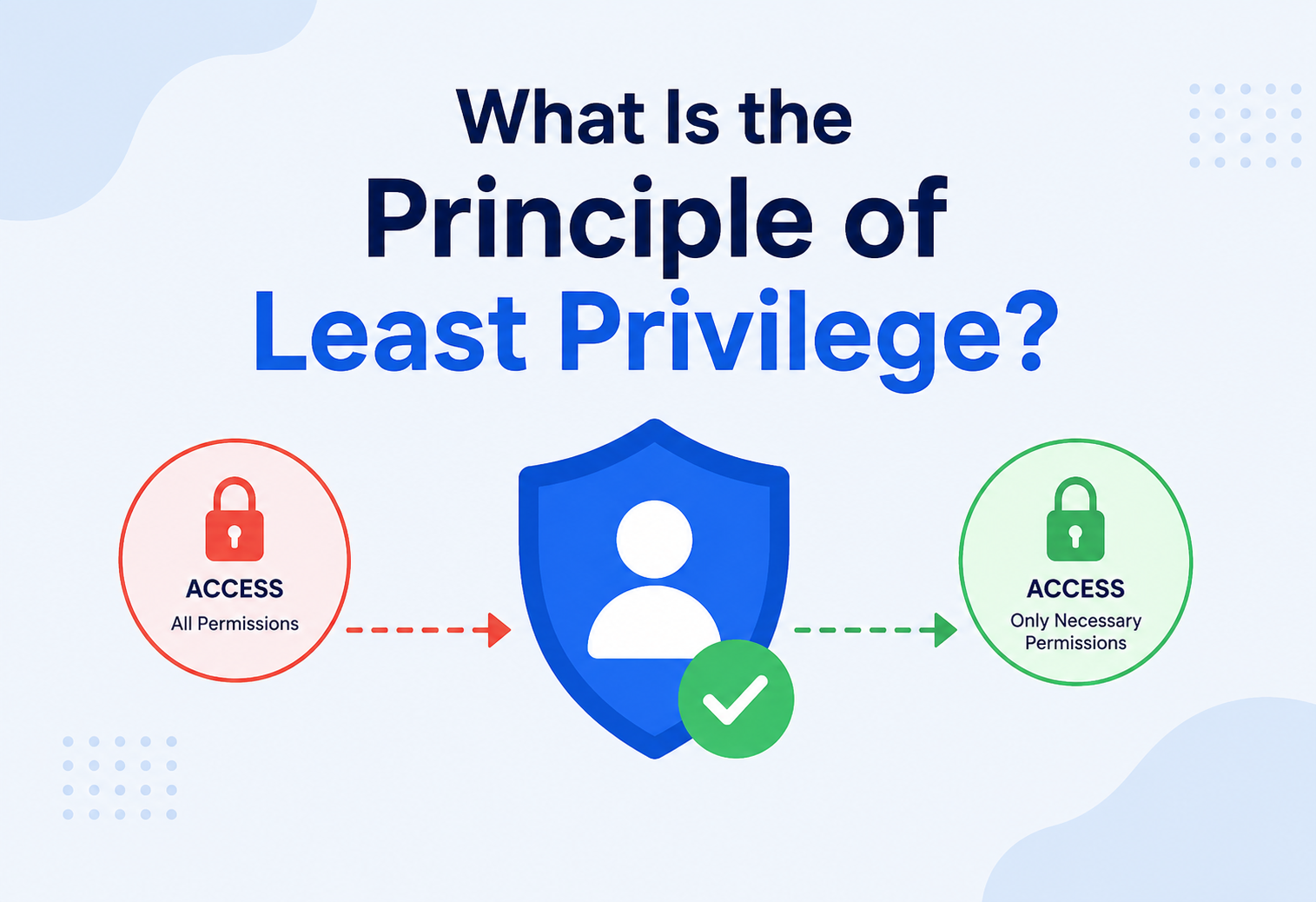
What Is the Principle of Least Privilege?
A ground-up explanation of one of the oldest, simplest and most powerful ideas in computer security — give every user, program and service only the access it truly needs, no more and no less — from the 1970s academic paper that named it, all the way to modern cloud IAM, microservices, service meshes and zero-trust production systems.
Introduction & History
Imagine you hire a house painter to paint your living room. Would you hand them the keys to your car, your bank vault, and your medicine cabinet, just in case they might need them? Of course not. You would give them exactly what they need: access to the living room, a can of paint, and maybe the front door key so they can let themselves in. Nothing more.
That simple, everyday instinct — give people only what they need to do their job, and nothing else — is the entire idea behind the Principle of Least Privilege (often abbreviated PoLP or just “least privilege”). It is one of the oldest, simplest and most powerful ideas in all of computer security, and yet it is also one of the most commonly violated, because giving broad access is almost always easier in the short term than carefully scoping it down.
1.1 Where the Idea Came From
The principle was not invented by a hacker or a corporation — it came out of academic computer science research into how to build trustworthy, secure operating systems. The most commonly cited origin is a 1975 paper by Jerome Saltzer and Michael Schroeder titled “The Protection of Information in Computer Systems.” In it, they laid out a set of design principles that every secure system should follow, and “least privilege” was one of the headline ideas:
“Every program and every privileged user of the system should operate using the least amount of privilege necessary to complete the job.” — Saltzer & Schroeder, The Protection of Information in Computer Systems (1975)
At the time, computers were massive, shared, multi-user machines — think giant mainframes used simultaneously by dozens of researchers, students and staff at a university. If one careless or malicious user’s program could read or modify anyone’s files, or bring down the whole machine, the entire shared system was at risk. Saltzer and Schroeder realized that the safest systems were not the ones that trusted everyone completely — they were the ones that assumed mistakes and misuse were inevitable and designed accordingly by limiting the “blast radius” of any single mistake.
Decades later, this 1970s mainframe-era idea turned out to be even more relevant in the era of the internet, cloud computing and microservices, where a single compromised password, leaked API key or vulnerable service can potentially touch millions of systems if it is given too much power.
Least privilege means: every user, program, process or system should be given only the access rights it needs to do its specific job — no more, and no less — and only for as long as it actually needs them.
1.2 Why “Obviously True” Ideas Are Still Hard to Follow
If you ask almost any engineer or IT administrator whether least privilege is a good idea, they will say yes without hesitation. It sounds obvious once explained — nobody would seriously argue that everyone should have access to everything all the time. And yet, in practice, most real organizations are quietly full of over-privileged accounts, forgotten admin rights and shared credentials. Why does a principle that everyone agrees with in theory get violated so often in practice?
The honest answer is that broad access is almost always the path of least resistance in the short term. When a new engineer joins a team, it is faster to copy an existing coworker’s permissions than to carefully figure out the minimal set they actually need. When a service needs to talk to a database, it is faster to reuse an existing “admin” connection string than to provision a brand-new, narrowly scoped one. When something breaks in production at 2 a.m., it is faster to grant an engineer temporary full access than to figure out exactly which permission is missing. Every one of these shortcuts saves a few minutes today, at the cost of a slightly larger, slightly riskier system tomorrow. Multiply that by hundreds of small decisions across the lifetime of a growing company, and you end up with what security teams call privilege sprawl — a system where almost nobody, including the people who built it, can say with confidence exactly who can do what.
Understanding this human tendency is actually part of understanding the principle itself. Least privilege is not just a technical configuration setting — it is a discipline that has to be actively maintained against a constant, natural pull toward convenience. The rest of this guide will explore both the technical mechanics of how least privilege is implemented, and the organizational habits that keep it from quietly eroding over time.
The Problem & Motivation
To understand why least privilege matters so much, it helps to understand what happens when it is ignored. Let’s build up the problem with an analogy first, then translate it into computer terms.
2.1 The Office Building Analogy
Picture a large office building with hundreds of employees: accountants, engineers, interns, security guards and cleaning staff. Now imagine the building has only one master key, and every single employee — including brand-new interns on their first day — is handed a copy of that master key. That key opens every door: the server room, the CEO’s office, the safe, the HR files, everything.
What could go wrong?
- An intern accidentally wanders into the server room and unplugs the wrong cable.
- A disgruntled employee who is about to quit walks into the safe and takes documents they were never supposed to see.
- Someone loses their key, and now every single door in the building is at risk, not just the one room that person was supposed to access.
- If a thief steals just one employee’s key — say, the mail room clerk’s — they can now walk into the CEO’s office too.
This is exactly the situation that unfolds inside a computer system when accounts, applications and services are given far more access than they actually need. In security terms, we call this over-privileging, and it is one of the most common root causes of serious data breaches.
2.2 Why This Matters More Than Ever
Modern software systems are not one machine used by trusted humans anymore. A typical application today might involve:
- Dozens of human users with different roles (developers, support staff, admins, contractors)
- Hundreds of automated services and microservices talking to each other
- Third-party integrations and API keys
- Cloud infrastructure with its own permission systems (AWS, Azure, GCP)
- CI/CD pipelines that can deploy code automatically
Every one of those “identities” — human or machine — is a potential doorway into your system. Least privilege is the discipline of making sure each doorway only opens the rooms it is actually supposed to.
Without least privilege, a single compromised password, a single buggy microservice or a single stolen API key can cascade into a catastrophic, system-wide breach — because that one compromised identity already had the keys to everything.
2.3 “Attack Surface” and “Blast Radius”
Two terms come up constantly in this discussion, so let’s define them simply:
- Attack surface — think of this as the total number of “doors and windows” an attacker could try to break into. The more permissions and access points that exist, the bigger the attack surface.
- Blast radius — if an attacker does get in through one door, how much damage can they do? A small blast radius means they only reach one small room. A large blast radius means they reach the whole building.
Least privilege does not just reduce the attack surface (fewer unnecessary permissions to exploit) — it also shrinks the blast radius dramatically, because even a successful attacker is trapped inside a tiny, low-value space.
Core Concepts
Before going further, let’s build a shared vocabulary. These terms show up throughout security engineering, and understanding them clearly makes everything else in this guide click into place.
Principal
Any entity that can be granted access — a human user, a service account, an application or a device. Think of it as “who is asking for access.”
Permission / Privilege
A specific capability, like “read this file,” “delete this database table” or “restart this server.”
Resource
The thing being protected — a file, a database row, an API endpoint, a cloud server, a physical door.
Role
A named bundle of permissions that represents a job function, such as “Billing Clerk” or “Database Administrator.”
Access Control
The overall system that decides who is allowed to do what to which resource.
Privilege Escalation
When a principal gains more access than intended — either legitimately (a temporary elevation) or maliciously (an attack).
3.1 Least Privilege vs. Related Principles
Least privilege is often mentioned alongside a few sibling concepts. They work together, but they are not the same thing:
| Principle | What it means in simple terms |
|---|---|
| Least Privilege | Give the smallest set of permissions needed for a task. |
| Need-to-Know | Only share information with someone if they genuinely need it to do their job — a close cousin of least privilege, focused on data / information rather than system actions. |
| Separation of Duties | Split sensitive tasks across multiple people so no single person can complete a harmful action alone (e.g., one person requests a payment, another approves it). |
| Defense in Depth | Do not rely on one single wall — layer multiple independent security controls so if one fails, others still protect you. |
| Zero Trust | Never automatically trust any user or device, even ones already inside your network — verify every request, every time. Least privilege is one of the pillars zero trust is built on. |
3.2 Static vs. Dynamic (Just-in-Time) Privilege
There are two broad flavors of how least privilege gets applied in practice:
Static Least Privilege
- Permissions are assigned up front, based on a person’s role
- Simple to reason about and audit
- Can become stale over time as job duties shift (“privilege creep”)
Dynamic / Just-in-Time (JIT)
- Access is granted temporarily, only when needed, and automatically expires
- Much smaller window of exposure
- Requires more sophisticated tooling to implement well
3.3 Positive vs. Negative Permission Models
Another way to think about access control systems is whether they are built around a positive (allow-list) model or a negative (deny-list) model. In a positive model, nothing is possible unless it has been explicitly listed as allowed — this is the model least privilege almost always wants. In a negative model, everything is possible except the specific things that have been explicitly blocked. The negative model tends to be more dangerous in security-sensitive systems, because it requires the system designer to correctly anticipate and list every dangerous action in advance — and it is far easier to forget to block one dangerous thing than it is to forget to allow one helpful thing. Almost every serious security framework, from operating system file permissions to cloud IAM policies, is built on the positive, allow-list foundation for exactly this reason.
3.4 The “Identity” Is Bigger Than Just a Username
It is worth pausing on the word principal a little longer, because modern systems have expanded what counts as an identity far beyond a simple username and password. A principal today might be a human logging in through single sign-on, a background cron job running under a dedicated service account, a container running inside a Kubernetes cluster with its own assigned identity, a third-party integration holding an API key, or even a single function in a serverless environment that only exists for a few hundred milliseconds at a time. Least privilege has to be applied to every one of these categories individually — a security posture that only thinks about human logins while ignoring machine identities is, in most modern systems, only addressing a small fraction of the actual attack surface.
Architecture & Components
Least privilege is not a single tool you install — it is a design goal that gets implemented through several cooperating components inside a system’s security architecture. Here is what those pieces typically look like.
4.1 The Key Architectural Pieces
- Policy Enforcement Point (PEP) — the gatekeeper sitting in front of the resource (e.g., an API gateway, a file system, a database driver) that intercepts every request and asks “is this allowed?” before letting it through.
- Policy Decision Point (PDP) — the “brain” that evaluates a request against the rules and returns an allow/deny decision. This is where roles, permissions and conditions actually get compared.
- Policy Store — the database or configuration holding the actual rules: which roles exist, which permissions each role has, which users belong to which roles.
- Identity Provider (IdP) — confirms who the principal actually is (authentication) before we even ask what they can do (authorization). Least privilege only works if you are confident about identity first.
- Audit Log — a tamper-resistant record of every access decision, essential for detecting misuse and for after-the-fact investigations.
4.2 Common Models Used to Implement Least Privilege
| Model | How it works | Best for |
|---|---|---|
| RBAC Role-Based Access Control | Permissions are grouped into roles; users are assigned roles instead of individual permissions. | Organizations with clear job functions (most companies) |
| ABAC Attribute-Based Access Control | Access decisions are based on attributes — user department, resource sensitivity, time of day, location, etc. | Complex, context-sensitive rules |
| PBAC Policy-Based Access Control | Centralized, human-readable policies (often written in a policy language) evaluated at request time. | Large systems needing centralized governance |
| ACL Access Control List | Each resource keeps its own list of who can do what to it directly. | File systems, simple per-resource control |
RBAC is like giving out job badges (“Manager,” “Cashier,” “Janitor”) that come pre-loaded with the right doors. ABAC is more like a smart lock that also checks the time of day, whether you are currently on shift, and which store you are standing in front of before deciding to let you in.
4.3 Choosing Between These Models in Practice
Most real organizations do not pick a single pure model and stop there — they layer them. A typical mid-sized company might use RBAC as the primary structure because it maps naturally onto job titles and is easy for non-technical managers to understand (“she is a Billing Clerk, so she gets the Billing Clerk role”). On top of that foundation, they might add a handful of ABAC-style conditions for their most sensitive resources — for example, requiring that access to customer payment data only works from a company-managed device, or only during an active support ticket. This layered approach captures most of RBAC’s simplicity while still allowing fine-grained, context-aware restrictions exactly where they matter most, rather than trying to model every possible nuance as a brand-new role, which tends to produce an unmanageable explosion of narrow, overlapping roles known informally as role explosion.
ACLs, meanwhile, tend to show up less as a top-level enterprise strategy and more as a low-level enforcement mechanism underneath the other models — for example, a file system or a specific database table might internally track its access list, even while the broader organization thinks about access in terms of roles. Understanding these models as complementary layers, rather than competing choices, is one of the more useful mental shifts when designing a real access-control architecture.
How It Works Internally
Let’s go one level deeper and look at what actually happens, step by step, when a piece of software checks whether an action is allowed.
5.1 Step-by-Step: A Permission Check
- Authentication happens first. The system verifies who is making the request — usually via a password, a token (like a JWT), an API key or a certificate.
- The request is intercepted by the Policy Enforcement Point, before it ever reaches the actual business logic.
- The system looks up the principal’s granted permissions — either by checking their assigned role(s), or by evaluating attribute-based rules.
- The system compares the requested action against the granted permissions. For example: “Does the ‘Support Agent’ role include
refund:issue?” - A decision is made: allow or deny.
- The decision (and the identity that made the request) is logged for auditing.
- If allowed, the action proceeds — but often only for the specific resource requested, not for a broader category (this is called resource-level scoping).
5.2 A Simple Java Example: Role-Based Permission Check
Here is a small, self-contained Java example showing the core idea of a least-privilege permission check. Notice that the code explicitly denies by default, and only allows an action if the role has been granted that exact permission.
import java.util.*;

public class LeastPrivilegeDemo {

    // Each role maps to a small, specific set of permissions
    static Map<String, Set<String>> rolePermissions = Map.of(
        "SUPPORT_AGENT", Set.of("ticket:read", "ticket:reply"),
        "BILLING_CLERK", Set.of("invoice:read", "invoice:issueRefund"),
        "ADMIN",         Set.of("user:create", "user:delete", "role:assign")
    );

    // A user has a role, not a raw list of permissions
    record User(String name, String role) {}

    static boolean isAllowed(User user, String requestedPermission) {
        Set<String> granted = rolePermissions.getOrDefault(user.role(), Set.of());
        // Default DENY unless explicitly granted -- the heart of least privilege
        return granted.contains(requestedPermission);
    }

    public static void main(String[] args) {
        User agent = new User("Maria", "SUPPORT_AGENT");

        System.out.println(isAllowed(agent, "ticket:reply"));        // true  -- within scope
        System.out.println(isAllowed(agent, "invoice:issueRefund")); // false -- out of scope, correctly denied
    }
}
Notice the design choice: the code does not ask “is this forbidden?” — it asks “was this explicitly allowed?” This is called default deny, and it is a cornerstone of least privilege. If a new permission is added to the system and nobody remembers to grant it to anyone, the safe default is that nobody can use it yet, rather than everybody being able to use it by accident.
Writing “default allow” logic — where access is granted unless specifically blocked — is a classic least-privilege violation. It silently grants new capabilities to everyone the moment a new feature is added, unless someone remembers to lock it down.
5.3 Time-Bound / Just-in-Time Privilege in Code
More advanced systems do not just check if access is allowed — they also check when. Temporary elevated access (“just-in-time” or JIT access) automatically expires:
import java.time.Instant;

public class TemporaryGrant {
    String userId;
    String permission;
    Instant expiresAt;

    boolean isCurrentlyValid() {
        return Instant.now().isBefore(expiresAt);
    }
}

// Example: grant a developer emergency production database access
// for exactly 30 minutes, then it automatically expires.
TemporaryGrant grant = new TemporaryGrant();
grant.userId    = "dev-217";
grant.permission = "prod-db:read";
grant.expiresAt = Instant.now().plusSeconds(30 * 60);
5.4 What Happens When a Grant Expires Mid-Task
One subtlety that trips up a lot of teams building their first time-bound access system is deciding what should happen if a permission expires while someone is in the middle of using it — for example, a developer is halfway through debugging a production issue when their 30-minute grant runs out. There is no universally “correct” answer here, and different systems make different trade-offs. Some systems simply cut off access immediately, mid-task, prioritizing security consistency above all else. Others allow an in-progress session to finish its current operation but block any new requests once the grant has expired. Still others send a warning a few minutes before expiry and offer a one-click renewal, which keeps the security boundary intact while reducing the frustration of being cut off unexpectedly. Whichever approach a system chooses, the important design principle is the same: the default, if nothing else happens, must be to deny — an expired grant should never silently continue working just because nobody explicitly enforced the cutoff.
5.5 Combining Multiple Roles
Real users frequently hold more than one role at once — for example, someone might be both a “Support Agent” and a “Billing Clerk.” A well-designed permission check typically unions the permissions across all of a user’s roles, then applies the same default-deny logic to the combined set:
static boolean isAllowedMultiRole(User user, List<String> roles, String requestedPermission) {
    return roles.stream()
        .map(role -> rolePermissions.getOrDefault(role, Set.of()))
        .anyMatch(perms -> perms.contains(requestedPermission));
}
Notice that this still fails safely: if none of the user’s roles grant the requested permission, the result is false, regardless of how many roles the user has. Adding more roles can only ever expand access, never accidentally restrict it in a way that surprises the user — which keeps the system’s behavior predictable and easy to reason about during an audit.
Access Lifecycle & Data Flow
Least privilege is not a one-time setup — it is a lifecycle that every identity (human or machine) moves through. Understanding this lifecycle is key to keeping a system secure over time, not just on day one.

Provisioning
A new user or service is created and assigned the minimum starting role needed for their first task — never broad “just in case” access.
Request & Approval
When someone needs additional access, they submit a request that is reviewed and approved by someone else (this is separation of duties in action).
Grant (often time-bound)
Access is granted — ideally with an expiration date, especially for sensitive or elevated permissions.
Usage & Monitoring
Every use of the granted permission is logged. Unused permissions are flagged for review.
Review & Recertification
Periodically (e.g., quarterly), managers or automated tools re-verify that each grant is still needed.
Revocation
When a task, project or employment ends, access is promptly removed — ideally automatically and immediately, not “eventually.”
Without step 5 and 6, organizations suffer from privilege creep — a slow, invisible accumulation of unnecessary access as employees change roles over the years but old permissions are never removed. Studies of real breaches consistently find dormant, unused permissions as a major contributing factor.
Advantages, Disadvantages & Trade-offs
Least privilege is powerful, but it is not free. Like every real engineering principle, applying it involves trade-offs that need to be understood, not ignored.
| Advantages | Disadvantages / Costs |
|---|---|
| Shrinks the blast radius of any single compromised account or bug | Requires upfront design work to figure out exactly what each role truly needs |
| Makes audits and compliance far easier (you can clearly show who can do what, and why) | Can slow down legitimate work if access requests are not handled quickly (“access friction”) |
| Reduces accidental damage from human error, not just malicious attacks | Needs ongoing maintenance — roles and permissions must be reviewed regularly or they go stale |
| Limits how far malware or a compromised process can spread (containment) | Overly strict scoping can create a flood of support tickets (“I can’t do my job!”) |
| Builds a culture of intentional, reviewed access instead of “just give them everything” | More moving parts (roles, policies, approval workflows) means more complexity to build and operate |
7.1 Finding the Right Balance
In practice, teams that succeed with least privilege treat it as a spectrum, not an all-or-nothing switch. The goal is not to make everyone’s life miserable with constant permission denials — it is to make deliberate, reviewed and revocable access the default way of doing things, while still making it fast and easy for people to request more access when they genuinely need it.
Real usage is narrow
Most users need roughly 20% of all possible permissions to do 100% of their job — the other 80% are simply not needed and safe to withhold.
Time-bound grants
Just-in-time grants cut standing privilege exposure dramatically, because a permission that only exists for 30 minutes cannot be leaked for 3 years.
Recertification cadence
Every quarter (roughly) is the typical rhythm for access recertification reviews in mature organizations.
A useful mental model here is to picture security friction and blast radius as two ends of a see-saw. Push access far toward “convenient and broad,” and you reduce day-to-day friction while dramatically increasing how much damage any single mistake or compromise can cause. Push access far toward “minimal and tightly scoped,” and you shrink that potential damage, but if the surrounding tooling and processes are clunky, you also slow down legitimate work and frustrate the very people the system is supposed to support. The organizations that get the most value out of least privilege are rarely the ones with the strictest possible policy on paper — they are the ones that have invested in making the secure, narrowly-scoped path just as fast and easy to use as the insecure, broad one. When requesting exactly the access you need takes thirty seconds through a self-service tool, almost nobody chooses to ask for admin rights instead, simply because there is no longer any convenience advantage to doing so.
Performance & Scalability
You might not think of a security principle as having “performance” concerns, but at large scale, every permission check adds real, measurable overhead — and the way you architect access control has a direct effect on system speed and scalability.
8.1 Where the Overhead Comes From
- Lookup cost — every request may need a lookup against a roles/permissions table or policy store, which takes time, especially if it involves a network call to a separate authorization service.
- Policy evaluation complexity — attribute-based (ABAC) systems that evaluate many conditions per request are more flexible but slower than simple role checks.
- Fine-grained scoping — checking access at the level of an individual database row (row-level security) is more precise but costs more than a single “can this user touch this table at all?” check.
8.2 How Real Systems Keep This Fast
Caching decisions
Cache “allow” decisions for a short time (seconds to minutes) so repeated requests from the same user do not re-evaluate the full policy every time.
Embedding policy in tokens
Bake a user’s roles/permissions directly into a signed token (like a JWT) at login time, so downstream services can check locally without a network round-trip.
Local policy agents
Tools like Open Policy Agent run policy evaluation next to the application (sidecar pattern) instead of over the network, cutting latency to microseconds.
Precomputed role hierarchies
Flatten complex nested roles into simple lookup tables ahead of time rather than resolving inheritance on every request.
Caching permission decisions improves speed, but it also means a revoked permission might still “work” for a short cache window. Systems handling highly sensitive actions often deliberately use very short cache lifetimes, or skip caching for the most critical operations.
High Availability & Reliability
If your permission-checking system goes down, what should happen — should every request be denied (fail closed), or should every request be allowed through (fail open)?
This turns out to be a genuinely important design decision, and the “safe” answer usually depends on the type of system:
| Approach | What happens on failure | Best for |
|---|---|---|
| Fail Closed | Deny all access if the authorization system is unreachable | Financial systems, healthcare records, anything highly sensitive |
| Fail Open | Allow access if the authorization system is unreachable | Rare — mainly physical safety systems, like emergency door unlocks during a fire |
Fail closed aligns naturally with least privilege’s “default deny” philosophy — but it also means your authorization system’s uptime becomes just as critical as the application it protects. This is why production-grade access control systems are usually built with redundancy: multiple replicas, local caching fallbacks and health checks, so a single failure does not lock everyone out of a critical system at the worst possible moment.
A poorly designed “fail closed” system with no redundancy can itself become a single point of failure — if the authorization service crashes, the entire application effectively goes down too, even though the actual business logic is perfectly healthy.
Think of the authorization service as the security guard at the front door of every room in a building. If that guard goes home sick, do you let everyone walk in (fail open), or does the whole building freeze until a backup guard arrives (fail closed)? For a bank vault, you freeze. For a fire exit, you let people out. The choice depends entirely on what is behind the door.
Security Deep Dive
This is, of course, the heart of the topic. Let’s go beyond the basics and look at how least privilege actually stops real-world attacks, and the subtle ways it can be undermined.
10.1 How It Stops Privilege Escalation Attacks
A huge share of real-world breaches follow the same pattern: an attacker gets a small foothold (say, by phishing one low-level employee), and then tries to move sideways and upward — reading more files, accessing more systems, eventually reaching admin-level control. This is called lateral movement and privilege escalation.
Least privilege directly defends against this because even a fully compromised low-privilege account simply cannot reach sensitive systems — there is no key on their keyring for those doors, no matter how hard the attacker tries.
10.2 Service Accounts and Machine Identities
It is easy to think of least privilege only in terms of human employees, but in modern systems, the majority of “identities” are actually machines: microservices, scripts, CI/CD pipelines and background jobs. These deserve the exact same discipline:
- A microservice that only reads product prices should not have a database credential that can also delete customer records.
- A CI/CD pipeline that deploys a website should not have permission to modify billing infrastructure.
- A monitoring script that reads logs should not have write access to production data.
Many major breaches involve an over-privileged service account or leaked API key — not a directly hacked human account. Attackers specifically hunt for these because they are often forgotten, rarely rotated and quietly granted far more access than they need.
10.3 Least Privilege and Secrets Management
Least privilege also applies to how credentials are stored and shared. A password or API key that grants broad access, sitting in a plaintext config file that every developer on the team can read, defeats the purpose even if the role itself is correctly scoped. Best practice pairs least privilege with a secrets manager (like HashiCorp Vault, AWS Secrets Manager or similar) that:
- Stores credentials encrypted, never in plaintext source code
- Issues short-lived, automatically-rotating credentials instead of permanent ones
- Logs every time a secret is accessed
10.4 Common Ways Least Privilege Gets Quietly Broken
Shared accounts
Multiple people using one “admin” login makes it impossible to know who actually did what, and impossible to revoke access from just one person.
Wildcard permissions
Granting * (everything) “temporarily” because it is faster than figuring out the exact permission needed — and then never fixing it.
Copy-paste roles
Cloning an existing broad role for a new hire instead of building a scoped role from scratch.
Emergency access that never expires
Granting “break glass” emergency admin access during an incident, then forgetting to revoke it afterward.
10.5 Why Attackers Specifically Look for Privilege Gaps
It is worth understanding this from the attacker’s point of view, because it explains why least privilege is treated as such a high priority by security teams rather than as one item on a long checklist. When an attacker successfully compromises any single credential — through phishing, a leaked key, a vulnerable dependency or a misconfigured server — their very next move is almost always to explore exactly how much that credential can do. This exploration phase is sometimes called reconnaissance, and a well-implemented least-privilege system makes this phase extremely disappointing for the attacker: the compromised identity can only touch a small, specific, low-value slice of the system, and every attempt to reach further triggers a logged, denied request that security monitoring can flag almost immediately. Contrast that with a compromised credential that happens to have broad administrative rights — in that scenario, the attacker’s reconnaissance phase can reveal an enormous, valuable attack surface, and the breach can escalate from “one leaked password” to “company-wide data exposure” within minutes, long before any human notices something is wrong.
This is also why security teams so often describe least privilege not as a way to prevent every breach — no single control can promise that — but as a way to make sure that the breaches which do inevitably happen stay small, contained and quickly detectable, rather than catastrophic.
Monitoring, Logging & Metrics
Least privilege is not “set it and forget it” — it needs continuous visibility to stay effective. You cannot shrink what you cannot see.
11.1 What to Log
- Every access grant and revocation (who granted it, to whom, and why)
- Every permission check — both allowed and denied attempts
- Every use of elevated or emergency (“break glass”) access
- Changes to roles and policies themselves
11.2 Useful Metrics to Track
| Metric | Why it matters |
|---|---|
| Unused permissions per user / service (last 90 days) | Reveals over-provisioned accounts ripe for tightening |
| Number of standing (permanent) admin grants | High counts indicate risky, non-time-bound access |
| Denied access attempts over time | Spikes can indicate either misconfigured roles or active attack attempts |
| Average time-to-revoke after offboarding | Slow revocation is a common, dangerous gap |
A surprisingly effective technique is to log every permission a user or service could use, and separately track which ones they actually use. After a few months, anything never touched is a strong candidate for removal — this is how many teams gradually tighten a system that started out too permissive.
Deployment & Cloud (IAM)
Cloud platforms are where least privilege becomes especially critical, because cloud misconfigurations are one of the leading causes of modern data breaches. Every major cloud provider has a dedicated system for this called IAM (Identity and Access Management).
12.1 How Cloud IAM Implements Least Privilege
- IAM Policies — JSON or YAML documents describing exactly which actions are allowed on which resources.
- IAM Roles — assignable identities that services or users can “assume” temporarily, instead of using permanent credentials.
- Resource-level permissions — instead of “can read all storage buckets,” a precise policy says “can read only bucket
invoices-2026.” - Conditional access — permissions that only apply under specific conditions (e.g., only from the corporate network, only during business hours).
Here is a simplified example of an overly broad cloud policy versus a least-privilege version:
// TOO BROAD -- avoid this
{
  "Effect": "Allow",
  "Action": "s3:*",
  "Resource": "*"
}

// LEAST PRIVILEGE -- scoped to exactly what's needed
{
  "Effect": "Allow",
  "Action": ["s3:GetObject"],
  "Resource": "arn:aws:s3:::invoices-2026/*"
}
The first policy grants full control (read, write, delete, configure) over every storage bucket in the entire account. The second grants only the ability to read files, and only inside one specific bucket. If a credential with the second policy is ever leaked, the damage is contained to read-only access to invoices — not the ability to delete every file the company owns.
Attaching the built-in “Administrator” or “Owner” policy to a service during initial development because it is fast, and never coming back to scope it down before going to production.
Databases, Caching & Load Balancers
13.1 Databases
Database credentials are a favorite target for attackers, because a single connection string can expose an entire company’s data. Least privilege at the database layer typically means:
- Separate credentials per application, instead of one shared “admin” database user used by every service.
- Read replicas with read-only credentials for services (like reporting dashboards) that never need to write data.
- Row-level security, so a user can query only the rows belonging to their own account, tenant or organization.
- Column-level restrictions, hiding sensitive columns (like social security numbers) from roles that do not need them.
-- Example: a reporting service gets read-only access to just one schema
CREATE ROLE reporting_readonly;
GRANT CONNECT ON DATABASE analytics TO reporting_readonly;
GRANT USAGE ON SCHEMA public TO reporting_readonly;
GRANT SELECT ON ALL TABLES IN SCHEMA public TO reporting_readonly;
-- Notice: no INSERT, UPDATE, DELETE, or DROP granted at all
13.2 Caching Layers
Caches like Redis or Memcached often get overlooked in security reviews, but they frequently hold copies of sensitive data (session tokens, user profiles). Least privilege here means scoping cache access per application namespace, so one compromised service cannot read another service’s cached session data.
13.3 Load Balancers & Network Access
Least privilege extends to the network layer too — a database server should typically only accept connections from the specific application servers that need it, not from the entire internal network. This is usually enforced with security groups, firewall rules or network segmentation, which act like the walls of the “room” we described in our office analogy: even with the right key, you still need to be standing at the right door.
APIs & Microservices
In a microservices architecture, dozens or hundreds of small services talk to each other constantly. Without least privilege, a single compromised microservice can potentially call any other service in the system — a nightmare scenario known as unrestricted east-west traffic.
14.1 Scoped API Tokens
Instead of one shared API key used by every internal service, well-designed systems issue narrowly-scoped tokens — for example using OAuth 2.0 scopes:
// A token issued to the "recommendation-service"
{
  "sub":   "svc-recommendation-engine",
  "scope": "products:read reviews:read",
  "exp":   1751020800
}
// This token CANNOT be used to call the payments or user-deletion endpoints,
// even if the recommendation service is compromised.
14.2 Service Meshes and Mutual TLS
Modern microservice platforms often use a service mesh (like Istio or Linkerd) to enforce fine-grained rules about which services are even allowed to talk to which other services at the network level — an approach sometimes called a zero trust network. Even if service A somehow obtains valid credentials for service B, the mesh itself can block the connection unless it is explicitly permitted.
Design your API’s permission scopes around business actions, not database tables. orders:cancel is more meaningful and easier to reason about than a raw database-level grant, and it is much easier to audit later.
Design Patterns & Anti-patterns
15.1 Helpful Patterns
Role Hierarchies
Build small, composable roles (“read-invoices,” “write-invoices”) and combine them, rather than one giant role per job title.
Just-in-Time Access
Grant elevated access only when requested, automatically expiring after use, rather than permanently.
Break-Glass Procedures
A tightly monitored emergency-access path for true incidents, with mandatory logging and automatic follow-up review.
Policy as Code
Define access rules in version-controlled files (reviewed like any other code change) instead of clicking through a UI.
15.2 Anti-patterns to Avoid
A single super-powered service account used everywhere because it is convenient — the moment its credentials leak, the entire system is compromised at once.
Standing admin rights for anyone who might occasionally need them. If the elevated rights are only used a few times a year, they should be requested and time-bound each time, not left switched on 24/7.
Giving new hires the same access as a departing coworker without reviewing whether it is still appropriate. This is how privilege quietly propagates and drifts over years.
Grants issued during an incident or deadline that quietly become permanent because no one set an expiration. These are among the most common findings in access-review audits.
Assuming an over-privileged system is safe just because the extra access “probably will not be found.” Attackers scan for exactly this kind of hidden, forgotten privilege.
Best Practices & Common Mistakes
16.1 Best Practices
- Start from zero. Begin every new role or service account with no permissions, and add only what is proven necessary — rather than starting broad and trying to remove access later (which almost never happens in practice).
- Automate expiration. Make time-bound access the default for anything sensitive, not a special extra step someone has to remember.
- Review regularly. Schedule recurring access reviews (quarterly is common) and treat unused permissions as a signal to revoke.
- Separate human and machine identities clearly, and apply the same discipline to both.
- Log everything, and actually look at the logs. A perfect audit trail is useless if nobody reviews it.
- Make the secure path the easy path. If requesting scoped access is slower and more painful than just asking for admin rights, people will ask for admin rights.
16.2 Common Mistakes
| Mistake | Why it’s risky |
|---|---|
| Granting broad access “to save time” during a deadline | These grants are rarely revisited once the deadline passes |
| Reusing one service account across many applications | A single leak compromises every application that shares it |
| No offboarding process for departing employees | Former employees retain access long after they have left |
| Treating least privilege as a one-time project | Systems and teams change constantly; access must be re-evaluated continuously |
16.3 Building Organizational Habits, Not Just Technical Controls
It is tempting to think of least privilege purely as a technical exercise — pick the right access-control model, write the right policies, and you are done. In reality, the technical controls only stay effective if the surrounding organizational habits support them. A company can have a beautifully designed role hierarchy on paper and still end up dangerously over-privileged in practice, simply because nobody owns the process of keeping it accurate over time.
Some of the most effective organizational habits include appointing a clear owner for each system’s access policy (rather than leaving it as “everyone’s responsibility,” which in practice means no one’s), building access requests into the same workflow tools engineers already use every day (so the secure path really is the fast path), and treating a request for broad or permanent access as something that should require a short written justification, not just a checkbox. None of these habits require exotic technology — they require a team that has decided access control is worth maintaining as carefully as the product itself.
Real-World Examples
Least privilege is not an abstract academic idea — it shows up explicitly in how major technology companies design their systems, and its absence shows up repeatedly in post-mortems of real security incidents.
Cloud providers
All three major cloud platforms explicitly recommend least privilege as their top IAM best practice, and provide dedicated tooling (like AWS IAM Access Analyzer) specifically to detect and flag over-privileged roles.
Continuous policy tightening
Netflix’s public engineering blog has described using automated tooling to continuously analyze which permissions its microservices actually use in production, then automatically recommending tighter, minimal policies — treating least privilege as an ongoing, automated process rather than a manual one-time task.
Zero-trust at scale
Google’s internal zero-trust architecture, BeyondCorp, is built around granting access based on device and user context for every single request — no standing “inside the network, so you are trusted” access at all, a direct large-scale application of least privilege.
Separation of duties
Banks commonly enforce strict separation of duties combined with least privilege for anything touching money movement — for example, the employee who initiates a wire transfer is architecturally prevented from also being the one who approves it.
In numerous large, publicly documented breaches over the years, post-incident investigations found that attackers who gained an initial small foothold were able to move much further than they should have because a compromised account or service held far broader permissions than its actual job required. This pattern — small initial breach, outsized impact due to excess privilege — is one of the most common lessons in cybersecurity incident reports.
FAQ & Key Takeaways
Short answers to the questions that come up most often when engineers first start applying least privilege in earnest — followed by a compact recap of everything covered in this guide.
18.1 Frequently Asked Questions
Is least privilege the same thing as zero trust?
No, but they are closely related. Zero trust is a broader security philosophy (“never automatically trust, always verify”), and least privilege is one of its core building blocks — specifically about minimizing what a verified identity is allowed to do.
Does it apply to people, or also to software?
Both. Every human account, service account, application, container and automated process should follow the same principle — machine identities are often more numerous and more commonly over-privileged than human ones.
Isn’t least privilege just extra bureaucracy that slows teams down?
It adds some process, yes, but well-implemented least privilege (especially with automated, fast access-request workflows) is designed to minimize friction while still shrinking risk. The alternative — cleaning up after a major breach — is almost always far more disruptive and costly.
How do I get started on an already over-privileged system?
Start by auditing what access currently exists and comparing it against what is actually used in logs over a reasonable time window (e.g., 60–90 days). Anything unused becomes a strong first candidate for removal, and you can tighten scope incrementally rather than all at once.
What’s the difference between least privilege and “need-to-know”?
They are extremely close cousins. “Need-to-know” traditionally focuses on information / data access, while least privilege is the broader idea applied to any kind of system action, not just reading data.
Key Takeaways
- The Principle of Least Privilege means giving every user, program and service only the access it needs to do its job — no more, no less, and only for as long as it is needed.
- It originated from 1970s academic research into secure operating systems (Saltzer & Schroeder, 1975) and remains one of the foundational ideas in nearly every modern security framework.
- It works by shrinking both the attack surface (fewer things to exploit) and the blast radius (less damage if something is exploited).
- It is implemented through models like RBAC and ABAC, enforced by policy engines (PEP + PDP + policy store), and reinforced with logging, monitoring and periodic access reviews.
- It applies equally to human users and machine identities — service accounts, microservices and API keys are just as important to scope tightly.
- Getting it right is a continuous lifecycle — provisioning, granting, monitoring, reviewing and revoking — not a one-time setup.
- The trade-off is real: tighter security can mean more process, but the alternative — over-privileged systems — is one of the most consistent root causes behind major real-world data breaches.

