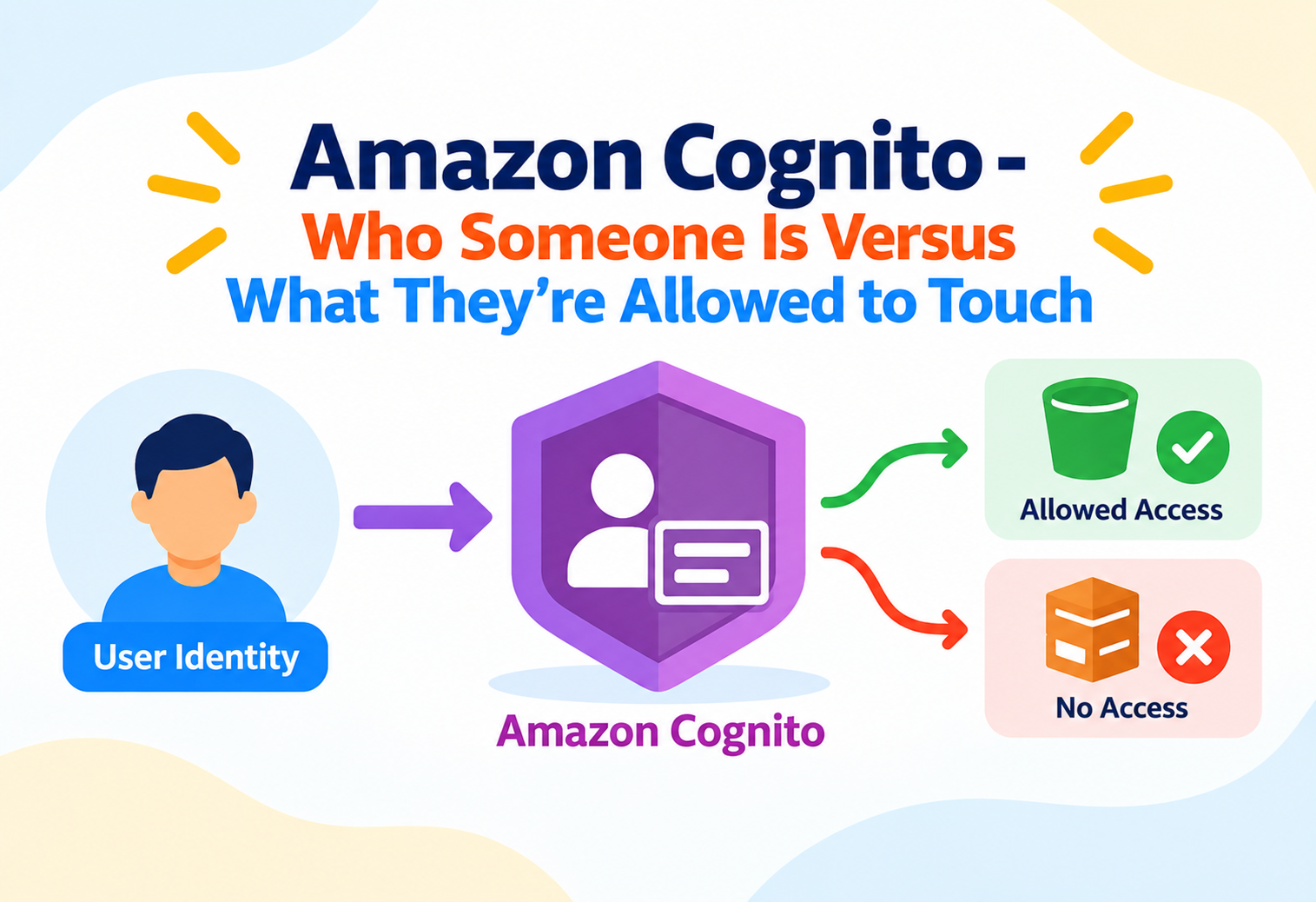
Amazon Cognito – Who Someone Is Versus What They're Allowed to Touch
A deep look at how Amazon Cognito separates proving identity from granting access, how tokens carry that proof around a system, and why confusing its two pools is the single most common source of Cognito confusion.
Imagine an office building with two entirely separate systems: a front-desk sign-in process that confirms you are who you claim to be, and a completely different badge-access system that decides which floors your badge actually opens. Someone could pass the front desk perfectly and still find their badge useless on the executive floor — because those two systems answer different questions. Amazon Cognito is built around exactly that split. This tutorial goes past “it does login” and into how identity gets proven, how that proof turns into temporary access, and where the two halves of Cognito actually meet.
1Architecture and Core Components
Cognito’s architecture rests on two distinct pool types that answer different questions — one about identity, one about access — and much of the confusion around Cognito comes from treating them as interchangeable.
User pools: proving who someone is
A user pool is a managed user directory that handles sign-up, sign-in, password policies, multi-factor authentication, and issuing tokens once a user successfully authenticates. It answers the question “is this person who they claim to be,” and nothing more — a user pool by itself grants no access to any AWS resource.
Identity pools: turning identity into temporary access
An identity pool takes a proven identity — from a user pool, a third-party social provider, or even an unauthenticated guest — and exchanges it for temporary AWS credentials scoped by an IAM role. It answers the question “given who this is, what can they now do,” bridging the gap between authentication and actual AWS resource access.
User Pool
A managed directory handling sign-up, sign-in, and token issuance — the authentication layer.
Identity Pool
Exchanges a proven identity for temporary, role-scoped AWS credentials — the authorization bridge.
App Client
A configuration within a user pool representing a specific application, defining its own token settings and allowed flows.
Identity Provider
An external or built-in source of authenticated identity, such as a social login provider or a corporate SAML system.
The user pool is the front-desk check-in confirming your identity and printing you a visitor badge. The identity pool is the separate system that reads that badge and decides which doors it actually unlocks — two systems, two jobs, connected but distinct.
graph LR
    User[User] -->|Sign in| UserPool[User Pool]
    UserPool -->|Tokens| App[Application]
    App -->|Exchange tokens| IdPool[Identity Pool]
    IdPool -->|Assume role| STS[AWS STS]
    STS -->|Temporary Credentials| App
    App -->|Access| Resource[(S3, API, DynamoDB, etc.)]
2Internal Working: Tokens and Authentication Flows
Once a user pool confirms identity, it doesn’t hand back a simple “yes” — it issues a set of standards-based tokens, each with a distinct job.
The three tokens
Successful authentication against a user pool returns an ID token, an access token, and a refresh token. The ID token carries identity claims about the user — such as username and email — intended for the application itself to read. The access token authorizes calls to user pool-related APIs and, when configured, to other resource servers, but is not meant to carry identity information for display. The refresh token is a longer-lived credential used to silently obtain new ID and access tokens once the originals expire, without forcing the user to log in again.
| Token | Purpose | Typical Lifetime |
|---|---|---|
| ID Token | Carries identity claims for the application to read | Short |
| Access Token | Authorizes API calls on behalf of the user | Short |
| Refresh Token | Silently renews the above without re-login | Long |
Authentication flow types
User pools support several authentication flow patterns — including a secure server-side flow using cryptographic secrets, and a browser-based flow relying on proof-key exchange for public clients that cannot safely hold a secret, such as mobile or single-page applications. Choosing the wrong flow type for an application’s actual security context is a frequent source of subtle vulnerabilities.
The access token is not a safe place to read a user’s email or profile details, even though it’s easy to assume any token from a successful login carries full identity information. That’s specifically the ID token’s job.
Token verification
Resource servers and APIs receiving a Cognito-issued token verify its signature against the user pool’s published public keys, confirm it hasn’t expired, and check its issuer and audience claims match expectations — all without needing to call back to Cognito synchronously for every single request.
3Data Flow and Session Lifecycle
A user’s session moves through distinct stages from initial sign-up to eventual token expiry, each with its own considerations.
Sign-up and verification
A new user registers, and the user pool can require email or phone verification before allowing sign-in.
Authentication
The user proves identity through a password, federated social login, or corporate identity provider.
Token issuance
The user pool returns ID, access, and refresh tokens to the application.
Credential exchange (if using an identity pool)
The application presents its tokens to an identity pool, which returns temporary AWS credentials scoped to an IAM role.
Silent renewal
As short-lived tokens expire, the refresh token obtains new ones without interrupting the user.
Sign-out or expiry
Explicit sign-out or refresh token expiry ends the session, requiring full re-authentication afterward.
Federation with external identity providers
A user pool can federate with social identity providers or enterprise identity providers using standard protocols, mapping their asserted attributes into the user pool’s own user profile. From the application’s perspective, a federated user still ends up with the same Cognito-issued tokens as someone who signed up directly, keeping downstream handling consistent regardless of how the user actually authenticated.
4Performance and Scalability
Cognito is built to absorb authentication traffic at consumer-application scale, but a few design choices materially affect how smoothly it scales for a given workload.
Stateless token verification at the edge
Because tokens are signed and can be verified locally using the user pool’s public keys, downstream services don’t need to call back to Cognito on every request just to confirm a token is valid — this removes Cognito itself from being a bottleneck for ordinary authenticated API traffic, since verification happens independently wherever the token arrives.
Lambda triggers on the authentication path
User pools support attaching custom logic at specific points in the authentication flow — such as before token generation or during sign-up — through Lambda triggers. Because these run synchronously in the authentication path, poorly optimized trigger code directly adds latency to every sign-in, making trigger performance a real scalability consideration, not just a functional one.
A slow Lambda trigger on the sign-in path affects every single authentication attempt, so trigger logic should stay lean and avoid unnecessary external calls whenever possible.
5High Availability and Reliability
As a fully managed service, Cognito’s availability model shifts most infrastructure concerns away from application teams, but session design still affects resilience.
Managed Regional resilience
Cognito operates as a Regional, managed service with redundancy across multiple Availability Zones handled transparently, meaning application teams don’t provision or manage the underlying authentication infrastructure’s availability directly.
Graceful degradation through refresh tokens
Because short-lived tokens can be silently renewed via a refresh token without a full re-authentication, well-designed applications tolerate brief authentication service disruptions more gracefully than applications that re-check credentials on every single request.
Multi-Region user considerations
User pools are Regional resources, so applications needing authentication resilience across Regions typically design around either a primary-Region strategy with documented recovery steps, or intentionally duplicated user pools kept in sync through custom migration logic — there’s no automatic cross-Region user pool replication.
6Security
Because Cognito sits directly in the authentication and authorization path, its security controls span password policy, multi-factor authentication, and fine-grained access scoping through identity pools.
Multi-Factor Authentication
User pools support requiring a second factor, adding a layer of protection beyond password alone.
Configurable Password Policies
Complexity, length, and history rules can be enforced directly by the user pool without custom application logic.
Role Mapping in Identity Pools
Identity pools can map different users to different IAM roles based on group membership or custom rules, scoping access precisely.
Per-User Fine-Grained Access
IAM role policies used with identity pools can reference the authenticated user’s own identifier, letting a single role still scope access differently per individual user.
Mapping every authenticated user to the same broad IAM role through an identity pool, rather than using group-based role mapping or per-user policy variables, which quietly gives all users identical, often excessive access.
7Monitoring, Logging and Metrics
Visibility into authentication behavior matters both operationally and for security review, and Cognito exposes both aggregate metrics and detailed event-level data.
Sign-In Success and Failure Counts
A rising failure rate can indicate anything from a broken client update to a credential-stuffing attempt underway.
Token Refresh Volume
Unexpected spikes can reveal a client misconfiguration causing excessive refresh calls.
Throttled Requests
Signals the authentication API is being hit harder than expected, worth correlating with traffic patterns.
Risk-based and adaptive signals
Beyond raw counters, Cognito can evaluate sign-in attempts for risk signals — such as unfamiliar devices or locations — and surface or act on that information, giving security teams a way to spot suspicious authentication patterns rather than only after-the-fact log review.
8Deployment and Cloud Integration
Cognito is designed to plug directly into both AWS-native services and standard web and mobile application architectures.
Infrastructure as code
User pools, app clients, identity pools, role mappings, and Lambda triggers can all be declared through infrastructure-as-code tooling, keeping authentication configuration reviewable and version-controlled rather than hand-configured through a console.
Native API integration
API layers can be configured to authorize requests directly using a Cognito user pool as the token issuer, validating incoming tokens without custom authentication middleware having to be written from scratch.
Hosted UI versus custom UI
Cognito offers a hosted, customizable sign-in page that handles the entire authentication flow, or applications can build a fully custom sign-in experience calling the underlying authentication APIs directly — a trade-off between development speed and complete control over the user experience.
Mobile and single-page application patterns
Client-side applications typically use the proof-key based authentication flow, since they cannot securely store a client secret, storing tokens carefully in memory or secure device storage rather than easily accessible browser storage.
9Design Patterns and Anti-Patterns
Most Cognito design trouble traces back to blurring the line between the user pool’s identity role and the identity pool’s access role.
Problem
Reading and trusting user-controllable custom attributes directly from a token inside sensitive backend authorization logic, without additional server-side validation.
Why It’s Harmful
Certain custom attributes can be writable by the user themselves, so treating them as an unquestionable authorization signal risks a user simply setting the attribute to whatever value grants them more access.
Correct Approach
Use attributes explicitly marked as non-mutable by the user for authorization-sensitive decisions, or better, drive authorization through group membership and IAM role mapping rather than arbitrary custom claims.
Problem
Using a single identity pool with one shared IAM role for every authenticated user, regardless of their actual role or group in the application.
Why It’s Harmful
This collapses fine-grained access control into an all-or-nothing model, meaning a compromised session for any user grants the same broad access as every other user.
Correct Approach
Use group-based role mapping so different user groups assume different IAM roles, and where per-user scoping is needed, use policy variables referencing the authenticated user’s own identifier.
10Advantages, Disadvantages and Trade-offs
Cognito removes a substantial amount of custom authentication engineering, but its two-pool model and token-based approach carry a real learning curve.
Advantages
- Removes the need to build and secure custom authentication infrastructure from scratch
- Standards-based tokens integrate with many existing API and identity ecosystems
- Built-in federation with social and enterprise identity providers
- Fine-grained AWS access scoping through identity pools and IAM role mapping
Disadvantages / Trade-offs
- The user pool versus identity pool distinction is a genuine learning curve for newcomers
- Custom authentication flows via Lambda triggers add operational complexity to review
- Cross-Region resilience for user pools requires deliberate custom design
- Token-based authorization requires careful handling of claim trust boundaries
11Real-World and Industry Examples
Identity and access management shows up in essentially every user-facing application, but the specific way Cognito is applied varies by industry need.
Consumer mobile apps: social login onboarding
Apps prioritizing frictionless sign-up commonly federate with popular social identity providers through a user pool, minimizing the barrier to a first-time user creating an account.
Enterprise SaaS: corporate identity federation
B2B platforms often federate user pools with a customer’s own corporate identity provider, letting employees sign in with existing corporate credentials rather than creating separate application-specific accounts.
Media platforms: per-user scoped storage access
Applications letting users upload personal content often use identity pools with per-user policy variables, so each user’s temporary credentials only ever grant access to their own storage prefix.
IoT and device applications: guest and unauthenticated access
Some applications need limited functionality before a user signs in at all; identity pools can issue restricted temporary credentials to unauthenticated guests for exactly this purpose.
12Best Practices and Common Mistakes
A short list of disciplined habits prevents the majority of Cognito issues teams run into after launch.
Keep the two pools’ responsibilities distinct in your mental model
Design and document clearly which parts of the system rely on the user pool for identity claims versus the identity pool for AWS resource access — conflating the two leads to confusing bugs where “login works” but “access doesn’t,” or vice versa.
Choose the right token for the right job
Read identity information from the ID token, use the access token for authorization against APIs, and never assume either token is a safe place to store data it wasn’t designed to carry.
Storing tokens in easily accessible browser storage for a single-page application without considering exposure to cross-site scripting risks — token storage strategy deserves the same scrutiny as any other sensitive credential handling.
Keep Lambda triggers fast and side-effect aware
Since triggers run synchronously in the authentication path, keep their logic minimal, and be deliberate about what happens if a trigger fails, since that failure can block sign-in entirely for affected users.
Use group-based IAM role mapping in identity pools from the start, even if there’s currently only one type of user — retrofitting fine-grained access later is significantly more work than designing for it upfront.
13Frequently Asked Questions
No. If an application only needs to verify identity and authorize its own APIs using tokens, a user pool alone is enough. An identity pool is only needed when the application must grant temporary AWS credentials for direct access to AWS resources.
The ID token carries identity claims meant for the application to read, such as username or email. The access token authorizes API calls on the user’s behalf and is not intended to carry identity details for display.
Yes, through an identity pool’s unauthenticated identity feature, which can issue limited, scoped temporary AWS credentials to guests who haven’t authenticated through a user pool.
Yes, through group-based role mapping in an identity pool, or through IAM policy variables that scope a shared role’s permissions to each individual authenticated user.
No. User pools are Regional resources, so cross-Region resilience for authentication requires deliberate architectural planning rather than relying on built-in automatic replication.
14Summary and Key Takeaways
Amazon Cognito’s design makes the most sense once the split between proving identity and granting access is treated as a fundamental architectural boundary rather than an implementation detail. A user pool answers who someone is and hands back tokens as proof; an identity pool takes that proof and, only when actually needed, exchanges it for temporary, scoped AWS access. Teams that respect this split — reading the right claims from the right token, mapping users to roles deliberately rather than broadly, and keeping authentication-path logic fast and well-understood — end up with an authentication layer that scales cleanly and stays auditable as the application grows.
Key Takeaways
- User pools prove identity; identity pools grant access — they answer different questions and aren’t interchangeable.
- Three tokens, three jobs — ID token for identity claims, access token for API authorization, refresh token for silent renewal.
- Token verification is stateless — signatures are checked locally against public keys, avoiding a bottleneck on every request.
- Federation keeps the token contract consistent — federated users still receive the same standard Cognito tokens.
- Role mapping should be granular — a single shared IAM role for all users collapses fine-grained access control.
- Lambda triggers run in the critical path — keep them fast, since they directly add latency to every sign-in.
- User pools are Regional — cross-Region authentication resilience requires deliberate design, not a default.