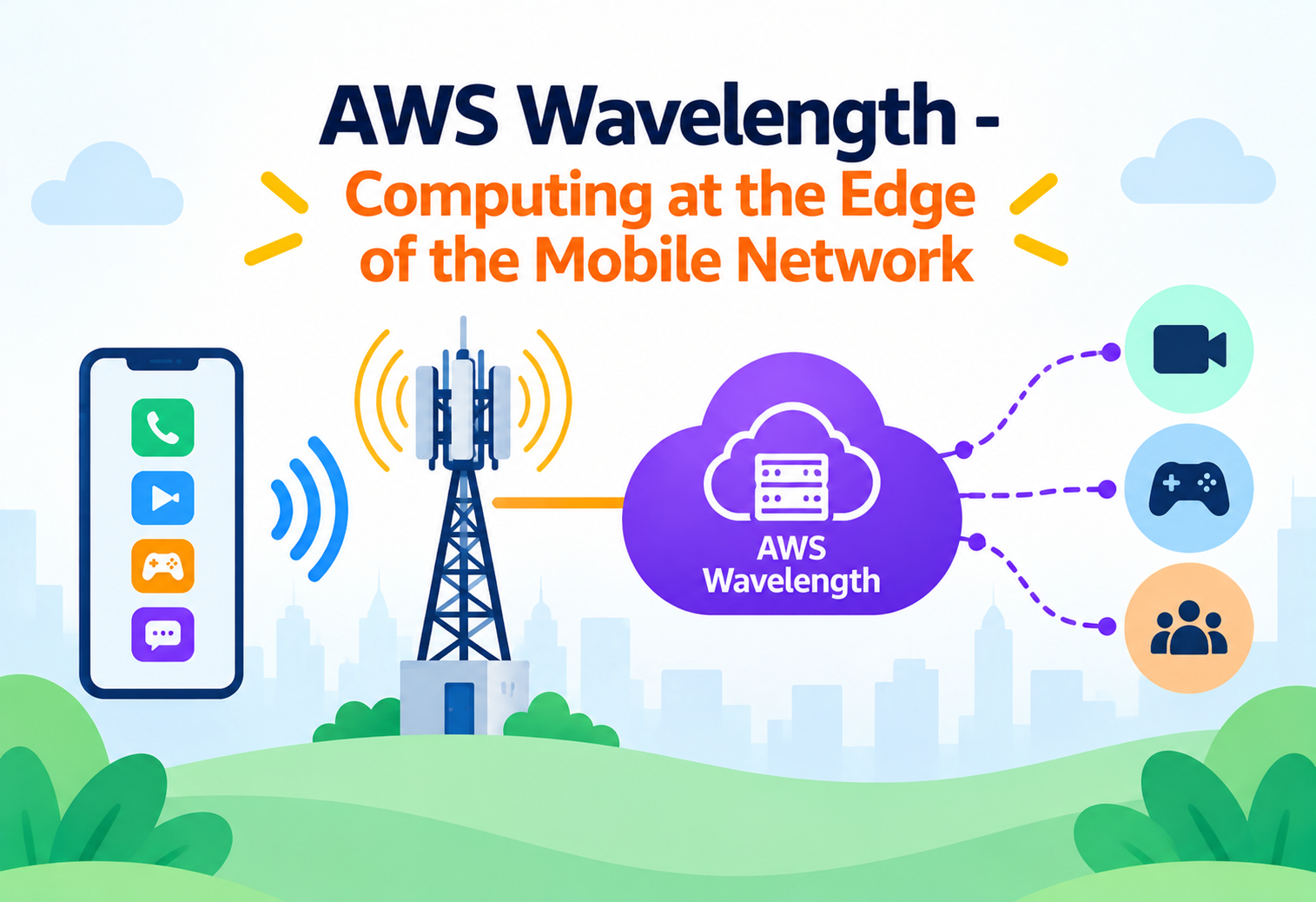
AWS Wavelength: Computing at the Edge of the Mobile Network
How Amazon Web Services pushes compute and storage inside telecom 5G networks so that data barely has to travel — and why that changes what’s possible for real-time applications.
Picture a pizza delivery service that only has one kitchen, located in the middle of a huge city. Every order, no matter which neighborhood it comes from, has to travel all the way to that one kitchen, get cooked, and travel all the way back. For most orders that’s fine — a few extra minutes of a scooter ride doesn’t ruin dinner. But if you were trying to deliver something that has to arrive in under a second — say, a signal telling a self-driving car to brake — that round trip across the city is a problem no scooter can solve. AWS Wavelength is Amazon’s answer to that problem: instead of one central kitchen, it opens small satellite kitchens directly inside the neighborhoods where the food is ordered — in this case, inside the mobile carrier networks that phones and connected devices already use every day.
1What Problem Is Wavelength Actually Solving?
Before looking at how Wavelength is built, it helps to understand exactly which delay it is trying to remove.
The hidden cost of distance
When a phone talks to a normal AWS service, the data doesn’t go straight from the phone to the AWS data center. It first travels through the carrier’s radio network, then through the carrier’s core network, then out onto the public internet or a private link, and only then does it arrive at an AWS Region, which might be hundreds of kilometers away. The response has to make the same trip in reverse. Each of those hops adds a few milliseconds, and a few milliseconds add up quickly.
For a shopping app or an email client, this added delay is invisible. But a growing set of applications — live video analysis, augmented reality overlays, cloud-rendered games, robotics, and connected vehicles — need responses in single-digit to low double-digit milliseconds. At that scale, the physical distance the data travels is no longer a rounding error; it’s the dominant factor.
Think of latency like the time it takes to pass a note across a classroom. Passing it to the person right next to you takes almost no time. Passing it to someone across the hallway, down two floors, and back takes long enough that a fast-moving conversation becomes impossible. Wavelength moves the “person you’re passing notes to” from a distant building into the seat right next to the phone.
Multi-access Edge Computing, the AWS way
The industry term for putting compute physically close to where mobile data enters the network is Multi-access Edge Computing, or MEC. Telecom carriers have been building MEC infrastructure inside their own networks for years, but that infrastructure historically ran carrier-specific software, not general-purpose cloud services. Wavelength is AWS’s way of placing familiar AWS infrastructure — EC2 instances, EBS volumes, container orchestration — directly inside that carrier infrastructure, so a team that already knows how to build on AWS doesn’t need to learn an entirely new platform just to reach the edge.
Wavelength is not a separate cloud. It is a small extension of an existing AWS Region, physically located inside a telecom carrier’s data center, and it is managed, billed, and secured the same way the rest of that Region is.
2Architecture and Core Components
Wavelength is built from a small number of moving parts, each with a specific job.
Wavelength Zone
A small AWS infrastructure deployment physically embedded inside a telecom carrier’s data center at the edge of the 5G network, close to end users in a given metro area.
Parent Region
Every Wavelength Zone is attached to a specific AWS Region. It shares that Region’s account, VPC, IAM roles, and control plane, rather than existing independently.
Carrier Gateway
The equivalent of an internet gateway, but for carrier traffic. It lets resources in a Wavelength subnet exchange traffic with devices on the carrier’s mobile network, using carrier IP addressing instead of public internet routing.
Wavelength Subnet
A subnet carved out of an existing VPC and extended into the Wavelength Zone. Instances launched into it behave like normal EC2 instances but physically run at the edge location.
How this differs from a Local Zone or an Availability Zone
AWS has more than one way to bring compute closer to users, and it is easy to confuse them. A Region’s Availability Zones are physically separate data centers, but still tens of kilometers apart and connected to the public internet through normal paths. Local Zones bring compute closer to large population centers for general low-latency use cases, still reachable over the standard internet. A Wavelength Zone is narrower and more specialized: it sits inside a specific carrier’s network, and its main reason to exist is to shorten the path for traffic that originates on that carrier’s mobile devices, not general internet traffic.
graph LR
    A[Mobile Device on 5G] -->|Radio Access Network| B[Carrier Core Network]
    B -->|Carrier Gateway| C[Wavelength Zone: EC2 / EKS / EBS]
    C -->|AWS Backbone Network| D[Parent AWS Region]
    D -->|Shared VPC, IAM, Control Plane| C
    C -.optional internet path.-> E[Public Internet via Region]
What actually runs inside a Wavelength Zone
A Wavelength Zone supports a curated subset of the same services used everywhere else in AWS: EC2 compute instances, Elastic Block Store volumes attached to those instances, Amazon EKS worker nodes for containerized workloads, and Application Load Balancers to distribute incoming carrier traffic across instances. This is intentional. AWS keeps the edge footprint small and focused on compute and networking primitives, while data-heavy or less latency-sensitive services — databases, analytics, and object storage — typically stay back in the parent Region and are reached over the AWS backbone rather than the public internet.
3Internal Working: How a Packet Actually Travels
Understanding the exact path a request takes explains why Wavelength saves so much time.
When a phone connected to 5G sends a request, it first reaches the carrier’s Radio Access Network, the towers and antennas that handle the wireless signal. From there, in a traditional setup, traffic is routed deep into the carrier’s core network and handed off to the public internet, which then routes it toward whichever data center hosts the application — often crossing several internet exchange points along the way. Each exchange point is a queue, and each queue adds delay.
With Wavelength, the carrier’s own network fabric is configured to recognize traffic destined for a Wavelength-hosted application and hand it directly to the Carrier Gateway sitting inside the same facility, without ever routing it out to the general internet. The Carrier Gateway performs address translation between the carrier’s IP addressing scheme and the private IP space of the Wavelength subnet, then delivers the packet straight to the EC2 instance or load balancer running the application logic.
sequenceDiagram
    participant Phone as Mobile Device
    participant RAN as Carrier Radio Network
    participant CGW as Carrier Gateway
    participant App as App on Wavelength EC2
    participant Region as Parent AWS Region

    Phone->>RAN: Sends request over 5G
    RAN->>CGW: Routes locally, no public internet hop
    CGW->>App: Delivers to Wavelength subnet instance
    App->>App: Processes request (single-digit ms)
    App-->>Region: Async sync of non-urgent data
    App->>CGW: Sends response
    CGW->>Phone: Delivers response over same radio path
Wavelength does not make the application itself run faster. It reduces network transit time. A slow database query or an inefficient algorithm will still be slow — Wavelength only removes the distance-related part of the delay.
Talking back to the parent Region
Most real applications still need to reach services that don’t live at the edge — a central database, an authentication service, or long-term storage. Wavelength instances can reach these over the AWS backbone network that connects the Wavelength Zone to its parent Region, which is still far faster and more predictable than routing over the public internet, even though it isn’t as fast as staying entirely inside the Wavelength Zone. A well-designed application separates work that must happen in single-digit milliseconds — placed at the edge — from work that can tolerate a slightly longer round trip to the Region.
4Data Flow and Request Lifecycle
Following one real request from start to finish makes the moving parts concrete.
Consider an augmented reality app that overlays live directions onto a user’s camera view while they walk through a city. Every frame the camera captures needs to be analyzed and annotated before it feels seamless to the eye — typically within a few dozen milliseconds. Here is what happens on each request:
Frame capture and upload
The phone captures a camera frame and sends it over the 5G connection toward the app’s edge endpoint.
Local routing through the carrier
The carrier’s network recognizes the destination as a Wavelength-hosted service and forwards it directly to the Carrier Gateway, bypassing the public internet entirely.
Edge inference
An EC2 instance in the Wavelength Zone runs an object-detection model on the frame and identifies street signs, obstacles, or points of interest.
Annotation and response
The overlay data — arrows, labels, distances — is generated and sent straight back through the Carrier Gateway to the phone, still without touching the public internet.
Background sync to the Region
Separately, and without blocking the user’s experience, usage statistics and session logs are batched and sent over the AWS backbone to the parent Region for storage and analysis.
Notice that step 5 is deliberately decoupled from steps 1 through 4. The user-facing loop stays entirely inside the Wavelength Zone and the carrier network, while anything that can tolerate extra delay — analytics, long-term storage, billing — is pushed to the Region. This separation between “latency-critical” and “latency-tolerant” work is the single most important design decision in any Wavelength application.
5Advantages, Disadvantages and Trade-offs
Wavelength is powerful for a narrow set of problems, and that narrowness comes with real trade-offs.
Advantages
- Dramatically lower latency for traffic originating on the partner carrier’s mobile network.
- Uses familiar AWS services and tooling — no new platform to learn.
- Shares the parent Region’s account, VPC, and IAM model, simplifying security and governance.
- Removes public-internet hops for carrier-originated traffic, improving predictability.
- Lets teams keep heavy or infrequent workloads in the Region while only pushing latency-critical pieces to the edge.
Disadvantages / Trade-offs
- Only available where a telecom partner has deployed a Wavelength Zone — coverage is limited to specific metros and carriers, not global.
- A smaller catalog of supported services and instance types compared to a full Region.
- Capacity in any single Wavelength Zone is finite and physically constrained by the carrier facility.
- Adds architectural complexity: teams must split logic between edge and Region.
- Traffic not originating from the partner carrier’s network doesn’t benefit — Wavelength does not speed up general internet traffic.
6Performance and Scalability
Because a Wavelength Zone is physically small, scaling decisions look different than they do in a full Region.
Capacity is a physical, not just logical, constraint
In a normal AWS Region, if demand grows, AWS can generally provision more capacity behind the scenes. A Wavelength Zone occupies real physical space inside a carrier’s facility, so the amount of compute available in any one zone is smaller and more fixed. Applications built for Wavelength need to plan capacity carefully, request the instance families and quotas they need ahead of time, and design for graceful behavior if edge capacity is temporarily exhausted — for example, falling back to processing a request in the parent Region rather than failing outright.
Scaling patterns that work well
Auto Scaling groups can be used within a Wavelength subnet the same way they are used elsewhere, scaling instance count up and down based on demand signals like CPU utilization or request queue depth. Because each Wavelength Zone is independent, teams operating in multiple metros typically run a separate, appropriately sized fleet per zone rather than trying to load-balance across zones — remember, the entire benefit of Wavelength depends on traffic staying local to a specific carrier and metro.
Because there is no cross-zone load balancing benefit for Wavelength, right-sizing each zone independently based on that metro’s expected traffic is more effective than trying to build one global auto-scaling policy.
7High Availability and Reliability
A single Wavelength Zone does not offer the same built-in redundancy as a multi-Availability-Zone Region deployment, so reliability has to be designed deliberately.
No built-in multi-AZ redundancy inside a Wavelength Zone
A standard AWS Region gives applications multiple physically isolated Availability Zones to spread risk across. A single Wavelength Zone is, by definition, one physical location tied to one carrier facility in one metro. If that facility experiences an outage, everything hosted in that specific Wavelength Zone becomes unreachable through the edge path.
Designing around a single point of physical presence
The common pattern is to treat the parent Region as a fallback path. If an application in the Wavelength Zone becomes unreachable, traffic can be rerouted — either automatically through DNS-based health checks or manually — to an equivalent deployment running in the Region itself, accepting higher latency temporarily in exchange for availability. Applications that absolutely cannot tolerate any downtime typically run this Region-based fallback continuously, in a warm standby state, rather than trying to spin it up only after failure is detected.
Health Checks at Two Layers
Robust deployments monitor both the health of individual EC2 instances inside the Wavelength Zone and the reachability of the Wavelength Zone as a whole from the carrier’s network, since these can fail independently of each other.
Stateless Edge, Stateful Region
Keeping edge instances as stateless as possible — with session state stored back in the Region — makes it far easier to fail over without losing user context, since any replacement instance or fallback path can reconstruct state from the Region rather than needing to recover it locally.
8Security
Wavelength inherits most of its security model directly from the parent Region, with a few edge-specific differences worth understanding.
Shared identity and access model
Because a Wavelength Zone is an extension of an existing VPC and account, the same IAM roles, security groups, and network access control lists that govern the rest of the Region apply to resources running at the edge. There is no separate identity system to manage for Wavelength specifically.
Carrier Gateway versus Internet Gateway
The most important security-relevant difference is how traffic enters and leaves. A normal internet gateway exposes resources to the public internet. A Carrier Gateway exposes resources only to devices on the partner carrier’s mobile network, using carrier-assigned IP addressing rather than public IP space. This naturally narrows the exposure surface, since only devices attached to that specific carrier’s network can reach the edge application through that path — though resources can still be reached through the parent Region’s own gateways if configured to allow it.
Security Groups
Instance-level firewalls work identically to the rest of AWS, filtering traffic by port, protocol, and source.
Network ACLs
Subnet-level rules apply to Wavelength subnets the same way they apply to any other VPC subnet.
Encryption in Transit
Traffic between the Wavelength Zone and the parent Region travels over the private AWS backbone, and applications can still layer TLS on top for end-to-end protection.
EBS Encryption
Storage volumes attached to Wavelength instances support the same encryption-at-rest options available elsewhere in AWS.
Being reachable only through a carrier network reduces exposure, but it is not a substitute for proper security groups, least-privilege IAM roles, and encryption — the same discipline required anywhere else in AWS still applies at the edge.
9Monitoring, Logging and Metrics
Visibility at the edge matters even more than in the Region, because problems there are harder to reach and diagnose in person.
Amazon CloudWatch collects standard metrics — CPU utilization, network throughput, disk activity — from EC2 instances running in a Wavelength Zone the same way it does anywhere else, since these instances are still part of the same account and Region. VPC Flow Logs can be enabled on Wavelength subnets to capture the traffic passing through the Carrier Gateway, which is useful both for security auditing and for understanding real-world traffic patterns from the carrier’s mobile network.
Watching latency specifically
Because the entire value proposition of Wavelength is latency, teams typically instrument their applications to measure end-to-end response time as experienced by the device — not just server-side processing time — and track that as a first-class metric alongside the usual infrastructure metrics. A slow increase in edge latency can be an early signal of capacity pressure, a routing change on the carrier’s side, or a regression in application code, and catching it early avoids a poor user experience for the exact use cases Wavelength was chosen to support.
Monitoring a Wavelength deployment is like checking the pulse of a satellite kitchen rather than the main restaurant — it’s further from head office, so you rely more heavily on instruments and alerts, and less on simply walking over to check.
10Deployment and Cloud Footprint
Getting compute into a Wavelength Zone starts with understanding where they exist and how they are enabled.
Opt-in by design
Unlike standard Availability Zones, which are available to every account in a Region automatically, Wavelength Zones are opt-in. An account has to explicitly enable a specific Wavelength Zone before it can create subnets or launch instances there. This reflects the fact that Wavelength Zones are tied to specific carrier partnerships and specific metro areas rather than being universally present.
Working with telecom partners
AWS built Wavelength in partnership with major telecom operators around the world, each hosting Wavelength Zones inside their own network infrastructure in specific cities. This is a fundamentally different deployment model from a typical Region, where AWS owns and operates the entire facility — with Wavelength, AWS infrastructure lives inside a partner’s building, connected to that partner’s radio network.
VPC Extension, Not a New VPC
Deploying to a Wavelength Zone means extending an existing VPC with a new subnet associated with that zone — it does not require creating a separate VPC or a separate account, which keeps existing routing, peering, and security configuration mostly intact.
Instance and Service Catalog Is Curated
Only a subset of EC2 instance types and AWS services are available in any given Wavelength Zone. Teams need to check availability for their specific zone before finalizing an architecture, since not every service in the parent Region is mirrored at the edge.
| Deployment Aspect | Standard Region / AZ | Wavelength Zone |
|---|---|---|
| Enablement | Available by default | Must be explicitly opted in |
| Physical operator | AWS-owned facility | Hosted inside carrier facility |
| Primary traffic source | Public internet / private links | Carrier’s mobile network via Carrier Gateway |
| Service catalog | Full catalog | Curated subset (EC2, EBS, EKS, ALB) |
| Redundancy | Multiple Availability Zones | Single zone per carrier per metro |
11Design Patterns and Anti-patterns
A handful of recurring patterns separate successful Wavelength architectures from ones that fight the platform.
The split-tier pattern
The most common and most successful pattern splits an application into a thin, latency-critical tier that runs in the Wavelength Zone, and a heavier, latency-tolerant tier that stays in the parent Region. The edge tier handles only the logic that genuinely needs to happen in single-digit milliseconds; everything else — user accounts, billing, long-term analytics, machine learning model training — stays where it has always lived.
The regional-fallback pattern
Applications that need to remain available even if a specific Wavelength Zone becomes unreachable keep an equivalent deployment running in the parent Region at all times, ready to absorb traffic through DNS failover or client-side retry logic. Users in that scenario experience higher latency temporarily rather than an outage.
Problem
Treating a Wavelength Zone as if it were simply a smaller, cheaper Availability Zone, and placing an entire application — including databases and rarely accessed services — inside it.
Why It’s Harmful
This wastes limited, physically constrained edge capacity on workloads that don’t need to be there, increases blast radius if the single Wavelength Zone has an issue, and often runs into service or instance-type limitations the parent Region doesn’t have.
Correct Approach
Deploy only the latency-critical request path to the Wavelength Zone, and keep everything else — storage, batch processing, less time-sensitive services — in the parent Region, connected over the backbone network.
Problem
Assuming users on a different carrier, or connected over Wi-Fi instead of the partner carrier’s mobile network, will also benefit from the Wavelength deployment.
Why It’s Harmful
Traffic that doesn’t originate on the specific partner carrier’s network doesn’t get routed through that Carrier Gateway, so it gets no latency benefit at all, and may even take a longer path than it would through the standard Region.
Correct Approach
Detect the user’s network context and route carrier-network users to the Wavelength Zone while routing everyone else to the standard Region deployment.
12Best Practices and Common Mistakes
Most Wavelength problems trace back to a handful of avoidable planning mistakes.
Measure Before Committing
Confirm the actual latency improvement with a proof of concept before building an entire architecture around Wavelength, since real-world gains vary by carrier, metro, and application design.
Keep the Edge Stateless
Store durable state in the parent Region so edge instances can be replaced or failed over without losing user context.
Plan Capacity Early
Because zone capacity is physically limited, request needed quotas and instance types well ahead of a launch rather than assuming elastic, unlimited scaling.
Build a Region Fallback
Always have a path for traffic to reach a working deployment in the parent Region if the Wavelength Zone becomes unavailable.
Optimizing only for the happy path where the carrier network and Wavelength Zone are both healthy, and never testing what the application does when the edge path fails — which is exactly when users need it to work correctly.
13Real-World and Industry Examples
Wavelength’s benefits show up most clearly in industries where milliseconds translate directly into product quality.
Cloud Gaming and Game Streaming
Streaming a game from the cloud means every controller input has to travel to a server, get processed, rendered, and streamed back as video before the player sees the result. Running the game server in a Wavelength Zone shortens that loop enough to make fast-paced, competitive games feel responsive over a mobile connection rather than sluggish.
Connected and Autonomous Vehicles
Vehicles increasingly rely on cloud-assisted perception and routing, where sensor data is offloaded for processing that’s too heavy for onboard hardware alone. Because braking and collision-avoidance decisions can’t tolerate network delay, edge processing through Wavelength keeps that assistance fast enough to be safe.
Live Broadcast and Video Production
Broadcasters producing live sports or events increasingly use cloud-based production tools instead of heavy on-site equipment trucks. Wavelength lets camera feeds be processed and mixed with very low delay, so a director watching a live feed sees something close to real time.
Augmented and Virtual Reality
AR and VR are extremely sensitive to lag — even small delays between a user’s head movement and what they see can cause discomfort. Offloading the heaviest rendering or object-recognition work to a nearby Wavelength Zone keeps that loop tight enough to feel natural.
Smart Factories and Industrial IoT
Factory floors using computer vision to catch defects or coordinate robotic arms need extremely fast feedback loops. Wavelength allows that vision processing to happen close to the factory’s private 5G network rather than a distant data center, keeping the production line moving without introducing dangerous delays.
14Frequently Asked Questions
No. It is an extension of an existing Region’s VPC, sharing the same account, IAM roles, and control plane, just with compute physically located inside a carrier facility.
Generally no. The latency benefit depends on traffic passing through the partner carrier’s mobile network and Carrier Gateway, so Wi-Fi traffic typically takes the normal path to the parent Region instead.
No. Only a curated subset — primarily EC2, EBS, EKS, and Application Load Balancers — is available at the edge, with heavier or less latency-sensitive services kept in the parent Region.
Applications that need continuous availability should keep an equivalent deployment running in the parent Region and route traffic there as a fallback, accepting higher latency temporarily rather than an outage.
No. It is best used for the narrow, latency-critical slice of an application’s logic, with the rest of the system continuing to run in the parent Region as usual.
It travels over AWS’s private backbone network rather than the public internet, and applications can add their own encryption in transit on top of that for end-to-end protection.
15Summary and Key Takeaways
AWS Wavelength solves a very specific problem: it shortens the physical and network distance between a mobile device on a partner carrier’s 5G network and the compute that serves it, by embedding a small extension of an AWS Region directly inside the carrier’s own infrastructure. It is not a replacement for a Region, not a place to run an entire application, and not something that benefits traffic outside the partner carrier’s network — it is a precise, narrow tool for the handful of latency-critical use cases where every millisecond genuinely matters.
Key Takeaways
- Wavelength is an extension, not a new cloud — it shares its parent Region’s account, VPC, and IAM model.
- The Carrier Gateway is the key differentiator — it routes carrier-network traffic directly to edge compute, bypassing the public internet.
- Only a curated set of services is available at the edge — mainly EC2, EBS, EKS, and Application Load Balancers.
- Reliability must be designed deliberately — a single Wavelength Zone has no built-in multi-AZ redundancy, so a Region-based fallback is essential.
- The split-tier pattern is the proven approach — keep only latency-critical logic at the edge, and everything else in the Region.
- Benefits are limited to the partner carrier’s network — Wi-Fi and other-carrier traffic gain nothing from a given Wavelength Zone.
- Capacity planning matters more here than in a full Region — edge capacity is physically constrained and opt-in by design.