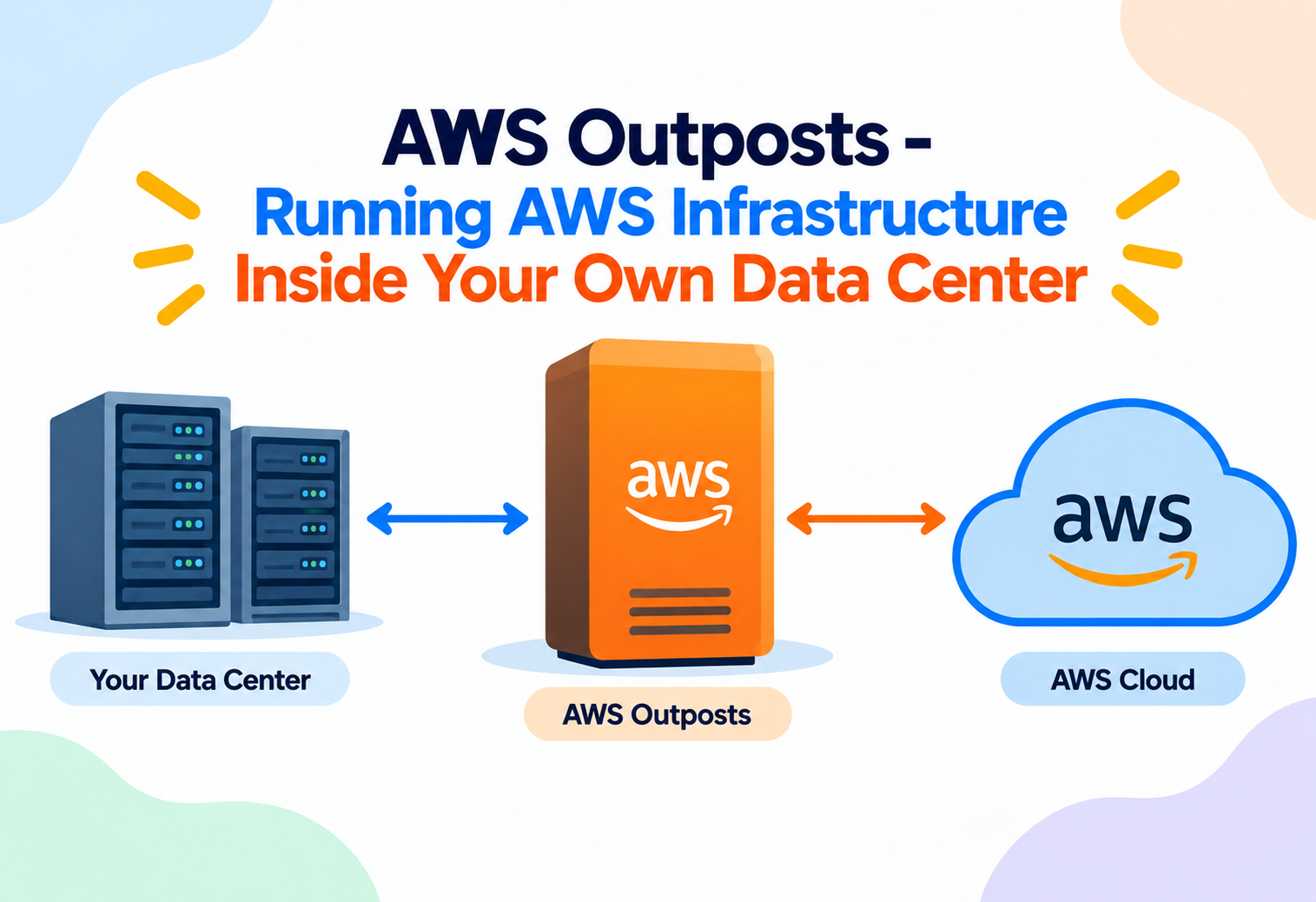
AWS Outposts – Running AWS Infrastructure Inside Your Own Data Center
A deep, intermediate-level walkthrough of how AWS extends its regions onto physical racks and servers you host yourself — and why some of the biggest names in banking, healthcare, and manufacturing bet their most sensitive workloads on it.
A trading floor in Manhattan cannot wait ten milliseconds for a price update. A hospital in rural Ohio cannot let patient scan data leave the building because of a state privacy law. A factory floor in Stuttgart cannot trust a robotic arm to a network connection that might drop mid-cycle. All three of these organizations want the elastic, API-driven, endlessly automatable world of AWS — auto scaling groups, managed databases, container orchestration, the whole toolbox. And all three cannot simply move that workload into a distant AWS Region. AWS Outposts exists to resolve exactly this tension: it takes the AWS control plane, the AWS APIs, and a slice of AWS-designed hardware, and physically ships it to sit inside the customer’s own building, while still behaving, from a developer’s point of view, like ordinary AWS. This article assumes you already know what EC2, VPCs, and Availability Zones are — it goes straight into the intermediate mechanics of how Outposts actually works, what breaks when the link to AWS goes down, and how experienced architects design around its very real constraints.
Chapter 01
PThe Problem AWS Outposts Was Built To Solve
Public cloud regions solve most problems. Outposts exists for the residue of problems that regions cannot solve no matter how many Availability Zones or Local Zones AWS adds.
Three Forces That Cloud Regions Cannot Bend
AWS Regions are extraordinarily good at elastic compute, managed services, and global reach, but three forces consistently push workloads back toward on-premises hardware: physics, law, and legacy. Physics sets a hard floor on latency — light in fiber travels at roughly two-thirds the speed of light in a vacuum, so a round trip between, say, Chicago and the nearest AWS Region can already sit near the tolerance limit for a manufacturing control loop or a high-frequency trading algorithm, before any processing happens at all. Law is the second force: many industries face data residency and data sovereignty rules that require certain categories of data to physically remain within a specific building, city, or country, and sometimes never touch a network segment that is reachable from the public internet. Legacy is the third force: enormous amounts of enterprise value sits in on-premises systems — mainframes, industrial control systems, storage arrays — that are too risky, too expensive, or too tightly coupled to physically relocate, yet the applications sitting next to them still need cloud-native APIs to modernize.
Think of a large international bank that wants to open a branch inside a hospital to serve staff and patients without them needing to leave the building. The bank cannot move the hospital’s records into its own vault miles away — regulation and urgency both forbid it. Instead the bank ships a fully staffed, fully equipped branch office and installs it inside the hospital, wired directly into the bank’s own network for settlement and compliance, while patients experience it exactly like any other branch. AWS Outposts is that branch office: the same AWS “staff” (APIs, services, control logic) physically relocated into a customer’s building, wired back to the parent Region for everything that does not have to happen locally.
What Existed Before Outposts
Before Outposts launched in 2019, organizations facing these constraints had two unsatisfying choices. The first was to run a fully separate on-premises stack — VMware clusters, OpenStack, or bespoke virtualization — and build a completely different automation, monitoring, and security toolchain for it than the one used in AWS, doubling the operational burden for every team that had to support both. The second was to accept the latency or compliance risk and run everything in the Region anyway, hoping the trade-off was acceptable. Outposts introduced a third option: identical AWS APIs, identical service behavior where possible, and identical operational tooling, running on hardware physically located wherever the workload’s constraints demand.
Outposts is not a way to get “AWS pricing” for a private data center, and it is not a general-purpose replacement for a Region. It is a narrow, purpose-built extension for workloads with a genuine latency, residency, or local-data-processing requirement. AWS’s own guidance is consistently that if a workload can run in a Region, it should.
Chapter 02
CCore Concepts You Need Beyond The Basics
This section skips the beginner-level “what is an Outpost” definition and goes straight into the vocabulary and mechanics an intermediate builder actually needs to reason about deployments.
Outposts Racks vs. Outposts Servers
AWS ships Outposts in two physical forms, and the difference is not cosmetic — it changes what services are available and what scale is realistic. Outposts racks are full 42U industry-standard racks, delivered pre-cabled and pre-configured, that can hold compute, storage, and networking capacity comparable to a meaningful slice of an AWS Availability Zone, and they can be linked together to scale further. Outposts servers are single 1U or 2U rack-mountable servers designed for locations that cannot host a full rack at all — a retail store back room, a small clinic, a cell site — and they trade scale for footprint, supporting a narrower set of instance types and services.
Outposts Racks
Full 42U racks, multiple servers, EBS-backed storage arrays, redundant networking switches, expandable by adding more racks. Built for data-center-scale footprints.
Outposts Servers
Single compute nodes with local NVMe-backed instance storage only, no dedicated storage array, minimal power and space needs. Built for edge and micro-footprints.
Outpost Capacity
The fixed pool of vCPU, memory, and storage physically present on the hardware you ordered. Unlike a Region, you cannot burst past what is physically installed.
Local Gateway (LGW)
The component that routes traffic between the Outpost’s private subnets and the customer’s on-premises network, distinct from an internet gateway or NAT gateway.
Service Link: The Nervous System
Every Outpost maintains a persistent, encrypted network connection back to its “home” Region and, more specifically, to a chosen Availability Zone within that Region — this connection is called the Service Link. It is not simply a VPN for application data; it is the channel AWS uses to send configuration, software updates, monitoring telemetry, and control-plane commands to the Outpost, and to receive health and metrics data back. Understanding Service Link is the single most important intermediate concept in Outposts, because almost every constraint and failure mode in the service traces back to what does and does not depend on this link staying up.
Anchor Availability Zone and Parent Region
When an Outpost is ordered, the customer designates one parent Region and, within it, one anchor Availability Zone. The Outpost is logically treated as an extension of a subnet inside that Region’s VPC — the same VPC CIDR ranges, route tables, and security groups that govern resources inside the Region also govern resources on the Outpost. This is a deliberate design choice: it means a subnet can literally span from inside a Region’s Availability Zone out onto a physical rack sitting in a customer’s own building, with EC2 instances on both ends addressable within the same private IP space.
Because an Outpost subnet is an extension of a Region’s VPC, you do not create a “separate” networking model for Outposts. You extend an existing VPC’s subnet onto the Outpost, and everything you already know about VPC route tables, security groups, and NACLs continues to apply — the mental model shifts far less than most engineers expect.
Supported Services Are a Subset, Not a Mirror
A frequent intermediate mistake is assuming an Outpost is a full miniature Region. It is not. AWS deliberately supports only a curated subset of services locally on the Outpost — principally EC2, EBS, and, on racks, Amazon S3 on Outposts, along with local instances of RDS, EKS, and ECS in supported configurations. Services with no meaningful “run locally” concept, such as many fully managed, globally distributed services, remain in the parent Region and are reached over Service Link. Every architecture decision on Outposts starts by asking: does this specific service run on the Outpost, or does it run in the Region and get reached through the Outpost’s connection to the Region?
Chapter 03
AArchitecture & Components
graph TB
  subgraph REGION["AWS Region (Parent Region)"]
    AZ["Anchor Availability Zone"]
    CP["AWS Control Plane
(EC2, EBS, IAM, CloudWatch APIs)"]
    AZ --> CP
  end

  subgraph LINK["Service Link"]
    SL["Encrypted VPN Tunnels
(redundant paths)"]
  end

  subgraph SITE["Customer Premises"]
    subgraph OUTPOST["Outpost Rack / Server"]
      ONL["Outpost Networking Layer
(Local Gateway, Switches)"]
      OSC["On-Outpost Compute
(EC2 Instances)"]
      OST["On-Outpost Storage
(EBS Volumes, S3 on Outposts)"]
      ONL --- OSC
      ONL --- OST
    end
    CGW["Customer Gateway / Router"]
    LAN["On-Premises LAN / Local Applications"]
    ONL --> CGW
    CGW --> LAN
  end

  CP -- Service Link --> SL
  SL -- Service Link --> ONL

  style REGION fill:#111,color:#fff
  style SITE fill:#1a1a1a,color:#fff
  style LINK fill:#dc2626,color:#fff
Fig. 1 — Logical architecture: the Outpost’s compute and storage sit physically on-premises, while the control plane remains in the parent Region, connected by the Service Link.
Physical Layer
An Outposts rack arrives as a sealed, pre-racked, pre-cabled unit — AWS technicians install it, connect power and uplinks, and run the initial activation. Inside sits compute capacity (Nitro-based servers, the same underlying virtualization hypervisor used across EC2 in Regions), and, for the rack form factor, dedicated storage capacity for EBS volumes. Networking hardware inside the rack includes redundant switches that connect the compute and storage nodes internally and connect the whole unit outward to the customer’s network through the Local Gateway. Outposts servers are simpler: a single compute node with local NVMe storage, no separate storage array, and a smaller networking footprint suited to a single uplink.
Local Gateway (LGW) and Networking Components
The Local Gateway is the routing boundary between Outpost subnets and the customer’s on-premises network — conceptually similar to how an internet gateway is the boundary between a VPC and the public internet, except the LGW’s “outside” is the customer’s own LAN rather than the internet. Route tables on Outpost subnets can direct on-premises-bound traffic through the LGW, letting an EC2 instance on the Outpost talk directly and locally to, say, a factory PLC or a hospital imaging system, without that traffic ever needing to traverse the Service Link back to the Region.
Compute and Storage Components
On the compute side, Outposts supports a defined set of EC2 instance families — general purpose, compute optimized, memory optimized, and, on select configurations, GPU instances — but not the entire catalog available in a Region, because the hardware is fixed and finite. On the storage side, Outposts racks support EBS volume types (gp2, gp3, io1/io2 style semantics) backed by the physical storage array in the rack, and optionally S3 on Outposts, which provides an S3-compatible object storage bucket physically local to the rack for workloads that need object storage with local access patterns. Outposts servers, lacking a dedicated storage array, rely primarily on local NVMe-backed instance storage and do not support S3 on Outposts.
| Component | Lives On The Outpost | Purpose |
|---|---|---|
| EC2 Compute (Nitro-based) | Yes | Runs application workloads with local low-latency access |
| EBS Volumes | Yes (Racks) | Block storage physically attached within the rack |
| S3 on Outposts | Yes (Racks only) | Local S3-compatible object storage bucket |
| Local Gateway | Yes | Routes traffic between Outpost subnets and on-prem LAN |
| IAM, EC2 Control Plane API | No (Region) | Authorization and API orchestration, reached via Service Link |
| CloudWatch Metrics Storage | No (Region) | Long-term metrics retention and alarms evaluated in the Region |
Chapter 04
IInternal Working
How an API Call Actually Travels
When a developer runs a command to launch an EC2 instance on an Outpost, the request does not go to the Outpost directly — it goes to the EC2 API endpoint in the parent Region, exactly like any other EC2 API call. The Region’s control plane authenticates and authorizes the request through IAM, validates it against the target Outpost’s known capacity, and then issues a placement and launch instruction that travels down the Service Link to the Outpost’s local control agent. That local agent, running on the Outpost’s own management infrastructure, is what actually instructs the Nitro hypervisor on the physical server to boot the instance. The instance itself, once running, serves application traffic entirely locally — but the act of launching, stopping, or modifying it always requires a round trip through the Region.
Picture a shipping container full of vending machines placed inside a company’s own cafeteria. Someone walking up and buying a snack — the equivalent of an application serving a request — happens entirely locally and instantly. But restocking the machines, changing prices, or adding a new snack requires a call to the vending company’s central warehouse, which sends the instructions back down to the machines. The machines can keep dispensing existing snacks even if the phone line to the warehouse goes down for a while, but they cannot be reconfigured or restocked until that line is restored.
Local Data Plane, Remote Control Plane
This “local data plane, remote control plane” split is the defining internal mechanic of Outposts and the source of nearly every operational rule that follows. The data plane — the actual movement of application traffic between instances, storage volumes, and the local network — is designed to function entirely within the Outpost, independent of Service Link connectivity, once resources are already running. The control plane — creating, modifying, or terminating resources, evaluating IAM policy, and most monitoring pipelines — depends on the Region and therefore depends on Service Link being available.
Capacity Reservation and Placement
Because an Outpost has a fixed amount of physical hardware, AWS’s placement logic on an Outpost differs subtly from a Region. In a Region, EC2 can draw from an effectively enormous shared pool of hardware; on an Outpost, the control plane tracks exactly how much vCPU, memory, and EBS capacity remains on that specific physical unit, and a launch request that exceeds available capacity fails immediately with a capacity error rather than being satisfied from elsewhere. This is a meaningful shift in mental model: capacity planning on Outposts is closer to traditional on-premises hardware sizing than to the “infinite” elasticity assumption many engineers bring from Region-based EC2 usage.
Auto Scaling groups on Outposts will happily attempt to scale out, but if the Outpost’s physical capacity is exhausted, new instances will simply fail to launch. Auto Scaling on Outposts protects against demand spikes only up to the ceiling of the hardware you purchased — it does not create new capacity the way it can in a Region.
Chapter 05
DData Flow & Lifecycle
From the moment an Outpost is ordered to the moment traffic flows through it in production, the resource moves through a distinct lifecycle worth understanding end to end.
Order & Site Survey
Customer specifies parent Region, anchor Availability Zone, compute/storage capacity, and networking requirements. AWS runs a site readiness review covering power, space, cooling, and uplink bandwidth.
Delivery & Physical Install
For racks, AWS technicians deliver and install the pre-configured unit on-site. For servers, the customer or a partner installs the compute node into an existing rack.
Service Link Activation
The Outpost establishes its encrypted connection back to the anchor Availability Zone. This link must come up successfully before the Outpost can register capacity with the control plane.
Capacity Registration
The Region’s control plane records the Outpost’s available vCPU, memory, and storage, making it visible as a placement target for EC2, EBS, and other supported services.
Subnet Extension
The customer associates one or more Outpost subnets with an existing VPC, extending that VPC’s private IP space physically onto the on-premises hardware.
Resource Provisioning
EC2 instances, EBS volumes, and other supported resources are launched onto the Outpost using ordinary AWS APIs, with placement constrained to that physical unit’s capacity.
Steady-State Operation
Application traffic flows locally through the Local Gateway and on-Outpost networking; management traffic continues flowing over Service Link for monitoring, patching, and control operations.
Decommission or Capacity Change
Customers can add capacity by ordering additional racks or servers, or formally decommission an Outpost, at which point AWS retrieves the physical hardware.
Ongoing Data Flow Once Live
In steady-state operation, three distinct flows coexist. First, north-south application traffic moves between Outpost-hosted instances and on-premises systems through the Local Gateway, entirely inside the customer’s building. Second, control and management traffic — API calls, software updates, telemetry — flows over Service Link to and from the parent Region. Third, if instances on the Outpost also need to reach services that only exist in the Region, such as a fully managed database service with no local equivalent, or need to reach the public internet, that traffic likewise transits Service Link (or a separate direct internet path, if configured) back through the Region’s networking stack.
Chapter 06
TAdvantages, Disadvantages & Trade-offs
Advantages
- Single-digit-millisecond local latency for workloads that cannot tolerate a Region round trip
- Same APIs, IAM model, and automation tooling as the rest of an AWS environment — no parallel toolchain
- Data can be processed and often stored locally, supporting residency and sovereignty requirements
- AWS manages hardware lifecycle, firmware, and much of the operational burden traditionally owned by the customer
- Seamless extension of an existing VPC rather than a separately managed network domain
Disadvantages
- Fixed physical capacity — no elastic burst beyond what was physically ordered and installed
- Narrower service catalog than a full Region; some managed services have no on-Outpost equivalent
- Ongoing dependency on Service Link for all control-plane and most monitoring operations
- Higher effective cost per unit of compute than equivalent Region-based EC2 in most cases
- Customer bears responsibility for power, space, cooling, and physical site security
The Central Trade-off: Locality vs. Elasticity
Every Outposts design decision ultimately balances the same tension. A Region gives near-limitless elasticity but cannot guarantee physical locality of data or sub-millisecond local latency. An Outpost gives locality and low local latency but trades away elasticity, since capacity is bounded by whatever hardware physically sits in the rack. Experienced architects treat Outposts capacity planning the way they would treat traditional on-premises hardware sizing — forecasting peak demand in advance — rather than assuming the auto-scaling behaviors they are used to from Region-based workloads will absorb unexpected growth.
Chapter 07
PPerformance & Scalability
Latency Characteristics
The headline performance benefit of Outposts is local latency: traffic between an application instance and an on-premises system connected through the Local Gateway typically stays in the low single-digit-millisecond range, because it never leaves the building. This is the property that makes Outposts viable for manufacturing execution systems synchronizing with robotics, or trading applications that need to sit physically close to an exchange’s matching engine colocated nearby. By contrast, any traffic that must reach the Region — whether for a control-plane operation or a Region-only managed service — inherits normal wide-area network latency, typically in the tens of milliseconds depending on distance and network path.
WITHIN THE OUTPOST / LGW
PROVISIONED FOR SERVICE LINK
PHYSICAL HARDWARE ORDERED
Scaling Model: Vertical by Order, Not Elastic by Default
Scalability on Outposts works fundamentally differently from a Region. Within the bounds of installed capacity, standard EC2 mechanisms — Auto Scaling groups, load balancing across instances — work normally and can shift load among running instances or launch new ones up to the ceiling of available hardware. Scaling beyond that ceiling requires a physical action: ordering an additional Outpost server, or an additional rack (or additional capacity within an existing rack, where supported), which then must be delivered, installed, and registered before it contributes usable capacity. This turns scaling into a supply-chain and lead-time problem rather than a pure software problem, and it is why capacity forecasting is treated as a first-class design activity for Outposts deployments.
Example: A Retail Chain’s Point-of-Sale Platform
A large retailer running in-store inventory and point-of-sale systems on Outposts servers sizes each store’s server based on that store’s peak transaction volume during holiday shopping, plus a margin, because there is no way to “borrow” extra compute from a neighboring store’s hardware in real time. Growth in per-store transaction volume over several years eventually requires a hardware refresh cycle rather than a configuration change.
Network Throughput Considerations
Service Link connections are provisioned with a defined bandwidth based on the customer’s uplink, and this bandwidth is shared across management traffic, any Region-bound application traffic, and monitoring telemetry. Architects sizing an Outposts deployment need to separately account for local, on-premises-bound traffic (which never touches Service Link and is bounded mainly by the Outpost’s internal networking) versus Region-bound traffic (which is bounded by the provisioned uplink), since conflating the two leads to under-provisioned links that appear fine in testing but saturate under production load that leans more heavily on Region calls than expected.
Chapter 08
HHigh Availability & Reliability
There Is No Second Availability Zone On-Site
This is the single most important reliability fact about Outposts: a single Outpost is not internally divided into multiple Availability Zones. The AZ-redundancy model that Region-based architects rely on — spreading instances across two or three AZs so that a single data center failure does not take down the application — does not exist within one physical Outpost. A rack failure, a site power outage, or a local network failure can affect every resource on that Outpost simultaneously.
Context
A single Outpost represents a single physical failure domain, unlike a Region’s multi-AZ design.
Decision
For workloads with strict availability requirements, deploy two or more Outposts in physically separate locations (or separate power/network domains within a large site), and architect the application to tolerate the loss of any one Outpost, mirroring how a Region-based application tolerates the loss of one AZ.
Consequence
This roughly doubles hardware cost and operational complexity, but is the only way to achieve AZ-equivalent resilience with Outposts, since the service itself does not provide that redundancy within a single physical unit.
What Happens When Service Link Goes Down
Because the data plane is designed to function independently of Service Link, existing EC2 instances, EBS volumes, and local networking on the Outpost continue serving traffic during a Service Link outage. What stops working is anything that depends on the control plane: launching or terminating instances, modifying security groups through the API, most CloudWatch metric delivery, and any application calls that specifically need to reach a Region-only service. This is a deliberate design choice — AWS engineered Outposts so that a network interruption between the customer site and AWS does not immediately take down already-running production workloads, but it does freeze the ability to change them until connectivity is restored.
Applications on Outposts should be designed to degrade gracefully during a Service Link outage: avoid architectures where a routine, expected operational action (like an Auto Scaling event responding to load) is the only thing standing between the application and an outage, since that action itself depends on the very link that might be down.
Redundant Uplinks
AWS recommends and typically provisions Service Link across at least two independent network paths where the customer’s site supports it, so a single fiber cut or single upstream provider outage does not sever the Outpost’s only connection to its parent Region. This redundancy protects the control plane connection, not the data plane, which as noted already survives Service Link loss on its own.
Blast Radius Thinking Applied To Outposts
Experienced architects borrow the “blast radius” framing from Region design and apply it directly to Outposts capacity planning. In a Region, an architect asks what fails if a single Availability Zone becomes unavailable, and designs so that the answer is “a portion of capacity, automatically absorbed elsewhere.” With Outposts, the equivalent question is what fails if this specific physical rack loses power, and the honest answer, absent a second Outpost, is “everything hosted on it.” Framing the Outpost itself as the unit of blast radius, rather than treating individual instances or subnets as independently resilient, keeps the availability conversation grounded in the actual physical reality of the hardware rather than in habits carried over from Region-based design.
Backup and Recovery Considerations
Because a single Outpost represents a concentrated physical failure domain, backup strategy deserves particular attention. EBS snapshots taken from volumes on an Outpost are typically stored back in the parent Region, meaning that even in a scenario where the physical rack itself is destroyed or permanently lost, point-in-time recovery data survives independently of the hardware. Teams building disaster recovery runbooks for Outposts deployments generally plan around two distinct failure scenarios: a temporary Service Link outage, where already-running workloads continue serving traffic and the main risk is an inability to make changes, and a catastrophic loss of the physical Outpost itself, where the recovery plan depends entirely on whether a second Outpost, a Region-based failover path, or both, were built into the original architecture.
Chapter 09
SSecurity
Shared Responsibility, Physically Relocated
Outposts follows the standard AWS Shared Responsibility Model with one significant addition: because the hardware sits inside the customer’s own building, the customer takes on responsibility for physical security of the site itself — controlled access to the room, environmental controls, and protecting the rack from unauthorized physical tampering — responsibilities that in a Region belong entirely to AWS. AWS remains responsible for the security of the underlying Nitro hardware and hypervisor, encryption of the Service Link, and the software supply chain for the Outpost’s control agent.
Encryption in Transit
All traffic over Service Link is encrypted, protecting configuration data, control-plane commands, and telemetry as they traverse the connection between the customer site and the parent Region. This matters because Service Link, while logically private, typically rides over the customer’s own internet or private network uplink, and encrypting it removes the need to fully trust every network segment in between.
IAM Still Governs Everything
Because the control plane lives in the Region, every action taken against Outposts resources — launching an instance, modifying a security group, attaching a volume — is authorized through the same IAM policies, roles, and permission boundaries used everywhere else in the account. There is no separate, locally-managed identity system to configure on the Outpost itself; this is one of the strongest security advantages of the design, since it means an organization’s existing IAM governance, least-privilege policies, and audit trail through CloudTrail extend automatically to Outposts resources without a parallel system to secure and keep in sync.
Security Groups & NACLs
Function identically to Region-based VPC resources, since Outpost subnets are true extensions of the parent VPC.
EBS Encryption
EBS volumes on Outposts support the same encryption-at-rest capabilities as Region-based EBS, using keys managed through the customer’s KMS setup.
Site Access Control
Customer-owned responsibility: restricting physical access to the room housing the rack or server.
CloudTrail Logging
API activity against Outposts resources is logged through CloudTrail exactly as it would be for Region-based resources.
Teams sometimes assume that because an Outpost is “inside our own building,” it inherits the organization’s existing on-premises network security posture automatically. It does not — Outpost subnets, security groups, and route tables must be explicitly designed with the same rigor as any Region-based VPC, and the physical network the Outpost connects into must be segmented deliberately, not assumed safe by virtue of being internal.
Chapter 10
MMonitoring, Logging & Metrics
Where Metrics Actually Live
CloudWatch metrics generated by resources running on an Outpost are collected locally and then shipped over Service Link to the Region for storage, alarming, and dashboarding — the same CloudWatch console and API surface used everywhere else in an AWS account. This means monitoring itself depends on Service Link connectivity: during a Service Link outage, new metrics cannot be delivered to the Region, creating a visible gap in dashboards even though the underlying workload may still be running perfectly well locally.
Hardware and Capacity Health
Beyond application-level CloudWatch metrics, AWS surfaces Outposts-specific health signals covering the physical hardware itself — capacity utilization against the physically installed ceiling, Service Link connection status, and hardware component health. These are essential for the capacity-planning discipline discussed earlier: teams need visibility into how close an Outpost is running to its hardware ceiling well before they hit a launch failure in production.
Example: A Hospital’s Imaging Workload
A hospital running diagnostic imaging processing on an Outpost sets a CloudWatch alarm on Outpost capacity utilization at 70 percent, giving operations staff enough lead time to order and install an additional server before a routine seasonal spike in patient volume risks hitting a hard capacity wall during a Service Link-independent, already-running workload.
Logging Pipelines
Application and OS-level logs generated on Outposts instances typically flow through the same agents used in Region-based EC2 — a CloudWatch Logs agent, or a third-party log shipper — and, like metrics, that delivery depends on Service Link. Architects building for environments where Service Link outages are a realistic operational scenario often add local log buffering or local retention on the Outpost itself, so that logs generated during an outage are not lost but are simply delayed until connectivity returns.
Chapter 11
DDeployment & Cloud Integration
Choosing Between Racks and Servers
The deployment decision starts with matching physical footprint and workload scale to the two form factors. Racks suit locations with real data-center-like facilities — sufficient power, cooling, and physical space — and workloads that need meaningful, growable compute and dedicated storage, such as a regional manufacturing plant running multiple production applications. Servers suit constrained footprints — a retail store, a clinic, a telecom edge site — where the workload is modest and the priority is minimal physical presence over raw scale.
Site Readiness Requirements
Before an Outpost can be ordered, AWS reviews the target site against defined power, cooling, physical space, and network uplink requirements, since the hardware, though managed by AWS, still consumes real electricity and generates real heat inside the customer’s building. Racks in particular have meaningful power and cooling demands comparable to a modest data-center footprint, and undersized facilities are a common cause of delayed or failed deployments.
Multi-Outpost and Multi-Site Strategies
Organizations with many locations — a national retail chain, a hospital network, a telecom operator — typically standardize a repeatable deployment pattern: the same instance types, the same subnet layout, the same monitoring configuration, replicated across every site’s Outposts server or rack. This turns what could be dozens or hundreds of bespoke deployments into a templated rollout, usually managed through infrastructure-as-code tooling that already understands ordinary AWS resource definitions, since Outposts resources are addressed through the same APIs as Region-based resources with an added Outpost identifier.
| Scenario | Likely Form Factor | Reasoning |
|---|---|---|
| Regional manufacturing plant, multiple apps | Outposts Rack | Needs meaningful scale and dedicated storage |
| Single retail store back office | Outposts Server | Small footprint, modest and predictable load |
| Telecom cell site / edge location | Outposts Server | Minimal space, power constrained |
| Hospital system data closet | Outposts Rack or Server | Depends on imaging/EHR workload scale and available space |
Integration With Existing AWS Environments
Because an Outpost’s subnet is an extension of an existing VPC, integration is largely additive rather than a rearchitecture: existing route tables, security groups, VPC peering, and Transit Gateway attachments continue to function, with the Outpost subnet simply appearing as another subnet within the address space. Teams already managing infrastructure through the AWS Cloud Development Kit, CloudFormation, or Terraform generally extend those same templates to include the Outpost subnet and its resources rather than maintaining a separate toolchain.
Ordering Lead Time As A Project Dependency
Unlike spinning up Region-based infrastructure, where capacity is available essentially on demand, ordering an Outpost involves manufacturing, shipping, and physical installation lead times that must be built into a project schedule as a hard dependency, similar to ordering traditional on-premises hardware from any vendor. Organizations that treat the Outposts order as something to initiate only once application development is largely complete frequently find the hardware becomes the critical path item that delays go-live, whereas organizations that place the order early, in parallel with application development and site readiness work, avoid that bottleneck entirely.
Refresh and Upgrade Cycles
Because the underlying hardware is owned and maintained by AWS but physically located at the customer site, hardware refreshes and capacity expansions follow a defined process closer to a managed service renewal than a customer-driven upgrade: AWS handles firmware updates and underlying hardware health remotely through Service Link wherever possible, while physical capacity additions or full hardware refreshes require a new site visit. Building an approximate refresh cadence into long-term capacity planning, typically aligned with the multi-year lifecycle of the physical hardware, helps avoid an unplanned capacity crunch late in an Outpost’s operational life.
Chapter 12
PDesign Patterns & Anti-Patterns
Pattern: Local Processing, Regional Aggregation
A widely used pattern places latency-sensitive, high-volume raw processing on the Outpost — for instance, filtering and summarizing sensor data from a factory floor — and sends only the aggregated, much smaller result set over Service Link to the Region for long-term storage, cross-site analytics, or machine learning training. This minimizes both Service Link bandwidth consumption and the amount of raw data exposed outside the local site, while still letting the organization benefit from the Region’s broader analytics and storage services.
Pattern: Outpost as a Degraded-Mode Island
Given that the data plane survives a Service Link outage, some architectures deliberately design the application to keep functioning, in a reduced but acceptable capacity, purely on local resources during connectivity loss — queuing any Region-dependent actions locally and replaying them once Service Link is restored. This pattern is common in retail point-of-sale systems, where a store must keep processing transactions even if its connection to AWS is briefly interrupted.
Symptom
An architecture spreads instances across multiple subnets or placement groups within a single Outpost, believing this provides the same resilience as multi-AZ deployment in a Region.
Why It Fails
A single Outpost is one physical failure domain. Splitting instances within it does not protect against a rack-level power loss, a physical hardware fault, or a local network failure — all of which can affect the entire Outpost at once.
Correct Approach
Treat AZ-equivalent resilience as requiring physically separate Outposts, exactly as it requires physically separate Availability Zones in a Region.
Symptom
An application streams large volumes of raw data continuously to a Region-only service, sized against the Outpost’s local network capacity rather than the actual provisioned Service Link uplink.
Why It Fails
Service Link bandwidth is finite and shared with control-plane and monitoring traffic; saturating it can delay or fail control-plane operations, including the very Auto Scaling and management actions the application may depend on.
Correct Approach
Aggregate or filter data locally before sending it over Service Link, and size the uplink explicitly against realistic peak Region-bound traffic, not just steady-state averages.
Pattern: Hybrid Database Placement
For workloads needing a managed relational database with local latency, teams commonly run the database engine locally on the Outpost (using supported managed database configurations) for the hot, latency-sensitive path, while replicating data asynchronously to a fully managed instance in the Region for reporting, backup, and disaster recovery — combining local performance with the Region’s broader durability and analytics capabilities.
Chapter 13
BBest Practices & Common Mistakes
Forecast Before You Order
Model peak demand for at least the hardware refresh cycle ahead, since scaling beyond installed capacity is a procurement process, not a configuration change.
Plan for Service Link Loss Explicitly
Design and test what the application does during a Service Link outage rather than discovering the behavior for the first time in production.
Provision Redundant Uplinks
A single network path to the parent Region is a single point of failure for every control-plane operation.
Aggregate Before You Ship
Send summarized, not raw, data over Service Link wherever possible to conserve bandwidth and reduce exposure.
Treat One Outpost as One AZ
For genuinely critical workloads, mirror the multi-AZ mindset with multiple, physically separate Outposts.
Reuse Existing IaC and IAM
Extend existing CloudFormation/Terraform templates and IAM policies to Outposts rather than building a parallel governance model.
Common Mistake: Underestimating Site Readiness Timelines
Organizations frequently underestimate how long it takes to get a physical site — power circuits, cooling capacity, network cabling — ready to receive an Outpost, treating it as a software procurement timeline rather than a facilities project. Building site readiness into the project plan from day one, in parallel with the AWS ordering process, avoids the common scenario where the hardware arrives before the room is ready for it.
Common Mistake: Ignoring the Narrower Service Catalog
Teams sometimes design an application assuming a Region-equivalent service catalog will be available on the Outpost, only to discover late in the project that a specific managed service they planned to use locally has no on-Outpost equivalent and must instead be called over Service Link, changing the latency profile of that code path significantly. Validating the target service list against the specific Outpost configuration early in the design phase prevents this.
Chapter 14
RReal-World & Industry Examples
Financial Services: Low-Latency Trading Infrastructure
Financial firms have used Outposts to run trading-adjacent applications that need to sit as close as possible to market data feeds and exchange connectivity, where even a few milliseconds of round-trip latency to a distant Region would be commercially significant, while still using standard AWS tooling for deployment and monitoring rather than a bespoke on-premises stack.
Healthcare: Local Processing of Patient Imaging Data
Healthcare providers have deployed Outposts to process diagnostic imaging and other sensitive patient data within hospital facilities, satisfying data residency and privacy requirements that would be difficult to meet by transmitting raw imaging data to a distant Region, while still integrating with cloud-based analytics and record systems for non-sensitive workflows.
Manufacturing: Factory-Floor Automation
Manufacturers have used Outposts to run applications coordinating robotics and production-line automation, where local latency and continued operation during a temporary loss of connectivity to the wider network are both essential, since a stalled production line has an immediate and significant cost.
Telecommunications: Edge Compute at Cell Sites
Telecom operators have deployed Outposts servers at cell sites and network edge locations to support low-latency applications close to end users, taking advantage of the small footprint of the server form factor in locations that could never accommodate a full rack.
Retail: Consistent In-Store Systems Across Thousands of Locations
Large retail chains have standardized point-of-sale and inventory systems on Outposts servers across many stores, gaining consistent AWS-native tooling for deployment and monitoring nationwide while ensuring each store’s checkout systems keep functioning even during a temporary loss of connectivity to central systems.
Chapter 15
FFrequently Asked Questions
Chapter 16
SSummary & Key Takeaways
Key Takeaways
- Local data plane, remote control plane is the defining mechanic: running resources survive Service Link outages, but creating, modifying, or terminating them does not.
- Service Link is the encrypted, persistent connection to a designated anchor Availability Zone, carrying control, monitoring, and any Region-bound application traffic — and it is a finite, shared resource that must be sized deliberately.
- Capacity is fixed by physical hardware, not elastic like a Region; scaling beyond it is a procurement and installation process, not a configuration change.
- A single Outpost is one physical failure domain, with no internal AZ-equivalent redundancy; genuine high availability requires multiple, physically separate Outposts.
- Outpost subnets are true extensions of an existing VPC, so existing route tables, security groups, and IAM governance apply without a parallel system to manage.
- The service catalog on an Outpost is a curated subset, not a full mirror of a Region, and validating supported services against real requirements early avoids late-stage redesign.
- Choose Outposts for latency, residency, or local-processing constraints, not for cost savings — it typically costs more per unit of compute than equivalent Region-based resources.