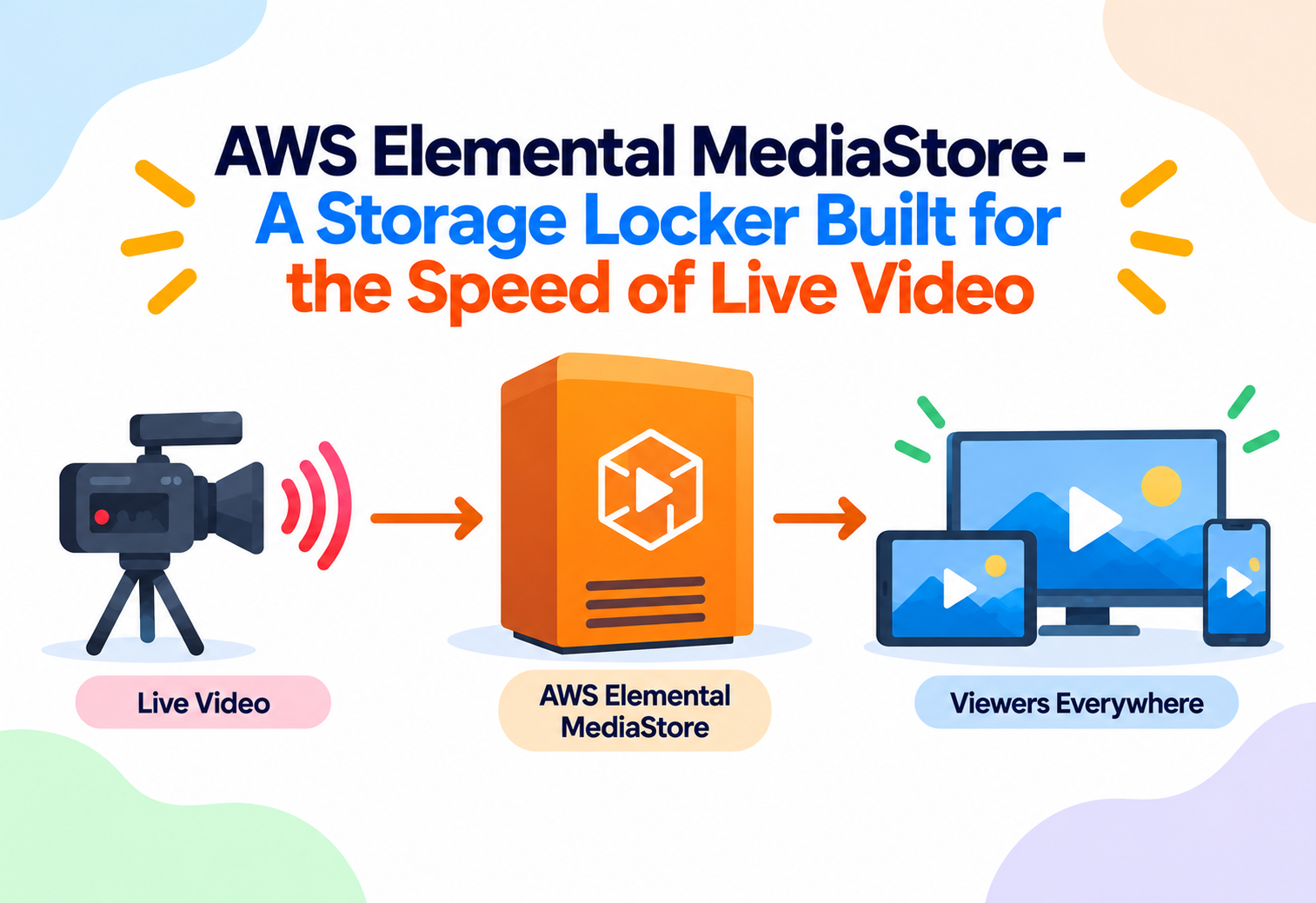
AWS Elemental MediaStore – A Storage Locker Built for the Speed of Live Video
AWS Elemental MediaStore is a storage service built specifically for the fast, repeated read-and-write pattern of live video workflows, sitting between general cloud storage and the demands of real-time streaming.
Imagine a busy newsroom where new updates come in every few seconds, and reporters constantly need to grab the very latest version of a story, moments after it was written. A normal filing cabinet, designed for storing old documents long-term, would be too slow and clumsy for this kind of rapid back-and-forth. What the newsroom really needs is a small, extremely fast shelf right next to the writers’ desks, built specifically for documents that are written and read again within seconds. AWS Elemental MediaStore is exactly this kind of specialized shelf, but for live video, sitting close to the action so video segments can be written and immediately re-read at the speed live streaming demands.
1What Is AWS Elemental MediaStore?
Storage designed around how live video actually behaves, not how ordinary files behave.
AWS Elemental MediaStore is a storage service designed specifically for live and time-sensitive video workflows. Live video is typically broken into many small chunks, called segments, each covering just a few seconds of footage. These segments are written constantly by an encoder and must be read back almost immediately by packaging or delivery systems, over and over, until the segment is no longer needed. MediaStore is built and tuned specifically for this rapid, repeated pattern of writing and reading small video files.
Think of MediaStore as a fast-moving conveyor belt at a sushi restaurant, rather than a walk-in refrigerator. The refrigerator (general-purpose storage) is great for keeping large amounts of food for a long time, but the conveyor belt is built for constantly moving small, fresh plates past customers who need to grab them the moment they arrive.
This distinction exists because general-purpose cloud storage is often optimized for durability and long-term retention of larger files, rather than the extremely high-frequency, low-latency read-and-write pattern that live video segments require. MediaStore fills this specific gap, acting as a high-performance storage layer purpose-built for the unique rhythm of live streaming.
Video Segment
A short chunk of video, often just a few seconds long, used to build up a continuous live or streaming video feed.
Latency
The delay between something happening in the real world and a viewer actually seeing it on screen.
Container (Storage)
In MediaStore, a logical storage space similar to a folder, where related video segments and files are organized.
Origin Storage
The storage layer that sits closest to where video content is first written, before it travels further downstream to viewers.
2Why Does Live Video Need Special Storage?
Every second of delay in live video is a second viewers notice, so the storage layer underneath must keep up.
Live video is unlike almost any other kind of data. A live encoder might produce a new two-second video segment roughly every two seconds, forever, for as long as the broadcast continues. Each segment must be written extremely quickly, and then read back — often by many different downstream systems at once — within a very short window, sometimes just seconds, before the next segment is already being requested.
If the storage layer underneath a live video system is even slightly slow to respond, viewers experience buffering, stuttering, or increased delay between the real event and what they see on screen — something that is especially noticeable and frustrating during live sports, breaking news, or interactive broadcasts. AWS Elemental MediaStore was built specifically to remove this bottleneck, offering storage performance tuned for exactly this kind of workload.
The difference between “storage that is fast enough for regular files” and “storage that is fast enough for live video” might sound small, but at large scale, with millions of viewers, even tiny delays multiply into a noticeably worse live-viewing experience.
3How AWS Elemental MediaStore Works Internally
From an encoder producing fresh segments to those segments being served back out at speed.
flowchart TD
    A[Live encoder produces short video segments] --> B[Segments are written into a MediaStore container]
    B --> C[MediaStore stores segments using high-performance, low-latency storage]
    C --> D[Packaging or delivery systems request the latest segments]
    D --> E[MediaStore quickly serves segments back on request]
    E --> F[Old segments expire automatically based on lifecycle rules]
The Write Step
A live encoder, such as AWS Elemental MediaLive, continuously writes new video segments into a MediaStore container as the broadcast progresses. Each write is designed to happen quickly, so the segment becomes available almost immediately after it is created.
The Read Step
Packaging systems, such as AWS Elemental MediaPackage, or other downstream services, request these same segments almost as soon as they are written, in order to package and deliver them to viewers. MediaStore is optimized to handle this rapid, repeated read pattern without slowing down.
The Lifecycle Step
Because live video segments are usually only needed for a short window of time, MediaStore supports lifecycle policies that automatically delete old segments after a set period, keeping storage usage efficient and avoiding the buildup of segments nobody needs anymore.
The Access Control Step
MediaStore also supports fine-grained access policies, so only specific, authorized systems and users are permitted to read from or write to a given container, protecting the live video pipeline from unauthorized access.
4Key Features of MediaStore
Every feature is aimed squarely at making live video storage fast, reliable, and manageable.
Low-Latency Read and Write
Storage performance tuned specifically for the fast, repeated access pattern that live video segments require.
Consistent High Throughput
Reliable performance even during sudden spikes in demand, such as many viewers joining a popular live event at once.
Lifecycle Policies
Automatic expiration rules that remove old, no-longer-needed video segments without manual cleanup.
Fine-Grained Access Policies
Detailed permission controls determining exactly which systems or users can read or write specific content.
MediaStore is sometimes confused with general-purpose cloud storage like Amazon S3. While both store files, MediaStore is specifically tuned for the high-frequency, short-lived access pattern of live video, not general file storage.
5The Live Video Storage Lifecycle
Following a single video segment from the moment it is created to the moment it disappears.
Segment Is Created
A live encoder produces a short new video segment, typically covering just a few seconds of footage.
Segment Is Written to MediaStore
The segment is quickly stored in a MediaStore container, becoming available almost immediately for downstream systems.
Segment Is Requested for Packaging
A packaging service, such as MediaPackage, reads the segment shortly after it is written, in order to prepare it for delivery.
Segment Reaches Viewers
The packaged segment is delivered onward, often through a content delivery network, until it appears in a viewer’s live stream.
Segment Becomes Outdated
As the live broadcast continues, older segments are no longer needed for active viewing.
Segment Expires Automatically
Based on configured lifecycle rules, the old segment is automatically deleted from MediaStore, keeping storage clean and efficient.
6Where MediaStore Fits in a Live Video Pipeline
MediaStore is one piece of a larger puzzle, working closely with other specialized services.
Working with AWS Elemental MediaLive
MediaLive typically encodes the live video and writes the resulting segments directly into a MediaStore container, forming the very first storage step in the pipeline.
Working with AWS Elemental MediaPackage
MediaPackage reads segments from MediaStore, then repackages and protects them for delivery to viewer devices in the correct streaming format.
Working with a Content Delivery Network
Once packaged, content is typically served to viewers through a CDN like Amazon CloudFront, which caches content closer to viewers around the world.
Custom Live Video Applications
Some organizations build entirely custom live video applications that write directly to and read directly from MediaStore, without necessarily using every other AWS media service.
7Advantages, Disadvantages & Trade-offs
MediaStore excels at a very specific job, and understanding that focus helps decide when to use it.
Advantages
- Purpose-built performance for the fast, repeated access pattern of live video segments.
- Automatic lifecycle policies keep storage clean without manual maintenance.
- Fine-grained access policies help protect sensitive or premium live content.
- Integrates smoothly with other AWS media services like MediaLive and MediaPackage.
- Consistent performance even during sudden viewer surges on popular live events.
Disadvantages / Trade-offs
- Not designed as a general-purpose, long-term file storage solution.
- Adds another specialized component to understand within a larger media pipeline.
- Best suited specifically to live and time-sensitive video, rather than typical on-demand-only workflows.
- Requires some familiarity with the broader AWS media services ecosystem to use effectively.
8Performance & Scalability
Designed to stay fast and steady, even when millions of viewers tune in at the exact same moment.
| Scenario | Typical Pattern | How MediaStore Handles It |
|---|---|---|
| Small community live stream | Occasional short broadcasts | Simple container setup with minimal configuration |
| Regional news channel | Continuous daily live broadcasts | Steady, ongoing segment writes and reads throughout the day |
| Major live sporting event | Massive, simultaneous viewer surge | Consistent high-throughput performance without slowdown |
Because MediaStore is a fully managed service, it automatically maintains the fast, consistent performance live video demands, without requiring manual capacity planning. Whether powering a small local broadcast or a globally watched event with a sudden, massive spike in viewers, the underlying storage layer remains reliably fast, letting downstream packaging and delivery systems keep pace with the live action.
9Real-World & Industry Examples
MediaStore quietly supports the split-second reliability behind many live broadcasts.
Live Sports Streaming
Sports broadcasters rely on fast, consistent storage to keep live game feeds flowing smoothly to packaging systems, even during the most exciting, high-traffic moments of a match.
Breaking News Coverage
News organizations covering fast-moving events depend on low-latency storage to minimize delay between what is happening and what viewers see on their screens.
Live Interactive Broadcasts
Interactive formats, such as live shopping events or audience call-in shows, need minimal delay to keep the conversation between hosts and viewers feeling natural and immediate.
Corporate Live Events
Large company product launches and live-streamed conferences use reliable live video storage to ensure smooth delivery to a global remote audience.
10Best Practices & Common Mistakes
Small configuration choices can make a big difference in live video reliability.
Configure lifecycle policies carefully, keeping only as many recent segments as your workflow genuinely needs, to avoid unnecessary storage buildup.
Using MediaStore as a general, long-term archive for finished video content, when a general-purpose storage service is better suited and more cost-effective for that purpose.
Set clear, restrictive access policies on each container from the start, so only the specific encoders and packaging systems that truly need access can read or write to it.
Overlooking monitoring and alerts on the live pipeline, which can delay noticing a storage or connectivity issue until viewers themselves report a problem.
11Design Patterns & Anti-patterns
How experienced teams structure a live video pipeline around MediaStore.
Problem
A team stores all finished, long-term video assets in MediaStore alongside active live segments, mixing very different storage needs together.
Why It’s Harmful
MediaStore is optimized for short-lived, high-frequency access, not long-term archival, leading to unnecessary cost and complexity when used this way.
Correct Approach
Use MediaStore only for active live video segments, and move finished, long-term assets into general-purpose storage like Amazon S3 once they are no longer part of an active live workflow.
Problem
A media company wants low-latency, reliable live video delivery without building its own custom high-performance storage system from scratch.
Why It Works
Using MediaStore as the origin storage layer between an encoder and a packaging service provides purpose-built performance without the burden of managing infrastructure directly.
Correct Approach
Connect an encoder like MediaLive to write directly into MediaStore, and configure MediaPackage to read from it, forming a clean, well-understood live video pipeline.
12Frequently Asked Questions
MediaStore is specifically tuned for the fast, repeated read-and-write pattern of live video segments, while general-purpose storage is optimized more broadly for durability and long-term retention of larger files.
Not typically. MediaStore is best used for active, short-lived live video segments, while finished, long-term assets are usually better suited to general-purpose storage services.
MediaStore is typically used alongside other services, such as an encoder like MediaLive to write segments, and a packaging service like MediaPackage to read and prepare them for delivery.
You can configure lifecycle policies that automatically delete segments after a set period, ensuring storage stays efficient and does not accumulate content that is no longer needed.
Yes. MediaStore supports fine-grained access policies, allowing you to control exactly which systems or users are permitted to read from or write to a given container.
While large broadcasters benefit significantly from its performance at scale, any organization running live video workflows that need fast, reliable storage can use MediaStore.
13Summary and Key Takeaways
AWS Elemental MediaStore fills a specific, easily overlooked gap in live video infrastructure: the need for storage that can keep up with the extremely fast, repeated read-and-write pattern of live video segments. By offering low-latency performance, automatic lifecycle management, and fine-grained access control, MediaStore acts as a reliable origin storage layer between encoders and packaging systems, helping ensure that live broadcasts reach viewers smoothly, without unnecessary delay, even during the busiest and most demanding live events.
Key Takeaways
- MediaStore is built for live video’s rhythm — fast, repeated writes and reads of short-lived video segments.
- It differs from general-purpose storage by focusing on speed and low latency rather than long-term retention.
- It typically works alongside MediaLive and MediaPackage, forming one link in a larger live video pipeline.
- Lifecycle policies automatically remove old segments, keeping storage efficient without manual cleanup.
- Fine-grained access policies help protect live content from unauthorized access.
- It scales automatically, maintaining consistent performance even during sudden viewer surges.
- It is not meant for long-term archiving — finished assets belong in general-purpose storage instead.

