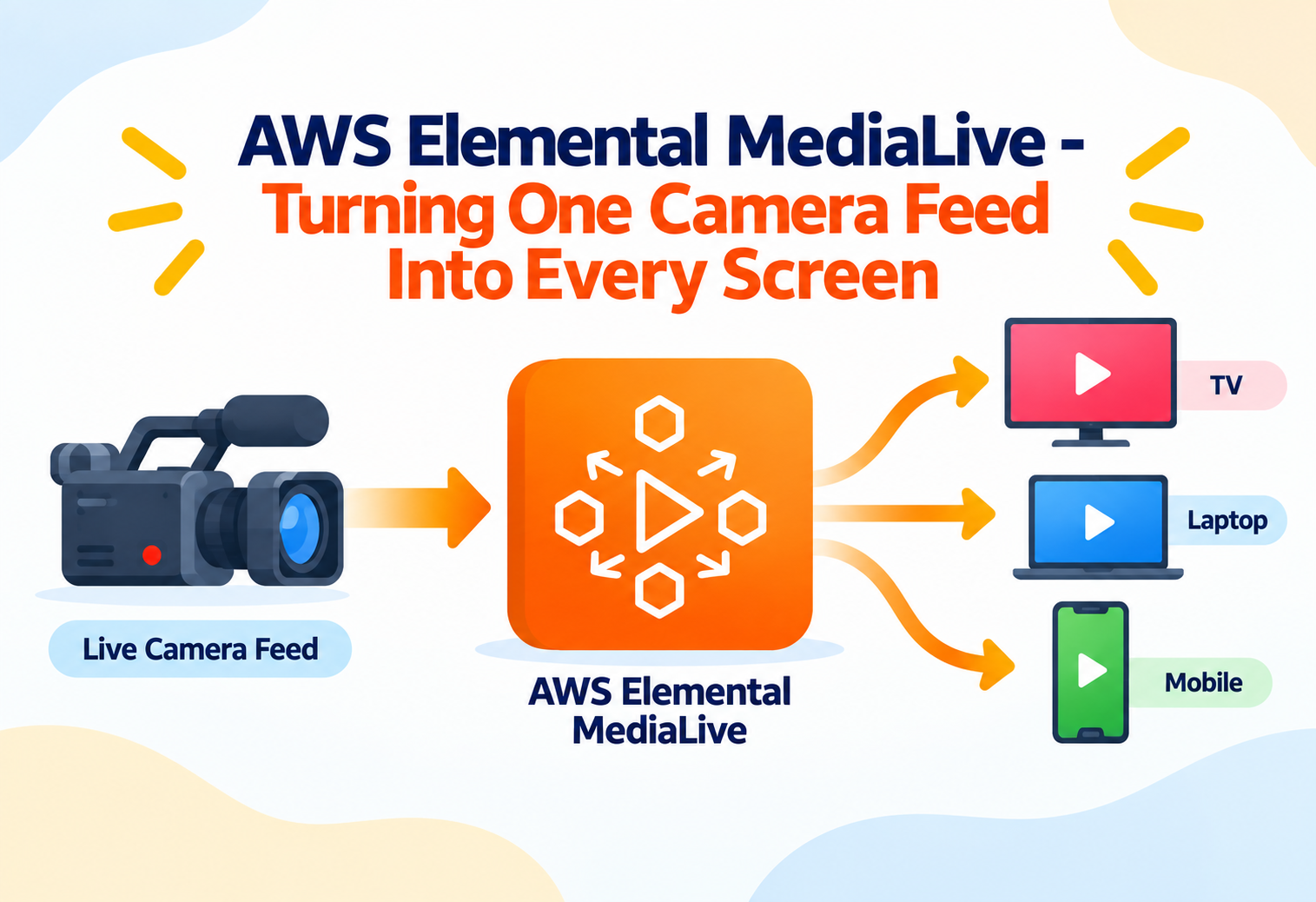
AWS Elemental MediaLive – Turning One Camera Feed Into Every Screen
A complete, beginner-friendly guide to AWS Elemental MediaLive — what it is, how it encodes live video, and why broadcasters and streaming platforms rely on it to stay on air.
Think about a live sports broadcast. A single camera captures the action on the field, but by the time it reaches you, that same moment appears on a giant television, a laptop browser, and a phone screen, each in a size and quality that fits the device perfectly. Somebody in the middle has to take that one raw video feed and reshape it into all of those different versions, instantly, without ever dropping a frame. AWS Elemental MediaLive is the service that does exactly this job.
1What Is AWS Elemental MediaLive?
Let’s start with a plain, simple explanation of what this service actually does.
The Simple Definition
AWS Elemental MediaLive is a fully managed live video processing service. Its job is to take an incoming live video feed and convert it into multiple output video streams, each formatted for a different screen size, internet connection speed, or streaming standard. This process of converting video from one format into another is called encoding.
MediaLive runs the encoding process continuously, in real time, for as long as a live event is happening — a sports match, a news broadcast, a corporate town hall, or a 24-hour streaming channel. Once encoded, the resulting streams are typically sent onward to a video delivery service so viewers around the world can actually watch them.
Think of MediaLive like a professional translator working at a live event. One speaker talks in one language, but the translator instantly produces several different versions — one for each audience listening on their own headset. MediaLive does the same thing with video quality and format instead of language.
Why It Exists
Before services like MediaLive existed, running a live video encoding operation meant buying, installing, and maintaining specialized broadcast hardware in a physical facility. This hardware was expensive, needed dedicated engineers to operate, and was difficult to scale up quickly for a single big event or scale down afterward. Cloud-based live encoding removed the need for that physical equipment entirely.
MediaLive is used for live sports broadcasts, 24-hour streaming channels, corporate live events, news broadcasts, and any situation where a live video feed needs to reach viewers across many different devices at once.
A Practical Example
Imagine a company hosting a live product launch event. A camera in the venue captures the presentation, and that raw feed is sent into MediaLive. MediaLive instantly produces several versions of the stream at different quality levels — a lower-quality version for viewers on slow mobile connections and a high-quality version for viewers on fast home internet — and sends all of them onward so every viewer gets a smooth experience matched to their own connection.
2The Problem Before Managed Live Encoding
Understanding the old broadcast world makes it clear why a managed cloud service is such a big shift.
Expensive Dedicated Hardware
Physical encoding equipment was costly to purchase and often sat idle between live events.
Slow to Scale
Handling an unusually large event meant physically acquiring and installing more hardware ahead of time.
Single Points of Failure
A single piece of hardware failing during a live broadcast could mean going off the air completely, with no easy backup.
Specialized Operational Skills
Running broadcast-grade encoding hardware required specially trained engineers on-site or on call at all times.
MediaLive addresses all four of these problems by removing the physical hardware entirely. Capacity is available on demand, redundancy is built into how channels can be configured, and the underlying infrastructure is managed by AWS rather than an in-house broadcast engineering team.
3Core Concepts and Terminology
Live video has its own vocabulary. Let’s define each key term clearly before going further.
Channel
A Channel is the core resource in MediaLive. It represents one continuously running live encoding job, from a defined Input to one or more defined Outputs.
Input
An Input is the source of the raw live video feed a Channel encodes, such as a camera connected over the internet or a feed from another video system.
Output Group
An Output Group defines where and in what format encoded video is delivered, such as a streaming format sent onward to a content delivery service.
Encoding Profile
An Encoding Profile describes the specific video quality levels, resolutions, and bitrates a Channel should produce for a given Output.
Pipeline
A Pipeline is one complete, independent path of encoding hardware processing a Channel’s video. Running two Pipelines at once provides redundancy in case one has an issue.
Bitrate
Bitrate describes how much data is used per second of video. Higher bitrates generally mean sharper picture quality but require a faster internet connection to watch smoothly.
The Input is the camera feed arriving at the translator. The Channel is the translator actively working. The Encoding Profile is the specific set of languages being produced. The Output Group is where each translated version gets sent. A second Pipeline is like having a backup translator standing by in case the first one loses their voice mid-event.
4Architecture and Components
Let’s see how these pieces are wired together in a typical live streaming setup.
A live video journey usually starts at a camera or encoder on-site, travels over the internet into a MediaLive Input, gets processed by a MediaLive Channel into multiple encoded versions, and then flows onward into a video delivery service such as AWS Elemental MediaPackage, which prepares it for actual viewers to watch on their devices.
flowchart LR
    A[Camera / On-Site Encoder] --> B[MediaLive Input]
    B --> C[MediaLive Channel]
    C --> D[Output Group 1: Low Bitrate]
    C --> E[Output Group 2: High Bitrate]
    D --> F[Video Delivery Service]
    E --> F
    F --> G[Viewer Devices]
Single Pipeline Channels
A Single Pipeline Channel uses one processing path. It is simpler and less expensive, and is often suitable for lower-stakes or internal live events.
Standard (Redundant) Channels
A Standard Channel runs two identical Pipelines side by side. If one Pipeline has a problem, the other keeps the broadcast running without interruption, which is critical for high-profile live events.
5Internal Working: How Live Video Actually Flows
Let’s trace exactly what happens to video the moment it arrives at MediaLive.
Ingest
The raw live video feed arrives continuously at the Channel’s configured Input.
Decode
The incoming video is decoded from its original format into raw video frames ready for processing.
Process
MediaLive can apply adjustments during this stage, such as overlaying graphics, adjusting audio levels, or inserting advertising markers.
Encode
The processed video is re-encoded into every quality level defined by the Channel’s Encoding Profiles, all in parallel.
Deliver
Each encoded version is sent to its configured Output Group, typically onward to a video delivery service for distribution to viewers.
sequenceDiagram
    participant Cam as Camera Feed
    participant In as MediaLive Input
    participant Ch as MediaLive Channel
    participant Out as Output Group
    participant Del as Delivery Service
    Cam->>In: Continuous live video stream
    In->>Ch: Decode incoming feed
    Ch->>Ch: Process and encode into profiles
    Ch->>Out: Send encoded streams
    Out->>Del: Forward for distribution
Live encoding is a continuous, ongoing process, not a one-time file conversion. A Channel keeps running and encoding for as long as the live event lasts, processing a constant stream of new video frames.
6Getting Started: Setting Up a Channel
Here is the conceptual sequence for setting up your first live encoding Channel.
Create an Input
Define where your live video feed will come from, such as a push-based feed sent from an on-site encoder.
Create a Channel
Attach the Input to a new Channel and choose between a Single Pipeline or a redundant Standard Channel.
Define Encoding Profiles
Choose the resolutions and bitrates your Channel should produce, matching the range of devices your audience uses.
Configure Output Groups
Point each encoded output toward its destination, typically a downstream delivery service.
Start the Channel
Begin the live encoding process once your source feed is ready to send video into the configured Input.
Monitor the Live Event
Watch the Channel’s health and output while the event is live, ready to react quickly if any alert appears.
7Inputs, Outputs and Common Use Cases
MediaLive supports a variety of input sources and output destinations to fit different broadcast needs.
| Input Type | Typical Use |
|---|---|
| Push-based input from an on-site encoder | Live events, remote broadcast locations |
| Pull-based input from a stored stream URL | Simulating a live channel from an existing feed |
| Input from another AWS media service | Chaining together larger media processing workflows |
Live Sports and Events
Broadcasters encode a single camera feed into multiple quality levels so fans can watch smoothly whether they are on a stadium’s guest network or a home fiber connection.
24-Hour Streaming Channels
Streaming platforms run always-on Channels that continuously encode a rotating schedule of content, functioning much like a traditional television channel.
Corporate and Virtual Events
Companies stream town halls, product launches, and training sessions to distributed employees or customers using a single MediaLive Channel per event.
News and Media Organizations
News broadcasters use MediaLive to simultaneously deliver their live signal to a traditional broadcast pipeline and to online streaming viewers.
8Advantages, Disadvantages and Trade-offs
A balanced look at where MediaLive shines and where it requires careful planning.
Advantages
- No physical broadcast hardware to purchase or maintain
- Redundant Pipelines protect high-stakes live events from single points of failure
- Capacity can be provisioned quickly for a single big event and released afterward
- Produces multiple quality levels automatically for different viewer devices
- Integrates naturally with other AWS media services for a complete workflow
- Supports both one-off live events and always-on channels
Disadvantages / Trade-offs
- Running Channels continuously incurs ongoing cost, unlike a one-time file conversion
- Requires a stable, sufficiently fast network connection from the source to the Input
- Redundant Standard Channels cost more than Single Pipeline Channels
- Getting encoding settings right for a specific audience takes some initial tuning
9Performance and Scalability
Live video has zero tolerance for delay, so performance is central to how MediaLive is built.
Because encoding happens continuously and in real time, MediaLive is designed to process incoming video frames as quickly as they arrive, without building up a backlog. Redundant Pipelines allow a Standard Channel to keep broadcasting seamlessly even if one Pipeline experiences an issue, since the other Pipeline is already processing the exact same feed in parallel.
A tightrope walker sometimes performs with a safety net below. The net is not needed most of the time, but if a slip happens, the show continues without anyone getting hurt. A second Pipeline is that safety net for a live broadcast.
For events expecting very large audiences, capacity can be provisioned ahead of time so the encoding side of the pipeline is never the bottleneck, leaving the downstream delivery service to handle the actual scale of viewer traffic.
10Security in AWS Elemental MediaLive
Live content is often valuable and sometimes exclusive, so protecting it matters throughout the pipeline.
Encrypted Ingest
Live feeds can be sent into MediaLive over secure, encrypted connections to protect the content in transit from the source.
IAM-Based Access Control
Permissions to create, start, stop, or modify Channels are controlled through AWS Identity and Access Management.
Private Network Delivery
Traffic between MediaLive and other AWS services can be kept on private network paths rather than traversing the public internet.
Downstream Content Protection
Encoded output can be paired with content protection and access control mechanisms in the downstream delivery service to restrict who can actually view the stream.
Leaving an Input open to receive a feed from any source, rather than restricting it, can allow unauthorized or accidental streams to be pushed into a live Channel.
11Monitoring, Logging and Metrics
When a broadcast is live, catching a problem in seconds rather than minutes matters enormously.
MediaLive continuously reports health and performance metrics to Amazon CloudWatch for every running Channel, including input signal status, encoding performance, and any alerts about issues like a lost input feed. These metrics can power dashboards and automated alarms that notify operators the moment something needs attention.
Input Video Freeze
Indicates whether the incoming video feed appears to have frozen or stopped changing.
Input Loss
Signals that the Channel has stopped receiving its expected video feed entirely.
Active Alerts
Reports any current warnings or errors affecting a running Channel, such as audio issues.
Output Bitrate
Tracks how much data each encoded output is producing, useful for confirming quality settings are behaving as expected.
Setting a CloudWatch alarm on input loss for a critical live event means operators are alerted within seconds instead of discovering a dead stream from viewer complaints.
12Best Practices and Common Mistakes
A few habits separate a smooth broadcast from a stressful one.
Problem
Running a high-visibility, high-stakes live event on a Single Pipeline Channel to save cost.
Why It’s Harmful
Any issue in that single Pipeline can take the broadcast completely off the air with no automatic backup.
Correct Approach
Use a redundant Standard Channel with two Pipelines for any event where an interruption would be costly or embarrassing.
Problem
Leaving a Channel running continuously after a live event has ended.
Why It’s Harmful
Since Channels are billed for the time they run, an idle Channel left active unnecessarily adds ongoing cost with no benefit.
Correct Approach
Stop Channels promptly once a live event concludes, and consider automating shutdown for scheduled, time-boxed events.
It also helps to test the full end-to-end path, from camera to viewer, well before a live event begins, choose Encoding Profiles based on the actual devices and connection speeds of your expected audience, and keep a documented runbook for what to do if an alert fires mid-broadcast.
13Real-World and Industry Examples
Seeing MediaLive applied in familiar contexts helps the concept feel concrete.
Sports Broadcasting
Sports networks use MediaLive to deliver live matches simultaneously to television infrastructure and online streaming apps, with redundant Pipelines protecting the broadcast during high-viewership moments.
Streaming Platforms
Streaming services run always-on, linear-style channels built entirely on MediaLive Channels, cycling through scheduled content much like traditional television.
Corporate Communications
Large organizations stream company-wide town halls and training events to thousands of employees at once using a single, well-monitored MediaLive Channel.
Live News Delivery
News organizations use MediaLive to simultaneously feed their live signal into both traditional broadcast distribution and modern online streaming audiences.
14Frequently Asked Questions
Quick, clear answers to the questions beginners ask most often.
No. While it is widely used by broadcasters, any organization running a live event that needs reliable, multi-quality video delivery can use MediaLive, from corporate events to community streams.
A Single Pipeline Channel uses one processing path, while a Standard Channel runs two identical Pipelines for redundancy, so the broadcast continues even if one Pipeline has an issue.
Not usually on its own. MediaLive focuses on encoding, and typically hands its output to a separate delivery service that prepares and distributes the stream to actual viewer devices.
Yes. A single Channel can be configured with several Encoding Profiles, producing multiple quality levels from the same source feed simultaneously.
MediaLive can report this as an input loss alert, and can be configured with backup input sources or automatic failover behavior to reduce the impact on viewers.
Yes. MediaLive supports both short one-off live events and continuously running, always-on streaming channels.
15Summary and Key Takeaways
AWS Elemental MediaLive removes the traditional burden of live broadcast hardware and replaces it with a fully managed, cloud-based encoding service that can be spun up for a single event or run continuously for years. By taking one incoming live feed and encoding it into multiple quality levels through configurable Channels, Inputs, and Output Groups, MediaLive lets organizations of any size deliver live video to viewers on a huge range of devices and connection speeds. With optional redundant Pipelines protecting critical events, native CloudWatch monitoring catching issues within seconds, and tight integration with other AWS media services, MediaLive turns what used to require a dedicated broadcast facility into a configurable, observable, on-demand cloud service.
Key Takeaways
- MediaLive is a live video encoding service — it converts one live feed into multiple output formats in real time.
- Channels, Inputs, and Output Groups are the core building blocks — together they define a complete encoding job.
- Redundant Standard Channels protect critical broadcasts — a second Pipeline keeps the show running if the first has an issue.
- Encoding Profiles match content to audience devices — producing multiple quality levels from a single source feed.
- Encoding is continuous, not a one-time job — a Channel keeps processing frames for as long as the live event runs.
- Monitoring is essential during live events — CloudWatch alerts can catch input loss or freezing within seconds.
- MediaLive typically pairs with a delivery service — encoding is one stage in a larger live streaming workflow.

