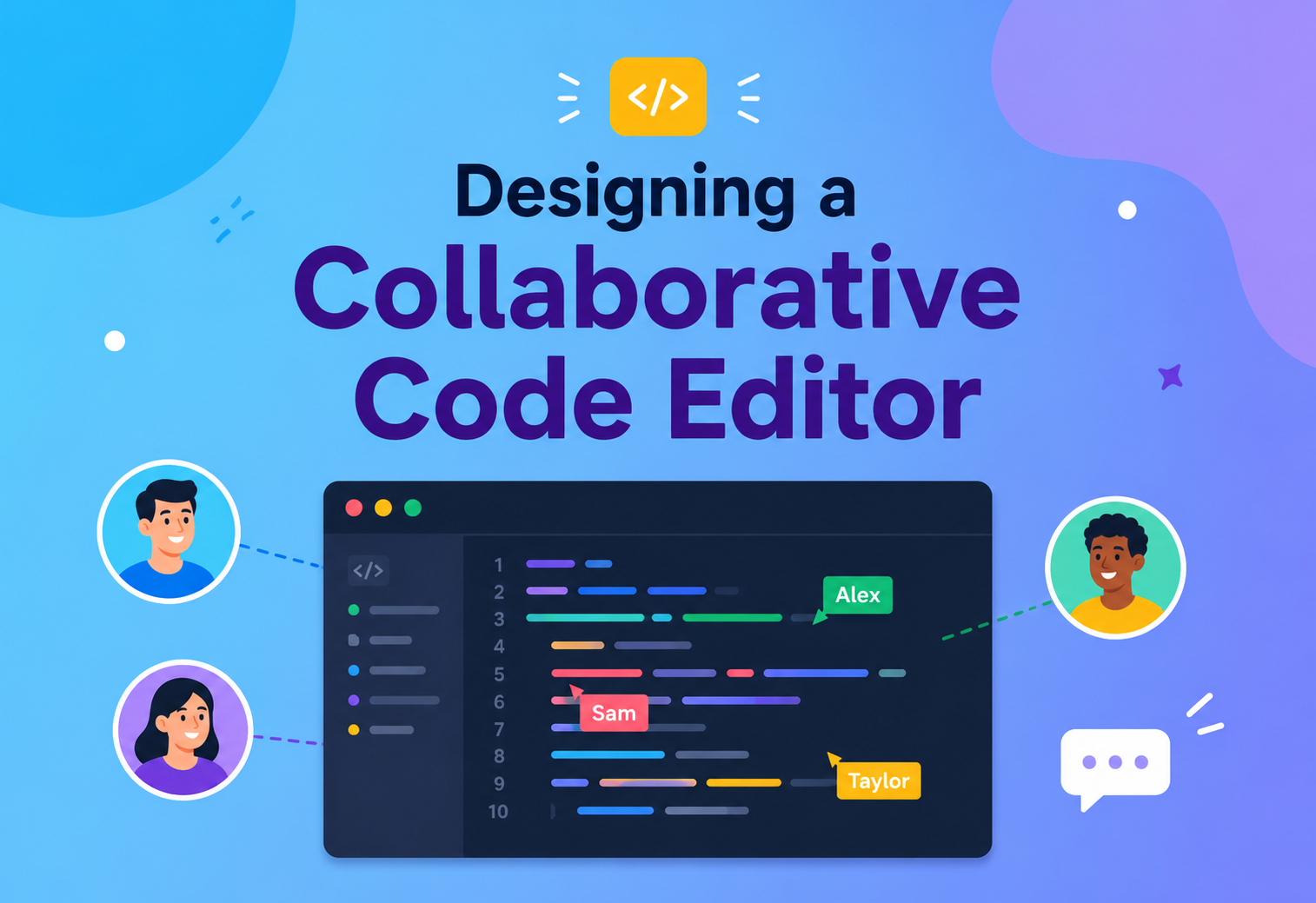
Designing a Collaborative Code Editor — System Design
A complete, ground-up walkthrough of how real-time, multi-user code editors like Google Docs for code, VS Code Live Share, Replit and CodeSandbox are actually built — from the first keystroke to global, low-latency, always-consistent editing at scale.
The Big Idea, in One Breath
A collaborative code editor is a program that lets many people edit the same source file at the same time, from different computers, and see each other’s changes appear character-by-character — without anyone ever having to press “save” or manually resolve merge conflicts. Think of Google Docs, but for code, with syntax highlighting, autocomplete and the ability to actually run the program you are writing together.
Under the hood, the “magic” is not one thing. It is a carefully co-ordinated stack: a fast in-browser editor for the UI, a real-time transport (usually WebSockets or WebRTC) to move changes, a merge algorithm (Operational Transformation or a CRDT) to guarantee everyone converges to the same text, a presence service to show cursors and selections, and a durable storage layer so the file is not lost when the last tab closes.
Imagine a group of people writing on the same whiteboard at the same time, but each person is standing in a different city. Every stroke has to be teleported to every other whiteboard within milliseconds, and if two people scribble in exactly the same spot, the system must decide — deterministically, everywhere — whose stroke ends up on the left. That decision, made billions of times a second across the world, is what a collaborative code editor is quietly doing for you.
keystroke latency
per document
no lost keystrokes
What a Collaborative Code Editor Really Is
Before we design one, let us pin down what we are actually building. It is not just “a text box on a website.” It is a distributed system where the single source of truth is the logical document, and every client holds a live, converging replica of it.
2.1 A Working Definition
A collaborative code editor is a distributed application that lets N > 1 users concurrently and remotely edit a shared code document such that:

- Every user sees their own edits instantly (local echo — no waiting for the server).
- Every user eventually sees the same final document, regardless of who typed what, when, or from which region — this is called convergence.
- The intent of each edit is preserved — if Alice deletes line 3 while Bob types on line 7, both edits survive and end up in sensible positions.
- Rich code-editor features still work: syntax highlighting, autocomplete, linting, formatting, jump-to-definition, multi-cursor, undo/redo, and often even executing the code.
2.2 Familiar Examples
Replit / CodeSandbox
Browser-based IDE with an execution sandbox. Multiplayer is a first-class feature: URL-share a project, get real-time editing plus a shared runtime.
VS Code Live Share
Extension that lets one developer host their local editor and others join. Uses a relay service plus peer connections for the actual document deltas.
CoderPad / HackerRank
Interview-focused editors that must handle low network quality, screen-share, and run code — usually built on ProseMirror / Monaco with a Yjs-style CRDT backend.
Google Colab / Deepnote
Real-time collaborative notebooks. Each cell is an independent editable region; presence is shown per cell, not per file.
2.3 What It Is Not
A collaborative code editor is not just “Git with a nicer UI.” Git operates on whole commits, requires explicit save/push, and resolves conflicts by asking a human. A collaborative editor operates on individual keystrokes streamed at network speed, and resolves conflicts automatically using a deterministic algorithm the moment the packets arrive.
Git is a photo album — you decide when to take the picture. A collaborative code editor is a live video feed — every frame is streamed the instant it is captured, and the system decides how to blend feeds from multiple cameras into a single coherent picture.
Why It Matters So Much
Real-time collaborative editing is not a nice-to-have — it is the difference between a productive remote team and a broken one. Once developers experience it, they cannot go back to zipping files or waiting for a Git merge to see what a colleague just wrote.
3.1 The Business & Human Problem
- Remote and hybrid teams need a way to pair-program without physically sharing a keyboard.
- Interviews and teaching require a fair, low-friction environment where two strangers can look at the same code within seconds.
- Live incident response often needs three or four engineers editing a runbook or hot-fix branch together, right now, under time pressure.
- Onboarding new engineers works dramatically better when a senior can “drop in” to the junior’s editor instead of watching a screen-share and reading commands over voice.
3.2 What Makes It Uniquely Hard
Building this is much harder than a text chat or a Google-Docs clone. Code has structure and tooling that ordinary prose does not:
Harder than chat
- Order of characters matters at column-precision, not just at message level.
- Every keystroke may trigger syntax highlighting, autocomplete, and diagnostics.
- Undo/redo has to be per-user, not global.
Harder than Google Docs
- Code editors run a full Language Server Protocol in the background — that state must also stay consistent.
- Multi-file projects (imports, references) mean edits in one file affect the meaning of another.
- Users expect to actually run the code — introducing a shared filesystem and container.
Every millisecond of extra keystroke latency is felt directly by the developer. Every dropped or reordered edit is an off-by-one bug they did not write. Every disagreement between two clients about “what the file looks like right now” is a lost hour. Getting this right is not about being fancy — it is about being invisible.
The Building Blocks
A production collaborative code editor is made of about a dozen distinct services and libraries working together. Understanding each one in isolation is the first step to designing the whole system.
Editor Core (Client)
The in-browser editor widget: Monaco, CodeMirror 6, ProseMirror or Ace. Handles rendering, cursor, syntax highlighting, keybindings and local undo.
Change Model
Represents each edit as a small, serialisable operation — insert(pos, text), delete(pos, len), or a CRDT update — not as a whole-document diff.
Sync Engine
The library that transforms/merges concurrent changes so every replica converges: Yjs, Automerge, ShareDB or a bespoke OT server.
Realtime Transport
WebSocket (most common), WebRTC data channels (for peer-to-peer relays) or SSE. Carries small binary/JSON messages with strict ordering per session.
Presence Service
Tracks who is online, their cursor position, selection range, avatar colour and focused file. Separate from document data; typically ephemeral.
Document Server
Owns the authoritative log of operations per document; performs OT transforms or CRDT merges, broadcasts updates and enforces access control.
Persistence Layer
Durable store for the log of operations and periodic snapshots. Usually an append-only log (Kafka / DynamoDB streams) plus object storage for snapshots.
Language Services
LSP servers (TypeScript, Python, Go…) providing autocomplete, diagnostics, hover, formatting. Run per-document or per-workspace.
Auth & Access Control
Identity provider (OAuth / SSO), per-document ACL, and short-lived session tokens the WebSocket layer can verify without a round-trip.
Sandbox / Runtime
Optional container per project (Firecracker, gVisor, WebContainers) so users can actually execute the code they are editing together.
Edge Layer
Regional PoPs and load balancers that terminate WebSockets close to the user and forward the messages to the nearest document shard.
Observability
Tracing, metrics and structured logs across every hop (client, edge, document server, LSP). Without this, latency regressions are invisible.
Here is how these pieces typically fit together at a glance:

The Merge Problem: OT vs CRDT
Every design decision in the system ultimately serves one goal: when N users type at the same time, every replica must end up with the same document. There are two dominant families of algorithms that solve this — Operational Transformation (OT) and Conflict-free Replicated Data Types (CRDTs). Choosing between them shapes almost everything else.
5.1 The Core Problem in a Picture
Alice and Bob both hold the text "abc". At the same moment:
- Alice inserts
"X"at position 1 → her local view becomes"aXbc". - Bob deletes 1 character at position 0 → his local view becomes
"bc".
If we naively apply Bob’s delete on Alice’s "aXbc" we get "Xbc". If we naively apply Alice’s insert on Bob’s "bc" we get "bXc". They disagree. The merge algorithm’s entire job is to make them agree, deterministically, without a co-ordinator.
5.2 Operational Transformation (OT)
OT keeps the document as a plain string and represents each edit as an operation. When a remote op arrives that was generated before locally-applied ops, the algorithm transforms the remote op’s indexes so it still means the same thing. Google Docs and older Google Wave famously used OT.
function transform(opA, opB) {
  // opA arrived from the server; opB was already applied locally
  if (opA.type === 'insert' && opB.type === 'insert') {
    if (opA.pos <= opB.pos) return opA;             // no shift
    return { ...opA, pos: opA.pos + opB.text.length }; // shift right
  }
  if (opA.type === 'insert' && opB.type === 'delete') {
    if (opA.pos <= opB.pos) return opA;
    return { ...opA, pos: Math.max(opB.pos, opA.pos - opB.len) };
  }
  // ... symmetric cases for delete vs insert / delete vs delete
}
5.3 Conflict-free Replicated Data Types (CRDTs)
CRDTs sidestep the transform step entirely. Each character gets a globally unique identifier and a stable position in a partial order. Concurrent inserts simply pick different identifiers; concurrent deletes simply mark the same identifier as removed. Applying operations in any order yields the same document.
Popular implementations: Yjs (production, tiny, fast), Automerge (rich data model), diamond-types (extremely fast Rust), and the RGA / Logoot families from the research literature.
| Aspect | OT | CRDT |
|---|---|---|
| Requires central server? | Usually yes (for transform) | No — peer-to-peer possible |
| Metadata overhead | Low — ops are small | Higher — unique IDs per character |
| Offline editing | Awkward — long divergence is hard | Natural — sync when you reconnect |
| Correctness proofs | Notoriously subtle | Provable convergence |
| Best for | Server-centric editors, tight ops | Local-first, offline, P2P editors |
If you already have a strong central server and want minimal client memory, OT still wins. If you want offline-first, mesh replication, or you would rather never write a transform table again, pick a CRDT — Yjs is a safe default in 2026.
System Architecture & Data Flow
Now we put the pieces together and follow a single keystroke from the moment a user presses a key to the moment every other collaborator sees the character appear on their screen.
6.1 End-to-End Lifecycle of One Keystroke
Local Apply
The editor immediately inserts the character into its local model and repaints. The user sees zero visible latency. A small operation (or CRDT update) is pushed onto an outgoing queue.
Send Over WebSocket
The queued op is serialised (Yjs uses a compact binary format; OT servers usually use JSON) and sent over the persistent WebSocket to the nearest edge PoP.
Route to Document Shard
The edge router uses a sticky hash of docId to forward the message to the document server that owns the authoritative log for this file.
Merge & Append
The document server transforms (OT) or merges (CRDT) the op against any concurrent ops it has already accepted, appends the result to the durable op log, and assigns it a monotonically increasing sequence number.
Broadcast
The server fans the transformed op out to every other connected client on that document via their WebSockets.
Remote Apply
Each receiving client applies the op to its local model, transforming it against any of its own pending unacknowledged ops. Everyone converges.
Acknowledgement & Cleanup
The originating client receives an ack with the assigned sequence number and can drop that op from its retry buffer.
6.2 The Awareness / Presence Sub-Flow
Presence (who is where, what colour cursor, what selection) is a separate, ephemeral channel — it is not persisted and does not go through the merge engine. It is broadcast on best-effort, with the latest value winning per user. This keeps cursor updates cheap even when a user shakes their mouse across the file.
6.3 High-Level Architecture Diagram
Realtime Transport & Presence
The document server is only as good as the pipe that reaches it. This chapter zooms into the wire protocol: what actually flows over the socket, how presence is separated from document state, and how the system copes with the messy realities of the internet.
7.1 Choosing a Transport
| Transport | Pros | When to use |
|---|---|---|
| WebSocket | Full duplex, low overhead, universal browser support | Default choice for server-mediated editors |
| WebRTC data channels | P2P, low latency between peers, no server hop | Small groups, Live-Share-style handoffs |
| HTTP/2 + SSE | Simple firewalls, cache-friendly | Read-heavy view/observe modes only |
| QUIC / HTTP/3 | Faster reconnects, multiplexed streams | Mobile and lossy networks |
7.2 A Minimal Message Schema
// Client → Server
{ "type": "op",     "docId": "d_123", "clientSeq": 42, "op": { ... } }
{ "type": "aware",  "docId": "d_123", "cursor": { "line": 12, "col": 4 }, "sel": [ ... ] }
{ "type": "ping",   "t": 1734182931 }

// Server → Client
{ "type": "ack",    "docId": "d_123", "clientSeq": 42, "serverSeq": 981 }
{ "type": "op",     "docId": "d_123", "serverSeq": 982, "from": "u_9", "op": { ... } }
{ "type": "aware",  "docId": "d_123", "from": "u_9", "cursor": { ... } }
{ "type": "pong",   "t": 1734182931 }
7.3 Presence & Awareness
Presence data (cursor, selection, focused file, user colour) is high-frequency but disposable. Losing a cursor update is fine — another arrives in 30 ms. The system therefore uses a “last-writer-wins per user” register, coalesces bursts, and never persists this data. In Yjs this is called the Awareness protocol; in ShareDB it is a separate presence channel.
7.4 Reconnect & Catch-Up
Networks drop. The client keeps a local buffer of unacked ops and a lastServerSeq. On reconnect:
- Send
{ type: "sync", lastServerSeq: N }. - Server responds with the delta of ops after
N(or a fresh snapshot ifNis too old). - Client replays its local unacked ops on top of the new server state.
- Server transforms them again and broadcasts.
A collaborative editor without a bullet-proof reconnect story is a collaborative editor that loses work. Reconnect logic is where 80% of the subtle bugs live — treat it as a first-class feature, not an afterthought.
Persistence, Versioning & Undo
Realtime is only half the job. When the last tab closes at 2 AM, the file must still be there in the morning — and if a collaborator accidentally deletes a function, someone should be able to travel back in time and get it back.
8.1 The Op Log Is the Source of Truth
The authoritative representation of the document is not the current text — it is the ordered log of operations that produced it. The current text is a materialised view derived from replaying the log. This gives us three superpowers:
- Determinism: any replica can rebuild the exact same text from the log.
- Time travel: replay the log up to a chosen timestamp to see a past version.
- Audit: every keystroke is attributable to a user, forever.
8.2 Snapshots & Compaction
Replaying 10 million ops on every reconnect is not free. So the system takes periodic snapshots — a compact CRDT / OT state at sequence N — and stores them in object storage (S3, GCS). New clients load the latest snapshot and only replay ops after it.
Take a new snapshot when ANY of these is true:
  • ops since last snapshot > 5,000
  • time since last snapshot > 15 minutes
  • server memory pressure is high (LRU eviction)
Old snapshots are kept for at least 30 days for version history.
8.3 Per-User Undo/Redo
Undo is not global. When Alice presses Ctrl+Z, she expects to undo her last edit, not Bob’s. The editor therefore maintains a per-user undo stack of ops. On undo, it produces the inverse op (an insert becomes a delete of the same range) and pushes it as a new op through the sync engine, so all clients converge again.
8.4 Version History & Named Checkpoints
Auto-Snapshots
Every N ops or every M minutes, silent, used for fast rejoin. Not exposed in the UI.
User Checkpoints
“Save version” button attaches a human-readable label. Backed by a snapshot the user can restore or diff against.
Git Bridge
Optional integration that periodically commits the file to a real Git repo — the editor becomes a real-time front end to source control.
Quality Attributes: The “-ilities”
Every serious system design is judged against a handful of non-functional properties. For a collaborative code editor, these are the ones that matter most, in roughly the order users notice them.
Latency
End-to-end keystroke echo target: < 100 ms P95 within region, < 250 ms cross-region. Every layer must budget microseconds carefully.
Throughput
A busy document with 50 concurrent editors can generate 500–1,000 ops/sec. Doc servers must handle this per-shard without GC pauses.
Consistency
Eventual convergence is non-negotiable. Two clients that stop typing must reach byte-identical text within one round trip.
Reliability
Zero data loss on server crash. All ops are durably written to the log before ack. Snapshots are replicated across AZs.
Scalability
Shard by docId. Each doc lives on exactly one leader; followers stand by for failover. Cross-doc load balances horizontally.
Availability
Target: 99.95%. Edge PoPs absorb regional outages; document shards can fail over within seconds using the replicated log.
Security
Per-document ACL, short-lived JWTs on the socket, sandboxed runtime, and prevention of code injection via presence fields.
Usability
Multiplayer must be invisible — feels like a single-player editor until someone joins, and even then never introduces jitter or reordering.
9.1 The Latency Budget
| Hop | Target | How |
|---|---|---|
| Local echo (keydown → paint) | < 8 ms | Apply op synchronously in editor, defer server work |
| Client → edge PoP | < 20 ms | Anycast, PoPs in every major region |
| Edge → doc shard | < 5 ms | Same-region routing, in-VPC network |
| Merge + log append | < 5 ms | In-memory CRDT + async log write with quorum ack |
| Broadcast → other clients | < 20 ms + RTT | Pre-serialised message, fan-out over persistent WS |
| Total keystroke echo | ~60–100 ms | Under human perception of “instant” |
Common Pitfalls & Trade-offs
Almost every collaborative editor is bitten by the same handful of subtle bugs. Knowing them in advance is the difference between shipping and shipping something that quietly corrupts users’ code.
10.1 Ten Traps We’ve All Fallen Into
Forgetting to transform local pending ops
When a remote op arrives, you must transform it against unacked local ops and transform the local ops against it. Skipping half of that is the #1 source of divergence bugs.
Persisting presence data
Storing cursor updates to disk balloons the op log for zero benefit. Presence must live in-memory only.
Global undo instead of per-user
Pressing Ctrl+Z should never undo a colleague’s edit. Feels obvious in hindsight; ships wrong the first time.
Big monolithic snapshots
Snapshotting on every op kills throughput. Snapshotting never means huge replay on rejoin. Tune the cadence.
No back-pressure
A misbehaving client can flood the doc server with cursor spam. The server must rate-limit awareness and drop excess ops fast.
Assuming clocks are trustworthy
Physical clocks lie. Use logical clocks (Lamport / vector) for ordering, never Date.now().
LSP racing the edit stream
The language server can autocomplete stale text if it receives edits out of order. Version every LSP request with the client’s current op sequence.
Reconnect that resurrects deleted content
Naively replaying local ops after a long offline period can “undelete” text a peer removed. Only replay ops the server has not seen; drop ops made against tombstoned regions.
Hot documents crushing one shard
A 300-person “all-hands” document overwhelms a single leader. Detect hot docs and split them into read-replicas or apply sampling for cursor updates.
No observability
You cannot fix a convergence bug you cannot reproduce. Every op needs a trace id, and clients should be able to upload their local op log on demand.
10.2 The Trade-offs You Cannot Avoid
Consistency vs Latency
- Wait for server ack → slower typing.
- Apply locally then reconcile → possible flicker on transform.
- Almost every editor picks the second and hides the flicker.
Rich Features vs Complexity
- Multi-file, LSP, runtime, terminals — each 10× the surface area.
- Ship a great single-file experience first, then layer up.
Context
We must choose a merge algorithm for the collaborative code editor.
Decision
Adopt a CRDT (Yjs) as the primary merge engine, with the document server acting as a co-ordinating relay rather than a transform authority.
Consequences
Simpler correctness proofs, straightforward offline editing, higher per-character metadata cost, and slightly larger snapshots — deemed acceptable given multi-region deployment goals.
How Collaborative Editors Evolve
A collaborative code editor is never “done.” The industry has moved through several distinct waves, and each new capability changes the system design underneath.
Wave 1 — Shared Screen (2000s)
Screen-sharing over Skype and later Zoom. No real collaboration — only one person could actually type. Everyone else watched.
Wave 2 — OT-Powered Web Editors (2010s)
Etherpad, Firepad, and early Google Docs proved multi-user text editing at scale using Operational Transformation. Code editors like Cloud9 followed.
Wave 3 — CRDT & Local-First (late 2010s)
Yjs, Automerge and the “local-first software” movement popularise CRDTs. Editors work offline, sync when they can, and support true P2P setups.
Wave 4 — IDE-Grade Collaboration (2020s)
VS Code Live Share, Replit and CodeSandbox bring language servers, terminals and full runtimes into the shared session. Multiplayer becomes an IDE feature, not a tab.
Wave 5 — AI Co-Editors (2024+)
The “other user” in the room is an AI. Cursor, Copilot Workspace and similar tools stream model suggestions through the same op pipeline as human keystrokes.
11.1 Adjacent Systems That Plug In
Language Server Protocol
Provides autocomplete, diagnostics and refactoring. Its state must stay in sync with the merged document, not the local one.
Debug Adapter Protocol
Enables shared breakpoints and step-through debugging inside a collaborative session.
Shared Terminals
PTY streams multiplexed to all participants, with role-based write access. Uses the same edge/socket infrastructure.
AI Assistants
Treated as an additional client with a special user ID. Their edits go through the same merge engine, letting humans see, approve or override them in real time.
Key Takeaways
A collaborative code editor is deceptively simple to describe (“Google Docs for code”) and deceptively hard to build. The difficulty is not in any single component — it is in making a dozen fast, unreliable moving parts feel like one silent, reliable editor.
Key Takeaways
- Model the document as a log of operations, not a blob of text. Every superpower (merge, undo, time-travel, replay) follows from this decision.
- Pick a merge algorithm early: OT if you already have a strong central server and tight ops, CRDT (Yjs) if you want offline-first and provable convergence.
- Latency is the product. Apply edits locally first, reconcile in the background, and budget every hop in milliseconds.
- Presence is a separate channel — ephemeral, high-frequency, last-writer-wins. Never persist it.
- Shard by document. Each doc has exactly one leader; scale out by adding shards, not by adding threads.
- Snapshots make rejoin cheap. Combine them with the op log for both durability and version history.
- Reconnect is a first-class feature, not a corner case. Most subtle bugs live there.
- Rich features (LSP, terminals, runtimes) all ride the same rails — the harder your op pipeline is, the easier it is to bolt them on.
- Observability wins convergence bugs. Trace every op, let clients upload their log, and never trust wall-clock time.
- Multiplayer is invisible when it’s done right. The best compliment your editor can get is that users forget it is collaborative until someone joins.
The point of a collaborative code editor is not to be a technological marvel. It is to make two engineers sitting on opposite sides of the world feel like they are sitting at the same desk. Every design decision — op logs, CRDTs, edge PoPs, presence channels — is in service of that single, quiet illusion.

