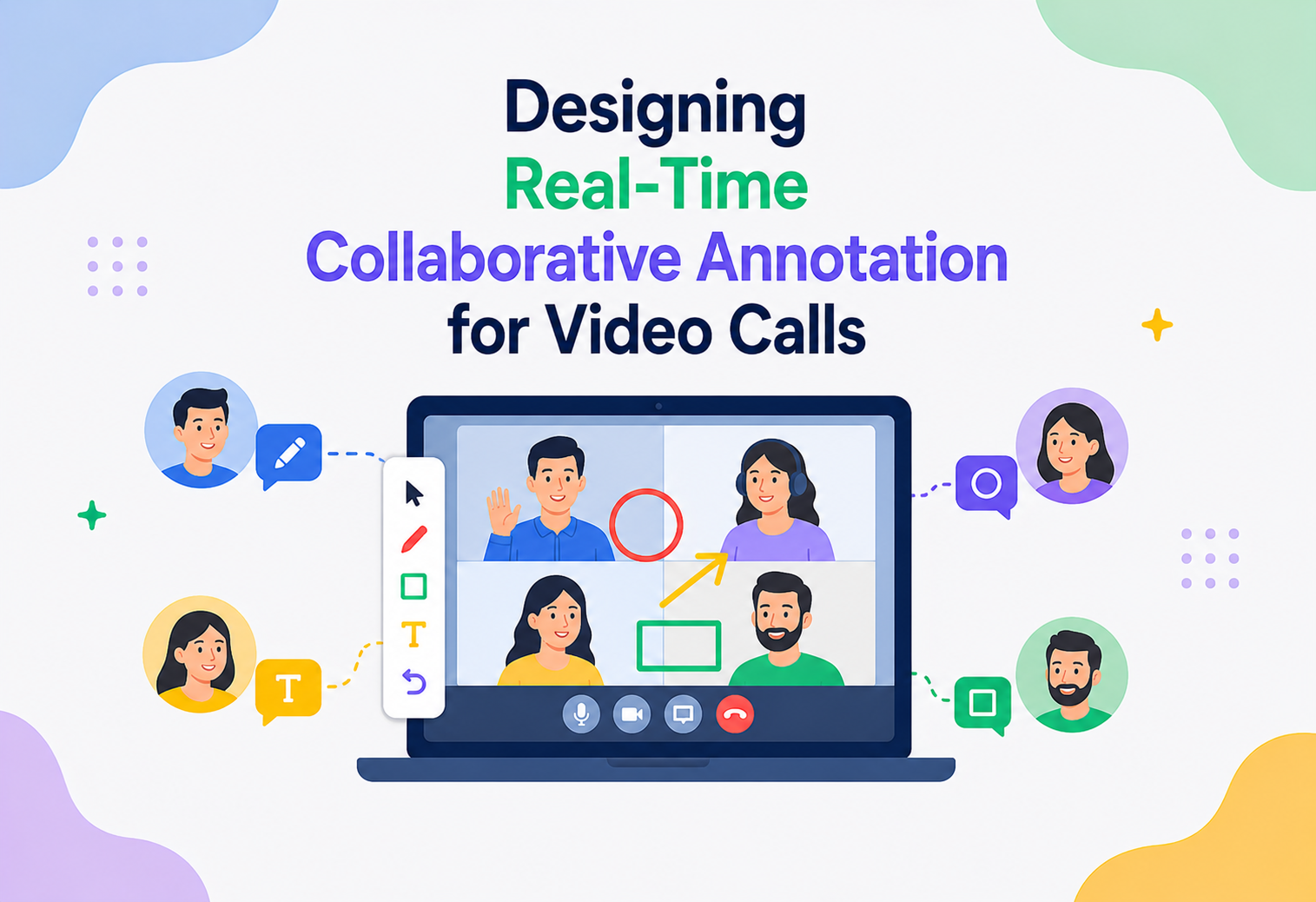
Designing Real-Time Collaborative Annotation for Video Calls
A complete system design walkthrough for building a shared drawing and highlighting layer on top of screen sharing in a live video call — covering conflict resolution, synchronization, rendering, scalability, and reliability, written for interview preparation and real production understanding.
Introduction & History
Picture a design review over a video call: one person shares their screen showing a product mockup, and instead of saying “see that button in the top right, no, a bit more to the left,” everyone on the call can simply draw a circle around it, or highlight a paragraph of text, and everyone else sees that mark appear on their own screen within a fraction of a second — while the underlying video call keeps running smoothly. This is real-time collaborative annotation: a shared drawing surface layered on top of a shared screen, where multiple people can mark it up at the same time, from different devices, on different networks, without their edits colliding or getting lost.
This is a genuinely interesting distributed systems problem because it combines three things that are individually hard and become harder together: real-time multi-user synchronization (many people editing the same shared canvas concurrently), low-latency rendering (a pen stroke must feel instant to the person drawing it, and near-instant to everyone watching), and conflict resolution (what happens when two people annotate the same spot on the screen at the same moment, or one person is still drawing while the screen-shared content itself scrolls or changes underneath them).
A Brief History
Collaborative editing as a research problem predates video calling by decades. Early work on Operational Transformation (OT) in the 1990s, used in systems like Google Docs, solved the problem of merging concurrent text edits from multiple users into one consistent document. In the 2010s, a newer family of techniques called Conflict-free Replicated Data Types (CRDTs) emerged, offering mathematically guaranteed conflict resolution without needing a central server to sequence every operation — a property that turned out to be extremely useful for real-time, peer-to-peer-ish collaborative tools.
Digital whiteboarding products like Miro, Figma’s multiplayer canvas, and Google Jamboard popularized real-time collaborative drawing outside of the video call context first. Video conferencing platforms then began integrating this directly into the call experience — Zoom’s Whiteboard and annotation-on-screen-share, Microsoft Teams’ inking and Whiteboard app, and Google Meet’s collaborative annotation tools are all examples of this convergence, where the annotation layer is synchronized in real time alongside, and sometimes directly on top of, the live video and screen share.
In this tutorial, we design this annotation layer from scratch: given an existing video calling and screen-sharing infrastructure, how do we build a system that lets multiple participants draw, highlight, and mark up a shared screen simultaneously, with their edits appearing to everyone else within roughly 100 milliseconds, staying consistent even under network jitter, packet loss, and participants joining or leaving mid-session?
Think of a group of illustrators standing around a single glass whiteboard, each with their own marker, all sketching at the same time. Nobody waits their turn. Their pens land wherever they choose, sometimes overlapping, but the surface itself has a rule: whatever was drawn stays exactly where it was drawn, and everyone standing around the board sees the same picture. A real-time collaborative annotation system is that glass whiteboard, except each “illustrator” is on a different continent and their “marker” is a stream of network messages that has to arrive, be merged, and be redrawn on every other person’s screen within about a tenth of a second.
Not the video/screen-sharing pipeline itself (assumed to already exist, similar to the WebRTC-based infrastructure discussed in other system design tutorials in this series), but the collaborative annotation layer that sits on top of it — capturing drawing input, synchronizing it across all participants in real time, resolving concurrent edits consistently, and rendering it smoothly for everyone.
Understanding the Problem
Before drawing a single box on a whiteboard, we nail down what the annotation layer must do and how well it must do it — separately from what the underlying video call already handles.
2.1 Functional Requirements
- Allow any participant (or a permitted subset of participants) to draw freehand strokes, shapes, highlights, text notes, and pointers/cursors on top of a shared screen or whiteboard canvas.
- Synchronize all annotations across every participant’s client in real time, so everyone sees the same marks in the same positions at nearly the same time.
- Support many participants annotating simultaneously without edits overwriting or corrupting each other.
- Preserve annotation history so participants can undo/redo their own actions, and so the session can optionally be saved, exported, or replayed later.
- Correctly anchor annotations to the underlying shared content, so a circle drawn around a button stays around that button even if the screen shares a scrolling document or a resized window.
- Support participants joining mid-session and immediately seeing the full current state of the canvas, not just future edits.
- Allow the host or presenter to control who can annotate, clear the canvas, or lock the annotation layer.
2.2 Non-Functional Requirements
- Low latency: A stroke should render locally for the person drawing it with zero perceptible delay, and appear on other participants’ screens within roughly 50–150 milliseconds for the interaction to feel “live” rather than laggy.
- Strong eventual consistency: Every participant’s canvas must converge to the same final state, even though they may briefly see slightly different intermediate states while edits are in flight.
- Scalability: Support meetings ranging from two people to potentially hundreds of viewers, with a smaller subset of active annotators, without the synchronization mechanism becoming a bottleneck.
- Resilience to network conditions: Continue working smoothly (or degrade gracefully) under packet loss, high jitter, temporary disconnects, and participants on very different network qualities simultaneously.
- Data durability: Annotation history should not be lost due to a single participant’s disconnect or a server restart, and should support persistence for later retrieval if the session is saved.
- Low resource footprint: Rendering must stay smooth (60 frames per second where possible) even on lower-powered client devices, since annotation often runs alongside video decoding and screen-share rendering, which are already resource-intensive.
2.3 Why This Is Architecturally Hard
The central tension in this system is between local responsiveness and global consistency. For a stroke to feel instant, the client must render it immediately, before waiting for any server round-trip. But if two participants draw over the same region at the same moment, or one participant’s edit arrives at the server out of order due to network delay, the system must still reach a single, identical final state on every participant’s screen, without requiring a slow, lock-based “wait your turn” model that would kill the sense of real-time collaboration. This is precisely the class of problem that CRDTs and Operational Transformation were designed to solve, and the choice between them (and how they’re implemented here) is the single most important design decision in this system.
- “Why not just have the server be the single source of truth and have every client wait for server confirmation before rendering a stroke?” — That would add a full round-trip of latency to every single pen movement, which is perceptible and would make drawing feel sluggish and unnatural; instead, clients render optimistically and reconcile with the authoritative merged state shortly after.
- “What’s fundamentally different about this compared to collaborative text editing (like Google Docs)?” — Drawing operations are spatial and continuous (a stroke is a stream of many small point updates) rather than discrete, indexed character insertions/deletions, and visual overlap (two strokes crossing) doesn’t need “merging” the way overlapping text edits do — it just needs both strokes to render, which actually makes some aspects of this easier than text CRDTs, though high-frequency point-level updates create their own throughput challenges.
High-Level Architecture
The system layers cleanly on top of existing video/screen-share infrastructure: the video and screen-share media keeps flowing through the existing real-time media pipeline (SFU-based, as in typical WebRTC video calling systems), while a separate, parallel annotation synchronization plane handles capturing, merging, and broadcasting drawing operations using a low-latency data channel rather than the media pipeline.
3.1 Decision 1 — Local-First Rendering with Server-Assisted Merge
Every client keeps its own local replica of the annotation document (using a CRDT, discussed in depth in Chapter 7) and renders its own operations immediately, without waiting for a server round-trip. The server-side merge engine is not a gatekeeper that must approve every stroke before it appears — it is a sequencing and broadcast helper that ensures every client eventually converges to the same final state. This is the single biggest latency win in the entire system.
3.2 Decision 2 — Annotation Sync Is Decoupled From Media Transport
Just as the translation plane in a speech-translation system taps a copy of the audio without sitting in its critical path, the annotation sync plane is entirely separate from the video/screen-share media pipeline. Annotation operations travel over their own lightweight, ordered data channel. This means an annotation service outage never disrupts the underlying call, and the annotation layer can be scaled, deployed, and debugged independently of the video infrastructure.
Core Components Explained
Each box in Figure 1 has a specific responsibility. Understanding each in isolation makes the data-flow chapters that follow much easier to reason about.
Input Capture Layer
Running on each client, this component listens to pointer, touch, and stylus/pen events, converting raw hardware input (mouse movements, touch points, pressure data from a stylus) into structured drawing operations — for example, a sequence of coordinate points that make up a freehand stroke, or a single shape-creation operation for a rectangle or arrow tool. It also handles input smoothing (reducing jitter in a fast hand movement) and coordinate normalization, converting raw pixel positions into a resolution-independent coordinate space so annotations render correctly regardless of each participant’s screen size or zoom level.
Local CRDT Document Replica
Each client maintains an in-memory replica of the shared annotation document, structured as a Conflict-free Replicated Data Type. When the local user draws, the operation is applied to this local replica immediately (which is what makes local rendering instant), and is also queued to be sent to the sync plane. When remote operations arrive from other participants, they are merged into this same local replica using the CRDT’s merge function, which is mathematically guaranteed to produce the same result regardless of the order operations arrive in.
Canvas Renderer
A rendering component (typically built on HTML5 Canvas, WebGL, or a similar GPU-accelerated 2D rendering surface for web clients) that draws the current state of the CRDT document to the screen, layered visually on top of the shared screen or whiteboard background. It is optimized to redraw only the changed regions (dirty-rectangle rendering) rather than the entire canvas on every update, which matters a lot for keeping frame rates smooth when many strokes are being added rapidly by multiple participants.
Realtime Sync Gateway
A stateful edge service that each client maintains a persistent low-latency connection to (typically a WebSocket or WebRTC data channel), responsible for receiving local operations from clients, forwarding them to the merge engine, and pushing merged/broadcast operations back out to all connected clients in a session. This is analogous to the media edge node in a video calling system, but for annotation operations instead of audio/video packets.
CRDT Merge and Sequencing Service
The authoritative service that receives operations from all participants in a session, applies them to a canonical server-side CRDT replica, assigns them a globally consistent order where needed (for operations like undo/redo and layering order that benefit from an agreed-upon sequence), and broadcasts the merged result back out. Even though CRDTs are designed to allow peer-to-peer merging without a central authority, most production systems still use a lightweight central sequencing service per session for practical reasons: simpler network topology (star instead of full mesh), easier persistence, and easier access control enforcement.
Annotation Session Store
Holds the current authoritative state of each active session’s annotation document in memory (for fast access by the merge engine) and periodically checkpoints it, so a late-joining participant can be handed the current full state quickly rather than replaying every individual operation from the start of the session.
Persistence and Snapshot Worker
Asynchronously persists annotation session snapshots and, optionally, the full operation history to durable storage, supporting features like saving a whiteboard for later, exporting an annotated screenshot, or replaying how a session evolved over time — all without adding latency to the live collaboration path, since persistence happens out-of-band.
Access Control / Permission Service
Enforces who can draw, who can clear the canvas, and who can lock or unlock annotation for the session, based on roles set by the meeting host — checked both at the point operations are submitted (client-side, for immediate feedback) and authoritatively at the sync gateway/merge engine (server-side, since client-side checks alone can be bypassed).
- “If CRDTs are designed for decentralized, serverless merging, why use a central merge service at all?” — A lightweight central service simplifies the network topology (clients don’t need to connect to every other client directly), makes persistence and late-join state transfer much simpler, and provides a natural place to enforce access control and abuse prevention — the CRDT’s mathematical guarantees are still what makes the merge itself correct and order-independent, the server is just a convenient relay and sequencer, not a lock-holding authority.
- “Why render locally before the server confirms the operation?” — Because waiting for a round-trip before showing a user their own pen stroke would make drawing feel laggy and unnatural; this is the same “optimistic UI” principle used in many real-time collaborative products, and it’s safe here because CRDT merge guarantees the local optimistic state will always converge correctly with everyone else’s.
Internal Working — From Pen Stroke to Synced Canvas
This chapter walks step-by-step through what happens between the moment a participant’s finger or mouse moves and the moment every other participant sees that stroke render on their own screen.
5.1 Capturing a Stroke
As a participant drags their mouse or finger across the shared screen, the input capture layer samples position events at a high rate (commonly matching the device’s input event rate, often 60–120 times per second) and batches them into small groups of points rather than sending every single point as a separate network message, which would be wasteful. This batching window is typically very short (on the order of 10–20 milliseconds) so it does not noticeably add to perceived latency.
5.2 Local Application and Optimistic Rendering
Each batch of points is immediately appended to the in-progress stroke operation in the local CRDT replica and rendered to the canvas without waiting for any network round-trip. This is what makes drawing feel instantaneous to the person doing it, regardless of their network latency to the server.
5.3 Transmission to the Sync Plane
The same batched operation is sent asynchronously to the Realtime Sync Gateway over the client’s persistent connection, tagged with the operation’s unique ID, the author’s client ID, and a logical/vector clock value used by the CRDT merge algorithm to reason about causal ordering (see Chapter 7).
5.4 Server-Side Merge
The merge engine receives operations from all participants in the session, applies them to the canonical server-side replica using the CRDT’s merge function, and determines the operation’s place in the shared document (for example, its z-order/layering relative to other recent operations). This step is designed to be extremely fast — typically sub-millisecond per operation — since it is a mostly in-memory data structure merge, not a heavyweight computation.
5.5 Broadcast to Other Participants
The merged operation is immediately broadcast to every other connected client in the session over their respective persistent connections. Each receiving client merges the incoming remote operation into its own local CRDT replica (again using the CRDT’s merge function, guaranteeing the same eventual result regardless of arrival order) and re-renders the affected region of its canvas.
5.6 Reconciliation of the Originating Client
The originating client also eventually receives its own operation echoed back (or an acknowledgment), which it uses purely for bookkeeping — since it already applied the operation locally and optimistically, this round-trip does not block or change what the user already sees, it simply confirms the operation is now part of the durable, shared session state.
5.7 End of Stroke and Finalization
When the user lifts their pen or releases the mouse button, the stroke operation is finalized (marked complete rather than still-in-progress), which matters for undo/redo semantics and for triggering a checkpoint opportunity in the persistence layer.
Figma’s multiplayer design tool (not a video call product, but the closest well-documented public example of this exact pattern) uses a similar local-first, optimistic-update architecture: every client keeps a local copy of the document, edits apply instantly on the local client, and a central server merges and rebroadcasts changes to all connected clients, giving the felt experience of everyone editing the “same” canvas simultaneously with minimal lag, even though under the hood every client is really working from its own continuously-reconciled replica.
Data Flow & Lifecycle
Zooming out from a single stroke to the lifetime of an entire session, this is how the shared canvas is created, joined, kept in sync, torn down, and archived.
6.1 Session Initialization
When a host enables collaborative annotation during a call (or starts a whiteboard), the client requests a new annotation session from the sync plane, which allocates an empty (or template-preloaded) CRDT document, registers it in the session store, and returns a session identifier that gets associated with the underlying call/meeting ID.
6.2 Participant Join — Full State Sync
When a participant joins the annotation session (at call start, or mid-call if they join late), rather than replaying every historical operation from the beginning — which could be slow for a long session with thousands of strokes — the sync gateway sends them the current authoritative CRDT state as a compact snapshot. The client initializes its local replica from this snapshot and then begins receiving live operations from that point forward, exactly like a new database replica receiving a base snapshot before it starts tailing a change stream.
6.3 Steady-State Collaboration
While the session is active, operations flow continuously from any drawing participant through the sync plane and out to all other participants, following the cycle described in Chapter 5. Multiple participants can be mid-stroke simultaneously; each stroke is tracked as its own independent operation stream, so overlapping strokes from different authors do not interfere with each other’s in-progress state.
6.4 Undo / Redo
Undo is modeled as a new operation that references and logically removes a specific prior operation (rather than physically deleting history, which would break CRDT convergence guarantees for other clients that already merged it). This means undo, like drawing, is itself an operation that gets merged and broadcast through the same pipeline, and every client’s local undo stack only allows undoing that specific client’s own operations by default, matching the intuitive behavior of most collaborative tools where you can’t accidentally undo someone else’s work with your own undo button.
6.5 Canvas Clear and Host Controls
A “clear canvas” action is likewise modeled as an operation (e.g., a tombstone marking all current visible elements as cleared) that flows through the normal merge and broadcast pipeline, rather than a special out-of-band command — keeping the system conceptually simple: everything that changes the shared document is an operation.
6.6 Session Teardown and Persistence
When the call or whiteboard session ends, the persistence worker writes a final snapshot (and, depending on product configuration, the full operation history) to durable storage, and the in-memory session state in the sync plane is released after a grace period, in case of a quick reconnect (e.g., a brief network drop right as the meeting appears to end).
Conflict Resolution — The Core of the System
This chapter deserves special focus because it is the single hardest and most interview-relevant part of the design: how do we guarantee that every participant’s canvas converges to the same final state, even when operations arrive in different orders on different clients, without needing a slow locking mechanism?
7.1 Why Naive Approaches Fail
A naive “last write wins” approach, where the server simply timestamps operations and applies them in timestamp order, breaks down because client clocks are not perfectly synchronized, network delay means operations don’t arrive in the order they were created, and for something like freehand drawing, “last write wins” doesn’t even make semantic sense — two overlapping strokes from two different people should both simply exist on the canvas, not have one overwrite the other.
7.2 CRDTs — The Right Tool for This Job
A Conflict-free Replicated Data Type is a data structure specifically designed so that concurrent, independent updates from multiple replicas can always be merged into a single, consistent state, automatically and without central coordination, as long as the merge function satisfies certain mathematical properties (commutativity, associativity, and idempotence — meaning the order and repetition of merges doesn’t affect the final result).
For an annotation canvas, the shared document can be modeled as an add-only or add-and-tombstone set of drawing elements (each stroke, shape, or text box is an element with a unique ID, author, position data, and style), which is a natural fit for CRDT semantics: adding a new stroke is simply adding a new uniquely-identified element to the set — an operation that trivially commutes with any other add operation, since two different elements being added in either order results in the same final set. Deletion (for undo or clear) is handled with tombstones (marking an element as removed rather than physically deleting it), which avoids a subtle class of bugs where a delete operation arrives before the corresponding add operation on some client due to network reordering.
7.3 Handling In-Progress Strokes (High-Frequency Updates)
A single freehand stroke is not one atomic operation — it’s a continuous stream of point updates while the pen is down. This is handled by treating the stroke as a single CRDT element whose point-list grows incrementally (an “append-only sequence” CRDT nested within the stroke element), so multiple point-update messages for the same in-progress stroke merge cleanly by concatenation, while still being scoped as one logical element others can reference for undo purposes.
7.4 Ordering and Layering (Z-Order)
When two elements visually overlap, participants generally expect a consistent, sensible stacking order (for example, newer strokes drawn on top of older ones) across every client. This is handled by assigning each operation a logical/vector clock or a hybrid logical clock value at creation time, giving every element a well-defined, globally consistent ordering key that every client can independently compute the same way, without needing a central authority to hand out sequence numbers synchronously.
7.5 Anchoring Annotations to Moving/Scrolling Content
A special challenge unique to this domain: if the shared screen shows a scrolling document or a resizable window, an annotation drawn at a specific pixel position needs to “stick” to the underlying content, not stay fixed at that screen pixel. This is solved by capturing annotation coordinates relative to the shared content’s coordinate space (for example, relative to the screen-share video frame’s content bounds and any available scroll/viewport metadata from the sharer’s application, when accessible) rather than the viewer’s raw screen pixels, and re-projecting annotations onto each viewer’s local rendering of the shared content — an imperfect problem in the general case (since the receiving side often only sees pixels, not structured document content), which is why many products constrain fully “anchored” annotation to specific supported surfaces like a dedicated whiteboard canvas, while treating annotation-on-arbitrary-screen-share as a simpler, viewport-relative overlay that doesn’t attempt to track underlying content scroll.
- “Walk me through what happens if Participant A and Participant B both draw a stroke at nearly the same time, and their operations arrive at the server in reverse order relative to when they happened.” — Because each stroke is added as a distinct, uniquely-identified CRDT element, and set-union style merges are order-independent, both strokes simply end up present on every client’s canvas regardless of arrival order; the only thing arrival order can affect is fine details like z-order tie-breaking, which is resolved deterministically using each operation’s logical clock, not physical arrival time.
- “Why use tombstones for deletion instead of actually removing the element?” — If a delete operation for an element reaches a client before the corresponding add operation (due to network reordering), physically deleting “an element that doesn’t exist yet” is undefined; a tombstone approach instead means the add always happens first logically, and a later-arriving tombstone correctly suppresses it regardless of the physical arrival order on that particular client.
- “How is this different from Operational Transformation, which Google Docs is known for using?” — OT achieves consistency by transforming each incoming operation against concurrently-applied operations before applying it, which requires careful, order-sensitive transformation functions and typically a central server to sequence operations; CRDTs instead design the data structure itself so that merges are inherently order-independent, which tends to be simpler to reason about for spatial, largely non-overlapping-in-meaning operations like drawing, though OT can be more storage-efficient for fine-grained text editing — the two approaches solve the same class of problem with different trade-offs.
Latency & Performance
A stroke that appears late is a stroke that ruins the feeling of collaboration. This chapter breaks down where the milliseconds go and what to do about each of them.
8.1 A Representative Latency Budget
| Stage | Typical Added Latency | Notes |
|---|---|---|
| Local input capture and optimistic render | 0 ms (perceived) | Rendered instantly on the drawing participant’s own screen before any network round-trip. |
| Client-to-gateway network transport | 10–50 ms | Depends on the drawer’s distance to the nearest sync edge node. |
| Server-side CRDT merge | <1–3 ms | In-memory data structure operation; extremely fast by design. |
| Broadcast fan-out to other participants | 10–50 ms per recipient | Depends on each recipient’s distance to the sync edge node; parallelized across recipients. |
| Remote client merge and re-render | 1–5 ms | CRDT merge plus a partial (dirty-rectangle) canvas redraw. |
Put together, the drawing participant sees zero added latency, and other participants typically see a new stroke appear within 50–150 milliseconds end to end — well within the range where the interaction feels live and collaborative rather than delayed.
8.2 Rendering Performance
Beyond network latency, client-side rendering performance matters just as much for a “smooth” feel. Key techniques include dirty-rectangle rendering (only redrawing the screen regions that actually changed, rather than the entire canvas on every update), using GPU-accelerated rendering surfaces (WebGL or Canvas with hardware acceleration) rather than software rendering for anything beyond very simple cases, and decoupling the rendering frame rate from the network update rate — a client should smoothly interpolate or simply hold the last-known state between network updates rather than trying to redraw synchronously on every single incoming network message, which could cause frame stutter under bursty network delivery.
8.3 Point Sampling and Compression
Sending every raw input event over the network is wasteful and can itself introduce a form of self-inflicted latency due to message volume. Production systems apply point-batching (grouping several milliseconds of movement into one message, as discussed in Chapter 5), stroke simplification algorithms (reducing a dense sequence of nearly-collinear points down to a smaller set of points that still visually represent the same curve, such as a Douglas-Peucker style simplification applied progressively as the stroke is drawn), and delta/binary encoding of coordinate data rather than verbose text-based formats, to keep the message volume and size manageable even during fast, detailed drawing.
8.4 Handling High-Frequency Multi-User Drawing
In a busy session with many participants actively drawing at once (common in brainstorming-style meetings), the sync gateway and merge engine need to sustain a high message throughput without becoming a latency bottleneck themselves. This is handled by keeping the merge engine’s per-operation work extremely lightweight (a CRDT merge is designed to be cheap), batching outbound broadcast messages per recipient over a short window (a few milliseconds) to amortize network overhead without meaningfully increasing perceived latency, and horizontally scaling sync gateway instances per session’s connection load, discussed further in Chapter 9.
- “How would you keep frame rate smooth if the network suddenly delivers a burst of 50 queued operations at once after a brief network hiccup?” — Apply all 50 operations to the CRDT replica in one batch (which is cheap), but coalesce the resulting re-render into a single canvas redraw pass rather than 50 separate redraws, aligned to the browser’s animation frame callback so rendering stays synced to the display’s refresh rate rather than thrashing.
- “Where would you look first to shave latency off this pipeline?” — Usually the network leg to and from the sync gateway, since server-side merge work is already sub-millisecond; regional placement of sync gateway edge nodes close to users has a much bigger impact than further optimizing the already-fast merge computation.
Scalability
Scaling this system means scaling two very different loads at once: many concurrent sessions across the platform, and many concurrent participants inside any one large session.
9.1 Scaling Dimensions
This system scales along two mostly independent dimensions: the number of concurrent annotation sessions (roughly proportional to the number of concurrent calls using the feature) and the number of participants and operation volume within any single session (a large all-hands meeting with a shared whiteboard behaves very differently from a two-person 1:1 design review).
9.2 Session-Sharded Architecture
Each annotation session’s canonical CRDT state and merge logic is owned by exactly one merge engine instance at a time (sharding sessions across a pool of merge engine instances, for example via consistent hashing on session ID), so that all operations for a given session are processed by a single, consistent owner without needing distributed locking across the whole system — this keeps the per-session merge logic simple (single-writer-per-session for the canonical state) while still allowing the overall system to scale horizontally by adding more merge engine instances to handle more concurrent sessions.
9.3 Fan-Out Scaling for Large Viewer Counts
For sessions with many participants (think a large webinar-style call where hundreds of people can see a shared whiteboard but only a handful actively annotate), broadcasting every operation to every connected client directly from a single merge engine instance would not scale well. This is addressed with a fan-out tree: the merge engine broadcasts each merged operation to a set of sync gateway edge nodes (regionally distributed, close to clusters of viewers), and each edge node fans the operation out to its locally-connected clients — similar in spirit to how a CDN or a media SFU fans out content, avoiding a single node needing a direct connection to every participant in a large call.
9.4 Read-Heavy vs. Write-Heavy Participants
In most real meetings, only a few participants actively draw at any given moment while many others are purely viewing. The architecture takes advantage of this asymmetry: viewer-only clients only need a one-way subscription to the operation broadcast stream (cheap to serve at scale, similar to fanning out a read-only feed), while only actively-drawing clients need the full bidirectional low-latency path, which keeps the system’s real bottleneck — bidirectional, low-latency handling — scoped to a much smaller number of concurrent active connections than the full participant count.
9.5 Handling Very Long-Running Sessions
A whiteboard or annotation session that persists across a long meeting (or is reused across many meetings, as a persistent team whiteboard) can accumulate a very large operation history over time. The system periodically compacts this history into consolidated snapshots (folding many small historical operations into a single current-state representation once they’re old enough that no client is likely to still need the fine-grained history for conflict resolution), keeping both the in-memory working set and the state handed to newly joining clients bounded in size rather than growing unboundedly with session age.
- “Why shard by session ID rather than, say, by participant ID?” — All operations that need to be merged together belong to the same session, so co-locating a session’s canonical state and merge logic on one shard avoids cross-shard coordination for every single operation; sharding by participant would scatter a single session’s related operations across many shards and require constant cross-shard communication just to merge one document.
- “How would you support a whiteboard with 500 viewers but only 5 active drawers?” — Treat the 5 drawers as full bidirectional low-latency participants, and serve the other 495 as a fanned-out, one-way broadcast subscription through regional edge nodes, similar to a large-scale content distribution problem rather than treating every viewer as an equally expensive bidirectional connection.
High Availability & Reliability
The annotation layer must be resilient enough that its worst day never becomes the video call’s worst day, and healthy enough that individual participant network hiccups do not derail the shared canvas.
10.1 Annotation Failure Must Not Break the Call
Exactly as with the media plane isolation principle from Chapter 3, if the annotation sync plane experiences an outage, the underlying video call and screen share must continue completely unaffected — participants simply lose the ability to draw or see new annotations temporarily, with the client clearly indicating this degraded state rather than silently failing.
10.2 Merge Engine Failover
Because each session’s canonical state is owned by a single merge engine shard, that shard failing is a real risk that needs a concrete failover plan: the canonical CRDT state is periodically checkpointed to a fast, replicated in-memory store (not just held only in the merge engine’s local process memory), so if a shard fails, session ownership can be quickly reassigned to a healthy shard, which rehydrates from the last checkpoint plus any operations still available in a short-lived replay buffer, minimizing lost or duplicated state.
10.3 Client-Side Resilience
Because every client holds a full local CRDT replica, a temporary disconnection from the sync gateway does not stop the local user from continuing to draw — their operations simply queue locally and are sent once connectivity is restored, at which point they merge into the canonical state exactly like any other operation, arriving “late” but still converging correctly thanks to the CRDT’s order-independence. This offline-tolerant behavior is a natural, almost free benefit of the local-first architecture chosen in Chapter 3.
10.4 Handling Duplicate or Out-of-Order Delivery
Network retries can cause an operation to be delivered more than once, or delivered out of order relative to other operations. Because CRDT merges are idempotent (merging the same operation twice has no additional effect) and order-independent by design, the system tolerates both duplicate delivery and reordering without any special-case handling logic beyond what the CRDT already guarantees — a significant reliability advantage over designs that would need custom deduplication and strict ordering logic.
10.5 Multi-Region Redundancy for the Merge Tier
Merge engine shards are deployed with standby replicas, potentially in a different availability zone, that can take over session ownership quickly on primary failure, following the same checkpoint-and-replay-buffer recovery approach described above.
- “What happens to a participant’s in-progress stroke if their connection drops mid-stroke?” — It continues rendering locally (since it’s already applied to their local CRDT replica) and is queued for delivery once the connection is restored; other participants simply don’t see that particular stroke until it arrives, and the CRDT’s order-independent merge means it will integrate correctly whenever it does arrive, even if other operations happened on other clients in the meantime.
- “Why is CRDT-based design particularly well suited to a system that also needs to tolerate flaky mobile/laptop network conditions?” — Because the core correctness property — convergence regardless of operation order, duplication, or delay — is exactly the property needed to gracefully handle real-world unreliable networks, rather than requiring bolt-on retry/deduplication/ordering logic on top of a system that assumes reliable, ordered delivery.
Security & Privacy
Annotation sits directly on top of screen-shared content that can be highly confidential. The security model has to treat the annotation channel with the same seriousness as the underlying share.
11.1 Access Control Enforcement
Even though clients render optimistically, the server-side merge engine (not just the client UI) must authoritatively enforce who is allowed to submit operations to a given session, since a client-side-only permission check can be bypassed by a modified or malicious client. Operations from a participant without draw permission, or arriving after the host has locked the canvas, are rejected at the merge tier rather than merely hidden in the UI.
11.2 Encryption in Transit
The persistent connection between clients and sync gateway edge nodes is encrypted (TLS for WebSocket connections, or the equivalent security properties of an encrypted WebRTC data channel), matching the security posture of the underlying call.
11.3 Content Sensitivity of Annotated Screens
Because annotation typically sits on top of a shared screen, which can contain highly sensitive business content (financial data, source code, confidential documents), annotation session data (which includes positional and sometimes textual metadata referencing that underlying content) should be treated with the same sensitivity and access controls as the screen share itself, and should follow the same tenant/organization data isolation principles as any other enterprise collaboration data.
11.4 Data Retention and Export Controls
Annotation history should be retained only according to explicit organizational policy (some organizations want whiteboards saved indefinitely for later reference; others want ephemeral annotations wiped immediately after a call ends), and export/download of saved annotation sessions should respect the same data-loss-prevention and export controls an enterprise applies to other sensitive content.
11.5 Abuse Prevention
Since anyone with draw permission can submit rapid, high-volume input, the system needs basic rate-limiting per client on operation submission to prevent a single participant (accidentally or maliciously) from flooding the session with excessive data and degrading the experience for everyone else, along with basic content moderation hooks where relevant (for example, flagging inappropriate freehand drawings or text in a moderated/education context).
- “Why can’t you rely on the client UI alone to prevent a viewer-only participant from drawing?” — Any check enforced purely in client-side code can be bypassed by someone using a modified client or directly crafting network messages, so the authoritative check must live server-side at the merge tier, which is the only place that can’t be tampered with by an individual participant’s device.
- “How would you rate-limit without hurting the experience for a legitimately fast, detailed drawer?” — Rate-limit at the message/bandwidth level (bytes or messages per second) rather than a naive fixed operation count, tuned generously enough to comfortably cover realistic fast freehand drawing throughput, and apply it per-client so one participant’s limit doesn’t affect others.
Monitoring, Logging & Metrics
Because CRDT bugs can silently produce visually divergent state across participants without throwing an error, this system relies on carefully chosen metrics — especially convergence-verification — to catch problems before users report them.
12.1 Latency Metrics
- Local-render latency: Should be effectively zero by design; regressions here indicate a client-side performance bug, not a network issue.
- Operation propagation latency: Time from a client submitting an operation to it being visible on other participants’ screens — the key user-facing “how live does this feel” metric.
- Merge engine processing time: Should stay in the low-single-digit-millisecond range; a rising trend here signals a scaling or resource contention problem in the merge tier.
12.2 Consistency and Correctness Metrics
- Convergence drift detection: Periodic background checks comparing a lightweight hash of each active client’s local canvas state against the server’s canonical state, surfacing any unexpected divergence that would indicate a bug in the CRDT merge implementation.
- Operation replay/duplicate rates: Tracking how often operations are retried or duplicated, useful for understanding real-world network conditions across the user base.
12.3 System Health Metrics
- Concurrent active sessions and connections per sync gateway edge node and per merge engine shard.
- Message throughput (operations per second) per session, to catch unusually high-volume sessions early.
- Checkpoint and snapshot success rates and durations in the persistence layer.
- Failover events and recovery time for merge engine shard reassignment.
12.4 Client-Side Real User Monitoring
Since rendering smoothness is highly dependent on each participant’s own device performance, client applications report frame-rate and dropped-frame metrics, local CRDT merge time, and canvas redraw duration, which server-side metrics alone cannot observe — critical for diagnosing “it feels laggy” reports that might actually be a client rendering bottleneck rather than a network or server issue.
- “How would you detect a bug in your CRDT merge logic in production before users notice visual inconsistencies?” — Run periodic background state-hash comparisons between client replicas and the server’s canonical state; any mismatch is a strong, early signal of a merge correctness bug, well before it would otherwise surface as a confusing user-reported “my drawing disappeared” ticket.
- “A user reports their drawing feels laggy — how do you figure out if it’s a client, network, or server issue?” — Check client-side RUM metrics for local frame rate and render time first (since local rendering should be near-instant regardless of network), then check operation propagation latency for that session, then check merge engine processing time and shard load — working outward from the client, since local rendering issues are a very different problem from network/server propagation delay.
Deployment & Cloud Infrastructure
The deployment topology mirrors the architectural split: connection-heavy edge nodes near users, session-owning stateful shards in the middle, and asynchronous persistence bolted on the side.
13.1 Regional Edge Deployment
Sync gateway edge nodes are deployed across multiple geographic regions, close to concentrations of users, so the network leg of the latency budget (Chapter 8) stays small; this mirrors the regional edge placement strategy used for the underlying video/screen-share media infrastructure.
13.2 Merge Tier Deployment
The session-sharded merge engine tier runs as a horizontally scalable service (a natural fit for container orchestration platforms like Kubernetes), with session-to-shard assignment managed by a lightweight routing layer using consistent hashing, and standby replicas per shard for fast failover as described in Chapter 10.
13.3 Stateless vs. Stateful Deployment Concerns
Sync gateway edge nodes are largely connection-routing components and can be scaled relatively simply; the merge tier is the stateful heart of the system (owning canonical session state) and needs more careful deployment practices — rolling deployments that gracefully hand off session ownership to a new instance rather than abruptly dropping in-flight sessions, and deployment health checks that verify a new merge engine instance can correctly load and serve checkpointed state before receiving live traffic.
13.4 Canary Rollouts for CRDT Logic Changes
Because correctness of the merge logic is so central to this system, changes to CRDT merge implementation details are rolled out especially carefully — canaried to a small percentage of new sessions, monitored closely using the convergence drift detection described in Chapter 12, with an easy, fast rollback path if any inconsistency is detected, since a subtle merge logic bug could silently cause visual divergence across a whole session’s participants.
13.5 Persistence Layer Infrastructure
Snapshot and history persistence runs as an asynchronous background workload against durable object storage (for snapshots and exports) and/or an append-only log store (for full operation history where retained), decoupled from the live collaboration path so persistence latency or hiccups never affect real-time responsiveness.
Databases, Caching & Load Balancing
Different tiers of state need very different storage guarantees. Getting this split right is what keeps the hot path fast while still making saved whiteboards durable.
14.1 What Needs Persistent Storage
The canonical, real-time CRDT state for an active session lives primarily in memory in the merge tier for speed; what needs durable storage is periodic checkpoints/snapshots of that state (for fast recovery and fast late-join state transfer), optionally the full operation history (for replay, audit, or detailed undo-across-sessions features), and session/meeting metadata (which session belongs to which call, permissions, host settings).
14.2 In-Memory Replicated Store for Checkpoints
A fast, replicated in-memory data store (such as Redis or a similar system) holds the most recent checkpoint of each active session’s state, enabling quick failover (Chapter 10) and quick state handoff to newly joining participants, without needing to hit slower durable storage on the hot path of an active collaboration session.
14.3 Durable Object Storage for Long-Term Persistence
Once a session ends (or on a periodic interval for long-running sessions), a full snapshot is written to durable object storage for long-term retention, export, and later retrieval — optimized for durability and cost rather than the ultra-low latency needed for live collaboration.
14.4 Caching Strategies
- Session metadata caching: Permission and host-setting lookups are cached at the sync gateway to avoid a database round-trip on every single operation submission, since permission checks happen extremely frequently during an active session.
- Snapshot caching for fast late-join: The most recent checkpoint is kept warm in the in-memory store specifically so a newly joining participant can be handed the current state with minimal delay, rather than reconstructing it from a full operation history replay.
14.5 Load Balancing
Similar to the session-affinity requirement discussed in other real-time streaming systems, connections to the merge tier need to be session-aware: all operations for a given session must reach the same merge engine shard, so load balancing here is done via consistent hashing on session ID at the routing layer, not generic round-robin distribution. Sync gateway edge node selection, on the other hand, is more like typical connection load balancing — clients connect to their nearest healthy regional edge node, chosen via geo-aware DNS or anycast routing.
- “Why not just persist every operation directly to a database as it happens, and skip the in-memory checkpoint layer?” — Writing every single fine-grained drawing operation synchronously to durable storage would add unacceptable latency to the live collaboration path and create a very high write-volume burden on the durable store; the in-memory layer keeps the hot path fast, while asynchronous, batched persistence handles durability without being on that critical path.
APIs & Microservices Design
The service split follows the same clean plane-separation the architecture chapter argued for, and the wire protocol has to carry high-frequency drawing data efficiently.
15.1 Service Boundaries
The system decomposes into: the Sync Gateway (client connection handling and regional fan-out), the Merge Engine (canonical CRDT state and merge logic, session-sharded), the Session/Permission Service (session lifecycle, host controls, access control), and the Persistence Service (snapshotting, history, export). Each scales and deploys independently, and each has a clearly separated responsibility, similar in spirit to the service decomposition used in other real-time collaborative or streaming systems.
15.2 Protocol Choices
Client-to-gateway communication uses a persistent, low-latency, ordered-enough transport — a WebSocket connection or a WebRTC data channel (convenient to reuse if the client is already using WebRTC for the underlying call) — carrying compactly encoded operation messages (binary encoding is generally preferred over verbose text/JSON for high-frequency drawing point data, to reduce both size and parsing overhead). Internal gateway-to-merge-engine and merge-engine-to-gateway communication typically uses an efficient internal streaming protocol like gRPC streaming, similar to the internal service communication patterns used elsewhere in real-time systems.
15.3 Public API for Third-Party Integration
For platforms that want to embed this collaborative annotation capability into their own products, a higher-level API is exposed: an endpoint to create/join an annotation session bound to a call or standalone whiteboard, a streaming connection for submitting and receiving operations, REST-style endpoints for session management (permissions, export, snapshot retrieval), and a well-documented operation schema so third-party clients can implement a compatible CRDT-based local replica if building a fully custom client, or use a provided client SDK that handles the CRDT logic internally.
15.4 API Contract Considerations
The operation schema needs to explicitly represent each operation’s type (add stroke, add shape, delete/tombstone, undo-marker, clear), its unique ID and author, its logical clock/ordering metadata, and its content payload (points, style, position) — designed to be stable and extensible, since new annotation tools (a new shape type, a laser-pointer/ephemeral cursor mode) will be added over time without wanting to break the fundamental merge and sync contract.
15.5 Ephemeral vs. Persistent Operations
Not everything in this system needs full CRDT persistence semantics — live cursor position broadcasting (showing where each participant’s pointer currently is, even when they’re not actively drawing) is a good example of an ephemeral, high-frequency, “latest value wins, no history needed” data stream, and is deliberately handled through a simpler, lighter-weight broadcast path than the durable, order-independent CRDT operations used for actual drawn content, since applying full CRDT merge and persistence machinery to a value that changes 60 times a second and has zero historical value would be unnecessary overhead.
{
  "op_id":   "01H8YXK9ZC-CLIENTA-0000019",
  "type":    "stroke.append",
  "session": "sess_9f2a",
  "author":  "user_a12",
  "hlc":     { "wall": 1734100000123, "logical": 42 },
  "target":  "elem_stroke_7b1",
  "payload": {
    "style":  { "color": "#f97316", "width": 3 },
    "points": [ [0.412, 0.318], [0.415, 0.319], [0.418, 0.321] ]
  }
}
The important properties of this envelope, regardless of on-the-wire encoding: a globally unique op_id for idempotent merges, a hybrid logical clock (hlc) for deterministic z-order tie-breaking, a target element ID that lets append-only stroke updates coalesce into one CRDT element, and resolution-independent normalized point coordinates that render correctly on any viewer’s screen size.
- “Would you model live cursor positions the same way as drawn strokes?” — No — cursor positions are ephemeral, high-frequency, and only the latest value matters, so they’re broadcast through a lightweight, non-persisted “presence” channel rather than going through the full CRDT merge and durable-history pipeline used for actual drawing content, which needs to be historically consistent and undo-able.
Design Patterns & Anti-Patterns
A short catalog of the patterns this design leans on, and the shortcuts that look tempting but silently break the design.
16.1 Useful Design Patterns
Local-first / optimistic UI
Apply operations locally and instantly, reconcile with the network asynchronously — the foundational pattern of this entire system.
CRDT-based state replication
Guarantees convergence without needing distributed locks or a strict operation-ordering protocol, discussed extensively in Chapter 7.
Single-writer-per-shard
Each session’s canonical state has exactly one owning merge engine shard at a time, avoiding distributed coordination overhead for every operation while still scaling horizontally across many sessions.
Snapshot plus replay-buffer recovery
Periodic checkpoints combined with a short-lived buffer of recent operations enable fast, low-data-loss recovery after a failure, without needing to persist and replay a session’s entire history.
Ephemeral vs. durable channel split
Treating high-frequency, no-history-needed data (like live cursors) differently from durable, order-independent content (like drawn strokes), avoiding unnecessary overhead on the ephemeral path.
16.2 Anti-Patterns to Avoid
| Anti-Pattern | Why It Breaks |
|---|---|
| Waiting for server confirmation before rendering local input | Reintroduces a full network round-trip of latency into every pen movement, destroying the “instant” feel that defines a good collaborative drawing experience. |
| Using a single global lock or “whoever clicks first” turn-based model for editing | Defeats the entire purpose of simultaneous collaboration and does not match how people actually want to use a shared whiteboard during a live discussion. |
| Treating annotation as part of the video media pipeline’s critical path | Couples an inherently more experimental, frequently-iterated feature’s reliability to the reliability of the core call, an unnecessary and risky coupling. |
| Physically deleting elements on undo/clear instead of tombstoning | Breaks convergence guarantees when delete operations can arrive before their corresponding add operations on some client due to network reordering. |
| Applying full CRDT/persistence machinery to purely ephemeral data like live cursors | Unnecessary overhead for data that has no historical or convergence value beyond “what is true right now.” |
| Ignoring session affinity when scaling the merge tier horizontally | Splitting a single session’s operations across multiple independent merge engine instances without coordination reintroduces exactly the distributed consistency problem CRDTs and session-sharding were meant to avoid. |
Best Practices & Common Mistakes
Two focused checklists distilled from the chapters above — what teams that ship this well tend to do consistently, and where the ones that don’t tend to trip.
17.1 Best Practices
- Design the data model around CRDT-friendly operations (add-only sets with tombstones for deletion) from the very beginning, since retrofitting CRDT semantics onto a system originally built assuming a single authoritative mutable document is a very disruptive rewrite.
- Always render locally and optimistically first; treat server round-trips as reconciliation and persistence, never as a gate for the local user’s own perceived responsiveness.
- Keep the merge engine’s per-operation logic extremely lightweight and side-effect-free, so it can sustain high throughput and remain easy to reason about and test for correctness.
- Build convergence-verification tooling (state-hash comparison between clients and server) early, since silent merge-logic bugs are hard to detect through normal functional testing alone.
- Separate ephemeral, high-frequency presence data (cursors, live pointer position) from durable, order-independent content data (actual drawings), and treat each with appropriately different machinery.
- Enforce access control authoritatively at the server/merge tier, never relying on client-side checks alone.
- Plan for late-joining participants from day one with an efficient snapshot-based state transfer, rather than requiring a full operation history replay.
17.2 Common Mistakes
- Choosing a data model that seems simpler at first (a single shared mutable document with server-side locking) without realizing it will fundamentally limit real-time, simultaneous multi-user editing later.
- Underestimating how much client-side rendering performance (not just network latency) affects perceived smoothness, especially on lower-powered devices already busy decoding video and screen share.
- Sending raw, unbatched, high-frequency point events over the network, causing unnecessary message volume and bandwidth pressure without meaningfully improving perceived latency.
- Not testing under realistic adverse network conditions (packet loss, reordering, jitter, brief disconnects) early enough, only discovering convergence edge cases in production.
- Coupling annotation session reliability too closely to the underlying call infrastructure, so that an annotation-layer bug or outage risks affecting the core video calling experience.
Real-World / Industry Examples
Every product in this list solves a slightly different variant of the same problem, and each one’s public design details validate a piece of the architecture above.
Zoom Whiteboard and Annotation-on-Screen-Share
Zoom offers both an annotation layer that participants can draw on top of a shared screen during a call, and a separate persistent Whiteboard product for more structured collaborative diagramming, reflecting the same distinction this tutorial draws between lightweight, viewport-relative screen annotation and a more fully-featured, content-anchored collaborative canvas.
Microsoft Whiteboard and Teams Inking
Microsoft Teams supports live inking and annotation during screen shares, along with a separate Microsoft Whiteboard app that supports real-time multi-user collaborative drawing, sticky notes, and diagramming, syncing across participants’ devices in a call in a manner consistent with the local-first, server-reconciled architecture described in this tutorial.
Figma’s Multiplayer Canvas
Although not a video calling product, Figma is one of the most widely cited real-world examples of a local-first, optimistically-rendered, server-reconciled multiplayer canvas, and its publicly discussed architecture closely mirrors the sync-plane design covered in this tutorial — informing how many later products, including video-call annotation features, approached the same underlying problem.
Google Jamboard and Google Meet Collaboration Tools
Google’s collaborative whiteboarding tools integrated with Meet allow multiple participants to draw and add sticky notes to a shared board in real time during a call, another mainstream example of this same real-time, multi-writer collaborative canvas pattern being deployed directly inside a video conferencing product.
Frequently Asked Questions
A distilled set of the questions that come up repeatedly in interviews and in real design reviews for this feature.
Why is CRDT-based synchronization generally preferred over Operational Transformation for this specific use case?
Freehand drawing and shape annotation are naturally modeled as adding independent, uniquely-identified elements to a shared set, which fits CRDT set semantics very cleanly and doesn’t require the more complex, order-sensitive transformation functions that OT needs for fine-grained, position-indexed text editing; CRDTs also tend to be simpler to reason about for offline-tolerant, peer-resilient behavior, which matters given the variable network conditions of real-world video calls.
How does undo work when multiple people are drawing at the same time?
Each participant’s undo action only affects their own operations by default (their local undo stack tracks their own operation IDs), and undo itself is modeled as a new tombstone-style operation that flows through the same merge and broadcast pipeline as any other edit, so it converges consistently across all clients just like a normal drawing operation would.
What happens if a participant’s device is much slower than everyone else’s?
Their local rendering and CRDT merge may simply take longer on their own device (a client-side performance issue specific to them), but this does not slow down or block other participants, since there’s no central lock or synchronous coordination step that a slow client could stall for everyone else — a direct benefit of the local-first, asynchronous-broadcast architecture.
Can annotations be anchored precisely to content in an arbitrary shared application window?
Only to the extent the sharing application exposes structured position/scroll information; for a generic screen share (just pixels), annotation is generally anchored relative to the video frame’s viewport rather than true underlying document content, which is why a dedicated, purpose-built whiteboard surface (rather than annotation over arbitrary screen share) is used when precise content-anchoring is required.
How is this different from simply sending screenshots with markup back and forth?
A screenshot-and-markup approach is fundamentally a slow, turn-based, non-real-time workflow — closer to asynchronous commenting than live collaboration — while this system’s entire design goal is many people marking up a live, shared view simultaneously with sub-200-millisecond visibility of each other’s edits, which requires the streaming, CRDT-based synchronization architecture covered throughout this tutorial.
Summary & Key Takeaways
Real-time collaborative annotation on a shared screen during a video call is, at its core, a distributed state synchronization problem wrapped around a very human need for instant, natural-feeling interaction. The winning design renders every participant’s own input locally and optimistically, models the shared drawing surface as a CRDT so that concurrent edits from any number of participants always converge to the same final state without central locking, and keeps this entire sync plane decoupled from the underlying video/screen-share media pipeline so that neither can take the other down.
- Render local input instantly and optimistically; treat the network and server as asynchronous reconciliation, never as a latency-adding gate on the user’s own actions.
- Model the shared annotation document as a CRDT (add-only elements with tombstones for deletion) so concurrent, out-of-order, duplicated, or delayed operations always converge correctly.
- Keep the annotation sync plane fully decoupled from the video/screen-share media pipeline — failures in one must never affect the other.
- Shard the stateful merge tier by session ID for horizontal scalability while keeping each session’s merge logic simple and coordination-free.
- Separate ephemeral, high-frequency presence data (cursors) from durable, convergence-critical content data (actual drawings), and treat each with appropriately different machinery.
- Enforce access control authoritatively at the server, never relying solely on client-side checks.
- Build convergence-verification and drift-detection tooling early, since silent CRDT merge bugs are hard to catch through ordinary functional testing.
- Plan for fast, snapshot-based state transfer to late-joining participants rather than full operation-history replay.
- Batch, simplify, and compactly encode high-frequency drawing input to control message volume without adding perceptible latency.
Interviewers asking this question are typically testing whether a candidate can reason clearly about distributed consistency without reaching for heavyweight, latency-costly coordination mechanisms — and whether they naturally think in terms of local-first responsiveness, mathematically sound conflict resolution, and clean separation between a feature’s own reliability domain and that of the critical systems it sits alongside.
Every hard trade-off in this system dissolves once you accept a single principle: the local canvas is the source of truth for the user’s next stroke; the server is the source of truth for the shared history. Local-first for responsiveness, CRDT-merged for correctness, decoupled from media for resilience — get those three right, and everything else in this tutorial is a detail that follows naturally.

