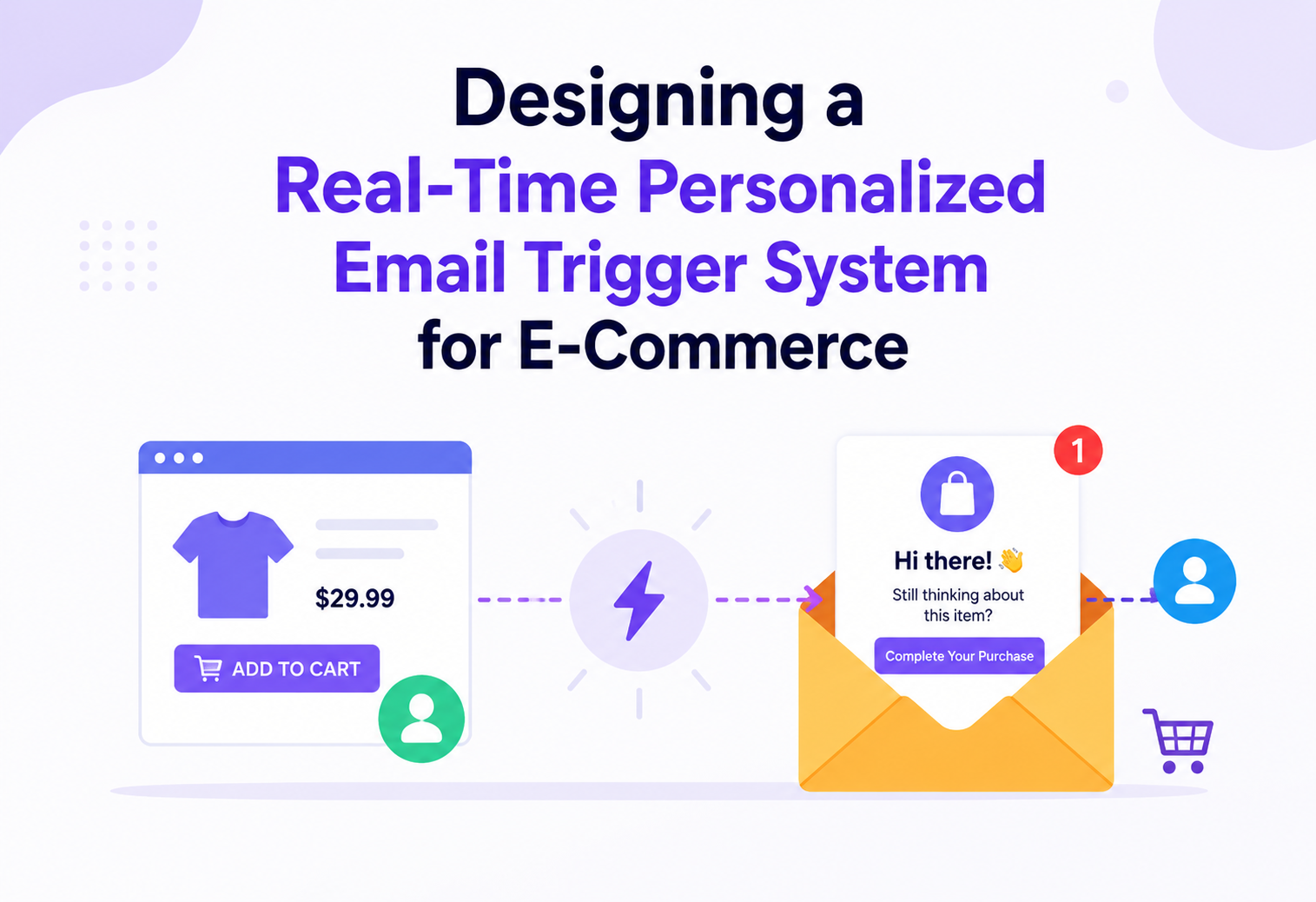
Designing a Real-Time Personalized Email Trigger System for E-Commerce
How to detect a user browsing a product category without buying — and automatically send them the right email, within seconds, at a scale of millions of behavioral events per minute.
Introduction and History
Imagine you visit an online store and spend ten minutes looking at running shoes. You compare three pairs, zoom into the sole design, read a few reviews, and then close the tab without buying anything. A few hours later, you get an email: “Still deciding on your next pair of running shoes? Here are the 3 you looked at, plus free returns.” That email did not exist until you behaved in a certain way. It was created, personalized, and sent automatically, in near real time, because a system was watching your behavior and reacting to it.
This tutorial is about building exactly that system: one that watches millions of shoppers browsing an e-commerce catalog, detects meaningful behavioral patterns such as “browsed a category but did not purchase,” and triggers a personalized email campaign in response — all while handling a scale of millions of requests every single minute.
1.1 A short history of behavioral email marketing
Email marketing started as a broadcast tool. In the late 1990s and early 2000s, companies had one big list of email addresses and sent the same newsletter to everyone on it once a week. There was no concept of “this user did X, so send them Y.” Marketing teams manually created segments using spreadsheets and simple rules like “everyone who signed up before 2005.”
The next big shift came with the rise of marketing automation platforms in the mid-2000s to 2010s — tools that could send an email a fixed number of days after a signup, or after an abandoned cart. These were “trigger” systems, but they were slow (running on batch jobs, often once a day) and shallow (looking only at one type of event, like cart abandonment).
Cart abandonment emails became the classic example almost every online store adopted. But e-commerce companies soon realized that cart abandonment is only the tip of the iceberg. A much larger group of users never even add anything to a cart — they just browse. If a company could detect “this user looked at running shoes three times this week and never purchased,” it could re-engage a much bigger audience.
Modern systems, built on stream processing technology like Apache Kafka and Apache Flink (originally created at LinkedIn and popularized in the 2010s for exactly this kind of real-time event processing), made it possible to react to behavior within seconds instead of once a day. This is the generation of system we are designing in this tutorial: an always-on, real-time, behavior-aware trigger engine.
Think of an old-fashioned store where a shop assistant might glance at customers browsing but has no memory of what they did yesterday, and no way to follow up. A modern real-time trigger system is like giving that shop assistant a perfect memory and a personal notebook for every single customer, updated the instant something happens, so they always know exactly when and how to follow up.
Problem and Motivation
Let us define the problem precisely, the way you would in a system design interview before jumping to a solution.
2.1 The business problem
An e-commerce platform wants to increase revenue by re-engaging users who show interest in a product category but do not purchase. For example, a user browses “running shoes” three times over two days without buying. The business wants to automatically send that user a relevant, personalized email — ideally within minutes of the qualifying behavior, not the next day.
2.2 Functional requirements
- Capture user behavior events in real time: page views, category views, product views, search queries, add-to-cart, purchase, and time spent.
- Detect trigger conditions, such as “viewed category X at least N times in the last T hours with no purchase in category X.”
- Personalize the email content using the user’s actual browsing history (which products, which category, price range).
- Respect suppression rules: do not email a user who already purchased, who unsubscribed, or who was already emailed for the same trigger recently (frequency capping).
- Send the email through an Email Service Provider (ESP) and track opens, clicks, and conversions to close the feedback loop.
- Allow marketers to configure new trigger rules and email templates without needing an engineer to redeploy code.
2.3 Non-functional requirements
- Scale: the platform must support millions of behavioral events per minute during peak traffic (flash sales, festive seasons).
- Latency: the gap between the qualifying behavior and the trigger evaluation should be low — typically a target of under 1 to 5 minutes end-to-end — though the actual email send can be slightly delayed for good user experience (you do not want to email someone the second they close a tab; a short delay of 30 to 60 minutes often converts better).
- Reliability: no user should get duplicate emails for the same trigger, and the system should not lose events during partial failures.
- Consistency: eventual consistency is acceptable for analytics, but suppression logic (has this user already been emailed?) needs to be accurate enough to avoid spamming users.
- Extensibility: new event types and new trigger rules should be addable without re-architecting the system.
- Compliance: must respect email regulations such as CAN-SPAM and GDPR, including unsubscribe handling and consent tracking.
The hard part is not “send an email when something happens.” The hard part is doing this correctly and cheaply at a scale where a single flash sale can generate tens of millions of browsing events in an hour, while making sure the same user does not get five duplicate emails, and while keeping the system available even when downstream components like the email provider are slow or down.
“How would you clarify requirements before designing this system?” A strong answer is to ask about scale (events per second/minute), latency expectations (near real time vs. daily batch), what counts as a trigger (single event vs. pattern over time), and what happens on ESP failure. Interviewers want to see you narrow an open-ended problem before designing.
Core Concepts
Before the architecture, let’s define the building blocks in plain language. Every concept below includes a simple explanation, an analogy, and where it’s used in our system. If you already know some of these terms from other contexts, note how they combine here — the interesting part of this system is less any single concept and more how event streams, stateful pattern detection, and policy layers fit together into one working pipeline.
Behavioral event
A small record describing something a user did, like “viewed category: running-shoes at 10:32 AM.” Analogy: a single diary entry about one action.
Event stream
An ordered, continuously flowing pipe of events, implemented using Kafka. Analogy: a conveyor belt that never stops moving, where each item is one user action.
Stream processing
Computing on data as it arrives, instead of waiting to collect it all first and processing later (batch). Analogy: sorting mail as it drops into the mailbox versus waiting until the end of the month.
CEP — Complex Event Processing
Detecting patterns across multiple events over time, like “3 views of the same category in 48 hours.” Analogy: noticing someone walked past your shop window three times before deciding to come in.
Trigger rule
A condition that, when true, causes a campaign to fire. Example: “category_views ≥ 3 AND purchase_in_category = false AND hours_since_first_view ≤ 48.”
Suppression / frequency capping
Rules that stop us from over-emailing someone, such as “do not send more than 1 behavioral email per user per 3 days.”
Idempotency
A property where doing the same operation twice has the same effect as doing it once. Critical for making sure retries do not send duplicate emails.
Windowing
Grouping events into time buckets, like “all views in the last 48 hours,” so patterns can be checked without scanning all history every time.

“What’s the difference between simple event triggers and complex event processing (CEP)?” A simple trigger reacts to one event (e.g., cart abandoned after 1 hour). CEP looks for patterns across many events over a window of time (e.g., three category views without a purchase). Our system needs CEP because “browsed a category without purchasing” is a pattern, not a single event.
Architecture and Components
Here is the full end-to-end architecture. Every box below names the actual component responsible — including the load balancer and API gateway at every relevant hop, since these are the pieces that make the system survive millions of requests per minute without falling over.
4.1 Component-by-component breakdown
| Component | Responsibility |
|---|---|
| CDN | Serves static assets and the tiny tracking script/pixel that reports browsing behavior, cached at edge locations close to the user for low latency. |
| Load Balancer (L4/L7) | Distributes incoming HTTP traffic across many API Gateway and Event Collector instances; performs health checks and removes unhealthy nodes automatically. |
| API Gateway | Single entry point that handles authentication, TLS termination, request routing, and rate limiting before traffic reaches internal services. |
| Event Collector Service | A lightweight, horizontally scaled service whose only job is to validate and publish incoming behavior events onto Kafka as fast as possible. |
| Kafka Cluster (Behavior Event Topic) | Durable, partitioned, ordered log that decouples event producers (the website) from event consumers (the processing layer), absorbing traffic spikes. |
| Stream Processor (Flink) | Consumes the event stream continuously, maintains rolling time-windows per user, and performs the CEP logic (pattern detection over time). |
| Rule Engine | Evaluates configurable trigger rules (marketer-defined) against the aggregated windowed data to decide whether a trigger should fire. |
| User Profile Service | Serves and stores a compact, fast-access summary of each user: recent behavior, purchase history, preferences, unsubscribe status. |
| Redis Cluster | In-memory cache for profile lookups and suppression/frequency-cap counters that must be checked extremely fast, on every candidate trigger. |
| Cassandra Cluster | Durable, horizontally sharded store for raw and aggregated event history, optimized for high write throughput. |
| PostgreSQL (Campaign Config) | Stores structured, relational configuration data: trigger rule definitions, campaign metadata, email templates, and marketer-managed settings. |
| Campaign Orchestrator | Owns the decision of what to send, when to send it, and enforces suppression/frequency caps before handing off to delivery. |
| Template Rendering Service | Merges the chosen email template with personalized product data (the specific items the user viewed) to build the final HTML email. |
| Suppression & Frequency Cap Service | A focused service (backed by Redis) that answers “is it OK to email this user for this trigger right now?” in single-digit milliseconds. |
| Delivery Queue (Kafka) | Buffers rendered email send jobs so delivery workers can process at a controlled, sustainable rate. |
| Email Sender Workers | Auto-scaled worker pool that calls the Email Service Provider’s API to actually dispatch each email, with retry logic for transient failures. |
| Email Service Provider (SES/SendGrid) | Third-party service that manages deliverability, DKIM/SPF/DMARC signing, and mailbox reputation, and physically sends the email. |
| Tracking Service | Receives open/click callbacks (via tracking pixel and link redirects) from the ESP and feeds engagement data back into the system. |
| Data Warehouse | Stores long-term, query-friendly analytics data for reporting and for feeding the User Profile Service richer signals over time. |
“Why do you need both Kafka for events and Kafka for delivery jobs, instead of one queue for everything?” Answer: separating concerns. The behavior event stream is extremely high volume (every page view, every scroll) and is consumed by stream processors doing pattern matching. The delivery queue is lower volume (only actual decided sends) and is consumed by workers with a very different concern — not losing an email job and respecting ESP rate limits. Mixing them would couple unrelated scaling and failure characteristics.
“Where exactly would you put the API Gateway and Load Balancer, and why not just have one of each for the whole system?” In a system built from many independently deployed services, you typically have an edge-facing Load Balancer + API Gateway pair for public traffic (browser to Event Collector), and separate internal load balancing (often client-side or via a service mesh) between internal microservices such as Rule Engine to Profile Service. A single shared gateway for everything becomes a bottleneck and a single point of failure.
Internal Working
Let’s trace exactly what happens, step by step, when a real user browses the “running shoes” category three times over two days and never buys. Walking through one concrete example end to end is often the fastest way to reveal design gaps that stay hidden when you only think in terms of boxes and arrows — questions like “what if two of these three views happen within the same second?” or “what if the profile lookup is slow?” only surface once you trace an actual timeline.
5.1 Step-by-step walkthrough
- Event capture: every time the user opens a category page, a small JavaScript snippet fires an asynchronous “beacon” request containing user ID (or anonymous cookie ID), category ID, timestamp, and session ID.
- Edge routing: this request hits the Load Balancer, which forwards it to a healthy API Gateway instance, which authenticates the request (or accepts anonymous tracking) and routes it to the Event Collector.
- Publish to stream: the Event Collector does minimal validation (is this a well-formed event?) and publishes it to a Kafka topic, partitioned by user ID so all of one user’s events land on the same partition and stay ordered.
- Stream processing: a Flink job consuming that partition maintains a rolling 48-hour window per user, counting category views per category.
- Rule evaluation: after the third view of “running-shoes” within the window, Flink emits a candidate trigger event to the Rule Engine, which checks the full rule: “views ≥ 3 AND no purchase in category within window.”
- Profile check: the Rule Engine calls the Profile Service (backed by Redis) to confirm there was no purchase and that the user has not unsubscribed.
- Fire trigger: if everything matches, the Rule Engine emits a “trigger fired” event to the Campaign Orchestrator.
- Suppression check: the Orchestrator asks the Suppression Service: “has this user received a behavioral email for this category in the last 3 days?” If not, it proceeds.
- Personalize and enqueue: the Orchestrator asks the Template Service to render the email using the specific 3 products the user viewed, then pushes a “send email” job to the Delivery Queue.
- Send: an Email Sender Worker picks up the job, calls the ESP API, and marks the job complete. The ESP delivers the email to the user’s inbox.
- Feedback loop: when the user opens or clicks the email, the ESP calls back to the Tracking Service, which updates the Profile Service and Data Warehouse, closing the loop for future personalization.
5.2 Why ordering matters here
Notice that step 4 depends on seeing the user’s views in the correct order to accurately count “3 views within 48 hours.” If events arrived out of order — say, due to retries or network delays — a naive implementation could miscount. This is exactly why the Kafka partitioning strategy (partition by user ID) matters so much: Kafka only guarantees ordering within a partition, not across the whole topic. By ensuring every event for a given user always lands on the same partition, we get “good enough” ordering for that user’s events without needing a global ordering guarantee across all users, which would be far more expensive to provide at this scale.
5.3 Sample rule engine logic
public class TriggerRuleEvaluator {

    public boolean evaluate(UserBehaviorWindow window, TriggerRule rule) {
        int  viewCount           = window.getCategoryViewCount(rule.getCategoryId());
        boolean purchasedInCategory = window.hasPurchase(rule.getCategoryId());
        long hoursSinceFirstView = window.getHoursSinceFirstView(rule.getCategoryId());

        return viewCount >= rule.getMinViews()
            && !purchasedInCategory
            && hoursSinceFirstView <= rule.getWindowHours();
    }
}
5.4 Sample suppression check
public class SuppressionService {

    private final RedisTemplate redis;

    // Atomic check-and-set: only the first caller wins the right to send;
    // any concurrent caller for the same (userId, triggerType) is rejected.
    public boolean canSend(String userId, String triggerType) {
        String key = "suppress:" + userId + ":" + triggerType;
        Boolean firstWriter = redis.opsForValue()
            .setIfAbsent(key, "1", Duration.ofDays(3));
        return Boolean.TRUE.equals(firstWriter);
    }
}“How do you avoid sending a user the same email twice if two events arrive almost simultaneously and both cross the trigger threshold?” This is a classic race condition. The fix is to make the suppression check-and-set atomic (Redis SETNX / a single atomic Lua script), not two separate calls, so only one of the two nearly-simultaneous evaluations wins the right to send — which is exactly the pattern shown in the code above.
Algorithms, Concurrency and Distributed Systems Foundations
This system is a good example of where classic distributed systems theory shows up directly in a real product feature. Let’s walk through the core algorithms, concurrency mechanisms, and consistency trade-offs that make it work correctly at scale.
6.1 Windowing algorithms
Detecting “3 views in the last 48 hours” requires efficiently tracking counts over a moving time window, for millions of users simultaneously, without re-scanning history on every event. There are three common approaches:
| Approach | How it works | Trade-off |
|---|---|---|
| Fixed window counter | Count events in discrete, non-overlapping buckets (e.g., per calendar hour) and sum the last N buckets. | Simple and cheap, but can allow boundary bursts (e.g., a user viewing at 11:59 and 12:01 counts as two separate buckets even though they are 2 minutes apart). |
| Sliding window log | Store the exact timestamp of every event and count how many fall within the window on each check. | Perfectly accurate but memory-heavy at high volume, since every raw event timestamp must be retained. |
| Sliding window counter | Approximate the sliding window by weighting the current and previous fixed buckets proportionally to how much of each falls inside the window. | Good balance of accuracy and memory efficiency; this is what most production stream processors (including Flink’s built-in windowing) use under the hood. |
In our design, Flink’s keyed, sliding-window state (keyed by user ID and category ID) implements this third approach, giving us near-exact counts at a fraction of the memory cost of storing every raw event in process memory.
6.2 Data structures for hot-path state
- Hash maps keyed by user ID: Flink’s internal keyed state is essentially a distributed hash map, partitioned across task managers so that all state for a given user lives on exactly one task manager, avoiding cross-node coordination for a single user’s window.
- Bloom filters (optional optimization): for an extremely high-cardinality check like “has this exact event already been processed?” (deduplication), a Bloom filter provides a compact, probabilistic “definitely not seen” or “possibly seen” check in constant memory, cheaper than storing every event ID exactly.
- Sorted sets (Redis ZSET): useful if you need “most recent N events per user” with automatic ordering by timestamp, at low latency.
- Counting with TTL (Redis INCR + EXPIRE): the simplest and most common pattern for frequency-cap counters — an atomic increment with an expiry, giving you both the count and automatic cleanup.
6.3 Concurrency: how Flink parallelizes safely
A single Flink job can run many parallel task instances. Correctness depends on keyed parallelism: events are partitioned (both in Kafka and inside Flink) by user ID, so all events for one user always flow through the same task instance, in order. This means the per-user window state never needs locks or cross-instance coordination — each task instance owns a disjoint slice of users. This is the same principle that makes actor-model systems and sharded databases scale: partition by a key that naturally isolates units of work from each other.
Flink achieves fault-tolerant, exactly-once-style processing internally using periodic distributed checkpoints (based on the Chandy-Lamport snapshot algorithm), which take a consistent snapshot of all task states and their position in the Kafka input stream. If a task manager crashes, Flink restarts it from the last checkpoint and replays only the events since then, avoiding both data loss and full reprocessing.
6.4 CAP theorem in this design
The CAP theorem states that a distributed data store can only guarantee two of three properties during a network partition: Consistency, Availability, and Partition tolerance. Since partition tolerance is mandatory for any real distributed system, the practical choice is between favoring consistency or availability during a partition. Different stores in this architecture make different, deliberate choices:
| Store | CAP leaning | Reasoning |
|---|---|---|
| Kafka | Favors consistency (with tunable availability) | Uses an in-sync replica (ISR) set; a partition leader only acknowledges a write once it’s replicated to enough in-sync followers, trading some availability during broker failure for durability guarantees. |
| Cassandra | Favors availability (AP), tunable per query | Supports configurable consistency levels per read/write (e.g., QUORUM, ONE); the event store can accept eventual consistency since a slightly stale count is acceptable for a marketing trigger. |
| Redis (suppression cache) | Favors availability and speed | A cache miss or brief staleness in suppression state is an acceptable trade-off given the last-mile check before actual send acts as a safety net. |
| PostgreSQL (campaign config) | Favors consistency (CP) | Trigger rule and template configuration is low-volume and correctness-critical (a wrong rule affects millions of users), so strong consistency is worth the availability trade-off here. |
“Where in this system would eventual consistency actually cause a real user-visible problem, and how do you mitigate it?” Good answer: if the Profile Service’s cached “has purchased” flag is briefly stale, a user who just bought running shoes might still receive a browse-abandonment email seconds later. Mitigation: keep the cache TTL very short for purchase events specifically, and treat purchase events as high-priority, low-latency writes that invalidate the cache immediately rather than waiting for normal propagation.
6.5 Partitioning and consistent hashing
Both Kafka and Cassandra use partitioning to distribute data and load across many nodes. Kafka partitions a topic by a partition key (user ID in our case) using a hash function, so all messages for the same key land on the same partition, preserving order for that key. Cassandra uses consistent hashing across a ring of nodes, meaning adding or removing a node only reshuffles a small fraction of the total data, rather than requiring a full rebalance — a property essential for elastic horizontal scaling without downtime.
6.6 Replication and consensus
Durability at scale depends on replication, and correctness during replication depends on some form of consensus about which copy of the data is authoritative:
- Kafka replication: each partition has one leader and multiple followers (commonly 3 replicas total). Writes go to the leader and are acknowledged once replicated to the in-sync replica set. Leader election when a broker fails is coordinated through a controller mechanism (built on a Raft-based metadata quorum in modern Kafka, replacing the older ZooKeeper-based approach), which is itself a consensus algorithm ensuring only one broker is ever recognized as leader for a given partition at a time.
- Cassandra replication: uses a tunable replication factor and quorum-based reads/writes (e.g., write to 2 of 3 replicas, read from 2 of 3) to balance consistency and availability without requiring a single elected leader per piece of data — a leaderless, quorum-based design.
- Redis Cluster: uses primary-replica replication per shard, with automatic failover promoting a replica to primary if the original primary becomes unreachable, coordinated via a gossip protocol between cluster nodes.
6.7 Failure recovery patterns
Putting it together, here is how the system recovers from common failure scenarios:
| Failure | Recovery mechanism |
|---|---|
| A Kafka broker crashes | Partition leadership fails over to an in-sync replica automatically; producers and consumers reconnect to the new leader with no data loss for committed messages. |
| A Flink task manager crashes | The job restarts the failed task from the most recent distributed checkpoint, replaying only events since that checkpoint from Kafka. |
| Redis primary node fails | A replica is promoted automatically; a brief window of very recent writes may be lost, which is acceptable for cache/suppression data given the last-mile send-time check. |
| Email Sender Worker crashes mid-job | Because delivery jobs are consumed from Kafka with offset commits only after successful send confirmation, an uncommitted job is simply redelivered to another worker instance, protected by idempotency keys to avoid duplicate sends. |
Data Flow and Lifecycle
Zooming out from the browse-abandonment example, here is the general lifecycle every event goes through, regardless of which specific trigger it might eventually feed.
Each stage has a distinct responsibility:
- Validation: reject malformed events (missing user ID, bad timestamp) at the edge, cheaply, before they consume expensive downstream compute.
- Enrichment: attach useful context, such as the user’s segment, device type, or loyalty tier, so downstream rules do not need extra lookups.
- Windowed aggregation: roll individual events into counts and summaries (e.g., “3 views in 48h”) so the Rule Engine works with compact state, not raw events.
- Trigger matching: compare aggregated state against configured rules.
- Personalization: decide exact content — which products, what subject line, what discount if any.
- Send/suppress decision: apply business guardrails (frequency caps, quiet hours, consent).
- Delivery and tracking: send the email and observe what the user does with it.
- Feedback: feed engagement data back so future personalization and even future trigger thresholds can improve.
Advantages, Disadvantages and Trade-offs
No architecture is free of cost, and it’s worth being explicit about what this design buys the business, and what it demands in return, before committing engineering resources to build it.
8.1 Advantages
| Advantage | Explanation |
|---|---|
| Higher relevance, higher conversion | Emails triggered by actual behavior convert significantly better than generic broadcast newsletters, because the content matches real intent. |
| Reduced manual work for marketers | Once trigger rules are configured, campaigns run automatically without a person clicking “send” for each user. |
| Real-time responsiveness | Reacting within minutes, instead of a nightly batch job, catches users while intent is still fresh, which measurably improves click-through rates. |
| Extensible to new behaviors | The same architecture (event to stream to rule engine to orchestrator) can support new trigger types — price-drop alerts, back-in-stock alerts — without redesigning the system. |
8.2 Disadvantages and trade-offs
| Disadvantage / Trade-off | Explanation |
|---|---|
| Infrastructure complexity | Stream processing, distributed caches, and multiple queues are significantly more complex to build and operate than a nightly batch script. |
| Eventual consistency risk | Because state (like “has this user purchased yet?”) is read from a cache or a slightly-lagging stream, there’s a small chance of sending an email for a purchase that already happened seconds ago. |
| Cost | Running always-on stream processors, large Kafka clusters, and in-memory caches at scale is more expensive than periodic batch jobs. |
| Risk of over-triggering | Poorly tuned rules can flood users with emails, hurting brand trust and deliverability reputation (ESPs penalize senders whose emails get marked as spam). |
Real-time is not always better. A common, intentional design decision is to add a deliberate delay (say 30 to 60 minutes) before sending, both for better conversion (giving the user’s own follow-up actions a chance to naturally cancel the trigger, e.g. they come back and buy) and to reduce system load by batching sends. Real-time detection and real-time sending are two separate decisions.
Performance and Scalability
The prompt for this system explicitly calls for handling millions of requests per minute. Let’s do the back-of-envelope math and then design around it.
9.1 Capacity estimation
Assume peak traffic of 5 million behavior events per minute. That is roughly:
- 5,000,000 / 60 ≈ 83,000 events per second sustained at peak.
- If each event is roughly 500 bytes (JSON payload with user ID, event type, category, timestamp, metadata), that’s about 41.5 MB/second of raw ingestion traffic.
- Kafka easily handles this: a well-provisioned cluster with enough partitions (for example 200 to 500 partitions across the topic) and enough brokers can sustain hundreds of thousands of events per second.
- For storage, if raw events are retained for 7 days at this ingestion rate (5 million/minute), that’s roughly 5,000,000 × 60 × 24 × 7 ≈ 50 billion events per week, or around 25 TB of raw event data per week at 500 bytes/event before replication — a reminder that retention windows must be deliberately bounded, and that aggregated/windowed summaries, not raw events, should be what long-term storage actually keeps.
9.2 Scaling each layer
| Layer | Scaling strategy |
|---|---|
| Load Balancer | Use a managed, horizontally scaled L7 load balancer (e.g., cloud-native ALB/NLB) with auto-scaling backend targets and health checks; consider geo-distributed load balancing (Anycast/GeoDNS) for global traffic. |
| API Gateway | Run as a stateless, horizontally scaled cluster behind the load balancer; scale out based on CPU/connection metrics; apply rate limiting per client to protect downstream services. |
| Event Collector | Stateless service, scale horizontally with auto-scaling groups; keep per-request work minimal (validate + publish only) to maximize throughput per instance. |
| Kafka | Increase partition count so more consumer instances can process in parallel; scale brokers horizontally; use appropriate replication (e.g., factor of 3) for durability without sacrificing throughput. |
| Stream Processor (Flink) | Scale task managers horizontally; keep state (windows) partitioned by user ID key so state and computation both scale together (key-based parallelism). |
| Redis | Use a clustered/sharded Redis deployment so both memory and throughput scale horizontally; keep hot keys (suppression counters) small and short-lived (TTL-based). |
| Cassandra | Naturally horizontally scalable via consistent hashing across nodes; add nodes to increase both storage and write throughput linearly. |
| Email Sender Workers | Auto-scale based on delivery queue depth; throttle to respect ESP rate limits rather than scaling without bound. |
9.3 Multi-region scaling for global load
For a global e-commerce platform, a single region is a bottleneck and a single point of failure. The pattern above uses a global anycast/GeoDNS load balancer to route users to their nearest region, where a full regional stack (load balancer, API gateway, Kafka) absorbs local traffic. Stream processing and campaign orchestration can be either regional (for low latency) or globally aggregated (for a single global view of each user), depending on whether users are expected to shop across regions.
9.4 Backpressure and load shedding
At extreme peaks (like a flash sale), even a well-scaled system can be pushed past its limits. Two techniques matter here:
- Backpressure: Kafka naturally provides backpressure — if consumers slow down, events simply queue in Kafka (durably) rather than being lost, as long as retention is long enough to catch up later.
- Load shedding: if ingestion truly exceeds capacity, the API Gateway can apply rate limiting or selectively drop low-value events (e.g., sample scroll-depth events) while always preserving high-value events (purchases, category views) so the trigger logic remains accurate.
“How would you handle a 10x traffic spike during a flash sale without over-provisioning permanently?” Answer: auto-scaling groups tied to real-time metrics (CPU, queue depth, request rate), Kafka’s inherent buffering capability to smooth spikes, and pre-warming/predictive scaling before known events like flash sales, combined with load shedding as a last-resort safety valve.
High Availability and Reliability
A trigger email system touches user trust directly — losing events means missed revenue, and duplicate events mean annoyed, unsubscribing users. Reliability design matters as much as raw scale.
10.1 Key reliability techniques
- No single point of failure: every component (load balancer, gateway, Kafka brokers, Redis, Cassandra, orchestrator) is deployed redundantly across multiple nodes and, ideally, multiple availability zones.
- Kafka replication: each partition is replicated (commonly factor of 3) across brokers so the loss of one broker does not lose data.
- At-least-once delivery with idempotent consumers: events may be delivered more than once during retries; consumers (like the Rule Engine and Email Sender) must be idempotent, using unique event/trigger IDs to detect and ignore duplicates.
- Dead letter queues: events or send-jobs that repeatedly fail processing are routed to a dead letter topic instead of blocking the whole pipeline, so one bad message cannot stall the system.
- Circuit breakers: if the Email Service Provider starts returning errors or timing out, the Email Sender Workers trip a circuit breaker, pausing sends temporarily instead of overwhelming a struggling downstream dependency and wasting retries.
- Graceful degradation: if the Profile Service or Redis cache is briefly unavailable, the Rule Engine can choose to hold candidate triggers in a retry queue rather than either failing hard or (worse) sending without a suppression check.
10.2 Disaster recovery
For multi-region deployments, replicate critical configuration data (campaign rules, templates) across regions so a full regional failure does not stop marketing operations elsewhere. Behavior event data can be regionally isolated (acceptable to lose some in-flight events for one region during a rare full outage) as long as durability within a healthy region is strong.
“What happens if the Email Service Provider goes down for 20 minutes?” A good answer: the Delivery Queue (Kafka) simply retains the backlog of send jobs durably; a circuit breaker stops workers from hammering a failing ESP; once the ESP recovers, workers resume consuming the backlog. No emails are lost, though some are delayed — which is an acceptable trade-off for a non-transactional, best-effort marketing email.
Security
This system handles personal behavior data and sends communications on behalf of a brand, so security spans both data protection and abuse prevention.

- Authentication and authorization: the API Gateway authenticates incoming requests (session tokens for logged-in users, signed anonymous IDs for guests) and enforces that internal services only expose the minimum required operations to each other (least privilege, often via mTLS between services).
- PII protection: email addresses and behavioral profiles are sensitive personal data. Encrypt data at rest (database and cache-level encryption) and in transit (TLS everywhere), and mask or tokenize identifiers in logs.
- Rate limiting and abuse prevention: the API Gateway rate-limits event submission per user/IP to prevent bots from flooding the event pipeline and artificially triggering campaigns or exhausting resources.
- Consent and compliance: track explicit marketing consent per user and check it before every send; honor unsubscribe requests immediately and propagate them to the Suppression Service with high priority so no in-flight trigger can bypass an unsubscribe.
- Email authentication standards: configure SPF, DKIM, and DMARC on the sending domain so recipient mail servers can verify emails are genuinely from the platform, protecting both deliverability and brand reputation against spoofing.
- Secrets management: ESP API keys and database credentials are stored in a managed secrets store (not in code or config files) and rotated periodically.
- Injection protection: since email content is personalized with user-supplied or catalog data, the Template Rendering Service must properly escape all dynamic content to prevent HTML injection in emails.
- Network segmentation: internal services (Stream Processor, Rule Engine, Profile Service, Orchestrator) run in a private network segment with no direct public internet exposure; only the API Gateway and Load Balancer sit at the public edge, minimizing the attack surface.
- Audit logging for configuration changes: every change to a trigger rule, template, or suppression policy in PostgreSQL is logged with who made the change and when, since a malicious or accidental rule change could affect millions of users’ inboxes.
- Webhook signature verification: callbacks from the Email Service Provider (open/click/bounce events) must be verified using the ESP’s signing secret before being trusted, to prevent a third party from injecting fake engagement events into the Tracking Service.
- Data minimization: only the behavioral signals actually needed for trigger evaluation are retained long-term; raw granular events (like exact scroll position) can be aggregated and discarded after their short-term processing window closes, reducing the blast radius of any future data exposure.
“How do you guarantee an unsubscribed user never receives another trigger email, even if there’s a race condition?” Treat unsubscribe as a high-priority write that invalidates the Redis suppression cache immediately and is also checked synchronously at the final send step in the Email Sender Worker, not just earlier in the pipeline — a last-mile check right before dispatch, so no stale cached decision from minutes earlier can slip through.
“A malicious actor floods the Event Collector with fake category-view events for a specific user to trigger unwanted emails to them. How do you defend against this?” Layer defenses: rate-limit events per user/session/IP at the API Gateway, require an authenticated session (not just a freely spoofable cookie) for signal-bearing events where possible, and apply anomaly detection on the event stream itself (a user “viewing” 500 categories in one second is not human behavior) to flag and exclude suspicious event bursts from trigger evaluation.
Monitoring, Logging and Metrics
At this scale, you cannot debug problems by looking at individual events — you need aggregated visibility and the ability to trace a single user’s journey when needed.
12.1 Key metrics to track
| Metric | Why it matters |
|---|---|
| Event ingestion rate (events/sec) | Detects traffic spikes and confirms the Event Collector layer is keeping up. |
| Kafka consumer lag | The most important early-warning signal: if the Stream Processor falls behind, triggers become stale and less relevant. |
| Trigger fire rate | Sudden spikes may indicate a misconfigured rule; sudden drops may indicate a broken pipeline. |
| Suppression hit rate | How often candidate triggers are blocked by frequency caps; helps marketers tune cap thresholds. |
| Email send success/failure rate | Tracks ESP health and delivery pipeline correctness. |
| Open/click/conversion rate | The actual business outcome metrics that justify the system’s existence. |
| End-to-end latency (event to email sent) | Confirms the system is meeting its “near real time” requirement. |
12.2 Logging and tracing
Use structured logging (JSON logs) with a consistent correlation ID (often derived from the originating event ID) that flows through every service — Event Collector, Stream Processor, Rule Engine, Orchestrator, Sender. This lets an engineer trace exactly why one specific user did or did not receive an email, which is essential for debugging marketer complaints like “why didn’t this VIP customer get their email?” Distributed tracing tools (built on OpenTelemetry, for example) visualize this flow across service boundaries.
12.3 Alerting strategy
Not every metric deserves a page-you-at-2am alert. A practical tiering approach:
- Critical (immediate page): Kafka consumer lag growing continuously past a defined threshold, Email Sender Worker error rate spiking above a few percent, or the API Gateway returning a high rate of 5xx errors — all of these indicate the pipeline is actively failing.
- Warning (business-hours review): suppression hit rate climbing unexpectedly (may indicate a rule is misconfigured and firing too often), or trigger-to-send latency creeping upward without breaching hard SLAs yet.
- Informational (dashboard only): open/click/conversion rate trends, used by marketers for campaign tuning rather than engineering response.
12.4 Dashboards marketers and engineers both need
A shared, real-time dashboard showing events ingested per minute, active trigger rules and their fire counts, emails sent/opened/clicked, and current suppression rate gives both engineering and marketing teams a single source of truth, reducing the back-and-forth of “is the system broken or is engagement just low today?”
“How would you debug why a specific user did not receive an expected trigger email?” Trace their correlation ID (or user ID) through logs at each stage: did the event arrive at the Collector? Did it appear on the Kafka topic? Did the Stream Processor’s window include it? Did the Rule Engine’s evaluation pass? Was it blocked by suppression? Did the Sender Worker succeed? A well-instrumented pipeline lets you answer this without guessing.
Deployment and Cloud
Each component in this architecture maps naturally to containerized, independently deployable services, which is the standard modern approach for systems with this many moving parts.
- Containers and orchestration: package each microservice (Event Collector, Rule Engine, Orchestrator, Sender Workers) as a container and run them on a container orchestration platform such as Kubernetes, which handles scheduling, auto-scaling, and self-healing (restarting crashed instances automatically).
- Managed streaming and data infrastructure: in most cloud environments, teams use managed Kafka (rather than self-hosting) and managed Flink or an equivalent managed stream-processing service, to reduce operational burden.
- CI/CD: automated pipelines build, test, and deploy each service independently, with canary or blue-green deployment strategies so a bad trigger-rule-engine deployment does not take down the whole system.
- Infrastructure as Code: define load balancers, Kafka topics, database clusters, and scaling policies declaratively (e.g., using Terraform), so environments are reproducible and auditable.
- Multi-AZ and multi-region: as discussed in the scalability section, deploying across availability zones (minimum) and regions (for global scale) protects against both hardware failures and full data-center outages.
13.1 Cost optimization
Running always-on stream processing infrastructure is not cheap, so cost management matters at this scale:
- Right-size Kafka retention: keep the behavior event topic’s retention window only as long as the business logic actually needs (e.g., 3 to 7 days for a 48-hour trigger window with some buffer), rather than retaining indefinitely.
- Use spot/preemptible instances for stateless, fault-tolerant tiers: Event Collector and Email Sender Worker instances are stateless and horizontally scaled, making them good candidates for cheaper, interruptible compute, while stateful tiers (Kafka brokers, Flink task managers, databases) run on stable, reserved capacity.
- Predictive/scheduled scaling: pre-scale ahead of known high-traffic events (flash sales, holiday campaigns) rather than relying purely on reactive auto-scaling, which can lag behind sudden spikes.
- Tiered storage for analytics data: move older, less-frequently-queried event history from Cassandra into cheaper object storage or a data lake, keeping only recent, hot data in the more expensive operational database.
“Would you deploy the Rule Engine and Campaign Orchestrator as one service or two?” Splitting them is generally preferred at this scale: the Rule Engine is CPU/state-heavy (stream/window processing) while the Orchestrator is I/O-heavy (calling multiple services: templates, suppression, delivery queue). Separating them lets each scale independently according to its own bottleneck.
Databases, Caching and Load Balancing
14.1 Why different databases for different jobs
This system deliberately uses more than one type of database, a pattern called polyglot persistence, because no single database is good at everything we need.
| Store | Chosen for | Why |
|---|---|---|
| Kafka | Event stream | Extremely high write throughput, natural ordering per partition, durable buffering between producers and consumers. |
| Redis | Profile cache, suppression counters | Sub-millisecond reads/writes for the “can we send this email right now?” hot-path decision, with built-in TTL support for frequency caps. |
| Cassandra | Raw and aggregated event history | Linear horizontal scalability for very high write volume with predictable query patterns (by user ID), which matches our access pattern well. |
| PostgreSQL | Campaign and trigger rule configuration | Strong consistency and relational integrity for structured, lower-volume, marketer-managed configuration data where correctness matters more than raw throughput. |
| Data Warehouse | Long-term analytics | Optimized for complex analytical queries across historical data (funnels, cohort analysis) rather than real-time lookups. |
14.2 Caching strategy
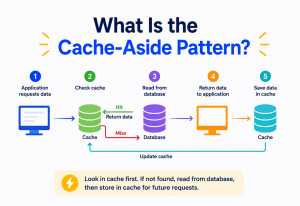
The Profile Service uses a cache-aside pattern: on a read, check Redis first; on a miss, read from the underlying store (or compute from recent stream state), then populate the cache. Suppression counters are write-through into Redis directly with a TTL, since they are inherently short-lived and do not need a permanent backing store.
14.3 Load balancing in depth
Load balancing appears at multiple layers, each solving a different problem:
- Edge load balancing (L4/L7): distributes incoming HTTP(S) traffic across API Gateway instances; L7 allows routing decisions based on path or headers, while L4 is faster for pure connection-level distribution.
- Service-to-service load balancing: internal calls (e.g., Rule Engine to Profile Service) are typically balanced client-side or via a service mesh sidecar, avoiding a central bottleneck for internal traffic.
- Kafka partition-based load balancing: Kafka itself acts as a load balancer for stream processing — each partition is consumed independently, so adding consumer instances (up to the partition count) increases parallel processing capacity.
- Database-level load balancing: read replicas for PostgreSQL spread read traffic (e.g., marketer dashboards) away from the primary write node; Cassandra’s ring topology inherently spreads both reads and writes.
“Why use Redis for suppression checks instead of just querying Cassandra or Postgres directly?” Because suppression checks sit on the hot path of every single trigger evaluation, at a volume of potentially tens of thousands per second. Redis’s in-memory, sub-millisecond latency is essential here; a disk-backed database, even a fast one, would add unacceptable latency and load at this call volume.
APIs and Microservices
The system is built as a set of independently deployable microservices, each owning a clear responsibility, communicating through a mix of synchronous APIs (for request/response lookups) and asynchronous events (for the main processing flow).
15.1 Example internal API contracts
{
  "eventId":    "evt_9f8a2",
  "userId":     "usr_4471",
  "eventType":  "CATEGORY_VIEW",
  "categoryId": "running-shoes",
  "timestamp":  "2026-08-03T10:32:00Z",
  "sessionId":  "sess_a12"
}GET /internal/v1/profiles/{userId}
// --- Response 200 ---
{
"userId": "usr_4471",
"unsubscribed": false,
"lastPurchaseCategories": ["footwear-casual"],
"consentMarketing": true
}POST /internal/v1/suppression/check
{
"userId": "usr_4471",
"triggerType": "BROWSE_ABANDON"
}
// --- Response 200 (allowed) ---
{ "allowed": true }
// --- Response 200 (blocked by frequency cap) ---
{
"allowed": false,
"reason": "FREQUENCY_CAP",
"nextEligibleAt": "2026-08-06T10:32:00Z"
}15.2 Why microservices here, and where the boundaries are
Each service in this design is split along a genuine independent scaling and failure boundary: Event Collector (I/O bound, extremely high volume, no business logic), Stream Processor (stateful, CPU/memory bound), Rule Engine (business logic, moderate volume), Profile Service (read-heavy, cache-backed), Campaign Orchestrator (I/O bound, coordinates multiple calls), Template Service (CPU-light rendering), Sender Workers (I/O bound, rate-limited by an external dependency). Each can be deployed, scaled, and even rewritten independently without affecting the others, as long as the API/event contracts between them stay stable.
“Would you use REST or gRPC for the internal Profile Service calls?” For very high-volume, low-latency internal calls, gRPC (with protocol buffers) is often preferred over REST/JSON because of lower serialization overhead and built-in HTTP/2 multiplexing. REST/JSON remains a reasonable choice for lower-volume, marketer-facing or cross-team APIs where human readability and tooling simplicity matter more.
Design Patterns and Anti-Patterns
Design patterns are reusable solutions to recurring problems, and this system leans on several well-established ones. Recognizing them by name is useful both for communicating design intent to other engineers and for spotting when a pattern is being misapplied.
16.1 Patterns used in this design
- Event-driven architecture: services react to events on a stream rather than being tightly coupled through direct synchronous calls, which is what allows the system to absorb huge traffic spikes.
- CQRS (Command Query Responsibility Segregation): the Profile Service’s fast-read path (Redis cache) is separate from the slower, richer write/update path (event stream updating Cassandra), optimizing reads and writes independently.
- Circuit Breaker: protects the system from cascading failures when the ESP or another downstream dependency is unhealthy.
- Saga-like orchestration: the Campaign Orchestrator coordinates a multi-step process (personalize, suppress-check, enqueue) with the ability to safely retry or abandon a partial flow.
- Cache-aside: used for Profile Service reads, described earlier.
- Idempotent consumer: every consumer that processes events or jobs is designed so re-processing the same message twice does not cause duplicate side effects.
16.2 Anti-patterns to avoid
Synchronous chains for high-volume paths
Making the Event Collector synchronously call the Rule Engine, which synchronously calls the Profile Service, on every single page view, would collapse under load. Keep the high-volume ingestion path asynchronous.
Shared mutable database between services
Letting the Rule Engine and the Campaign Orchestrator both write directly to the same tables creates hidden coupling and makes independent deployment unsafe. Each service should own its data and expose it through APIs or events.
No suppression layer
Treating every trigger fire as an automatic send, without a dedicated frequency-capping check, quickly leads to spamming users and damaging sender reputation.
Overusing CEP for simple rules
Not every trigger needs multi-event pattern matching; a simple “cart abandoned after 1 hour” rule does not need the full CEP machinery and can be a lighter-weight timer-based check.
Hardcoding trigger rules in application code
This forces an engineering deployment for every marketing rule change; rules should be externalized as configuration data marketers can adjust.
“Where would CQRS fit in this design, and why?” The Profile Service is the clearest example: writes happen continuously and asynchronously as behavior events stream in and update Cassandra/aggregate state, while reads happen synchronously and need to be extremely fast (Redis) during trigger evaluation. Separating these two paths lets each be optimized for its very different access pattern.
Best Practices and Common Mistakes
17.1 Best practices
- Externalize trigger rules and templates as data, not code, so marketers can iterate without engineering deploys.
- Make every consumer idempotent; assume at-least-once delivery everywhere in the pipeline.
- Always do a last-mile suppression and unsubscribe check right before the actual send, not just earlier in the pipeline.
- Use partition keys (like user ID) consistently across Kafka topics so a single user’s events are always processed in order.
- Add a deliberate, configurable delay before sending (rather than sending instantly) to both improve conversion and smooth system load.
- Instrument end-to-end latency and consumer lag from day one; these are the earliest signals of trouble at scale.
- Design for partial failure: if one downstream dependency (e.g., ESP) is degraded, the rest of the pipeline should keep working and simply buffer.
- Version trigger rules and templates, and keep a changelog, so a bad rule change can be rolled back quickly and its impact audited.
- Cap the blast radius of any single rule: set a sane maximum sends-per-hour ceiling per trigger type as a safety net against logic bugs, independent of per-user frequency capping.
- Prefer approximate, cheap checks early in the pipeline and exact, more expensive checks later — validate and filter cheaply at the Event Collector, and only do the expensive profile/suppression lookups for events that already passed a cheaper first filter.
17.2 Common mistakes
- Treating this as a single monolithic service: a monolith cannot scale each bottleneck independently and becomes a single point of failure for both ingestion and sending.
- Ignoring frequency capping until it becomes a problem: teams often discover users are getting too many emails only after unsubscribe rates spike; build suppression logic in from the start.
- Under-provisioning Kafka partitions: too few partitions caps how many consumer instances can process in parallel, creating an invisible ceiling on throughput.
- Synchronous, blocking calls to the ESP on the critical path: this makes Sender Worker throughput dependent on ESP latency; always decouple with a queue and process asynchronously.
- Not testing rule changes safely: deploying a new trigger rule straight to 100% of users without a canary or a dry-run mode can cause a sudden, large, unintended email blast.
Candidates often forget the suppression/frequency-capping layer entirely and only remember it when asked “how do you prevent spamming users?” Mention it proactively as part of your initial design, not just as an afterthought.
Real-World Examples
Large e-commerce and technology companies operate systems that closely mirror this design, though with their own internal naming and specific technology choices.
- Amazon is well known for its “customers who viewed this also viewed” and abandoned-browse re-engagement emails, powered by large-scale, real-time behavioral tracking and recommendation infrastructure behind the scenes.
- Netflix uses a similar event-driven, stream-processing backbone (they were early, heavy adopters of Kafka) to react to viewing behavior in near real time, informing both recommendations and re-engagement notifications.
- Uber built large-scale stream processing (including their own systems built on top of technologies like Kafka and Flink) to react to rider and driver behavior events at very high throughput, a similar scale challenge to the one in this tutorial.
- Marketing automation platforms such as those used broadly across the retail industry offer “behavioral trigger” campaign features that are productized versions of this exact architecture: event ingestion, rule-based segmentation, and automated, personalized send pipelines.
While the specific technology choices vary company to company, the underlying pattern — event stream, stateful stream processing for pattern detection, a rules/decision layer, and a decoupled delivery pipeline — is consistent across the industry because it is the pattern that actually holds up at large scale.
18.1 Why this pattern keeps reappearing
It’s worth pausing on why nearly every large consumer platform converges on a similar shape for this problem, rather than each inventing something entirely different. Three forces push toward the same architecture again and again:
- Volume forces decoupling. Once event volume crosses roughly tens of thousands of events per second, any design that couples the producer (the website) directly to the consumer (business logic) through synchronous calls collapses under load. A durable buffer in between — almost always a log-based system like Kafka — becomes close to mandatory, not a stylistic choice.
- Pattern detection forces statefulness. Once the business asks for anything beyond “react to one isolated event,” some form of stateful stream processing becomes necessary, because pattern detection over time inherently requires remembering recent history per user.
- Trust and reputation force a policy layer. Once an automated system can email millions of people, every mature implementation ends up building some version of a suppression/frequency-cap/consent layer, because the cost of over-emailing (reputation damage, spam complaints, legal exposure) is severe enough that no serious operation skips it for long.
Recognizing these three forces is often more valuable in an interview than memorizing any single company’s specific stack, because it shows you understand why the architecture looks the way it does, not just what it looks like.
Frequently Asked Questions
Q1: Why not just query the database directly every time instead of using a stream processor?
At millions of events per minute, querying a database on every single event for pattern detection (“has this user viewed this category 3 times?”) would overwhelm any database, no matter how well indexed. Stream processors maintain the relevant state in memory (or fast local storage), updating it incrementally as each event arrives, which is dramatically more efficient than repeated full queries.
Q2: How is this different from a simple cart-abandonment email system?
Cart abandonment reacts to a single event type (item added to cart, then not purchased within a timer). This system generalizes that idea to detect patterns across multiple events and multiple event types over a configurable time window, which requires stateful stream processing (CEP) rather than a simple per-item timer.
Q3: What happens if the same user is logged in on two devices and browses simultaneously?
As long as events are keyed by a stable user ID (not a device or session ID) once the user is identified, both devices’ events land on the same Kafka partition and are processed together by the same stream processing state, so the pattern detection still works correctly across devices.
Q4: Should the trigger fire the moment the third view happens, or should there be a delay?
Most production systems add an intentional delay (commonly 30 minutes to a few hours) before sending, both to allow the user’s own actions (like coming back to purchase) to naturally cancel the trigger, and to avoid feeling intrusive. Detection can be near-instant; sending is a separate, deliberately-paced decision.
Q5: How do you test new trigger rules safely?
Run new rules in “shadow mode” first — evaluate them against live traffic and log what would have fired, without actually sending, then review the volume and targeting before enabling real sends, often starting with a small percentage rollout (canary).
Q6: Can this architecture support other trigger types beyond browse abandonment?
Yes. The same pipeline (event to stream to rule engine to orchestrator to delivery) supports cart abandonment, price-drop alerts, back-in-stock alerts, post-purchase follow-ups, and loyalty milestone emails — only the rule definitions and templates change, not the core architecture.
Q7: How do you handle a user who is anonymous (not logged in) when they start browsing, then logs in later?
Track anonymous behavior under a temporary cookie-based ID, then perform an identity resolution/merge step at login time, re-keying or copying the recent behavioral window from the anonymous ID to the authenticated user ID, so browsing history isn’t lost the moment someone logs in.
Q8: What is the difference between the Rule Engine and the Campaign Orchestrator, since both seem to make decisions?
The Rule Engine answers “did this behavioral pattern happen?” — a fact about user activity. The Campaign Orchestrator answers “given that it happened, should we actually send something, and what?” — a business/policy decision layered on top, involving suppression, frequency caps, and content selection. Keeping these separate means behavioral detection logic doesn’t get tangled with ever-changing marketing policy.
Q9: Why use Cassandra instead of just storing everything in PostgreSQL?
PostgreSQL is excellent for strongly consistent, relational, moderate-volume data, but a single PostgreSQL instance struggles to sustain the very high, constant write throughput of raw behavioral events at millions per minute. Cassandra’s architecture is purpose-built for exactly this kind of high-volume, mostly-by-key write workload, at the cost of weaker relational query capabilities, which we don’t need for this data.
Q10: How would you extend this system to support SMS or push notifications, not just email?
The good news is that almost nothing before the Campaign Orchestrator needs to change — event capture, stream processing, and rule evaluation are channel-agnostic. Only the delivery side changes: instead of (or in addition to) enqueuing to an email delivery queue and calling an ESP, the Orchestrator would enqueue to a channel-specific queue (SMS gateway, push notification service) based on the user’s preferred channel and consent status. This is a good illustration of why keeping detection and delivery cleanly separated pays off — new channels are additive, not a redesign.
Summary and Key Takeaways
Designing a real-time, personalized, behavior-triggered email system for e-commerce at the scale of millions of requests per minute comes down to a few core ideas repeated throughout this tutorial: decouple ingestion from processing using a durable event stream, maintain compact windowed state instead of repeatedly querying raw history, separate the concerns of detecting a trigger from deciding whether to send it, and build every layer — from the load balancer to the email sender — to scale and fail independently.
The eight ideas worth remembering
- Use an event-driven architecture (Kafka) to decouple high-volume ingestion from downstream processing, and to absorb traffic spikes durably.
- Use stateful stream processing (Flink-style CEP) to detect behavioral patterns over time windows, not just single events.
- Separate trigger detection (Rule Engine) from send orchestration (Campaign Orchestrator) so each can evolve and scale independently.
- Always enforce suppression and frequency capping, with a final check right before send, to protect users and sender reputation.
- Place load balancers and API gateways at every public entry point, and use partition-based and cache-based scaling internally, to sustain millions of requests per minute.
- Design for at-least-once delivery and idempotency everywhere, since retries and duplicates are inevitable at this scale.
- Use the right database for each job: Kafka for streams, Redis for hot-path lookups, Cassandra for high-volume history, PostgreSQL for structured configuration, and a data warehouse for analytics.
- Add deliberate delays before sending; real-time detection does not require real-time sending.
Where to go from here
The next natural step is to build a small end-to-end proof of this pipeline yourself with the actual open-source components — a single-broker Kafka, a lightweight Flink job doing a keyed sliding window, a Redis instance for suppression, and a stub email sender that just logs to console. Even at toy scale, walking through one browse-abandonment flow end to end will make every trade-off in this tutorial (partitioning, idempotency, the delay before send, the last-mile suppression check) feel far more concrete than reading about it. From there, adding a second trigger type on the same pipeline is the fastest way to prove to yourself just how much the “event to stream to rule engine to orchestrator to delivery” shape genuinely generalizes.

