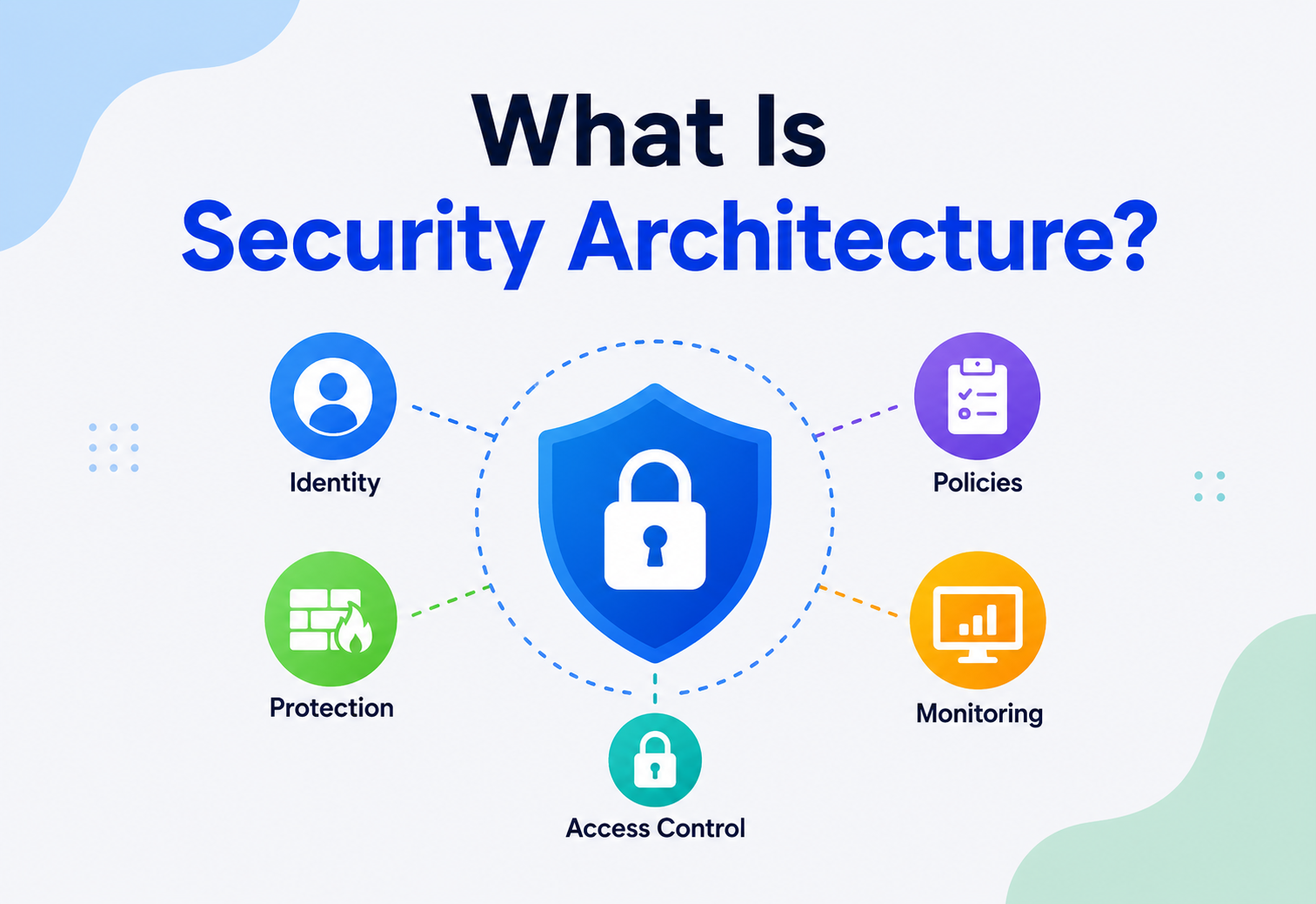
What Is Security Architecture?
A complete, ground-up guide to designing systems that protect data, users, and business operations — from first principles to production practice.
Introduction & History
Imagine a castle. It has thick outer walls, a moat, a single guarded gate, inner walls around the treasury, and guards who check anyone who wants to move deeper inside. Nobody designed all of that by accident — someone sat down and planned, ahead of time, exactly how the castle would resist every kind of attacker it might face. Security architecture is that same planning exercise, but for software systems instead of castles.
Formally: security architecture is the discipline of designing the structure of an IT system — its components, the way they connect, and the rules that govern them — so that the system protects the confidentiality, integrity, and availability of the data and services it holds, even when it is under attack. It is not a single tool or a single wall. It is the overall blueprint that says where the walls go, how tall they are, who gets keys, and what happens when someone tries to pick a lock.
1.1 A Short History
The idea did not appear overnight. Early computers in the 1960s and 1970s were mostly used by a small number of trusted people inside a single organisation, so “security” mostly meant physically locking the room the mainframe sat in. As computers started being shared by many users and eventually connected to networks, engineers needed structured ways to decide who could access what. This gave birth to formal access control models in the 1970s (like the Bell-LaPadula model, built for U.S. military systems to stop secret information from leaking to people without clearance).
The 1990s brought the public internet into businesses and homes, and with it, a flood of new attackers. Firewalls, the first widely used security architecture component, became standard. In the 2000s, as web applications multiplied, the focus shifted to designing security into the application layer, not just the network perimeter. And in the 2010s and 2020s, cloud computing, mobile apps, and remote work dissolved the very idea of a “perimeter” — leading to today’s dominant philosophy, Zero Trust, where no request is trusted just because it came from inside the network.
1970s — Formal Access Models
Bell-LaPadula and similar models formalise rules for who can read or write which data, originally for military and government systems.
1988 — Firewalls Emerge
The first packet-filtering firewalls appear, giving organisations a way to control traffic entering and leaving their network.
1990s — The Perimeter Security Era
Businesses build a “castle and moat” model: a strong outer boundary, with everything inside implicitly trusted.
2000s — Application-Layer Focus
Web apps and SQL databases become common attack targets; security shifts into the software itself (secure coding, input validation).
2010 — Zero Trust Coined
Analyst John Kindervag introduces “Zero Trust”: never trust, always verify, regardless of network location.
2020s — Cloud-Native Security
Security becomes embedded into CI/CD pipelines, containers, and infrastructure-as-code — “shift left” and “DevSecOps.”
Problem & Motivation
Why does security need its own architecture at all? Why not just “add security” wherever it seems needed? Because security added as an afterthought behaves like a house built without planning for plumbing — you can bolt pipes onto the outside walls later, but it will leak, look ugly, and cost far more than doing it right from the start.
Without a deliberate architecture, organisations tend to fall into predictable traps:
- Inconsistent controls — one team encrypts data, another does not, because there was no shared standard.
- Single points of failure — one compromised password unlocks everything, because there was no concept of least privilege or layered defence.
- Invisible attacks — nobody notices intrusions for months because logging and monitoring were never designed in.
- Expensive retrofits — fixing a security gap after launch can cost 10–100× more than designing it in up front, and sometimes it is not fixable without a rewrite.
Every year, breaches cost organisations billions of dollars, but the deeper cost is trust: a breach can permanently damage a company’s relationship with its customers. Security architecture exists to make “secure by default” the natural outcome of how a system is built, not something bolted on after a scare.
The problem security architecture solves, put simply, is this: modern systems are too complex, too distributed, and too valuable a target for security to be handled ad-hoc. You need a deliberate, documented plan — just like you need a blueprint before building a skyscraper.
Core Concepts
Before going further, let us build a vocabulary. These are the foundational ideas that every other part of security architecture is built on.
3.1 The CIA Triad
This is the north star of security. Every design decision maps back to one (or more) of these three goals:
Confidentiality
Only authorised people or systems can read the data. Think of it as a locked diary — only you have the key.
Integrity
Data cannot be secretly changed. Like a sealed envelope — if it has been tampered with, you will know.
Availability
The system stays up and usable when legitimate people need it — even under attack or heavy load.
3.2 Authentication vs. Authorisation
These two words sound similar but mean very different things, and mixing them up is one of the most common beginner mistakes.
| Term | Question it answers | Everyday analogy |
|---|---|---|
| Authentication (AuthN) | “Who are you?” | Showing your ID card at the door |
| Authorisation (AuthZ) | “What are you allowed to do?” | Your ID card only opens certain rooms, not all of them |
3.3 Least Privilege
Give every user, service, and process the minimum access it needs to do its job — nothing more. A cleaning crew does not need the keys to the safe. If their key is stolen, the safe stays protected.
3.4 Defense in Depth
Do not rely on a single wall. Layer multiple, independent defences so that if one fails, others still stand — like the castle’s moat, outer wall, inner wall, and guards all working together.
3.5 Zero Trust
“Never trust, always verify.” Instead of assuming anything inside the corporate network is safe, every single request — even from an internal server — must prove who it is and that it is allowed to do what it is asking to do.
3.6 Threat Modelling
A structured exercise where you ask: “What could go wrong here, who would want to attack this, and how?” A popular framework is STRIDE:
| Letter | Threat | Meaning |
|---|---|---|
| S | Spoofing | Pretending to be someone else |
| T | Tampering | Changing data without permission |
| R | Repudiation | Denying you did something, with no proof otherwise |
| I | Information Disclosure | Leaking data to unauthorised parties |
| D | Denial of Service | Making the system unavailable |
| E | Elevation of Privilege | Gaining more access than you should have |
Think of authentication as the passport check at an airport, and authorisation as the boarding pass that only lets you onto your flight, not any flight in the airport.
Architecture & Components
A real-world security architecture is made of many moving pieces working together. Here are the major building blocks you will find in almost every serious system.
Identity Provider (IdP)
The system that verifies who a user or service is — issuing tokens like JWTs after login (e.g. Okta, Azure AD, Keycloak).
Firewall / WAF
Filters network or web traffic, blocking known-bad patterns before they reach your application.
API Gateway
The front door for all API calls — enforces auth, rate limits, and routes requests to the right service.
Secrets Manager
Securely stores passwords, API keys, and certificates so they are never hard-coded in source code.
Encryption Layer
Protects data at rest (on disk) and in transit (over the network) using algorithms like AES and TLS.
SIEM
Security Information and Event Management — collects logs from everywhere and flags suspicious patterns.
IAM System
Identity and Access Management — defines roles, permissions, and policies for who can do what.
Intrusion Detection / Prevention
IDS/IPS watches traffic in real time for attack signatures and can automatically block them.
Here is how these pieces typically fit together in a layered structure:
Every request passes through several checkpoints before it ever touches business logic or data — this is defence in depth in action.
Internal Working
Let us zoom into what actually happens, step by step, when a user logs in and makes a request. Understanding this “under the hood” flow is what separates people who can draw a diagram from people who can actually build the system.
5.1 Step 1 — Authentication
The user submits credentials (username/password, or a biometric, or a hardware key). The Identity Provider verifies them against a stored, hashed value — never the plain password itself.
// Verifying a password with a salted hash (Java, using BCrypt)
import org.mindrot.jbcrypt.BCrypt;

public boolean verifyLogin(String inputPassword, String storedHash) {
    // BCrypt automatically extracts the salt embedded in storedHash
    return BCrypt.checkpw(inputPassword, storedHash);
}

public String hashNewPassword(String plainPassword) {
    // gensalt() creates a random salt so identical passwords hash differently
    String salt = BCrypt.gensalt(12); // 12 = cost factor (higher = slower = harder to brute force)
    return BCrypt.hashpw(plainPassword, salt);
}
5.2 Step 2 — Token Issuance
Once verified, the IdP issues a token — commonly a JWT (JSON Web Token) — a digitally signed piece of data proving “this user is who they say they are” without the client needing to send a password on every request.
// A simplified JWT structure — three base64 parts joined by dots
// HEADER.PAYLOAD.SIGNATURE

// HEADER (algorithm info)
{ "alg": "HS256", "typ": "JWT" }

// PAYLOAD (claims about the user)
{ "sub": "user123", "role": "customer", "exp": 1900000000 }

// SIGNATURE = HMACSHA256(base64(header) + "." + base64(payload), secretKey)
5.3 Step 3 — Authorisation Check
On every subsequent request, the gateway or service verifies the token’s signature (proving it was not tampered with) and then checks the user’s role/permissions against what the request is trying to do.
// Simple role-based authorization check (Java)
public boolean isAuthorized(String userRole, String requiredRole) {
    Map<String, Integer> roleRank = Map.of(
        "guest", 0, "customer", 1, "support", 2, "admin", 3
    );
    return roleRank.getOrDefault(userRole, -1) >= roleRank.getOrDefault(requiredRole, 99);
}
5.4 Step 4 — Encryption in Transit and at Rest
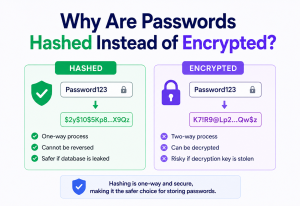
Data travelling over the network is wrapped in TLS (the “S” in HTTPS), which encrypts it so eavesdroppers on the network only see scrambled bytes. Data sitting in a database is encrypted at rest, so even if someone steals the physical disk, the data is unreadable without the key.
Data Flow & Lifecycle
Security architecture is not just about a single request — it must protect data across its entire lifecycle, from the moment it is created to the moment it is deleted.
Creation
Data is validated and sanitised the instant it is collected, before it ever touches a database.
Transmission
Data moves between services only over encrypted channels (TLS), never in plain text.
Storage
Data at rest is encrypted; sensitive fields (like card numbers) may be additionally tokenised.
Usage
Access is logged and limited by need-to-know, following least privilege.
Archival
Old data is moved to cold storage with the same or stronger protections.
Destruction
Data is securely wiped (not just “deleted”) when no longer needed, per retention policy.
A system can encrypt data perfectly in the database but still leak it through unencrypted backups, careless logs, or a “delete” button that does not actually erase anything. Security architecture must think about every stage, not just the obvious one.
Advantages, Disadvantages & Trade-offs
Security architecture pays for itself many times over — but only if you are honest about the costs it introduces along the way.
Advantages
- Reduces breach likelihood and blast radius.
- Builds customer and regulator trust.
- Cheaper to fix issues early than after a breach.
- Enables compliance (GDPR, HIPAA, PCI-DSS, SOC 2).
- Gives clear ownership and accountability for risk.
Disadvantages / Costs
- Adds development time and complexity.
- Can slow down performance (encryption, extra checks).
- Requires ongoing maintenance and expertise.
- Overly strict controls can frustrate legitimate users.
- No architecture makes a system 100% secure — only lowers risk.
The central trade-off in security architecture is almost always security vs. usability/performance. Multi-factor authentication is more secure but adds friction. Encrypting every field is safer but slower. Good architecture finds the point on that curve that fits the actual risk — a banking app and a public blog do not need the same level of friction.
Performance & Scalability
Security controls have a cost, and at scale that cost matters. A few key considerations that recur in almost every high-traffic system:
- TLS overhead — modern TLS 1.3 handshakes are fast, but at millions of requests/second, connection reuse (keep-alive) and session resumption matter a lot.
- Token verification — verifying a JWT signature is cheap (microseconds), which is why JWTs scale better than checking a session database on every request.
- Encryption at rest — modern CPUs have hardware AES instructions (AES-NI), making encryption overhead nearly negligible for most workloads.
- Rate limiting — must scale horizontally too; a naive in-memory counter will not work across a fleet of servers, so a shared store like Redis is typically used.
// Simple sliding-window rate limiter concept (Java, using a shared cache)
public boolean allowRequest(String userId, RedisClient redis) {
    String key = "rate:" + userId;
    long count = redis.incr(key);
    if (count == 1) {
        redis.expire(key, 60); // 60-second window
    }
    return count <= 100; // allow up to 100 requests per minute
}
As systems scale, security checks must be pushed as close to the edge as possible (e.g. at the API gateway or CDN) so that malicious or invalid traffic never reaches — and never burdens — the core services.
High Availability & Reliability
A secure system that is frequently down is not actually secure — remember, availability is one-third of the CIA triad. Security architecture must be designed so that security components themselves do not become single points of failure.
Redundant IdPs
Run identity providers in multiple availability zones so login does not fail if one data centre goes down.
Graceful Degradation
If a non-critical security check (like a fraud-scoring service) is slow, design the system to degrade safely rather than block all traffic.
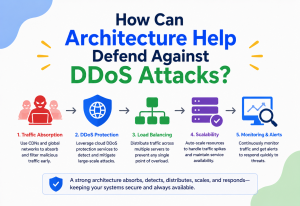
DDoS Protection
Use scrubbing services and auto-scaling to absorb traffic floods aimed at taking the system offline.
Key Rotation Without Downtime
Rotate encryption keys and certificates using overlapping validity windows so nothing breaks mid-rotation.
Security Practices (Applied)
This section covers the concrete practices that turn the concepts above into a real, defensible system.
10.1 Input Validation & Output Encoding
Never trust input. Validate it strictly, and encode output so that data can never be misinterpreted as code (preventing SQL injection and XSS).
// Using parameterized queries to prevent SQL injection (Java, JDBC)
String sql = "SELECT * FROM users WHERE email = ?";
PreparedStatement stmt = connection.prepareStatement(sql);
stmt.setString(1, userSuppliedEmail); // safely bound, never concatenated
ResultSet rs = stmt.executeQuery();Building SQL by string concatenation ("SELECT * FROM users WHERE email = '" + input + "'") lets an attacker inject their own SQL and potentially read or destroy your entire database.
10.2 Secure Secrets Management
API keys and passwords should never live in source code or config files checked into version control. Use a dedicated secrets manager (like HashiCorp Vault or AWS Secrets Manager) that issues short-lived credentials.
10.3 Multi-Factor Authentication (MFA)
Requiring a second proof of identity (like a code from a phone app) massively reduces the risk of stolen passwords being enough to break in.
10.4 Network Segmentation
Break the network into isolated zones so a compromise in one area (say, a public-facing web server) cannot automatically reach sensitive internal systems (like the database holding customer records).
Monitoring, Logging & Metrics
You cannot defend what you cannot see. Monitoring turns an invisible attack into a visible, actionable alert.
207
Average number of days to detect a breach across the industry (pre-2024 data).
70
Average number of days to contain a breach after it has been detected.
3×
Cost multiplier for breaches detected late compared with those caught quickly.
Key elements of a monitoring strategy:
- Centralised logging — every service ships logs to one place, so nothing gets lost on an individual machine.
- Audit trails — record who did what, when, providing non-repudiation (the “R” in STRIDE).
- Anomaly detection — flag unusual patterns, like a login from a new country at 3 AM.
- Alerting & escalation — critical alerts should page a human, not just sit in a dashboard nobody checks.
Deployment & Cloud Considerations
Cloud environments shift some security responsibilities to the provider and leave others with you — this is called the Shared Responsibility Model.
| Layer | Typically the Cloud Provider’s Job | Typically Your Job |
|---|---|---|
| Physical hardware | ✓ | |
| Network infrastructure | ✓ | |
| Hypervisor / host OS | ✓ | |
| Your OS & patches (IaaS) | ✓ | |
| Application code | ✓ | |
| Data & access configuration | ✓ |
In practice, this means “the cloud is secure” is a myth — misconfigured storage buckets and overly permissive IAM roles (both customer responsibilities) are among the most common causes of cloud breaches.
Modern deployment also bakes security into CI/CD pipelines (“DevSecOps” / “shift-left”): dependency scanning, container image scanning, and infrastructure-as-code policy checks all run automatically before code reaches production.
Databases, Caching & Load Balancing
Each data-layer component needs its own security posture — and the caching tier in particular is one of the most commonly overlooked pieces in a security review.
- Databases — encryption at rest, least-privilege database accounts (the app should not connect as an admin superuser), and query parameterisation.
- Caching layers (e.g. Redis) — often overlooked; cached data can still be sensitive, so it needs access controls and, if needed, encryption too.
- Load balancers — a natural place to terminate TLS and enforce rate limiting before traffic ever reaches application servers.
Think of your database as the vault, your cache as a small drawer of frequently used items near the front desk — even the drawer needs a lock, because thieves do not only target the vault.
APIs & Microservices Security
In a microservices world, security cannot just guard the “front door” — every internal service-to-service call is also a potential attack surface.
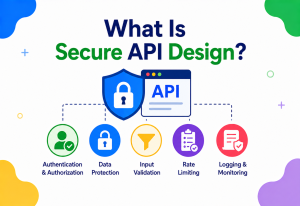
- mTLS (mutual TLS) — services prove their identity to each other, not just to the client, so a rogue service cannot impersonate a trusted one.
- API Gateway enforcement — centralises authentication, rate limiting, and input validation for all external traffic.
- Service mesh — tools like Istio or Linkerd can automatically enforce mTLS and fine-grained policies between microservices without changing app code.
Design Patterns & Anti-Patterns
A short, opinionated list of the shapes that recur in every well-designed security architecture, and the ones that quietly break in every troubled one.
15.1 Good Patterns
Defense in Depth
Layer multiple independent controls so one failure does not mean total compromise.
Fail Secure
When something goes wrong, the system should default to denying access, not granting it.
Principle of Least Privilege
Grant only the minimum access required, reviewed and revoked regularly.
Separation of Duties
No single person or service should have unchecked power over a critical action.
15.2 Anti-Patterns to Avoid (and Their Fixes)
Anti-Patterns
- Security by obscurity — hiding how something works instead of making it actually secure.
- Hardcoded secrets — API keys committed straight into source code.
- God-mode service accounts — a single account with admin rights everywhere.
- Trust-the-network fallacy — assuming anything “inside” is automatically safe.
Corresponding Fixes
- Use well-reviewed, standard cryptography — never invent your own.
- Store secrets in a dedicated secrets manager, rotated regularly.
- Scope service accounts tightly to only what they need.
- Apply Zero Trust — verify every request, everywhere.
Best Practices & Common Mistakes
If a code or architecture review turns up any of the mistakes listed here, treat it as a real security risk waiting to surface, not a purely cosmetic issue.
16.1 Best Practices
- Threat model early, during design — not after launch.
- Automate security testing in CI/CD (SAST, dependency scanning, secrets scanning).
- Rotate credentials and certificates on a schedule, not “when we remember.”
- Log security-relevant events centrally and set real alerts on them.
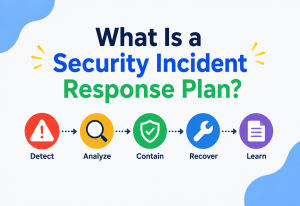
- Practice incident response with drills, not just a document nobody reads.
- Review access permissions periodically and remove unused ones.
16.2 Common Mistakes
- Treating security as a one-time project instead of an ongoing process.
- Trusting client-side validation alone (attackers can bypass the browser entirely).
- Over-permissioned cloud IAM roles (“just give it admin, it is easier”).
- Ignoring third-party / dependency risk — most breaches now involve a supply-chain component.
Real-World / Industry Examples
Abstract advice gets much sharper once you see how the biggest engineering organisations translate these principles into practice.
Netflix
Pioneered “chaos engineering” combined with strong Zero Trust internal service authentication, assuming any component could fail or be compromised.
Google (BeyondCorp)
Eliminated the traditional VPN-based perimeter entirely — every employee request is verified based on device and user identity, not network location.
Amazon
Uses extremely fine-grained IAM policies scoped per service, following least privilege at massive scale across thousands of internal services.
Uber
After a past breach involving exposed credentials in code, invested heavily in automated secrets scanning and short-lived, auto-rotated credentials.
Frequently Asked Questions
A few of the questions that come up most often the first time an engineer or product leader thinks seriously about security architecture as a whole.
No — network security is one piece of it. Security architecture also covers application design, identity, data protection, and organisational processes.
Yes, in a lighter form. Even a small app benefits from basic threat modelling, least privilege, and encryption — the depth simply scales with the risk and value of what is being protected.
A policy is a written rule (“passwords must be 12+ characters”). Architecture is the actual technical design that enforces and supports those policies.
No. The goal is to reduce risk to an acceptable level and detect/respond quickly when something slips through — not to achieve an impossible absolute guarantee.
Zero Trust is a guiding philosophy or model within security architecture — it shapes how you design identity checks, network segmentation, and access controls throughout the system.
Summary & Key Takeaways
Security architecture is less a checklist and more a way of thinking — a habit of asking, at every design decision, “what could go wrong here, and what layer of protection makes sure it does not?”
Key Takeaways
- Security architecture is the deliberate design of a system’s structure so it protects confidentiality, integrity, and availability by default.
- It rests on core concepts: the CIA triad, least privilege, defense in depth, and Zero Trust.
- Real systems combine many components — identity providers, gateways, firewalls, encryption, and monitoring — working together in layers.
- Security must be considered across the entire data lifecycle, not just at a single point.
- It is a continuous trade-off between security, usability, and performance — not a one-time checkbox.
- Monitoring and incident response are as important as prevention, since no system is 100% unbreakable.
- Leading companies like Google, Netflix, and Amazon treat security architecture as a first-class, ongoing engineering discipline — not an afterthought.
The strongest security architectures are the ones that make the secure path also the easiest path — where every default, every library, every deployment pipeline nudges engineers toward the right choice without asking them to remember dozens of rules. Get that right, and everything else — audits, compliance, resilience under attack — follows almost automatically.

