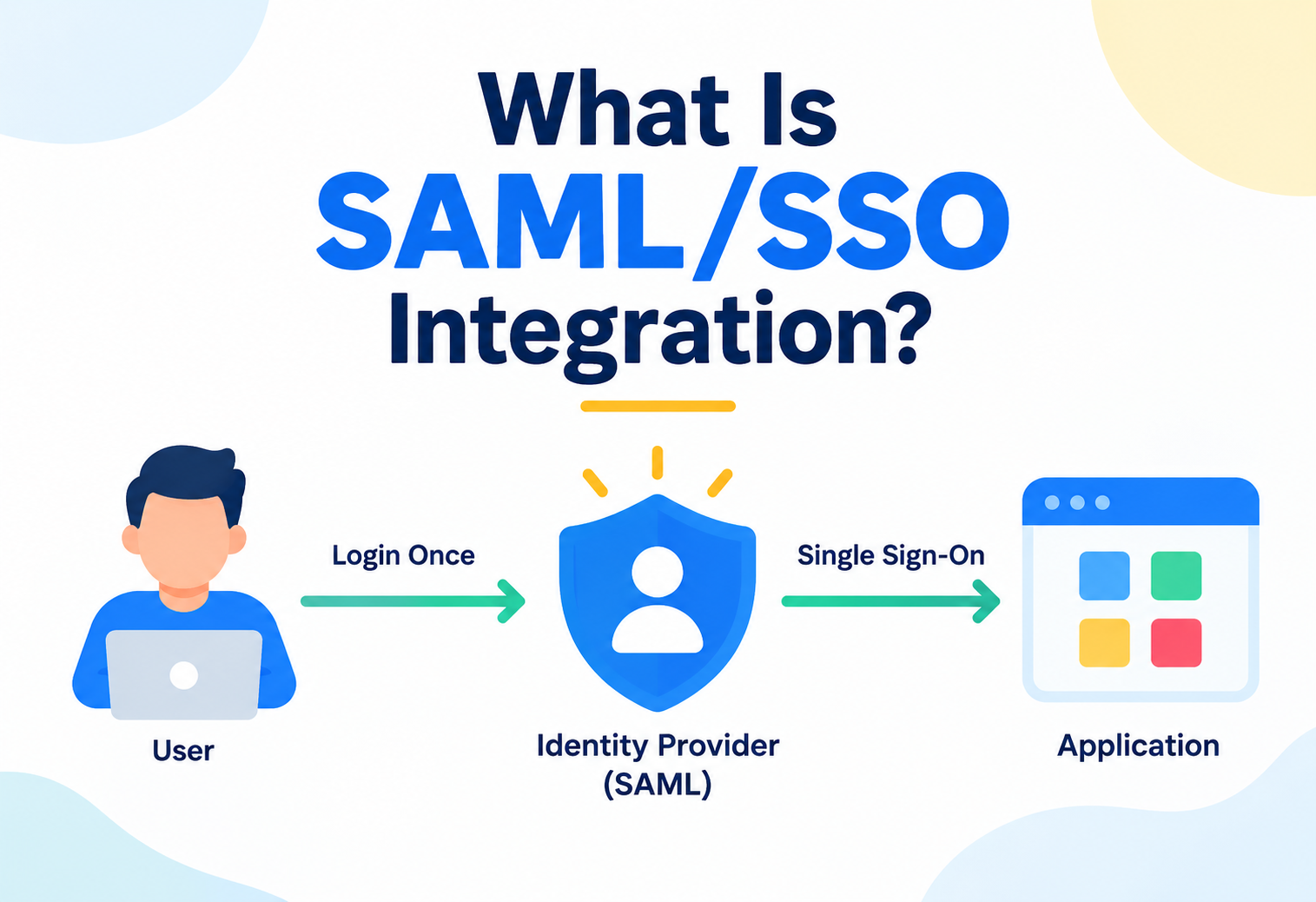
What Is SAML/SSO Integration?
An advanced, expert-level deep dive into SAML single sign-on — how GitHub delegates identity verification to an organization's own identity provider, turning access to code into an extension of centralized workforce identity, not a separate system to manage.
An employee joins a company, and within hours they have access to email, chat, HR systems, and dozens of internal tools — all through one centrally managed identity. Then they need GitHub access, and without SSO, that means a separate GitHub account, a separate password, and a separate, manual process to remember when that employee eventually leaves. SAML/SSO integration exists to close exactly this gap: it lets GitHub delegate the question “is this really who they claim to be, and are they still employed here?” entirely to the organization’s own identity provider, turning GitHub access into a natural extension of centralized workforce identity rather than a parallel system requiring its own separate management. This guide goes deep into how the SAML protocol actually works, how GitHub implements it at both the organization and enterprise level, and the real operational and security discipline required to run it well.
1Core Concept: What Is SAML/SSO Integration?
SAML (Security Assertion Markup Language) is an open standard for exchanging authentication and authorization data between two parties — an identity provider (IdP), which knows who a person genuinely is, and a service provider (SP), which wants to grant that person access based on the identity provider’s confirmation. Single sign-on (SSO), in this context, is the practical outcome: a person logs into their organization’s identity provider once, and that single login then grants them access to GitHub (and typically many other connected services) without needing to separately authenticate to each one individually.
Think of a large corporate campus with a single, central security desk at the main entrance. Once a badge is checked and verified there, that same verified badge grants entry to every building on campus — the finance building, the engineering building, the cafeteria — without needing to be re-checked from scratch at each individual door. SAML SSO works the same way: the identity provider is the central security desk, GitHub is one of the buildings, and once someone’s identity is verified centrally, GitHub trusts that verification rather than requiring its own separate, independent check.
Picture a concrete scenario: a company uses Okta as its central identity provider, and every employee logs into Okta each morning to access email, Slack, and internal tools. The company configures GitHub Enterprise to use Okta for SAML SSO. When an employee tries to access the company’s GitHub organization, instead of typing a separate GitHub username and password, they’re redirected to Okta, which they’re likely already logged into. Okta confirms their identity and sends a signed assertion back to GitHub confirming who they are, and GitHub grants access accordingly. When that employee leaves the company and their Okta account is deactivated during offboarding, their ability to authenticate into GitHub is severed at that exact same moment — no separate GitHub-specific deactivation step required.
The core idea isn’t that GitHub becomes somehow less involved in security — it’s that GitHub deliberately delegates the specific question of identity verification to a system that’s already authoritative for that question across the entire organization, rather than maintaining its own separate, potentially inconsistent source of truth about who someone is and whether they should still have access.
2Problem & Motivation
Without SSO, every service an organization uses — including GitHub — maintains its own separate set of credentials for every employee. This creates several compounding problems as an organization grows: employees accumulate dozens of separate passwords, often reusing them insecurely across services; offboarding a departing employee means manually remembering and revoking access in every individual system, a process notoriously prone to being incomplete; and enforcing consistent security policies (password complexity, multi-factor authentication) across many separately managed systems becomes genuinely difficult to guarantee.
SAML/SSO integration exists specifically to collapse this fragmented picture into one centrally managed source of truth. Rather than GitHub being one more separate system requiring its own dedicated offboarding step, it becomes automatically subject to whatever the organization’s central identity system already enforces — the moment someone loses their central identity, they lose access everywhere connected to it, including GitHub.
“Why does SSO meaningfully improve an organization’s offboarding security, rather than just its login convenience?” — The expected answer: without SSO, offboarding requires someone to remember and manually revoke access in every individual system a departing employee had access to — a process genuinely prone to gaps. With SSO, revoking access at the central identity provider immediately cuts off authentication to every connected service simultaneously, removing the dependency on manual, per-system follow-through.
3SAML vs OIDC vs OAuth
These three related but distinct standards are frequently confused, and understanding their actual differences clarifies exactly what SAML is doing versus its neighbors in the identity space.
| Standard | Primary Purpose | Typical Format |
|---|---|---|
| SAML | Authentication — confirming who someone is, primarily for enterprise SSO | XML-based assertions |
| OIDC (OpenID Connect) | Authentication, built as a modern layer on top of OAuth 2.0 | JSON-based tokens (JWT) |
| OAuth 2.0 | Authorization — granting an application limited access to act on a user’s behalf, without necessarily confirming identity itself | JSON-based access tokens |
GitHub supports SAML specifically for its enterprise SSO offering, since SAML remains the dominant, widely-adopted standard among enterprise identity providers for this exact use case. It’s worth being precise that SAML answers “who is this person,” while OAuth — used elsewhere in GitHub’s ecosystem, such as third-party application authorization — answers a fundamentally different question: “what is this application allowed to do on a user’s behalf.”
4Architecture & Components
A working SAML SSO integration involves several coordinated pieces, each with a distinct, well-defined role in the overall handshake.
| Component | Role |
|---|---|
| Identity Provider (IdP) | The organization’s central system of record for identity — Okta, Azure AD/Entra ID, OneLogin, and others — which authenticates users and issues signed assertions |
| Service Provider (SP) | GitHub, in this context — the system that trusts the IdP’s assertions and grants access based on them |
| SAML assertion | A signed, structured statement issued by the IdP confirming a specific user’s identity and relevant attributes |
| Metadata configuration | Exchanged setup information (certificates, endpoint URLs) that lets the IdP and GitHub trust and correctly communicate with each other |
| Linked identity | The association GitHub maintains between a specific GitHub account and the corresponding identity confirmed by the IdP |
5Internal Working: The SAML Handshake
Here’s the precise sequence that occurs when a user authenticates to GitHub through SAML SSO.
The User Attempts to Access GitHub
A user tries to reach an SSO-protected GitHub organization or enterprise, either directly or by attempting some action requiring authentication.
GitHub Redirects to the Identity Provider
Rather than presenting its own login form, GitHub redirects the user’s browser to the organization’s configured identity provider.
The Identity Provider Authenticates the User
If the user isn’t already logged into the IdP, they authenticate there directly — potentially including the organization’s own multi-factor authentication requirements.
A Signed Assertion Is Sent Back to GitHub
The IdP generates a cryptographically signed SAML assertion confirming the user’s identity and sends it back to GitHub via the user’s browser.
GitHub Verifies the Assertion and Grants Access
GitHub validates the assertion’s signature against the trusted certificate configured during setup, confirms it hasn’t expired or been tampered with, and grants the authenticated session accordingly.
6Data Flow & Lifecycle
flowchart LR
    A["User attempts to\naccess GitHub"] --> B["GitHub redirects\nto identity provider"]
    B --> C["User authenticates\nat the IdP"]
    C --> D["IdP issues signed\nSAML assertion"]
    D --> E["Assertion returned\nto GitHub"]
    E --> F{"Signature &\nvalidity verified?"}
    F -->|"Yes"| G["Session granted\nAccess allowed"]
    F -->|"No"| H["Access denied"]
Fig 1 — GitHub never independently verifies identity itself; it verifies that the identity provider’s signed statement is authentic and current
This is the architectural core of the entire trust model: GitHub isn’t checking a password or independently confirming who someone is at all — it’s cryptographically verifying that a trusted third party (the identity provider) has already done that verification, and that the resulting statement hasn’t been tampered with or expired since it was issued.
7SSO at the Organization vs Enterprise Level
Advanced Concepts
GitHub supports configuring SAML SSO at two different scopes, with meaningfully different implications for larger organizations managing multiple GitHub organizations.
| Scope | What It Covers | Best Suited For |
|---|---|---|
| Organization-level SSO | SSO configuration applied to one specific GitHub organization | Companies with a single GitHub organization, or wanting different SSO configurations per organization |
| Enterprise-level SSO | SSO configuration applied centrally, covering every organization within a GitHub Enterprise account | Larger companies managing multiple GitHub organizations who want consistent, centrally enforced SSO across all of them |
Enterprise-level SSO doesn’t just add convenience — it removes the risk of one organization within a larger enterprise account accidentally being left without SSO enforcement, a genuine gap that per-organization configuration can otherwise allow if not carefully audited across every individual organization.
8Linked Identities & Session Duration
A few specific mechanics of how GitHub manages SSO sessions and identity linkage are worth understanding in depth, since they directly affect the day-to-day user experience.
- A GitHub account is linked to a specific identity confirmed by the IdP. This linkage is what lets GitHub associate future logins with the same underlying person, rather than treating every SAML assertion as an entirely new, unrelated identity.
- SSO sessions have a configurable duration, after which re-authentication is required. Organizations can configure how long an SSO session remains valid before a user must go through the identity provider flow again, balancing convenience against security exposure from an indefinitely long session.
- Re-authentication is required for git operations too, not just the website. Command-line Git operations against an SSO-protected organization typically require an authorized personal access token or SSH key explicitly authorized for SSO, since the git protocol itself doesn’t natively perform a browser-based SAML redirect.
- A single person’s GitHub account can, in principle, be linked across multiple organizations’ separate SSO configurations. This matters for people who are members of multiple, distinct GitHub organizations with different identity providers, each maintaining its own separate linkage.
9Advantages, Disadvantages & Trade-offs
Advantages
- Centralizes identity management, eliminating separate GitHub-specific credentials for every user
- Makes offboarding meaningfully more reliable, since revoking central identity access cuts off GitHub access simultaneously
- Inherits the organization’s existing security policies — password complexity, multi-factor authentication — automatically
- Provides a clear, centralized audit trail of authentication events at the identity provider level
Trade-offs
- Introduces a genuine dependency — if the identity provider is unavailable, GitHub access can be disrupted for SSO-enforced users
- Requires meaningful setup and ongoing maintenance coordination between the identity and platform teams
- Git command-line and API access needs additional configuration (authorized tokens or keys) beyond simple browser-based login
- Misconfiguration can lock out legitimate users or, worse, fail in a way that grants unintended access
10Reliability Considerations
Because SSO introduces a genuine dependency on external infrastructure, understanding its reliability implications is essential for any organization relying on it for critical access.
- Identity provider outages can disrupt GitHub access. If the configured IdP is unreachable or experiencing an outage, users may be unable to complete the SAML handshake and authenticate to GitHub, even though GitHub’s own infrastructure is functioning normally.
- Recovery access paths deserve deliberate planning. Organizations typically maintain a documented emergency process — a small number of designated administrators with an alternate access path — specifically for the scenario where the identity provider itself becomes unavailable.
- Session duration configuration balances convenience against re-authentication risk from an outage. Longer sessions reduce how often users depend on the IdP being available, at the cost of a longer window during which a revoked identity might still have an active, unexpired session.
- Certificate expiration is a genuine, recurring operational risk. The cryptographic certificates underpinning the SAML trust relationship have expiration dates, and an expired certificate on either side can abruptly break the entire authentication flow if not proactively renewed.
11Security Considerations
SAML SSO carries substantial security benefits, but also specific risks and nuances that deserve careful, deliberate attention.
- SSO significantly reduces credential sprawl, a major security benefit. Fewer separate passwords means fewer opportunities for weak, reused, or leaked credentials to become an entry point for a compromise.
- The identity provider becomes a genuinely high-value target. Since it now serves as the trusted gatekeeper for GitHub access (and typically many other systems), compromising the IdP itself can potentially cascade into unauthorized access across every connected service.
- Assertion signature validation is the entire foundation of trust. If GitHub’s certificate configuration for validating the IdP’s signature is ever misconfigured or compromised, the integrity of the whole authentication chain is undermined.
- SSO enforcement doesn’t automatically protect API tokens or SSH keys already issued. Existing personal access tokens or SSH keys created before SSO enforcement may still need to be explicitly authorized for use with an SSO-protected organization, and reviewing this authorization is a genuine, deliberate security step.
SSO shifts trust, it doesn’t eliminate the need for security discipline — it concentrates security responsibility onto the identity provider and the integrity of the SAML trust relationship itself, rather than distributing it thinly across many separate, individually weaker credential stores.
12Provisioning with SCIM
SAML handles authentication — confirming identity at login — but a closely related standard, SCIM (System for Cross-domain Identity Management), addresses a complementary concern: automatically provisioning and deprovisioning actual organization membership itself.
Automatic Membership Provisioning
When SCIM is configured alongside SAML, adding a user to the appropriate group in the identity provider can automatically create or update their corresponding GitHub organization membership, without a manual invitation step.
Automatic Deprovisioning
Removing a user from the identity provider, or from the relevant group, can automatically remove their GitHub organization membership entirely — a meaningfully stronger guarantee than SAML alone, which only controls whether they can authenticate, not whether their membership itself still technically exists.
SAML alone means a deprovisioned user simply can’t log in anymore, but their organization membership and any lingering access grants might technically still exist in GitHub’s own records. SCIM closes this gap by actively synchronizing membership itself, giving organizations a genuinely complete offboarding story rather than a partial one.
13Compliance & Audit Value
SAML SSO integration carries substantial compliance and audit value, often forming a core, explicitly required control in regulated environments.
- Centralized authentication satisfies common access-control compliance requirements. Many regulatory frameworks explicitly require centralized, auditable identity management for systems handling sensitive data — SAML SSO directly addresses this for GitHub access.
- Consistent enforcement of multi-factor authentication becomes verifiable at one central point. Rather than auditing MFA enforcement separately for GitHub, an organization can point to its identity provider’s policy as the single, authoritative enforcement mechanism.
- Authentication logs at the identity provider provide a centralized audit trail. Security teams can review login activity, failed authentication attempts, and access patterns for GitHub alongside every other SSO-connected service, in one consistent place.
- Combined with SCIM, the full membership lifecycle becomes auditable. Who was granted access, when, and when it was revoked, all trace back to well-documented events in the central identity system, rather than scattered, manual GitHub-specific actions.
14Design Patterns & Anti-patterns
Pattern
Configure SSO at the enterprise level rather than per-organization, for any company managing multiple GitHub organizations.
Why It Works
It removes the risk of an individual organization being accidentally left without SSO enforcement, guaranteeing consistent identity policy across the entire enterprise account rather than depending on manual, per-organization diligence.
Pattern
Pair SAML with SCIM provisioning wherever the identity provider supports it.
Why It Works
It closes the gap between “can no longer authenticate” and “no longer has any lingering organization membership,” giving offboarding a genuinely complete, automated guarantee rather than a partial one.
Anti-pattern
Enforcing SSO without first establishing a clear, documented emergency access process for identity provider outages.
Why It’s Risky
Without a deliberate fallback plan, an IdP outage can leave an organization genuinely unable to access its own GitHub organization at a critical moment, with no clear, pre-established path to restore access quickly.
Anti-pattern
Treating SAML SSO enforcement as fully securing git command-line and API access without separately reviewing personal access tokens and SSH keys.
Why It’s Risky
Existing tokens and keys issued before SSO enforcement can remain a valid, unaddressed access path if not explicitly reviewed and authorized (or revoked), creating a genuine gap between the perceived and actual security posture.
15Best Practices & Common Mistakes
companies
offboarding
emergency access path
- Configure SSO at the enterprise level for any organization managing multiple GitHub organizations. This ensures consistent, centrally enforced identity policy without relying on manual per-organization diligence.
- Pair SAML with SCIM whenever the identity provider supports it. This closes the gap between authentication revocation and actual membership removal, giving offboarding a genuinely complete guarantee.
- Establish and document an emergency access process before enforcing SSO broadly. A small number of designated administrators should have a clear, tested path to regain access during an identity provider outage.
- Proactively track and renew SAML certificates well before their expiration. An expired certificate abruptly breaking authentication is one of the most common, entirely avoidable SSO failures.
- Explicitly review and authorize (or revoke) existing personal access tokens and SSH keys after enforcing SSO. These represent access paths outside the standard browser-based SAML flow that deserve deliberate, separate attention.
16Real-World Usage Patterns
Centralized Identity at Scale
Companies with thousands of employees rely on SAML SSO to make GitHub access one seamless extension of their broader, already-established corporate identity infrastructure, rather than a separately managed system.
Compliance-Driven SSO Enforcement
Financial and healthcare organizations frequently mandate SSO specifically to satisfy explicit regulatory requirements around centralized, auditable access control for systems handling sensitive code and data.
Scaling Offboarding Reliability
Organizations experiencing rapid headcount growth adopt SSO specifically to keep offboarding reliable at scale, avoiding the manual, per-system revocation processes that become genuinely error-prone as employee count grows.
Unified Identity Across the Toolchain
Companies already using SSO extensively across their broader tool ecosystem naturally extend it to GitHub, maintaining one single, consistent identity story across their entire engineering toolchain.
17Frequently Asked Questions
18Summary and Key Takeaways
Key Takeaways
- SAML/SSO integration lets GitHub delegate identity verification to an organization’s own identity provider, turning GitHub access into an extension of centralized workforce identity rather than a separately managed system.
- The core mechanism is a signed assertion: the identity provider verifies who someone is and issues a cryptographically signed statement, which GitHub validates rather than independently re-verifying identity itself.
- SAML can be configured at either the organization or enterprise level, with enterprise-level configuration generally preferred for companies managing multiple GitHub organizations.
- Pairing SAML with SCIM provisioning closes the gap between “can no longer log in” and “membership fully removed,” giving offboarding a genuinely complete guarantee.
- SSO meaningfully reduces credential sprawl and strengthens offboarding reliability, but introduces a genuine dependency on the identity provider’s own availability and security posture.
- Command-line and API access require separate attention beyond browser-based login, since personal access tokens and SSH keys represent access paths outside the standard SAML flow.
- Used well, SAML/SSO integration turns access management from dozens of separately maintained credential stores into one centrally governed, auditable, and far more reliably enforced identity story.