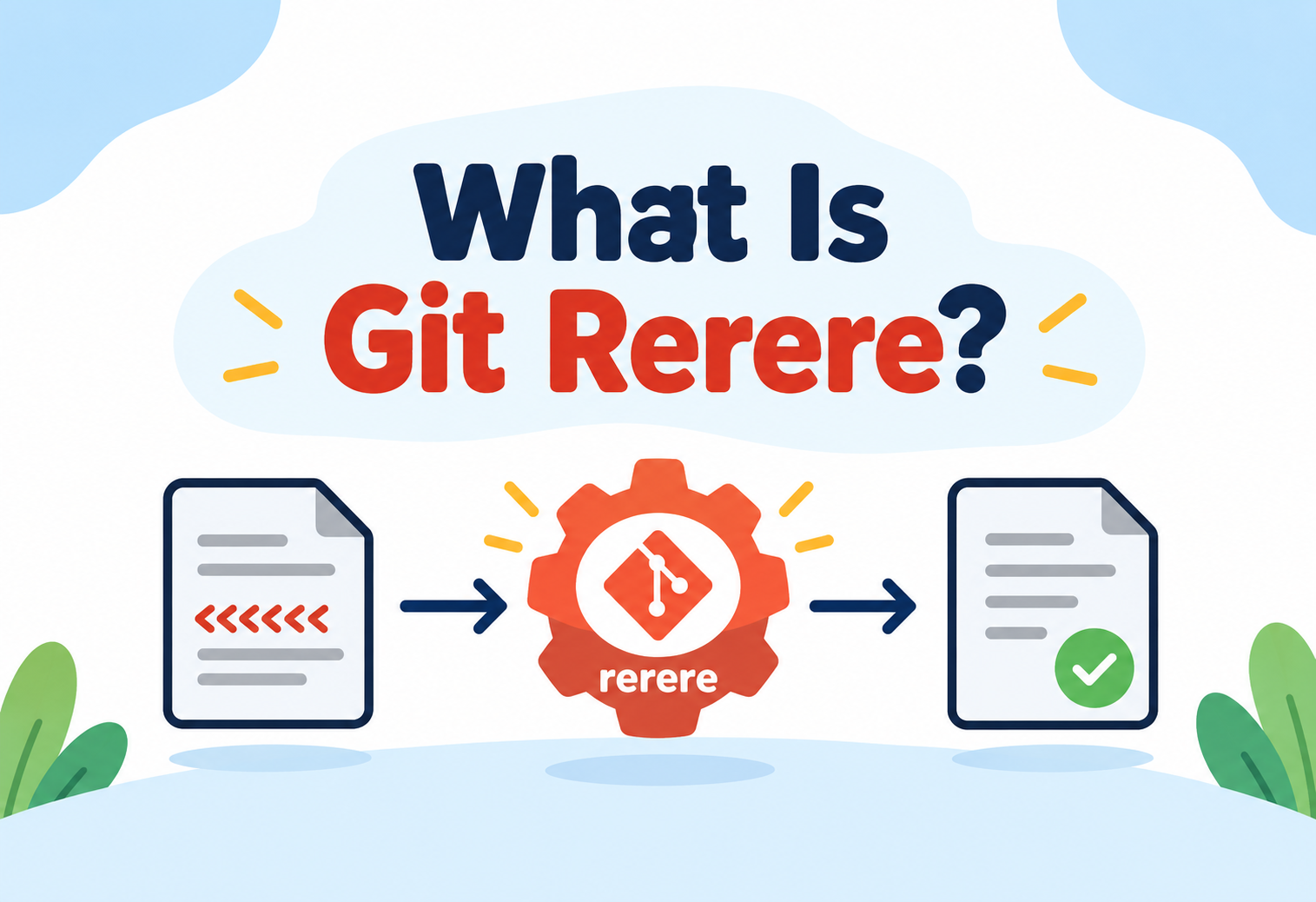
What Is Git Rerere?
An advanced, expert-level deep dive into rerere — "reuse recorded resolution" — the quiet Git feature that remembers how you resolved a merge conflict once, so you never have to resolve the exact same conflict by hand again.
Some merge conflicts aren’t rare, one-off events — they’re the same conflict, appearing again and again, every time a long-lived feature branch is rebased against a fast-moving main branch. Resolving it by hand the first time is reasonable. Resolving the exact same conflict by hand for the twentieth time, during the twentieth rebase, is pure waste. Git rerere exists precisely to eliminate that waste: it watches how you resolve a conflict once, remembers the pattern, and automatically applies the same resolution the next time that identical conflict reappears. This guide goes deep into how rerere actually works internally, what it does and doesn’t remember, and how experienced teams use it to make repetitive rebasing and merging dramatically less painful.
1Core Concept: What Is Rerere?
Rerere stands for “reuse recorded resolution.” It’s an optional Git feature that, once enabled, records the exact state of a merge conflict alongside how you resolved it, and then automatically applies that same resolution the next time Git encounters an identical conflict — without you needing to manually intervene again.
Think of rerere like a skilled translator who keeps a personal glossary of tricky phrases they’ve already worked out how to translate correctly. The first time a difficult, ambiguous phrase comes up, they think carefully and settle on the right translation, then jot it in their glossary. The next time that exact same phrase appears in a different document, they don’t have to puzzle over it again — they simply apply the translation they already worked out, instantly and correctly.
Picture a concrete, common scenario: a developer named Fatima maintains a long-lived feature branch that she rebases against main every single day, for several weeks, while the feature is being built. Each day’s rebase reintroduces the same conflict in a particular configuration file, because main and her branch both keep touching a shared section in incompatible ways. The first day, she resolves it manually, carefully merging both sides’ intent. With rerere enabled, every subsequent day’s rebase automatically reapplies that exact same resolution the instant the identical conflict reappears — turning what would be weeks of repetitive manual work into a single, one-time effort.
The name captures the feature’s entire philosophy precisely: it isn’t trying to be clever about resolving new, never-seen conflicts intelligently — it’s purely about reuse, recognizing a conflict pattern it has genuinely seen resolved before, and replaying that exact, human-approved resolution rather than attempting anything novel.
2Why It Exists
Certain Git workflows are structurally prone to repeated, identical conflicts. Long-lived feature branches that get rebased frequently against an actively changing main branch are the classic case — every rebase replays the branch’s commits one at a time against the new base, and if a particular commit’s change conflicts with something on main, that exact same conflict will resurface at that exact same commit on every single subsequent rebase, until the feature branch is finally merged or the underlying conflict source changes.
Before rerere, this meant genuinely redundant, tedious manual work — a developer might resolve the identical conflict dozens of times across the life of one feature branch. Rerere exists specifically to recognize and eliminate this redundancy, treating “I’ve already solved this exact problem” as valuable, reusable information rather than something to be manually redone from scratch every time.

“In what kind of Git workflow does rerere provide the most value, and why?” — The expected answer: workflows involving frequent rebasing of long-lived branches against a shared, actively changing base are where rerere shines most, because they’re precisely the situation where the same conflict is mechanically guaranteed to reappear repeatedly until the branch is finally merged — a one-time merge workflow benefits far less, since each conflict there typically only ever needs resolving once anyway.
3The Repetition Problem
To understand rerere’s value fully, it helps to walk through exactly why the same conflict recurs mechanically during repeated rebasing, rather than assuming it’s simply bad luck.
A Feature Branch Diverges From Main
Both the feature branch and main independently continue changing a shared section of a file, in ways that don’t cleanly combine automatically.
The Branch Is Rebased Against the Latest Main
Git replays the feature branch’s commits one at a time on top of main’s current state, and the conflicting commit produces a merge conflict, requiring manual resolution.
Main Continues to Change Further
Development on main keeps progressing, entirely independent of the feature branch’s own progress.
The Branch Is Rebased Again
The exact same feature-branch commit is replayed again, against main’s now-further-advanced state — and because the underlying conflicting content on the feature branch’s side hasn’t changed, the identical conflict resurfaces.
This cycle can repeat for as many times as the branch is rebased before finally merging, with the conflict essentially identical each time, since it originates from the same unchanged commit on the feature branch colliding with the same unchanged surrounding content, however many times main itself has moved on since.
4Architecture & Components
Rerere’s internal machinery is intentionally lightweight, built from a small set of local components.
| Component | Role |
|---|---|
| Rerere cache | A local directory storing every recorded conflict pattern and its recorded resolution |
| Conflict signature | A hash-based fingerprint of the specific pre-resolution conflict markers, used to recognize a matching conflict later |
| Recorded resolution | The exact resolved content the developer arrived at, stored alongside its corresponding conflict signature |
| Rerere configuration flag | The setting that enables or disables the feature, since it’s opt-in and not active by default |
Everything rerere maintains lives entirely inside the local repository’s own data, similar in spirit to the reflog — it’s a personal, local memory of resolutions, not something inherently shared with collaborators unless a team deliberately sets it up to be.
5Internal Working
Here’s the precise sequence rerere follows, from a conflict first appearing to a matching conflict being automatically resolved later.
A Merge Conflict Occurs
Git encounters conflicting changes during a merge or rebase and inserts the familiar conflict markers into the affected file.
Rerere Records the Pre-Resolution State
With rerere enabled, Git computes a signature from the exact conflicting content and stores it in the rerere cache, before any manual resolution happens.
The Developer Resolves the Conflict Manually
The conflict is resolved by hand as usual, editing the file to its correct, final combined state.
Rerere Records the Resolution
Once the developer stages the resolved file, rerere captures the resulting resolved content and pairs it permanently with the earlier-recorded conflict signature.
A Matching Conflict Is Auto-Resolved Later
The next time Git encounters a conflict whose signature matches a recorded one, rerere automatically applies the previously recorded resolution, without requiring manual intervention.
6Data Flow & Lifecycle
flowchart TD
    A["Merge/rebase produces\na conflict"] --> B{"Rerere has a matching\nrecorded signature?"}
    B -->|"No match found"| C["Conflict markers shown\nDeveloper resolves manually"]
    C --> D["Resolution staged"]
    D --> E["Rerere records signature\n+ resolution together"]
    B -->|"Match found"| F["Rerere auto-applies\nrecorded resolution"]
    F --> G["Developer reviews\nand confirms result"]
    E --> H["Cache grows,\nready for next occurrence"]
Fig 1 — The first encounter teaches rerere; every matching encounter afterward is resolved automatically
This diagram highlights the feature’s essentially self-reinforcing nature: the very first time through, a developer does the exact same manual work they’d always have done — the only difference is that rerere is quietly watching and learning. Every subsequent identical occurrence then takes that learned shortcut instead.
7Recording vs Resolving
Advanced Concepts
It’s worth being precise about what rerere actually automates, versus what still requires the same human judgment it always did.
| Aspect | First Occurrence | Repeat Occurrence (with rerere) |
|---|---|---|
| Who determines the correct resolution | A human, thinking through the conflict manually | Nobody new — the previously recorded human decision is simply replayed |
| Effort required | Full manual conflict resolution | Essentially none — the resolution is applied automatically |
| Review recommended | Inherent, since the developer is actively resolving it | Still worthwhile, to confirm the auto-applied resolution is genuinely still correct in this new context |
Rerere never invents a resolution on its own — it has no understanding of code correctness or intent. It purely replays a resolution a human already approved once, for an identically-shaped conflict. This is precisely why it’s safe in the specific case it’s designed for, and precisely why it should never be treated as a substitute for actual judgment on a genuinely new conflict.
8What Gets Stored, Precisely
Understanding exactly what rerere’s matching is based on clarifies both its power and its limits.
- The signature is based on the conflicting content itself, not the file’s identity. Rerere doesn’t care which file or which commit a conflict originated from — it matches purely on the shape of the conflicting text itself.
- This means the same conflict pattern can be recognized across genuinely different files. If two entirely unrelated files happen to produce an identical conflict pattern, rerere will apply the same recorded resolution to both, for better or worse.
- Only the conflicting region is stored, not the entire file. Rerere’s cache is deliberately narrow and focused, storing just the specific conflicting hunk and its resolution, not full file snapshots.
- A resolution is stored only once it’s actually confirmed. The recording happens when the developer stages the resolved result, not merely when they begin editing — an abandoned or incomplete resolution attempt isn’t captured.
9Advantages, Disadvantages & Trade-offs
Advantages
- Eliminates genuinely redundant manual work for conflicts that mechanically recur across repeated rebases
- Requires zero extra effort from the developer beyond the resolution they’d have needed to do anyway, the first time
- Scales its benefit directly with how often a particular conflict repeats — the more repetitive the workflow, the more valuable rerere becomes
- Operates purely locally, requiring no coordination or shared infrastructure to start benefiting from it
Trade-offs
- Matching is based purely on conflict shape, not deeper context — a superficially similar but contextually different conflict could be auto-resolved incorrectly
- Off by default, meaning many developers never benefit from it simply because they’ve never enabled it
- Purely local by default, so the learning doesn’t automatically benefit teammates facing the exact same recurring conflict
- Auto-applied resolutions still deserve a review step, which is easy to skip carelessly once the feature starts feeling reliably automatic
10Reliability Considerations
Because rerere automates something as consequential as conflict resolution, understanding exactly where its reliability guarantees hold — and where they don’t — is essential.
- It’s reliable specifically because it never guesses. Rerere only ever applies a resolution that a human explicitly confirmed for an identically-shaped conflict — it has no independent logic for resolving anything it hasn’t genuinely seen before.
- Reliability weakens if the underlying situation has meaningfully changed, even with an identical conflict shape. A resolution that was correct in one surrounding context might not remain correct if the broader code around it has since evolved substantially, even though the specific conflicting hunk still matches.
- The cache can grow stale over a long project lifetime. Old recorded resolutions for conflict patterns that are no longer relevant simply sit unused, taking up a small amount of local storage without causing harm.
- Auto-resolution doesn’t mean auto-commit. Rerere fills in the resolved content, but the developer still explicitly reviews and completes the merge or rebase — it’s a shortcut for the tedious part, not a fully invisible, unreviewable automatic action.
11Security & Sharing Implications
Rerere’s local-by-default nature, and the option to share its cache, both carry meaningful implications worth understanding.
- By default, rerere’s memory is entirely local and personal. One developer’s recorded resolutions don’t automatically reach anyone else’s machine, meaning teammates facing the exact same recurring conflict won’t benefit from someone else’s earlier resolution unless the cache is deliberately shared.
- Sharing a rerere cache across a team requires deliberate setup. Some teams choose to version-control the rerere cache itself, letting the whole team benefit from a colleague’s earlier resolution of a shared, recurring conflict.
- A shared cache is only as trustworthy as the resolutions recorded into it. If an incorrect resolution was ever recorded and shared, that same incorrect result would now be silently, automatically reapplied for every teammate who encounters the matching conflict.
- No secrets or unrelated data are exposed through the mechanism itself. Rerere’s cache stores only the specific conflicting content and its resolution — it isn’t a general-purpose data exposure risk beyond whatever was already present in the code being merged.
12Observability & Inspection
Because rerere acts somewhat invisibly once enabled, having visibility into what it’s doing — and having a way to review its work — matters for trusting it fully.
Reviewing What Rerere Auto-Resolved
Git clearly indicates when a conflict was automatically resolved by rerere rather than by the developer’s own hand, making it straightforward to identify exactly which parts of a merge or rebase were shortcut this way.
Diffing the Auto-Applied Resolution
Before finalizing a merge or rebase, a developer can directly inspect what rerere changed, confirming the previously recorded resolution genuinely still makes sense in the current context.
Forgetting a Specific Recorded Resolution
If a particular recorded resolution turns out to have been wrong, or is simply no longer appropriate, it can be explicitly removed from the cache, preventing it from being auto-applied again in the future.
13Design Patterns & Anti-patterns
Pattern
Enable rerere by default for any workflow involving frequent rebasing of long-lived branches against an actively changing base.
Why It Works
This is exactly the scenario where the same conflict is mechanically guaranteed to recur, making rerere’s benefit compound with every subsequent rebase rather than being a one-time convenience.
Pattern
Review auto-applied resolutions before finalizing a merge, even when they feel reliably automatic.
Why It Works
It preserves the safety net of human oversight for the rare case where a matching conflict shape no longer represents a genuinely correct resolution in its new surrounding context.
Anti-pattern
Treating rerere as a substitute for actually resolving a merge conflict correctly and thoughtfully the very first time it appears.
Why It’s Risky
Since every future automatic resolution is simply a replay of that first decision, a careless or incorrect initial resolution gets faithfully, silently repeated every single time the same conflict recurs afterward.
Anti-pattern
Sharing a team-wide rerere cache without any review process for what gets recorded into it.
Why It’s Risky
An unreviewed, incorrect resolution recorded by one team member would then be silently, automatically applied for every other teammate who encounters the matching conflict, multiplying a single mistake across the whole team.
14Best Practices & Common Mistakes
long-lived branches
auto-resolved merge
keep reapplying
- Enable rerere specifically for workflows prone to repeated conflicts. It provides the most value precisely where long-lived branches are rebased frequently against a shared, actively evolving base.
- Resolve the first occurrence of any conflict with real care. Since that resolution becomes the template for every future automatic replay, getting it right the first time matters more than usual.
- Still glance over auto-applied resolutions before finalizing. A quick review preserves the safety net for the rare case where a matching conflict shape no longer represents the correct answer in its new context.
- Deliberately forget incorrect recorded resolutions. If a past resolution turns out to have been wrong, remove it from the cache rather than letting it keep silently reapplying itself.
- Consider a shared cache carefully, with review, for team-wide recurring conflicts. The benefit of shared learning is real, but only if what gets shared has actually been vetted as correct.
A subtler mistake worth naming directly: assuming rerere’s silence means nothing happened. Because a matched conflict is resolved automatically and often quickly, it’s easy for a busy developer to simply not notice that a shortcut was taken at all — building the habit of briefly checking what rerere touched, even when everything feels routine, is what keeps the feature’s real convenience from quietly becoming a blind spot.
15Real-World Usage Patterns
Daily Rebase Workflows
Teams practicing frequent rebasing of an in-progress feature branch against a fast-moving main branch commonly enable rerere specifically to eliminate the repeated manual resolution burden this workflow otherwise creates.
Repeated Upstream Merges
Projects that regularly merge in changes from an external upstream source, while maintaining their own local modifications, often see the same conflicts recur with each new upstream merge — a natural fit for rerere’s strengths.
Shared Configuration Conflict Patterns
Teams with many contributors frequently touching the same shared configuration or boilerplate files sometimes maintain a shared rerere cache specifically to reduce redundant resolution effort across the whole team.
Reapplying a Local Patch Series
Developers maintaining a personal series of patches on top of an upstream project, repeatedly rebased as upstream advances, use rerere to avoid re-resolving the same patch conflicts against every new upstream version.
16Frequently Asked Questions
17Summary and Key Takeaways
Key Takeaways
- Rerere (“reuse recorded resolution”) is an opt-in core Git feature that remembers how a merge conflict was resolved once and automatically reapplies that resolution the next time an identically-shaped conflict appears.
- It exists specifically to eliminate the genuinely redundant manual work created by workflows that frequently rebase long-lived branches against an actively changing base.
- Matching is based purely on the shape of the conflicting content itself, not the file or commit it came from — powerful, but with real limits worth understanding.
- Rerere never invents a resolution independently — it only ever replays a resolution a human already explicitly confirmed for a matching conflict.
- By default it’s entirely local and personal; sharing its benefit across a team requires deliberate, careful setup and review discipline.
- Auto-applied resolutions still deserve a quick review before finalizing a merge, preserving a safety net for the rare case where a matching shape no longer means a genuinely correct answer.
- Used well, in the right kind of repetitive, frequently-rebased workflow, it turns a recurring source of tedious, repeated effort into a one-time investment that keeps paying off automatically.