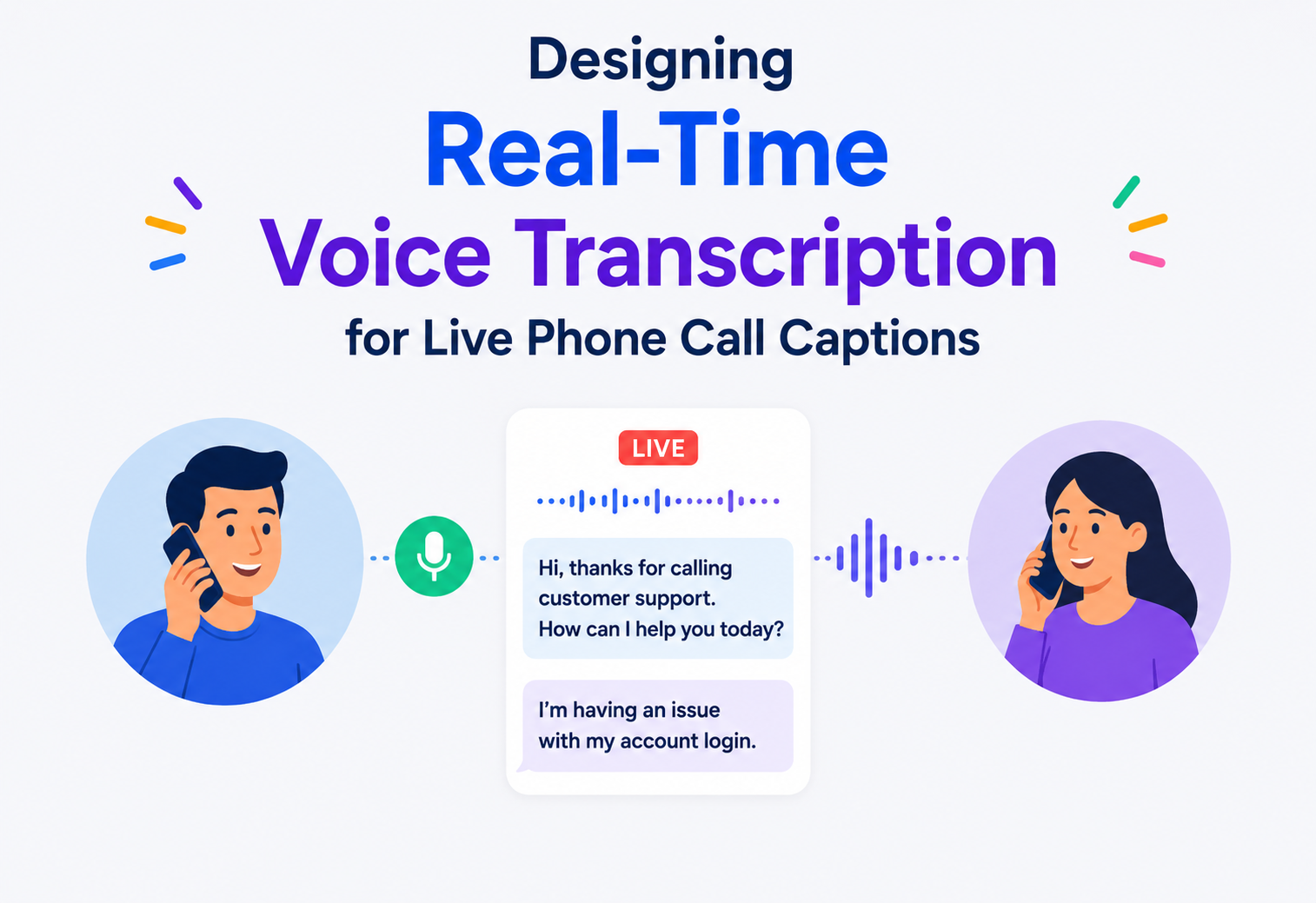
Designing Real-Time Voice Transcription for Live Phone Call Captions
A deep, interview-ready walkthrough of how to build a low-latency speech-to-text pipeline that turns a live phone call into readable captions fast enough to feel like part of the conversation — for accessibility, not as an afterthought. We design the streaming ASR pipeline end to end: audio capture, pre-processing, streaming inference, language-model rescoring, speaker diarization, caption formatting, and the operational scaffolding to serve millions of concurrent sessions under a tight sub-second latency budget.
Introduction & History
For a Deaf or hard-of-hearing person, or for anyone in a loud environment, a phone call without captions is simply not usable. The feature sounds like a small add-on — “just show what’s being said as text” — but under the hood it is one of the least forgiving real-time systems you can design, because it fights against two conflicting demands at once: the words on screen must be correct, and they must appear almost instantly, before the natural rhythm of the conversation moves on without them. In this guide we design that system end to end: a live captioning pipeline for phone calls that listens to audio as it arrives, transcribes it continuously, and pushes readable text to the listener’s screen with minimal delay, all while the call itself keeps flowing in real time.
1.1 From isolated digits to end-to-end streaming neural models
Automatic speech recognition (ASR) has a long history stretching back to the 1950s and 60s, when early systems could only recognize isolated digits spoken by a single trained voice. Progress through the 1980s and 90s brought Hidden Markov Models and statistical language models, which powered the first commercially usable dictation software, but these systems were still built for offline or near-offline use — you spoke, waited, and then saw a transcript. They were not designed to keep pace with a live, two-way conversation.
The shift toward genuinely real-time transcription accelerated through the 2010s alongside deep learning, specifically the move from traditional HMM-based acoustic models to end-to-end neural architectures — recurrent neural networks, and later Transformer-based and Conformer-based models — that could be run in a streaming mode, processing audio in small chunks and emitting partial results continuously rather than waiting for a full utterance to finish. This streaming capability is the single most important technical unlock behind live captions as we know them today: without it, every caption would lag an entire sentence behind the speaker, which defeats the purpose for accessibility.
1.2 Accessibility regulation as a system requirement
Regulatory and social pressure mattered too. Accessibility requirements (such as the Americans with Disabilities Act in the US, the European Accessibility Act, and similar frameworks elsewhere) increasingly treat live captioning as an expected feature for communication platforms, not a luxury. This pushed telecom and video platforms — carriers, video conferencing tools, and even native phone apps on Android and iOS — to build live-caption features directly into everyday calling experiences, which is the system we design in this guide.
Think of a live sign-language interpreter at a conference: they can’t wait for the speaker to finish an entire paragraph before signing — they have to interpret continuously, tolerating small corrections and self-edits as the sentence they’re signing turns out different from how it started. A live captioning system is doing the same job, but in software, at scale, and under a strict latency budget measured in hundreds of milliseconds.
Continuous audio from an active phone call must be captured, streamed to a speech recognition engine, converted into accurate text, and displayed on screen — all within roughly one second of the words being spoken — while handling background noise, multiple speakers, accents, domain-specific vocabulary, and network instability, without ever pausing or blocking the underlying call.
Architecture & Components
The central tension in this system is the same one that shows up in almost every real-time speech system: accuracy generally improves the more context a model has (more surrounding audio, more time to reconsider earlier guesses), but latency demands the opposite — commit to an answer and show it now. The architecture is built around resolving that tension using a streaming ASR pipeline with a “partial result, then correction” model, rather than trying to get every word perfectly right on the first pass.
2.1 High-level component map
Audio Capture Module
Taps the call’s audio stream — either the near-end microphone, the far-end incoming audio, or both — without disrupting the actual voice call path.
Audio Pre-processing Pipeline
Noise suppression, echo cancellation, automatic gain control, and voice activity detection (VAD) to identify when someone is actually speaking.
Streaming Transport
A low-latency channel (typically WebSocket or a raw UDP/RTP-based stream) that carries small audio chunks from the client to the transcription backend continuously.
ASR Inference Service
The core speech-to-text engine, running a streaming-capable acoustic and language model that emits partial and final transcription results as audio arrives.
Language Model / Rescoring Layer
Refines raw acoustic model output using broader language context, punctuation prediction, and custom vocabulary (names, jargon, product terms).
Speaker Diarization Module
Identifies “who spoke this” when multiple people are on the call, so captions can be attributed correctly.
Caption Formatting & Delivery
Converts raw model output into readable caption text (capitalization, punctuation, line-breaking) and pushes it to the viewer’s screen.
Session & Preference Store
Tracks each call’s captioning settings — language, custom vocabulary, font size, and other accessibility preferences.
Client Renderer
Displays captions on screen with appropriate timing, scroll behavior, and buffering so text is readable rather than flickering.
2.2 Why streaming ASR, not batch transcription
A batch transcription system — record the whole call, then transcribe it afterward — produces highly accurate results because the model has the entire utterance, and often the entire conversation, as context. But it is completely unusable for live captioning, since the whole point is showing text while the conversation is still happening. The system therefore needs a streaming ASR model, one architected specifically to accept audio incrementally and produce output incrementally, continuously revising its own earlier guesses as more audio arrives, rather than a model that requires the full utterance before producing any output at all.
| Approach | Latency | Accuracy Characteristics | Fit for Live Captions |
|---|---|---|---|
| Batch / Offline ASR | High — seconds to minutes after speech ends | Best possible, since the model sees full context | Not suitable for live use; fine for post-call transcripts or search indexing |
| Streaming ASR with Partial Results | Low — sub-second to ~1 second per chunk | Slightly lower than batch; partials may be revised as more context arrives | The right fit — this is what every production live-caption system uses |
| Two-Pass (Streaming + Delayed Rescoring) | Low for the first pass; a short delay for the corrected pass | Best of both — fast partials for immediacy, corrected text shortly after for accuracy | Common in production; shows a “draft” caption instantly, then quietly upgrades it |
“Why not just make the batch model faster instead of building a separate streaming model?” — The honest answer is that “faster batch” still requires waiting for an utterance boundary before starting inference, which alone can add hundreds of milliseconds to seconds of unavoidable latency; a streaming model is architecturally different, processing fixed-size audio frames as they arrive and maintaining running internal state, so it doesn’t need to wait for silence to begin producing output at all.
Internal Working
3.1 Audio capture without disrupting the call
The trickiest first step is tapping the call’s audio without interfering with the actual voice path. On mobile platforms this typically means using OS-provided call-audio access APIs that allow a background service to read audio frames while the underlying call continues uninterrupted through the normal telephony or VoIP stack. In video/VoIP conferencing contexts, this is simpler — the client already has direct access to the decoded audio stream from each participant, so the capture module simply taps that same buffer that would otherwise go straight to the speaker.
3.2 Pre-processing: cleaning the signal before recognition
Raw call audio is rarely clean. It carries background noise, the far-end speaker’s echo bleeding back through a poorly isolated microphone, and volume swings as someone moves closer to or further from their phone. Before this audio reaches the ASR model, it typically passes through:
- Voice Activity Detection (VAD): A lightweight model that decides, frame by frame, whether speech is present at all, so silence is not needlessly sent through the (much more expensive) full ASR pipeline.
- Acoustic Echo Cancellation (AEC): Removes the far-end audio bleeding back into the near-end microphone, a classic problem on speakerphone calls.
- Noise Suppression: Reduces background noise (traffic, keyboard typing, wind) that would otherwise confuse the acoustic model.
- Automatic Gain Control (AGC): Normalizes volume so a quiet speaker and a loud speaker both land in the range the model was trained on.
3.3 The streaming acoustic model
The core of the system is a neural acoustic model — commonly a Conformer or Transformer-based streaming architecture — that converts short audio frames into a sequence of likely sub-word or phoneme units, which are then decoded into text. Streaming variants of these architectures are specifically constrained to only look a small, bounded amount into the future (a technique often called “limited right-context” or chunk-based streaming), rather than the unlimited bidirectional context a batch model can use, which is precisely the architectural trade that buys low latency at a small accuracy cost.
3.4 Partial results and endpointing
As audio streams in, the model continuously emits partial hypotheses — its current best guess of what has been said so far, which may change as more audio provides additional context. For example, “I’ll see you at” might briefly become “I’ll see you at ate” before correcting to “I’ll see you at eight” once enough acoustic and language context is available. The system uses endpointing — detecting a natural pause or the end of an utterance — to decide when to “finalize” a partial result and stop revising it, which is what allows captions to visually settle instead of endlessly flickering.
3.5 Language model rescoring and custom vocabulary
The raw acoustic model output is often rescored using a language model that understands which word sequences are more probable in natural speech, correcting acoustically similar but contextually wrong guesses (for example, distinguishing “recognize speech” from “wreck a nice beach,” a classic example in speech recognition literature). Production systems also support custom vocabulary injection — letting a call include domain-specific terms, proper names, or company jargon that the base model would otherwise mis-transcribe, boosting the probability of those terms during decoding for that particular session.
3.6 Speaker diarization
When more than one person is on the call, captions are far more useful if they indicate who is speaking. Diarization models analyze acoustic characteristics of the audio stream (pitch, timbre, spectral patterns) to cluster speech segments by speaker identity, typically running as a separate, lighter-weight model in parallel with the main ASR pipeline so it does not add extra latency to the caption text itself, with its output (speaker labels) merged into the final caption stream just before display.
3.7 Caption formatting
Raw model output is a stream of words, often without punctuation or capitalization unless the model was explicitly trained to predict those. A formatting layer applies punctuation prediction, capitalization, sentence segmentation, and line-length rules (captions are typically limited to one or two short lines at a time, matching how humans read most comfortably) before the text reaches the viewer’s screen.
3.8 Handling overlapping speech and interruptions
Real conversations are messy — people talk over each other, interrupt mid-sentence, and trail off before finishing a thought. A naive ASR pipeline that assumes one speaker at a time will produce garbled or interleaved text when two people speak simultaneously. Production systems address this by combining the diarization module’s speaker-boundary detection with the acoustic model’s confidence scores, so that overlapping segments are either separated into distinct caption lines per speaker where the audio quality allows it, or, when true separation isn’t reliably possible from a single mixed audio channel, the system falls back to presenting the dominant (louder or clearer) speaker’s speech while flagging the segment as containing overlapping audio, rather than presenting a single garbled merge of both voices as if it were one continuous, coherent sentence.
3.9 Confidence scoring and uncertainty signaling
Every word the acoustic model outputs comes with an associated confidence score reflecting how certain the model is about that particular recognition. This score is useful beyond just internal model tuning — some caption interfaces expose low-confidence words with a subtle visual treatment (such as a lighter shade of text) so the reader has an honest signal about which parts of the caption are most likely to be accurate versus a best guess, rather than presenting every word with equal, potentially false, confidence. This kind of uncertainty signaling is a small design choice that meaningfully improves trust in the system for regular users who rely on captions as their primary channel for following a conversation.
3.10 Multi-language and code-switching considerations
Many real-world calls are not conducted in a single, consistent language throughout — a speaker may switch languages mid-sentence, or a call may include participants speaking different native languages. Supporting this well requires either a language-identification step that runs ahead of or alongside the acoustic model to select the appropriate language-specific model, or a genuinely multilingual model trained to handle code-switching directly within its recognition process. Systems that only support a single, statically configured language per session will systematically fail for a meaningful fraction of real bilingual and multilingual users, which is an important accessibility gap to design around explicitly rather than treat as a rare edge case.
public final class StreamingRecognizer {
    private final AcousticModel model;
    private final LanguageModel rescorer;
    private final Endpointer endpointer;

    public void onAudioChunk(AudioFrame frame, StreamListener listener) {
        if (!vad.hasSpeech(frame)) return;                    // gate silence early
        Hypothesis partial = model.stepStreaming(frame);      // incremental inference
        Hypothesis rescored = rescorer.applyLight(partial);   // fast pass
        listener.onPartial(rescored.text(), rescored.confidence());

        if (endpointer.detectBoundary(frame)) {
            Hypothesis finalHyp = rescorer.applyFull(rescored);
            listener.onFinal(finalHyp.text(), finalHyp.speakerLabel());
            model.resetUtteranceState();
        }
    }
}
Data Flow & Lifecycle
Walking through a full lifecycle makes the architecture concrete — here is what happens from the moment a user enables live captions on an active call.
4.1 Session setup phase
When captions are enabled, the client requests a captioning session from the session service, which validates the user’s language and accessibility preferences, checks for any custom vocabulary configured for this account or organization, and returns an endpoint for the client to stream audio to — typically the nearest regional ASR cluster to minimize network latency, since every added millisecond of network round trip directly adds to caption delay.
4.2 Continuous streaming phase
This is the bulk of the call’s lifetime. Audio is captured, pre-processed, and sent in small chunks (commonly in the range of 100–300 milliseconds of audio per chunk) to the ASR service, which maintains ongoing internal state for that stream and emits partial results as it goes. This loop repeats continuously for as long as the call and captioning session remain active, with no need to re-establish the connection for each chunk.
4.3 Finalization and correction phase
When the model detects a natural utterance boundary, it emits a finalized segment — text that will no longer be revised — and the caption display “settles” that portion of text so it stops updating, giving the reader a stable, trustworthy line to read while the next utterance begins streaming in as new partial results.
4.4 Teardown phase
When the user disables captions or the call ends, the client closes its streaming connection to the ASR service, which releases any per-session model state, and the session service cleans up session metadata. If the connection drops unexpectedly, a short timeout on the ASR side releases resources automatically rather than holding them indefinitely for a session that will never resume.
User taps “enable captions”. Session service issues a token; client resolves the nearest ASR endpoint.
Streaming connection established. First audio chunk begins pre-processing.
First 100–300ms audio chunk reaches the ASR service; the model emits its first partial hypothesis.
Formatting layer applies punctuation/capitalization; first partial caption is rendered on screen.
Endpointer detects a pause; finalized segment is emitted and the caption line “settles.”
Streaming connection closed; per-session model state released; session metadata torn down.
Advantages, Disadvantages & Trade-offs
5.1 Latency vs accuracy
This is the central trade-off of the entire system. A model that waits longer before committing to an answer — using more surrounding audio as context — will generally be more accurate, but every added moment of context is added moment of delay for the reader. Production systems typically target caption delay in the range of a few hundred milliseconds to about one second from when a word is spoken to when it appears on screen, since delays beyond roughly one to two seconds begin to feel disconnected from the live conversation and undermine the accessibility purpose entirely.
| Design Choice | Benefit | Cost |
|---|---|---|
| Smaller streaming chunk size | Lower latency per update | More network overhead; less acoustic context per inference call |
| Larger right-context window | Better accuracy on ambiguous words | Directly adds latency before a word can be finalized |
| Two-pass rescoring | Fast initial partial + more accurate final text | Extra compute and complexity; requires clear UI treatment of “draft vs settled” text |
| On-device ASR | No network round-trip latency; works with poor connectivity | Constrained model size and accuracy vs a large server-side model |
5.2 On-device vs server-side transcription
Running the ASR model directly on the user’s device eliminates network round-trip latency entirely and keeps working even when the network is degraded, which matters enormously for a live captioning feature where inconsistent captions can be worse than none. But on-device models must be small enough to run efficiently on a phone’s hardware, which typically means a real accuracy trade-off compared to large server-side models. Many production systems support both: a capable on-device model as a fast, always-available baseline, with an option to route to a larger server-side model when network conditions and privacy settings allow.
“If you had to pick one number to optimize — median latency or 95th-percentile latency — which matters more for this product?” — Tail latency (95th/99th percentile) usually matters more for accessibility products specifically, because a captioning user who experiences an occasional multi-second stall loses track of the conversation at exactly the moment they needed the captions most; a slightly higher but consistent median latency is far less damaging than unpredictable spikes.
5.3 Server-side accuracy vs privacy trade-off
Sending raw audio to a server-side model generally unlocks the highest achievable accuracy, since server infrastructure can run far larger models than any phone could host locally, and can pool signals across many users to continuously improve. But this comes at a genuine privacy cost — private conversations leaving the device and traversing a network, even briefly and even when handled with strict retention discipline, is a meaningfully different risk profile from audio that never leaves the device at all. There is no universally correct answer here; the right choice depends on the specific deployment context, regulatory environment, and the sensitivity of the calls being transcribed, which is why many production systems make this a configurable, transparent choice for the user rather than a silent default buried in settings.
5.4 Single global model vs personalized model
A single model trained across a broad population is simpler to build, deploy, and maintain, but a model that can adapt to an individual speaker’s voice, accent, and common vocabulary over repeated use typically achieves meaningfully better accuracy for that specific person. The trade-off is complexity: personalization requires some mechanism for storing and applying per-user adaptation data, which reintroduces some of the same privacy and data-retention questions discussed elsewhere in this guide, and requires careful design so that a shared or borrowed device does not inadvertently apply the wrong person’s adaptation profile to someone else’s speech.
Performance & Scalability — Millions of Requests per Minute
We now scale this design from one call to a platform-wide scenario: many thousands of simultaneous captioning sessions across a telecom or communications platform, generating a continuous, high-frequency stream of audio chunks that together add up to millions of inference requests per minute.
6.1 The real scaling bottleneck — GPU / accelerator inference capacity
Unlike the screen-sharing case where bandwidth dominates, live transcription’s dominant cost and scaling constraint is compute for model inference — specifically, running a neural acoustic model continuously for every active captioning session. Each session requires ongoing, low-latency inference, and unlike batch workloads, this compute cannot be scheduled flexibly or delayed; it must keep pace with real time or captions will visibly lag.
6.2 Batching strategies for streaming inference
A key technique for serving many concurrent streaming sessions efficiently is dynamic micro-batching: rather than running one model inference call per audio chunk per session (which underutilizes accelerator hardware), the inference service groups audio chunks arriving from many different active sessions within a very small time window (a few tens of milliseconds) into a single batched inference call. This dramatically improves hardware utilization, since modern accelerators are far more efficient processing a batch of inputs together than the same number of inputs one at a time, but the batching window itself must be kept small enough that it doesn’t become a meaningful source of added latency.
6.3 Model size tiers and adaptive routing
Not every session needs the largest, most accurate model. Production systems commonly maintain multiple model size tiers — a smaller, faster model for cost-sensitive or latency-critical paths, and a larger model for cases where accuracy matters most or where compute headroom allows it — and route sessions between them based on current system load, the user’s plan or accessibility priority, or observed audio difficulty (for example, escalating a noisy or accented call to a larger, more robust model automatically).
6.4 Horizontal scaling of inference clusters
Inference nodes are scaled horizontally behind a session-aware load balancer that assigns each new captioning session to a node with available capacity, keeping that session pinned to the same node for its duration since the streaming model maintains internal state across chunks that cannot easily be transferred mid-session to another node without a brief disruption.
6.5 Capacity planning numbers (illustrative)
| Metric | Approximate Target |
|---|---|
| Audio chunk size sent to ASR | 100–300 ms per chunk |
| Target caption latency (speech to displayed text) | Under ~1 second for partials; a further short delay for finalized/corrected text |
| Concurrent streaming sessions per inference node (rough) | Hundreds, bounded by accelerator throughput and micro-batch efficiency |
| Inference requests per minute at platform scale | Millions, driven by the continuous chunked nature of every active session |
| Endpointing pause threshold | ~500ms–1s of detected silence to finalize an utterance |
“How would you serve 10x more concurrent captioning sessions without 10x-ing your GPU fleet?” — A strong answer centers on micro-batching efficiency gains, tiered model routing (sending easier audio to smaller, cheaper models), and reducing wasted inference on silence through aggressive voice-activity-detection gating before audio ever reaches the expensive ASR model, since a meaningful fraction of call audio at any moment is actually silence or non-speech.
6.6 Queueing theory and latency under load
As concurrent session count rises, understanding how queueing delay behaves becomes essential to keeping caption latency predictable. If audio chunks arrive faster than the inference fleet can process them, a queue builds in front of the accelerators, and every session sharing that queue experiences added delay, not just the newest arrivals. This is why capacity planning for this system cannot simply target average utilization; it must leave meaningful headroom below saturation, because queueing delay grows non-linearly as utilization approaches 100 percent — a system running at 95 percent average utilization can have dramatically worse tail latency than one running at 80 percent, even though the difference in raw capacity used looks small. Admission control at the session-assignment layer, similar in spirit to the approach used for media-forwarding systems, prevents new sessions from being placed onto an already-saturated inference node, preferring a node with real headroom even if it means slightly higher routing complexity.
6.7 Handling traffic spikes and predictable peaks
Call volume across a large platform is rarely flat — it spikes around business hours, particular times of day in each region, and predictable calendar events. Because inference capacity cannot be provisioned instantly (accelerator nodes take real time to come online and warm up), the system benefits from proactive, schedule-aware capacity planning: pre-warming additional inference capacity ahead of known peak windows in each region rather than purely relying on reactive auto-scaling that only responds after load has already begun to climb, since reactive scaling alone risks a window of degraded latency for the users unlucky enough to connect right as the spike begins.
“Your inference fleet shows 90% average utilization and still meets its latency target — is that a healthy operating point?” — A strong answer flags this as risky rather than efficient: at high utilization, queueing delay becomes highly sensitive to small additional load increases, so a seemingly healthy average can mask a system one modest traffic spike away from a serious tail-latency regression; deliberately maintaining headroom is a safety margin, not wasted capacity.
High Availability & Reliability
7.1 Failure domains
The system must tolerate an inference node crashing mid-session, a full region becoming unavailable, transient network loss between the client and the ASR service, and degraded audio quality from the call itself. Each failure mode needs a distinct, deliberate mitigation, because for an accessibility feature, silently failing captions is a much more serious problem than silently failing a “nice to have” feature elsewhere in the product.
7.2 Session recovery on node failure
If an inference node hosting an active captioning session fails, the client needs to detect the dropped connection quickly (via a short heartbeat or keep-alive interval) and reconnect to a new node. Because the streaming acoustic model’s internal state lived only on the failed node, a small amount of transcription context is unavoidably lost — the practical mitigation is to reconnect as fast as possible (targeting well under a second) and resume from the next incoming audio, accepting a brief gap rather than trying to perfectly reconstruct lost internal state, which is not achievable at real-time speed anyway.
7.3 Graceful degradation instead of silence
If server-side ASR becomes unavailable or the network degrades severely, a well-designed system falls back to an on-device model (even if lower in accuracy) rather than showing no captions at all — for an accessibility-focused feature, imperfect captions are almost always better than a caption stream that simply stops, since the user has no other way to follow the conversation.
7.4 Multi-region redundancy
ASR inference clusters are deployed across multiple regions, with sessions routed to the nearest healthy region at connection time and a fast failover path to a secondary region if the primary becomes unavailable mid-call, minimizing both latency in normal operation and downtime during a regional incident.
“What’s worse for this product: slightly wrong captions, or a one-second gap with no captions at all?” — For most accessibility use cases, a brief gap is more disorienting than a minor transcription error, because the user has no fallback way to follow what was said during a silent gap, whereas a wrong word can often be inferred from context — this reasoning is exactly why graceful degradation to a lower-accuracy fallback is prioritized over failing closed.
Security
8.1 Encryption in transit
Audio streamed from the client to the ASR service is encrypted in transit (TLS for the streaming connection), and the resulting caption text delivered back to clients is similarly encrypted, since both the raw audio and its transcription are sensitive personal and often confidential conversational content.
8.2 Data retention and processing policy
Because this system processes the actual audio content of private phone calls, retention policy is a first-class design concern, not an afterthought. Production systems typically process audio in a streaming, ephemeral fashion — audio chunks are used for inference and then discarded rather than durably stored — unless a user has explicitly opted in to call recording or transcript saving as a separate, clearly consented feature.
8.3 On-device processing as a privacy-preserving option
Running transcription entirely on-device, without ever sending raw audio to a server, is one of the strongest privacy postures available and is why many platforms offer or default to on-device captioning where feasible, reserving server-side processing for cases where on-device accuracy is insufficient and the user has explicitly consented to server-side processing.
8.4 Access control for custom vocabulary and session data
Custom vocabulary lists (which may contain names of people, internal project codenames, or other organization-specific terms) and session preferences are access-controlled per account or organization, since this metadata itself can reveal sensitive information about who a user communicates with and what they discuss.
8.5 Abuse and integrity protection
The streaming ASR endpoints are protected against abuse (someone attempting to stream unrelated audio to consume inference capacity for free, or attempting to extract the underlying model through crafted inputs) using authenticated, time-limited session tokens issued only after a legitimate call session is established, rather than open, unauthenticated streaming endpoints.
“Should raw call audio ever be stored after transcription?” — The defensible default is no, unless the user has explicitly and separately consented to recording, since retaining audio beyond what’s needed for real-time inference significantly increases the privacy risk surface for a feature that, by definition, processes highly personal and sometimes confidential conversations.
Monitoring, Logging & Metrics
9.1 Latency metrics
The most important metric family in this entire system is end-to-end caption latency: the time from a word being spoken to that word appearing on the user’s screen, broken down into capture latency, network transit time, inference time, and rendering time, so that when latency regresses, engineers can immediately see which stage is responsible rather than debugging the whole pipeline as one opaque unit.
9.2 Accuracy metrics
Word Error Rate (WER) — the standard speech recognition accuracy metric, measuring the percentage of words incorrectly inserted, deleted, or substituted compared to a ground-truth reference — is tracked both in aggregate and broken down by conditions that matter for accessibility, such as accent, background noise level, and multi-speaker overlap, since an aggregate WER number can look healthy while specific user populations experience much worse accuracy.

9.3 Server-side operational metrics
- Inference node GPU/accelerator utilization and micro-batch efficiency (average batch size achieved vs theoretical maximum).
- Active streaming session count per node, and session connection/reconnection rates.
- Endpointing accuracy — how often utterance boundaries are detected too early (cutting off a sentence) or too late (delaying finalization unnecessarily).
- Fallback activation rate — how often clients drop to on-device or lower-tier models, since a rising rate often signals a server-side capacity or network issue.
9.4 Real-time alerting
Given the accessibility-critical nature of this feature, alerting thresholds for latency and error-rate regressions are set conservatively, and dashboards are segmented by user-relevant conditions (language, region, device type) rather than only global averages, since a global average can mask a severe regression affecting a specific language or accent group.
“Word Error Rate looks fine in your dashboards, but Deaf users are filing complaints — what would you check next?” — This is a strong prompt to discuss metric segmentation: check WER broken down by accent, background noise, multi-speaker calls, and specific languages or dialects, since an aggregate metric across the whole user base can hide severe degradation for a subset of users, which is exactly the population an accessibility feature exists to serve well.
Deployment & Cloud Considerations
10.1 Accelerator capacity planning
Because inference compute (not bandwidth) is the dominant cost here, deployment planning centers on GPU or dedicated inference-accelerator capacity, sized against a realistic model of concurrent active sessions and the micro-batching efficiency the system can achieve, rather than around network egress as in a media-forwarding system.
10.2 Edge and regional deployment
Inference clusters are deployed in multiple regions close to users to minimize the network round-trip component of total latency, since every added network hop directly subtracts from the latency budget available for actual model computation. For particularly latency-sensitive deployments, some platforms explore edge inference — running smaller models physically closer to the user, even outside traditional cloud regions — to shave additional milliseconds off round-trip time.
10.3 Auto-scaling characteristics
Unlike the SFU case, inference nodes are more amenable to elastic scaling since sessions do not carry the same heavy per-connection network binding, though the streaming model’s internal per-session state still favors keeping a session pinned to one node for its duration; the system scales by adding or removing whole nodes based on aggregate concurrent session load, with new sessions routed to nodes with available capacity.
10.4 Cost optimization
The most effective cost levers are: aggressive VAD gating to avoid running expensive inference on silence, tiered model routing to reserve the largest, most expensive model only for sessions that truly need it, and maximizing micro-batch efficiency to extract more throughput from the same accelerator fleet.
“Would you run this on general-purpose cloud GPUs or invest in dedicated inference hardware?” — A nuanced answer weighs the platform’s scale: at modest scale, general-purpose cloud GPU instances offer flexibility and avoid large upfront investment, but at very large sustained scale, dedicated inference accelerators (purpose-built chips optimized for this kind of streaming inference workload) typically offer meaningfully better cost-per-session, justifying the higher operational complexity.
Databases, Caching & Load Balancing
11.1 What actually needs persistent storage
As with the media-forwarding case, the hot path here is deliberately ephemeral — audio chunks and the internal streaming model state are never durably persisted in normal operation. What does need durable storage: user accessibility preferences (language, font size, custom vocabulary lists), and, only with explicit consent, saved transcripts or call recordings.
11.2 Session state
Active captioning session metadata (which node is handling this session, current language and vocabulary settings, connection health) is held in a fast in-memory store, similar in spirit to the presence store used in real-time media systems, since this data is short-lived and needs microsecond-level access latency on the hot path rather than the durability guarantees of a relational database.
11.3 Caching layer
Custom vocabulary lists and user preferences are read at the start of every session but rarely change, making them an excellent candidate for caching close to the inference nodes, with invalidation triggered explicitly whenever a user updates their settings rather than relying solely on a time-based expiry.
11.4 Load balancing layers
| Layer | What It Balances | Typical Approach |
|---|---|---|
| Global entry point | Which region a captioning session connects to | Geo-aware routing to the nearest healthy region |
| Session service | Session setup and preference lookups | Standard stateless load balancing |
| Inference cluster router | Which inference node hosts a new streaming session | Capacity-aware assignment based on current GPU utilization and active session count |
| Model tier router | Which model size serves a given session | Based on system load, user priority, and observed audio difficulty |
11.5 Transcript storage (opt-in)
When a user opts into saving call transcripts, finalized caption text is written to durable storage as it is generated, decoupled from the live inference path so that storage writes never add latency to the on-screen caption experience.
“Why keep custom vocabulary in a cache instead of always querying a database on session start?” — Because session start is exactly the moment latency matters most to the user (they’re waiting for captions to begin appearing), and a database round-trip on that critical path adds delay for data that changes infrequently — caching it close to the inference layer removes that entirely predictable, avoidable latency cost.
APIs, Microservices & Protocols
12.1 Service decomposition
The platform decomposes into: an Auth/Identity service, a Session Management service (captioning session setup, preferences, custom vocabulary), the ASR Inference fleet (a distinct, specialized, accelerator-heavy service class), a Language Model Rescoring service, a Diarization service, a Caption Formatting/Delivery service, and, for opt-in features, a Transcript Storage service.
12.2 Protocol choices
- Audio streaming to ASR: A persistent, low-latency streaming connection (commonly WebSocket, or gRPC bidirectional streaming) rather than repeated HTTP requests, since establishing a new connection per audio chunk would add unacceptable per-chunk overhead.
- Caption delivery to client: The same or a paired streaming connection pushes caption events (partial and finalized text) to the client as they are produced, rather than the client polling for updates.
- Control-plane APIs: Standard REST or gRPC for session setup, preference management, and administrative configuration where real-time push isn’t required.
12.3 Why streaming protocols, not request-response
A traditional request-response API, where the client sends a full audio file and waits for a complete transcript, is architecturally incompatible with live captioning’s core requirement: continuous, incremental output as speech happens. A persistent streaming connection allows both audio to flow up continuously and caption text to flow down continuously over the same long-lived channel, with the underlying streaming ASR model’s incremental nature matched naturally by an incremental transport protocol.
# Client -> ASR: sent every 100-300 ms while the call is active
{
  "kind":        "audio_chunk",
  "sessionId":   "cap-9e3f",
  "seq":         148,
  "sampleRate":  16000,
  "codec":       "opus",
  "payload":     "<base64 audio>"
}

# ASR -> Client: streamed continuously
{ "kind": "partial", "sessionId": "cap-9e3f",
  "text": "I'll see you at",
  "confidence": 0.71, "speaker": "S1" }

{ "kind": "final",   "sessionId": "cap-9e3f",
  "text": "I'll see you at eight.",
  "confidence": 0.94, "speaker": "S1",
  "startMs": 4820, "endMs": 6115 }
12.4 Inter-service communication
Within the backend, the ASR inference service, rescoring layer, and diarization module typically communicate via lightweight, low-latency internal RPC calls rather than a message queue, since these are all on the critical latency path for every single audio chunk and cannot tolerate queueing delay; non-latency-critical flows, like writing an opt-in transcript to storage, are better suited to an asynchronous message-based pattern that decouples them from the real-time path entirely.
“Would you put the rescoring language model on the same critical path as the acoustic model, or make it asynchronous?” — A well-reasoned answer distinguishes the two output types: the fast, low-latency streaming connection carries raw partial results with minimal rescoring for immediacy, while a slightly delayed rescoring pass upgrades finalized segments moments later — keeping the truly time-critical path as short as possible while still delivering more accurate settled text shortly after.
Design Patterns & Anti-Patterns
13.1 Useful patterns
Streaming Inference with Partial Results
Emit incremental output continuously rather than waiting for a complete input — the foundational pattern of this entire system.
Two-Pass Refinement
Show a fast, approximate result immediately, then quietly upgrade it to a more accurate version shortly after — balances immediacy and correctness without forcing a single answer to satisfy both.
Dynamic Micro-Batching
Group many small, concurrent requests into efficient batched hardware operations within a tight time window — the core lever for cost-efficient inference at scale.
Voice Activity Gating
Avoid spending expensive compute on silence or non-speech audio by filtering with a cheap detector first.
Graceful Degradation to a Local Fallback
Prefer a lower-accuracy but available result over no result at all, especially critical for an accessibility feature.
13.2 Anti-patterns to avoid
| Anti-pattern | Why it’s dangerous |
|---|---|
| Treating this as a batch transcription problem with a small buffer | Simply shrinking the buffer of a batch model rather than using an architecturally streaming model tends to produce a false economy — either latency stays too high, or accuracy collapses because the model was never designed to operate on such limited context. |
| Waiting for perfect punctuation before displaying any text | Holding back partial results until formatting is fully resolved defeats the purpose of showing captions quickly; formatting should be layered onto text that is already visible, not a gate before anything is shown. |
| One-size-fits-all model regardless of network or device conditions | Always routing to the largest server-side model ignores real-world variability in connectivity and device capability, leading to unnecessary latency or outright failure for users on constrained networks. |
| Failing closed on server errors | Showing no captions at all when the server-side pipeline has an issue, rather than falling back to a local or degraded option, is especially harmful for an accessibility-critical feature. |
| Ignoring accent and dialect diversity in evaluation | Optimizing and testing primarily against one accent or dialect produces a system that quietly underserves exactly the diverse population accessibility features are meant to support. |
“What’s a subtle anti-pattern that looks fine in a demo but fails for real users?” — A strong answer points to accent and dialect coverage: a demo run by the engineering team, likely speaking in a narrow range of accents, can look highly accurate, while the same system silently underperforms for the broader and more diverse population the accessibility feature is actually built to serve — this gap only becomes visible with deliberately diverse evaluation data, not casual internal testing.
Best Practices & Common Mistakes
14.1 Best practices
- Use a genuinely streaming-architected acoustic model rather than adapting a batch model with a small window.
- Measure and optimize tail latency (95th/99th percentile), not just median, since accessibility users are disproportionately affected by inconsistent stalls.
- Implement voice activity detection as an early, cheap filter to avoid wasting expensive inference on silence.
- Support custom vocabulary injection for names, jargon, and organization-specific terms, since generic models routinely fail on these.
- Design a clear visual distinction between “draft” partial captions and finalized, settled text, so users understand which words might still change.
- Build in a graceful, automatic fallback to on-device or lower-tier models rather than failing to silence.
- Evaluate accuracy across diverse accents, dialects, background noise levels, and multi-speaker scenarios as a standard part of quality measurement, not an edge case.
- Keep session state ephemeral and in-memory; avoid unnecessary durable storage of raw audio unless explicitly consented to.
14.2 Common mistakes
- Over-indexing on aggregate Word Error Rate without segmenting by the conditions where accessibility users are most likely to be affected.
- Under-provisioning inference capacity for peak call volume periods, leading to queuing delay that directly shows up as caption lag.
- Neglecting endpointing tuning — an endpointer that finalizes too eagerly cuts off mid-sentence corrections; one that waits too long delays settling text unnecessarily.
- Not testing under realistic call audio conditions (speakerphone echo, background noise, overlapping speakers) and instead validating primarily against clean, single-speaker recordings.
- Treating captioning as a bolt-on feature added late, rather than accounting for its latency and compute requirements in the platform’s core real-time audio architecture from the start.
“What’s the first thing you’d test before shipping this?” — A thoughtful answer prioritizes testing under realistic, imperfect audio conditions — speakerphone echo, background noise, multiple overlapping speakers, and a range of accents — over testing only with clean, ideal single-speaker audio, since production call audio rarely resembles a quiet studio recording and that gap is exactly where real-world accuracy problems hide.
14.3 Designing the caption reading experience
Accuracy and latency are necessary but not sufficient — how captions are actually presented on screen matters just as much for whether the feature is genuinely usable. Text that appears and disappears too quickly is unreadable; text that scrolls too aggressively is disorienting; text with inconsistent line breaks mid-word is jarring to read at speed. Best practice keeps a stable, predictable number of visible lines (commonly two to three), scrolls smoothly rather than jumping abruptly, and avoids breaking lines in the middle of a word or a short phrase that reads more naturally together. Font size and contrast should be independently configurable, since accessibility needs vary widely even within the population of caption users — someone with partial hearing loss in a noisy environment has very different needs from someone who is fully Deaf and relies on captions as their sole channel for the conversation.
14.4 Testing with real accessibility users
No amount of internal QA fully substitutes for testing with the actual population the feature serves. Best practice includes structured usability testing with Deaf and hard-of-hearing users across a range of hearing loss profiles, caption-reading speeds, and device familiarity levels, treating their feedback as a primary input to prioritization decisions rather than a final validation step bolted onto the end of the development cycle. Teams that skip this step consistently ship captioning features that technically work but practically frustrate the very users the feature exists for — subtle issues like caption text overlapping other on-screen UI elements, or captions disappearing too quickly during rapid conversational exchanges, are the kind of problems that only surface reliably through real usage by real accessibility users.
Real-World & Industry Examples
Google Live Caption
Google’s Live Caption feature on Android runs speech recognition directly on-device for phone calls and media playback, specifically to work without a network connection and to keep audio private to the device, illustrating the on-device streaming ASR pattern discussed throughout this guide as a first-class deployment choice rather than a fallback.
Apple Live Captions
Apple’s Live Captions feature across iPhone, iPad, and Mac similarly emphasizes on-device processing for both FaceTime calls and phone calls, aligning with Apple’s broader on-device privacy positioning, and demonstrates how caption formatting and readable line-breaking (discussed in the internal-working section) are treated as a core part of the user experience, not an afterthought.
Zoom and Microsoft Teams
Both platforms offer live captioning during video and voice calls, generally using server-side streaming ASR given the enterprise meeting context, with support for multiple languages and, in many deployments, real-time translation layered on top of transcription — an extension of the same streaming pipeline with an added translation stage after the initial transcript is produced.
Captioned Telephone Relay
Captioned telephone services (a long-standing accessibility service predating many consumer app features) historically used a hybrid approach with human transcriptionists re-voicing calls into a speech recognition system to improve accuracy, illustrating a human-in-the-loop pattern that some accessibility-critical systems still use today for cases where fully automated accuracy isn’t yet sufficient — a useful reminder that automation and human assistance are not mutually exclusive in accessibility-critical systems.
Otter.ai and Meeting Transcription Tools
While built primarily for meeting note-taking rather than pure accessibility, tools like Otter.ai use the same streaming ASR and speaker diarization foundations discussed in this guide, and are a useful comparison point for how the same core architecture serves both an accessibility use case and a productivity use case with only modest adaptation.
FAQ, Summary & Key Takeaways
Why do captions sometimes change right after they appear?
This is the partial-result behavior working as designed — the model shows its current best guess immediately, then revises it as more audio provides better context, before finalizing the text once an utterance boundary is detected. It is a deliberate trade-off to show something instantly rather than making the user wait for a guaranteed-correct answer.
Does this system need a GPU for every call?
Not necessarily every call individually — dynamic micro-batching lets a shared pool of accelerators serve many concurrent sessions efficiently by grouping their audio chunks into batched inference calls, rather than dedicating a whole accelerator to a single call.
How is this different from designing a general-purpose media streaming system?
The transport pattern (continuous streaming) is conceptually similar, but the dominant cost shifts from network bandwidth (in a media system) to compute/inference (here), and the core technical challenge shifts from routing and forwarding data to running a neural model incrementally and accurately under a tight latency budget.
What happens if the network drops mid-call?
A well-designed client detects the dropped connection quickly and either reconnects to a new inference node or falls back to an on-device model, prioritizing continuity of some captions over a guaranteed-perfect but potentially absent caption stream.
Is higher accuracy always worth the extra latency it costs?
Not universally — for accessibility use cases specifically, consistently low latency that keeps pace with a live conversation is often more valuable than marginally higher accuracy achieved by waiting longer, since a caption that arrives too late to be useful provides little practical value regardless of its precision.
16.1 Key takeaways
- Streaming ASR with incremental partial results, not batch transcription, is the foundation for any real-time captioning system.
- The core trade-off throughout the system is latency versus accuracy, resolved through techniques like limited right-context models and two-pass refinement rather than picking one extreme.
- Inference compute, not network bandwidth, is the dominant scaling and cost constraint — dynamic micro-batching and tiered model routing are the key efficiency levers.
- Graceful degradation (falling back to on-device or lower-tier models) matters more here than in most systems, because failing silently defeats the entire accessibility purpose.
- Voice activity detection as an early, cheap filter avoids wasting expensive inference on silence and non-speech audio.
- Accuracy must be evaluated across diverse accents, dialects, and noisy real-world conditions, not just clean, ideal audio — this is where accessibility-critical gaps most often hide.
- Privacy-conscious design (ephemeral audio processing, on-device options, explicit consent for storage) is a first-class requirement given the sensitivity of live call content.
- Real production systems (Google, Apple, Zoom, Teams, and captioned telephone services) all converge on these same core patterns, tuned differently for their specific deployment context.
Live captioning isn’t “speech recognition with a UI on top” — it’s a continuously running, latency-bounded neural inference pipeline whose product is trust: text that arrives fast enough to feel like part of the conversation, accurate enough to be relied on, and consistent enough that a Deaf or hard-of-hearing user never has to guess what just happened.

