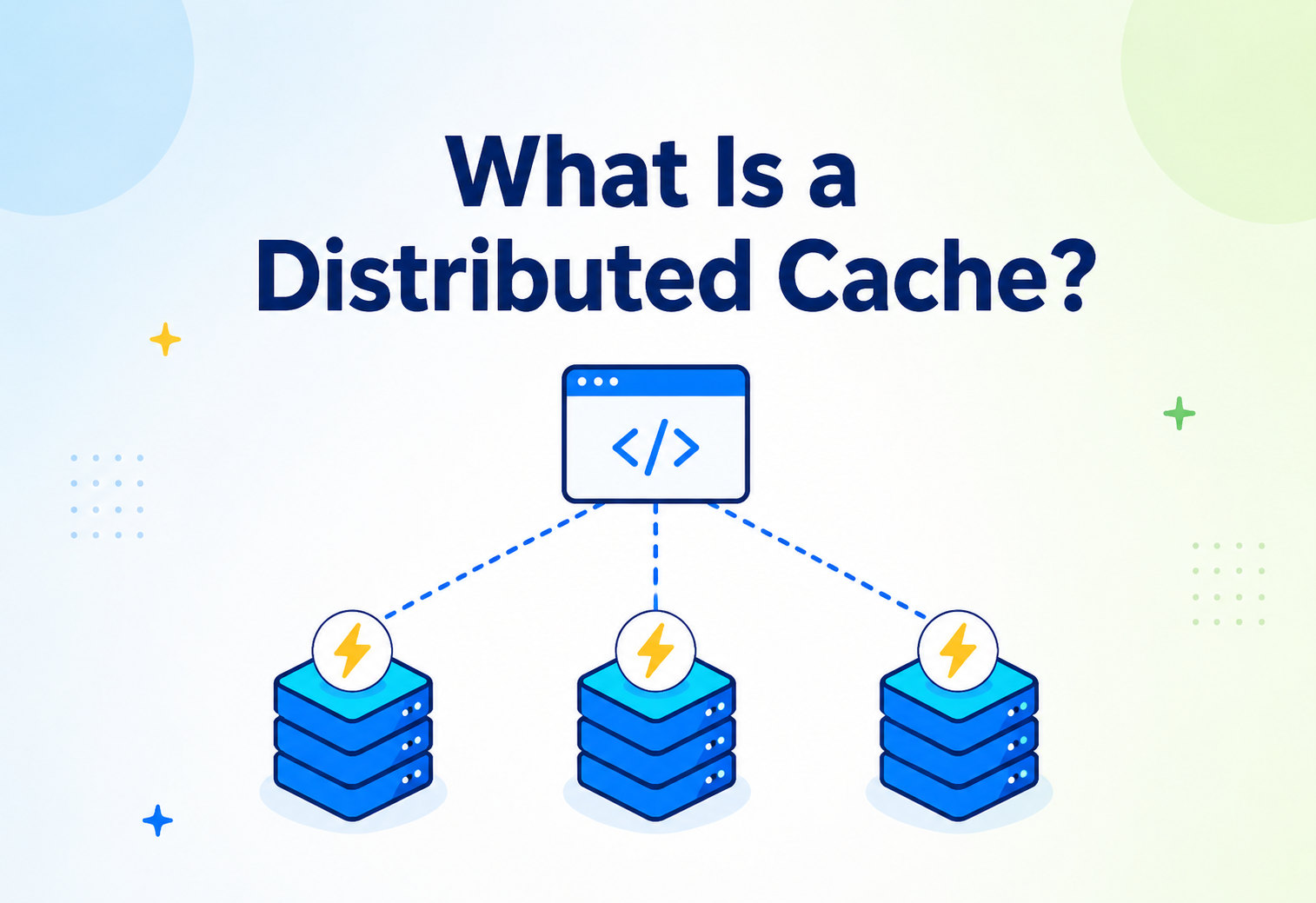
What Is a Distributed Cache?
A complete, ground‑up guide to why applications get slow, how caching fixes that, and how a cache that lives on one machine grows up into a fleet of machines working together — explained with plain‑English analogies, real architecture diagrams, and working Java code.
Introduction & History
Caching is one of the oldest tricks in computer science — a small, fast helper placed in front of something slow — and yet it is still the single most valuable performance lever most teams have.
Imagine you have a friend who is really good at math, but she lives far away, in another city. Every time you need to know what 27 × 48 is, you have to call her, wait for her to pick up, wait for her to calculate it, and wait for her to tell you the answer. That whole round trip might take a minute.
Now imagine that after you ask her the first time, you write the answer — 1296 — on a sticky note and put it on your desk. The next time you need 27 × 48, you don’t call her again. You just look at the sticky note. That takes half a second instead of a minute.
That sticky note is a cache. And when many people in your office all keep their own sticky notes, and those sticky notes are organized and shared across several desks so that everyone can benefit from an answer that even just one person calculated — that is the beginning of the idea behind a distributed cache.

A cache is a sticky note with a recently‑used answer written on it, kept close by so you don’t have to redo slow work. A distributed cache is a shared board of sticky notes, spread across many rooms (computers), that many people (application servers) can read from and write to at the same time.
What “cache” means, formally
A cache is a temporary storage layer that holds a copy of data so that future requests for that data can be served faster. The word “cache” comes from the French word cacher, meaning “to hide” — originally used for hidden storage places for supplies. Computer scientists borrowed the word in the 1960s to describe small, fast memory that sits between a slow storage system and the component that needs the data quickly.
A short history
Caching is not a new idea — it is one of the oldest tricks in computer science:
- 1965 — CPU caches: Maurice Wilkes proposed the idea of a small, fast memory (“slave memory”) sitting between the CPU and main memory, to avoid the CPU waiting on slower RAM.
- 1970s–80s — Disk and OS caches: Operating systems started keeping recently‑read disk blocks in RAM, because RAM is thousands of times faster than a spinning hard disk.
- 1990s — Web caching: As the World Wide Web grew, browsers and proxy servers began caching web pages and images so the same content did not have to be downloaded again and again.
- 2003 — Memcached: Brad Fitzpatrick created Memcached at LiveJournal to solve database overload problems. This is widely considered the first popular, purpose‑built distributed cache — a cache designed from day one to run across many machines.
- 2009 — Redis: Salvatore Sanfilippo released Redis, a distributed, in‑memory data store that could act as a cache, a message broker, and a lightweight database, with rich data structures like lists, sets, and sorted sets.
- 2010s–today — Cloud‑managed caches: Amazon ElastiCache, Google Cloud Memorystore, Azure Cache for Redis, and similar services made distributed caching something you can turn on in a few clicks, without managing servers yourself.
Today, distributed caching is a foundational building block behind almost every large‑scale application you use daily — from your social media feed loading instantly, to an e‑commerce site showing product prices without hammering its main database on every single page view.
The Problem & Motivation
To understand why distributed caches exist, you first need to understand what they are protecting against: slow, overloaded databases.
Why do we even need caching?
Think about a typical web or mobile application. Every time a user opens the app, taps a button, or refreshes a page, the application usually needs data — a user’s profile, a product’s price, a list of comments, today’s exchange rate. That data usually lives in a database, stored on disk (or, in modern systems, on solid‑state drives).
Picture a small library with one librarian. If 5 people ask for the same popular book in one afternoon, the librarian walks to the shelf 5 separate times. If 5,000 people ask for it in one afternoon, the librarian collapses from exhaustion — even though it is the exact same book, over and over.
A database is like that librarian. It can answer a request accurately, but every request costs time — reading from disk, running a query, calculating a result, forming a response. When only a few users are asking, this is fine. But popular apps might get thousands, or millions, of the exact same or very similar requests every second.
The core motivations for caching
| Problem | How caching helps |
|---|---|
| Latency — databases on disk are slow compared to memory | Cache stores data in RAM, which is roughly 100,000× faster to read than a spinning disk, and still 10–20× faster than an SSD |
| Database load — repeated identical queries waste database resources | Cache absorbs repeated reads so the database only has to compute an answer once |
| Scalability — a single database server has limits | A cache layer lets you serve millions of reads without scaling the (expensive, complex) database itself |
| Cost — bigger databases and more database replicas cost money | Cache servers are cheaper per request served, since they do simple key lookups, not complex query processing |
| User experience — users expect sub‑second responses | Cached responses can be returned in single‑digit milliseconds, keeping apps feeling instant |
Why one cache on one machine is not enough
You might think: “Fine, I’ll just add a cache.” But if you run a cache on a single server, you run into new problems as your application grows:
- Capacity limit: One machine only has so much RAM. If your data grows past that, you cannot cache everything.
- Single point of failure: If that one cache server crashes, every request suddenly floods back to the database at once — a dangerous event called a cache stampede or “thundering herd.”
- Traffic limit: A single server can only handle so many network connections and requests per second.
- Geography: If your users are in Tokyo, London, and New York, a single cache server in one city is far away (and therefore slow) for the other two.
This is exactly why we “distribute” the cache — spreading it across multiple machines (often called nodes) so it can hold more data, survive individual failures, and serve more traffic than any single machine could alone.
Netflix serves personalized homepage rows to over 300 million member profiles. If every homepage load required recalculating recommendations from scratch in a database, Netflix’s systems would need to be many times larger and slower. Instead, Netflix uses a large distributed caching layer (EVCache, built on Memcached) so that most reads never touch a slow backend system at all.
Core Concepts
Before we look at architecture, let’s build a solid vocabulary. Every term below is something you will see again and again in real systems and in interviews.
Cache hit and cache miss
A cache hit happens when the data you asked for is already in the cache. A cache miss happens when it is not, and the system has to go fetch it from the slower original source (usually called the backing store or source of truth), such as a database.
If you check your pocket for your keys and they’re there — that’s a hit. If they’re not there and you have to go back inside the house to find them — that’s a miss, and it costs you extra time.
Hit ratio
The hit ratio (or hit rate) is the percentage of requests that are served from the cache instead of the backing store. It is one of the most important health metrics for any cache.
Hit Ratio = Cache Hits / (Cache Hits + Cache Misses)
A hit ratio of 95 % means only 1 out of 20 requests had to go to the slow database. Most well‑designed production caches aim for hit ratios above 90 %.
TTL (Time To Live)
TTL is how long a piece of cached data is allowed to stay in the cache before it is automatically thrown away, even if nobody asked to remove it. This prevents the cache from serving stale (outdated) data forever.
A weather app might cache “today’s forecast for London” with a TTL of 10 minutes. After 10 minutes, that cached value expires automatically, forcing the app to fetch a fresh forecast — because weather data that is an hour old is not useful anymore.
Eviction policy
Since a cache has limited memory, it must decide what to remove when it becomes full and a new item needs to be added. This decision is made by an eviction policy. Common ones:

| Policy | Rule | Good for |
|---|---|---|
| LRU (Least Recently Used) | Remove the item that hasn’t been accessed for the longest time | General‑purpose caching; the most common default |
| LFU (Least Frequently Used) | Remove the item accessed the fewest number of times | Workloads where popularity matters more than recency |
| FIFO (First In, First Out) | Remove the oldest item added, regardless of usage | Simple queues, sequential data |
| Random | Remove a randomly chosen item | Extremely lightweight systems where fairness beats precision |
| TTL‑based | Remove items whose expiration time has passed | Data that is naturally time‑sensitive |
Think of your school backpack. It only fits so many books. LRU is like removing the textbook you haven’t opened in the longest time to make room for a new one. LFU is like removing the textbook you’ve opened the fewest total times, ever.
Key‑value store
Most distributed caches organize data as a key‑value store: every piece of data (the “value”) is stored under a unique label (the “key”), similar to a dictionary or a labeled filing cabinet drawer. You ask for a key, you get back its value.
SET user:1024 -> {"name":"Asha","plan":"premium"}
GET user:1024 -> {"name":"Asha","plan":"premium"}
Node, cluster, and shard
- Node: A single machine (physical or virtual) running the cache software.
- Cluster: A group of nodes working together as one logical cache.
- Shard (or partition): A slice of the total data. Instead of one node holding all data, each shard holds a portion, and shards are spread across nodes.
Stale data and cache invalidation
Stale data is cached data that no longer matches the real, current data in the backing store — for example, if a user changes their profile picture, but the cache still has the old one. Cache invalidation is the process of removing or updating that outdated cached data.
Computer scientist Phil Karlton once said: “There are only two hard things in Computer Science: cache invalidation and naming things.” Deciding exactly when to remove or refresh cached data is genuinely one of the trickiest problems in distributed systems, and we’ll cover strategies for it later.
Architecture & Components
Let’s zoom out and look at the pieces that make up a real distributed cache system.
The main building blocks
- Client library / SDK: Code inside your application that knows how to talk to the cache — sending GET, SET, and DELETE commands.
- Cache nodes: The actual servers holding data in memory. Each node typically runs cache software like Redis or Memcached.
- Cluster coordinator / routing layer: Logic (sometimes built into the client, sometimes a separate proxy) that decides which node holds a given key.
- Replication layer: Mechanisms that copy data between nodes, so losing one node doesn’t lose data.
- Backing store: The original, authoritative data source — usually a database — that the cache is a fast copy of.
How the client finds the right node
When your application asks for user:1024, how does it know whether that key lives on Node 1, Node 2, or Node 3? There are two common approaches:
1. Client‑side routing
The client library itself contains logic (usually consistent hashing, explained in the next section) to calculate which node owns a given key, and sends the request directly to that node. Redis Cluster and many Memcached client libraries work this way.
2. Proxy‑based routing
All requests go to a lightweight proxy server first. The proxy looks up (or calculates) which backend node owns the key, and forwards the request there. This centralizes the routing logic so individual application services don’t need to implement it. Twemproxy (built by Twitter) is a well‑known example for Memcached and Redis.
Client‑side routing is like knowing the exact aisle and shelf number of a product yourself and walking straight there. Proxy‑based routing is like asking a store greeter who already knows the store layout to walk you to the right aisle.
Cache topology types
| Topology | Description | Example use |
|---|---|---|
| Local (in‑process) cache | Cache lives inside the application’s own memory — fastest, but not shared between servers | Caching a small, rarely‑changing config value inside one service |
| Remote / distributed cache | A separate cluster of cache servers, shared by many application instances | Session storage shared across 50 web servers behind a load balancer |
| Multi‑tier (hybrid) cache | A small local cache in front of a larger distributed cache | Very hot keys cached locally for microseconds‑level speed, everything else in the shared cluster |
Facebook’s caching stack historically used exactly this hybrid pattern: a small, extremely fast local cache on each web server (to avoid even a network hop for the hottest data), backed by a much larger regional pool of Memcached servers, which was in turn backed by MySQL databases.
Internal Working
Now let’s go one level deeper: how does a distributed cache actually decide where data lives, and how does it find that data quickly?
Hashing: the foundation of key lookup
A hash function takes any input (like the string "user:1024") and turns it into a number, quickly and predictably. The same input always produces the same output number. Caches use this number to decide where data should be stored.
Imagine assigning each student in a huge school to one of 10 classrooms, using the rule “take the last digit of their student ID.” Student ID 1024 always goes to classroom 4. This is fast, and consistent — you always know exactly which classroom to check.
The naive approach: modulo hashing (and its problem)
A simple way to pick a node is: node_index = hash(key) % number_of_nodes. This works, but it has a serious flaw: if you add or remove even one node, number_of_nodes changes, and almost every key now maps to a different node. That means nearly the entire cache becomes “cold” (empty of useful data) at once — a disaster for a live system, because all those requests suddenly become misses and hit the database simultaneously.
The solution: consistent hashing
Consistent hashing is a smarter technique, invented in 1997 by researchers at MIT (Karger et al.) specifically to solve this problem. Instead of mapping keys directly to node numbers, it maps both keys and nodes onto points on a big, imaginary circle (called a “hash ring”). A key is assigned to whichever node’s point comes first when moving clockwise from the key’s own point.
The magic of this approach: when a node is added or removed, only the keys that were mapped to the ring positions near that node need to move. Everything else stays exactly where it was. This might mean only 1/N of the total keys are affected instead of nearly all of them, where N is the number of nodes.
Virtual nodes
In practice, plain consistent hashing can distribute data unevenly if you only have a few physical nodes. The fix is virtual nodes: each physical node is given many points on the ring (say, 100–200 virtual positions) instead of just one. This spreads data much more evenly, because now every physical machine “owns” many small, scattered slices of the ring instead of one large chunk.
import java.util.SortedMap;
import java.util.TreeMap;

// A simplified consistent hashing ring with virtual nodes
public class ConsistentHashRing {
    private final SortedMap<Long, String> ring = new TreeMap<>();
    private final int virtualNodesPerNode;

    public ConsistentHashRing(int virtualNodesPerNode) {
        this.virtualNodesPerNode = virtualNodesPerNode;
    }

    // Register a physical cache node on the ring
    public void addNode(String nodeId) {
        for (int i = 0; i < virtualNodesPerNode; i++) {
            long position = hash(nodeId + "#VN" + i);
            ring.put(position, nodeId);
        }
    }

    // Remove a node (e.g., when it fails or is decommissioned)
    public void removeNode(String nodeId) {
        for (int i = 0; i < virtualNodesPerNode; i++) {
            ring.remove(hash(nodeId + "#VN" + i));
        }
    }

    // Find which node owns a given key
    public String getNodeForKey(String key) {
        if (ring.isEmpty()) return null;
        long keyHash = hash(key);
        SortedMap<Long, String> tail = ring.tailMap(keyHash);
        Long targetPosition = tail.isEmpty() ? ring.firstKey() : tail.firstKey();
        return ring.get(targetPosition);
    }

    private long hash(String input) {
        // In production, use a well-distributed hash like MurmurHash3.
        return (input.hashCode() & 0xFFFFFFFFL);
    }
}
A minimal consistent‑hashing ring. Real systems (Redis Cluster, DynamoDB, Cassandra) use similar ideas with far more engineering around rebalancing and hash quality.
Data structures inside a single cache node
Inside one cache node, data is typically kept in an in‑memory hash table (also called a hash map) for O(1) average‑time lookups, combined with an eviction data structure such as a doubly linked list to track recency for LRU eviction.
import java.util.LinkedHashMap;
import java.util.Map;

// A simple, single-node LRU cache using Java's built-in LinkedHashMap,
// which can maintain "access order" out of the box.
public class SimpleLRUCache<K, V> extends LinkedHashMap<K, V> {
    private final int capacity;

    public SimpleLRUCache(int capacity) {
        super(16, 0.75f, true); // true = order entries by access, not insertion
        this.capacity = capacity;
    }

    @Override
    protected boolean removeEldestEntry(Map.Entry<K, V> eldest) {
        // Called automatically after every insert; return true to evict
        return size() > capacity;
    }
}
Java’s LinkedHashMap already tracks access order internally as a doubly linked list, so overriding removeEldestEntry gives you LRU behavior for free.
Partitioning strategies beyond hashing
| Strategy | How it works | Trade‑off |
|---|---|---|
| Hash‑based partitioning | Key’s hash determines its node | Even distribution, but range queries (e.g., “all keys starting with A”) are hard |
| Range‑based partitioning | Keys are split by ranges (e.g., A–M on Node 1, N–Z on Node 2) | Easy range queries, but can create “hot” partitions if data is unevenly popular |
| Directory‑based partitioning | A lookup table explicitly maps each key (or key range) to a node | Very flexible, but the directory itself must be fast and highly available |
Data Flow & Lifecycle
Now that we know where data lives, let’s walk through when and how data moves between the application, the cache, and the database. These patterns are some of the most commonly asked‑about topics in system design interviews.
Pattern 1: Cache‑Aside (lazy loading)
This is the most common pattern. The application talks to both the cache and the database directly, and decides what to do.
- Application asks the cache for the data.
- If it’s a hit, return it immediately.
- If it’s a miss, the application reads from the database.
- The application then writes that value into the cache (usually with a TTL) for next time.
public class UserService {
    private final CacheClient cache;      // e.g., a Redis client wrapper
    private final UserRepository database;

    public User getUser(String userId) {
        String cacheKey = "user:" + userId;
        String cachedJson = cache.get(cacheKey);

        if (cachedJson != null) {
            return User.fromJson(cachedJson);      // Cache HIT - fast path
        }

        User user = database.findById(userId);     // Cache MISS - slow path
        if (user != null) {
            cache.setWithTTL(cacheKey, user.toJson(), 300); // cache for 5 min
        }
        return user;
    }
}
Cache‑aside pattern: fast path on hit, slow path with cache population on miss.
Cache‑aside is the default caching strategy used by most web applications backed by Redis or Memcached, including large parts of Facebook’s original Memcached deployment and countless e‑commerce product pages.
Pattern 2: Read‑Through
Very similar to cache‑aside, but the cache itself (not the application) is responsible for loading data from the database on a miss. The application only ever talks to the cache; the cache calls out to the database behind the scenes using a configured “loader.”
Pattern 3: Write‑Through
On every write, the application writes to the cache, and the cache synchronously writes through to the database before confirming success. This keeps the cache always consistent with the database, at the cost of extra write latency.
Pattern 4: Write‑Behind (write‑back)
On every write, the application writes only to the cache, which acknowledges immediately. The cache then asynchronously writes the change to the database later, often in batches. This is very fast for writes, but risks losing recent writes if the cache crashes before flushing to the database.
| Pattern | Read path | Write path | Consistency | Best for |
|---|---|---|---|---|
| Cache‑Aside | App checks cache, then DB on miss | App writes DB, then invalidates/updates cache | Eventually consistent | General‑purpose, most common choice |
| Read‑Through | Cache auto‑loads from DB on miss | Usually paired with write‑through | Depends on write strategy | Simplifying application code |
| Write‑Through | Cache serves reads | Synchronous cache + DB write | Strong (cache and DB agree) | Data that must never be stale |
| Write‑Behind | Cache serves reads | Async DB write, batched | Weak, temporary staleness in DB | Write‑heavy workloads, analytics counters |
Cache invalidation strategies
Because data changes, cached copies must eventually be refreshed or removed. Common strategies:
- TTL expiration: Simplest approach — just let data expire after a fixed time.
- Explicit invalidation: When the application updates the database, it also explicitly deletes or updates the matching cache key.
- Event‑based invalidation: A change in the database publishes an event (e.g., via a message queue like Kafka), and cache nodes listen for these events to invalidate affected keys — useful across many services.
- Versioned keys: Instead of updating a key, you write a new key with a version number embedded (e.g.,
product:882:v7) and update a pointer to the latest version, avoiding partial‑update race conditions.
Advantages, Disadvantages & Trade‑offs
Caching buys you speed and scale, but never for free. Understanding what you give up is the whole difference between using a cache well and using it dangerously.
Advantages
- Dramatically lower latency — memory access is orders of magnitude faster than disk‑based database access.
- Reduced database load — protects the backing store from being overwhelmed.
- Higher throughput — a well‑tuned cache cluster can serve millions of operations per second.
- Better scalability — you can scale the cache horizontally (add more nodes) independently from the database.
- Improved availability in some designs — a cache can sometimes serve slightly stale data even if the database is temporarily unreachable, keeping the app partially working (“graceful degradation”).
Disadvantages
- Data staleness: Cached data can become outdated, which may confuse users or cause incorrect behavior if not handled carefully.
- Increased complexity: You now have another system to deploy, monitor, secure, and reason about failure modes for.
- Cache invalidation bugs: Forgetting to invalidate a key after a database update is a very common, hard‑to‑catch class of bug.
- Extra cost: Cache servers use memory, which is more expensive per gigabyte than disk storage.
- Cold start problem: A freshly restarted cache (or a newly added node) starts empty, and the first wave of requests all miss, temporarily spiking database load.
Trade‑off: Consistency vs. Speed
This is the central trade‑off of caching. The faster and looser your caching strategy (like write‑behind with long TTLs), the higher the chance a user sees slightly outdated data. The stricter and safer your strategy (like write‑through with short TTLs), the closer you get to always‑correct data, but at some added latency and complexity cost.
A very common interview question is: “Would you rather serve slightly stale data quickly, or always‑fresh data slowly?” There is no universally correct answer — it depends on the use case. Showing a stock price 2 seconds late might be fine. Showing an incorrect bank balance is not.
Performance & Scalability
The whole reason a distributed cache exists is to absorb load. Getting the most out of it means knowing what to measure, and what happens when a small number of keys become disproportionately popular.
Vertical vs. horizontal scaling
Vertical scaling means making one cache server bigger (more RAM, more CPU). Horizontal scaling means adding more cache servers and spreading data across them. Distributed caches are specifically designed to scale horizontally, because there is a hard ceiling on how much RAM a single machine can physically have, while you can add nodes to a cluster almost indefinitely.
Measuring performance
| Metric | What it measures | Why it matters |
|---|---|---|
| Latency (p50, p95, p99) | How long individual requests take, at different percentiles | p99 latency reveals your worst‑case user experience, not just the average |
| Throughput (ops/sec) | How many operations the cache can handle per second | Determines how much traffic your system can support |
| Hit ratio | Percentage of requests served from cache | Directly reflects how much load is being kept off the database |
| Eviction rate | How often data is being kicked out due to memory pressure | High eviction rate often means the cache is undersized |
| Memory utilization | How full the cache’s memory is | Helps plan capacity and avoid out‑of‑memory failures |
Hot keys and hot partitions
A hot key is a single, extremely popular piece of data (like a celebrity’s profile, or a viral product) that receives a disproportionate share of traffic, overwhelming the single node that owns it — even though the rest of the cluster is healthy and lightly loaded.
Imagine 10 identical ice cream stalls at a fair, each able to serve 50 customers an hour. If, for some reason, everyone lines up at only one stall because it’s closest to the entrance, that one stall gets overwhelmed while the other 9 sit idle. That’s a hot key problem.
Fixing hot keys
- Local caching layer: Cache the hottest keys directly in application memory, avoiding the network hop entirely for those specific keys.
- Key replication (“key splaying”): Store multiple copies of a hot key across several nodes under slightly different names (e.g.,
product:99#1,product:99#2), and randomly pick one when reading. - Read replicas: Route hot‑key reads across multiple replicas of the same shard instead of a single node.
Capacity planning
A basic capacity formula for a cache cluster:
Required Memory ≈ (Average item size × Number of items) × Replication factor × Safety margin (often 1.3–1.5×)
Always leave headroom — a cache running near 100 % memory utilization will evict aggressively and may suffer from fragmentation issues, hurting both hit ratio and latency.

High Availability & Reliability
A cache is a performance optimisation until the day it fails. On that day, if you haven’t designed for it, the cache becomes the cause of the outage instead of the shield against it.
Why a single cache node is risky
If a cache node dies and it was the only copy of a shard’s data, every key in that shard is instantly lost, and every request for it becomes a miss, hitting the database directly. If this happens for many keys at once, it’s called a cache stampede, and it can crash an underlying database that isn’t provisioned to handle full, uncached traffic.
Replication
Replication means keeping copies of the same data on more than one node. The most common model is leader‑follower (primary‑replica) replication: one node (the leader) accepts writes, and one or more other nodes (followers) copy those changes, either synchronously or asynchronously.
Failover
Failover is the automatic process of detecting a failed node and promoting a healthy replica to take its place, so the system keeps working with minimal interruption. Systems like Redis Sentinel and Redis Cluster automate this: they continuously monitor node health and trigger an election among replicas when the primary becomes unreachable.
Consensus and coordination
Deciding which replica should become the new leader, and making sure all nodes agree, requires a consensus algorithm — a set of rules that lets a group of machines agree on a single fact even if some of them are slow, disconnected, or crashed. Well‑known consensus algorithms include:
- Raft: A relatively easy‑to‑understand consensus algorithm used by etcd, Consul, and many modern distributed systems to elect a leader and keep replicated logs consistent.
- Paxos: An older, more mathematically dense consensus algorithm, historically used at Google (e.g., in Chubby) and elsewhere.
- Gossip protocols: Instead of formal elections, nodes periodically exchange state information (“I heard node C is down”) with a few random peers, and information spreads through the cluster like a rumor. Cassandra and Redis Cluster use gossip‑style protocols for membership and failure detection.
The CAP Theorem
The CAP theorem, formulated by Eric Brewer, states that a distributed data system can only guarantee two out of these three properties at the same time, during a network failure:
- Consistency (C): Every read receives the most recent write, or an error.
- Availability (A): Every request receives a (non‑error) response, even if it might not be the most recent data.
- Partition Tolerance (P): The system keeps working even if network communication between nodes is broken.
Because real networks do experience partitions (a switch fails, a cable is cut, a data center loses connectivity), partition tolerance is not really optional for a distributed system — so in practice, the real choice is between consistency and availability when a partition happens.
Imagine two branches of the same bakery that can’t currently call each other (a “partition”). If a customer asks Branch A “how many cupcakes are left?”, the bakery can either (a) refuse to answer until it can confirm with Branch B — favoring correctness (Consistency) — or (b) answer immediately with what Branch A currently knows, even if it might be slightly out of date — favoring responsiveness (Availability).
Most distributed caches lean toward Availability over strict Consistency, because caches are, by definition, already a “best effort, fast copy” of data — the true source of correctness remains the backing database. This is usually summarized as the cache providing eventual consistency: given enough time (often milliseconds), all copies of the data will match.
Backup and disaster recovery
Even though caches are often treated as “disposable” (rebuildable from the database), some caches store data that is expensive or slow to rebuild, or is itself the primary store (like session data). For these:
- Persistence snapshots (RDB in Redis): Periodic full dumps of memory to disk.
- Append‑only logs (AOF in Redis): Every write operation logged to disk, replayable to rebuild state.
- Cross‑region replication: Copies of the cache cluster in a different geographic region, for disaster recovery if an entire data center goes offline.
Security
Because caches often hold real user data (session tokens, personal details, computed permissions), they need to be secured like any other production data store.
Key security practices
- Network isolation: Cache nodes should live inside a private network (VPC) not reachable from the public internet, only from application servers.
- Authentication: Require a password or token (e.g., Redis
AUTH, or IAM‑based authentication in managed cloud caches) before a client can issue commands. - Encryption in transit: Use TLS between the application and cache nodes, especially across data centers or availability zones.
- Encryption at rest: If the cache persists data to disk (snapshots, logs), that disk storage should be encrypted.
- Access control: Modern caches (like Redis 6+) support fine‑grained permissions (ACLs) — for example, allowing one service to only read certain key patterns and never delete anything.
- Avoid caching overly sensitive raw data: Where possible, cache derived/non‑sensitive representations rather than, say, raw unmasked credit card numbers.
- Command restriction: Disable or rename dangerous administrative commands (like Redis’s
FLUSHALL, which wipes all data) in production so a bug or attacker can’t casually destroy the cache.
A surprising number of real‑world data breaches have happened because a cache server (often Redis or Memcached) was left open to the public internet with no authentication, because engineers assumed “it’s just a cache, not real data.” Treat cache security with the same seriousness as database security.
Monitoring, Logging & Metrics
You cannot fix what you cannot see. Good observability is essential for running a distributed cache reliably in production.
What to monitor
| Category | Examples of metrics |
|---|---|
| Traffic | Requests per second, reads vs. writes, commands per second |
| Performance | p50/p95/p99 latency, slow query log entries |
| Effectiveness | Hit ratio, miss ratio, eviction count |
| Resource usage | Memory used vs. available, CPU usage, network bandwidth |
| Reliability | Number of connected clients, replication lag, node up/down status |
| Errors | Connection timeouts, command errors, failed failovers |
Tools commonly used
- Prometheus + Grafana: Widely used open‑source combination — Prometheus scrapes metrics (often via an exporter like
redis_exporter), Grafana visualizes them on dashboards. - Distributed tracing (OpenTelemetry, Jaeger): Helps you see exactly how long a cache lookup took as part of a larger request’s full journey through multiple microservices.
- Cloud‑native monitoring: Amazon CloudWatch for ElastiCache, Google Cloud Monitoring for Memorystore, and similar built‑in dashboards from managed providers.
- Alerting: Setting thresholds (e.g., “alert if hit ratio drops below 80 % for 5 minutes” or “alert if memory usage exceeds 90 %”) so engineers are notified before a small issue becomes an outage.
Monitoring a cache is like checking the fuel gauge, engine temperature, and speed on a car’s dashboard while driving. You don’t wait for the engine to explode to find out something was wrong — the dashboard warns you early.
Deployment & Cloud
On the modern cloud, running a cache is often as simple as clicking a checkbox — but knowing what the checkbox actually configures is the difference between a resilient system and a surprise outage.
Self‑managed vs. managed caching
| Approach | Description | Trade‑off |
|---|---|---|
| Self‑managed | You install and operate Redis/Memcached yourself, on your own VMs or Kubernetes cluster | Full control and customization, but you own patching, scaling, failover, and backups |
| Managed (cloud) service | A cloud provider runs the cache for you: Amazon ElastiCache, Google Cloud Memorystore, Azure Cache for Redis | Less operational burden, automatic failover and patching, but less low‑level control and a recurring cost |
Deployment patterns
- Kubernetes: Caches are often deployed as StatefulSets (for stable network identity per node) with persistent volumes, and exposed via a Service for application access.
- Multi‑availability‑zone deployment: Nodes and their replicas are spread across different physical data centers within a region, so a single data center outage doesn’t take down the whole cache.
- Multi‑region deployment: For globally distributed applications, separate cache clusters (or globally replicated ones) are placed close to users in different geographic regions to minimize latency.
Blue‑green and rolling upgrades
When upgrading cache software versions, teams typically avoid downtime by either:
- Rolling upgrades: Upgrading one node at a time, letting replicas take over traffic temporarily.
- Blue‑green deployment: Standing up an entirely new, upgraded cluster (“green”), warming it up, then switching traffic over from the old cluster (“blue”) once verified.
Cost optimization
- Right‑sizing: Choose node instance types that match actual memory and CPU needs rather than over‑provisioning “just in case.”
- TTL tuning: Shorter TTLs use less memory but increase database load; find the right balance for your data’s actual change frequency.
- Compression: Compressing larger cached values (e.g., JSON blobs) can significantly reduce memory footprint at a small CPU cost.
- Reserved instances / committed use discounts: Cloud providers often discount cache instances significantly for 1–3 year commitments on predictable, steady‑state workloads.
Databases, Caching & Load Balancing
A distributed cache doesn’t work alone — it’s one piece of a bigger system, usually sitting between load balancers, application servers, and databases.

How caching relates to load balancing
A load balancer spreads incoming requests across multiple application servers so no single server is overwhelmed. A distributed cache does something similar but for data — it spreads cached data across multiple cache nodes. They solve related but distinct problems: load balancers manage where a request goes; distributed caches manage where data lives and how quickly it can be fetched.
Database read replicas vs. caching
It’s worth distinguishing these two techniques, since they’re sometimes confused:
| Database read replica | Distributed cache | |
|---|---|---|
| Stores | A full copy of the database (or a subset), on disk | A temporary, partial, in‑memory copy of frequently‑used data |
| Speed | Faster than the primary DB (offloads read traffic) but still disk‑based | Much faster — pure memory access |
| Data freshness | Near real‑time (small replication lag) | Can be more stale, depending on TTL/invalidation strategy |
| Best for | Complex queries, full data range needed | Simple key‑based lookups of hot data |
Many large systems use both together: a cache in front for the hottest, simplest lookups, and read replicas for more complex queries that a simple key‑value cache can’t easily serve.
APIs & Microservices
In a microservices world, caching does not disappear — it multiplies. Each service caches its own hot data, some data is shared through a common cache, and the cache is often used for cross‑cutting concerns like sessions and rate limiting.
Caching in a microservices world
In a microservices architecture, an application is broken into many small, independently deployed services (e.g., a UserService, an OrderService, a PaymentService), each often with its own database. Distributed caching plays several important roles here:
- Per‑service caching: Each microservice caches its own frequently‑read data, close to its own database.
- Shared caching layer: A common cache cluster used by multiple services for cross‑cutting data, like session tokens or feature flags.
- API response caching: Caching the full JSON response of a common API call (e.g.,
GET /products/882) so repeated identical requests skip business logic and database calls entirely. - Rate limiting and counters: Distributed caches like Redis are frequently used to implement rate limiters (e.g., “allow 100 requests per user per minute”) because of their fast atomic increment operations.
A minimal cache‑backed REST endpoint (Java, Spring‑style pseudocode)
@RestController
@RequestMapping("/api/products")
public class ProductController {

    private final CacheClient cache;
    private final ProductService productService;

    @GetMapping("/{id}")
    public ResponseEntity<Product> getProduct(@PathVariable String id) {
        String cacheKey = "product:" + id;
        String cached = cache.get(cacheKey);

        if (cached != null) {
            return ResponseEntity.ok(Product.fromJson(cached));
        }

        Product product = productService.findById(id);
        if (product == null) {
            return ResponseEntity.notFound().build();
        }

        cache.setWithTTL(cacheKey, product.toJson(), 600); // cache 10 min
        return ResponseEntity.ok(product);
    }
}
A typical cache‑aside pattern applied directly at the API layer of a microservice.
Distributed caching for session management
In a microservices or multi‑server setup, if a user’s login session were stored only in one server’s local memory, they would get logged out every time a load balancer routed them to a different server. A shared distributed cache solves this by storing session data centrally, reachable by every server.
Design Patterns & Anti‑patterns
The good patterns spread load, protect the database, and degrade gracefully. The bad ones silently create correctness bugs and outages — and are usually the direct cause of the incidents everyone remembers.
Good patterns
- Cache‑aside with jittered TTL: Adding a small random amount to each TTL (e.g., 300s ± 30s) prevents many keys from expiring at the exact same moment and causing a traffic spike — this randomization is often called “TTL jitter.”
- Negative caching: Caching the fact that something does not exist (e.g., “product 9999 not found”) for a short time, to avoid repeatedly querying the database for known‑missing data.
- Cache warming: Proactively pre‑loading expected‑to‑be‑popular data into the cache before real traffic arrives (e.g., before a big sale event), instead of waiting for organic misses to fill it.
- Circuit breaker around the cache: If the cache cluster itself becomes slow or unavailable, the application temporarily bypasses it and goes straight to the database, rather than waiting on a failing dependency.
Anti‑patterns to avoid
Many concurrent requests for the exact same expired key all miss at once and all hammer the database simultaneously to regenerate it. Fix: use a “lock” or “single‑flight” pattern where only one request regenerates the value while others wait briefly for it, or serve slightly‑stale data while refreshing in the background.
Caching rarely‑read or constantly‑changing data wastes memory and adds invalidation complexity for little benefit. Fix: cache data based on actual read frequency and tolerance for staleness, not “just in case.”
Caching data forever, with no expiration and no invalidation plan, guarantees the cache will eventually serve outdated or wrong information. Fix: always set a sensible TTL, even a long one, as a safety net.
Relying on the cache as the only copy of important data (with no backing store) removes the safety net that caching is supposed to provide, and risks permanent data loss if the cache fails. Fix: always keep a durable source of truth behind the cache, unless you are deliberately using the cache product as a full data store with persistence enabled.
Assuming that spreading data evenly across nodes automatically spreads traffic evenly. In reality, some keys are far more popular than others. Fix: monitor per‑key traffic where possible, and apply hot‑key mitigations (see Performance & Scalability section).
Best Practices & Common Mistakes
A short, opinionated production checklist — and a matching list of the mistakes most teams only stop making after being burned by them once.
Best practices checklist
1. Always set a TTL
Even a generous one, as a fallback safety net against stale data.
2. Add jitter to TTLs
Avoid synchronized mass expirations that cause traffic spikes at the database.
3. Monitor hit ratio continuously
A sudden drop often signals a bug or a deployment issue.
4. Use clear, consistent key naming
e.g.,
service:entity:id— to avoid collisions and make debugging easier.5. Keep cached values reasonably small
Extremely large cached objects can cause latency spikes and memory fragmentation.
6. Use connection pooling
In your client library, rather than opening a new connection per request.
7. Plan for cache failure
Your application should degrade gracefully, not crash, if the cache is temporarily unreachable.
8. Secure the cache cluster
With authentication, network isolation, and encryption — just like a database.
9. Test cache invalidation logic explicitly
It is one of the most common sources of subtle production bugs.

Common mistakes
| Mistake | Consequence | Better approach |
|---|---|---|
| Forgetting to invalidate cache after a DB update | Users see outdated data indefinitely | Update or delete the cache key in the same code path as the DB write |
| Using the cache for critical financial transaction data with no backing store | Risk of permanent data loss | Only cache derived/non‑critical data unless using a persistence‑enabled setup |
| No monitoring on hit ratio or memory usage | Silent performance degradation goes unnoticed until an outage | Set up dashboards and alerts from day one |
| Caching personally identifiable information without encryption | Security and compliance risk | Encrypt in transit/at rest, restrict access, minimize sensitive data cached |
| Assuming the cache is always available | Cascading failures when the cache goes down | Add timeouts, fallbacks, and circuit breakers around cache calls |
Real‑World Industry Examples
A quick tour of how well‑known companies apply distributed caching in production — each one shaped by a different combination of scale, geography, and workload.
Netflix built EVCache, a distributed caching solution on top of Memcached, specifically tuned for AWS. It replicates data across multiple AWS availability zones so that even if an entire zone fails, cached data remains available elsewhere, keeping personalized homepage rows, recommendations, and viewing history fast and resilient at a massive global scale.
Facebook’s engineering team published influential research on running Memcached across thousands of servers to serve billions of requests per second, introducing techniques like lease‑based invalidation to reduce race conditions between many application servers reading and writing the same keys.
Twitter built Twemcache (a customized Memcached) and Twemproxy (a lightweight proxy for sharding cache traffic across many nodes) to handle the extreme read volume of features like the timeline, where the same tweets are read by enormous numbers of followers.
Amazon offers ElastiCache (managed Redis/Memcached) broadly across AWS, and DAX specifically as a caching layer purpose‑built to sit in front of DynamoDB, cutting response times for DynamoDB reads from single‑digit milliseconds down to microseconds for cached items — critical for high‑traffic retail and logistics systems.
Uber’s systems rely on fast in‑memory caching layers to track driver locations, surge pricing calculations, and trip states, where data changes every few seconds and stale data for even a short time could mean showing a rider an inaccurate driver location or ETA.
GitHub uses caching extensively to avoid re‑rendering the same Markdown, diffs, and repository metadata on every page load, significantly reducing the computational cost of serving millions of repository pages.
FAQ, Summary & Key Takeaways
Short answers to the questions engineers ask most often about distributed caches — followed by the compact summary you can carry into any design conversation.
Is a distributed cache the same as a database?
No. A database is meant for durable, long‑term, authoritative storage of data, usually on disk, with strong guarantees. A distributed cache is meant for fast, temporary, in‑memory storage of frequently‑accessed data, usually treated as a disposable copy that can be rebuilt from the database if lost (unless explicitly configured with persistence).
What’s the difference between Redis and Memcached?
Memcached is a simple, extremely fast, multi‑threaded key‑value store built purely for caching simple values. Redis is also very fast, but supports richer data structures (lists, sets, sorted sets, hashes), built‑in persistence options, pub/sub messaging, and Lua scripting — making it useful for more than just caching, though it’s very commonly used as one.
How does a distributed cache differ from a Content Delivery Network (CDN)?
A CDN caches static content (images, videos, scripts) at edge locations physically close to end users around the world, mainly to reduce network travel time. A distributed cache typically caches dynamic, application‑specific data (like a database query result) close to your application servers, mainly to reduce database load and computation time. Some large systems use both together.
Can a distributed cache lose data?
Yes, generally by design. Because caches usually live in RAM, a server crash or restart can wipe its data unless persistence (snapshotting or append‑only logging) is explicitly enabled. This is why caches are usually paired with a durable backing store as the true source of truth.
How do you decide what to cache?
Good candidates are data that is read far more often than it’s written, is somewhat expensive to compute or fetch, and can tolerate being slightly out of date for some acceptable window of time. Poor candidates are data that changes on every read, or that must always be perfectly accurate (like real‑time account balances in a bank transfer).
What happens if two nodes in the cluster disagree about a value?
This is a consistency conflict. Different cache systems resolve it differently — some use “last write wins” based on timestamps, some use versioning, and some rely on the fact that the backing database is the ultimate source of truth, so a conflicting cache value is simply treated as stale and eventually overwritten or expired.
Summary
A distributed cache is a shared, fast, in‑memory storage layer spread across multiple machines, designed to reduce latency and protect slower backing systems (usually databases) from excessive load. It works by splitting data into shards using techniques like consistent hashing, replicating those shards for safety, and giving applications simple key‑value operations to read and write data. Distributed caches trade some consistency for large gains in speed and scalability, which is an acceptable and often necessary trade‑off for the vast majority of read‑heavy, latency‑sensitive applications used by billions of people every day.
Key Takeaways
- Caching exists to solve latency and database overload by keeping fast, temporary copies of data in memory.
- A distributed cache spreads data across many nodes using consistent hashing, so it can scale horizontally and survive failures.
- Cache‑aside, read‑through, write‑through, and write‑behind are the four core data‑flow patterns you must know.
- Replication and failover keep the cache available even when individual nodes fail; consensus protocols like Raft and gossip make that safe.
- The CAP theorem explains why distributed caches usually favor availability and eventual consistency over strict consistency.
- Cache invalidation, hot keys, and cache stampedes are the hardest real‑world problems to get right — and the source of most cache‑related outages.
- Security, monitoring, and capacity planning are not optional extras — they are core parts of running a cache in production.
- Nearly every large‑scale system you use daily — Netflix, Facebook, Twitter, Amazon, Uber, GitHub — relies on distributed caching to stay fast at scale.
Distributed caching — used deliberately, monitored honestly, and paired with a solid backing store — is one of the highest‑leverage skills a software engineer can develop, whether you are building your first side project or operating a globally distributed system serving hundreds of millions of users.

