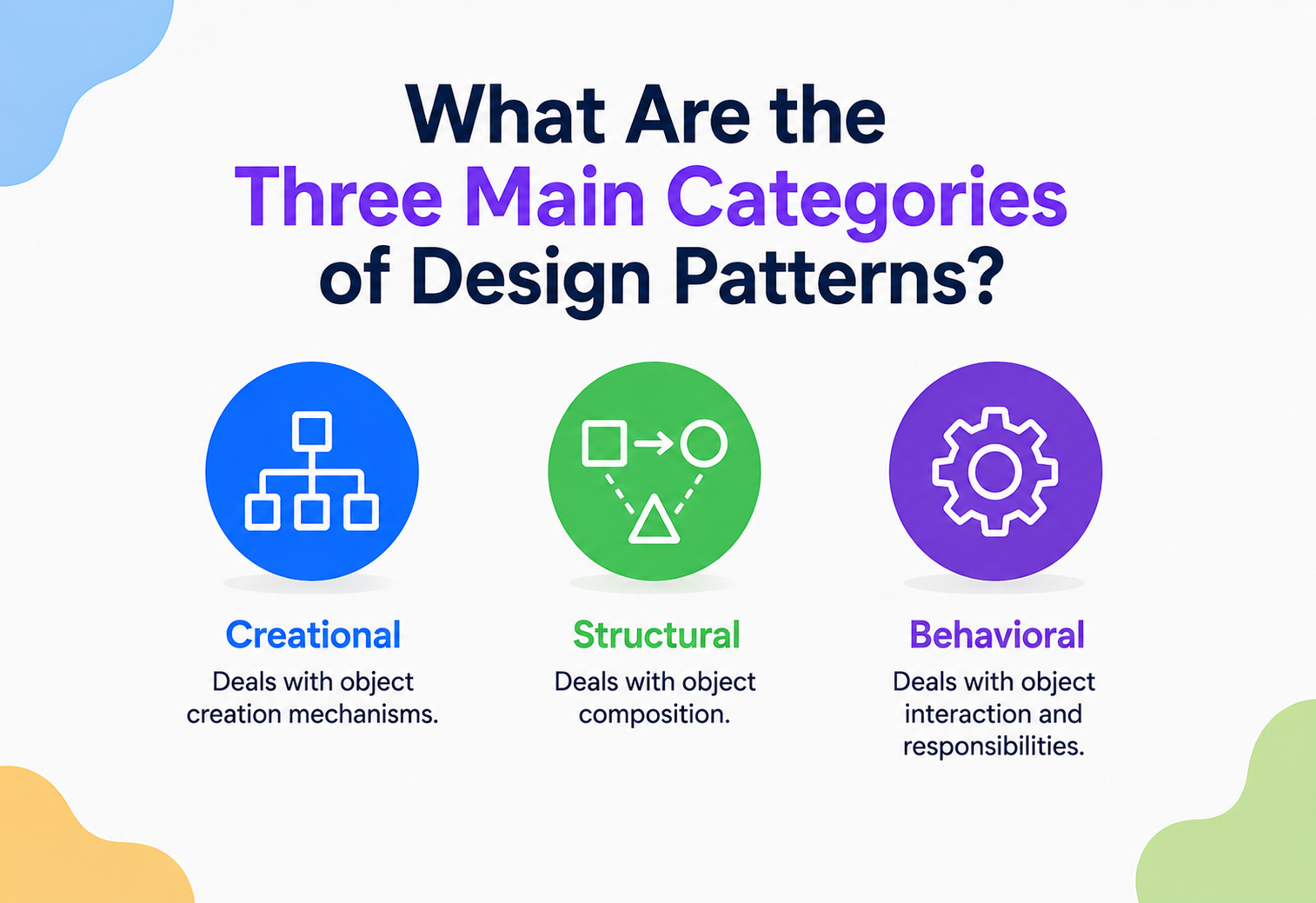
What Are the Three Main Categories of Design Patterns?
Sort a messy toolbox and you naturally end up with three piles: things that build, things that connect, and things that operate. Design patterns sort themselves the exact same way — and knowing which pile to look in saves hours of searching for the right solution.
The Big Idea, in One Breath
Picture a giant, messy toolbox that’s been used for years without ever being tidied up. Screwdrivers are mixed in with tape measures, which are tangled up with wrenches, which are buried under sandpaper. Finding the right tool takes forever, even if the exact tool you need has been sitting in there the whole time. Now picture that same toolbox neatly sorted into three trays: one for tools that build things, one for tools that join things together, and one for tools that operate or adjust things. Suddenly, the moment you know what kind of job you’re doing, you already know which tray to open.
Design patterns get sorted the exact same way. There are dozens of them, and trying to remember all of them as one giant, undivided list would be overwhelming. So software engineers — starting with the four authors who first catalogued them formally — grouped every pattern into one of three families, based on the kind of job it does: Creational patterns help you build objects wisely, Structural patterns help you connect and organise objects into bigger structures, and Behavioral patterns help objects communicate and share responsibility sensibly. Once you know which of these three jobs your current problem belongs to, choosing the right specific pattern becomes a much smaller, much friendlier task.
Think about a school with three kinds of specialist staff: builders who set up the classrooms, organisers who decide how the rooms and hallways connect, and teachers who decide how everyone communicates and works together during the day. Each group solves a completely different kind of problem, even though they’re all working inside the very same school. Design pattern categories divide up software problems in exactly this way.
What makes this three-way split especially useful is that it maps onto the natural life cycle of almost anything built out of software. First, something has to be created — an object has to come into existence somehow. Then, once it exists, it has to be connected to other things — placed into a larger structure alongside other objects. And finally, once everything is built and connected, the pieces have to actually work together — sending messages, reacting to changes, coordinating tasks. Creation, connection, and coordination: three stages every piece of software passes through, and three categories of patterns built to support each stage.
What “Category” Really Means Here
When the Gang of Four — the four authors who wrote the original, hugely influential catalogue of 23 design patterns in 1994 — sat down to organise their findings, they noticed that every single pattern they had documented was really answering one of three fundamentally different questions. That observation became the classification system almost every developer still uses today.
A pattern’s category isn’t about which programming language it uses, or how complicated it is — it’s simply about which of three questions it’s answering: “how do I create this?”, “how do I connect these pieces?”, or “how do these pieces talk to each other?”
It helps to be precise about what a category is not. It is not a strict wall that a pattern can never cross — a handful of patterns genuinely touch more than one category at once, and we’ll look at a few of those later. It is also not a ranking of importance; no category is “more advanced” or “more essential” than the others; they simply address different moments in a system’s design. Think of the three categories less like separate departments that never talk, and more like three different lenses you can look at the exact same problem through.
It’s also worth noticing what the classification deliberately leaves out. It says nothing about how complicated a pattern is, how often it’s used, or how modern it feels — a simple pattern and a fairly intricate one can sit comfortably in the same category, side by side, purely because they’re both answering the same fundamental kind of question. This is precisely why the classification has aged so well since 1994: it’s built around the nature of the problem being solved, not around any particular trend, language feature, or level of difficulty, all of which tend to shift over time while the underlying problems themselves stay remarkably constant.
Why Bother Classifying at All
It’s a fair question — couldn’t the Gang of Four have just listed 23 patterns alphabetically and let engineers browse until they found what they needed? In theory, yes. In practice, classification turns out to save an enormous amount of time and confusion, for a few concrete reasons.
Narrow the search space
Recognising “this is a creation problem” instantly rules out eighteen of the twenty-three patterns, leaving only a handful of realistic candidates.
Diagnose before you prescribe
Naming the category forces you to correctly diagnose the type of problem first, instead of jumping straight to a familiar-sounding solution.
Shared shorthand for teams
Saying “this feels like a structural problem” communicates a lot to a teammate in just a few words, well before any specific pattern is even proposed.
A gentler way to learn
New engineers can master one category thoroughly at a time, rather than trying to absorb all twenty-three patterns as one undifferentiated pile.
There’s also a design-quality reason worth mentioning. Systems that mix up their categories — creating objects in ways that also try to manage communication, or structural code that quietly makes creation decisions too — tend to become harder to reason about over time, because a single piece of code is now trying to do two or three fundamentally different jobs at once. Keeping the three concerns cleanly separated, even informally, tends to produce code that’s easier to change safely later.
There’s a historical angle worth appreciating here too. Before this classification became widely known, discussions about object-oriented design tended to happen at a much lower level — arguing over individual class names and method signatures rather than the shape of a solution. Once engineers had a shared vocabulary for the three broad kinds of problems patterns solve, design conversations could happen at a noticeably higher, more productive level. A senior engineer reviewing a junior colleague’s design could say “this feels like it wants to be structural, not behavioral” and immediately point toward a more fitting family of solutions, well before either of them had written a single line of code.
Category One: Creational Patterns
Creational patterns are all about one job: bringing new objects into existence sensibly. Left unmanaged, object creation can quietly lock a codebase into rigid, hard-to-change decisions — the exact class being built, how many copies exist, or how complicated the assembly process is. Creational patterns exist to keep that decision flexible, controlled, and easy to change later.
| Pattern | What It Solves |
|---|---|
| Singleton | Guarantees only one instance of a class ever exists, with one shared access point. |
| Factory Method | Delegates the decision of which exact class to build to a separate method. |
| Abstract Factory | Produces whole families of related objects that are guaranteed to match each other. |
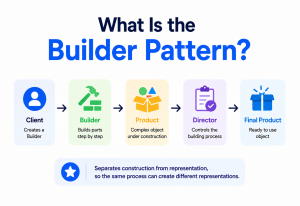
| Builder | Assembles a complex object step by step, instead of one overloaded constructor. |
| Prototype | Creates new objects by copying an existing one, rather than building from scratch. |
class SmallBox:
    def describe(self):
        return "A small cardboard box."

class LargeBox:
    def describe(self):
        return "A large cardboard box."

def create_box(item_count):
    # The calling code never decides the exact class —
    # the factory method makes that call instead.
    if item_count > 10:
        return LargeBox()
    return SmallBox()

box = create_box(3)
print(box.describe())
Notice the shared theme running through all five creational patterns: none of them care what gets built as much as they care about keeping the decision of how it gets built in one clean, easily replaceable spot. That single idea, repeated in five slightly different shapes, is the entire creational category in a nutshell.
Think about ordering a coffee. You don’t personally roast the beans, grind them, and steam the milk yourself every time — you simply tell the barista what you want, and trust the kitchen to handle the “how.” If the cafe later switches suppliers or changes its brewing method, you don’t need to change how you order at all. Creational patterns give the rest of your code that exact same trust: ask for what you need, and let a dedicated piece of logic handle the messy details of actually building it.
Category Two: Structural Patterns
Structural patterns are all about a different job: taking classes and objects that already exist and arranging them into bigger, more capable structures — often without changing the original pieces at all. This category is especially valuable when you need to connect code you don’t fully control, like an older legacy system or a third-party library.
| Pattern | What It Solves |
|---|---|
| Adapter | Translates one mismatched interface into the shape your code actually expects. |
| Bridge | Separates an abstraction from its implementation so each can change independently. |
| Composite | Lets you treat a single object and a group of objects through the same interface. |
| Decorator | Adds new behaviour to a single object by wrapping it, layer by layer. |
| Facade | Offers one simple entry point in front of a complicated, tangled subsystem. |
| Flyweight | Saves memory by sharing the parts that are identical across many objects. |
| Proxy | Provides a stand-in object that controls access to the real one. |
class File:
    def __init__(self, name, size):
        self.name, self.size = name, size

    def total_size(self):
        return self.size

class Folder:
    def __init__(self, name):
        self.name = name
        self.items = []

    def add(self, item):
        self.items.append(item)

    def total_size(self):
        # A folder asks each item for its size — whether that
        # item is a single File or another whole Folder.
        return sum(item.total_size() for item in self.items)

docs = Folder("Documents")
docs.add(File("resume.pdf", 120))
docs.add(File("photo.png", 900))
print(docs.total_size())  # 1020 — no special case needed
What unites all seven structural patterns is a certain respect for what already exists. Rather than tearing an awkward class apart and rebuilding it, structural patterns focus on thoughtful connective tissue — wrapping, translating, simplifying, or sharing — so pieces built at completely different times, by completely different teams, can still cooperate smoothly.
Think about a universal remote control. It doesn’t rebuild your television, your speaker system, or your streaming box — it simply sits in front of all three, offering one familiar set of buttons that quietly translates your presses into whatever specific signal each device actually expects. Structural patterns play this exact same translating, organising, simplifying role for objects that were never originally designed to work together.
Category Three: Behavioral Patterns
Behavioral patterns tackle the trickiest job of the three: coordinating how separate objects communicate, share responsibility, and stay in sync, without becoming so tightly wound together that changing one always means rewriting the rest. With eleven patterns, this is the largest of the three families, because communication problems come in the widest variety of shapes.
| Pattern | What It Solves |
|---|---|
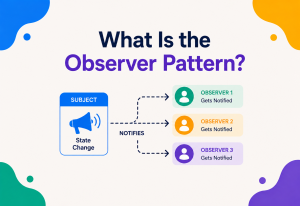
| Observer | Automatically notifies a list of interested objects whenever something changes. |
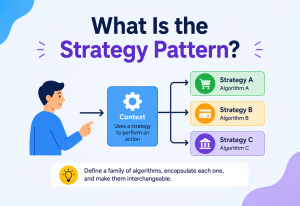
| Strategy | Packages interchangeable algorithms so the calling code can swap between them freely. |
| Command | Wraps a request as an object, so it can be queued, logged, delayed, or undone. |
| State | Lets an object completely change its behaviour when its internal state changes. |
| Template Method | Fixes the overall steps of a process while letting subclasses fill in details. |
| Iterator | Provides a standard way to move through a collection without exposing its internals. |
| Chain of Responsibility | Passes a request along a chain of handlers until one of them deals with it. |
| Mediator | Centralises communication between many objects through one coordinator. |
| Memento | Captures and restores an object’s earlier internal state, without exposing its details. |
| Visitor | Adds a new operation to a group of related classes without modifying them. |
| Interpreter | Defines a way to represent and evaluate a small language’s grammar. |
class SupportLevel:
    def __init__(self, name, handles_up_to, next_level=None):
        self.name, self.handles_up_to, self.next_level = name, handles_up_to, next_level

    def handle(self, ticket_priority):
        if ticket_priority <= self.handles_up_to:
            return f"{self.name} resolved it."
        elif self.next_level:
            return self.next_level.handle(ticket_priority)  # pass it along
        return "Escalated to engineering."

l3 = SupportLevel("Level 3", 10)
l2 = SupportLevel("Level 2", 6, l3)
l1 = SupportLevel("Level 1", 3, l2)
print(l1.handle(8))  # "Level 3 resolved it."
Because this category has so many members, it’s worth grouping them mentally into three rough clusters to make them easier to hold onto: patterns about reacting to change (Observer, State, Memento), patterns about choosing or sequencing behaviour (Strategy, Template Method, Command), and patterns about routing communication cleanly (Chain of Responsibility, Mediator, Iterator, Visitor, Interpreter).
Think about an air traffic control tower. Planes don’t communicate directly with every other plane in the sky — that would be chaos. Instead, the tower coordinates everything centrally, and each pilot only needs to listen for instructions relevant to them. Behavioral patterns exist to prevent exactly that kind of chaos in code, making sure objects communicate through clear, well-organised channels instead of every object needing to know intimately about every other object around it.
Comparing the Three, Side by Side
With all three categories now introduced, it’s worth stepping back and looking at them together, because the contrast between them is what makes the classification genuinely useful in day-to-day design work.
| Aspect | Creational | Structural | Behavioral |
|---|---|---|---|
| Core Question | How is this built? | How is this connected? | How does this communicate? |
| When It Applies | At the moment an object is born | Once objects already exist | While objects are running and interacting |
| Typical Trigger | Object creation is rigid or repetitive | Incompatible or messy relationships | Tangled, overly aware objects |
| Common Smell If Missing | Scattered “new SpecificClass()” calls everywhere | Classes tightly wired to unrelated classes | Objects reaching deep into each other’s internals |
A helpful mental shortcut: creational patterns care about the past tense — how something came to exist. Structural patterns care about the present tense — how things currently fit together. Behavioral patterns care about the ongoing, continuous tense — how things keep talking to each other over time. Keeping those three tenses in mind is often enough to sort a new problem into the right category within seconds.
It’s also worth noticing how the categories relate to the typical order in which problems appear during a project’s life. Early on, when a system is young, creational concerns tend to dominate — there simply aren’t many objects yet, and most of the design effort goes into deciding how they should come into being. As the system matures and more pieces exist side by side, structural concerns start to matter more, since the challenge shifts toward organising what’s already there. And as a system becomes genuinely complex, with many moving parts running at once, behavioral concerns tend to take centre stage, because the biggest risk is no longer “does this exist” or “is this connected,” but “does everything still coordinate correctly.”
Finding the Right Category for Your Problem
In practice, engineers rarely start by thinking “I want to use the Observer pattern.” They start with a messy, specific problem, and work backward toward a category, then a pattern. Here’s a simple, repeatable way to do that.
Ask what’s actually hurting
Is object creation rigid and repetitive? Are unrelated classes awkwardly wired together? Or are objects reaching too deeply into each other’s business?
Match the pain to a category
Creation pain → Creational. Awkward connections → Structural. Tangled communication → Behavioral.
Skim that category’s short list
Five, seven, or eleven names is a far friendlier list to scan than all twenty-three at once.
Read the consequences before committing
Confirm the specific trade-offs of your chosen pattern genuinely fit your situation, not just its name.
If you’re not sure which category fits, ask: “Am I annoyed by how something gets made, how it’s put together, or how it talks to other things?” Whichever verb — made, put together, or talks — jumps out first is usually your category.
When Categories Blend
The three categories are a genuinely useful map, but real design problems don’t always respect tidy borders. A handful of situations naturally touch more than one category at once, and it’s worth knowing about them so you’re not caught off guard.
Building a tree structure
Assembling a complex nested structure (Builder, creational) often produces a tree of parts and wholes (Composite, structural) — the two frequently appear together.
Choosing an algorithm dynamically
A factory (creational) is sometimes used specifically to hand back the correct Strategy object (behavioral) for a given situation.
Reactive wrapping
A decorator (structural) can be built to also notify listeners (behavioral) whenever the wrapped object’s behaviour is triggered.
Saving and restoring state
Cloning an object (Prototype, creational) is sometimes used as part of capturing a restorable snapshot (Memento, behavioral).
None of this means the classification is broken — it means real software design is naturally a little messier than any three-way split can perfectly capture. The categories remain useful precisely because they describe the dominant concern of a pattern, not the only concern. When two patterns genuinely work well together, that’s usually a sign you’re solving a layered problem, not a sign that something has gone wrong with the classification itself.
A useful habit when you notice two categories blending is to ask which concern is genuinely primary in this specific situation, and let that answer guide your main design decision, treating the second category as a supporting detail rather than an equal partner. In the Builder-plus-Composite example, the primary concern is usually still creation — you’re mainly trying to assemble something correctly — and the resulting tree shape is a natural side effect of that assembly process, not the main design goal in itself. Keeping one concern clearly primary, even when a second one is present, tends to keep the resulting code easier to reason about.
Beyond the Original Three
It’s worth knowing that the Gang of Four’s three categories, while still the foundation almost everyone learns first, aren’t the only classification system in software design. As computing evolved, engineers noticed new recurring problems that didn’t fit neatly into the original 1994 catalogue, and grouped fresh patterns to address them.
Coordinating parallel work
Patterns like Thread Pool and Producer-Consumer solve problems specific to multiple tasks running at the same time, safely sharing resources.
Whole-system shapes
Patterns like Model-View-Controller or Microservices describe the large-scale shape of an entire application, not just one small object relationship.
Business application plumbing
Patterns like Repository and Unit of Work solve recurring problems specific to large business applications talking to databases.
Many machines, one system
Patterns like Circuit Breaker and Retry address problems that only appear once a system is spread across multiple independent machines.
These newer families didn’t replace the original three — they extended the same underlying habit to new kinds of problems that simply didn’t exist, or weren’t common, back in 1994. Learning the original Creational, Structural, and Behavioral trio first still gives you the strongest foundation, because the three questions they answer — how is it built, how is it connected, how does it communicate — remain relevant no matter what kind of system you’re eventually designing.
In fact, many of these newer families are simply the same three original questions, re-asked at a bigger scale. A Circuit Breaker pattern, used to protect a distributed system from repeatedly calling a failing service, is really a behavioral concern — controlling communication — just applied between whole services running on separate machines instead of between two small objects sitting in the same program. Recognising that the same three underlying questions keep echoing at every scale, from a single class all the way up to an entire cloud architecture, is one of the more satisfying realisations an engineer tends to have once these categories become second nature.
A Walk-Through Example: One App, All Three Categories
To see all three categories working together rather than in isolation, imagine building a small food delivery app. Watch how naturally each category shows up as different problems appear.
Creational: when an order comes in, a Factory Method decides whether to assign a bicycle courier or a car, based on distance — the checkout code never needs to know the difference. Structural: behind the scenes, three completely different payment providers each have their own messy interface; a Facade wraps all three behind one simple “charge the customer” method, so the rest of the app stays blissfully unaware of the mess underneath. Behavioral: once the order ships, an Observer pattern automatically notifies the customer’s app, the restaurant’s dashboard, and the delivery tracker all at once, without any of those three pieces needing to know about each other directly.
Notice that no single part of this app was over-engineered — each pattern was reached for only because a real, specific pain already existed: rigid creation logic, a messy connection, or tangled communication. That’s the classification system doing exactly the job it was designed to do.
It’s worth imagining, briefly, what this same small app might have looked like without any of the three categories guiding its design. The checkout code would likely be littered with direct “if distance is short, build a Bicycle, otherwise build a Car” logic scattered across multiple files. The payment code would probably call each of the three payment providers directly, wherever a charge needs to happen, meaning a change to any one provider risks breaking several unrelated parts of the app. And the notification logic would likely be hard-coded into the order-processing function itself, meaning every new notification channel added later — a push notification, a text message — would require editing that same central, increasingly fragile piece of code. Three categories, three small, deliberate design choices, and a noticeably calmer codebase as a result.

Common Pitfalls
Even a useful classification can be misapplied. A handful of failure modes come up repeatedly when engineers first start using the three-category system as a design tool.
Forcing a Problem Into the Wrong Category
Sometimes engineers reach for a familiar pattern from a category they already know well, even when the actual problem belongs somewhere else entirely. A communication problem solved with a creational pattern usually just adds an extra layer without fixing the real pain.
Treating the Categories as Rigid Silos
As covered earlier, several patterns genuinely blend categories. Insisting a pattern “must” belong to exactly one category, and refusing to combine ideas from different families, can lead to more awkward code than simply letting the patterns cooperate naturally.
Memorising Categories Without Understanding the Underlying Questions
Knowing that Observer is “behavioral” is far less useful than understanding why it’s behavioral — because it manages ongoing communication. Memorising labels without grasping the reasoning behind them makes the classification a trivia fact instead of a genuinely useful design tool.
Skipping Straight to a Pattern Without Diagnosing the Category First
It’s tempting to jump straight to a favourite, well-remembered pattern the moment a design problem appears, skipping the earlier diagnostic step of asking which category the pain actually belongs to. This shortcut often produces a technically working solution that still feels slightly wrong — because the pattern was chosen for its familiarity, not because its category genuinely matched the underlying problem.
Choosing a pattern because you remember its name clearly, rather than because its category genuinely matches the problem you have right now. A confidently misapplied pattern is often worse than no pattern at all.
Frequently Asked Questions
A handful of questions come up whenever a team first starts using the three-category system as a shared design vocabulary. Getting straight answers on them early keeps design discussions moving forward, rather than getting stuck on terminology.
Is one category more important than the others?
No — each solves a genuinely different kind of problem, and a well-designed system typically ends up using patterns from all three categories in different places, exactly as the food delivery example showed.
Can a single pattern belong to more than one category?
Most patterns fit cleanly into one category, but as covered in the overlap section, a handful of real-world designs naturally blend two patterns from different categories to solve a layered problem. The category still describes each individual pattern’s dominant concern.
Do I need to learn all patterns in a category before using any of them?
Not at all. Most working engineers become comfortable with a handful of patterns per category — often Factory Method and Builder from Creational, Adapter and Decorator from Structural, and Observer and Strategy from Behavioral — and consult the rest of the catalogue only when a less common situation calls for it.
Why does the Behavioral category have so many more patterns than the others?
Object communication simply comes in a much wider variety of shapes than object creation or object structure do. Coordinating behaviour touches on timing, sequencing, notification, delegation, and state — each of which produces its own distinct recurring problem, and therefore its own pattern.
Does this three-category system still matter with modern programming styles?
Yes, though its expression changes. Even in languages and styles that don’t lean heavily on classical object-oriented inheritance, the three underlying questions — how is something created, how are pieces connected, how do parts communicate — remain just as relevant, even if the specific pattern names or code shapes look somewhat different.
Key Takeaways
Everything above collapses neatly into a handful of durable ideas — the ones worth carrying into any future project where design patterns will be part of the conversation.
Remember This
- Three questions, three categories. Design patterns are grouped into three categories based on the kind of problem they solve: Creational (building), Structural (connecting), and Behavioral (communicating).
- Creational — five patterns. Singleton, Factory Method, Abstract Factory, Builder, and Prototype keep the decision of how an object is built flexible and centralised.
- Structural — seven patterns. Adapter, Bridge, Composite, Decorator, Facade, Flyweight, and Proxy arrange existing pieces into larger, well-organised structures.
- Behavioral — eleven patterns. The largest group manages how objects communicate, share responsibility, and stay coordinated over time.
- Diagnose before you prescribe. The fastest way to pick a category is to ask whether the pain is about how something is made, how it’s connected, or how it talks to other things.
- Blending is fine. A handful of real-world designs naturally blend patterns from two categories — that’s a sign of a layered problem, not a flaw in the classification.
- The habit outgrew 1994. Newer families of patterns — concurrency, architectural, enterprise, cloud — extend the same classifying habit to problems that emerged after the original Gang of Four catalogue.