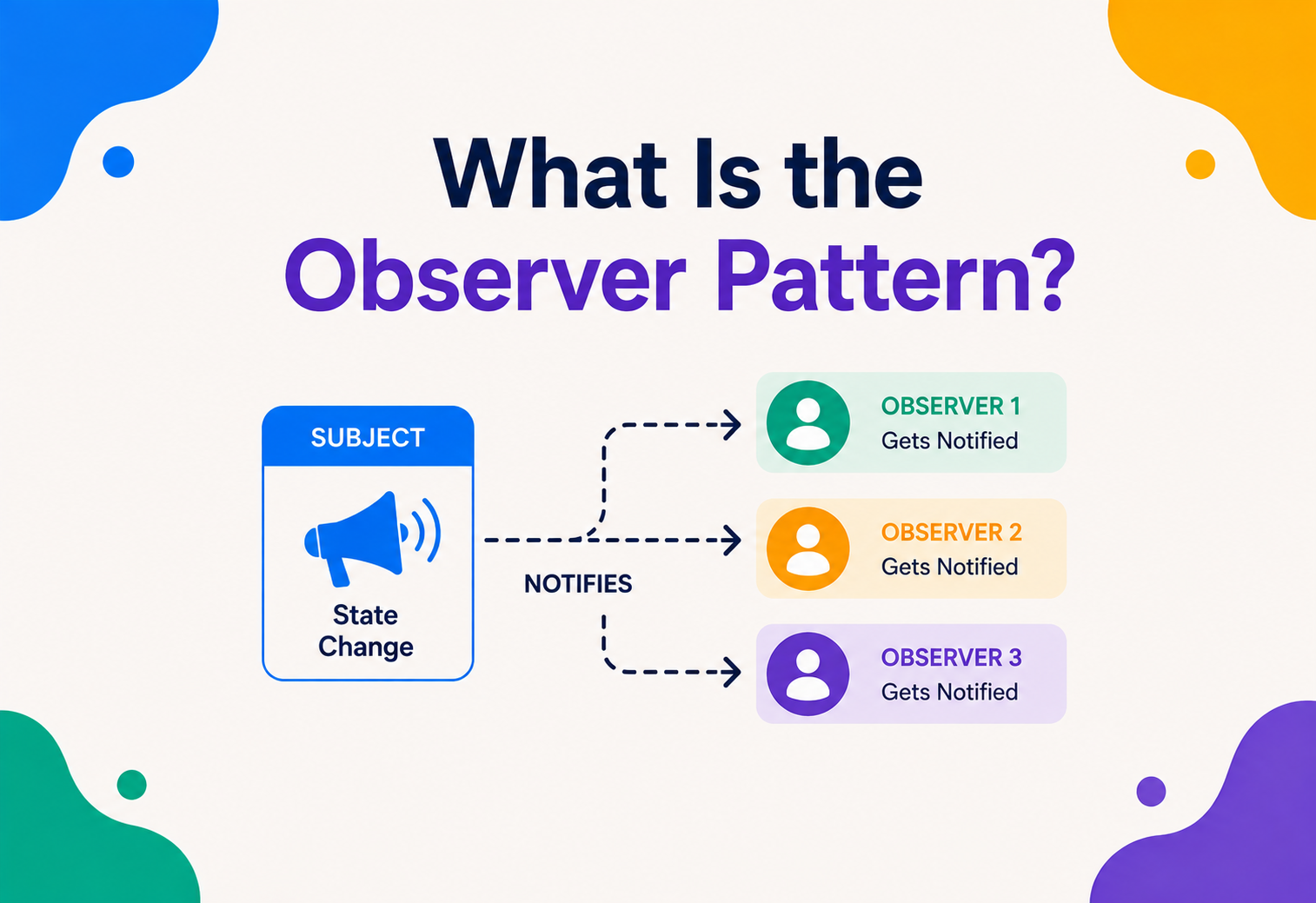
What Is the Observer Pattern?
Subscribe once to a favourite YouTube channel and you never have to keep circling back to check for new videos — the channel simply lets you know the moment anything new arrives. The Observer pattern gives software that same quiet, automatic notification habit, without any of the polling waste that would otherwise creep in.
The Big Idea, in One Breath
Think about subscribing to a favourite YouTube channel. You don’t set an alarm to check the page every ten minutes hoping a new video has appeared — you subscribe once, and from that moment on, the channel takes care of telling you. A notification quietly appears the instant something new is uploaded. You can be doing anything else entirely, and the news still finds you, right on time, without you lifting a finger to go looking for it.
The Observer pattern brings that exact same idea into software. It’s a design pattern where one object — called the subject — keeps a list of other interested objects, called observers, and automatically notifies every one of them the moment something worth knowing about happens. Nobody has to keep asking “did anything change yet?” over and over; the subject simply announces the news the instant it occurs, to everyone who’s subscribed to hear it.
Picture a neighbourhood newsletter. Residents who want updates simply sign up once, and whenever there’s real news — a road closure, a community event — the newsletter goes out automatically to everyone on the list. Nobody has to knock on the town hall’s door every morning asking “anything new today?” And crucially, the town hall doesn’t need to know each resident personally — it just keeps a mailing list and sends to everyone on it. That’s the entire spirit of the Observer pattern, translated directly into code.
What makes this arrangement so quietly powerful is how little the two sides need to know about each other. The town hall doesn’t need to know whether a resident reads the newsletter on paper, on their phone, or has it read aloud to them — it simply sends the same announcement to everyone on the list, and each recipient decides for themselves what to do with it. Likewise, a resident doesn’t need to understand how the town hall’s internal announcement system works, only that signing up guarantees they’ll hear the news. That mutual independence — each side free to change how it works internally, as long as the simple subscribe-and-notify agreement between them stays intact — is exactly the kind of flexibility the Observer pattern is designed to preserve in software.
What the Observer Pattern Really Is
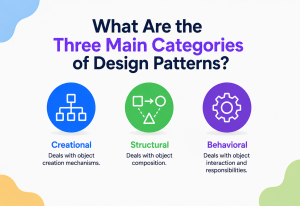
Formally, the Observer pattern is a behavioral design pattern that defines a one-to-many relationship between objects, so that when one object’s state changes, all of its dependents are notified and updated automatically. It belongs to the behavioral family of patterns — the group concerned with how objects communicate and share responsibility — rather than the creational family concerned with how objects come into existence.
- One-to-many. A single subject can have any number of observers watching it — zero, one, or a hundred — without needing to be rewritten as that number changes.
- Automatic notification. Observers don’t have to ask; the subject proactively reaches out the moment something relevant happens.
If someone asks “what does the Observer pattern actually do?”, the honest answer is: it lets one object shout “something happened!” once, and have every interested party hear about it immediately, without that one object needing to know who’s listening, or how many people are.
It’s worth being precise about the “without needing to know who’s listening” part, because it’s the single most important detail in the whole pattern. The subject doesn’t maintain a list of specifically named classes it trusts — it maintains a list of anything that fits a simple, general shape, usually described as “anything with an update method.” That small design choice is what allows entirely new kinds of observers to be added later without the subject’s own code ever needing to change.
There’s a useful way to picture what’s actually happening under the hood: the subject is essentially holding a list of “things I promised to call when news happens,” without caring what any of them do once called. It’s a bit like a fire alarm that doesn’t care whether the building has ten people or ten thousand inside, or what each of them does the moment it sounds — some grab their coat, some head straight for the exit, some pause to save their work first. The alarm’s only job is to make sure the sound reaches everyone who’s supposed to hear it; what each listener does next is entirely their own business, happening completely independently of the alarm itself.
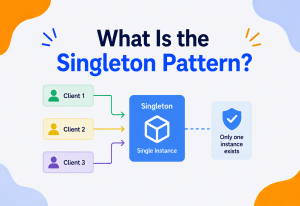
A Little History
Observer is one of the eleven behavioral patterns catalogued in 1994 by Erich Gamma, Richard Helm, Ralph Johnson, and John Vlissides — the four authors nicknamed the “Gang of Four” — in their book Design Patterns: Elements of Reusable Object-Oriented Software. Behavioral patterns, as a family, are specifically concerned with how objects communicate and share responsibility, and Observer is widely considered one of the clearest, most immediately useful examples in that entire family.
The underlying idea, though, predates the formal 1994 catalogue by well over a decade. It grew directly out of the Model-View-Controller architecture, first developed in the late 1970s for the Smalltalk programming language, where a “model” holding application data needed a reliable way to tell one or more “views” that something had changed, so the screen could redraw itself correctly. That specific, practical problem — keeping a visual display in sync with underlying data — is essentially the Observer pattern in its earliest form, well before it had a formal name.
Observer is sometimes described as the pattern quietly running underneath almost every graphical user interface ever built — every button click, every checkbox toggle, every screen update that happens the moment underlying data changes owes a conceptual debt to this exact pattern, whether or not the framework in question calls it “Observer” by name.
It’s worth appreciating how directly this history explains the pattern’s staying power. Unlike some patterns that solve a fairly narrow, specific problem, Observer emerged from one of the most universal needs in all of interactive software: keeping something a person is looking at honestly in sync with data that might change at any moment, for reasons entirely outside that display’s control. That need hasn’t gone away in the decades since Smalltalk’s early days — if anything, it’s grown, as software moved from single-screen desktop applications to real-time collaborative documents, live dashboards, and social feeds that update the instant something happens anywhere in the world. The pattern’s core idea has simply kept finding new, larger stages to perform on.
Why Not Just Keep Checking?
To appreciate why Observer matters, it helps to look closely at the obvious alternative: repeatedly checking whether something has changed, an approach engineers call polling.
import time

def check_for_new_price(stock):
    last_seen_price = stock.price
    while True:
        time.sleep(1)  # wastefully checks every second, forever
        if stock.price != last_seen_price:
            print(f"Price changed to {stock.price}")
            last_seen_price = stock.price
This works, technically, but at a real cost. The checking code runs constantly, whether or not anything has actually changed, burning processing time and, in a networked system, bandwidth, on the vast majority of checks that turn up nothing new. Worse, there’s always a delay between the moment something genuinely changes and the next scheduled check — the shorter that delay is made to feel more “live,” the more wasted checking happens in between.
Most checks find nothing
Polling spends the overwhelming majority of its effort confirming that nothing has changed, rather than reacting to something that has.
News always arrives late
Even fast polling introduces some lag between a real change and the moment it’s finally noticed.
More watchers, more checking
Every additional piece of code that wants to know about a change means yet another loop checking the same thing repeatedly.
Direct calls everywhere
Without Observer, a subject often ends up directly calling specific, hard-coded methods on every interested object, one by one.
Observer flips this arrangement entirely. Instead of interested parties repeatedly asking “did anything change?”, the subject itself proactively announces the change, exactly once, the moment it actually happens — no wasted checks, no unnecessary delay, and no growing list of hard-coded method calls to maintain by hand.
It’s worth quantifying just how wasteful polling can become as a system grows. Imagine ten separate parts of an application all polling the same stock price once every second, just to catch the handful of times per hour it actually changes. That’s thirty-six thousand checks an hour, from just one piece of data, the overwhelming majority of which report back “nothing new” — multiplied by however many different values a real application might need to watch. Observer collapses that enormous volume of wasted checking down to exactly one notification per genuine change, delivered to exactly the parties who asked to hear about it, and not a single check more than that.
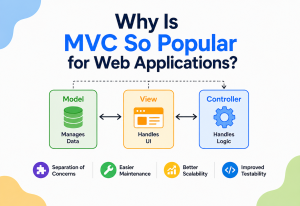
The Anatomy of the Observer Pattern
A properly structured Observer implementation is built from four cooperating roles — a small enough cast that the pattern stays easy to teach, but distinct enough that each role earns its keep once a real system gets built on top of it.
- Subject. The object being watched, which maintains a list of observers and offers ways to subscribe and unsubscribe.
- ConcreteSubject. A specific subject holding real state — a stock price, a document, a game score — that triggers notifications when that state changes.
- Observer. A shared interface describing the one method every observer must provide, usually something like
update(). - ConcreteObserver. A specific class that reacts to notifications in its own way — updating a display, logging an event, sending an alert.
It’s worth noticing how deliberately minimal the shared Observer interface usually is — often just that one single method. This minimalism is a genuine design choice, not an oversight. The less a Subject requires from an Observer, the more freely different kinds of observers, built by different teams, for entirely different purposes, can all subscribe to the exact same subject without friction. A rich, demanding interface with many required methods would narrow that flexibility considerably, forcing every future observer to implement functionality it might never actually need.
Building One, Step by Step
Seeing the pattern actually built, from nothing, makes its structure far easier to internalise than reading about it in the abstract. The example below is deliberately minimal — no framework, no library, no clever tricks — precisely so the pattern’s own shape stays visible.
class StockTicker:
    def __init__(self):
        self._observers = []
        self._price = 0

    def subscribe(self, observer):
        self._observers.append(observer)

    def unsubscribe(self, observer):
        self._observers.remove(observer)

    def set_price(self, new_price):
        self._price = new_price
        self._notify_all()

    def _notify_all(self):
        # The subject has no idea what each observer actually
        # does with this news — it just delivers it, faithfully.
        for observer in self._observers:
            observer.update(self._price)
class PriceDisplay:
    def update(self, price):
        print(f"Display: current price is ${price}")

class PriceLogger:
    def update(self, price):
        print(f"Logging price change to file: {price}")

ticker = StockTicker()
ticker.subscribe(PriceDisplay())
ticker.subscribe(PriceLogger())
ticker.set_price(142.50)
# Both observers react automatically — StockTicker never
# needed to know PriceDisplay or PriceLogger even existed.
Notice what StockTicker never has to do: it never checks whether an observer is a display, a logger, or something else entirely. It doesn’t care. It simply calls update() on whatever’s in its list, trusting each observer to know what to do with the news in its own way. A brand-new kind of observer — an email alert, a mobile notification — can be added later without touching StockTicker‘s code at all.
It’s worth walking through exactly what would happen to add that third notification channel, since the ease of the change is the whole point of the pattern. A new PriceEmailer class would simply need its own update() method, defining however it wants to react to a new price — perhaps only sending an email if the change is larger than some threshold. Once that class exists, adding it to the system is a single line: ticker.subscribe(PriceEmailer()). Nothing about StockTicker, PriceDisplay, or PriceLogger needs to be opened, read, or modified in any way — the three observers simply coexist, each handling the same shared news in its own independent, self-contained fashion.
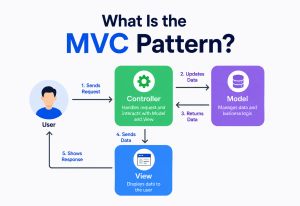
Push vs. Pull Notifications
There are two common styles for exactly what information gets sent during a notification, and it’s worth understanding the trade-off between them before committing to either one across a whole codebase.
| Model | What Gets Sent | Trade-off |
|---|---|---|
| Push | The subject sends the relevant data directly, along with the notification. | Simple and fast, but can send data an observer doesn’t actually need. |
| Pull | The subject sends only a general “something changed” signal; observers ask for details themselves. | More flexible, but requires an extra step back to the subject. |
class DetailedLogger:
    def update(self, subject):
        # Only the pull model gives the observer a reference back
        # to the subject, letting it fetch exactly what it needs.
        print(f"Price: {subject.price}, Volume: {subject.volume}")
The earlier StockTicker example used a push model — handing over the price directly. A pull model instead passes a reference to the subject itself, letting each observer independently decide which specific details it actually cares about. Push tends to be simpler for straightforward cases; pull tends to scale better once different observers need very different pieces of information from the same event.
A concrete way to see the trade-off: imagine a weather station subject tracking temperature, humidity, wind speed, and air pressure all at once. With a push model, every observer would need to receive all four values on every update, whether or not it actually cares about wind speed or air pressure — a temperature-only display would still be handed data it has no use for. With a pull model, the subject simply announces “conditions have changed,” and a temperature display can call subject.get_temperature() for exactly the one value it needs, while a full weather dashboard calls several getters to build its complete picture. The pull model trades a small amount of extra communication for considerably more flexibility about which observer needs which specific piece of the whole picture.
Real-World Use Cases
Observer is one of the most quietly ubiquitous patterns in modern software, showing up in places most engineers interact with daily without necessarily naming it out loud.
Buttons, clicks, and taps
Nearly every graphical interface uses Observer under the hood — a button “click” event notifies every function that registered interest in it.
Views staying in sync
In the classic Model-View-Controller pattern, views observe the model, automatically refreshing themselves whenever the underlying data changes.
Likes, comments, follows
Follower and notification systems are Observer at massive scale — one post’s changes ripple out to everyone who follows the author.
Stock tickers, sports scores
Real-time dashboards rely on Observer to update the moment fresh data arrives, without repeatedly polling a server for updates.
Event-driven programming, broadly, leans heavily on Observer as its conceptual foundation — any system built around “something happens, and interested parties react” is, at its architectural core, applying the same fundamental idea this pattern first formalised decades ago.
It’s also worth mentioning a use case that often surprises newcomers: version control and file-syncing tools frequently rely on an Observer-like arrangement to watch a folder on disk and react the instant a file changes, without needing to repeatedly re-scan the entire folder from scratch. The operating system itself typically plays the role of subject here, maintaining a low-level list of interested “watchers” and notifying them directly the moment a file is created, modified, or deleted — proof that the pattern’s usefulness extends well beyond user interfaces and into the deepest, most fundamental layers of how modern computers keep software informed about the world changing around it.
Observer vs. Publish/Subscribe
These two are frequently used interchangeably in casual conversation, but they describe meaningfully different arrangements, and it’s worth being precise about the distinction before it costs you a design choice later.
Observer
- Observers know about, and register directly with, the subject.
- Usually lives within a single running program.
- Notification typically happens synchronously, right away.
- Direct in-memory calls, no middleman.
Publish / Subscribe
- Publishers and subscribers never know about each other directly.
- A separate message broker sits in between them.
- Often spans multiple, separate systems or services.
- Can survive network hiccups and delayed subscribers.
The clearest way to keep them apart: in Observer, the subject holds a direct list of its observers and calls them itself. In Publish/Subscribe, there’s a middleman — a message broker or event bus — and publishers have no idea who, if anyone, is subscribed to receive their messages. Pub/Sub is essentially Observer’s idea, stretched across a broader, more decoupled, often distributed architecture, frequently spanning entirely separate applications or services rather than objects within one single program.
This distinction genuinely matters when choosing between them, not just as a matter of vocabulary precision. Observer is the right reach when everything involved lives inside one running program, and a direct, immediate, in-memory notification is exactly what’s needed — a UI element reacting to a data change, for instance. Publish/Subscribe becomes the better fit once notifications need to cross process boundaries, survive a temporary outage on either side, or reach subscribers that didn’t even exist yet when the message was first published. Choosing the heavier Pub/Sub machinery for a simple, single-program UI update would be needless overhead; choosing lightweight, direct Observer for coordinating entirely separate microservices would likely leave a system too tightly, fragilely coupled to survive real-world network hiccups gracefully.
Pros and Cons
Observer, like every pattern, is a genuine trade-off, and understanding both sides prevents it from being applied purely out of habit or fashion.
Strengths
- Subjects and observers stay loosely coupled, each unaware of the other’s details.
- New observer types can be added without touching the subject’s code.
- Removes the waste and delay that come with repeated polling.
- Naturally models many real-world “something happened, react accordingly” situations.
Trade-offs
- The order observers are notified in is often unpredictable or unspecified.
- Forgetting to unsubscribe can quietly leak memory over time.
- Debugging can be harder, since effects ripple outward from one change.
- Heavy work inside an update() blocks every other observer in line.
The general guidance most experienced architects settle on: Observer earns its place whenever one piece of state genuinely needs to notify a variable, potentially growing number of interested parties. For a fixed, permanent one-to-one relationship between exactly two objects, a plain, direct method call is usually simpler and clearer.
The debugging trade-off deserves a bit more attention than it often gets, since it’s the cost most likely to surprise a team after the fact. In a codebase without Observer, tracing “why did this value change” usually means following a single, direct, traceable chain of method calls. In an Observer-heavy system, one small state change can ripple outward to trigger updates in five, ten, or fifty different observers, each of which might trigger further changes of their own. A debugger stepping through this kind of ripple effect has to hold considerably more of the system in mind at once than it would tracing a simple, direct call chain — which is precisely why disciplined logging and clear naming around notifications become so valuable in any Observer-heavy codebase, rather than optional nice-to-haves.
Common Pitfalls
The pattern’s simplicity hides a handful of failure modes that only reveal themselves once a system has been running under real load for a while. Recognising them ahead of time is cheaper than debugging them at three in the morning.
Forgetting to Unsubscribe
An observer added to a subject’s list but never removed keeps being notified — and kept alive in memory by that reference — long after it should have quietly disappeared. This is one of the most common sources of subtle memory leaks in Observer-based systems.
Relying on Notification Order
Code that assumes observers will be notified in a specific, particular order is fragile, because most Observer implementations make no formal promise about ordering at all. If an exact sequence genuinely matters, that requirement needs to be handled explicitly, not assumed.
Cascading, Runaway Updates
If an observer’s reaction to a notification ends up changing the subject again, which triggers another notification, which triggers another change — a system can spiral into a confusing, hard-to-trace chain reaction, or even an infinite loop, if nobody has guarded against it.
Doing Too Much Work Inside a Notification
An observer’s update() method that performs a slow, heavy operation — a network call, a large computation — can quietly block the entire notification chain, delaying every other observer waiting in line behind it. Heavy work is often better handed off separately, rather than performed directly inside the notification itself.
An observer’s update() method that itself calls back into the subject to change state. This is a common source of the cascading update problem, and deserves careful scrutiny before it ships.
Observer and Related Patterns
Observer rarely works in total isolation — it frequently shows up alongside, or as a building block for, several other well-known patterns in the Gang of Four catalogue.
Understanding these relationships helps prevent a common misunderstanding: assuming that because two patterns both involve “multiple objects communicating,” they must be interchangeable. They rarely are. Each pattern in this family makes a slightly different promise about who initiates communication, who’s aware of whom, and how tightly the participating pieces are bound together — small differences that end up mattering a great deal once a system grows large enough for those distinctions to genuinely affect maintainability.
A different kind of coordination
Where Observer lets many objects react independently to one subject, Mediator centralises communication through one coordinator that actively manages the interactions.
A whole architecture, built on Observer
The classic Model-View-Controller pattern uses Observer internally, letting views automatically stay in sync with changes to the underlying model.
Often paired together
An observer’s reaction to a notification can itself be implemented using the Strategy pattern, letting that reaction be swapped out independently.
A common, if risky, pairing
Subjects are sometimes implemented as Singletons for convenience, though this pairing inherits all the usual downsides of overusing Singleton.
Frequently Asked Questions
A handful of questions come up again and again whenever a team first considers reaching for Observer. Getting straight answers on them early prevents a lot of second-guessing later.
Does the Observer pattern require object-oriented programming?
The classic implementation relies on classes and interfaces, but the underlying idea — one source announcing changes to a variable list of interested listeners — appears just as naturally in other programming styles, often expressed through callback functions or event emitters instead.
Is Observer the same thing as an event listener?
They’re extremely closely related, and in many frameworks, effectively the same idea wearing a different name. An “event listener” is usually just an observer, and the object it’s attached to is playing the role of the subject.
Can a subject notify observers asynchronously, rather than immediately?
Yes — while the classic pattern often notifies observers synchronously, right away, many real systems queue notifications and deliver them slightly later, especially in networked or high-volume situations, without breaking the pattern’s core spirit.
What happens if an observer’s update method throws an error?
This depends entirely on the implementation, and it’s a genuinely important design decision. A carelessly written notification loop can let one failing observer prevent every other observer from being notified at all — a well-designed subject typically catches and isolates errors per observer, so one broken listener doesn’t silently break everyone else’s updates.
How many observers can realistically subscribe to one subject?
There’s no fixed limit built into the pattern itself, though very large numbers of observers can eventually introduce real performance considerations, especially if each notification does meaningful work — a concern that becomes especially relevant in high-scale systems like social media follower networks.
Key Takeaways
Everything above collapses neatly into a handful of durable ideas — the ones worth carrying into any future project where “one thing changed, several things need to react” is likely to come up.
Remember This
- One-to-many, automatic. The Observer pattern defines a one-to-many relationship where a subject automatically notifies every registered observer when its state changes.
- Notify, don’t poll. It replaces wasteful, delayed polling with immediate, automatic notification the moment something actually happens.
- Four roles. It’s built from four cooperating pieces: Subject, ConcreteSubject, Observer, and ConcreteObserver.
- Push vs. pull. Push notifications send the data directly; pull notifications send only a signal, letting observers fetch what they need.
- Everywhere in modern software. It underlies UI event systems, MVC architecture, social media notifications, and live dashboards.
- Observer ≠ Pub/Sub. Pub/Sub adds a broker and typically spans multiple systems; Observer is direct, in-memory, and single-program.
- Mind the pitfalls. Its sharpest hazards are forgetting to unsubscribe, assuming a specific notification order, and unguarded cascading updates.