What Are Functional Requirements in Software Development?
The precise, verifiable list of what a system must actually do. Get them right and everything downstream has a chance. Get them wrong and no amount of engineering can save you.
The Big Idea, in One Breath
A functional requirement is a precise, verifiable statement of what the system must do — small enough to build, testable enough to accept.
Every software project runs on two lists: the list of things the system must do, and the list of qualities it must have. Functional requirements are the first list. They are the concrete verbs of the product — the buttons, the flows, the calculations, the outcomes a user or another system can point at and say “that worked” or “that did not”.
When they are written well, developers know what to build, testers know what to check, and stakeholders know what they will get. When they are written badly, everyone downstream fills in the gaps — and everyone fills them in a little differently.
Think of a recipe card. “A moist, delicate chocolate cake” is not a recipe; it is an aspiration. The recipe is “250g flour, 3 eggs, 180 °C for 22 minutes, yields 12 muffins”. Two different bakers can follow it and get the same result. If a step is missing, the baker guesses — and the guess is not usually the one the author intended.
Functional requirements are the recipe. Non-functional requirements are the “moist and delicate” part — also essential, also worth writing down, but a different kind of writing.
What a Functional Requirement Really Is
A short, testable statement about the system’s behaviour — small enough that its truth is unambiguous.
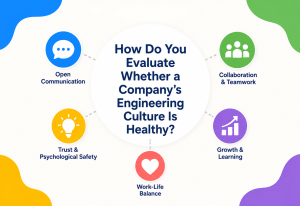
A useful functional requirement has four qualities. Miss any one and it stops being a requirement and starts being a wish.
It describes behaviour
Not intent, not benefit. What the system does, said in the plainest possible verbs. “Users can reset their password by email”, not “users are empowered to manage their own credentials”.
It is specific
No vague nouns. Which user? Which screen? Which field? A sentence that could apply to two different features is a sentence that will be implemented as one and tested as the other.
It is testable
Someone can, at the end of the sprint, write “pass” or “fail” next to it. If the answer requires argument, the requirement is not yet finished.
It is small
One requirement, one behaviour. “Users can log in, reset passwords, and export their data as CSV” is three requirements pretending to be one.
Read it aloud. If two people in the room could reasonably disagree about whether it has been met, it is not yet a requirement — it is still a conversation.
Functional vs. Non-Functional
One says what. The other says how well. Both matter; each keeps the other honest.
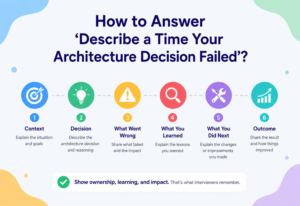
The clearest way to see the boundary is to look at two versions of the same feature. A functional requirement says the system exports orders as CSV. The matching non-functional requirement says the export completes within thirty seconds for one million rows, and no unauthorised user can trigger it.
Functional (the “what”)
- Login with email and password
- Reset password by email token
- Show order history
- Send invoice on payment
- Refund within 90 days
Non-functional (the “how well”)
- Login response < 500ms at p95
- Reset token expires in 15 minutes
- Order history page opens < 1.5s
- Invoice delivered within 60 seconds
- Refund audit trail retained 7 years
Teams that write functional requirements without their non-functional counterparts ship features that technically work and practically frustrate. A search that returns the right results in 12 seconds fails the user, even if every result is correct.
Where They Fit in the Bigger Picture
Requirements are one layer in the stack that runs from a business intent to a running feature. Miss the layer above or below and everything wobbles.
Functional requirements do not appear out of nowhere. They sit between the business goal that motivates them and the design decisions that realise them. When any of those layers is missing, the requirements either drift away from the business or fail to translate into a system.
Business goal
The reason the software exists at all. “Reduce churn by making refunds effortless.” Stated in outcomes, not features.
User need
The specific problem a real person has. “A customer wants to return an unopened item without calling support.”
Functional requirements
The concrete behaviours that solve it. “The user can start a return from the order page within 90 days of delivery.”
Non-functional requirements
The quality bar those behaviours must meet. “Return label is emailed within 60 seconds; refunds land within 5 business days.”
Design & architecture
The system shape that will satisfy both. Which services, which data flows, which screens.
Implementation & tests
The code that realises the design, and the tests that prove the requirements are actually met.
Good teams walk this stack both ways: down, from goal to code; and up, from every code change back to the requirement it serves. The moment nobody can trace a piece of code back to a requirement is the moment the codebase quietly starts drifting from the product.
Real Examples Across Products
The shape of a functional requirement is the same everywhere. The vocabulary changes with the domain.
| Domain | A representative functional requirement |
|---|---|
| E-commerce | The buyer can apply one discount code per order at checkout, and the total updates before payment. |
| Banking | A transfer above £5,000 requires a second factor before the payment is submitted. |
| Healthcare | Every access to a patient record is written to the audit log with the accessor’s identity and timestamp. |
| SaaS admin | Workspace owners can invite up to fifty members by email in a single action. |
| Streaming | The player resumes playback within 3 seconds of a network reconnection. |
| Logistics | A shipment’s status transitions to “delivered” only after a driver captures a signature or a photo. |
| Internal tools | Only members of the finance group can export the full customer ledger. |
Notice the pattern. Every one of these describes a who, a what, and an unambiguous outcome. None of them mentions colour, font, or framework — those are design choices the requirement must not preempt.

Types by Workflow
Not every functional requirement plays the same role. Sorting them by workflow makes them easier to plan, prioritise, and test.
Authentication & access
Who can log in, how, and what they are allowed to do once inside. Session lengths, MFA, role-based access, delegated accounts.
Data operations
Create, read, update, delete. Search, filter, sort, export, import. The verbs users apply to the objects your system holds.
Business workflow
Multi-step flows: submit, approve, reject, escalate. State machines with clear transitions.
Notifications & comms
Email, SMS, in-app, webhook. Which event triggers which message, to whom, with what content.
Integrations
Talking to other systems: payment providers, CRMs, warehouses, identity providers. Requests, responses, retries, reconciliation.
Reporting & analytics
Dashboards, exports, scheduled reports, audit trails. Requirements about what the system reveals about itself.
Regulatory & compliance
What the system must do to stay lawful: consent, retention, deletion, disclosure, sign-off.
Administration
The features the operators use, not the customers. User management, feature flags, backfills, replays.
Not every product needs every category. The point of sorting is to notice the categories your team has quietly ignored — often admin and integrations, which are boring to design but painful to retrofit.
How They Get Documented
There is no single “right” format. There are formats that fit certain teams, timelines, and audiences better than others.
Software Requirements Specification (SRS)
Numbered, hierarchical, exhaustive. Right for regulated industries and long-lived enterprise builds. Wrong for two-person startups.
User stories
“As a <role>, I want <action>, so that <outcome>.” Small, human-readable, argue-able. Right for iterative teams; needs discipline to prevent drift.
Use cases
Actors, preconditions, main flow, alternate flows, postconditions. Heavier than a user story, lighter than an SRS.
Gherkin / BDD scenarios
“Given / When / Then”. Requirements written in a form that maps directly to executable tests. Excellent when discipline holds.
Flow & sequence diagrams
Some requirements are clearer as a picture. Journey maps, state diagrams, sequence diagrams for integrations.
Product briefs / PRDs
Blend of business context and functional expectations. Common in tech companies where a PM owns the source of truth.
The format is much less important than three habits: written down, agreed by both business and engineering, kept up to date. A perfect SRS that no one reads is worth less than a plain user story that the whole team trusts.
Writing Good Requirements: The SMART Test
A checklist old enough to be unfashionable and useful enough to have survived every trend since.
Before every requirement lands in the backlog, run it through the same five questions. If it fails one, rewrite it. It only takes a minute, and it prevents the meetings the failure would otherwise produce three months later.
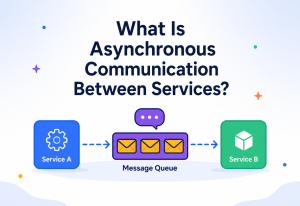
Specific
Which user? Which screen? Which field? “The system supports users” is not specific. “Signed-in admins can invite up to fifty new members from the Team page” is.
Measurable
There is an objective way to tell whether it has been met. A pass/fail test, a count, a state transition — something a machine or a stopwatch can decide.
Achievable
Within the constraints of budget, calendar, and current technology. Requirements that assume infinite time or an unshipped API are wishes.
Relevant
Traces back to a real user need or business goal. If you cannot draw the line, the requirement is either misplaced or someone’s pet feature.
Time-bound
Some horizon exists — a release, a milestone, a quarter. Requirements without a “by when” drift indefinitely to the right.
The Requirements Journey
A requirement is not born finished. It travels through five stages, and every stage costs money if skipped.
Elicit
Talk to real users, real operators, real stakeholders. Interviews, workshops, shadowing, journey mapping. This is where the raw material comes from.
Analyse
Sort, deduplicate, prioritise, resolve conflicts between what different stakeholders asked for. Cut the “nice to have” from the “must have”.
Document
Write them down in whichever format the team has agreed on. SRS, user stories, Gherkin, PRD. The medium matters less than the discipline.
Validate
Sign-off with business and engineering both. Every requirement checked against SMART. Acceptance tests drafted before code, not after.
Manage change
Reality moves. Users change their minds; markets shift; regulators intervene. A healthy team has a light process for updating requirements without silently redefining them.
Common Pitfalls
Six mistakes that show up over and over, regardless of methodology, tooling, or team seniority.
Prescribing the solution
“Add a red button in the top right that…”. This is a design decision dressed as a requirement. Say what needs to be true, not how it should look.
Vague verbs
“Support”, “handle”, “manage”. Empty containers. Replace with concrete verbs: create, list, export, approve, cancel.
Compound requirements
Three behaviours joined by “and”. Split them. Each one deserves its own line, its own acceptance test, its own outcome.
Missing edges
Happy path only. What happens if the payment fails? If the user is offline? If the file is empty? Edges are half the work and rarely half the writing.
Silent assumptions
“Obviously the user is logged in”. “Obviously in USD”. “Obviously business days.” Not obvious. Write it.
No traceability
Requirements landing in the backlog with no link back to a user need or business goal. Six months later nobody remembers why any of them are there.
When two developers can read the same requirement and independently build two different features, the requirement failed — regardless of which feature the tests eventually accept.
Common Myths, Cleared Up
The topic attracts strong opinions. A few of the most common ones are worth answering directly.
“Functional requirements are only for large, formal projects.”
Small projects need them just as much — they simply need lighter formats. A two-person startup can ship perfectly good requirements as user stories in a shared doc. What they cannot do is skip the discipline of writing them down, because in a small team the memory of “what did we actually agree?” is exactly what disappears first.
“Once written, requirements shouldn’t change.”
Requirements that never change are requirements that are being ignored. The whole point of a lightweight change-management process is to keep the written record honest with reality. What matters is not whether requirements change, but whether the change is explicit, dated, and communicated — not silently absorbed into the code.
“Non-functional requirements are less important.”
Non-functional requirements are how users experience whether your functional requirements were worth writing. A correct feature that takes twelve seconds to load is a feature nobody uses. Ignore non-functional requirements and you ship software that technically passes and practically fails.
“Requirements slow projects down.”
Bad requirements slow projects down. Good requirements are the fastest form of communication between business and engineering — a page of them can save a month of arguments about “what did we mean by that?”. What actually slows projects down is skipping the writing and discovering the disagreement in production.
Key Takeaways
The whole guide, compressed into a handful of lines you can carry into your next backlog-grooming session.
Remember This
- Functional requirements say what. Non-functional requirements say how well. Both are required; each keeps the other honest.
- A good requirement is specific, testable, and small. If two people can disagree about whether it’s done, it isn’t done being written.
- The recipe, not the aspiration. “A delightful search” is not a requirement. “Search returns matching orders within 500ms at p95” is.
- Trace up and down. Every requirement traces to a user need or business goal above, and to code and tests below. Traceability is what stops the codebase drifting from the product.
- Sort by workflow, not by mood. Auth, data, workflow, notify, integrate, report, compliance, admin. The categories your team ignores will be the ones you retrofit painfully later.
- Pick a format and stick to it. SRS, user stories, Gherkin, PRD — the format matters less than the discipline of using it consistently and keeping it current.
- The journey is a loop, not a line. Elicit, analyse, document, validate, and then keep managing change. Requirements that never change are requirements that are being ignored.
- Write the edges. Happy paths are half the work. Errors, timeouts, empty states, offline behaviour — if it isn’t written, it will be improvised in production.

