What Is Horizontal Partitioning?
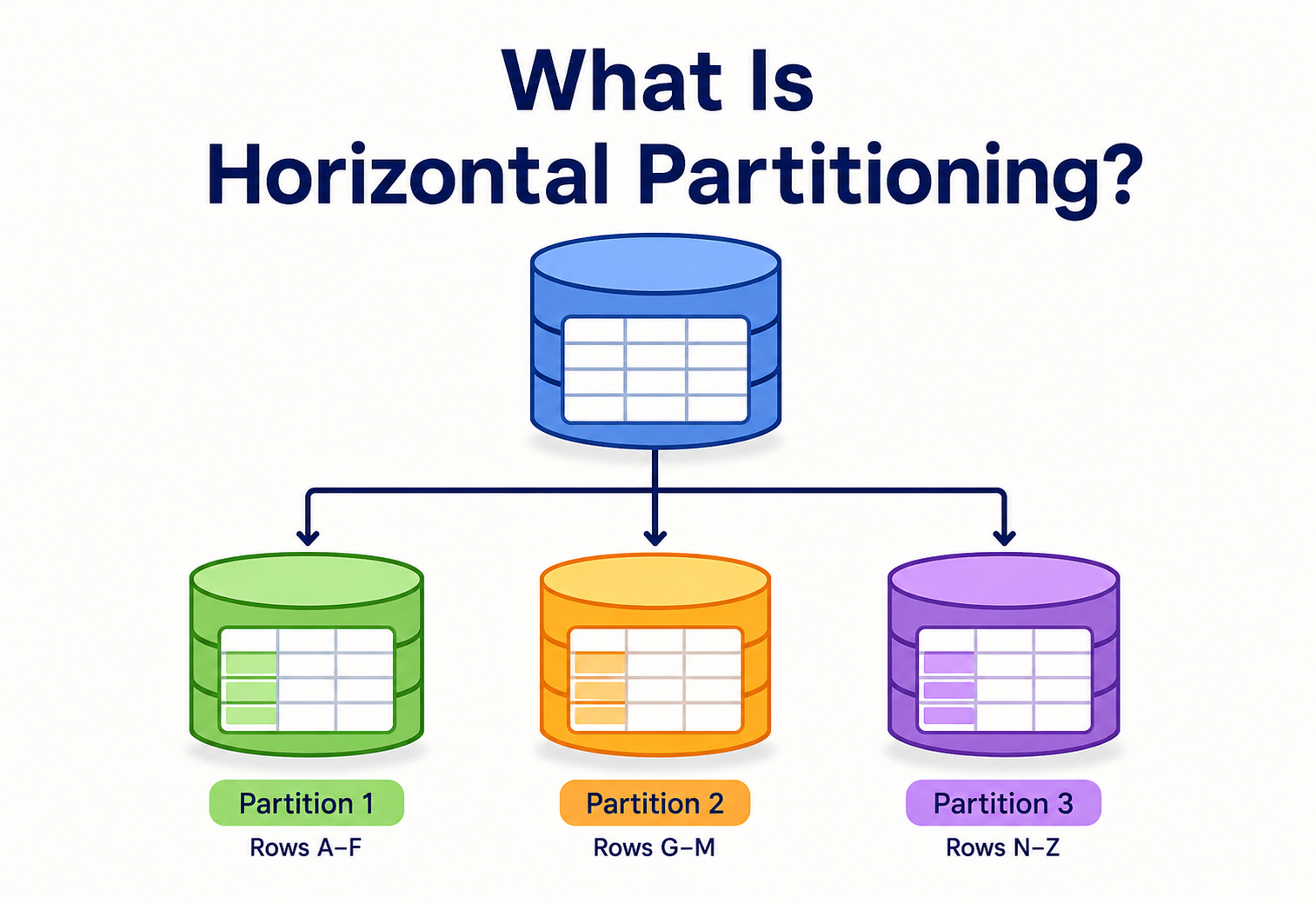
When a database table grows to a billion rows, no single query, backup, or server should have to carry the weight of the entire dataset at once. Horizontal partitioning is the technique that splits a huge table by its rows — keeping every column intact — so that each smaller piece can be searched, written to, and maintained on its own. This complete guide walks through what it is, why it matters, and how to design it well.
The Big Idea, in One Breath
Horizontal partitioning takes a huge table full of rows and splits those rows across smaller, separate chunks, so that no single chunk ever has to carry the full weight of the entire dataset.
Picture a school library with just one enormous bookshelf. Every single book the school owns — fiction, science, history, comics, all of it — sits crammed onto that one shelf, in no particular order. Now imagine you are asked to find one specific book about volcanoes. You would have to walk the entire length of that shelf, scanning cover after cover, just to find the one book you actually need. It works, technically, but it is painfully slow, and it only gets worse every time the school buys new books.
Now imagine the librarian splits that same collection across ten smaller shelves — Shelf 1 holds books by authors A through C, Shelf 2 holds D through F, and so on. Suddenly, finding a book by an author whose name starts with “V” means walking straight to one specific shelf instead of searching the whole room. Nothing about the books themselves changed. What changed is how they are organised and spread out. That, in a nutshell, is horizontal partitioning — taking a huge table full of rows and splitting those rows across smaller, separate chunks, so that no single chunk ever has to carry the full weight of the entire dataset.
Think about a huge apartment building with one thousand mailboxes crammed into a single wall near the entrance. Finding your mail means scanning a wall of a thousand identical little doors. Now imagine the building instead has ten separate mail rooms, one per floor, each holding only the mailboxes for residents on that floor. You walk straight to your floor’s mail room and you are done in seconds. Horizontal partitioning does exactly this for database rows — it gives every “floor” of data its own smaller, faster‑to‑search space.
It is worth pausing on one detail from that mailroom picture: nobody had to change how mail gets addressed, sorted, or delivered in a broader sense. The postal worker still writes the same kind of address on every envelope. What changed is purely the internal organisation behind the scenes — invisible to the sender, invisible to most residents, but hugely useful to the one person managing the building. That is the quiet promise of good horizontal partitioning: the people and programs using a database rarely need to know it is happening at all.
What Horizontal Partitioning Really Is
Horizontal partitioning is a way of organising a database table by splitting its rows into separate groups, while every group keeps the exact same columns.
If you had a single “Students” table with 10 million rows and five columns (name, grade, age, school, score), horizontal partitioning would not touch those five columns at all — it would instead split the 10 million rows into, say, ten groups of 1 million rows each, based on some rule, like which grade the student is in.
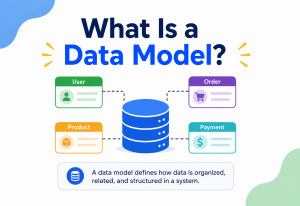
Each of those smaller groups is called a partition. Every partition looks structurally identical to the others — same column names, same data types, same rules — the only difference is which rows live inside it. A query that only needs information about fifth graders never has to look inside the partitions holding first, second, third, fourth, sixth, seventh, or eighth graders. It goes straight to the one partition that matters, the same way you would walk straight to your own floor’s mail room.
If someone asks “is this table horizontally partitioned?”, they are really asking: “Have the rows of this table been split into smaller, same‑shaped groups so that no single group has to hold everything?”
A gentle way to picture the difference between a partitioned table and a set of separate, unrelated tables: separate tables are like ten different subjects — math, science, history — each with its own rules and its own kind of content. Partitions of one table are more like ten identical filing cabinets, all storing the exact same kind of paperwork, just organised by a shared rule like alphabetical order or date range. The moment two “cabinets” start holding genuinely different kinds of information, they have stopped being partitions of the same table and have quietly become two different tables altogether — a subtle but important line worth keeping in mind.
It helps to compare this with a much older, related idea most people already know from spreadsheets: normalisation, which is about organising columns cleanly so information is not repeated pointlessly. Horizontal partitioning is a different kind of tidying — it does not care about columns at all, it cares purely about spreading rows around so that reading and writing data stays fast even as the table keeps growing.
There is a second important distinction worth making early: the difference between the logical table and its physical storage. Applications, and the people writing queries, almost always keep talking to a single, tidy‑looking table by name — the “orders” table, the “photos” table. Underneath that friendly name, the database engine (or, in a sharded setup, the routing layer) is quietly managing several physical partitions, each a real, separate storage structure on disk. This separation is deliberate and valuable: it means the internal partitioning scheme can be changed, split further, or reorganised later, without forcing every single application and query to be rewritten. The logical name stays stable; the physical arrangement underneath is free to evolve.
Horizontal vs. Vertical Partitioning
The word “partitioning” almost always shows up paired with its sibling, vertical partitioning, and it is worth getting the difference crystal clear, because the two solve very different problems.
Vertical partitioning takes the columns of one wide table and splits them into two or more narrower tables, while every one of those narrower tables still holds a row for every single original record. Imagine that “Students” table again: a vertical split might pull “name” and “grade” into one table used constantly by the attendance app, while “medical notes” and “emergency contact” move into a separate, more locked‑down table that is only opened occasionally by the school nurse. Every student still has exactly one row in both tables — what changed is which columns live where.
Horizontal partitioning does the opposite. It keeps every column exactly as it was, and instead spreads the rows themselves across multiple partitions. Neither approach is “better” in general — they solve different pains. Vertical partitioning helps when certain columns are read far more often than others, or when some columns are huge (long text, images) and slow everything down even when nobody asked for them. Horizontal partitioning helps when the sheer number of rows has become the bottleneck, regardless of how narrow or wide each row is.
| Question | Vertical Partitioning | Horizontal Partitioning |
|---|---|---|
| What gets split? | Columns | Rows |
| Row count per partition | Unchanged — every partition has all rows | Reduced — each partition holds a subset of rows |
| Column count per partition | Reduced — each table holds a subset of columns | Unchanged — every partition has all columns |
| Solves | Wide tables, rarely‑used columns, sensitive data isolation | Tables with too many rows to search or write to quickly |
| Typical trigger | A handful of columns dominate read traffic | Table size or write volume outgrows one machine |
Horizontal lines run left to right, cutting a table into row‑bands, stacked one under another. Vertical lines run top to bottom, cutting a table into column‑strips, standing side by side. The direction of the cut is literally the name of the technique.
A Short History of the Idea
None of this is a brand‑new invention. Splitting large tables to spread the load across storage predates “big data” by decades, and quietly powers most of the internet‑scale services people rely on today.
None of this is a brand‑new invention. Long before anyone said “big data,” mainframe database systems in the 1980s were already splitting enormous tables across multiple physical disks purely to spread out the sheer volume of data no single disk of that era could hold. Early relational database vendors formalised “table partitioning” as a built‑in feature through the 1990s, mostly aimed at making backups, archiving, and maintenance tasks manageable on tables that had grown into the hundreds of millions of rows.
The idea took on a new urgency in the mid‑2000s, as websites went from serving thousands of visitors to serving millions almost overnight. Early social networks and web‑scale platforms discovered that a single, powerful database server — no matter how much hardware was thrown at it — eventually hit a ceiling that no amount of vertical scaling (bigger machines) could fix. That pressure is what pushed horizontal partitioning out of being a tidy internal housekeeping trick and into becoming sharding: splitting data across many separate servers, each cheap and replaceable, rather than relying on one increasingly expensive and increasingly fragile giant machine.
That shift — from “one big powerful machine” to “many smaller, coordinated machines” — is widely considered one of the defining engineering decisions behind the internet‑scale services people rely on today, from search engines indexing the entire web to messaging platforms carrying billions of conversations at once. Horizontal partitioning, and the sharding it makes possible, is the quiet structural idea sitting underneath almost all of it.
Why It Matters So Much
A brand‑new application with a few hundred users barely notices its database at all. But popularity has a cost. As rows pile up into the millions and then the billions, several things quietly start to work against you, all at once.
Bigger table, slower search
Even with a good index, searching through a table with a billion rows takes real time and real memory compared to searching one with a million.
One machine, one limit
Every insert, update, and delete on a giant table competes for the same CPU, memory, and disk — eventually that single machine simply runs out of room to keep up.
Everything takes longer
Backing up, re‑indexing, or repairing a single massive table can take hours, during which the whole system may slow down or lock up.
One failure, total outage
If the single server holding a giant, un‑partitioned table goes down, every single user of the application is affected at the exact same moment.
Horizontal partitioning tackles all four of these at once. Smaller partitions mean faster searches, because the database engine only has to scan a fraction of the data. Spreading partitions across separate disks — or separate machines entirely — spreads out the writing workload too. Backups and maintenance can run per‑partition, often in parallel, instead of freezing the entire table. And if partitions are placed on different physical servers, a single hardware failure only knocks out the slice of users whose data happened to live there, not everybody.
There is also a very human reason this matters: growth in software is rarely gentle. A messaging app might sit quietly at ten thousand users for a year and then triple in a single month after going viral. Teams that planned for partitioning from the start can absorb that spike by adding more partitions. Teams that did not plan for it are often forced into an emergency, high‑risk migration while the app is actively slowing down in front of real users.
There is a quieter, less obvious benefit too: predictable performance makes it far easier for a team to plan and communicate confidently. When query times stay roughly steady as data grows — because pruning keeps each query’s workload roughly constant — engineers can promise realistic response times to the rest of the business. Without partitioning, a query that took 50 milliseconds during testing might silently take 5 seconds a year later, purely because the underlying table quietly grew tenfold, catching everyone off guard at the worst possible moment.
The Building Blocks
No matter which database or which strategy is used, every horizontal partitioning setup is built from the same handful of ingredients.
- The parent table — the logical table that applications think they are talking to, even though its data is really spread across multiple pieces underneath.
- Partitions (or shards) — the smaller physical chunks that actually store the rows, each with the same columns as the parent table.
- The partition key — the column (or combination of columns) used to decide which partition a given row belongs in, such as a customer’s country, a user’s ID, or the date an order was placed.
- The routing logic — the rule or piece of code that looks at the partition key and figures out exactly which partition to read from or write to.
Notice that the application on the left never had to know or care which partition its data actually landed in — it just talks to what looks like one ordinary table. That “one logical table” illusion is one of the most important ideas in this whole topic: a well‑built partitioning setup hides its own complexity from everyone except the router itself.
Behind that router usually sits one more quiet but essential piece: a small store of metadata, sometimes called a partition catalog or a routing table, that records which partition boundaries or hash ranges exist and where each one currently lives. This metadata is tiny compared to the data it describes, but it is disproportionately important — if it becomes outdated or inconsistent, rows can start landing in the wrong place, or worse, queries can start silently missing data they should have found. Because of this, well‑designed partitioning systems treat their metadata with extra care, often keeping several synchronised copies of it so that no single point of failure can quietly corrupt the whole routing scheme.
Common Partitioning Strategies
The interesting part — and the part that takes real judgment to get right — is deciding how the router decides which partition a row belongs to. Over the years, engineers have settled on a handful of dependable strategies, each with its own strengths and its own sharp edges.
Range Partitioning
Rows are grouped by which range of values their partition key falls into — dates from January go in one partition, February in another; customer IDs 1 through 100,000 go in one partition, 100,001 through 200,000 in the next. It reads almost exactly like sorting mail by house‑number ranges on a street.
Range partitioning shines for anything time‑based, because old, rarely‑touched partitions (like last year’s orders) can simply be archived or deleted as a whole block. Its weak spot is uneven load: if today’s partition is the only one receiving new writes, that one partition becomes a hotspot while the others sit idle. A common real‑world fix is to keep the range fairly coarse for old data (whole years, once it is rarely queried) while keeping the newest range fine‑grained (single days or weeks), giving recent, busy data room to breathe without over‑fragmenting the older, quieter history.
Hash Partitioning
Instead of sorting by value, a hash function scrambles the partition key into a number, and that number decides the partition — similar to how a fair, random‑feeling lottery machine assigns numbers regardless of what the ticket says. This tends to spread rows extremely evenly, which is exactly the point.
The trade‑off is that hash partitioning sacrifices tidy ranges — rows for “January” end up scattered across every partition instead of sitting neatly together, which makes range‑style queries (“show me everything from last week”) noticeably more expensive, since every partition has to be checked. It is also worth knowing that a poorly chosen hash function, or hashing a key with very few distinct values (like a boolean flag), can accidentally recreate the exact uneven distribution hashing was supposed to prevent — the technique only delivers its promised evenness when the underlying key genuinely has a wide, varied spread of possible values to begin with.
List Partitioning
Rows are grouped by an explicit, hand‑picked list of values — all customers in “India,” “Nepal,” and “Bhutan” go into one partition, “USA,” “Canada,” and “Mexico” into another. This is the strategy of choice when the grouping has real business meaning, like keeping a country’s data physically stored within that country for legal reasons.
Round‑Robin Partitioning
The simplest strategy of all: new rows are handed out to partitions one after another in a repeating cycle, the exact same way a dealer deals playing cards one at a time to each player around a table, regardless of what is printed on the card. It guarantees a perfectly even spread, but it gives up the ability to quickly find a specific row later without checking every partition, since there is no predictable rule connecting a row’s content to its location.
Composite Partitioning
Real systems often layer two strategies together — range‑partition by year first, then hash‑partition each year’s data into several smaller pieces. This combines the tidy archiving benefit of range partitioning with the even spread of hash partitioning, at the cost of a slightly more complex routing rule.
Consistent Hashing: A Smarter Kind of Hash
Plain hash partitioning has one nagging weakness: if the number of partitions ever changes — say, going from 4 partitions to 5 — the simple math behind most hash functions reshuffles almost every single row to a new location, because the calculation “which partition does this belong to” depends directly on the total partition count. Moving nearly all your data just to add one more partition is expensive and disruptive.
Consistent hashing was designed specifically to fix this. Instead of mapping keys directly onto a fixed number of partitions, it maps both partitions and keys onto points on an imaginary circle, and each key simply belongs to the nearest partition point going clockwise around that circle. Adding a new partition only means placing one new point on the circle — and only the small slice of keys sitting between that new point and its neighbour need to move, instead of almost everything. It is the reason systems like Discord’s message storage and databases such as Cassandra and DynamoDB can grow their partition count over time without triggering a massive, disruptive reshuffle every time.
A Few More Strategies Worth Knowing
Beyond the core four, real systems sometimes reach for variations tuned to specific needs: directory‑based partitioning, where a lookup table explicitly records which partition each key lives in (flexible, but that lookup table itself becomes something to protect and scale); and geo‑partitioning, where data is split by physical region so that a user’s data stays close to where they actually are, cutting network delay and often satisfying local data‑residency rules at the same time.
| Strategy | Best For | Watch Out For |
|---|---|---|
| Range | Time‑series data, easy archiving | Hotspots on the newest partition |
| Hash | Even write distribution | Range queries touch every partition |
| List | Business or legal groupings (region, category) | Uneven group sizes |
| Round‑Robin | Simple, guaranteed‑even spread | No fast lookup by value |
| Composite | Large, long‑lived, high‑write systems | More moving parts to reason about |
Choosing a partition key that seems reasonable today but concentrates all new activity onto one partition tomorrow — for example, partitioning sensor readings purely by the exact minute they arrive means every single new reading, from every sensor, keeps landing on just one partition: the current minute.
Partitioning vs. Sharding: Clearing the Confusion
These two words get used almost interchangeably in casual conversation, and that mix‑up trips up a lot of people, so it is worth untangling carefully.
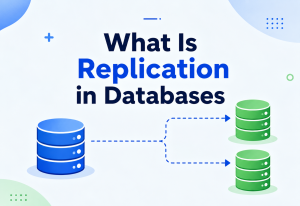
Partitioning is the broader idea: splitting a large table into smaller pieces, which may or may not live on the same physical server. A database can partition a table into ten pieces that all still sit on one single machine, just in separate, more manageable chunks — this is sometimes called local partitioning.
Sharding is a specific, more extreme flavour of horizontal partitioning where those smaller pieces are spread across entirely separate database servers, often in different data centres. Every shard is, in effect, its own independent little database holding a slice of the whole. The word “shard” literally evokes a broken piece of a larger vessel — each shard is a self‑contained fragment of one bigger, conceptual whole.
Put simply: every shard is a partition, but not every partition is a shard. A small startup might horizontally partition its “logs” table into monthly chunks that still all live on the same database server — tidy, faster, but not sharded. A massive social network, by contrast, might shard its “users” table across hundreds of database servers around the globe, because no single machine could realistically hold or serve that much traffic alone.
Imagine one huge school with ten classrooms, all inside the same building — that is like local partitioning: separate rooms, same building, same address. Now imagine ten entirely separate school branches spread across ten different neighbourhoods, each running independently with its own staff and its own building — that is sharding. Both approaches split the “student body” into smaller groups; only one of them spreads those groups across genuinely separate locations.
Engineers often describe fully sharded systems as following a shared‑nothing architecture: each shard has its own CPU, its own memory, and its own disk, and does not lean on any other shard to do its job. This independence is exactly what makes sharding so powerful for scaling — there is no shared bottleneck anywhere for traffic to pile up against — but it is also exactly what makes cross‑shard questions painful, since there is genuinely no shortcut for combining answers from machines that share nothing with each other except an agreed‑upon routing rule.
It is worth noting that sharding is very much a one‑way door in terms of effort: introducing it is a significant architectural decision, usually reserved for systems that have outgrown what a single powerful server can do even with generous hardware and careful local partitioning. Many successful platforms run for years — sometimes for their entire lifetime — on local partitioning alone, never needing to take the extra leap into full sharding at all.
Where This Shows Up in Real Life
Horizontal partitioning is not an abstract, academic idea — it is quietly running underneath many of the apps people use every day, often without them ever noticing.
Posts by user ID
A social network with billions of posts commonly hash‑partitions the posts table by user ID, so one person’s activity always lands in a predictable, findable place.
Orders by date
E‑commerce platforms often range‑partition orders by month, so last year’s completed orders can be archived off to cheaper storage without touching this month’s live data.
Trips by city
A ride‑hailing service might list‑partition trip records by city or region, matching how their operations and support teams are already organised on the ground.
Accounts by branch or region
Some financial systems partition account data by branch or country to satisfy local data‑residency laws while still working as one connected system.
A useful thought experiment: imagine a video‑streaming service tracking every single time any viewer presses play, pause, or skip, worldwide. That “watch events” table could easily gather tens of billions of rows within a single year. Without partitioning, checking “how many people watched this show last Tuesday” would mean scanning through years of unrelated data just to find one day’s worth. With sensible range partitioning by date, that same question only ever touches one small, recent slice of the table.
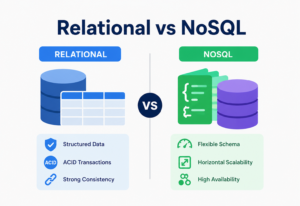
The same idea shows up constantly outside of strictly relational (SQL) databases too. Document databases and wide‑column stores — the kind of database often chosen for chat applications, IoT sensor logs, or gaming leaderboards — were frequently designed with horizontal partitioning as a foundational assumption rather than an optional add‑on, since the applications they were built for almost always outgrow a single machine eventually. A messaging platform storing every message ever sent, for instance, commonly partitions by conversation ID, so that fetching a chat’s full history always lands on one predictable, fast‑to‑reach partition, no matter how many total conversations exist across the whole platform.
| Industry | Common Partition Key | Typical Strategy |
|---|---|---|
| Social media | User ID or post ID | Hash |
| E‑commerce | Order date | Range |
| Ride‑hailing | City or region | List |
| Messaging apps | Conversation ID | Hash or consistent hashing |
| IoT / sensor platforms | Device ID plus time bucket | Composite |
Partition Pruning: Why This Actually Makes Queries Faster
There is a specific piece of machinery that makes all of this worthwhile, and it is worth understanding on its own terms: partition pruning.
When a query arrives with a condition on the partition key — say, “give me every order placed in March” — a partitioning‑aware database does not blindly scan through every partition hoping to stumble on March’s rows. It looks at the query, recognises that only the March partition could possibly contain matching rows, and skips every other partition entirely, as if they did not exist for the purposes of that particular question.
This is a bit like a mail sorter glancing at a postcode and instantly knowing which single delivery truck the letter belongs on, without needing to check it against every truck’s route one at a time. The saving is not small either — if a table is split into twelve monthly partitions and a query only needs one month, pruning can turn a scan of the whole year into a scan of roughly one twelfth of the data, often turning a multi‑second query into one that returns in milliseconds.
Pruning is also exactly why the choice of partition key matters so much. If queries filter mainly by date but the table is partitioned by, say, a random internal row number instead, the database has no way to know in advance which partitions might hold March’s data — so it is forced to check all of them, and pruning never gets the chance to help at all. The whole benefit lives or dies on how well the partition key lines up with the conditions real queries actually use.
It is worth noting that pruning happens automatically, as part of the database’s query planning step, well before any actual data is touched. This means the benefit costs nothing extra to enable beyond the initial partitioning setup itself — there is no special syntax to remember, no additional hint to add to every query. A well‑partitioned table simply becomes faster for the queries that matter, quietly and consistently, every single time those queries run.
Setting It Up in Practice
Most mainstream relational databases build horizontal partitioning in as a native feature, rather than something engineers have to hand‑roll from scratch.
The exact wording differs, but the underlying idea — declare a partitioning rule once, and let the database route rows automatically from then on — stays the same everywhere.
-- Range partitioning by date, PostgreSQL‑style
CREATE TABLE orders (
  order_id     BIGINT,
  order_date   DATE,
  customer_id  BIGINT,
  total        NUMERIC
) PARTITION BY RANGE (order_date);

CREATE TABLE orders_2026_q1
  PARTITION OF orders
  FOR VALUES FROM ('2026-01-01') TO ('2026-04-01');

CREATE TABLE orders_2026_q2
  PARTITION OF orders
  FOR VALUES FROM ('2026-04-01') TO ('2026-07-01');
Once this is declared, the database itself takes over: an insert with an order date in February is silently routed into orders_2026_q1, and a query filtering on that same date range only ever touches that one partition, thanks to the pruning described above. The application code does not need to know any of this happened — it just inserts into orders and queries orders, exactly as if it were one ordinary table.
-- Hash partitioning by customer, conceptually
CREATE TABLE reviews (
  review_id    BIGINT,
  customer_id  BIGINT,
  product_id   BIGINT,
  rating       INT
) PARTITION BY HASH (customer_id);

CREATE TABLE reviews_p0 PARTITION OF reviews FOR VALUES WITH (MODULUS 4, REMAINDER 0);
CREATE TABLE reviews_p1 PARTITION OF reviews FOR VALUES WITH (MODULUS 4, REMAINDER 1);
CREATE TABLE reviews_p2 PARTITION OF reviews FOR VALUES WITH (MODULUS 4, REMAINDER 2);
CREATE TABLE reviews_p3 PARTITION OF reviews FOR VALUES WITH (MODULUS 4, REMAINDER 3);
When the scale outgrows a single machine entirely and true sharding is needed, the same declarative spirit usually carries over, just with an added layer: a routing service or a purpose‑built sharding framework decides which physical server a given key belongs to, then talks to that server’s database as if it were any other. Systems like Vitess (built to shard MySQL) and Citus (built to shard PostgreSQL) exist specifically to handle that extra layer of “which server” routing on top of the partitioning logic databases already understand natively.
Start with native, single‑server partitioning wherever possible. It captures most of the query‑speed and maintenance benefits with far less operational overhead than full sharding, and it can often be introduced gradually into an existing system.
Document and wide‑column databases usually take a slightly different path: rather than declaring partitions as separate tables, the developer typically chooses a “partition key” field directly when designing the collection or table schema, and the database handles the actual physical spreading automatically and invisibly from that point forward. This is arguably even simpler on the surface, though it puts extra weight on getting that one key choice right from the very beginning, since changing it later often means a full data migration rather than a quick configuration tweak.
A Worked Example: Photos in a Growing App
Concepts stick better with a concrete walk‑through, so imagine a small photo‑sharing app that has just crossed five million users. Its photos table has ballooned to two billion rows, and the team has started noticing that both uploads and the “your recent photos” screen have got noticeably sluggish.
Identify the pain
Slow uploads (writes) and a slow recent‑photos screen (reads filtered by user) — both point toward the same root cause: one table, carrying everyone’s history at once.
Look at real query patterns
Almost every query either inserts a new photo for one user, or reads the most recent photos for one user. Very few queries need photos across many different users at once.
Choose the partition key
Given that pattern, user_id is the natural choice — hashing it spreads uploads evenly across partitions, and every “recent photos” query lands cleanly on one partition.
Pick a strategy
Hash partitioning wins over range partitioning here, because a range split (by user ID order, say) would just concentrate all of today’s newest, most active users into one partition — the opposite of what is needed.
Roll it out gradually
The team creates 16 hash partitions, migrates existing rows in the background in small batches, and switches reads and writes over only once the migration is fully verified.
Six months later, the app doubles its user base again. Because the partitioning scheme was designed around a stable, evenly‑distributed key from the start, the team’s next move is comparatively painless: they simply add more partitions and let the hash function’s larger range spread rows across them, rather than redesigning the whole system from zero under pressure.
Looking back, the team’s biggest win was not a clever piece of technology — it was the discipline of step two: actually looking at real query patterns before touching any configuration. Had they instead partitioned by, say, the photo’s upload timestamp because it “seemed like the obvious column,” every single new upload from every single active user would have kept landing on the same current‑day partition, recreating the exact bottleneck they were trying to escape, just one layer deeper. The lesson generalises well beyond photo apps: the strategy and the key matter far less in isolation than how well they match the questions a system is actually asked, day after day.
The Advantages
When it is applied to the right problem, horizontal partitioning delivers real, measurable benefits across several dimensions at once.
What You Gain
- Faster queries, because searches only need to scan the relevant partition, not the whole table.
- Higher write throughput, since writes can be spread across multiple disks or machines.
- Easier maintenance, since backups, re‑indexing, and cleanup can run per‑partition.
- Better fault isolation — a problem in one partition does not necessarily take down the rest.
- Cheaper long‑term storage, since old partitions can move to slower, less expensive storage.
- Smoother scaling, since new partitions can be added as the data keeps growing.
What It Costs You
- Extra complexity in the application or database layer to route queries correctly.
- Queries that span multiple partitions become slower and more complicated.
- Rebalancing data across partitions later can be a delicate, careful operation.
- A poorly chosen partition key can create lopsided “hot” partitions.
- Some database features (certain joins, unique constraints) get trickier across partitions.
The honest way to think about this: horizontal partitioning trades a small amount of upfront design effort and a bit of ongoing operational care, in exchange for a system that keeps performing well long after a plain, un‑partitioned table would have started to struggle.
One advantage that is easy to overlook until it is needed is parallelism. Many maintenance jobs — rebuilding an index, running an analytics report, verifying data integrity — can run on several partitions at the same time instead of one after another, since the partitions do not depend on each other for these kinds of tasks. A job that would take eight hours against one giant table might realistically finish in under an hour when it can run against eight partitions simultaneously, simply because the work is being done in parallel rather than in a single long line.
The Disadvantages, Honestly
It is tempting to treat partitioning as a free upgrade, but it does introduce genuine new headaches that are worth understanding before committing to it.
Cross‑Partition Queries Get Expensive
The moment a question needs information from more than one partition — “find the five most active users across the entire platform” — the database (or the application) has to visit every single partition, gather partial answers, and stitch them back together. That coordination work adds real latency and real engineering effort that a single, un‑partitioned table would never have needed.
Rebalancing Is Delicate
Say a system range‑partitions users by signup date, and one particular month unexpectedly explodes in popularity. That one partition is now carrying far more than its fair share, and the fix — splitting it further, or moving some of its rows elsewhere — has to happen carefully, ideally without any downtime, while real users are actively reading and writing data the whole time.
Uniqueness and Joins Get Harder
Enforcing “this email address can only be used once” is simple in a single table, but becomes genuinely tricky once rows with the same email could theoretically land in different partitions. Likewise, combining data from two different partitioned tables (a join) can require extra coordination that a single‑server database handles automatically.
More Moving Parts to Operate
Every partition is one more thing that can, in principle, fail, need monitoring, need a backup schedule, and need someone paying attention to it. Ten partitions mean ten times the operational surface area compared to one big table — manageable, but not free.
Transactions Spanning Partitions Are Harder
A single‑server, unpartitioned database can typically guarantee that a multi‑step operation — like transferring money from one account to another — either fully succeeds or fully fails, with no in‑between state ever visible to anyone. Once those two accounts might live on different partitions or different shards, guaranteeing that same all‑or‑nothing behaviour requires extra coordination protocols, which add both latency and genuine engineering complexity that a single‑machine transaction never had to think about.
Horizontal partitioning solves scale problems by trading them for coordination problems. That is usually a very good trade for a large, fast‑growing system — and often a poor trade for a small one that never needed the extra machinery in the first place.
Choosing a Partition Key Well
Almost every partitioning success or failure story traces back to one decision: which column (or columns) got chosen as the partition key. A few grounded habits go a long way.
Match the key to real query patterns
Look at the questions the system actually gets asked most often, and pick a key that lets those specific questions land on as few partitions as possible.
Favour high‑cardinality, evenly spread values
A key like “user ID” naturally spreads rows out, while a key like “subscription plan” (with only three possible values) forces everything into just three lopsided buckets.
Plan for growth, not just today’s size
Design the partitioning scheme so more partitions can be added later without a full, painful rewrite of the routing logic.
Keep related data together when possible
If a query commonly needs a customer’s profile and their orders together, partitioning both tables by the same customer key avoids expensive cross‑partition stitching.
It is also worth being honest about when not to partition at all. A table with a few hundred thousand rows, comfortably served by one machine with plenty of headroom, gains very little from partitioning and picks up all of the added complexity anyway. Partitioning earns its keep once real, measured pain — slow queries, an overloaded server, ballooning backup times — actually shows up, or is confidently forecast to show up soon.
Before committing to a partition key in a production system, it is genuinely worth testing it against a realistic copy of expected traffic first — either replaying real historical queries against a prototype, or simulating projected growth for a year or two ahead. This kind of dry run tends to expose uneven distributions and awkward cross‑partition queries far earlier and far more cheaply than discovering them for the first time in front of live users.
Keeping Partitions Healthy Over Time
Setting up partitioning well on day one is only half the story — a healthy partitioning scheme needs a small amount of ongoing attention, the same way a garden needs occasional weeding even after it has been planted properly.
Watch for lopsided growth
Regularly compare row counts or storage size across partitions — a partition growing noticeably faster than its siblings is an early warning sign, not a coincidence.
Spot slow neighbours early
If queries against one particular partition start taking longer than equivalent queries against others, that partition likely needs splitting or rebalancing soon.
Retire what is no longer active
For time‑based partitions, set a clear, automated policy for when old partitions get compressed, moved to cheaper storage, or dropped entirely.
Plan the next split ahead of time
Decide in advance what “getting close to the limit” looks like for a partition, so a new split can be scheduled calmly rather than triggered by an emergency.
Many teams build this into a simple recurring routine — a weekly or monthly check of partition sizes and query timings — rather than treating it as a one‑time setup task. Since partitioning schemes tend to fail slowly and quietly at first (one partition creeping ahead of the others) rather than suddenly, a small habit of regular checking tends to catch trouble long before users ever notice anything.
Automate partition creation wherever possible — for date‑based ranges especially, a small scheduled job that creates next month’s partition a few weeks in advance removes an entire category of “we forgot to create a partition and writes started failing” incidents.
It is also worth rehearsing the uncomfortable scenarios before they happen for real: what does the team do if one partition’s underlying disk fails? What is the process for splitting a partition that has grown too large, without pausing writes to the rest of the system? Working through these questions calmly, ahead of time, turns a potential middle‑of‑the‑night emergency into a routine, well‑practiced procedure — the same difference between a fire drill and an actual fire.
Common Pitfalls
A handful of specific missteps come up again and again with partitioning — each one worth naming plainly, so it can be recognised early and avoided.
Partitioning Too Early
Adding the machinery of partitions, routing logic, and rebalancing plans before a table has any real size or load problem is a bit like installing an elevator in a single‑story house — extra cost and extra complexity, with no benefit to show for it yet.
Picking a Key Based on Convenience, Not Access Patterns
It is tempting to partition by whatever column already exists and looks tidy, like “row ID,” without checking whether real queries actually filter by that column. The result is a system that is technically partitioned but does not actually speed up the queries that matter most.
Ignoring Hotspots Until They Hurt
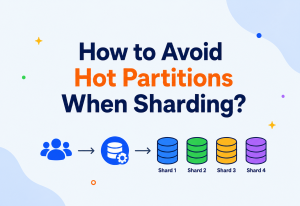
A partition that quietly grows far larger or busier than its neighbours is a warning sign, not a curiosity. Left unaddressed, that one hot partition ends up behaving exactly like the giant, unpartitioned table the whole exercise was meant to avoid.
Forgetting About Cross‑Partition Operations
Teams sometimes design the happy path — reads and writes that neatly hit one partition — beautifully, and only discover during a real incident that a routine report or migration needs to touch every partition at once, far more slowly than anyone expected.
Treating Partitioning as a Substitute for Indexing
Partitioning and indexing solve related but different problems, and one does not replace the other. A poorly indexed partition can still be slow to search, just slow across a smaller pile of rows instead of a larger one. The two techniques work best together, not as alternatives.
Skipping the Rollback Plan
Migrating a live table into a partitioned structure is a meaningful operation, and it is worth entering it with a clear, tested way to reverse course if something goes wrong midway — rather than discovering, under pressure, that the only path forward is forward. Teams that rehearse the migration against a realistic copy of production data first tend to run the real migration far more calmly than teams attempting it for the very first time in front of live traffic.
Before splitting any table, it helps to ask plainly: “What specific problem — slow reads, slow writes, or an overloaded machine — am I actually trying to fix?” A clear answer to that one question quietly decides almost every choice that follows.
Frequently Asked Questions
A handful of questions come up almost every time someone new is introduced to horizontal partitioning — here are short, honest answers to the ones that surface most often.
Does horizontal partitioning change how many total rows exist?
No. The total row count across all partitions combined is exactly the same as it was in the original, unpartitioned table. Partitioning changes where rows are stored and how they are organised, not how many of them there are.
Can a table be both horizontally and vertically partitioned at the same time?
Yes, and large systems often do exactly this. A wide table might first be vertically split so that rarely‑used columns move to a separate table, and then that separate table might itself be horizontally partitioned by date or region for the reasons already covered.
Is horizontal partitioning only useful for relational (SQL) databases?
Not at all. NoSQL databases such as document stores and wide‑column stores rely on horizontal partitioning just as heavily, often calling it “sharding” from the very start, since many of them were built with multi‑server distribution as a core assumption rather than an add‑on.
How many partitions is “too many”?
There is no fixed number — it depends on the database engine and the workload — but a useful signal is diminishing returns: if adding more partitions stops meaningfully improving query speed and instead starts adding more coordination overhead, that is usually the point to stop splitting further and consider archiving or sharding instead.
Can partitioning be added to a table after it is already in production?
Generally yes, though it usually requires a careful migration: creating the new partitioned structure, copying existing data across in controlled batches, and switching traffic over once everything is verified — rather than a simple, instant flip of a setting.
Does horizontal partitioning make a database “distributed”?
Not automatically. Local partitioning on a single server keeps the database just as centralised as it was before — the data simply sits in smaller, tidier pieces on the same machine. A database only becomes genuinely distributed once those partitions (as shards) are spread across separate physical servers.
What happens to a query that does not include the partition key at all?
It still works, but it loses the speed benefit of pruning — the database has to check every partition to be safe, since it has no way of knowing in advance which one might hold a matching row. This is exactly why choosing a partition key that lines up with common query patterns matters so much.
Key Takeaways
If you remember nothing else from this guide, remember the seven ideas below — and the quiet habit of organising by real usage, not by convenience.
Remember This
- Split rows, not columns. Horizontal partitioning splits a table’s rows into smaller groups, while every group keeps the exact same columns.
- The mirror image of vertical. Vertical partitioning splits columns instead, keeping every row intact in each resulting table.
- Same core pieces every time. Every setup relies on a parent table, its partitions, a partition key, and routing logic that connects the two.
- Strategies each carry trade‑offs. Range, hash, list, round‑robin, and composite each balance evenness, query speed, and simplicity differently.
- Sharding is the same idea, taken further. Sharding spreads partitions across separate physical servers rather than one shared machine.
- Faster queries, coordination cost. The real payoff is faster queries, better write throughput, and easier maintenance — paid for with added coordination complexity.
- Partition for real pain. Partition when real, measured pain shows up — not simply because a table has grown large in the abstract.
At its heart, horizontal partitioning is a fairly humble idea dressed up in technical language: do not make one thing carry a weight it was never meant to carry alone. Split it sensibly, based on how it is actually used, and let each smaller piece do its job well. That single instinct — organise by real usage, not by convenience — turns out to be the quiet foundation underneath some of the largest, fastest, and most reliable software systems in the world.