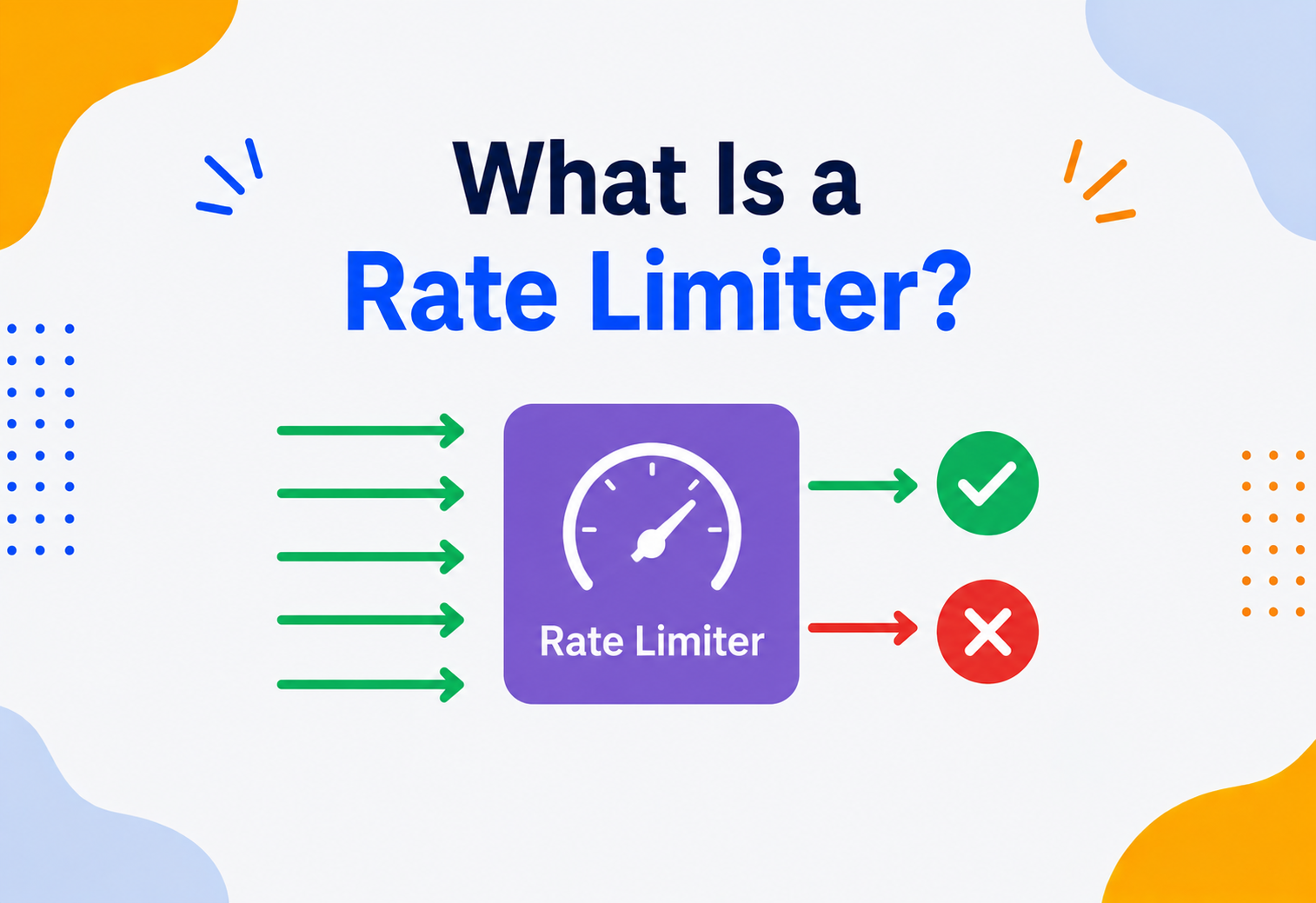
What Is a Rate Limiter?
A complete, ground‑up tutorial on how systems politely say “slow down” — how rate limiters are built, the clever algorithms behind them, and how giants like Google, Amazon and Stripe use them to survive millions of requests without falling over.
Introduction & History
A rate limiter is the lifeguard of the internet: a small but extremely important piece of software whose entire job is to control how many requests a person, app, or computer is allowed to send to a system in a given amount of time.
Picture a water slide at a swimming pool. If everyone tried to jump in at the exact same second, people would crash into each other at the bottom. That is why there is always a lifeguard standing at the top, letting one person go, waiting a moment, then letting the next person go. The lifeguard is not being unfriendly — they are the only reason the slide is fun and safe instead of a dangerous pile‑up.
A rate limiter is the lifeguard of the internet. It is a small but extremely important piece of software whose entire job is to control how many requests a person, app, or computer is allowed to send to a system in a given amount of time. If you try to send too many requests too quickly, the rate limiter politely says “slow down” instead of letting your requests crash into everyone else’s and bring the whole system down.
Think about a library that lets you borrow a maximum of 5 books at a time. This is not the librarian being stingy — it is a rule that makes sure books stay available for everyone, and that no single person can accidentally (or deliberately) empty every shelf. A rate limiter applies that exact same “fair sharing” rule to computer requests instead of library books.
Where This Idea Came From
1970s–80s: Traffic Shaping in Telephone Networks
Long before the web existed, telephone networks needed ways to prevent too many calls from overwhelming their switching equipment. Engineers built the earliest “control how much traffic gets through” mechanisms for phone lines, planting the seed for later computer networking ideas.
1980s–90s: Token Bucket & Leaky Bucket in Networking
As computer networks grew, engineers designing network hardware invented the token bucket and leaky bucket algorithms to smooth out bursts of data travelling across a network — ideas that rate limiters still borrow directly today.
2000s: The Rise of Public Web APIs
As companies like Twitter, Google, and Amazon opened up their services to outside developers through APIs, they quickly discovered that without limits, a single careless or malicious program could hammer their servers with millions of requests. Public, documented “rate limits” became a standard part of nearly every API.
2010s: Microservices & Distributed Rate Limiting
As companies split huge applications into hundreds of small services running on many machines, rate limiting had to evolve too — a limiter now needed to work correctly even when requests for the same customer landed on completely different servers.
2020s–Today: Adaptive, AI‑Aware Rate Limiting
Modern systems increasingly adjust limits dynamically based on real‑time system load, detect and slow down bot and AI‑scraper traffic specifically, and expose rate‑limit information directly in API responses so well‑behaved clients can pace themselves automatically.
If someone asks, “does this API have rate limiting?”, they are really asking: “If I (or someone else) send way too many requests way too fast, will the system protect itself, or will it simply fall over?”
It is worth noticing something interesting about rate limiters as a whole: they are one of the rare pieces of software specifically designed to sometimes say “no.” Almost every other part of a system is built to say “yes” as often as possible — yes, here is your data, yes, here is your page, yes, request processed. A rate limiter’s entire reason for existing is to occasionally, deliberately, and politely refuse — and that small act of refusal, done well, is often what keeps the whole system standing for everyone else.

Problem & Motivation
One misbehaving script can pile up 50,000 requests per second on a server that never asked for the trouble. Rate limiting is the small, disciplined idea that keeps that from becoming everyone else’s problem too.
To really feel why rate limiters matter, imagine a small online store with one server. On a normal day, a few hundred people browse and buy things, and everything runs smoothly. Then one day, a poorly written script — maybe from a well‑meaning developer testing something, maybe from someone deliberately trying to cause trouble — starts sending 50,000 requests per second to the product search page.
The server has no way of knowing “this one script is being unreasonable.” It just sees a giant pile of requests and tries its best to answer every single one. Its memory fills up, its processor maxes out, and soon it cannot respond to anyone — not the script, and not the hundreds of real, paying customers just trying to check out. One misbehaving source has taken down the experience for everybody.
Life Without a Rate Limiter
- One overly aggressive client can accidentally or deliberately overwhelm the whole system
- Real, well‑behaved users suffer slow responses or total outages caused by someone else’s traffic
- Server costs spike unpredictably, since nothing controls how much work gets accepted
- Attackers have an easy, wide‑open door for abuse (password guessing, scraping, denial‑of‑service)
Life With a Rate Limiter
- Every client gets a fair, predictable slice of the system’s capacity
- A single misbehaving script or attacker is contained instead of crashing everything
- Server costs stay predictable, because incoming load has a ceiling
- The system stays responsive for well‑behaved users even during a traffic spike or attack
Imagine a classroom where the teacher asks, “Any questions?” If one excited student is allowed to ask fifty questions in a row without pausing, nobody else ever gets a turn, and the lesson never moves forward. A fair classroom rule — like “one question per student, then we go around again” — is exactly what a rate limiter does for computer requests: it stops one voice from drowning out everyone else’s turn.
There is also a purely financial motivation that matters just as much as the technical one. Many modern systems, especially those built on cloud infrastructure, are billed based on usage — more requests processed means more servers running, more database queries executed, and a bigger bill at the end of the month. Without a rate limiter, a single buggy script accidentally stuck in an infinite loop could quietly generate an enormous, unexpected cloud bill overnight, long before anyone notices something is wrong. A rate limiter acts as a financial safety net just as much as a technical one, capping the maximum possible damage any single source can cause.
Core Concepts
A short vocabulary before diving deeper. These seven terms show up constantly in rate‑limiting engineering conversations and interviews.
Let’s carefully build the vocabulary you will need, one term at a time, since these words show up constantly in real engineering conversations and interviews.
Rate Limiter
What it is: A component that tracks how many requests a specific client has sent recently, and blocks or delays any request that goes over an allowed limit.
Why it exists: To protect a system’s capacity and keep it fair and available for everyone, not just whoever sends the most requests.
Where it is used: Public APIs, login pages, search boxes, payment systems — anywhere requests could otherwise arrive faster than the system can safely handle.
Analogy: The lifeguard at the top of the water slide, controlling how often the next person goes.
Example: Twitter’s API famously limits how many tweets you can post per hour, preventing spam bots from flooding the platform.
Throttling
What it is: The actual act of slowing down or rejecting requests once a limit has been reached — it is what a rate limiter does.
Why it exists: Simply measuring how many requests arrived is not useful on its own; throttling is the enforcement step that actually protects the system.
Where it is used: Anywhere a rate limiter’s decision needs to be acted on — rejecting, delaying, or queuing a request.
Analogy: A parent saying “that is enough screen time for today” — the rule only matters once it is actually enforced.
Example: A video streaming app throttles how many times you can request a password reset email within an hour.
Quota
What it is: The total number of requests a client is allowed within a defined time window (like “1,000 requests per day”).
Why it exists: Some limits matter over a longer period, not just second‑by‑second — a quota captures that longer‑term budget.
Where it is used: Billing‑based APIs, free‑tier cloud services, mobile data plans.
Analogy: A monthly allowance — you can spend it however you like throughout the month, but once it is gone, it is gone until next month.
Example: A weather API’s free plan might allow 1,000 calls per day, resetting at midnight.
Burst
What it is: A short, sudden spike of many requests arriving very close together, faster than the average rate.
Why it exists: Real traffic is rarely perfectly smooth — a term is needed to describe these sudden clusters so limiters can be designed to handle them sensibly.
Where it is used: Any real‑world traffic pattern — a user clicking a button five times quickly, or many people refreshing a page at once when news breaks.
Analogy: A sudden rush of people entering a store right when it opens, rather than a steady trickle throughout the day.
Example: A ticket‑selling website often sees a massive burst of purchase requests the instant tickets for a popular concert go on sale.
Client Identification
What it is: The method used to decide whose requests are being counted — by IP address, API key, logged‑in user ID, or some combination.
Why it exists: A rate limiter cannot enforce “fairness per client” unless it can first tell different clients apart.
Where it is used: Every rate limiter needs this as its very first step, before any counting can happen.
Analogy: A library needs to know it is you checking out books — usually through your library card — before it can track your personal borrowing limit.
Example: An API might rate‑limit anonymous visitors by their IP address, but logged‑in users by their unique account ID instead, since IP addresses can be shared by many different people.
HTTP 429 — “Too Many Requests”
What it is: A standardised web response code that specifically means “you have been rate‑limited, please slow down.”
Why it exists: Client applications need a clear, unambiguous signal to know they were throttled, not just that “something went wrong.”
Where it is used: Nearly every modern public API that implements rate limiting.
Analogy: A “Wait Here” sign at a busy restaurant — it clearly communicates the reason for the pause, rather than just leaving you confused at the door.
Example: If you refresh a page too many times too quickly, a website might respond with “429 Too Many Requests, please try again in 30 seconds.”
API Key
What it is: A unique, secret string given to each developer or application that identifies who is making a request to an API.
Why it exists: It gives every client a distinct, reliable identity to rate‑limit against, one that is far more trustworthy than an IP address, which can be shared or changed easily.
Where it is used: Nearly every developer‑facing API, from weather services to payment platforms.
Analogy: A membership card at a gym — it identifies exactly who walked in, regardless of which car they drove or which door they used.
Example: A mapping service might issue each developer a unique API key, then track and limit requests separately for every single key, rather than lumping all traffic together.
Architecture & Components
A real rate limiter is built from a handful of clear pieces — identifier, counter store, rule engine, enforcement gate — each with its own job.
A real rate limiter is built from a handful of clear pieces, each with its own job.

Who is asking?
Reads the incoming request and figures out the client’s identity — an IP address, API key, or user ID — used as the counting “bucket.”
The memory
Keeps track of how many requests each client has made recently. Often an in‑memory cache like Redis for speed.
The rulebook
Holds the actual limits — “100 requests per minute,” “5 login attempts per hour” — and decides whether a given request should be allowed.
The gate
Actually blocks, delays, or forwards the request based on the rule engine’s decision, and generates the 429 response when needed.
Where a Rate Limiter Physically Lives
| Placement | Description | Example |
|---|---|---|
| API Gateway | A dedicated layer in front of all backend services, handling rate limiting centrally for everything behind it | Kong, AWS API Gateway, Apigee |
| Load Balancer / Reverse Proxy | Rate limiting configured directly on the traffic router in front of application servers | NGINX, Envoy, HAProxy |
| Application Middleware | Rate‑limiting logic built directly into the application code itself | A Flask or Express.js middleware function |
| Client‑Side / SDK | The calling application voluntarily paces its own requests, often guided by limits the server reports back | An SDK that automatically waits when it sees a 429 response |
Internal Working & Algorithms
Five classic algorithms are used to decide “should this request be allowed right now?” — each trading simplicity, memory use, and fairness differently. None is universally “the best.”
This is the heart of the whole topic. There are five classic algorithms used to actually decide “should this request be allowed right now?” Each one makes a different trade‑off between simplicity, memory use, and fairness. None of them is universally “the best” — a good engineer picks the one whose trade‑offs best match the specific system being protected. Let’s build each one from the ground up, the same way you would build understanding of any tool by seeing exactly what problem it solves and exactly where it falls short.
1. Fixed Window Counter
How it works: Time is chopped into fixed blocks — say, one‑minute windows starting at :00 of every minute. A simple counter tracks how many requests arrived in the current window. Once the counter hits the limit, further requests are rejected until the next window begins, at which point the counter resets to zero.
Imagine a limit of 5 requests per minute. A sneaky client could send 5 requests at 0:59 (just before the window resets) and another 5 requests at 1:00 (right after it resets) — 10 requests in just 2 seconds, technically obeying the rule, but definitely not the spirit of it. This weakness is the single biggest reason fixed windows are considered the simplest, but least precise, algorithm.
2. Sliding Window Log
How it works: Instead of resetting at fixed boundaries, this approach keeps a timestamped log of every single request a client has made. To check a new request, it counts how many timestamps fall within the last 60 seconds (a rolling window that “slides” forward with time), and allows the request only if that count is under the limit.
Instead of a strict “5 books per calendar month” rule that resets exactly on the 1st, imagine a librarian who always looks back exactly 30 days from right now, no matter what today’s date is. That is a sliding window — it moves continuously with time instead of snapping back at fixed marks.
This approach is very precise — it completely eliminates the boundary‑burst problem — but it costs more memory, since every individual request timestamp must be stored, at least temporarily, for every client.
3. Sliding Window Counter
How it works: A clever middle ground. It keeps two simple counters — one for the current fixed window and one for the previous window — and blends them using a weighted estimate based on how far into the current window we currently are. This gets nearly the same accuracy as a full sliding log, but at a fraction of the memory cost, since it only stores two numbers per client instead of a full list of timestamps.
4. Token Bucket
How it works: Imagine a bucket that holds tokens, refilled at a steady rate (say, one new token every second) up to some maximum size. Every incoming request must “spend” one token to be allowed through. If the bucket is empty, the request is rejected. Because tokens can accumulate while nobody is sending requests, this naturally allows short bursts — a client that has been quiet can suddenly spend several saved‑up tokens at once — while still enforcing a steady average rate over time.
Think of a weekly allowance you can save up. If you do not spend any allowance for three weeks, you will have saved enough to buy something bigger all at once in week four — but you still cannot spend money you were never given in the first place. The token bucket works exactly the same way, letting saved‑up “credit” cover a burst, without ever allowing unlimited spending.
5. Leaky Bucket
How it works: Picture a bucket with a small hole in the bottom that leaks at a constant, steady rate. Incoming requests pour into the top of the bucket. As long as the bucket is not full, the request is accepted and queued; it then “leaks out” (gets processed) at a fixed, steady pace. If the bucket is already full when a new request arrives, that request overflows and is rejected. Unlike the token bucket, the leaky bucket forces a smooth, constant output rate rather than allowing bursts through.
| Algorithm | Memory Use | Allows Bursts? | Precision |
|---|---|---|---|
| Fixed Window Counter | Very low (one number per client) | Yes, at window boundaries (a flaw) | Low |
| Sliding Window Log | High (every timestamp stored) | Controlled, precisely | Very high |
| Sliding Window Counter | Low (two numbers per client) | Controlled, closely approximated | High |
| Token Bucket | Low (token count + timestamp) | Yes, intentionally and predictably | High |
| Leaky Bucket | Low to moderate (queue size) | No — smooths everything out | High |
Token Bucket is the most popular choice in real production systems because it strikes an excellent balance: cheap to store, and it intentionally allows short, harmless bursts (like a user quickly double‑checking a page) instead of punishing every tiny natural spike in normal human behaviour.
Data Flow & Lifecycle
Every request follows the same simple decision path: identify the client, check the counter, then either forward the request or reject it with a clear 429.
Let’s trace exactly what happens to one single request, from the moment it arrives to the moment it is either accepted or rejected.
What a Rejected Client Should See
A well‑designed rate limiter does not just say “no” — it explains itself clearly, using standard HTTP response headers so client applications can behave intelligently:
| Header | Meaning |
|---|---|
X-RateLimit-Limit | The total number of requests allowed in the current window |
X-RateLimit-Remaining | How many requests the client has left before hitting the limit |
X-RateLimit-Reset | When the current window resets (as a timestamp or number of seconds) |
Retry-After | How many seconds the client should wait before trying again |
A well‑behaved mobile app checks the X-RateLimit-Remaining header after every request. When it sees the number getting low, it automatically slows down its own request pace — proactively avoiding a 429 entirely, rather than waiting to get rejected first. This kind of good citizenship keeps both the client and the server happy.
Advantages, Disadvantages & Trade‑offs
The core trade‑off is honest: a rate limiter buys big protection at the cost of a little added latency and some real design work.
Advantages
- Protects system resources from being overwhelmed by any single client
- Keeps the experience fair and predictable across all users
- Provides a first line of defence against certain kinds of abuse and attacks
- Makes server capacity planning and cost far more predictable
- Encourages clients to build efficient, well‑paced integrations
Disadvantages
- Adds a small amount of latency to every single request that passes through it
- Poorly chosen limits can frustrate legitimate, well‑behaved users
- Distributed rate limiting adds real architectural complexity (shared counters across many servers)
- Determined attackers can sometimes work around simple limiters using many different IP addresses
Choosing the Right Limit Is Its Own Challenge
Setting a rate limit too low frustrates real customers and can even break legitimate use cases. Setting it too high defeats the entire purpose, offering little real protection. Good limits are usually chosen based on real historical traffic data, gradually tightened, and adjusted over time — not picked as an arbitrary round number on day one.
A rate limit that has never been tested against real traffic is just a guess wearing a number.
Performance & Scalability
Because a rate limiter sits in the path of every single request, its own speed matters enormously — a slow rate limiter can become a bigger bottleneck than the problem it was built to solve.
Because a rate limiter sits directly in the path of every single request, its own speed matters enormously — a slow rate limiter can become a bigger bottleneck than the problem it was built to solve.
Why In‑Memory Counters Are So Common
Checking a counter stored in a fast, in‑memory data store (like Redis) typically takes a fraction of a millisecond — fast enough to be nearly invisible next to the rest of a request’s processing time. Storing that same counter in a traditional disk‑based database would add noticeably more delay to every single request, which is why nearly all production‑grade rate limiters lean on in‑memory or memory‑first storage.
Scaling Across Many Servers
A single application often runs as many identical copies (instances) spread across many servers, especially under heavy traffic. If each server kept its own separate, private counter, a client could accidentally get several times their real allowed limit just by having their requests spread across different servers. The fix is a shared counter store — typically a centralised (but still very fast) service like Redis — that every server instance checks and updates, so the limit is enforced consistently no matter which specific server actually receives a given request.

High Availability & Reliability
A rate limiter is checked on every single request — so if it goes down entirely, it can accidentally take the whole system down with it, the exact opposite of its intended purpose.
Because a rate limiter is checked on every single request, if it goes down entirely, it can accidentally take the whole system down with it — the exact opposite of its intended purpose.
Fail‑Open vs. Fail‑Closed
A critical design decision is: what happens if the counter store (say, Redis) itself becomes unreachable? There are two opposite philosophies:
| Approach | Behaviour During Outage | Trade‑off |
|---|---|---|
| Fail‑Open | Allow all requests through if the rate limiter cannot be reached | Prioritises availability — the app keeps working, but loses protection temporarily |
| Fail‑Closed | Reject all requests if the rate limiter cannot be reached | Prioritises safety — the app is fully protected, but becomes fully unavailable during the outage |
Most production systems choose fail‑open for general traffic (a brief loss of rate limiting is usually less damaging than a full outage), but fail‑closed for extremely sensitive operations, like login attempts or payment processing, where losing protection even briefly could be genuinely dangerous.
Making the Counter Store Itself Reliable
Because so much depends on it, the shared counter store is usually run with its own redundancy — multiple replicas, automatic failover, and monitoring — following the same high‑availability principles used for any other critical piece of infrastructure.
Security
Rate limiting is one of the simplest and most effective tools available against several common types of attacks — from brute‑force password guessing to API abuse.
Rate limiting is one of the simplest and most effective tools available against several common types of attacks.
Slows down password guessing
Limiting login attempts (say, 5 per 15 minutes per account) makes it impractical for an attacker to guess passwords by simply trying millions of combinations quickly.
Absorbs traffic floods
While not a complete solution on its own, rate limiting is a critical first layer that reduces the damage a flood of malicious requests can cause.
Slows automated data harvesting
Limits make it slower and more expensive for bots to rapidly copy large amounts of content from a website.
Protects paid resources
Prevents a compromised or leaked API key from being used to generate unlimited, costly requests (especially important for paid AI or cloud services billed per request).
Rate limiting by IP address alone can be defeated by an attacker using thousands of different IP addresses at once (a distributed attack). This is exactly why serious protection layers rate limiting together with other defences — like CAPTCHAs, behavioural analysis, and dedicated security services — rather than relying on it as the only safeguard.
Monitoring, Logging & Metrics
A rate limiter that is silently rejecting requests without anyone watching is a rate limiter that can quietly break things for real, well‑behaved customers without the team ever noticing.
A rate limiter that is silently rejecting requests without anyone watching is a rate limiter that can quietly break things for real, well‑behaved customers without the team ever noticing.
Metrics Worth Tracking
- Rejection rate: what percentage of total requests are being blocked, overall and per client — a sudden spike can reveal either an attack or an overly strict limit.
- Top rejected clients: which specific IPs, API keys, or accounts are hitting limits most often, useful for spotting abuse versus genuinely legitimate heavy users.
- Latency added by the limiter: how much extra time the rate‑limiting check itself adds to each request.
- Counter store health: the availability and response time of the underlying store (like Redis) the limiter depends on.
An engineering team notices their rejection rate for one specific API endpoint suddenly triples overnight. Investigating, they discover a partner company recently launched a new integration that unintentionally sends far more requests than expected. Instead of silently frustrating that partner, the team reaches out proactively and adjusts the limit — a fix only possible because they were actually watching the metric.
Deployment & Cloud
Modern cloud platforms increasingly offer rate limiting as a built‑in, managed feature rather than something every team must build from scratch.
Modern cloud platforms increasingly offer rate limiting as a built‑in, managed feature rather than something every team must build from scratch.
| Provider / Tool | What It Offers |
|---|---|
| AWS API Gateway | Built‑in request throttling and quota management, configurable per API key or client |
| Cloudflare | Edge‑level rate limiting that blocks abusive traffic before it even reaches your servers |
| NGINX / Envoy | Configurable rate‑limiting modules commonly used at the reverse‑proxy layer |
| Kong / Apigee | Dedicated API gateway platforms with rich, policy‑based rate‑limiting rules |
Blocking abusive or excessive traffic as early as possible — ideally at a content delivery network or edge layer, before it even reaches your application servers — saves real money. Every request that is rejected at the edge is one your expensive application servers and databases never had to process at all.
Databases, Caching & Load Balancing
The storage layer behind a rate limiter deserves special attention, since it is checked and updated on every single request across an entire system.
The storage layer behind a rate limiter deserves special attention, since it is checked and updated on every single request across an entire system.
Why Redis Is the Most Common Choice
Redis is an extremely fast, in‑memory data store that supports atomic operations — meaning it can safely increment a counter and check its value in a single, uninterruptible step, even when many servers are hitting it simultaneously. This atomicity is essential: without it, two servers could both read “counter is at 99” at nearly the same instant, both decide “that is fine, let it through,” and accidentally let the count reach 101 even with a limit of 100.
Load Balancing Considerations
Some teams use “sticky sessions” (always routing a given client to the same server) as a way to avoid needing a shared counter store at all. This can work for small systems, but it sacrifices the load balancer’s ability to freely spread traffic evenly, and completely breaks down the moment a server is restarted, scaled down, or fails — for any system beyond a small scale, a proper shared counter store is the far more robust choice.

APIs & Microservices
In a microservices architecture, deciding where rate limiting happens is a genuinely important design decision, not just an implementation detail.
In a microservices architecture, deciding where rate limiting happens is a genuinely important design decision, not just an implementation detail.
Global vs. Per‑Service Limits
A single API Gateway sitting in front of dozens of microservices can enforce one global rate limit per client across the entire system. Alternatively, each individual microservice can enforce its own local limit, tailored to its own specific capacity. Many mature systems do both: a coarse global limit at the edge, plus finer‑grained limits on individual sensitive endpoints (like a heavy report‑generation service) deeper inside the system.
Rate Limiting Between Internal Services
It is easy to assume rate limiting only matters for outside traffic, but internal service‑to‑service calls need protection too — a bug in one internal service that accidentally calls another in a tight loop can be just as damaging as an external attacker, and internal rate limits are a valuable safety net against exactly this kind of accidental self‑inflicted overload.
Design Patterns & Anti‑patterns
A short catalogue of what genuinely helps around a rate limiter — and the anti‑patterns that quietly undermine it in production.
Useful Patterns
Different limits for different users
Free‑tier users get a lower limit, paying customers get a higher one — aligning system protection with business value.
Queue instead of reject
Instead of immediately rejecting excess requests, some systems queue them briefly and process them slightly later, smoothing bursts without an outright failure.
Limits that respond to real load
Automatically tightens limits when the system is under heavy strain, and relaxes them when there is spare capacity, rather than using one fixed number forever.
Not all requests are equal
A cheap, simple request might cost 1 token, while an expensive, complex request (like generating a large report) might cost 20 — reflecting real system impact rather than treating every request identically.
Anti‑patterns to Avoid
One Global Limit for Everything
Applying the exact same rate limit to a cheap health‑check endpoint and an expensive report‑generation endpoint, ignoring how differently costly each request actually is.
Silent Rejection
Returning a generic error with no explanation, no 429 status code, and no retry guidance — leaving well‑behaved clients confused about what actually went wrong.
Per‑Server Counters at Scale
Forgetting to share counters across multiple server instances, silently multiplying a client’s real effective limit by the number of servers behind the load balancer.
Never Revisiting Limits
Setting a number once at launch and never adjusting it again, even as traffic patterns, system capacity, and business needs change significantly over time.
Advanced Topics
Four deeper topics that come up naturally once a rate limiter meets real production traffic: the CAP theorem, consistent hashing, clock synchronisation, and concurrency race conditions.
CAP Theorem and Distributed Rate Limiting
The CAP theorem states that during a network partition, a distributed data store must choose between Consistency (every server sees the exact same, up‑to‑date counter) and Availability (every request gets a fast answer regardless). A perfectly consistent, globally accurate rate limiter across every server everywhere is genuinely difficult to achieve without some latency cost — which is why most real production rate limiters intentionally accept a small amount of approximation (a client might occasionally sneak a few extra requests through) in exchange for speed and availability. This is usually a very reasonable trade, since a rate limiter’s job is to prevent catastrophic overload, not to enforce mathematically perfect precision down to the exact request.
To put this in concrete terms: if a client’s true limit is 100 requests per minute, and due to a brief moment of eventual consistency across replicated counters they actually manage to sneak through 103 requests instead, the system has not failed in any meaningful sense. The 3 extra requests are a rounding error compared to the actual goal, which was preventing 100,000 requests from arriving and taking the whole system down. Engineers building rate limiters should always ask “how much precision do we actually need here?” rather than assuming perfect accuracy is automatically worth its cost in complexity and latency.
Consistent Hashing for Sharded Counters
At very large scale, a single shared counter store can itself become a bottleneck. One common solution is sharding — splitting clients across multiple counter store instances, typically using consistent hashing to decide which shard “owns” a given client’s counter. This spreads the load across many machines while still ensuring a specific client’s requests always land on the same shard, preserving accuracy.
Clock Synchronisation Matters More Than You’d Expect
Many rate‑limiting algorithms depend on precise timing — token bucket refills, sliding windows, and expiring counters all assume the servers involved roughly agree on what time it is. In a distributed system spread across many machines, even small clock drift between servers can cause a limiter to be slightly too lenient or slightly too strict. Production systems typically rely on a well‑synchronised time source (like NTP, or increasingly, more precise time services) to keep this drift small enough not to matter in practice.
Concurrency: Avoiding Race Conditions
When many requests for the same client arrive at almost the exact same instant, a poorly built rate limiter can suffer from a race condition — multiple requests all reading the “current count” before any of them has finished updating it, letting more requests through than intended. This is exactly why atomic operations (like Redis’s INCR command) matter so much: they guarantee that reading and updating the counter happens as one indivisible step, with no gap in between for another request to sneak through.
Failure Recovery
| Failure Scenario | Recovery Approach |
|---|---|
| Counter store node crashes | Failover to a replica; brief fail‑open window while reconnecting |
| Network partition between app servers and counter store | Fail‑open or fail‑closed, based on the sensitivity of the protected endpoint |
| Sudden, massive traffic spike (legitimate or attack) | Adaptive limits tighten automatically; edge‑layer limiting absorbs the brunt before it reaches application servers |
Code Walkthrough
Two of the most important algorithms in Python: the token bucket (most common in production) and the sliding window counter (a great balance of accuracy and efficiency). Both are written to be thread‑safe.
Let’s implement two of the most important algorithms in Python: the Token Bucket (the most commonly used in production) and the Sliding Window Counter (a great balance of accuracy and efficiency). Both are written to be thread‑safe, since a real server handles many requests concurrently.

Token Bucket — Python Implementation
import time
import threading

class TokenBucket:
    def __init__(self, capacity: int, refill_rate: float):
        """
        capacity: maximum number of tokens the bucket can hold (burst size)
        refill_rate: tokens added per second (the sustained allowed rate)
        """
        self.capacity = capacity
        self.refill_rate = refill_rate
        self.tokens = capacity          # start full
        self.last_refill = time.monotonic()
        self.lock = threading.Lock()    # protects against race conditions

    def _refill(self):
        now = time.monotonic()
        elapsed = now - self.last_refill
        # add tokens proportional to time passed, capped at capacity
        self.tokens = min(self.capacity, self.tokens + elapsed * self.refill_rate)
        self.last_refill = now

    def allow_request(self, tokens_needed: int = 1) -> bool:
        with self.lock:               # atomic check-and-update
            self._refill()
            if self.tokens >= tokens_needed:
                self.tokens -= tokens_needed
                return True
            return False


# --- Example usage ---
# Allows a burst of up to 10 requests, sustained rate of 2 requests/second
limiter = TokenBucket(capacity=10, refill_rate=2)

for i in range(15):
    allowed = limiter.allow_request()
    print(f"Request {i+1}: {'ALLOWED' if allowed else 'REJECTED (429)'}")
    time.sleep(0.1)  # simulate 15 rapid requests, 100ms apart
How it works internally: Rather than running a background timer to add tokens every second (wasteful and imprecise), this implementation calculates tokens “lazily” — every time a request arrives, it first figures out how much time has passed since the last check and adds the appropriate number of tokens for that elapsed time, capped at the bucket’s maximum capacity. This lazy‑refill trick is a standard, elegant way to implement token bucket without needing a constantly running background thread.
Sliding Window Counter — Python Implementation
import time
import threading
import math

class SlidingWindowCounter:
    def __init__(self, limit: int, window_seconds: int):
        self.limit = limit
        self.window_seconds = window_seconds
        self.current_window_start = self._window_start(time.time())
        self.current_count = 0
        self.previous_count = 0
        self.lock = threading.Lock()

    def _window_start(self, now: float) -> int:
        return int(now // self.window_seconds) * self.window_seconds

    def allow_request(self) -> bool:
        with self.lock:
            now = time.time()
            window_start = self._window_start(now)

            if window_start != self.current_window_start:
                # we've moved into a new window; shift counts forward
                # (handles skipping multiple empty windows too)
                windows_passed = (window_start - self.current_window_start) // self.window_seconds
                if windows_passed == 1:
                    self.previous_count = self.current_count
                else:
                    self.previous_count = 0
                self.current_count = 0
                self.current_window_start = window_start

            # how far into the current window are we, as a fraction (0.0 - 1.0)
            elapsed_in_window = now - self.current_window_start
            weight = 1 - (elapsed_in_window / self.window_seconds)

            estimated_count = self.previous_count * weight + self.current_count

            if estimated_count < self.limit:
                self.current_count += 1
                return True
            return False


# --- Example usage ---
# Allows 5 requests per 10-second sliding window
limiter = SlidingWindowCounter(limit=5, window_seconds=10)

for i in range(8):
    allowed = limiter.allow_request()
    print(f"Request {i+1}: {'ALLOWED' if allowed else 'REJECTED (429)'}")
How it works internally: Rather than storing every individual request timestamp (which the full Sliding Window Log approach requires), this version keeps only two numbers: how many requests happened in the previous window, and how many have happened so far in the current window. It then estimates the “true” sliding count by weighting the previous window’s count down proportionally to how far we have moved into the current window — a clever approximation that stays accurate to within a small, predictable margin while using dramatically less memory.
These examples run correctly on a single server, protected by a Python lock. In a real distributed system spread across many servers, the same core logic would instead run against a shared store like Redis (using its atomic commands, such as INCR and EXPIRE, or a small Lua script for multi‑step atomicity) rather than an in‑process Python lock, since a lock on one server cannot protect against requests arriving on a completely different server.
Best Practices & Common Mistakes
Six habits that separate a rate limiter that genuinely protects a system from one that quietly frustrates the very users it was meant to serve.
Best Practices
- Choose limits based on real historical traffic data, not arbitrary round numbers
- Always return clear 429 responses with helpful headers (limit, remaining, retry‑after)
- Use a shared, atomic counter store for any system running on more than one server
- Apply different limits to different tiers of users based on real business needs
- Monitor rejection rates continuously and investigate unexpected spikes
- Rate‑limit sensitive operations (login, password reset) more strictly than general browsing
Common Mistakes
- Forgetting that per‑server counters silently multiply a client’s real limit at scale
- Rejecting requests with a vague error instead of a clear, standard 429 response
- Using the same rigid limit for cheap and expensive operations alike
- Never revisiting limits after launch, even as the system and its users evolve
- Relying on rate limiting alone as a complete security solution against determined attackers
- Ignoring clock synchronisation issues in distributed, multi‑region deployments
Real‑World Examples
Across every one of these platforms, the same underlying idea repeats: protect shared capacity, keep things fair, and make abuse expensive and impractical.
Smoothing with Token Bucket
Stripe’s public API documentation explicitly describes a token‑bucket‑style approach, allowing short bursts of requests while enforcing a steady long‑term rate — a widely referenced example of the algorithm in production.
Tiered API Limits
Twitter’s API has long used per‑endpoint rate limits (measured per 15‑minute windows), with different tiers for free versus paid developer access, directly tying system protection to business value.
Quota Systems
Major cloud providers combine short‑term rate limits with longer‑term quotas (daily or monthly caps) across virtually every service they offer, protecting shared infrastructure at massive scale.
Protecting Ride‑Matching Systems
Ride‑sharing platforms rate‑limit how frequently a rider’s app can request updated driver locations or repeatedly request a ride, protecting backend matching systems from being overwhelmed during high‑demand events.
What is consistent across every one of these examples is the same underlying idea explored throughout this tutorial: protect shared capacity, keep things fair, and make abuse expensive and impractical — all through a relatively small, focused piece of software sitting quietly at the front door of an otherwise enormous system.
Interview Questions
Twelve questions ranging from beginner to advanced that come up in nearly every system‑design interview touching on rate limiters.
What is a rate limiter, and why is it needed? Beginner
A rate limiter controls how many requests a client can send in a given time window, protecting a system from being overwhelmed by any single source and keeping capacity fairly shared across all users.
Name the five classic rate‑limiting algorithms. Beginner
Fixed Window Counter, Sliding Window Log, Sliding Window Counter, Token Bucket, and Leaky Bucket — each trading off memory usage, precision, and burst tolerance differently.
What is the “boundary burst” problem in fixed window counting? Intermediate
Because the counter resets sharply at fixed time boundaries, a client can send a full quota of requests right before a window ends and another full quota right after it begins, effectively doubling their real request rate for a brief moment around the boundary.
Why is token bucket often preferred in production systems? Intermediate
It is cheap to store (just a token count and timestamp), and it intentionally allows short, natural bursts while still enforcing a strict long‑term average rate — a good match for how real user traffic actually behaves.
How would you implement rate limiting across many servers? Advanced
Use a shared, centralised counter store (commonly Redis) with atomic increment operations, so every server checks and updates the same source of truth for a given client’s count, rather than each server tracking its own separate, incomplete view.
What’s the difference between fail‑open and fail‑closed rate limiting, and when would you choose each? Advanced
Fail‑open allows all traffic through if the rate limiter’s backing store becomes unreachable, prioritising availability; fail‑closed rejects all traffic in that scenario, prioritising safety. Fail‑open suits general traffic; fail‑closed suits highly sensitive operations like authentication, where losing protection briefly could be dangerous.
How does the CAP theorem relate to distributed rate limiting? Advanced
A perfectly consistent counter across every server during a network partition would sacrifice availability or speed. Most real rate limiters intentionally accept a small amount of inaccuracy (a client might occasionally exceed the limit slightly) in exchange for low latency and high availability, since perfect precision is not usually necessary for the limiter’s core purpose.
Why must counter increments be atomic in a concurrent system? Advanced
Without atomicity, two simultaneous requests could both read the same “current count” before either has updated it, both conclude the limit has not been reached, and let more requests through than intended — a classic race condition. Atomic operations guarantee the read‑and‑update happens as one indivisible step.
How would you rate‑limit differently for free versus paying customers? Intermediate
Store a per‑client tier alongside their identity, and look up the appropriate limit from a configuration table based on that tier when checking each request — free‑tier clients get a lower limit, paid‑tier clients get a higher one, using the exact same underlying algorithm.
Is rate limiting alone sufficient to stop a determined attacker? Intermediate
No. An attacker using many different IP addresses can spread requests thin enough to stay under simple per‑IP limits. Rate limiting is an important first layer, but should be combined with other defences like CAPTCHAs, behavioural analysis, and dedicated security or CDN‑level protections.
How would you design rate limiting for an endpoint with wildly different request costs? Advanced
Use a cost‑based (or “weighted token”) approach, where each request type consumes a different number of tokens from the bucket based on its real computational cost, rather than treating every request as equally expensive.
Where should rate limiting ideally happen in a system with a CDN, an API gateway, and many microservices? Advanced
As early as possible for coarse protection — ideally at the CDN or edge layer, to reject obviously abusive traffic before it costs anything — with additional, finer‑grained limits at the API gateway and on specific sensitive microservices further inside the system.

Frequently Asked Questions
A handful of questions about rate limiters come up in nearly every conversation on the topic. Here are short, honest answers to the ones that surface most often.
Is rate limiting the same as throttling?
They are closely related but not identical. Rate limiting is the overall policy and decision‑making process; throttling is the actual enforcement action taken once a limit is reached, like delaying or rejecting a request.
Do small personal projects need a rate limiter?
Often yes, even at a small scale — a basic rate limiter on a login page or contact form can prevent simple abuse and accidental overload with very little added complexity, well before a project ever grows large.
Can rate limiting hurt legitimate users?
Yes, if limits are set too strictly or without considering real usage patterns. This is why monitoring rejection rates and adjusting limits based on real traffic data is such an important ongoing practice, not a one‑time setup step.
What’s the difference between rate limiting and load balancing?
Load balancing spreads traffic evenly across multiple servers to use capacity efficiently. Rate limiting controls the total amount of traffic allowed from a given client in the first place. They solve different problems and are often used together.
Should rate limits be the same for every API endpoint?
Usually not. Cheap, simple endpoints can often tolerate higher limits, while expensive or sensitive endpoints (like report generation or login) typically need stricter, more conservative limits.
Can a rate limiter accidentally block real users during a legitimate traffic spike, like a product launch?
Yes, if limits are set too conservatively for the occasion. This is why some teams temporarily raise limits ahead of a known high‑traffic event, or use adaptive limiting that responds to real system health rather than a single fixed number chosen months in advance.
Does using HTTPS or authentication remove the need for rate limiting?
No — encryption and authentication protect the confidentiality and identity of a request, but say nothing about how many requests are being sent. A perfectly authenticated, perfectly encrypted client can still overwhelm a system if nothing limits its request rate.
Summary & Key Takeaways
A rate limiter is a small, focused idea with an outsized impact — one of the clearest examples in all of software engineering of how a simple rule, applied consistently, prevents enormous problems before they start.
A rate limiter is a small, focused idea with an outsized impact: by simply asking “has this specific client sent too many requests too quickly?”, it protects shared systems from being overwhelmed, keeps things fair for everyone, and closes off entire categories of abuse — all without needing to understand anything about what those requests actually contain. It is one of the clearest examples in all of software engineering of how a simple rule, applied consistently and enforced correctly, can prevent enormous, complicated problems before they ever have a chance to start.
From the humble lifeguard at the top of a water slide, to a token bucket quietly refilling itself inside a payment company’s servers, to a globally distributed counter store protecting a search engine handling billions of requests a day — the underlying idea never really changes. Something has to decide, fairly and quickly, how much is too much, and something has to be willing to say “not right now” when the answer is yes. Learning to build that “something” well is one of the most practical, transferable skills in all of system design.
Remember This
- A rate limiter controls how many requests a client can make in a given time window, protecting system capacity and fairness for everyone.
- Fixed Window is simplest but flawed at boundaries; Sliding Window Log is precise but memory‑heavy; Sliding Window Counter and Token Bucket offer strong practical middle grounds.
- Token Bucket is especially popular in production because it cheaply allows natural bursts while still enforcing a steady long‑term rate.
- Distributed systems need a shared, atomic counter store (commonly Redis) so limits are enforced correctly no matter which server handles a given request.
- Fail‑open versus fail‑closed is a real design decision — choose based on how sensitive the protected operation actually is.
- Rate limiting is a strong first layer of security, but should be combined with other defences against genuinely determined attackers.

