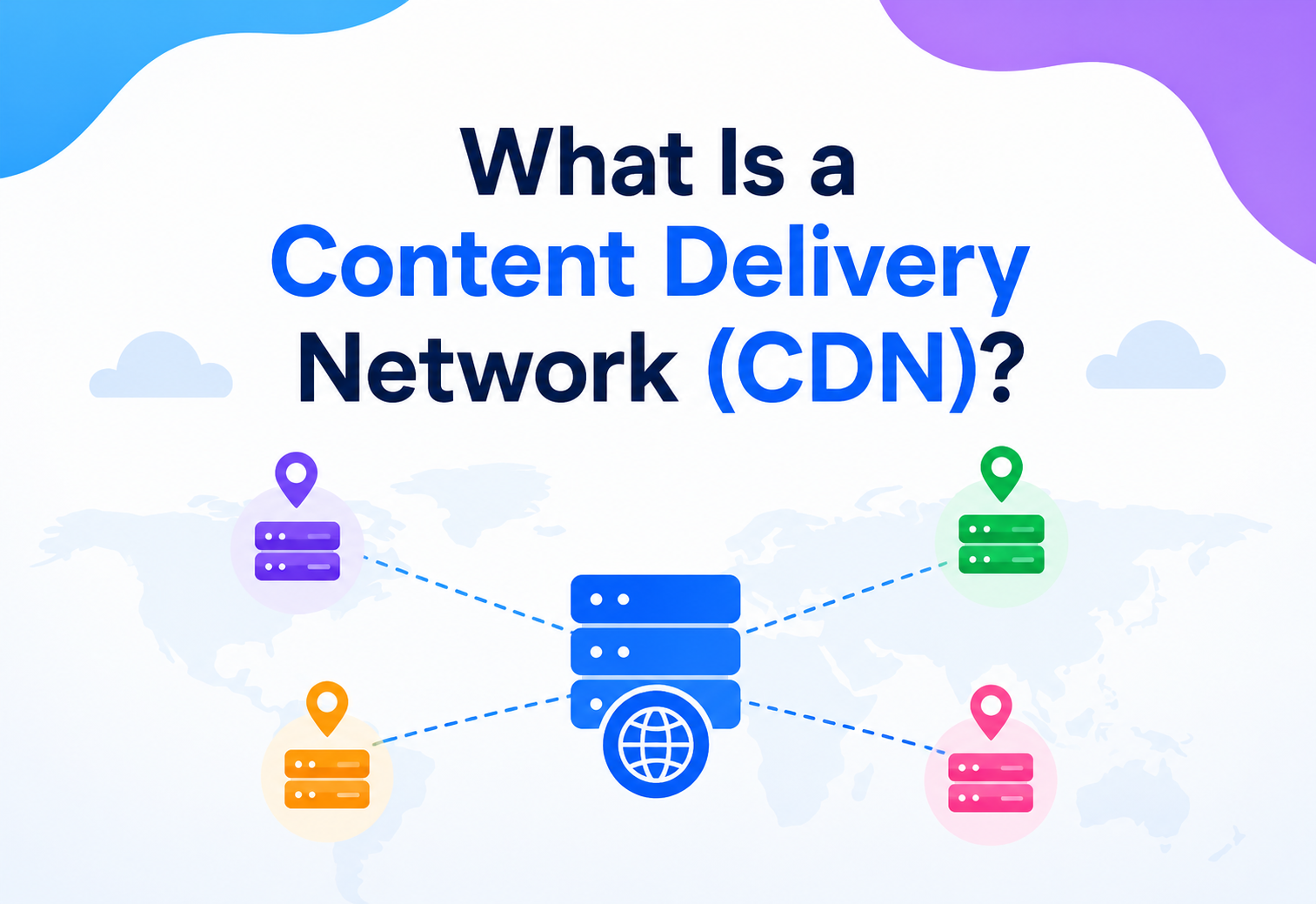
What Is a Content Delivery Network (CDN)?
Every time a video starts playing the instant you tap it, or a website loads before you have even finished blinking, there is a good chance a quiet network of servers scattered across the planet just handed you that content from somewhere close by. This complete guide is about that network, how it works, and why it has become one of the internet’s most important pieces of invisible plumbing.
The Big Idea, in One Breath
A CDN is a simple trick applied at global scale: put copies of popular things closer to the people who want them, and everything gets faster, more resilient, and easier to protect.
Picture a popular pizza chain with just one kitchen, located in one city, mailing hot pizzas to customers all over the country. A customer three blocks away gets a piping hot pizza in minutes. A customer on the opposite coast waits hours, and the pizza arrives cold, soggy, and honestly a little sad. The pizza itself never changed — the only thing that changed was the distance it had to travel.
Now imagine that same chain opens small kitchens in every major city, each one keeping a fresh batch of the most popular pizzas ready to go. Suddenly, nearly everyone — no matter where they live — gets a hot, fresh pizza within minutes, because they are being served from the kitchen nearest to them, not from one single distant location.
That is the entire idea behind a Content Delivery Network, usually just called a CDN. Instead of every single visitor to a website fetching everything from one distant, original server, a CDN places copies of that website’s content — images, videos, style files, whole pages — on servers scattered all around the world, so each visitor can be served from whichever copy happens to be closest to them.
Think about a chain of neighbourhood libraries instead of one single enormous library downtown. If every book only existed in that one downtown building, everyone across the whole city would need to travel there for every single book. Branch libraries, each stocked with popular titles, let most people find what they need close to home. A CDN is the internet’s version of that branch‑library system, built for web pages, images, and videos instead of books.
Keep that pizza chain and that library system in mind as you read on, because nearly every idea in this guide — the speed benefits, the trade‑offs, the clever engineering behind the scenes — comes back to that same simple trick: put copies of popular things closer to the people who want them.
It is worth pausing on just how quietly universal this idea has become. Nearly every large website, app, and streaming service relies on this same basic trick somewhere in its foundations, even though almost nobody using those services ever thinks about it, or even knows the term “CDN” exists. That is actually a mark of good engineering — the best infrastructure tends to be the kind nobody notices, because it simply works.

A Short History of CDNs
CDNs are not a recent invention — they trace back to the late 1990s, when a rapidly growing web ran into an obvious growing pain: too many people, too few well‑placed servers.
Content delivery networks are not a recent invention — they trace back to the late 1990s, when the web was still young but already showing an obvious growing pain: as more and more people came online, the handful of powerful servers hosting popular websites began buckling under traffic, and users on the opposite side of the world from a website’s server suffered painfully slow load times.
The very first generation of CDNs, emerging around 1997, focused almost entirely on speeding up static content — plain HTML pages and downloadable files — for large corporate clients who could afford what was, at the time, a genuinely expensive service. These early networks worked by actively “pushing” content out to their distributed servers ahead of time, and their whole network layout tended to be fairly scattered and simple compared to what came later.
A second generation, arriving in the early 2000s, expanded to handle dynamic and richer content, including early forms of streaming media, and shifted toward a more efficient approach where servers would “pull” content as needed rather than waiting for it to be pushed to them in advance. Pricing gradually became more accessible, opening the door to a wider range of businesses beyond just the largest corporations.
By around 2010, a third generation of CDNs had matured into genuinely multi‑purpose platforms — not just speeding up content delivery, but also providing security features like protection against malicious traffic floods, alongside performance and availability improvements. As competition grew and infrastructure costs fell, CDN services became affordable enough that virtually any website, regardless of size, could reasonably use one, often even for free.
CDNs started as an expensive luxury for the biggest companies on the internet. Today, they are a routine, often free, ingredient in building almost any website meant to be used by more than a handful of people.
It is worth appreciating how closely this evolution tracked the growth of the internet itself. In the CDN’s earliest years, the web was mostly simple text and images, and just getting those files to load quickly was the whole challenge. As video streaming, rich interactive apps, and mobile browsing exploded in popularity, CDNs had to evolve alongside them, taking on entirely new categories of content and entirely new performance demands that simply did not exist when the technology was first invented.
What a CDN Really Is
A CDN is a geographically spread‑out group of servers that work together to deliver content from wherever is closest to each visitor. Its goal is simple: shrink the distance data has to travel.
A Content Delivery Network is a geographically spread‑out group of servers that work together to deliver web content to users from whichever location is closest to them, rather than forcing every request to travel back to one single, original server. The goal is simple to state and genuinely powerful in effect: shrink the physical distance data has to travel, and everything gets faster.
It helps to be precise about a detail that trips people up constantly: a CDN is not the same thing as web hosting. The original, complete version of a website still lives on what is called an origin server, owned and managed by the website itself. A CDN does not replace that origin server — it sits in front of it, holding cached copies of the content closest to visitors, and only reaching back to the origin server when it genuinely needs to.
This distinction matters because it explains what a CDN can and cannot do. A CDN can dramatically speed up how quickly content reaches visitors, and can absorb huge amounts of traffic on the origin’s behalf. What it cannot do is replace the need for a properly working origin server in the first place — if the original content does not exist or is broken, no amount of clever caching nearby can fix that.
If someone says “we put our site behind a CDN,” they mean this: visitors around the world are now being served fast, nearby copies of the site’s content, while the original, official version still lives safely on the origin server.
Two ideas are worth carrying with you through the rest of this guide, because they explain almost every decision an engineering team makes about CDNs:
- Distance is the enemy, and geography is the fix. A CDN’s core trick is shrinking physical distance by spreading copies of content around the globe.
- A CDN is a helper, not a replacement. It works alongside an origin server, absorbing traffic and speeding things up, rather than taking over hosting entirely.
It also helps to understand why distance matters so much in the first place. Even at the speed of light, data travelling between, say, New York and Sydney takes a noticeable amount of time — and a single web page often requires many separate round trips between a visitor’s device and a server before it fully loads. Multiply a small delay by dozens of these round trips, and what feels like a “quick” web request can add up to a genuinely sluggish experience for anyone far from the origin. A CDN attacks this problem at its root, by shrinking the distance those round trips actually need to travel.
How It Actually Works
When someone visits a site behind a CDN, a clever piece of internet plumbing quietly reroutes them to a nearby edge server — long before they ever reach the distant origin.
When someone visits a website protected by a CDN, their device does not automatically know to look far away — instead, a clever bit of internet plumbing quietly redirects them to a nearby CDN server before they ever reach the distant origin.
Behind the scenes, this redirection usually happens through the internet’s address book, called DNS. When a website is set up behind a CDN, its domain’s technical settings are adjusted to point visitors toward the CDN’s network instead of straight to the origin server. A technique called Anycast routing then lets the exact same address automatically connect each visitor to whichever CDN server happens to be nearest to them geographically, all without the visitor ever needing to know any of this is happening.
Once a visitor lands on a nearby CDN server, one of two things happens. If that server already has a cached copy of the requested content, it hands it over immediately — a cache hit, delivered in a fraction of the time it would have taken to reach the distant origin. If it does not have a copy yet, it quickly fetches one from the origin server, saves a copy for next time, and passes it along — a cache miss, still typically faster than a direct trip would have been, especially for every visitor after the first.
CDN servers are commonly called “edge servers,” because they sit at the outer edge of the network, as close as possible to real people, rather than deep inside a single distant data centre.
It is worth knowing that a single web page rarely relies on just one request. Loading a typical page might involve fetching the main HTML document, several images, a stylesheet, and a handful of scripts — sometimes dozens of separate pieces in total. A CDN speeds up each of those individual pieces, and because the savings apply to every single one, the cumulative effect on total page load time is often far larger than it might first appear from looking at just one request in isolation.

The Building Blocks
A CDN is made up of a handful of recurring pieces — points of presence, edge servers, an origin, and a smart traffic director — and understanding each one makes the whole system far less mysterious.
A CDN is made up of a handful of recurring pieces, and understanding each one makes the whole system far less mysterious.
Point of Presence
A physical location, often in a major city, housing a cluster of CDN servers responsible for nearby visitors.
The nearby helper
An individual server inside a PoP that actually stores cached content and answers visitor requests directly.
The source of truth
The website’s own original server, holding the complete, authoritative version of everything.
The traffic director
The routing system that quietly sends each visitor to the nearest available edge server automatically.
Inside each edge server, cached files are typically stored across a mix of storage types, chosen for speed. The most frequently requested items — the true crowd favourites — often sit in fast memory (RAM), while less urgently needed files rest on solid‑state or hard disk drives. This layered approach means the very hottest content is served at the absolute fastest speed a server can manage.
A Point of Presence is like a regional distribution warehouse for a retail chain — not the flagship store, but a hub stocked with popular items, positioned specifically to serve a whole nearby region quickly, restocked from the main warehouse only when needed.
Large CDN providers typically operate hundreds of these PoPs across the globe, clustered more densely in areas with heavier internet usage and spaced further apart in less densely populated regions. The overall map of a major CDN’s network often looks less like a scattering of random dots and more like a carefully planned system, designed to keep the vast majority of the world’s internet users within a short, fast hop of at least one edge server.
The origin server, by contrast, does not need to be duplicated everywhere — it remains a single, authoritative source, focused on serving the CDN’s cache‑filling requests and any content that genuinely cannot be cached, like a logged‑in user’s personal dashboard. This division of labour is part of what makes the whole system efficient: the origin handles what only it can do, while the CDN’s network handles everything that benefits from being closer to the visitor.
Origin Pull vs. Origin Push
CDNs generally fill their caches using one of two strategies — pulling content on demand, or pushing it out ahead of time. The difference matters for how fresh and efficient the whole system ends up being.
CDNs generally fill their caches using one of two strategies, and the difference matters for how fresh and efficient the whole system ends up being.
Fetch it when asked
An edge server only fetches content from the origin the first time it is actually requested, then keeps a cached copy for future visitors.
Send it ahead of time
Content is proactively uploaded to CDN servers in advance, before any visitor has actually asked for it.
Origin pull is by far the more common approach in modern CDNs, mostly because it is simpler to manage — a website owner does not need to manually upload content everywhere; the CDN figures out what is popular and caches it automatically, based purely on real visitor demand. Origin push still has its place for specific situations, particularly when a website wants to guarantee that certain large files, like a big software download or an anticipated video release, are already sitting ready at every location the moment it goes live, rather than waiting for the first real visitor to trigger that first, slightly slower fetch.
Origin pull is like a store restocking a shelf only after a customer asks for something it does not currently have. Origin push is like stocking that shelf ahead of a big sale, so nobody has to wait even for the very first customer.
Many modern CDNs actually blend these two ideas intelligently. A system might default to origin pull for the vast majority of content, while automatically pre‑warming certain caches — pushing content out proactively — when it detects signs of an upcoming spike, such as a scheduled product launch or a marketing campaign known to be starting at a specific time. This hybrid approach captures the simplicity of pull‑based caching for everyday content, while still giving predictable, high‑stakes moments the extra insurance of push‑based preparation.
How to Spot a CDN at Work
CDNs are designed to be invisible, but a few reliable signs reveal one is quietly doing its job behind a website.
CDNs are designed to be invisible, but there are a few reliable signs that reveal one is quietly doing its job behind a website.
Speed regardless of location
A site that loads quickly no matter where in the world you are browsing from is a strong hint a CDN is spreading the load.
Technical details reveal it
Checking a site’s technical response details often reveals server names belonging to well‑known CDN providers.
Handles sudden popularity well
A site that stays fast and available even during a huge, sudden surge in visitors is often leaning on CDN infrastructure.
Distinctive “can’t connect” messages
When something briefly goes wrong, CDN‑protected sites often show a recognisable error page branded by the CDN provider itself.
Most major, high‑traffic websites today — from massive streaming platforms to online retailers to social networks — rely on a CDN in some form, precisely because none of them could reasonably serve a genuinely global audience quickly and reliably from just one server location alone.
Curious readers can often check for themselves fairly easily, using free online tools that reveal a website’s technical response details, including which servers actually answered a given request. Seeing a recognisable CDN provider’s name pop up in those details is a reliable, simple way to confirm a site is quietly leaning on this kind of distributed infrastructure, even when nothing about the visible page gives it away.
Where CDNs Actually Show Up
CDNs are not a niche tool reserved for tech giants — they are quietly present across an enormous range of everyday digital experiences.
CDNs are not a niche tool reserved for tech giants — they are quietly present across an enormous range of everyday digital experiences.
Smooth playback, worldwide
Movies and shows are delivered from nearby servers, avoiding the buffering that long‑distance streaming would otherwise cause.
Fast browsing, everywhere
Product images and pages load quickly for shoppers regardless of their location, which directly affects sales.
Quick downloads, live updates
Large game files and patches reach players faster, and live leaderboards or content updates propagate globally with less delay.
Big files, less waiting
Operating system updates, apps, and large software packages are distributed from nearby servers instead of one central source.
News websites depend heavily on CDNs during major breaking events, when huge numbers of people suddenly rush to read the exact same story at the exact same moment — precisely the kind of traffic spike a single origin server would struggle to survive on its own, but that a distributed CDN handles with relative ease.
Even everyday mobile apps quietly lean on CDN infrastructure, fetching images, configuration files, and updates from nearby edge servers rather than a single distant company server, which is part of why apps generally feel responsive regardless of where in the world someone happens to be using them.
Educational platforms delivering video lectures and course materials to students across many countries rely on the same underlying principle. A student in one part of the world should not have to wait significantly longer for a lecture to load than a student somewhere else — and a well‑configured CDN goes a long way toward making that kind of fairness in access a practical reality rather than just a nice ideal.
Even the small icons, fonts, and style files that make up a website’s visual design are frequently served through a CDN, since these files rarely change and are requested by essentially every visitor to every page, making them some of the easiest and most valuable content to cache aggressively.

CDNs and Security
Because a CDN sits directly in front of a website, handling every incoming request before it reaches the origin, it ends up in a uniquely useful position to catch trouble before it ever gets close to the real server — a setup engineers call a reverse proxy.
Because a CDN sits directly in front of a website, handling every incoming request before it reaches the origin, it ends up in a uniquely useful position to catch trouble before it ever gets close to the real server — a setup engineers call a reverse proxy.
This positioning matters more than it might first appear. A traditional website, without anything sitting in front of it, exposes its origin server directly to the entire internet, good and bad traffic alike. A CDN acting as a reverse proxy changes that arrangement entirely: the origin server’s true address can even be kept hidden from public view, with the CDN’s network becoming the only thing the outside world actually interacts with directly.
Absorbing traffic floods
A CDN’s distributed capacity can absorb and filter out massive, malicious traffic floods aimed at overwhelming a website.
Blocking bad requests
Many CDNs inspect incoming traffic for known attack patterns, blocking harmful requests before they ever reach the origin.
Filtering unwanted visitors
Automated scrapers and malicious bots can be identified and blocked at the edge, protecting both performance and data.
Encrypted connections, simplified
CDNs frequently manage the encryption certificates that keep a visitor’s connection to a website private and secure.
This security role has become such a core part of what modern CDNs offer that many organisations adopt one specifically for protection, with the performance benefits arriving as a welcome bonus rather than the primary motivation. Being positioned at the very edge of a network, before traffic ever reaches sensitive internal systems, makes a CDN a genuinely effective first line of defence.
A CDN blocking a flood of malicious traffic works a lot like a security guard checking every visitor at the front door of a building, rather than letting everyone inside first and sorting out trouble afterward.
It is worth appreciating just how much scale this protective role actually requires. A serious traffic flood aimed at overwhelming a website can involve enormous volumes of junk requests arriving simultaneously from all over the world. A single origin server, however powerful, would struggle to absorb that kind of assault alone. A CDN’s globally distributed capacity, spread across hundreds of locations, gives it a genuinely different order of magnitude of absorbing power, which is exactly why this kind of protection is so difficult to replicate without a similarly distributed infrastructure.
Reliability and Failover
Beyond speed and security, a CDN’s spread‑out structure quietly delivers a third major benefit: resilience. Many servers in many places means many fewer single points of failure.
Beyond speed and security, a CDN’s spread‑out structure quietly delivers another major benefit: resilience. A website served from just one server has exactly one point where things can go wrong. A website served through a CDN has its traffic spread across many servers in many locations, which changes the whole risk picture.
Sharing the work evenly
Incoming traffic is spread across multiple servers, preventing any single machine from being overwhelmed by a sudden rush.
Quietly rerouting around trouble
If one edge server has a problem, traffic is automatically redirected to another healthy server nearby.
Skipping a whole troubled region
If an entire data centre runs into technical difficulty, traffic can be rerouted to the next closest healthy location instead.
This layered redundancy means a single hardware failure, or even a serious outage at one entire data centre, does not necessarily take a website offline for anyone. Visitors are simply, invisibly, redirected to the next closest healthy location, often without any noticeable interruption at all.
It is a bit like a large retail chain where, if one store unexpectedly closes for the day, customers are quietly guided to the next nearest branch instead of finding a single locked door with nowhere else to turn.
This resilience matters enormously for businesses where downtime carries a real cost — every minute a site is unreachable can mean lost sales, frustrated customers, or reputational damage. A well‑configured CDN turns what could have been a single catastrophic failure into a barely noticeable blip for most visitors.
It is worth noting that this kind of resilience is not automatic just because a CDN is switched on — it depends on thoughtful configuration, including making sure enough healthy backup servers exist in each region and that failover routes are properly tested rather than simply assumed to work. A CDN provides the tools for reliability; a well‑run engineering team still has to use those tools deliberately to get the full benefit.
Real Companies, Real Choices
It helps to see CDNs playing out in systems people actually use every day, rather than staying purely theoretical.
It helps to see CDNs playing out in systems people actually use every day, rather than staying purely theoretical.
Large streaming platforms represent one of the most demanding possible tests for a CDN, since video files are large, viewing spikes can be enormous and sudden — think a hugely anticipated season premiere — and viewers expect smooth playback without buffering, no matter where they happen to be watching from. These platforms typically rely on extensive, carefully tuned CDN infrastructure, sometimes even building and operating substantial portions of their own distribution networks.
Online retailers lean on CDNs heavily around major sales events, when huge numbers of shoppers browse the very same popular products simultaneously. A slow‑loading product page during a big sale does not just frustrate a shopper — it directly costs the retailer real, measurable revenue, which is exactly why performance during predictable traffic spikes gets so much engineering attention.
Even government and educational websites increasingly rely on CDNs, particularly during moments of unusually high demand — a public health announcement, an exam results release, an application deadline — when a sudden flood of visitors could otherwise overwhelm infrastructure that was not originally built to handle traffic at that scale.
The more geographically spread out an audience is, and the more traffic tends to spike unpredictably, the more a CDN tends to earn back its cost many times over.
Social media platforms lean on CDNs constantly, particularly for the images and videos that make up most of what people scroll through. A single viral post can be viewed millions of times within hours, and serving all those views from one central location simply is not realistic — the distributed nature of a CDN is what makes that kind of sudden, massive popularity survivable without the platform grinding to a halt.

The Advantages of Using a CDN
CDNs have become a near‑default choice for growing websites for genuinely compelling reasons — speed, resilience, security, cost, and simplicity all in one package.
CDNs have become a near‑default choice for growing websites for genuinely compelling reasons.
What It’s Great At
- Dramatically faster load times for geographically spread‑out visitors
- Absorbs traffic spikes that would overwhelm a single origin server
- Reduces bandwidth costs by handling most requests without touching the origin
- Adds a meaningful layer of security against attacks and malicious traffic
- Improves reliability, since one failing server rarely takes the whole site down
Why Teams Still Reach for It
- Keeps visitors from bouncing away due to slow load times
- Frees the origin server to focus on genuinely dynamic, personalised work
- Scales gracefully as an audience grows or goes global
- Often available at little or no cost for smaller websites
- Simplifies handling encrypted connections and certificates
That last point about cost deserves attention. Because CDN providers serve enormous numbers of websites at once, they can spread the cost of their global infrastructure across all of them, meaning even small websites can access genuinely global performance and security benefits that would once have been affordable only to the very largest companies.
There is a quieter advantage worth naming too: a CDN can meaningfully improve a website’s standing with search engines. Page load speed is a factor many search engines weigh when ranking results, so a faster‑loading site, aided by a CDN, can enjoy a small but genuine boost in visibility, on top of all the direct benefits visitors experience firsthand.
Mobile visitors deserve a special mention here too. People browsing on phones, often over slower or less stable mobile networks, tend to benefit disproportionately from a CDN’s speed improvements, since every millisecond saved matters more on a connection that was already working harder to begin with. Given how much of today’s internet traffic comes from mobile devices, this alone is often reason enough for a growing website to take CDN adoption seriously.
The Trade‑offs and Limits
CDNs are not free of downsides, and being honest about them leads to much better decisions than assuming a CDN is automatically the right fit for everything.
CDNs are not free of downsides, and being honest about them leads to much better decisions than assuming a CDN is automatically the right fit for everything.
The Honest Downsides
- Adds a small amount of complexity to a website’s setup and troubleshooting
- Cached content can occasionally become outdated if not managed carefully
- Offers little benefit for a strictly local audience already near the origin
- Introduces a new external dependency the website now relies on
- Advanced features and higher traffic tiers can add real cost at scale
Situations Where It Helps Less
- Small, single‑region websites with visitors already close to the origin
- Highly dynamic, personalised content that cannot be cached effectively
- Internal tools used only by a small, geographically concentrated team
- Extremely simple sites where the added setup outweighs the modest gains
A CDN is not automatically beneficial for every website. A small, local business site with visitors from just one city can sometimes see little improvement, or even a very slight slowdown, from adding an unnecessary extra connection point.
It is also worth being honest about the dependency a CDN introduces. Relying on an external provider for a critical part of a website’s delivery means that provider’s own reliability becomes part of the equation too — a rare but real consideration for organisations weighing how much of their infrastructure to place in someone else’s hands, however capable that provider generally is.
CDNs in the Cloud Era
Modern cloud computing and CDNs have grown deeply intertwined, since most major cloud providers now offer their own CDN services, tightly integrated with the rest of their infrastructure.
Modern cloud computing and CDNs have grown deeply intertwined, since most major cloud providers now offer their own CDN services, tightly integrated with the rest of their infrastructure.
This integration has made setting up a CDN dramatically simpler than in the earlier days of the technology. Rather than manually configuring complex routing rules, a website owner today can typically connect a CDN to their site through a short setup process — updating a couple of domain settings — often completed in minutes rather than the days or weeks it might once have taken.
Choose a CDN provider
A website owner selects a CDN service, often one already integrated with their existing cloud or hosting provider.
Point the domain to the CDN
Domain settings are updated so visitor traffic flows through the CDN’s network instead of straight to the origin.
Configure caching rules
Settings decide what gets cached, for how long, and what should always be fetched fresh from the origin.
Monitor and adjust
The team watches performance and cache hit rates, tuning settings as real traffic patterns emerge.
Cloud‑based CDNs have also made it far easier to combine content delivery with other cloud services — automatically scaling origin infrastructure during a traffic spike, integrating security tools, or connecting directly to cloud storage where original files live — creating a much more seamless overall system than the more manually stitched‑together CDN setups of the past.
Using a cloud provider’s built‑in CDN is a bit like choosing the delivery service that is already integrated with the store you are buying from, rather than separately hiring an outside courier and coordinating the handoff yourself.
This tight integration has also made it far easier to experiment safely. A team can often connect a CDN, watch its impact on real traffic for a few days, and adjust or roll back settings with just a few clicks, rather than committing to a large, hard‑to‑reverse infrastructure project. That low‑risk, easily reversible nature has played a real role in making CDNs feel like a routine, sensible default rather than a major architectural decision requiring months of planning.
The Cost and Performance Picture
Whether a CDN genuinely pays for itself depends on the specifics, and it is worth separating the different kinds of benefit and cost rather than assuming it is automatically worthwhile for every situation.
Whether a CDN genuinely pays for itself depends on the specifics, and it is worth separating the different kinds of benefit and cost rather than assuming it is automatically worthwhile for every situation.
On the performance side, the impact is often dramatic and easy to measure. Research into web performance has repeatedly found that even small delays in page load time meaningfully affect how long visitors stay and how likely they are to complete a purchase or sign‑up. A CDN attacks exactly this problem, often shaving substantial time off load speeds for visitors far from a website’s original server.
| Factor | Without a CDN | With a CDN |
|---|---|---|
| Distant visitor load time | Slower — full trip to one origin server | Faster — served from a nearby edge server |
| Traffic spike resilience | Origin can become overwhelmed | Load spread across many edge servers |
| Bandwidth cost to origin | Origin serves every single request | Origin serves only cache misses |
| Setup complexity | Simpler — one server to manage | Slightly higher — an added layer to configure |
On the cost side, many CDN providers offer generous free tiers or affordable entry plans, specifically because serving cached, static content is relatively cheap for them to provide at scale. Costs tend to climb with genuinely high traffic volumes, advanced security features, or specialised needs like extensive video streaming — meaning the right plan depends heavily on a website’s actual scale and requirements, not a one‑size‑fits‑all assumption.
For most growing websites, a CDN tends to pay for itself through faster load times, fewer lost visitors, and reduced strain on the origin server — often well before its cost becomes a serious consideration.
It is also worth factoring in a cost that is easy to overlook: engineering time saved. Without a CDN, a growing website might eventually need to build its own multi‑region infrastructure from scratch to handle global traffic and sudden spikes — a genuinely large, expensive undertaking. A CDN offers much of that same geographic reach and resilience as a ready‑made service, sparing a team significant time and specialised expertise that would otherwise be needed to build something comparable in‑house.

The Freshness Problem
A CDN’s biggest strength — keeping copies close to visitors — comes with a familiar catch: those copies need to be kept honest, or visitors around the world can end up seeing outdated versions long after the origin has moved on.
A CDN’s biggest strength — keeping copies of content close to visitors — comes with a familiar catch: those copies need to be kept honest, or visitors around the world can end up seeing outdated versions of a page long after it has been updated.
This is the same fundamental challenge covered in depth by the broader idea of cache invalidation, just playing out at a global, geographically distributed scale. Every cached file at every edge server carries a time‑to‑live setting, determining how long it is trusted before being treated as potentially outdated. Choosing that duration is always a balancing act: longer settings mean better performance but a bigger risk of showing stale content; shorter settings mean fresher content but more frequent trips back to the origin.
Most CDNs also offer a manual override for urgent situations, often called a purge — a direct command telling every edge server worldwide to immediately drop a specific cached file, rather than waiting for its normal expiry. This matters enormously for time‑sensitive corrections, like fixing an incorrect price or urgently updating breaking news content.
Content that rarely changes — logos, style files, old images — can be cached for a long time. Content that changes often or matters urgently — prices, breaking news — needs a much shorter leash, or a purge plan ready to go.
It is worth remembering that this challenge does not disappear just because a CDN handles it well — it is the same fundamental tension present in any caching system, simply operating across a much larger, more geographically spread‑out set of copies. A change made at the origin has to physically propagate out to every edge server holding a cached copy, and that propagation, however fast, always takes at least a small amount of time to complete everywhere.
Choosing the Right Setup
Deciding exactly how to configure a CDN comes down to being honest about a website’s actual audience, content, and traffic patterns.
Deciding exactly how to configure a CDN comes down to being honest about a website’s actual audience, content, and traffic patterns.
Definitely worth it
A website with visitors spread across multiple continents almost always benefits meaningfully from a CDN’s geographic reach.
Easy, high‑value caching
Sites built largely from images, videos, and pages that rarely change are ideal, low‑risk CDN candidates.
Real protection value
Sites expecting sudden spikes — sales, breaking news, viral moments — benefit enormously from a CDN’s shock‑absorbing capacity.
Worth evaluating carefully
A site serving mostly one nearby region may see limited benefit, and should weigh the modest added complexity honestly.
Most real websites end up using a thoughtful mixture: static assets like images and scripts cached aggressively at the edge, while more dynamic, personalised content either bypasses the cache entirely or uses much shorter, carefully tuned expiry settings.
That guiding sentence captures how most experienced teams approach CDN configuration: lean heavily on caching wherever content is stable, and apply extra caution, shorter expiry, or purge tools wherever freshness genuinely matters.
A useful exercise for any team setting up or reviewing a CDN configuration is to walk through a website’s content type by type, asking the same simple question each time: how often does this actually change, and what happens if a visitor briefly sees an older version? Content that scores “rarely” and “nothing bad” belongs in a generous, long‑lived cache. Content that scores “constantly” and “something bad” deserves careful, short‑lived caching, or perhaps no caching at all.
A Worked Example, Start to Finish
Ideas like this are easiest to remember through a story, so imagine a small online store called Northlight, selling handmade lamps, expanding from local sales into shipping worldwide.
Ideas like this are easiest to remember through a story, so imagine a small online store called Northlight, selling handmade lamps, expanding from local sales into shipping worldwide. Here is how a CDN might come into the picture.
Slow international orders
Customers in Australia and Japan complain that Northlight’s product pages, hosted on a single server in the US, load frustratingly slowly.
Northlight connects a CDN
The team points their domain to a CDN provider and configures product images and style files to be cached at the edge.
Global visitors get fast loading
A shopper in Sydney now loads product photos from a nearby edge server instead of waiting on a trip across the Pacific.
A sale goes viral
A popular lamp gets featured by an influencer overnight. Traffic spikes worldwide, but the CDN absorbs most of the load, keeping the site responsive.
A price correction goes out instantly
Northlight notices a pricing error and issues a CDN purge, clearing the outdated price from every edge server within moments.
Notice what did not happen anywhere in that story: nobody had to build new servers overseas, nobody had to manually manage a dozen data centres, and the sudden traffic spike never threatened to take the site offline. A single CDN connection quietly handled all of it.
The best CDN story is usually an invisible one — pages load quickly everywhere, traffic spikes come and go smoothly, and shoppers around the world never think twice about how any of it actually works.
It is worth imagining what might have happened without that CDN in place. The influencer moment, instead of being a celebrated success, could easily have become a cautionary tale — a crashed website, frustrated would‑be customers unable to complete a purchase, and a missed opportunity that took months of marketing effort to create. The quiet, unglamorous infrastructure decision made weeks earlier ended up being the thing that let Northlight actually capture the value of that one lucky, unpredictable moment.
Common Pitfalls
A handful of specific mistakes come up again and again in CDN deployments. Each one is worth naming plainly, so it can be spotted early — ideally before it turns into a live incident.
Caching Everything Blindly
Applying the same long caching duration to every single piece of content, including things that change often, risks serving stale information to visitors for far longer than intended.
Forgetting About Purge Tools
Not having a clear, tested plan for urgently clearing outdated content can turn a small mistake into a much longer‑lasting problem than it needed to be.
Assuming a CDN Fixes Everything
A CDN speeds up delivery of content, but it cannot fix a slow, poorly optimised origin server or badly written application code sitting behind it.

Ignoring Regional Differences
Assuming performance is uniform everywhere, without checking load times from different regions, can hide genuine gaps in coverage or configuration.
Overlooking Security Settings
Treating a CDN purely as a speed tool, without configuring its available security features, leaves real protective value sitting unused.
Never Testing From a Genuinely Distant Location
Assuming a CDN is working well based purely on how fast a site feels from the office, without ever checking from a truly distant region, can hide real coverage gaps for actual visitors elsewhere.
A team that set up a CDN once, years ago, and never revisited the configuration since. Traffic patterns and content types change over time, and a setup that made sense at launch can quietly become the wrong fit later.
Best Practices for Using a CDN
Good CDN usage tends to follow a consistent handful of habits, regardless of the specific provider chosen.
Good CDN usage tends to follow a consistent handful of habits, regardless of the specific provider chosen.
- Cache aggressively where it is safe. Long expiry times for stable content like images, scripts, and fonts capture most of the available performance benefit.
- Keep a tested purge process ready. Know exactly how to clear specific content quickly when an urgent correction is needed.
- Monitor performance from multiple regions. Regularly check load times from different parts of the world, not just from where the team happens to sit.
- Turn on available security features. Do not leave DDoS protection, bot filtering, or a web application firewall switched off by default.
- Separate static from dynamic content. Cache what is stable generously, and handle personalised or fast‑changing content with shorter, more careful settings.
- Revisit the configuration periodically. A setup that fit perfectly at launch deserves a fresh look as traffic and content evolve.
- Understand what is cached and what is not. Know exactly which parts of a site are served from the edge and which always reach the origin.
- Plan for the unexpected traffic spike. Even without a specific event planned, keep the system ready for sudden, unplanned popularity.
None of these habits require a large team or specialised expertise — they mostly come down to treating a CDN as a genuine, ongoing part of a system’s design, deserving periodic attention, rather than a one‑time setup step that is switched on and then forgotten for years at a time.
Test how a website actually feels from a few genuinely distant locations, not just from a familiar office connection — it is often the easiest way to spot a CDN configuration gap nobody noticed.
Questions People Often Ask
A few questions about CDNs come up again and again, in conversations ranging from casual curiosity to serious infrastructure decisions. Here are short, honest answers to the ones that surface most often.
Is a CDN the same thing as web hosting?
No. Web hosting stores the original, complete version of a website. A CDN caches copies of that content closer to visitors, working alongside hosting rather than replacing it.
Do small websites need a CDN?
It depends on the audience. A small site with visitors from all over benefits meaningfully; a small site with a purely local audience may see little difference.
Can a CDN cache content that changes for every single visitor?
Not effectively — highly personalised content, like a logged‑in dashboard showing someone’s own data, generally is not a good caching candidate and usually bypasses the CDN’s cache entirely.
How quickly does content update across a CDN after a change?
It depends on the expiry settings for that content, and whether a manual purge is used — anywhere from effectively instant to as long as the configured caching duration allows.
Is using a CDN expensive?
Often surprisingly affordable — many providers offer free or low‑cost tiers for smaller sites, with costs scaling up mainly for very high traffic or advanced features.
Do CDNs only help with speed?
No — modern CDNs commonly also provide meaningful security benefits, including protection against traffic floods and malicious bots, alongside their performance improvements.
Can a CDN help even if all my visitors are in one country?
Often yes, especially in larger countries — the same distance and traffic‑spike benefits still apply within a single country, just at a smaller geographic scale than a fully global deployment.
What happens if a CDN’s edge server goes down?
A well‑configured CDN automatically reroutes affected visitors to the next nearest healthy server, so most people never notice a single server or location having trouble.
Key Takeaways
If you remember nothing else from this guide, remember the six ideas below — and the quiet habit of treating a CDN not as a one‑time switch but as an ongoing part of how a website is designed and cared for.
Remember This
- A CDN is a geographically distributed network of servers that caches content close to visitors, rather than serving everyone from one distant origin.
- It works alongside an origin server, absorbing traffic and speeding up delivery, rather than replacing hosting entirely.
- Requests are routed to the nearest edge server automatically, typically through DNS and Anycast routing.
- Beyond speed, modern CDNs commonly provide real security benefits, including protection against traffic floods and malicious bots.
- Cached content needs careful expiry and purge planning to avoid serving outdated information to visitors.
- A CDN tends to matter most for geographically spread‑out audiences, unpredictable traffic, and largely static content — and less for small, purely local sites.
At its heart, a CDN is a quietly clever answer to a very old problem: information takes time to travel, and the further it has to go, the slower it feels. By spreading copies of that information across the world, so nearly every visitor can be served from somewhere close by, a CDN turns what could have been a stubborn physics problem into a routine engineering solution — one that today powers a huge share of the everyday internet, entirely invisibly, in the background of nearly everything we do online.

