What Is a Health Check ?
Every app that never seems to go down — your favourite game, your bank, the site that streams your shows — has an army of tiny, quiet questions running behind the scenes, over and over: “Are you okay? Are you okay? Are you okay?” That question is called a health check. Here is everything about it, explained the friendly way.
The Big Idea, in One Breath
A health check is the small, repeated question — “are you still okay?” — that one part of a system asks another, quietly, thousands of times a minute, so trouble gets caught long before the people using it ever notice.
Think about the last time you went to the doctor for a regular check‑up. Nobody waited until you felt terrible to look at you. The doctor checked your temperature, listened to your heartbeat, looked in your ears, and asked you a few quick questions — all while you felt completely fine. The whole point was to catch a tiny problem early, long before it turned into a big one.
Computers need the exact same kind of care. A big website is not really “one computer” at all — it is usually hundreds or even thousands of small programs, running on many machines, all working together to load a page, save your photo, or process your payment. If even one of those small programs gets sick — slows down, freezes, or crashes — it can start causing trouble for everyone else, sometimes without anyone noticing until customers start complaining. A health check is the fix for that blind spot. It is a small, repeated question that one part of a system asks another part: “Hey, are you still okay?” And based on the answer, the system quietly does whatever needs to happen next — send help, stop sending customers your way, or just relax and move on.
Picture a big kitchen in a busy restaurant with five chefs, each responsible for a different station — grill, salad, drinks, desserts, and dishes. Every few minutes, the head chef glances around and asks each station, “You good? Need anything?” If the grill chef says “I’m out of propane,” the head chef immediately stops sending grill orders that way and reroutes them, or rushes over to fix it. Nobody waits for a pile of angry customers to notice the grill has gone cold. That quick glance‑and‑ask routine is exactly what a health check does for computer systems — just thousands of times a minute, and completely invisible to the person waiting for their food (or their web page) to arrive.
Here is the part that makes this idea so powerful: computers are extremely good at repeating a boring task without ever getting tired, distracted, or forgetful. A human head chef eventually needs to sleep, and might occasionally forget to check on the dessert station during a rush. A computer asking “are you okay?” never gets sleepy and never skips a round. That reliability is exactly why health checks work so well as a foundation for keeping enormous systems steady — they turn a habit that would be exhausting for a person into something a machine can do effortlessly, forever, without complaint.
It also helps to notice what a health check is not. It is not a magic fix that prevents things from ever breaking — parts of a system will always break sometimes, the same way people occasionally catch a cold no matter how careful they are. What a health check changes is how quickly that problem gets noticed, and how much room the system has to react gracefully instead of falling over in a panic. That single shift — from “we found out when it was already a disaster” to “we found out within a few seconds” — is often the entire difference between a blip nobody remembers and a headline‑making outage.

What a Health Check Really Is
A small, repeated test that tells a system whether one of its working parts is functioning correctly enough to keep doing its job — usually through a tiny doorway (an endpoint) any other part of the system can knock on.
In plain words, a health check is a small, repeated test that tells a system whether one of its working parts is functioning correctly enough to keep doing its job. Usually, this test takes the shape of a tiny doorway — often called an endpoint — that a piece of software leaves open specifically so other parts of the system can knock on it and ask, “How are you doing?” The piece being asked answers back with something short and clear, most often just a word or a number that basically means “I’m fine” or “I’m not fine.”
That is really the whole idea. It is not a complicated diagnosis, and it is not meant to be. A health check is closer to a quick pulse‑check than a full physical exam — it is designed to run constantly, cost very little, and give a fast, trustworthy yes‑or‑no signal, so that the rest of the system can react in the blink of an eye.
- It is automatic. No human sits there clicking “check now” — software does the asking, on a repeating schedule, all day and all night.
- It is fast. A good health check answers in a fraction of a second, because slow answers are almost as unhelpful as no answer at all.
- It is honest. A health check is only useful if it tells the truth. A check that always says “I’m fine” no matter what is worse than having no check at all, because it creates false confidence.
If someone asks, “does this service have a health check?”, they are really asking: “If this thing breaks quietly, in the middle of the night, will anyone — or anything — notice right away?”
It is worth pointing out that the word “health” here is borrowed on purpose from medicine, and the comparison holds up better than most technology metaphors do. A doctor does not diagnose every possible illness during a five‑minute check‑up — they run a handful of quick, well‑chosen tests that catch the most common and most dangerous problems early. A software health check works the same way: it does not try to verify every single thing that could possibly go wrong, because that would be slow and expensive. Instead, it checks the handful of things that matter most — can I reach my database, do I have enough memory, is my main process still responding — and trusts that catching those few big things early is worth far more than an exhaustive check that arrives too slowly to help.
One more useful way to think about it: a health check turns an invisible, internal state — “how is this program actually doing right now?” — into something visible and shareable that other pieces of software can act on. Before health checks became common, that internal state was genuinely a mystery to everything outside the program itself. Health checks pull that hidden information out into the open, in a simple, standard shape that anything else in the system can understand.
Why It Matters So Much
The moment real people start depending on a system, silence becomes dangerous. Without health checks, the very first sign that something is wrong is often an angry customer — and by then, real damage has already been done.
You could absolutely build an app or a website with no health checks at all, and for a small personal project, that might be totally fine. But the moment real people start depending on a system — to chat with friends, order food, or check their bank balance — silence becomes dangerous. Without health checks, the very first sign that something is wrong is often an angry customer, and by then, real damage has already been done. Here is what health checks actually buy a team:
Catch trouble before customers do
A failing part gets noticed within seconds, not after a flood of complaints or a public outage.
Fix problems automatically
Systems can restart a broken piece or route traffic elsewhere without waking anyone up at 3 a.m.
Safer updates and launches
New versions of software can be rolled out gradually, with health checks confirming each step is safe before moving to the next.
Fewer surprises for users
People rarely notice a health check working well — they just notice that the app “always seems to work,” which is the whole point.
There is a very human way to think about the cost of skipping this. Imagine a school bus driver who never checks the mirrors, the brakes, or the fuel gauge before a trip — most days, nothing bad happens. But eventually, on the one day it matters most, that missing habit turns a small, fixable issue into a genuine emergency. Health checks are the mirrors and gauges of a software system: cheap and boring on a good day, and the difference between a minor hiccup and a major outage on a bad one.
It also helps to imagine the alternative in concrete terms. Suppose a popular game’s servers are spread across twenty machines, and one of them quietly runs out of memory at two in the morning. Without health checks, that machine keeps receiving new players anyway — because nothing in the system knows to stop sending them there — and each of those players experiences lag, dropped connections, or a game that simply will not load. Complaints start trickling in on social media, someone on the team eventually notices the pattern, wakes up, investigates, and finally figures out which of the twenty machines is the culprit. That whole process might take an hour or more, and by then, thousands of people have already had a bad experience.
With health checks in place, the story looks completely different. The moment that one machine starts struggling, its answers to the routine “are you okay?” question start coming back unhealthy. Within seconds, the load balancer notices and quietly stops sending new players its way. The other nineteen machines pick up the slack without anyone even noticing a hiccup, and an automated alert might even trigger a replacement machine to spin up on its own. By the time a human engineer wakes up and checks their phone, the problem may already be resolved — or at the very least, clearly diagnosed and contained, instead of still actively hurting real users.
This is also why health checks matter just as much for small teams as for giant companies. A single developer running one small app on one server benefits from a health check too — it is the difference between finding out their app crashed from a monitoring alert within a minute, versus finding out three days later when a friend mentions the site has been down the whole time.
How It Actually Works
Strip away all the technical vocabulary, and a health check is really just a tiny conversation between two programs, over and over, forever. One asks. The other answers. Someone listens and decides what to do next.
Strip away all the technical vocabulary, and a health check is really just a tiny conversation that happens between two computer programs, over and over again, forever. One side asks a question. The other side answers. Someone listens to the answer and decides what to do next.
- The checker sends a request. Something in the system — a load balancer, a monitoring tool, or an orchestrator like Kubernetes — reaches out to a special web address, often something like
/healthor/healthz, and asks for a status update. - The service quickly checks itself. Behind that address sits a small piece of code whose only job is to look inward (and sometimes outward, at its neighbours) and figure out, right now, whether things are working.
- It sends back a simple answer. Usually this is a short code the entire internet already understands — a “200 OK” means “all good,” while an error code like “500” means “something is wrong.” Sometimes the answer includes a little more detail, like which particular piece is struggling.
- The checker decides what to do. Based on that answer, the wider system might keep sending customers to this part as usual, quietly stop sending anyone its way, or restart it entirely.
There are actually two different ways this conversation can be set up, and it is worth knowing both, because different systems prefer different styles.
Pull Model (the checker knocks)
In the pull model, the checker is the one doing all the work of asking. It reaches out on a timer — say, every five or ten seconds — and knocks on the service’s door. This is by far the more common approach, because it is simple and it puts the checker firmly in control of the schedule.
Push Model (the service raises its hand)
In the push model, the roles flip. Instead of waiting to be asked, each service proactively reports its own status to a central place — a bit like a student raising their hand to say “I’m here!” during attendance, instead of waiting for the teacher to walk over and check each desk individually. This can reduce unnecessary questioning across a very large system, though it depends on every service reliably remembering to speak up.
There is an important catch with the push model worth thinking through: if a service goes completely silent, is that because it is unhealthy, or because it simply forgot to raise its hand? A well‑designed push system usually solves this with a timeout — if the central place has not heard from a service in a while, it assumes the worst and treats that silence itself as a bad sign. This is exactly the same instinct as a parent who has not heard from a hiking teenager by the agreed check‑in time; even without any bad news at all, the silence itself becomes the warning sign.
What Actually Comes Back in the Answer
The simplest possible health check just returns a status code with no extra content at all — a short, standardised signal that either means “everything is fine” or “something is wrong.” Most web‑based health checks lean on a system of numbered codes that the entire internet already agrees on: codes in the 200s generally mean success, while codes in the 500s generally mean the server itself ran into trouble.
Many real systems go a small step further and return a little structured detail alongside that code — for example, a short list naming each dependency it checked (its database, its cache, another service it relies on) and whether each one passed or failed. This extra detail does not change whether the overall check passed or failed, but it can save enormous amounts of guesswork for whoever eventually has to investigate a failure, because they immediately know where to start looking instead of beginning from scratch.
Timing Matters as Much as the Question Itself
A health check is not just defined by what it asks — it is also defined by how often it asks, and how patient it is before reacting. Four small settings usually control this rhythm: how long to wait before the very first check after startup, how often to repeat the check, how long to wait for an answer before giving up, and how many failures in a row are needed before the system actually reacts. Getting these four numbers right, for a particular program’s particular personality, is often where the real engineering skill in health checks lives — much more so than writing the check itself.
Types of Health Checks
Not every health check asks the same question. Shallow versus deep, four technical methods to ask the question, and three distinct questions — startup, liveness, readiness — each with its own honest reaction.
Not every health check asks the same question, and that is actually one of the most important things to understand about them. A shallow glance and a thorough check‑up answer very different questions, and mixing them up is one of the most common mistakes teams make.
Shallow Checks: “Are You Breathing?”
A shallow health check asks the smallest possible question: is the program still running at all? It usually does not look at anything beyond the program itself — no databases, no other services, nothing outside its own four walls. It is the equivalent of glancing at someone across a room and seeing that they are standing upright and breathing. Useful, but limited.
Deep Checks: “Can You Actually Do Your Job?”
A deep health check goes much further. It asks the service to also check on the things it depends on — is the database reachable? Is the cache responding? Are the other services it relies on doing fine? This is much closer to the doctor’s check‑up from our very first analogy: not just “are you standing,” but “is everything actually working properly underneath?”
The difference between these two matters more than it might first appear. A service can pass a shallow check with total confidence while being almost useless to real customers — imagine a checkout service whose main program is running perfectly, but whose connection to the payment processor has quietly broken. A shallow check would happily report “I’m fine!” the entire time, even though nobody can actually buy anything. Only a deep check, one that bothers to test the payment connection itself, would catch that gap between “technically running” and “actually useful.”
Shallow Checks
- Extremely fast and cheap to run very often
- Simple to build and hard to get wrong
- Great first line of defence
Deep Checks
- Catch hidden problems shallow checks miss entirely
- Cost more resources, so they must run less frequently
- Can accidentally overload a shared dependency if too many services check it at once
Imagine one hundred copies of the same service, each one deeply checking the same shared database every single second. That is one hundred extra questions hitting the database every second — just from monitoring, before a single real customer has even shown up. Deep checks need to be paced sensibly, or the safety net itself becomes the problem.
A sensible middle ground that many real systems land on is to remember the answer to a deep check for a short while — a few seconds — instead of running the full, expensive check every single time someone asks. This is a bit like a school nurse who takes a student’s temperature once and writes it down, rather than re‑taking it every time someone in the hallway asks how that student is doing. The information stays fresh enough to be useful, without repeating an expensive test far more often than necessary.
Different Ways to Ask the Question
Beyond shallow and deep, health checks can also be built using a few different technical methods, each suited to a different kind of program:

A simple web request
The checker requests a web address like /health and looks at the response code — the most common method for anything that already speaks the web’s language.
Just a knock on the door
The checker simply tries to open a connection on a given port. If the connection succeeds, that alone counts as a pass — useful for programs that do not speak HTTP at all.
Run a small script inside
The checker runs a tiny command inside the program’s own environment and treats a successful exit as healthy — handy for checking very specific internal conditions.
Speak the program’s own language
Some systems (like certain databases or messaging tools) have their own special way of answering a health question, and the checker speaks that dialect directly.
Liveness, Readiness, and Startup: Three Very Different Questions
Modern systems that manage lots of moving pieces automatically — like the popular tool Kubernetes — split health checks into three distinct questions, because lumping them together causes real headaches.
Startup: “Have you finished waking up?”
Some programs take a while to get going — loading big files, connecting to a database, warming up. This check patiently waits until the program says it has finished booting, so nobody judges it too early.
Liveness: “Are you stuck?”
Once running, this check asks whether the program has frozen up — stuck in an endless loop, deadlocked, or simply unresponsive. If it fails, the usual fix is a restart, like turning a frozen TV off and back on again.
Readiness: “Can you take on new work right now?”
This check asks something different: even though the program is alive and not stuck, is it currently able to handle a new customer well? Maybe it is temporarily overloaded, or one of its helpers is briefly unavailable. If readiness fails, the system just pauses new traffic to it — no restart needed.
Keep the liveness question narrow — “is the program itself stuck?” — and never let it depend on outside things like a database. Save the “do my outside dependencies work?” question for the readiness check instead. Mixing them up means one shaky database can cause an entirely healthy program to be needlessly restarted, again and again.
Heartbeats vs. Health Checks
A heartbeat says “I’m still here.” A health check says “I’m here, and here’s how well things are going.” Many real systems blend both.
These two words get used almost interchangeably in casual conversation, but they describe slightly different ideas, and the difference is worth knowing.
A heartbeat is the simplest possible signal a program can send: “I’m still here.” It usually does not say anything about whether the program is doing its job well — just that it has not disappeared entirely. Think of it like a hiker checking in with a single word over the radio every hour: “Here.” That word does not say whether the hiker is tired, lost, or having a wonderful time — only that they have not gone silent.
A health check usually carries more meaning. It does not just say “I’m here” — it says “I’m here, and here’s how well things are going.” That richer answer is what lets the rest of the system make smarter decisions, instead of just knowing something is technically still alive.
| Question | Heartbeat | Health Check |
|---|---|---|
| What does it tell you? | “I still exist.” | “I exist, and here’s how I’m actually doing.” |
| Who usually starts it? | Often the service itself (push) | Often the checker (pull) |
| How much detail? | Very little — often just a signal | Can include status of dependencies, load, errors |
| Best used for | Detecting total silence or crashes | Understanding real, working condition |
In practice, many real systems blend the two: a steady heartbeat keeps a rough sense of “still there,” while a periodic, more detailed health check fills in the fuller picture of “still there, and still doing well.”
Heartbeats show up especially often in systems made of many equal partners working together, where the machines themselves need to agree among each other on who is still around — for example, deciding which one should take charge if the current leader suddenly goes silent. In that kind of setup, a fast, lightweight heartbeat is far more practical than a slower, heavier health check, because the machines mostly just need a quick, constant reassurance that everyone is still in the room, rather than a detailed report every single time.
Health Checks vs. Monitoring vs. Logging
Three ideas often grouped under “keeping an eye on a system,” but each plays a genuinely different role. Health checks catch immediate trouble, monitoring tells the slow story, logging supplies the fine‑grained diary.
These three ideas often get grouped together under the general umbrella of “keeping an eye on a system,” but each one plays a genuinely different role, and understanding the difference helps explain why teams need all three rather than picking just one.
A health check answers a narrow, immediate question — is this one part okay, right now? It is designed to be fast enough that another piece of software can act on the answer within a second or two.
Monitoring is the bigger picture. It gathers many different numbers over time — how many requests are coming in, how long they take, how much memory is being used — and turns them into graphs and trends a human can study. Where a health check gives a quick yes‑or‑no, monitoring gives a slow‑building story about how a system is behaving over minutes, hours, or months.
Logging is the detailed diary. Every time something notable happens inside a program — a request arrives, an error occurs, a file gets saved — a line gets written down describing exactly what happened and when. Logs are usually the last place an engineer looks, after a health check or a monitoring alert has already pointed them toward roughly where the problem is, so they can dig into the specific details.
Think of a school nurse’s office. A health check is the quick temperature‑and‑pulse reading taken the moment a student walks in. Monitoring is the growth chart the nurse keeps over the whole school year, showing patterns like “more students visit with headaches every Monday.” Logging is the detailed notebook where the nurse writes exactly what happened during every single visit — what was said, what was given, what time it occurred. Each one matters, and none of them replaces the other two.
Together, these three tools form a kind of safety net with different mesh sizes. Health checks catch the fastest, most urgent problems automatically. Monitoring reveals slower trends a health check alone would never notice — like a service that is technically passing its health check every time, but has been getting a little slower every single day for the past month. And logging supplies the fine‑grained evidence needed to actually understand why something happened, once the other two have pointed to roughly where to look.
A team that only ever installs health checks, and never builds any monitoring or logging alongside them, will still be caught off guard by slow, creeping problems that never quite fail a health check outright. And a team that only builds monitoring dashboards and detailed logs, without any automatic health checks, will always be one step behind — reacting to problems only after a human happens to notice a worrying graph, rather than the system catching and responding to trouble on its own, in real time. The strongest systems lean on all three together, each one covering a gap the others leave open.

Who Is Asking “Are You Okay?”
Load balancers, orchestrators, monitoring tools, and service registries — none care about health for its own sake. They each have their own specific job to do, and a reliable health check is simply the input that lets them do it well.
Health checks are not just an abstract idea — several very real, very common pieces of technology are constantly asking this question behind the scenes. It is worth remembering that none of these tools care about a program’s health for its own sake — they each have their own specific job to do, and a reliable health check is simply the input that lets them do that job well. Here are the main ones worth knowing.
Route around trouble
A load balancer’s whole job is deciding which server should handle the next customer. It uses health checks to skip any server that is not answering well, sending traffic only to the healthy ones.
Restart and reroute automatically
Tools like Kubernetes constantly run liveness, readiness, and startup checks on every small container it manages, restarting or pausing traffic to the unhealthy ones without a human lifting a finger.
Alert humans when needed
Dashboards and alerting systems poll health checks continuously, and page an on‑call engineer the moment something looks wrong for long enough to matter.
Keep an accurate address book
In large systems with many moving services, a registry keeps track of which services currently exist and are healthy, so others know exactly who they can safely talk to.
What is easy to miss is how many of these tools are quietly stacked on top of each other in a real system. A single request from a customer might pass through a load balancer that just checked server health, land on a server managed by an orchestrator that is watching its liveness and readiness, get logged by a monitoring platform polling its own health endpoint, and register itself in a service directory that only lists services currently marked healthy. Every one of those layers is independently asking some version of the same simple question, and together they form a kind of overlapping web of care that catches far more than any single layer could catch alone.
Real Tools You’ll Run Into
Health checks are built directly into many of the most widely used tools in modern computing — Kubernetes, load balancers, HAProxy, service registries, monitoring platforms. All of them lean on the same simple pattern, just wrapped in more automation.
Health checks are not just a theoretical idea — they are built directly into many of the most widely used tools in modern computing, quietly humming along inside systems that power some of the largest websites and apps in the world. Here is a quick tour of a few you are likely to encounter, without needing to become an expert in any of them.
| Tool | What It Mainly Does | How It Uses Health Checks |
|---|---|---|
| Kubernetes | Manages many small containers across many machines | Runs liveness, readiness, and startup checks on every container, restarting or pausing traffic automatically. |
| Load Balancers (e.g., cloud load balancers) | Spreads incoming traffic across several servers | Regularly checks each server and stops sending traffic to any that fail, often supporting both shallow and deep checks. |
| HAProxy | A widely used traffic router sitting in front of servers | Sends periodic checks to backend servers and instantly reroutes around any that stop answering correctly. |
| Service Registries | Keep a live directory of which services exist and where | Removes unhealthy services from the directory automatically, so nothing tries to talk to them. |
| Monitoring & Alerting Platforms | Watch systems and notify humans of trouble | Poll health check endpoints continuously and trigger alerts when failures persist beyond a set threshold. |
What is worth noticing across every single one of these tools is that none of them invented an entirely new idea. They all lean on the exact same simple concept explained earlier in this guide — ask a short question, get a short answer, react accordingly — and simply wrap it in more automation, more scale, and more polish. Once the core idea clicks, all of these tools start to feel far less mysterious, because they are really just variations on one small, elegant pattern.
Designing a Good Health Check
Seven habits that separate a genuinely useful health check from a decorative one — from “keep it fast and light” to “think about what happens right after a failure” and “do not forget the quiet edge cases.”
Writing a health check that actually helps — instead of just existing for show — takes a bit more thought than it first appears. It is genuinely easy to build one that technically exists but does not actually protect anyone, the same way it is easy to install a smoke detector and forget to ever put batteries in it. Here are the habits that separate a genuinely useful health check from a decorative one.
Keep It Fast and Light
A health check that itself takes ten seconds to answer, or that hammers a database with a heavy query every time, defeats its own purpose. It should be quick and cheap, because it is going to run constantly, forever, in the background.
Make It Honest, Not Just Comforting
It is tempting to build a health check that simply always says “yes, I’m fine,” because that is the easiest thing to write and it never causes alarms. But a dishonest health check is worse than none at all — it hides real problems and gives everyone false peace of mind, right up until the moment things fall apart in public.
Separate the Different Questions
As covered earlier, do not blend “am I stuck?” with “can I currently serve traffic?” into one single answer. Keep separate doorways for separate questions, so the right reaction happens for the right problem.
Protect the Health Check Itself
Because a health check endpoint is often left open so automated tools can reach it easily, it needs to be handled carefully so it does not accidentally leak sensitive details about the system, or become an easy target for someone trying to overwhelm it with requests.
Many teams give a health check a small amount of extra detail in its answer — not just “OK” or “not OK,” but perhaps which specific dependency is the problem. That little bit of extra honesty can save an engineer a great deal of guessing at 2 a.m.
Choose Sensible Timing
How often should a health check run, and how many failures in a row should it take before anyone reacts? Check too rarely, and problems linger unnoticed for a long while. Check too often or react too eagerly, and a system might restart something healthy just because of one unlucky, slow moment. The right balance usually comes from watching real behaviour over time and adjusting gradually, rather than guessing once and never revisiting it.
Think About What Happens Right After a Failure
A health check on its own does not fix anything — it only reports. The real value shows up in what happens next, and that reaction needs just as much thought as the check itself. Restarting is the right answer for a program that is genuinely stuck, but it is the wrong answer for a program that is simply waiting on a slow, temporarily overwhelmed dependency — restarting will not speed up a database that is already struggling, and it might even make things worse by adding a fresh wave of reconnection attempts on top of the existing load.

Do Not Forget the Quiet Cases
Good health checks are built with an eye toward the unusual situations, not just the obvious ones. What should happen if a dependency itself is slow to answer, rather than clearly broken? What if the check is asked twice at almost the same moment? What if the program is in the middle of gracefully shutting down on purpose — should it start reporting itself as unhealthy right away, so traffic stops arriving before it actually powers off? Thinking through these quieter edge cases in advance avoids a lot of confusing, hard‑to‑explain behaviour later.
Building One, Step by Step
Six clear decisions made one after another — pick a doorway, decide what “healthy” means, write the self‑check, return a clear answer, connect it to something that reacts, and watch and adjust over time.
It helps to walk through, in plain terms, what actually goes into building a simple but genuinely useful health check from scratch — no code required to understand the shape of the process, since the underlying idea is really just a handful of clear decisions made one after another.
Pick a doorway
Decide on a dedicated web address just for this purpose, like /health, that is separate from all the normal, everyday addresses the program already uses.
Decide what “healthy” actually means
List out the handful of things that truly matter — can the program reach its database, does it have enough free memory, is its main process responsive — and leave out anything that does not meaningfully affect whether it can do its job.
Write the quick self‑check
Build the small piece of logic that runs those checks and combines them into one overall answer — often, if any single important check fails, the whole thing is marked unhealthy.
Return a clear, simple answer
Send back a standard, well‑understood signal — a success code for “healthy,” a failure code for “not healthy” — optionally with a small amount of extra detail about which part failed.
Connect it to something that reacts
Point a load balancer, an orchestrator, or a monitoring tool at this new doorway, and configure how often it should ask and how it should respond to trouble.
Watch it, and adjust
Over the first few weeks, pay attention to how the check behaves in the real world — is it too jumpy, too slow, missing something important — and tune it accordingly.
Start small. A basic health check that simply confirms the program is running and can reach its most critical dependency is already far more useful than no health check at all. It is always possible to make it smarter later, once the system’s real behaviour is better understood.
Health Checks in Real Architectures
Health checks rarely work alone. They pair with circuit breakers, power safer rolling updates, support self‑healing systems, guard against “gray failures” — and quietly keep entire real‑world services calm.
Health checks rarely work alone — they are usually one piece of a bigger, well‑thought‑out plan for keeping a system standing even when parts of it misbehave. Here is how they connect to a few other well‑known ideas.
Working Alongside the Circuit Breaker
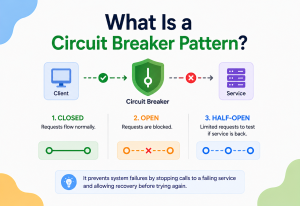
A circuit breaker is a pattern that stops a system from repeatedly hammering a part that is already known to be struggling — much like a real electrical circuit breaker cuts power before wires overheat. Health checks and circuit breakers make a natural pair: the health check identifies the problem, and the circuit breaker acts on that knowledge by giving the struggling part some breathing room to recover, instead of piling more requests onto an already overwhelmed system.
Powering Safer Rolling Updates
When a company releases a new version of its software, it rarely swaps everything over at once. Instead, new copies are brought up gradually, one small batch at a time, and each new copy must pass its readiness check before it is allowed to receive real customer traffic. If the new version turns out to be broken, the rollout pauses automatically, often before more than a tiny fraction of users ever notice anything was different.
Supporting Self‑Healing Systems
In a modern distributed system, engineers often are not watching every single moving piece by hand — there could be hundreds of small services running at once. Health checks feed information into automated tools that can restart a frozen piece, spin up a fresh replacement, or reroute traffic elsewhere, all without a person needing to be awake and paying attention at that exact moment.
A system that can notice its own problems is halfway to fixing them by itself.
Guarding Against “Gray Failures”
Sometimes the trickiest problems are not total crashes — they are a service that is technically still running but responding slowly, or returning wrong answers some of the time, while still passing a shallow health check with flying colours. This sneaky in‑between state is sometimes called a “gray failure,” and it is precisely why deep health checks — the ones that actually test real dependencies — matter so much in serious, large‑scale systems.
A Day in the Life of One Health Check
It can help to imagine a single, specific example from start to finish. Picture an online store’s checkout service, running as five identical copies spread across two data centres, in two different cities, in case one entire city ever loses power or network access. Every five seconds, each of the five copies is asked, quietly and automatically, whether it can reach the payment processor, the inventory database, and the shipping calculator it depends on. On an ordinary afternoon, all five answer “yes” every single time, and shoppers never think twice about it.
Then, one afternoon, the inventory database in one city starts running unusually slowly because of an unrelated maintenance job. The two checkout copies in that city start failing their deep health check, since they can no longer confirm inventory quickly enough. Within moments, the load balancer notices and quietly stops sending new shoppers to those two copies, routing everyone instead to the three healthy copies in the other city. Shoppers keep checking out normally, mostly unaware that half the checkout fleet just quietly stepped aside. Once the maintenance job finishes and the database speeds back up, those two copies start passing their health check again, and traffic gradually flows back to them — no outage, no emergency phone calls, no headline. Just a system quietly doing exactly what it was designed to do.
The Trade‑offs
Health checks are enormously useful, but they come with real costs and limits worth being honest about — small ones each individually, and easy to justify the first time one catches a real problem early.
What You Gain
- Problems get noticed in seconds instead of hours
- Traffic automatically avoids struggling parts of the system
- Updates can roll out gradually and safely
- Many failures fix themselves without waking anyone up
- Everyone gets a clearer, shared picture of system health
What It Costs
- Every check uses a small amount of computing power, and that adds up at large scale
- Poorly tuned checks can cause unnecessary restarts or false alarms
- Deep checks can accidentally overload shared dependencies if too many run at once
- A dishonest or overly simple check can hide real trouble behind a false “all clear”
- Someone still has to design, secure, and maintain the check itself
None of these costs are reasons to skip health checks altogether — they are reasons to build them thoughtfully rather than carelessly. A cheap, honest, well‑paced health check almost always pays for itself many times over the very first time it catches a real problem early.
It is a bit like wearing a seatbelt. There is a tiny, real cost every time — a few extra seconds, a small bit of friction — and on the overwhelming majority of car rides, nothing happens and the seatbelt seems entirely unnecessary. But the entire point of a seatbelt is not to be useful every single time; it is to be there, reliably, for the one time it truly matters. Health checks work the same way: mostly quiet, mostly unremarkable, and occasionally the single reason a small problem never became a very public, very expensive one.

Common Pitfalls
Seven recurring mistakes teams make when they first start building health checks — from the “always says yes” trap to overloading shared dependencies to treating a green light as a guarantee.
Even well‑meaning teams tend to bump into the same handful of mistakes when they first start building health checks. Knowing these ahead of time is often the fastest way to avoid repeating them.
The “Always Says Yes” Trap
The single most common mistake is building a health check that only confirms the program is technically running, without ever checking whether it can actually do its job. This is like asking someone “are you okay?” and only checking that they can still say the word “yes” — even if they clearly are not okay at all.
Overloading Shared Dependencies
When dozens or hundreds of copies of the same service each run a deep health check against the same shared database every second, the monitoring itself can become a real burden on that database — sometimes even contributing to the very outage it was meant to catch early.
One Check, Too Many Jobs
Using the exact same check for liveness and readiness sounds convenient, but it often backfires. If that single check depends on an outside database, a brief database hiccup can cause a perfectly healthy program to get restarted over and over, making a small, temporary problem look like a much bigger one.
Ignoring the Slow‑Starting Program
Some programs simply need time to boot up properly — loading data, connecting to other services, warming up caches. Without a dedicated startup check, an eager liveness check can conclude the program has failed before it ever really got the chance to finish starting, restarting it again and again in an unhelpful loop.
A health check that nobody has looked at in years. Systems change constantly — new dependencies get added, old ones get removed — and a health check that was thoughtfully designed once can quietly become outdated and misleading if it is never revisited.
Checking Too Much, Too Deeply, Too Often
It is tempting, once a team realises how useful deep checks can be, to make every single check as thorough as possible. But a health check that tests twenty different things, every single second, across every copy of a service, can turn a helpful safety habit into a genuine source of slowdown. The goal is not to check absolutely everything — it is to check the handful of things that would actually change how the system should react, and leave the rest to monitoring and logging instead.
Forgetting the Health Check Needs Its Own Safety Net
It is easy to assume the health check itself can never be the broken part, but it absolutely can be. If the small piece of code running the check has its own bug, or hangs forever waiting for a slow dependency, the whole safety mechanism can quietly stop working — while everyone assumes it is still watching faithfully. That is why the checking mechanism itself usually needs a timeout and a bit of its own careful testing, rather than being treated as automatically trustworthy just because it exists.
Treating a Green Light as a Guarantee
A passing health check is reassuring, but it is a snapshot, not a promise. It reflects the exact instant it ran — a service can pass its check and then hit trouble a second later. That is precisely why health checks work best as one layer among several, alongside monitoring, logging, and good old‑fashioned careful engineering, rather than being trusted as the single source of truth for “is everything definitely fine.”
Frequently Asked Questions
Eight quick, honest answers to the questions that come up most often — from “does every part need one?” to “do health checks replace human engineers?”.
Does every part of a system need one?
Not always — a tiny, low‑stakes internal tool might not need one. But anything that real people depend on, or anything other services rely on, benefits enormously from having at least a basic check.
Can a health check slow a system down?
If it is built carelessly — running heavy, expensive tests too often — yes. A well‑designed one is quick and light enough that its cost is essentially unnoticeable.
What happens after a check fails once?
Usually nothing dramatic right away. Most systems wait for several failures in a row before reacting, since a single missed answer is often just a brief hiccup, not a real problem.
Should the check be publicly visible on the internet?
Often it is kept reachable only by trusted internal tools, since exposing detailed health information publicly could accidentally hand useful clues to someone with bad intentions.
Is a health check the same as testing software?
No — testing checks that code works correctly before it is ever used. A health check verifies that an already‑running program is still working correctly, continuously, in the real world.
Can small personal projects benefit from this too?
Definitely. Even a single small website run by one person benefits from a basic health check paired with a simple alert, catching problems long before a visitor has to point them out.
What’s a reasonable place to start if I have nothing yet?
Begin with one shallow check confirming the program is running, wire up a simple alert if it fails a few times in a row, and grow from there as real problems teach you what else is worth checking.
Do health checks replace the need for human engineers?
Not at all — they simply make sure the right human finds out about the right problem at the right time, instead of everyone finding out too late, all at once, from an angry customer.
Key Takeaways
The core idea is small: a health check is nothing more than a short, repeated question, asked patiently, forever, by one piece of software to another. Everything else is thoughtful dressing wrapped around that one simple habit.
After walking through all of this, it is worth stepping back and appreciating how small the core idea really is. A health check is nothing more than a short, repeated question, asked patiently, forever, by one piece of software to another. Everything else — the different types, the tools, the careful timing, the trade‑offs — is really just thoughtful dressing wrapped around that one simple habit. Systems that feel dependable, day after day, are very often systems where somebody took the time to ask that small question well.
Remember This
- A health check is a small, repeated question — “are you okay?” — that lets a system catch problems automatically, often before any human even notices.
- Shallow checks confirm something is running; deep checks confirm it can actually do its job properly, including its dependencies.
- Liveness, readiness, and startup checks each answer a different question and should trigger different reactions — restart, pause traffic, or simply wait patiently.
- A heartbeat says “I’m still here”; a health check says “I’m here, and here’s how well things are going.”
- Load balancers, orchestrators, monitoring tools, and service registries all lean on health checks to make smart, automatic decisions.
- A good health check is fast, honest, well‑paced, and revisited over time — never a decoration that just always says “everything is fine.”
At its heart, the health check is one of those quietly disciplined ideas that shows up wherever software has to survive real‑world messiness — from the earliest server‑monitoring scripts on a single machine, through the load‑balancer health polling of the 1990s and 2000s, to the modern liveness / readiness / startup probes of Kubernetes and the fully managed health‑check services of today’s major cloud platforms. The underlying insight never really changes: something will eventually go quiet or start misbehaving, and the difference between a system that notices within seconds and one that discovers it hours later, from angry customers, almost always comes down to whether a small, patient voice was quietly asking “are you okay?” in the background the entire time.

