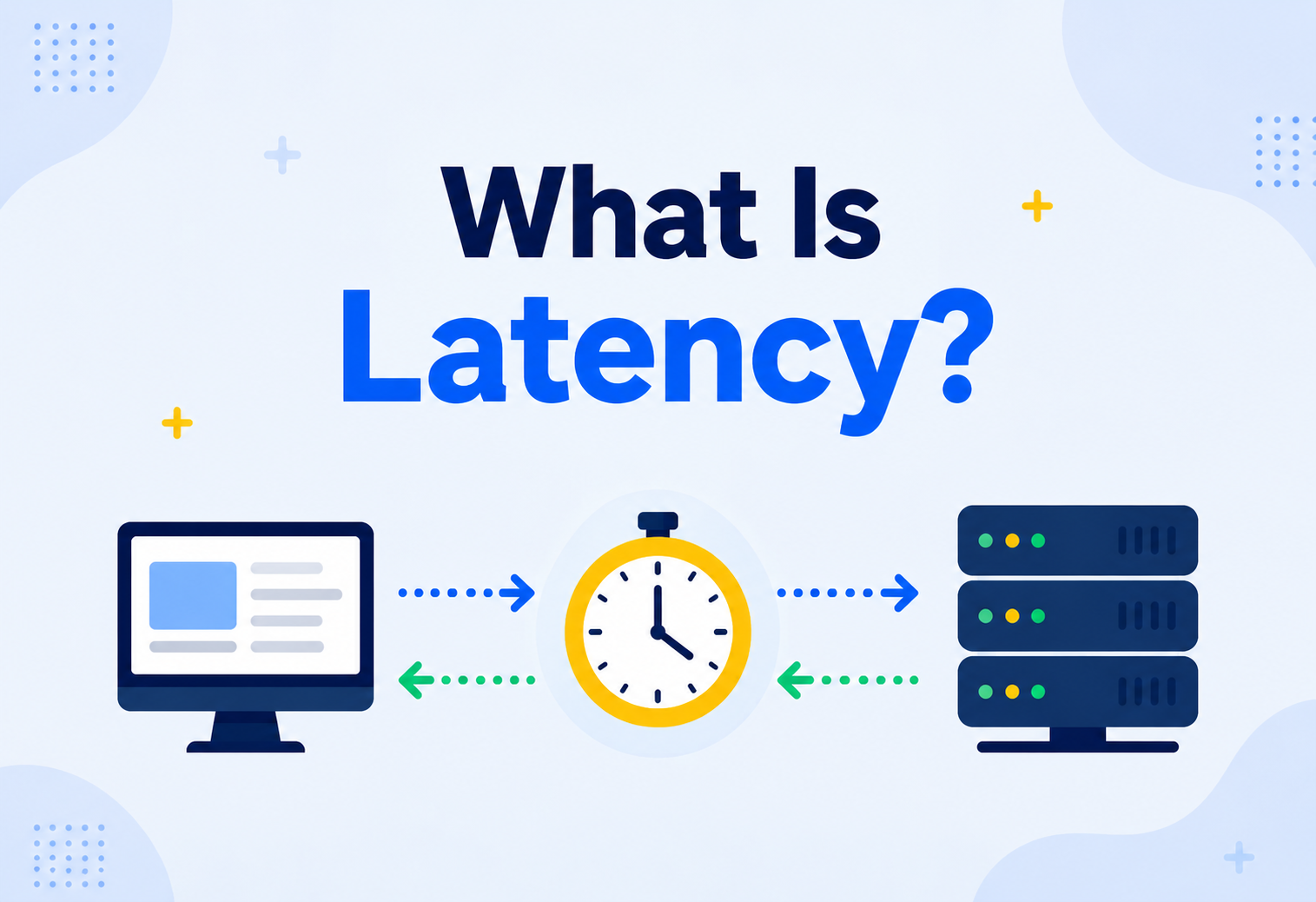
What Is Latency? A Friendly, No‑Jargon Guide
Ever shouted across a canyon and waited for the echo to bounce back? That little wait — the gap between “hello” leaving your mouth and the echo reaching your ears — is a perfect, everyday example of latency. This complete guide unpacks exactly what latency means in computing, why it happens, why it can never be reduced to zero, and why shaving off even a few milliseconds of it can matter enormously.
The Big Idea, in One Breath
Latency is simply the gap between asking for something and getting an answer back. Sound waves show it as the echo returning across a canyon; computers show it every time you tap a button and wait a fraction of a second for anything at all to happen.
Picture yourself standing at the edge of a big, empty canyon. You cup your hands and shout “hello!” as loud as you can. For a brief moment — maybe half a second, maybe a full second — absolutely nothing happens. Then, finally, your own voice comes bouncing back to you as an echo. That little gap of silence, the waiting between shouting and hearing the echo, is a delay. Sound simply takes time to travel, even though it feels almost instant over short distances.
Now imagine something similar happening every single time you tap a button on your phone, load a webpage, or send a message to a friend. Your device sends out a little digital “shout” asking for information, and there is always some tiny gap — usually far too small for you to consciously notice — before the answer comes back. That gap has a name in computing: latency. It is simply the delay between asking for something and getting a response.
Latency is one of those ideas that sits quietly behind almost everything you do online, rarely mentioned by name, yet constantly shaping whether an app feels “snappy” or “sluggish.” This guide is all about understanding exactly what that delay is, why it can never be reduced to absolute zero, and what engineers do to keep it as small as humanly — and physically — possible.
By the end, the goal is simple: the next time you hear someone mention latency, whether in a technical meeting, a gaming forum, or a casual conversation about why a video call felt a little off, you will have a genuinely solid, intuitive picture of what they mean, why it matters, and roughly what is being done about it behind the scenes.
Think about mailing a letter to a friend overseas, versus calling them on the phone. The letter takes days to arrive because it has to physically travel across land, sea, and air. The phone call feels almost instant, but even it has a tiny, real delay — your voice is still travelling, just as electrical signals through cables or radio waves through the air, instead of as an envelope on a truck. Latency is that unavoidable travel time, whether it is measured in days or in thousandths of a second.
What makes latency such a fascinating topic to understand properly is how invisible it usually is. Most of the time, the delay is so small that nobody consciously notices it at all — a webpage simply “loads,” a message simply “sends.” It is only when that delay grows large enough to cross some invisible threshold in our perception that we suddenly feel it, as a stutter, a lag, or a frustrating pause. This guide walks through exactly where that delay comes from, why it can never fully disappear, and what engineers do, every single day, to keep it as small as possible.

What Latency Really Means
At its core, latency is a measurement of delay: how long a piece of information takes to travel from where it starts to where it is going, and — usually — how long it takes a response to make its way back again.
Latency is the amount of time it takes for a piece of information to travel from where it starts to where it is going, and — usually — for a response to make its way back again. It is a measurement of delay, plain and simple, though the reasons behind that delay can get surprisingly layered once you start digging in.
It might help to compare latency to something more familiar: how long you wait for a reply after asking a question out loud. If you ask a friend standing right next to you what time it is, the answer comes back almost instantly. If you send that same question in a letter to a pen pal overseas, the answer might take weeks. Both situations involve exactly the same kind of thing — a question and an answer — but the delay between them is wildly different, shaped entirely by distance and how the message travels. Computers experience an equivalent gap every time they ask each other for information, just compressed down into thousandths of a second instead of days or weeks.
It is worth being precise about a small but important distinction here. Sometimes people talk about one‑way latency — how long it takes a signal to travel in just one direction, from sender to receiver. More often, especially in everyday conversation, people mean round‑trip latency — how long it takes for a request to go out and a response to come all the way back. When your phone loads a webpage, the round trip is what you actually experience: the time between tapping the link and seeing the page appear.
If someone asks “what is the latency here?”, they are usually really asking: “how long do I have to wait after I ask for something, before I get my answer back?”
It is worth noting that latency is not inherently a bad thing, or a mistake to be fixed — it is simply a fact of how information travels through the physical world. Even the most brilliantly engineered system in existence still has some latency, because information takes time to move from one place to another, no matter how good the technology is. The goal was never to eliminate latency entirely; it is to understand it well enough to shrink it wherever it genuinely matters.
A Short History: Why We Even Talk About This
Delay is not a new idea — humans have grappled with it for as long as messages have needed to travel. What changed with computers was the scale and the stakes, not the underlying problem.
The idea of delay is not new — humans have dealt with it for as long as messages have needed to travel from one place to another. A messenger running between ancient cities, a ship carrying letters across an ocean, a telegraph wire carrying a coded message — every one of these had its own kind of latency, long before computers ever existed.
What changed with computers was the scale and the stakes. Early computer networks connected just a handful of machines, often in the same building, so latency was barely worth discussing — the delay was so small it hardly mattered. As networks grew to connect computers across entire countries, and eventually across the whole planet through the internet, latency became something engineers had to actively measure, understand, and design around, rather than something that simply took care of itself.
Today, with billions of devices constantly exchanging information across a truly global network, latency has become one of the most carefully studied and actively managed aspects of modern computing. Entire companies exist purely to help other companies reduce it, and huge amounts of engineering effort, worldwide, go into shaving off milliseconds that most users will never consciously notice — but would absolutely notice if they were suddenly missing.
It is a genuinely interesting shift to reflect on: the same basic physical fact — that information takes time to travel — mattered so little in the earliest days of computing that barely anyone discussed it, and now matters so much that it shapes where companies build data centres, which technologies get adopted, and how much money gets invested in physical infrastructure spanning oceans and continents. The problem never really changed. What changed was the scale at which it started to matter.
How Latency Is Measured
Latency is almost always measured in milliseconds — thousandths of a second. Small as they sound, those tiny units are the difference between an app that feels effortless and one that feels sluggish.
Latency is almost always measured in a tiny unit of time called a millisecond, often shortened to “ms.” A millisecond is one thousandth of a second — so small that a single, ordinary human blink takes somewhere around 100 to 150 milliseconds, far longer than the latency of many everyday online actions.
To put these tiny numbers in perspective: a request to a nearby server, perhaps in the same city, might take somewhere around 10 to 30 milliseconds for a full round trip. A request to a server on another continent might take 150 milliseconds or more, simply because of the extra distance involved. Neither of these numbers sounds like much on its own, but as you will see throughout this guide, that difference can be the gap between an app that feels effortless and one that feels noticeably sluggish.
A common tool for casually checking latency is something called a ping, which sends a tiny test message to another computer and measures how long it takes for a reply to come back. It is a bit like clapping your hands once in an empty room and timing how long it takes to hear the echo — a simple, quick way to get a rough sense of how “far” or “slow” a connection feels, even before anything more complicated is asked of it.
It is also worth knowing that latency is rarely a single, fixed number. It tends to wobble slightly from moment to moment, depending on network conditions, how busy a server is, and dozens of other small factors. Engineers often talk about average latency alongside peak latency — the typical delay most of the time, versus the occasional worst‑case delay that shows up under pressure.

Why Engineers Care About the Worst Cases, Not Just the Average
A simple average can actually hide a lot of important information. Imagine a service that answers almost every request in a lightning‑fast 20 milliseconds, but occasionally — say, one time in a hundred — takes a painfully slow 2000 milliseconds. The average might still look perfectly respectable, but that means one in every hundred visitors is having a genuinely bad experience. This is why engineers often look at something called a percentile — for example, “the slowest 1% of requests” — to make sure those occasional bad experiences are not being quietly hidden behind a comfortable‑looking average.
Latency vs. Throughput vs. Bandwidth
These three words get mixed up constantly, even though they describe genuinely different things. Getting them straight makes the rest of this guide much easier to follow.
These three words get mixed up constantly, even though they describe genuinely different things. Getting them straight makes the rest of this guide much easier to follow.
Imagine a highway. Latency is how long it takes one single car to drive from one end to the other. Bandwidth is how many lanes the highway has — how much traffic it could theoretically handle at once. Throughput is how many cars actually make it through in a given period of time, which depends on both the number of lanes and how smoothly traffic is actually flowing.
| Term | What It Measures | Highway Equivalent |
|---|---|---|
| Latency | How long one trip takes, start to finish | The time for one car to cross the highway |
| Bandwidth | The maximum possible capacity of a connection | The total number of lanes available |
| Throughput | How much actually gets through in practice | How many cars actually cross per minute |
A connection can have huge bandwidth — plenty of lanes — and still suffer from high latency, if each individual trip simply takes a long time, perhaps because the highway is extremely long. This is exactly why adding more bandwidth does not automatically fix a “slow‑feeling” connection; if the delay is caused by distance or waiting, more lanes will not make a single car arrive any faster.
This distinction trips up a lot of people the first time they encounter it, because in everyday language we often use “fast internet” to loosely mean both at once. But a household with an enormous amount of bandwidth — plenty capable of streaming several high‑quality videos at the same time — can still experience a laggy, frustrating video call if the latency to the other person is high, perhaps because they are on the opposite side of the world. Knowing which one is actually the culprit is the first step toward fixing the right problem, rather than throwing money at the wrong one.
Here is a practical way to tell them apart when troubleshooting a slow‑feeling connection: a bandwidth problem usually shows up as things taking a long time to fully load, especially large files or high‑quality video, while a latency problem shows up as a noticeable delay before anything starts happening at all, even for very small requests. Both feel “slow” to an ordinary user, but they call for completely different fixes, which is exactly why separating the two ideas clearly matters so much.
What Actually Causes Latency
Latency is not one single thing — it is usually the sum of several smaller delays, each adding a little bit of time before a final response arrives. Understanding these individual pieces makes the overall idea feel far less mysterious.
Latency is not one single thing — it is usually the sum of several smaller delays, each adding a little bit of time before a final response arrives. Understanding these individual pieces makes the overall idea feel far less mysterious, and helps explain why fixing latency is rarely as simple as “just make the internet faster.”
Simple distance
Information can only travel so fast, even at nearly the speed of light, so the further it has to go, the longer it takes.
Squeezing through the pipe
Larger amounts of data take longer to push through a connection, the same way a wide truck takes longer to pass through a narrow gate.
Thinking time
Once a request arrives, a computer needs a little time to actually work out and prepare the correct response.
Waiting in line
If a server is busy handling other requests first, a new request has to wait its turn, just like standing in a queue.
It helps to picture these four causes as four separate tollbooths a request has to pass through on its journey. Even if each individual tollbooth only adds a tiny delay, a request still has to pass through every single one of them, one after another, before a response can make its way back. Speeding up any one tollbooth helps a little; speeding up all four together is where the real, noticeable improvement comes from. A system that only optimises one of the four, while leaving the other three untouched, often sees far less improvement than expected, simply because the untouched delays are still quietly adding up in the background.
These four delays add together to create the overall latency you actually experience. On a fast, nearby, uncrowded connection, all four are tiny, and the whole round trip might take only a handful of milliseconds. On a slow, distant, or crowded connection, each one grows, and they stack up into a delay that a person can genuinely feel.
The One Delay Nobody Can Ever Remove
Of these four causes, propagation delay deserves special attention, because it is the one that can never be engineered away completely. Even a signal travelling through fibre‑optic cable, moving at a significant fraction of the speed of light, still takes a measurable amount of time to cross a long distance. Sending information from one side of the planet to the other and back again takes roughly a tenth of a second at an absolute physical minimum — no amount of clever engineering, however brilliant, can push that number below what the laws of physics allow.
Latency Across Different Connection Types
Not all connections are created equal when it comes to latency. The physical technology carrying your information plays a huge role, often before propagation distance even enters the picture.
Not all connections are created equal when it comes to latency. The physical technology carrying your information plays a huge role in how much delay gets added before propagation distance even enters the picture. Two people living the exact same distance from a server can experience very different latency, purely because of how their signal actually gets there.
| Connection Type | Typical Feel | Why |
|---|---|---|
| Fibre‑Optic Cable | Very low latency | Signals travel as light through glass, close to the fastest speed physically possible |
| Home Wi‑Fi | Low, but variable | Radio waves can be affected by walls, distance from the router, and interference |
| Mobile Data (4G/5G) | Low to moderate | Signals travel through the air to a nearby tower, adding a small extra hop |
| Older Copper Cable | Moderate to higher | Electrical signals through metal wire travel a little slower and degrade over distance more than light through fibre |
| Satellite Internet | Noticeably higher | Signals must travel all the way up to a satellite and back down again |
Satellite connections are a particularly striking example worth understanding on their own. Even though the signal still travels close to the speed of light, the sheer distance to many satellites and back adds a delay that is simply unavoidable, no matter how advanced the satellite technology becomes. This is exactly why satellite internet, even when it offers generous bandwidth, can still feel noticeably laggier for real‑time activities like video calls or gaming compared to a wired, fibre connection covering the same distance on the ground.
Newer generations of satellite internet have made real progress here by flying satellites much closer to Earth than older systems did, which shortens that up‑and‑down journey considerably. It is a great real‑world example of engineers directly attacking propagation delay, the one cause of latency that can never be eliminated, only reduced by shrinking the actual physical distance a signal has to travel.
Choosing between these connection types is not always within an individual person’s control — someone living in a remote area might simply not have fibre available, no matter how much they would prefer it. But understanding the differences helps set realistic expectations, and helps explain why two people complaining about “the same app being slow” might actually be dealing with two completely different underlying causes, shaped by the very different connections carrying their data.
Different Kinds of Latency
The word “latency” shows up in more places than just internet connections. It is a general idea — delay between asking and answering — that applies at nearly every layer of a computer system.
The word “latency” shows up in more places than just internet connections. It is a general idea — delay between asking and answering — that applies at nearly every layer of a computer system, from the network all the way down to the tiny circuits inside a single chip.
The most familiar kind
The delay caused by information travelling between two devices over a network, like the internet.
Fetching saved information
The delay involved in reading or writing information to a storage device, like a hard drive.
Inside the computer itself
Even fetching information from a computer’s own memory takes a tiny, measurable amount of time.
What you actually notice
The total delay a person experiences, combining every technical delay along the way into one overall feeling of “fast” or “slow.”
It is this last one — human‑perceived latency — that ultimately matters most in everyday life. Nobody sits around thinking about propagation delay or queuing delay while using an app; they simply notice whether it feels quick or annoying. All the technical layers underneath exist purely in service of making that final, human experience feel as close to instant as realistically possible.
It is worth noticing, too, that these different kinds of latency often stack on top of each other inside a single action. Tapping “send” on a message might involve memory latency as the app reads what you typed, disk latency as it briefly saves a draft, and network latency as it travels to your friend’s phone — all within the same fraction of a second, all invisible, all quietly adding up into the one number that actually matters to you: how long you waited to see “delivered” appear on your screen.
Thinking of these layers as nested inside one another, rather than separate and unrelated, helps explain why fixing latency in a large, complex system often feels like peeling back layers of an onion. Solve the network delay, and suddenly the database delay becomes the largest remaining piece. Solve that, and something else, previously too small to matter, becomes the new bottleneck. This is a completely normal part of the process, not a sign that something was done wrong — it simply reflects how many separate, small delays are quietly stacked underneath even the simplest‑feeling action.
Why Latency Matters So Much
A small delay might sound trivial to worry about, but latency has a surprisingly outsized effect on how people feel about the things they use every day. Human patience has well‑studied limits, and latency bumps up against them constantly.
A small delay might sound like a trivial thing to worry about, but latency has a surprisingly outsized effect on how people feel about the things they use every day. Human patience, it turns out, has some fairly predictable, well‑studied limits, and latency bumps up against them constantly.
Researchers studying how people experience waiting have found fairly consistent thresholds like these across many different kinds of software. Below roughly a tenth of a second, an action feels genuinely instant, as if it happened the moment you asked. Once a delay creeps past about a second, people notice a pause, even if they do not consciously complain about it. And once a wait stretches beyond several seconds, attention drifts, frustration builds, and people are far more likely to give up and leave altogether.
This is not just a matter of comfort — it has real, measurable business consequences too. Companies that study their own websites and apps consistently find that even small increases in latency lead to fewer people completing a purchase, fewer people finishing a signup, and more people abandoning a task partway through. A delay too small to consciously notice can still, in aggregate, quietly cost a business a meaningful amount of revenue, simply because a slightly slower experience nudges a slightly larger share of visitors to give up.
How Our Brains Actually Perceive Delay
These particular thresholds — a tenth of a second, a full second, several seconds — are not numbers engineers picked out of thin air. They are facts about human psychology that computing simply has to design around.
It is worth understanding a little about why these particular thresholds — a tenth of a second, a full second, several seconds — feel meaningfully different to us, rather than being arbitrary numbers engineers picked out of thin air. This is not really a computing fact at all; it is a fact about human psychology that computing simply has to design around.
Human perception has its own built‑in sense of “cause and effect.” When an action and its result happen close enough together in time, our brains stitch them into a single, seamless experience — press the button, see it light up, feels instant. Once a gap grows large enough, our brains start to perceive them as two separate events, with a noticeable wait in between, and that is precisely the moment something starts to feel “laggy” rather than “instant.”
This is a big part of why loading indicators and progress bars exist at all. They do not reduce the actual latency by a single millisecond, but they change how that wait is perceived — turning an unexplained, anxious pause into a predictable, explained one, which people tolerate far better even when the underlying delay has not changed at all.
There is a well‑known trick that plays with this same idea: showing something happening immediately, even before the real answer is ready, to reassure a person that their action was received. A button that visibly presses down the instant you tap it, before the actual result loads a moment later, feels far more responsive than one that waits silently and only reacts once everything is fully ready — even if the total time to completion is exactly the same in both cases. Understanding this gap between actual latency and perceived latency is a genuinely valuable skill for anyone designing how people experience waiting.
This gap between reality and perception is also why two systems with identical, measured latency can leave people with completely different impressions. One might communicate clearly what is happening — a spinner, a progress bar, a friendly message — while the other simply goes silent and hopes for the best. The actual delay is the same in both cases, but the silent one almost always feels slower, sometimes dramatically so, purely because of how little reassurance it gives the person waiting.

Signs Latency Might Be Hurting Your Product
A handful of warning signs tend to show up together when latency has quietly become a real problem, well worth watching for.
A handful of warning signs tend to show up together when latency has quietly become a real problem, well worth watching for.
- People abandon actions partway through, especially multi‑step processes like checkouts or sign‑ups, without any obvious error occurring.
- Feedback mentions the product “feeling slow” even when nothing is technically broken or showing an error message.
- Usage drops noticeably for visitors in certain regions, often a sign that distance to the nearest server is adding a heavy, unaddressed delay.
- Real‑time features, like chat or live updates, feel a beat behind, subtly breaking the natural rhythm people expect from them.
None of these signs point to a single, obvious fix on their own — but together, they are strong evidence that it is worth measuring latency carefully, rather than assuming a product is fast simply because nothing is visibly broken.
A useful habit is treating these signs the way a doctor treats symptoms rather than a final diagnosis — each one narrows down where to look next, rather than proving exactly what is wrong on its own. A team that notices several of these signs together, and takes the time to actually measure latency at each step of a suspect action, usually finds the real culprit far faster than a team that guesses based on gut feeling alone.
Latency in the Real World
Different activities have wildly different tolerances for latency, which is exactly why engineers building different kinds of products worry about it in very different ways.
Different activities have wildly different tolerances for latency, which is exactly why engineers building different kinds of products worry about it in very different ways. What counts as “fast enough” for one activity might feel painfully broken for another.
Every millisecond counts
A delay of even a fraction of a second between pressing a button and seeing it happen on screen can be the difference between winning and losing a fast‑paced match.
Natural conversation flow
Too much delay makes people accidentally talk over each other, since the natural pauses of conversation get thrown off by lag.
Fractions of a cent matter
In fast‑moving markets, being a few milliseconds faster than a competitor can meaningfully affect the price a trade is completed at.
The patience of a passerby
A webpage that loads even a little slowly can lose visitors before it ever gets the chance to show them anything.
Notice how different the stakes are across these examples. A slightly slow‑loading blog post is mildly annoying. A slightly delayed reaction in a competitive game can end a match. A slightly delayed trade can cost real money. This is exactly why “how much does latency matter here?” is one of the very first questions a thoughtful architect asks when designing any new system.
A Familiar Example: Video Streaming
Think about pressing play on a video and how quickly it actually starts. Behind that simple tap, a request travels out to find the nearest available copy of the video, confirms you are allowed to watch it, and starts sending back the very first few seconds of footage — all before a single frame appears on your screen. Services that specialise in video work incredibly hard to shrink every one of these steps, because a video that takes several seconds to start playing feels broken to most people, even if it plays perfectly smoothly once it finally begins.
A Closer Look: Competitive Gaming
Few activities expose latency as ruthlessly as fast‑paced online gaming. When a player presses a button, that action typically has to travel to a server, get processed alongside everyone else’s actions happening at nearly the same instant, and then travel back down to every player’s screen so everyone sees a consistent, agreed‑upon version of what just happened. A delay of even fifty extra milliseconds can mean the difference between successfully dodging an attack and not — which is exactly why competitive players often go to great lengths, like choosing wired connections over wireless ones, purely to shave off every possible millisecond of delay.
This same basic pattern shows up everywhere in daily life, not just in computing. A radio DJ speaking live has a small, real delay before listeners actually hear their voice, caused by the time it takes the signal to travel out over the airwaves. A television broadcast of a live event reaches viewers a few seconds after it actually happens, delayed by cameras, processing equipment, and the journey across satellites or cables. Even a quick exchange between two people on a walkie‑talkie has a small delay, noticeable the moment you press the button and wait that extra beat before speaking. Latency is not a uniquely digital problem — it is simply what happens whenever information has to travel any distance at all, computers or not.
How Engineers Reduce Latency
Since latency can never be reduced all the way to zero, engineers focus on shrinking it as much as realistically possible, using a handful of well‑established techniques, often layered together for the best possible result.
Since latency can never be reduced all the way to zero, engineers instead focus on shrinking it as much as realistically possible, using a handful of well‑established techniques, often layered together for the best possible result.
Get closer to people
Storing copies of information at locations physically closer to visitors around the world dramatically cuts down travel distance.
Skip the long trip entirely
Keeping a nearby copy of frequently needed information avoids fetching it from far away every single time.
Send less, arrive sooner
Shrinking the size of information before sending it means less data has to squeeze through the connection.
A shorter path
Choosing a more direct path across the network can shave off unnecessary detours a signal might otherwise take.
It is worth noticing that most of these techniques attack a different one of the four causes covered earlier. Content delivery networks and better routing both fight propagation delay by shortening distance. Compression fights transmission delay by shrinking what needs to be sent. Caching often sidesteps processing delay entirely, by avoiding the need to redo expensive work at all. Thinking about latency reduction this way — matching the fix to the specific cause — tends to produce far better results than randomly trying popular techniques without understanding which particular delay they are actually meant to address.
There is also a technique called edge computing, which takes caching a step further — instead of just storing a copy of information closer to visitors, it actually runs a small piece of processing closer to them too, so requests do not need to travel all the way back to one distant, central location just to get an answer computed.
Another quiet but powerful technique is choosing the right underlying protocols — the agreed‑upon rules computers use to talk to each other. Some protocols are specifically designed to reduce the number of back‑and‑forth exchanges needed before real information can start flowing, shaving off precious milliseconds before a connection is even fully ready. Most people never think about which protocol their apps use under the hood, but engineers choosing between them are often making a direct, deliberate trade for lower latency.
The single biggest lever for reducing latency is usually distance. Moving information and computation physically closer to the people using it tends to help far more than almost any other single optimisation.
Setting a Latency Budget
Many experienced teams use a helpful planning tool called a latency budget — an agreed‑upon target for how long a particular action is allowed to take, broken down piece by piece. If a webpage needs to feel snappy within 200 milliseconds total, a team might budget 50 milliseconds for the network trip, 100 milliseconds for the server to prepare a response, and the remaining 50 milliseconds for the page to actually display. Thinking about latency this way turns a vague goal like “make it faster” into specific, measurable targets that different parts of a team can actually work toward.
A latency budget also helps settle arguments before they even start. Without one, every team involved in building a product might assume “fast” means something slightly different, leading to mismatched expectations and finger‑pointing when the finished product feels sluggish. With a clear, shared budget, everyone knows exactly what they are aiming for, and it becomes far easier to spot which specific piece of a system is eating up more than its fair share of the total allowed time.

The Honest Trade‑Offs
Chasing low latency is not free — it usually comes with real trade‑offs that a thoughtful architect has to weigh carefully, rather than assuming faster is always simply better regardless of cost.
Chasing low latency is not free — it usually comes with real trade‑offs that a thoughtful architect has to weigh carefully, rather than assuming faster is always simply better regardless of cost.
Benefits of Low Latency
- Apps feel fast, responsive, and pleasant to use
- Real‑time activities like calls and games work smoothly
- People are less likely to give up and leave
Costs of Chasing It
- Extra infrastructure, like CDNs, costs real money
- Some techniques trade accuracy or freshness for speed
- There is a physical floor that can never be pushed below
A mature approach to latency treats it as one important goal among several, not the only goal that matters. The healthiest systems are the ones where a team has honestly weighed how much latency genuinely costs them against how much reducing it further would cost to build, and made a deliberate, informed choice — rather than either ignoring latency entirely or chasing it obsessively without regard for everything else a good system needs to get right.
This last point deserves special attention: the speed of light is not a suggestion. No matter how much money or engineering talent is thrown at the problem, information can never travel faster than that fundamental physical limit. This means latency between two very distant points on the planet will always have some unavoidable minimum, no matter how advanced the technology becomes.
There is a related trade‑off worth understanding too, one that shows up constantly in distributed systems: the tension between latency and consistency. A system that insists on checking with every single copy of its data before answering, just to be perfectly sure everyone agrees, will always be slower than a system willing to answer quickly using a slightly older, “good enough” copy. Neither choice is universally right — it depends entirely on how much a particular situation values speed versus perfect, up‑to‑the‑second accuracy.
A similar trade‑off shows up around security too. Extra security checks — verifying identity, encrypting information, checking permissions — all take a small amount of extra time, adding to overall latency. Skipping these checks would make a system faster, but obviously at an unacceptable cost. Recognising that latency sits in a constant, ongoing negotiation with other important goals — accuracy, safety, cost — rather than being the only thing that matters, is part of what separates a thoughtful architect from someone chasing speed for its own sake.
Best Practices for Managing Latency
Teams that handle latency well tend to follow a fairly consistent set of habits, developed through years of watching real users interact with real, sometimes slow, systems.
Teams that handle latency well tend to follow a fairly consistent set of habits, developed through years of watching real users interact with real, sometimes slow, systems.
- Measure before optimising. Know exactly where the delay is actually coming from before trying to fix it.
- Set a “latency budget.” Decide in advance how much delay is acceptable for a given action, and design toward that target.
- Bring information and computation closer to users. Distance is consistently one of the biggest contributors to delay.
- Cache wisely. Avoid repeating slow, expensive work for information that has not actually changed.
- Test from real locations. A system that feels fast from the office might feel very different to someone on the other side of the world.
- Watch the worst cases, not just the average. A comfortable‑looking average can hide a painful experience for a meaningful slice of visitors.
- Give people something to look at while they wait. A simple loading indicator can make an unavoidable delay feel noticeably less frustrating, even without changing the actual wait time.
Managing latency well is a bit like planning a road trip. You would not set off without knowing roughly how long the journey should take, and you would naturally expect a longer trip to cost more time than a short one. Good latency management applies that same everyday common sense to something invisible, measuring and planning for delay just as carefully as a driver plans for distance.
Common Myths Worth Clearing Up
A handful of misunderstandings about latency come up again and again, even among people who work with technology regularly. Clearing them up early helps avoid a lot of wasted effort chasing the wrong fix.
Myth: More bandwidth always means a faster‑feeling experience
Not true. As covered earlier, bandwidth and latency measure different things. A connection can have enormous bandwidth and still feel sluggish if the delay itself, caused by distance or waiting, remains high.
Myth: Latency is only a concern for gamers
Not true. Latency quietly affects nearly everything online — shopping, browsing, messaging, video calls — even when nobody involved is playing a game. Gamers simply tend to notice it more sharply because their activity is so fast‑paced.
Myth: A single “ping” number tells you everything you need to know
Not true. A ping is a useful, simple starting point, but real applications often involve far more complex exchanges than one small test message, and their actual experienced latency can differ meaningfully from a basic ping result.
Myth: Latency problems are always the network’s fault
Not true. A slow server, a slow database lookup, or inefficient processing can all add just as much delay as the network itself — sometimes more. Blaming the network first can waste time chasing the wrong fix.
Myth: If an app feels fast on your own device, it is fast for everyone
Not true, and this is an easy trap to fall into. A product tested only from a fast connection in a well‑connected city can feel dramatically different to someone on a slower connection, or on the other side of the world from the nearest server. Testing from a variety of real, representative locations is the only reliable way to know how something actually feels for most people.
Myth: Latency is a solved problem for large, well‑funded companies
Not true. Even the largest, most well‑resourced companies continue to invest heavily in reducing latency year after year, because user expectations keep rising and because new features — richer video, more real‑time interactions — keep introducing fresh latency challenges even as old ones get solved.
Questions People Often Ask
A few questions about latency come up again and again, in conversations ranging from casual curiosity to serious system design decisions. Here are honest, straightforward answers to the most common ones.
Is low latency the same thing as fast internet?
Not exactly. A connection can have very high bandwidth — plenty of capacity — while still having noticeable latency, especially if the distance involved is large.
Can latency ever be completely eliminated?
No. Because information can never travel faster than the speed of light, and because computers always need at least a small amount of time to process anything, some delay is always unavoidable.
Why does a video call sometimes feel awkward even with a good connection?
Even a small amount of latency can throw off the natural rhythm of conversation, causing people to accidentally speak over each other while waiting for a reply that is already on its way.
Does latency affect every type of app equally?
No. Fast‑paced, real‑time activities like gaming or video calls are far more sensitive to latency than something like reading an email, where a small delay is barely noticeable.
Why do some websites feel fast even though I am far from the company’s headquarters?
Because many large services store copies of their content on servers spread around the world, so you are usually talking to a nearby copy rather than one distant, central computer. This is one of the most common and effective ways companies fight latency at scale.
Is there a difference between latency and “lag”?
Not really — “lag” is simply the everyday, informal word people use to describe the effect of high latency, especially in gaming. Latency is the technical measurement; lag is how it feels.
Can weather or physical conditions affect latency?
Occasionally, yes, particularly for wireless and satellite connections, where interference or signal strength can add extra delay. Most wired, cable‑based connections are far less affected by these kinds of external conditions.
Is it ever worth paying more money purely to reduce latency?
For some businesses, absolutely. If a small delay measurably costs sales, frustrates users, or breaks a core feature like real‑time gaming or trading, investing in lower latency can easily pay for itself many times over. For a simple personal blog, that same investment usually would not be worth the cost.
What is the very lowest latency theoretically possible between two points?
It is set by the speed of light and the distance involved — roughly a millisecond for every couple of hundred kilometres a signal has to travel, at an absolute best case. Real‑world connections are always somewhat slower than this theoretical minimum, since signals rarely travel in a perfectly straight line and always pass through some processing equipment along the way.

Words Worth Knowing
A short glossary gathering the key terms from this guide, worth a quick glance any time one of these words comes up again in a conversation about how fast — or slow — something feels.
The delay itself
The amount of time between asking for something and getting a response.
There and back
How long it takes for a request to travel out and its response to travel all the way back.
How much gets through
The actual amount of work or data a system handles in a given period of time.
Maximum capacity
The theoretical upper limit of how much data a connection could carry at once.
A quick delay check
A small test message sent to measure how long a round trip currently takes.
Content delivery network
A network of servers placed around the world to store copies of content closer to visitors.
A speed target
An agreed‑upon limit for how long a particular action should take, broken down into smaller pieces.
Processing up close
Running small pieces of computation physically closer to users, rather than at one distant, central location.
A Day in the Life of a Single Tap
To bring everything together, it helps to follow one ordinary action all the way through, watching latency happen in real time.
You tap a button
Your device begins preparing a request, a process that itself takes a small, almost unnoticeable slice of time.
The request travels out
It journeys across your home network, out to your internet provider, and onward toward its destination, covering real physical distance.
A server receives and processes it
The receiving computer reads the request, does whatever work is needed to prepare an answer, and gets a response ready to send back.
The response makes its way back
It retraces a similar journey in reverse, travelling back across the network to your device.
Your screen updates
The answer finally appears in front of you — and the entire round trip, from tap to display, likely happened in well under a quarter of a second.
Every one of these five steps adds a small, real amount of delay, and together they form the total latency you actually experience. On a well‑optimised system, this entire journey happens so quickly that it feels completely instant — which is really the whole point. The best latency, in a sense, is the latency you never notice at all.
Now imagine this same five‑step journey happening not once, but thousands of times over, for every image, every piece of text, and every small interaction on a single, ordinary webpage. A page that feels instant to load is really the product of dozens of these tiny round trips, all completed and layered together so seamlessly that they blend into one smooth, single moment from your point of view. That seamless blending is, quietly, one of the most impressive achievements of modern computing — even though almost nobody ever stops to notice it happening.
Key Takeaways
We began at the edge of a canyon, waiting for an echo, and ended up walking through propagation delay, latency budgets, and the quiet, constant engineering effort spent shrinking a delay most people never consciously notice.
We began at the edge of a canyon, waiting for an echo, and ended up walking through propagation delay, latency budgets, and the quiet, constant engineering effort spent shrinking a delay most people never consciously notice. Underneath all of it sits one simple truth: information takes time to travel, and every system, no matter how advanced, has to work within that basic, unavoidable fact. Understanding latency well means understanding exactly where that time goes — and exactly how much of it can, and cannot, ever be won back. The next time an app feels instant, a video starts the moment you press play, or a message arrives before you have even put your phone down, you will know there is a small, invisible journey happening behind that moment — one that a great many careful decisions went into making feel effortless.
Remember This
- Latency is simply the delay between asking for something and getting a response. Whether it is a shout across a canyon or a tap on a phone, the shape of the idea is the same.
- It is usually measured in milliseconds, and made up of several smaller delays stacked together. Propagation, transmission, processing, and queuing all add their own share of the total.
- Latency, throughput, and bandwidth are related but genuinely different measurements. Confusing them leads to fixing the wrong problem and spending money in the wrong place.
- Different activities have very different tolerances for delay, from barely‑noticeable to game‑ending. Context decides whether a delay is a minor annoyance or a serious problem.
- Distance is one of the biggest contributors to latency, which is why bringing information closer to users — through CDNs, caching, and edge computing — helps so much.
- Latency can be shrunk dramatically, but never fully eliminated, because of real physical limits like the speed of light itself.

