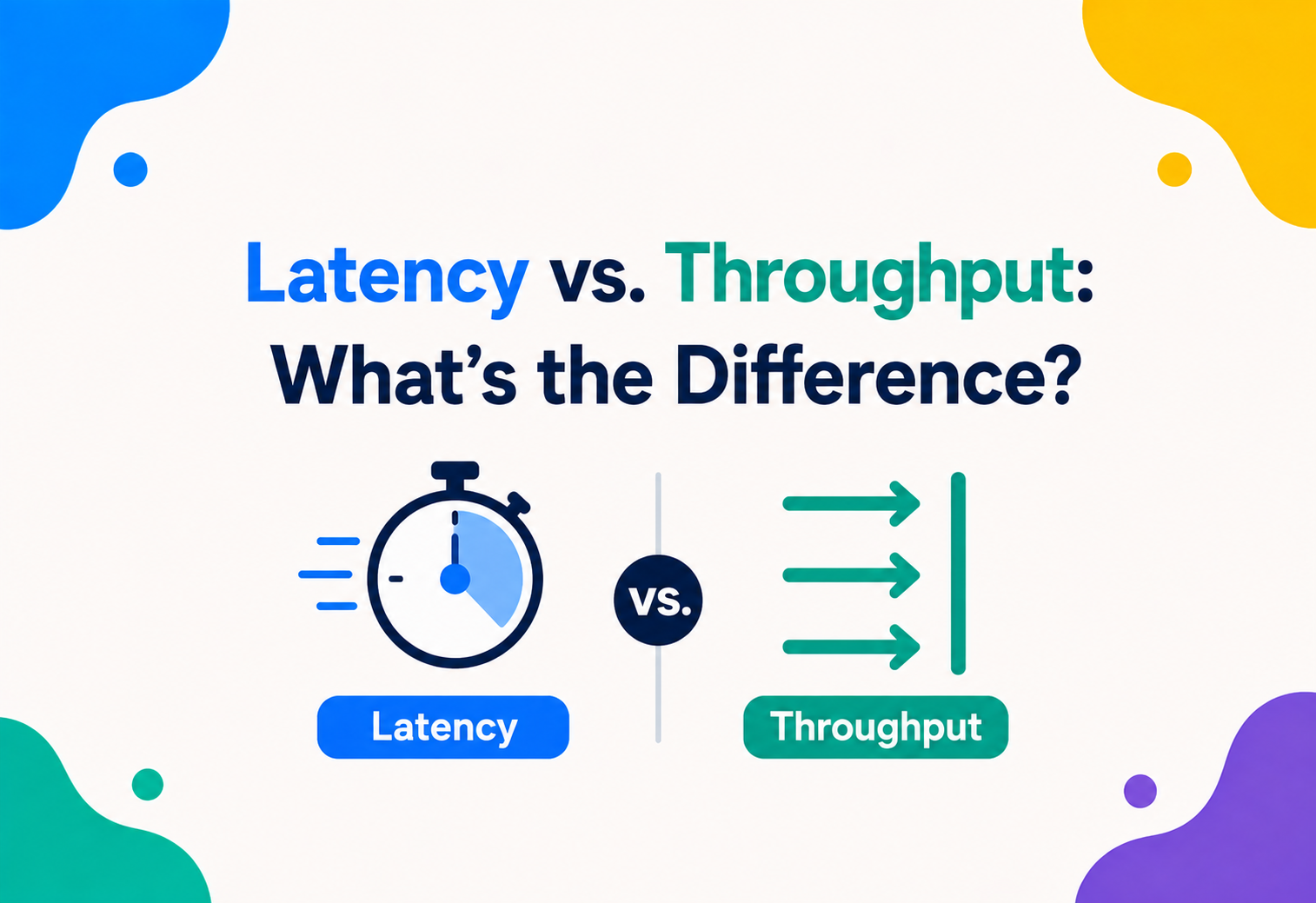
Latency vs. Throughput: What’s the Difference?
Two systems can both be called “fast” and still feel completely different to use. One question — how long does a single thing take? — and another — how much gets through overall? — turn out to be genuinely different measurements, and mixing them up leads to some very expensive engineering mistakes. This complete guide walks through what each one really means, why they matter, and how the best engineers reason about them together.
The Big Idea, in One Breath
Latency is how long one thing takes. Throughput is how much gets through overall. Both are called “speed,” but they answer two genuinely different questions — and confusing them causes some of the most expensive mistakes in performance engineering.
Picture two very different roads leaving the same city. The first is a narrow mountain pass — twisty, but so short that a single car crosses it in just two minutes. The second is a wide, straight ten‑lane highway that takes a full hour to drive end to end, simply because it is so much longer. Which road is “better”? It depends entirely on what you are asking.
If your question is “how quickly can one single car get across,” the short mountain pass wins easily — that is a question about latency, the delay a single trip experiences. If your question is “how many total cars can this road move from one end to the other every hour,” the wide highway wins by a landslide, even though any one car takes far longer on it — that is a question about throughput, the total volume a system can move over time.
This is the entire heart of the distinction that trips up so many people working with computer systems, networks, and even everyday project teams. Latency and throughput are both, in their own way, measures of “speed” — but they are answering two genuinely different questions, and a system can be excellent at one while being mediocre at the other, entirely on purpose.
Think about a grocery store checkout. Latency is how long it takes you, personally, standing at the register right now, to pay and walk out with your bags — maybe ninety seconds. Throughput is how many total customers the whole row of registers can check out across a busy hour — maybe three hundred people. A store could add more clerks to check out more people overall, dramatically boosting throughput, without making your own personal ninety‑second checkout experience feel any faster at all.
Keep that mountain pass and that grocery checkout in mind as you read on, because nearly every idea in this guide — the trade‑offs, the engineering decisions, the surprising math behind why systems slow down under load — comes back to that same fundamental distinction: how long does one thing take, versus how much gets through overall?
It is worth noting upfront that neither measurement is inherently more important than the other. Plenty of excellent systems deliberately favour one over the other, and plenty of poor systems fail specifically because someone optimised the wrong one for what their users actually needed. Learning to tell the two apart, and knowing which one genuinely matters in a given situation, is one of the most practically useful skills in performance engineering.

A Short History of the Distinction
Engineers have been wrestling with “how fast is one thing” versus “how much gets done overall” for far longer than computers have existed — and the hard‑won lessons of that history quietly shaped the way modern systems are designed today.
Factory designers in the early twentieth century already understood that a single, blazing‑fast machine on an assembly line meant little if it constantly sat idle waiting for slower stations around it — a lesson in exactly this distinction, decades before anyone called it latency or throughput.
When telephone networks and early computer networks emerged through the mid‑twentieth century, engineers needed precise language for two very different kinds of complaints. Sometimes a connection felt “laggy” — every single action had a noticeable, frustrating delay. Other times a connection felt “clogged” — individual actions felt fine, but the overall system simply could not move enough total data when many people used it simultaneously. These became formalised as latency and throughput, distinct measurements requiring distinct fixes.
As the internet grew through the 1990s and 2000s, this distinction became genuinely critical to building anything at scale. Early web engineers discovered that simply adding more bandwidth — more theoretical capacity — did not automatically fix a sluggish‑feeling website, because the sluggishness was often a latency problem, rooted in physical distance and processing delays, not a throughput problem at all. That hard‑won lesson shaped how modern networks, and later cloud computing platforms, are designed from the ground up.
More recently, the rise of large‑scale, high‑traffic online systems has brought a third, closely related idea into the conversation: utilisation, and the surprising mathematics of what happens to latency as a system’s throughput creeps toward its maximum capacity — a topic this guide will unpack in real detail, since it explains some of the most confusing production incidents engineers encounter.
Latency and throughput describe two different flavours of “slow” — one is about individual delay, the other is about overall capacity — and confusing the two has led engineers to fix the wrong problem for as long as networks have existed.
It is worth appreciating how this history shaped modern engineering culture too. Many of the hard‑won lessons about capacity planning, headroom, and avoiding overloaded systems trace directly back to decades of teams learning the hard way that these two metrics behave very differently under stress. Today’s best practices around monitoring, alerting, and capacity headroom exist largely because earlier generations of engineers experienced firsthand what happens when a system’s throughput and latency are misunderstood or mismanaged.
What Latency Really Is
Latency is a measurement of delay — how long a single piece of data, or a single request, takes to travel from its starting point to its destination, and often back again. It is always expressed in units of time, most commonly milliseconds.
Latency is the amount of time it takes for a single piece of data, or a single request, to travel from its starting point to its destination — and often, back again. It is a measurement of delay, always expressed in units of time, most commonly milliseconds.
The most familiar way engineers measure latency is through something called a ping, which sends a tiny piece of data to a destination and waits to hear it arrived. The total time this round trip takes is called round‑trip time, or RTT, and it is one of the most commonly cited numbers when people talk about a connection “feeling fast” or “feeling slow.”
Latency is shaped heavily by physical reality. Data, no matter how cleverly engineered a system is, still has to physically travel — through cables, through the air, through processing steps along the way — and every one of those steps adds a small sliver of delay. Even at the blistering speed of light, a signal traveling from New York to Sydney and back takes a measurable, unavoidable amount of time, simply because of the sheer physical distance involved.
If someone says “this connection has 20 milliseconds of latency,” they mean this: a single small request sent out and answered takes about twenty‑thousandths of a second, round trip — a number describing delay, not volume.
It is worth knowing that latency is not always a single fixed number either. It can vary moment to moment due to changing conditions — a phenomenon called jitter, which describes how unpredictable, rather than simply how large, a connection’s delay tends to be. A connection with high but perfectly consistent latency can actually feel more usable for some applications than one with lower average latency that swings wildly and unpredictably.
There is also an important distinction worth drawing between different types of latency that add up along a single journey. Propagation delay is the unavoidable time data spends physically traveling, shaped almost entirely by distance. Processing delay is the time spent being examined, decrypted, or otherwise handled along the way. Queuing delay is the time spent simply waiting in line behind other traffic before being handled at all. A single latency number is really the sum of all three, and understanding which one dominates in a particular situation points toward very different fixes.
What Throughput Really Is
Throughput is a measurement of volume — how much data, or how many completed items, a system actually delivers within a specific stretch of time. Unlike latency, throughput is always a rate, not a single instantaneous number.
Throughput is a measurement of how much data, or how many completed items, a system actually delivers within a specific period of time. Unlike latency, which focuses on a single trip, throughput is fundamentally about volume — the total amount that successfully gets through, counted over time.
In networking specifically, throughput is usually expressed in bits per second, or larger units like megabits or gigabits per second, and it describes the real, measured flow of data across a connection — not the connection’s theoretical maximum, which is a separate idea called bandwidth.
Throughput answers a fundamentally different kind of question than latency does. Rather than asking “how long did that one thing take,” it asks “over this stretch of time, how much genuinely got done?” A system can process each individual item somewhat slowly and still have excellent throughput overall, as long as it is processing many items simultaneously or in a steady, unbroken stream.
If someone says “this connection has 500 megabits per second of throughput,” they mean this: over a meaningful stretch of time, roughly 500 million bits of data genuinely flowed through — a number describing volume, not the delay any single piece of that data experienced.
Think of a water pipe. Latency is how long it takes the very first drop of water to travel from the tap to the far end of the pipe. Throughput is how many total gallons flow out of that same pipe over the course of an hour, once water is flowing steadily. A longer pipe adds latency without necessarily reducing throughput; a narrower pipe reduces throughput without necessarily adding much latency for that first drop.
It is worth noting that throughput, unlike a single latency measurement, only becomes meaningful once measured over a genuine stretch of time. Asking “what was our throughput at exactly 3:00:01 pm” does not really make sense — throughput is inherently a rate, always tied to some window, whether that is one second, one minute, or one hour. Choosing too short a window can produce a noisy, unreliable number that swings wildly from one moment to the next, while choosing too long a window can smooth over genuinely important short‑term problems.

The Core Difference, Side by Side
With both ideas properly defined, it is worth putting them directly next to each other, since seeing the contrast clearly is often the fastest way to make the distinction stick permanently.
| Question | Latency | Throughput |
|---|---|---|
| What it measures | Delay for one item | Volume over time |
| Typical unit | Milliseconds | Bits or items per second |
| Improved by | Shortening distance, reducing steps | Adding capacity, parallelising work |
| Feels like | Responsiveness, snappiness | Capacity, ability to handle scale |
| Classic example | Video call feeling instant | Video platform serving millions at once |
A genuinely useful way to hold both ideas in your head at once: latency is about a single traveller’s journey time; throughput is about how many total travellers a road can move in an hour. Neither number can be calculated from the other alone — a system needs both measured separately to be properly understood.
It is worth adding a third related concept to round out this comparison: bandwidth, which is often confused with throughput but describes something subtly different. Bandwidth is a connection’s theoretical maximum capacity, while throughput is what actually flows through it in practice. A useful way to remember the trio together: bandwidth is the width of the road, latency is how long one car’s trip takes, and throughput is how many cars actually get through in an hour, given real‑world traffic conditions.
Keeping all three terms straight matters more than it might seem, because conversations about performance often go sideways the moment someone uses one word while meaning another. An engineer reporting “we doubled our bandwidth” has not necessarily said anything about whether real throughput improved, and certainly has not said anything about whether latency changed at all — three genuinely separate claims that deserve three separate, honest measurements before anyone celebrates.
How Each One Is Measured
Measuring these two properties in practice looks quite different, and knowing the basic method behind each number helps make sense of dashboards and reports that mention them.
Measuring latency
A small signal is sent out, and the time until a reply returns is recorded, typically in milliseconds.
Measuring throughput
A known amount of data is sent, and the total time to fully arrive is divided into the data size to get a rate.
Measuring latency honestly
Rather than one average, engineers often track the 95th or 99th percentile, capturing the experience of the slowest real users.
Measuring throughput honestly
Rather than a single short burst, real throughput is often measured under a steady, realistic stream of ongoing requests.
The percentile point deserves extra attention, because it is a common source of misleading reporting. An average latency figure can look perfectly healthy while a meaningful slice of real users experience genuinely poor delays — precisely the kind of gap a single average conveniently hides. Reporting the 95th or 99th percentile instead reveals what the slowest real experiences actually look like, which matters enormously for anyone trying to understand genuine user experience rather than a flattering summary statistic.
A “fast on average” system can still frustrate a meaningful number of real users if its latency swings widely — which is exactly why serious engineering teams distrust simple averages and look at the full spread of the data instead.
It is also worth understanding why throughput measurements often require a genuinely sustained test rather than a quick snapshot. A short burst of data might transfer quickly simply because it fits comfortably within some temporary buffer, giving a falsely optimistic reading. A longer, sustained test reveals the connection’s true, steady‑state capacity once any such buffers have been exhausted — a much more honest reflection of what real, ongoing usage will actually experience.
What Affects Each One
Latency and throughput are shaped by overlapping but genuinely distinct sets of real‑world factors, which is part of why fixing one rarely fixes the other automatically.
Latency’s biggest factor
Physical distance between two points adds unavoidable delay, no matter how good the equipment along the way is.
Latency’s quiet contributor
Every extra hop, check, or handoff a request passes through adds a small amount of additional delay.
Throughput’s hard limit
A connection can never sustain more throughput than its underlying maximum capacity allows.
Throughput’s growth lever
Adding more simultaneous processing paths — more lanes, more servers — tends to raise throughput directly.
Packet loss and congestion sit in an interesting middle ground, genuinely affecting both measurements at once. When data has to be resent because it went missing along the way, that retransmission adds real delay to that specific piece of data — hurting latency — while also eating into the total useful capacity available for everything else — hurting throughput simultaneously.
Improving latency usually means shortening or simplifying a journey. Improving throughput usually means widening the road or adding more of them. They are solved with genuinely different engineering tools.
Geography deserves special mention as a latency factor, since it is often the single largest contributor and the hardest to engineer around. No amount of clever software can make data travel faster than the physical limits of how signals propagate across real distance. This is precisely why services with a genuinely global audience invest so heavily in placing infrastructure physically closer to their users, since shortening the actual distance is often the only truly effective way to meaningfully cut latency for those far‑flung visitors.
For throughput, the specific hardware processing data along the way matters more than people often realise. Specialised equipment built specifically for handling network traffic efficiently can process far more data per second than general‑purpose hardware pressed into the same role, which is why serious high‑throughput systems often invest in purpose‑built infrastructure rather than relying on whatever happened to be available.
How They Interact
Although latency and throughput measure different things, they are not entirely independent of each other — under real‑world conditions, they influence one another in ways worth understanding clearly.
A connection suffering from consistently high latency can end up with disappointing throughput too, simply because each individual exchange takes so long that fewer total exchanges can happen within any given stretch of time. Conversely, a connection genuinely struggling with low throughput can start to feel like it has high latency from a user’s perspective, since large amounts of data take noticeably longer to fully arrive when the pipe carrying it is narrow.
This connection matters enormously for protocols that require back‑and‑forth confirmation before sending more data — a pattern common in reliable data transfer. If each confirmation takes a long time to arrive due to high latency, the sender ends up waiting idle between bursts, and overall throughput suffers even though the underlying connection might have plenty of raw capacity available.
Latency and throughput are separate measurements, but they are not strangers to each other — a serious problem with one can quietly drag the other down too, especially in systems that require frequent back‑and‑forth confirmation.
This interplay explains a phenomenon network engineers refer to using a simple, memorable rule of thumb: for connections requiring confirmation before more data can be sent, achievable throughput is fundamentally limited by the amount of data that can be “in flight” at once, divided by the round‑trip latency. A connection with enormous theoretical bandwidth but painfully high latency can end up delivering surprisingly disappointing real throughput, precisely because of this relationship — a counterintuitive result that catches many people by surprise the first time they encounter it.

The Hidden Math: Utilization
Here is a genuinely surprising, counterintuitive fact that catches many engineering teams off guard: pushing a system’s throughput closer and closer to its maximum capacity does not cause latency to rise gently and predictably. It causes latency to rise gently for a while — and then explode.
This behaviour comes from a well‑studied area of mathematics called queueing theory. As a system’s utilisation — the fraction of its total capacity currently in use — climbs, requests start needing to wait in line more and more often before being handled. At low utilisation, that wait is barely noticeable. But as utilisation approaches 100%, the waiting time does not just increase — it grows dramatically, heading sharply toward unmanageable levels.
A widely used model called M/M/1 captures this relationship with a formula: average waiting time grows in proportion to utilisation divided by the remaining unused capacity. As utilisation climbs toward 100%, that remaining capacity shrinks toward zero, and the formula’s result climbs toward infinity — meaning a system running right at its limit can, in principle, develop an unboundedly long wait, even though it “looked fine” just a little while before.
| Utilisation | Latency Behaviour | Risk Level |
|---|---|---|
| 0–70% | Stable, minimal waiting | Low |
| 70–85% | Slowly rising | Medium |
| 85–95% | Unstable, rising quickly | High |
| 95–100% | Unbounded, effectively stalled | Critical |
This is exactly why experienced engineers deliberately avoid running systems at their theoretical maximum throughput, even when it looks efficient on paper. A system kept around 60 to 70 percent utilisation has genuine breathing room to absorb an unexpected spike gracefully. A system pushed to 95 percent utilisation has essentially no cushion left — even a small, ordinary increase in demand can send latency spiralling, seemingly out of nowhere.
A system humming along near its maximum throughput is not operating “efficiently” in any meaningful sense — it is operating dangerously close to a cliff edge where a small nudge in demand can cause latency to collapse suddenly and unpredictably.
It is worth understanding intuitively why this happens, beyond just the formula. Imagine a single checkout line at a store. When customers arrive slower than the cashier can serve them, the line almost never forms at all — there is always spare capacity waiting. But once customers start arriving at nearly the same rate the cashier can process them, even small, random bursts of arrivals start to matter enormously, because there is no spare capacity left to absorb them. A few unlucky customers arriving close together can suddenly create a long line that takes a genuinely long time to clear, even though the average arrival rate never actually exceeded what the cashier could theoretically handle.
This is precisely why capacity planning conversations that focus purely on “will we have enough total throughput” miss something crucial. The honest question is not just whether average demand stays under maximum capacity — it is whether there is enough headroom to absorb the natural, random burstiness that real‑world traffic always has, without tipping into that dangerous high‑utilisation zone where queues start forming faster than anyone expects.
TCP vs. UDP: A Real Trade‑off
One of the clearest real‑world examples of the latency‑throughput trade‑off shows up in the choice between two of the internet’s foundational communication protocols.
Careful and complete
Confirms every piece of data arrives correctly, resending anything lost — reliable, but with somewhat higher latency due to that extra checking.
Fast and unconcerned
Sends data without waiting for confirmation, accepting some loss in exchange for minimal added delay.
TCP is the right choice for situations where every single piece of data genuinely matters and must arrive intact — downloading a file, loading a webpage, sending an important document — since losing even one small piece could corrupt the whole result. UDP is the right choice for situations where losing a small amount of data occasionally is perfectly acceptable, and where waiting for confirmation would actually make the experience worse — live video calls, competitive online games, and voice chat, where a momentarily glitchy frame is far less disruptive than an awkward pause waiting for a resend.
TCP prioritises correctness, accepting a bit more delay to guarantee nothing is missing. UDP prioritises speed, accepting occasional small gaps in exchange for never waiting around. Neither is “better” — they are built for genuinely different priorities.
This single protocol decision is a beautifully concrete illustration of the broader theme running through this whole guide: engineering for latency and engineering for throughput sometimes pull in different directions, and a good design deliberately chooses which one to favour based on what a particular application actually needs most.
It is worth knowing that modern networking has also produced newer protocols specifically designed to soften this trade‑off, borrowing the best of both worlds where possible. Some of these approaches reduce the number of round trips needed to establish a reliable connection in the first place, cutting latency without abandoning the reliability guarantees that made TCP the sensible default for so long. This ongoing evolution shows that the latency‑throughput trade‑off, while fundamental, is not necessarily fixed forever — clever engineering can sometimes shrink the size of the trade‑off itself, even if it can rarely eliminate it entirely.
Where the Trade‑off Actually Shows Up
Different kinds of applications lean toward optimising for latency, throughput, or a careful balance of both, depending on what genuinely matters most to the people using them.
Latency is everything
A delayed reaction in a fast‑paced competitive game can mean the difference between winning and losing, making low latency the top priority.
Throughput dominates
A few extra milliseconds of startup delay barely registers, but sustained high throughput is essential for smooth, high‑quality playback.
Latency at the extreme
Trading systems chase every possible microsecond of latency reduction, since being fractionally faster can mean a genuinely better price.
Throughput dominates
Nobody cares about the delay before the first byte arrives — what matters is how quickly the whole file finishes downloading.
Web browsing sits in an interesting middle ground, needing a healthy balance of both. Low latency makes clicking a link feel instantly responsive, while adequate throughput ensures that image‑heavy or video‑heavy pages still load completely within a reasonable time. Neither metric alone tells the whole story of why a website feels genuinely fast to use.
Cloud gaming and remote desktop applications sit at an especially demanding intersection of both requirements, since they need low latency for the experience to feel responsive at all, alongside substantial sustained throughput to carry a continuous, high‑quality video stream of the remote screen. Building genuinely good products in this space requires taking both metrics seriously simultaneously, rather than treating either one as secondary.
Voice assistants and smart home devices offer a more everyday example. A voice assistant needs low latency to feel conversational rather than awkward, but does not need especially high throughput, since voice commands and responses involve relatively small amounts of data. This is exactly why these devices can work reasonably well even on modest home internet connections, as long as that connection offers decently low, consistent latency.
Real Companies, Real Choices
It helps to see this distinction playing out in systems people actually use every day, rather than staying purely theoretical.
Competitive online gaming platforms invest enormous engineering effort specifically into reducing latency, often placing game servers in numerous regional locations purely to shorten the physical distance between players and the server handling their match. For these platforms, throughput is rarely the binding constraint — a single game’s data needs are modest — but even a handful of extra milliseconds of latency can meaningfully affect fairness and player experience.
Video streaming platforms, facing the opposite priority, invest heavily in sustained throughput across their delivery infrastructure, since smoothly streaming high‑resolution video to enormous numbers of simultaneous viewers is fundamentally a volume problem. A brief moment of elevated latency before a video begins playing barely registers with viewers, but a sustained drop in throughput mid‑stream causes immediately noticeable buffering.
Financial exchanges represent perhaps the most extreme latency‑focused example in existence, with some trading firms investing in specialised infrastructure specifically to shave fractions of a millisecond off the time it takes to send and receive trading data, since even that tiny sliver of advantage can translate into real financial outcomes at the scale these firms operate.
Two hugely successful companies can make completely opposite engineering trade‑offs between latency and throughput, and both be making exactly the right call for what their specific users actually need.
Large e‑commerce platforms often need to balance both metrics carefully across different parts of the same overall system. Search and product browsing benefit enormously from low latency, since a sluggish search results page directly costs sales. Checkout and payment processing, meanwhile, cares more about sustained throughput during peak shopping events, since the system needs to handle enormous transaction volume reliably, even if any single transaction takes a fraction of a second longer than ideal.
Why Both Metrics Matter
Understanding and measuring both latency and throughput, rather than fixating on just one, pays off in genuinely important ways.
What Tracking Both Reveals
- A complete, honest picture of real system performance
- Whether a slowdown is a delay problem or a volume problem
- Early warning signs before a system approaches dangerous utilisation
- Which specific engineering fix will actually help, versus waste effort
- A shared, precise vocabulary for diagnosing performance complaints
What This Enables
- Smarter, more targeted capacity planning decisions
- Fairer conversations grounded in specific numbers, not vague impressions
- Better protocol and architecture choices matched to real priorities
- More reliable systems that avoid operating dangerously close to their limits
That last point deserves emphasis. A team that only watches throughput might feel confident right up until latency suddenly collapses under a small traffic increase — precisely the surprising, sharp‑cliff behaviour queueing theory predicts. A team watching both numbers together catches the warning signs of rising utilisation long before that cliff edge is reached.
There is a genuine business advantage worth naming too. Companies that understand this distinction can make far more precise promises to their customers — a service level agreement that specifies both an acceptable latency and a guaranteed throughput tells a customer something meaningfully more useful than a vague promise of being “fast,” and it gives the engineering team a clear, measurable target to actually build toward.
The Risk of Optimizing Only One
Focusing exclusively on either metric, at the expense of the other, tends to create genuinely predictable, avoidable problems.
Chasing Throughput Alone
- Can push utilisation dangerously high, inviting sudden latency spikes
- May sacrifice responsiveness for individual users
- Leaves little headroom to absorb unexpected traffic surges
- Can mask a genuinely bad individual user experience behind a healthy‑looking aggregate number
Chasing Latency Alone
- Can leave a system underused and needlessly expensive at scale
- May not actually address the volume a growing user base requires
- Can lead to over‑investment in speed nobody meaningfully notices
- Risks ignoring genuine bottlenecks that only show up under real load
A system reporting excellent average latency and excellent average throughput can still be quietly failing a meaningful slice of real users, if those two healthy‑looking averages are hiding real variability underneath them.
There is a subtler risk worth naming too: optimising for either metric in isolation can lead to decisions that look great on a dashboard but feel worse in practice. A system redesigned purely to maximise throughput numbers might introduce batching or buffering that genuinely improves total volume while quietly making individual requests feel slower and less responsive — a trade that a narrow, single‑metric view would never catch, but that real users would notice immediately.
Latency and Throughput in the Cloud
Modern cloud platforms have built an entire toolkit specifically for managing this trade‑off, recognising that different applications hosted on the same infrastructure often need very different balances of the two.
Attacking latency directly
Caching content physically closer to users shrinks the distance data has to travel, directly reducing latency.
Protecting throughput and latency together
Adding capacity as demand rises keeps utilisation in a safe range, protecting both metrics simultaneously.
Consistent, predictable latency
Private, direct connections between a business and its cloud provider reduce the unpredictable delay of shared public internet routes.
Routing around trouble
Traffic can be automatically directed toward whichever healthy region currently offers the best combination of latency and available capacity.
Cloud monitoring tools have also made the previously invisible utilisation curve genuinely visible, letting engineering teams watch latency and throughput trends side by side and set alerts well before a system creeps into that dangerous high‑utilisation zone where small increases in load cause outsized spikes in delay.
Auto‑scaling for this trade‑off is like a toll plaza opening more lanes the moment traffic starts backing up, keeping both the wait time for any one driver and the total number of cars getting through under control at the same time.
It is worth knowing that cloud providers themselves often publish their own latency and throughput figures between different regions, which can meaningfully inform architecture decisions. A team choosing where to host a new service, or which region to route certain traffic through, can use this kind of published data to make an informed prediction about likely real‑world performance, rather than discovering the answer only after launch through frustrated user reports.
The Reliability Connection
The relationship between latency, throughput, and utilisation is not just an academic curiosity — it directly shapes how reliably a system behaves in production, and how confidently a team can promise performance to the people depending on it.
Many engineering teams set formal reliability targets, often called service level objectives, that specify acceptable latency thresholds for a defined percentage of requests. When a system’s utilisation creeps into the danger zone described earlier, those latency targets can be violated surprisingly quickly, even if the system has not technically failed or crashed — it has simply become slow enough that it no longer meets its promised standard.
There is a particularly nasty feedback loop worth understanding here too. When latency rises and requests start timing out, many systems and client applications automatically retry those failed requests — which adds even more load onto an already struggling system, pushing utilisation even higher, which makes latency worse still, which triggers even more retries. This spiral is a genuinely common cause of major outages, and it starts from exactly the same root cause this guide has been building toward: a system running too close to its throughput ceiling with too little headroom to absorb anything unexpected.
Deliberately keeping meaningful headroom below a system’s maximum throughput is not wasteful inefficiency — it is one of the most effective, well‑understood ways to protect against sudden, cascading latency failures.
Teams practicing disciplined reliability engineering often track something called an error budget — a deliberately allotted amount of acceptable imperfection, calculated against a specific latency or availability target. Watching how quickly that budget gets consumed during periods of high utilisation gives a concrete, numeric early warning that a system is drifting toward dangerous territory, well before customers start noticing or complaining.
It is also worth understanding why this connection matters for something as seemingly unrelated as how confidently a team can ship new updates. A system already running close to its capacity limit has little margin for the temporary extra load a deployment or migration often introduces, making routine changes riskier than they would be on a system with healthier headroom. Teams that respect this relationship tend to enjoy calmer, more predictable release processes as a direct result.

Choosing What to Optimize For
Deciding whether to prioritise latency, throughput, or a careful balance of both comes down to being genuinely honest about what the people using a system actually need and notice.
Favour latency
Anything involving live conversation, competitive reaction, or immediate feedback deserves latency as the top priority.
Favour throughput
Large transfers, batch processing, and streaming benefit far more from sustained volume than from shaving milliseconds off any single step.
Balance both, deliberately
Most ordinary applications need healthy performance on both fronts, without extreme optimisation of either at the other’s expense.
Measure real user behaviour first
When it is genuinely unclear which matters more, actual usage data usually reveals the honest answer faster than guessing.
Most healthy systems end up making these choices deliberately, piece by piece, rather than applying one blanket philosophy everywhere. A single application might favour latency in its live chat feature while favouring throughput in its file‑export feature, since each piece genuinely serves a different purpose.
That guiding sentence captures the discipline worth holding onto: neither latency nor throughput deserves blind, universal priority — the right answer depends entirely on what a specific piece of a system is actually for, and what its real users genuinely notice.
A helpful exercise for any team facing this decision is to imagine two extreme versions of the same feature — one tuned purely for the lowest possible latency, one tuned purely for the highest possible throughput — and honestly ask which extreme would actually upset real users more if pushed too far. That thought experiment tends to reveal, quite clearly, which metric deserves the lion’s share of attention for that particular piece of the system.
A Worked Example, Start to Finish
Ideas like this are easiest to remember through a story, so imagine a small video calling startup called Chatterbox, growing quickly and running into its first real performance puzzle.
Users start complaining about lag
Video calls feel choppy and delayed, even though the team’s dashboards show plenty of available bandwidth.
The team measures both metrics properly
They discover throughput looks healthy overall, but latency has been quietly creeping upward during peak evening hours.
Utilisation is found to be the culprit
Their servers are running at roughly 92% utilisation during peak hours — deep in the danger zone where small demand spikes cause outsized latency jumps.
Headroom gets added deliberately
The team adds more server capacity specifically to bring peak utilisation back down to a safer 65%, rather than simply adding more raw bandwidth.
Latency stabilises, and stays stable
Calls feel smooth again, and the system now has genuine breathing room to absorb future growth without the same cliff‑edge risk.
Notice what Chatterbox did not do: they did not simply buy more bandwidth and hope it fixed a problem it was never actually going to fix. They measured latency and throughput separately, found that utilisation — not raw capacity — was the true root cause, and addressed that specific thing directly.
The best latency‑and‑throughput story is usually a disciplined one — measure both honestly, understand how they are interacting through utilisation, and fix the real cause rather than the most obvious‑looking symptom.
It is worth imagining how much longer this problem might have persisted with a less disciplined approach. Without separately tracking latency percentiles and utilisation, Chatterbox’s engineers could easily have spent weeks chasing red herrings — suspecting their video compression, their client app, or their internet provider — all while the real, quantifiable cause sat quietly visible in a utilisation graph nobody had thought to check closely enough.
Common Pitfalls
A handful of specific mistakes come up again and again in performance conversations. Each one is worth naming plainly, so it can be spotted early — ideally before it turns into a production incident.
Assuming More Bandwidth Fixes Everything
A latency problem rooted in physical distance or processing overhead will not improve just because more raw capacity is added — the two problems require genuinely different fixes.
Running Systems Too Close to Capacity
Operating near 90 to 100 percent utilisation, even when it looks efficient, leaves almost no room to absorb ordinary fluctuations in demand.
Trusting Averages Over Percentiles
A healthy‑looking average latency can hide a genuinely poor experience for a meaningful slice of real users, especially under variable load.
Ignoring the Retry Feedback Loop
Failing to account for how automatic retries amplify load during a latency spike can turn a modest slowdown into a full cascading outage.

Applying One Priority Everywhere
Treating every part of a system as needing the same latency‑versus‑throughput balance ignores that different features often genuinely need different priorities.
Forgetting That Fixes Can Conflict
Some techniques that improve throughput, like batching several small requests together, can quietly increase latency for individual requests — a trade‑off worth making deliberately, not by accident.
A team celebrating “we are running at 95% utilisation, we are so efficient,” without recognising that number as a serious reliability warning sign rather than a badge of honour.
Best Practices
Good practice around latency and throughput tends to follow a consistent handful of habits, regardless of the specific system involved.
- Measure both, always separately. Never assume one number from the other — track latency and throughput as genuinely distinct metrics.
- Watch percentiles, not just averages. A 95th or 99th percentile view reveals what your slowest real users actually experience.
- Keep meaningful headroom below capacity. Aim for a comfortable utilisation range, not the theoretical maximum.
- Match optimisation priority to real user needs. Let what genuinely matters for a specific feature guide which metric gets the most attention.
- Watch for the retry spiral. Understand how automatic retries can turn a small latency issue into a throughput crisis.
- Revisit the balance as a system grows. What worked at a small scale may need rebalancing as real demand increases.
- Document which metric a feature prioritises. Make it explicit so future engineers do not accidentally optimise the wrong one.
- Test under realistic, sustained load. Brief bursts often hide problems that only appear once a system runs hot for a genuine stretch of time.
None of these habits require exotic tools or a large team — they mostly come down to treating latency and throughput as the genuinely distinct, complementary measurements they are, rather than vaguely lumping them together under a single fuzzy idea of “speed.”
Before investigating a “slow” system, ask a clarifying question first: “Slow for one request, or slow overall under load?” That single question usually points straight to whether the real issue is latency or throughput.
Questions People Often Ask
A handful of questions come up almost every time someone new starts working with these two ideas — here are short, honest answers to the ones that surface most often.
Can a system have low latency and low throughput at the same time?
Yes — a narrow connection can respond quickly to a single small request while still being unable to move much total data over time.
Can a system have high latency and high throughput at the same time?
Yes — a cargo ship crossing an ocean has enormous throughput and terrible latency, since any single container still takes weeks to arrive.
Which one matters more for a typical website?
Usually both, in a balanced way — latency shapes how instantly clicks feel, while throughput shapes how quickly image and video‑heavy pages fully load.
Why does latency suddenly spike even when nothing seems to have changed?
It is often a sign that utilisation has quietly crept into a danger zone, where queueing math causes even a small demand increase to produce a disproportionately large delay.
Is it possible to fully eliminate latency?
No — physical distance and processing time always introduce some delay; the realistic goal is minimising it to a level that feels effectively instant for a given use case.
Do small applications need to worry about the utilisation curve?
Eventually, yes — any system that grows enough to approach its real capacity will encounter this same math, regardless of its size.
What is a safe utilisation target for most systems?
Many experienced teams aim for somewhere around 60 to 70 percent of maximum capacity during normal operation, leaving meaningful room to absorb unexpected spikes.
Why does adding more servers sometimes fix latency, not just throughput?
Because adding capacity lowers overall utilisation, and lower utilisation directly reduces the queueing delay that was quietly inflating latency in the first place.
Key Takeaways
If you remember nothing else from this guide, remember the six ideas below — and the quiet habit of asking, before investigating any slow system, “slow for one request, or slow overall?”
Remember This
- Latency measures the delay for a single request; throughput measures total volume delivered over time. They answer two genuinely different questions, and both matter.
- A system can excel at one while being mediocre at the other. They require genuinely different engineering fixes and cannot be inferred from each other.
- As utilisation approaches maximum throughput, latency does not rise gently — it spikes sharply. Queueing theory predicts this cliff, and every experienced engineer eventually meets it.
- Protocol choices like TCP versus UDP are real‑world examples of the trade‑off. Each one deliberately trades a little of one metric for more of the other.
- Deliberately keeping headroom below maximum capacity protects against sudden, cascading latency failures. Running hot is not efficiency — it is fragility.
- The right balance depends entirely on what a specific application or feature genuinely needs. There is no universal right answer, only the honest one for a specific context.
At its core, latency and throughput are two honest lenses on the same overall idea of “speed,” each answering a genuinely different question about how a system behaves. Systems built with both lenses in mind — measured separately, respected separately, and tuned deliberately for the priorities that specific users actually feel — tend to be the ones that remain calm under pressure, predictable under growth, and pleasant to use even on the days when the network underneath is having a rougher time than usual.

